

BlackBull Markets Review 2026: Pros & Cons
BlackBull Markets Review 2026: Pros & Cons
Overall Rating
Min. Deposit
Spreads From
Max. Leverage
BlackBull Markets Overview
BlackBull Markets is a New Zealand–based forex and CFD broker, established in 2014, that has built a strong reputation for offering a wide selection of trading tools, platforms, and instruments. With access to over 26,000 tradable assets and generally competitive pricing, the broker caters to both retail and professional traders seeking flexibility and choice.
One of BlackBull’s biggest strengths lies in its platform variety. In addition to its own proprietary solutions like BlackBull Invest and BlackBull Copy Trader, the broker supports industry-leading platforms including MetaTrader 4, MetaTrader 5, cTrader, TradingView, and ZuluTrade. This makes it equally attractive to discretionary traders, algorithmic traders, and social copy trading enthusiasts.
To further enhance the trading experience, BlackBull Markets integrates with Myfxbook for performance tracking and strategy analysis, while also offering free VPS hosting and FIX API connectivity for clients running automated systems or high-frequency strategies.
Educational and research resources are available, though not as extensive as some larger competitors. Still, BlackBull continues to expand in these areas and has shown steady progress in improving its offering year after year.
Overall, BlackBull Markets stands out as a broker well-suited to day traders, technical analysts, copy traders, and algorithmic traders who value deep market access, multiple platform choices, and advanced trading tools. For those seeking a blend of flexibility, reliability, and growth potential, it remains a strong option in today’s competitive brokerage landscape.
BlackBull Markets Pros and Cons
BlackBull Markets Pros:
- Low-latency trading
- Good educational and research tools
- Over 26,000+ tradeable symbols (including share CFDs)
- Variety of trading platforms
- Fast and user-friendly account opening
- Low forex fees
- FIX API and free VPS hosting
- Multiple copy trading platforms (ZuluTrade, Myfxbook, etc.)
BlackBull Markets Cons:
- No compensation scheme
- $2,000 minimum deposit for Prime Accounts
- Withdrawal fee
- High share CFD commissions on cTrader
- Relatively small number of regulatory licenses
BlackBull Markets Summary
Overall
Trust
Instruments
Fees
Platform
Research
Mobile
Education
Beginner - Ideal Fit
Pepperstone is a strong choice for new traders thanks to its unlimited demo accounts on all platforms, micro-lot trading for low-risk practice with real money, and structured educational resources. Live webinars led by professional traders help beginners understand core strategies step by step.
News Trading - Suitable Option
For traders who thrive on volatility, Pepperstone offers in-depth news resources. Real-time coverage of economic events, expert commentary, market videos, and breaking headlines from outlets like Dow Jones and Reuters help traders act quickly on fast-moving developments.
Scalping - Ideal Fit
Pepperstone is highly attractive for scalpers. Orders execute in under 50 milliseconds with a 99.8% fill rate, and VPS hosting ensures continuous low-latency connectivity. Depth-of-market (DOM) tools on both MetaTrader and cTrader provide visibility into order volumes, helping scalpers identify key price levels. Razor Accounts with raw spreads starting from 0.0 pips keep costs at the lowest possible level.
Investing - Ideal Fit
Pepperstone is not designed for long-term investors. It does not offer access to real shares, ETFs, or mutual funds, and research tools for portfolio-focused strategies are limited.
Automated Trading - Ideal Fit
Algorithmic traders can take advantage of automated strategies on MetaTrader and cTrader, complete with backtesting capabilities. VPS hosting ensures fast and reliable execution, while API access allows advanced users to build custom trading systems and connect to multiple liquidity providers for tighter pricing.
Swing Trading - Suitable Option
Pepperstone provides a diverse CFD product range suitable for swing traders, though it falls short in offering real shares and other popular long-term instruments. Overnight swap fees are competitive but not the lowest in the market.
Day Trading - Suitable Option
Day traders benefit from one-click trading, trading directly from charts, and lightning-fast execution available on MetaTrader, cTrader, and TradingView. Competitive spreads across Standard and Razor accounts reduce costs, while custom MetaTrader indicators and add-ons give active traders a technical advantage.
Copy and Social Trading - Ideal Fit
Day traders benefit from one-click trading, trading directly from charts, and lightning-fast execution available on MetaTrader, cTrader, and TradingView. Competitive spreads across Standard and Razor accounts reduce costs, while custom MetaTrader indicators and add-ons give active traders a technical advantage.
Who is BlackBull Markets for?
While creating the BlackBull Markets Review 2026, it became clear that the broker offers the features and tools to cater to a wide range of trading strategies. Here’s how it stacks up for different trader styles:
What Sets BlackBull Markets Apart?
BlackBull Markets is a New Zealand-based forex and CFD broker that stands out for its low forex fees, fast and fully digital account opening, and wide selection of trading platforms. Traders can choose from proprietary solutions like BlackBull Invest and BlackBull CopyTrade or industry-leading platforms such as MT4, MT5, cTrader, TradingView, and ZuluTrade, making it suitable for beginners, scalpers, algorithmic traders, and copy traders alike.
Advanced features such as free VPS hosting, FIX API connectivity, and low-latency execution further enhance its appeal, while competitive crypto spreads and access to over 26,000 instruments – including shares, ETFs, bonds, and options – add strong diversification opportunities.
Beginners benefit from demo accounts and educational resources, though research tools remain limited compared to top brokers reviewed on TradeWiki.io, and traders should note withdrawal fees and a $2,000 minimum deposit for Prime Accounts. Overall, BlackBull Markets combines accessibility with professional-grade features, making it an excellent choice for both casual and experienced traders.
What Sets BlackBull Markets Apart?
BlackBull Markets Main Features

Regulations
FSA (Seychelles), FMA (New Zealand)

Languages
English, Spanish, Chinese, French, Greek

Products
Currencies, Stocks, Crypto, Indices, Commodities

Min Deposit
$0

Max Leverage
1:500 (FSA), 1:500 (FMA)

Trading Desk Type
No dealing desk, STP

Trading Platforms
MT5, MT4, TradingView, cTrader, myFXbook, Zulutrade, BlackBull Trade

Deposit Options
Cryptocurrencies, Wire Transfer, Skrill, Neteller, Credit Card, AstroPay, Debit Card, SEPA, Apple Pay, Google Pay, Airtm, Poli, PaymentAsia, Help2Pay, FasaPay, China UnionPay, Boleto

Withdrawal Options
Neteller, Skrill, Credit Card, Cryptocurrencies, Wire Transfer, Debit Card, SEPA, Apple Pay, Google Pay, Poli, Airtm, PaymentAsia, Help2Pay, FasaPay, China UnionPay, Boleto, Beeteller

Demo Account
Yes

Foundation Year
2014

Headquarters
New Zealand
Regulations
FSA (Seychelles), FMA (New Zealand)
Languages
English, Spanish, Chinese, French, Greek
Products
Currencies, Stocks, Crypto, Indices, Commodities
Min Deposit
$0
Max Leverage
1:500 (FSA), 1:500 (FMA)
Trading Desk Type
No dealing desk, STP
Trading Platforms
MT5, MT4, TradingView, cTrader, myFXbook, Zulutrade, BlackBull Trade
Deposit Options
Cryptocurrencies, Wire Transfer, Skrill, Neteller, Credit Card, AstroPay, Debit Card, SEPA, Apple Pay, Google Pay, Airtm, Poli, PaymentAsia, Help2Pay, FasaPay, China UnionPay, Boleto
Withdrawal Options
Neteller, Skrill, Credit Card, Cryptocurrencies, Wire Transfer, Debit Card, SEPA, Apple Pay, Google Pay, Poli, Airtm, PaymentAsia, Help2Pay, FasaPay, China UnionPay, Boleto, Beeteller
Demo Account
Yes
Foundation Year
2014
Headquarters
New Zealand
Start Trading With BlackBull Markets
| Account Type | ECN Standard | ECN Prime | ECN Institutional |
|---|---|---|---|
| Minimum Deposit Requirement | $0 | $2,000 | $20,000 |
| Commission | $0 | $6 | $4 |
| Spread From | 0.8 pips | 0.1 pips | 0.0 pips |
| Minimum Trade Volume | 0.01 lot | 0.01 lot | 0.01 lot |
| Margin Call | 70% | 70% | 70% |
| Stop Out | 50% | 50% | 50% |
| Swap Free Account | Yes | Yes | No |
| Standard Contract Size | 100,000 units | 100,000 units | 100,000 units |
| Demo Account | Yes | Yes | No |
BlackBull Markets Review

Introduction to BlackBull Markets Safety Measures
BlackBull Markets is a fully regulated brokerage operating under two entities licensed by the Financial Markets Authority (FMA) in New Zealand and the Financial Services Authority (FSA) in Seychelles. The broker maintains a strong focus on client safety, offering features such as negative balance protection and adhering to stringent regulatory standards. While the FMA does not provide formal investor compensation, BlackBull Markets demonstrates transparency, reliability, and a commitment to secure trading, making it a trustworthy choice for both new and experienced traders.
Pros:
- Regulated by top-tier FMA in New Zealand
- Negative balance protection
Cons:
- No investor protection
BlackBull Markets Regulation and Licensing
In our comprehensive review of BlackBull Markets, we analyzed the licenses and regulatory framework for each entity, helping traders understand the protection levels offered:
Black Bull Group Limited:
- Licensed and regulated by the Financial Markets Authority (FMA) of New Zealand
- FSP number: 4033226
- Tier-1 regulator: highest level of oversight and compliance
Black Bull Group Limited:
- BBG Limited:Licensed and regulated by the Financial Services Authority (FSA) of Seychelles
- License number: SD045
- Tier-3 regulator: Basic regulatory coverage
By assessing these licenses, traders can gauge the safety, transparency, and reliability of trading with BlackBull Markets, making it easier to decide if this broker aligns with their risk and compliance preferences.
| Entity Features | Black Bull Group Limited | BBG Limited |
|---|---|---|
| Maximum Leverage | 1:500 | 1:500 |
| Country/Region | New Zealand, Auckland | Seychelles, Mahe |
| Tier | 1 | 3 |
| Segregated Funds | Yes | Yes |
| Regulation | FMA | FSA |
| Negative Balance Protection | Yes | Yes |
| Compensation Scheme | No | No |
Understanding Regulatory Protections for BlackBull Markets Traders
When selecting a broker, understanding the regulatory safeguards and account protections is essential to ensure the security of your funds. BlackBull Markets operates multiple entities globally, and each implements specific mechanisms to protect traders:
Segregation of Client Funds: Client deposits are held in accounts completely separate from the broker’s corporate capital, reducing the risk of accounting errors or misuse. Both BlackBull Markets entities maintain these segregated accounts.
Negative Balance Protection: This feature caps potential losses to the amount you have deposited in your trading account, ensuring that you cannot lose more than your initial investment. BlackBull Markets guarantees negative balance protection across all accounts.
Compensation Scheme: Unlike some brokers, BlackBull Markets does not participate in an investor compensation scheme, so traders are not covered in the rare event of company insolvency.
Maximum Leverage: To manage risk, the broker sets a maximum leverage of 1:500, balancing the potential for profit with exposure to market losses.
By implementing these measures, BlackBull Markets provides a transparent and secure trading environment, giving traders confidence in both fund safety and account management.
How BlackBull Markets Protects Your Funds
BlackBull Markets ensures client security through its operation under two legally distinct entities, each regulated by different authorities. While the specific jurisdictions linked to each entity are not fully disclosed, both entities uphold key protective measures designed to safeguard traders. One of the most critical features is negative balance protection, which guarantees that clients will never lose more than their deposited funds – even if market movements push an account into a negative balance. This robust safety mechanism reinforces trust and provides peace of mind for traders using BlackBull Markets.
| Legal entity | Regulator | Protection amount |
|---|---|---|
| BBG Limited | Financial Services Authority (FSA) | No protection |
| Black Bull Group Limited | Financial Markets Authority (FMA) | No protection |
Stability and Transparency of BlackBull Markets
BlackBull Markets demonstrates a strong commitment to stability and transparency, key factors for building trader confidence. The broker’s longevity and operational scale reflect a solid foundation in the financial markets. A detailed review of the BlackBull Markets Client Agreement shows that all critical information is presented clearly, with no ambiguous or misleading language.
Traders benefit from high fee transparency, as live spreads are readily accessible on the broker’s website, enabling users to easily evaluate and compare trading costs. This clarity, combined with a reliable operational structure, positions BlackBull Markets as a trustworthy choice for both new and experienced traders.
Is BlackBull Markets Safe to Trade With?
Yes. BlackBull Markets is considered a reliable and secure brokerage, offering multiple safeguards for traders. The broker operates under licenses from the Financial Markets Authority (FMA) of New Zealand and the Financial Services Authority (FSA) of Seychelles, ensuring regulatory oversight. Client funds are held in segregated accounts, protecting them from company liabilities, and negative balance protection guarantees that losses cannot exceed the funds deposited in your account.
Additionally, BlackBull Markets maintains a transparent website and clear Client Agreement, making it easy for traders to understand the protections in place. When evaluating a broker’s safety, both the regulatory background and the mechanisms for client protection are essential, and BlackBull Markets performs strongly on both fronts.
| Safety Summary | BlackBull Markets |
|---|---|
| Year Founded | 2014 |
| Bank | No |
| Publicly Traded (Listed) | No |
| Tier-1 Licenses | 1 |
| Tier-2 Licenses | 0 |
| Tier-3 Licenses | 3 |
Introduction to BlackBull Markets Fees
BlackBull Markets offers competitive trading costs across its account types, catering to both casual and active traders.
The ECN Standard account features commission-free trading with floating spreads starting from 0.8 pips, aligning with the industry average. For traders seeking tighter spreads, the Prime account provides an average EUR/USD spread of 0.11 pips as of 2025, with a per-side commission of 0.3 pips ($6 per 10,000 traded), making it ideal for more frequent trading, though it requires a $2,000 minimum deposit. The ECN Institutional account is designed for high-volume traders depositing at least $20,000, offering lower commissions of $2 per side ($4 per round turn).
While forex trading fees are generally low and there are no deposit charges, CFD trading carries average fees, and withdrawals incur a handling fee. Additionally, an inactivity fee applies to dormant accounts. Traders should note that CFDs are complex instruments with a high risk of rapid financial loss due to leverage, and 74–89% of retail investor accounts lose money when trading CFDs with this broker. Understanding the risks and the fee structure is essential for managing trading costs effectively.
Pros:
- Low forex fees
- No fee for deposit
Cons:
- Withdrawal fee
BlackBull Markets Spreads
Forex Spreads
| Symbol | Product | Avg. Spread |
|---|---|---|
| EURUSD | Euro vs US Dollar | 0.10 |
| GBPUSD | Great Britain Pound vs US Dollar | 0.10 |
| AUDUSD | Australian Dollar vs US Dollar | 0.10 |
| USDJPY | US Dollar vs Japanese Yen | 0.10 |
| GBPJPY | Great Britain Pound vs Japanese Yen | 9.90 |
| USDCAD | US Dollar vs Canadian Dollar | 1.30 |
| EURJPY | Euro vs Japanese Yen | 6.50 |
| AUDNZD | Australian Dollar vs New Zealand Dollar | 1.00 |
| EURCAD | Euro vs Canadian Dollar | 7.10 |
| AUDCAD | Australian Dollar vs Canadian Dollar | 0.60 |
| NZDUSD | New Zealand Dollar vs US Dollar | 1.70 |
| GBPCHF | Great Britain Pound vs Swiss Franc | 0.50 |
| AUDJPY | Australian Dollar vs Japanese Yen | 5.90 |
| NZDCAD | New Zealand Dollar vs Canadian Dollar | 7.20 |
| EURCHF | Euro vs Swiss Franc | 0.60 |
| EURGBP | Euro vs Great Britain Pound | 0.70 |
| EURAUD | Euro vs Australian Dollar | 11.80 |
| USDCHF | US Dollar vs Swiss Franc | 0.30 |
| CADJPY | Canadian Dollar vs Japanese Yen | 12.20 |
| CHFJPY | Swiss Franc vs Japanese Yen | 14.30 |
| GBPCAD | Great Britain Pound vs Canadian Dollar | 13.40 |
| CADCHF | Canadian Dollar vs Swiss Franc | 1.4 |
| AUDSGD | Australian Dollar vs Singapore Dollar | 7.4 |
| GBPAUD | Great Britain Pound vs Australian Dollar | 7.8 |
| EURNZD | Euro vs New Zealand Dollar | 18.6 |
| AUDCHF | Australian Dollar vs Swiss Franc | 0.9 |
| GBPNZD | Great Britain Pound vs New Zealand Dollar | 15.2 |
| NZDJPY | New Zealand Dollar vs Japanese Yen | 3.3 |
| NZDCHF | New Zealand Dollar vs Swiss Franc | 1.8 |
| USDZAR | US Dollar vs South African Rand | 250 |
| EURSGD | Euro vs Singapore Dollar | 11.5 |
| USDMXN | US Dollar vs Mexican Peso | 45 |
| NZDSGD | New Zealand Dollar vs Singapore Dollar | 10.7 |
| USDCZK | US Dollar vs Czech Koruna | 164 |
| USDSGD | US Dollar vs Singapore Dollar | 6.2 |
| EURCZK | Euro vs Czech Koruna | 80 |
| USDHUF | US Dollar vs Hungarian Forint | 28.4 |
| GBPZAR | Great Britain Pound vs South African Rand | 135 |
| GBPSEK | Great Britain Pound vs Swedish Krona | 164.4 |
| USDSEK | US Dollar vs Swedish Krona | 119 |
| GBPSGD | Great Britain Pound vs Singapore Dollar | 20.2 |
| SGDJPY | Singapore Dollar vs Japanese Yen | 9.80 |
| USDTRY | US Dollar vs Turkish Lira | 219 |
| AUDNOK | Australian Dollar vs Norwegian Kroner | 139.00 |
| USDNOK | US Dollar vs Norwegian Kroner | 100 |
| USDPLN | US Dollar vs Polish Zloty | 23.6 |
| AUDSEK | Australian Dollar vs Swedish Krona | 57 |
| USDDKK | US Dollar vs Danish Krone | 13.6 |
| ZARJPY | South African Rand vs Japanese Yen | 0.7 |
| CHFNOK | Swiss Franc vs Norwegian Kroner | 117.3 |
| CHFDKK | Swiss Franc vs Danish Krone | 39.00 |
| SEKJPY | Swedish Krona vs Japanese Yen | 2.00 |
| GBPDKK | Great Britain Pound vs Danish Krone | 195 |
| CHFPLN | Swiss Franc vs Polish Zloty | 41.7 |
| CHFSGD | Swiss Franc vs Singapore Dollar | 13.20 |
| NOKSEK | Norwegian Kroner vs Swedish Krona | 17.4 |
| NOKJPY | Norwegian Kroner vs Japanese Yen | 1.60 |
| MXNJPY | Mexican Peso vs Japanese Yen | 1.6 |
| EURHKD | Euro vs Hong Kong Dollar | 60.8 |
| EURMXN | Euro vs Mexican Peso | 465 |
| EURNOK | Euro vs Norwegian Kroner | 78 |
| EURPLN | Euro vs Polish Zloty | 24.1 |
| GBPPLN | Great Britain Pound vs Polish Zloty | 126.00 |
| GBPNOK | Great Britain Pound vs Norwegian Kroner | 319 |
Indices Spreads
| Symbol | Product | Avg. Spread |
|---|---|---|
| NAS100 | NAS100 | 2.10 |
| US30 | Dow Jones 30 | 3.00 |
| GER30 | Germany 30 Cash index | 1.70 |
| SPX500 | SPX500 | 0.60 |
| JPN225 | Nikkei 225 Index (JPY) | 14.00 |
| AUS200 | Australia 200 Cash Index | 1.60 |
| UK100 | UK 100 Cash Index | 1.80 |
| ESTX50 | Euro 50 Cash index | 1.40 |
| FRA40 | France 40 Cash Index | 1.50 |
| ESP35 | Spain 35 Cash Index | 3.80 |
| HK50 | Hong Kong 50 Index | 4.00 |
| CHINAA50 | China 50 Cash Index | 11.50 |
| GER40 | Germany 40 Cash index | 2.00 |
Commodities Spreads
| Symbol | Product | Avg. Spread |
|---|---|---|
| XAUUSD | Gold vs US-Dollar | 0.12 |
| XAGUSD | Silver vs US-Dollar | 0.02 |
| WTI | West Texas Intermediate Crude Oil cash | 0.03 |
| BRENT | Crude Oil Brent Cash | 0.02 |
| COPPER | Copper (Spot) | 600.00 |
| ALUMINIUM | Aluminium (Spot) | 1545.00 |
| LEAD | Lead (Spot) | 600.00 |
| ZINC | Zinc (Spot) | 250.00 |
| NATGAS | Natural Gas | 0.02 |
Crypto Spreads
| Symbol | Product | Avg. Spread |
|---|---|---|
| ATMUSD | ATM Token vs US Dollar | 0.01 |
| AVAXUSD | Avalanche vs US Dollar | 0.11 |
| BNBUSD | Binance Coin vs US Dollar | 0.78 |
| TRUMPUSD | Official Trump vs US Dollar | 0.01 |
| ILVUSD | Illuvium vs US Dollar | 0.02 |
| INJUSD | Injective vs US Dollar | 0.01 |
| BTCUSD | Bitcoin vs USD | 12.00 |
| ETHUSD | Ethereum vs USD | 2.74 |
| SOLUSD | Solana vs US Dollar | 0.07 |
| LTCUSD | Litecoin vs US Dollar | 0.28 |
| XRPUSD | Ripple vs US Dollar | 0.00 |
| ADAUSD | Cardano vs US Dollar | 0.00 |
| BCHUSD | Bitcoin Cash vs US Dollar | 0.48 |
| SUIUSD | Sui vs US Dollar | 0.00 |
| POLYUSD | Polygon vs US Dollar | 0.04 |
| PYTHUSD | Pyth Network vs US Dollar | 0.00 |
| XTRUMP | Official Trump | 0.12 |
| AXSUSD | Axie Infinity vs US Dollar | 0.01 |
| XCOTIUSD | COTI (USD) | 0.00 |
| UNIUSD | Uniswap vs US Dollar | 0.01 |
| TRXUSD | Tron vs US Dollar | 0.00 |
| XILVUSD | Illuvium (USD) | 0.12 |
| DOGEUSD | Dogecoin vs US Dollar | 0.0002 |
| XTRXUSD | TRON | 0.00018 |
| ARBUSD | Arbitrum vs US Dollar | 0.0008 |
| APTUSD | Aptos | 0.07 |
| NEARUSD | NEAR Protocol vs US Dollar | 0.01 |
| HEDUSD | Hedera vs US Dollar | 0.00012 |
| XAXUSD | Avalanche | 0.11 |
| XINJ/USD | Injective (USD) | 0.14 |
| XAX/USD | Avalanche | 0.08 |
| AAVEUSD | Aave vs US Dollar | 0.16 |
| XLMUSD | Stellar vs US Dollar | 0.00016 |
| DOGUSD | Dogecoin vs US Dollar | 0.00022 |
| DOTUSD | Polkadot vs US Dollar | 0.008 |
| LNKUSD | Chainlink vs US Dollar | 0.036 |
| XBNBUSD | Binance | 0.78 |
| XATMUSD | XATM vs US Dollar | 0.02 |
| XUNIUSD | Uniswap | 0.02 |
| XFETUSD | XFET vs US Dollar | 0.1 |
| XINJUSD | Injective (USD) | 0.12 |
| XNAKAUSD | Nakamoto Games (USD) | 0.10 |
BlackBull Markets Commission Rates
BlackBull Markets provides a transparent and competitive commission structure across its account types. The ECN Standard account charges no commissions for most trades, making it suitable for casual and cost-conscious traders. However, share CFDs traded on the cTrader platform incur a commission of 0.20% based on the traded volume. This approach ensures that traders enjoy low-cost access to most markets while maintaining clarity on costs for specific instruments.
BlackBull Markets Swap Fees Explained
In forex trading, swap fees represent the cost of holding a position open overnight due to interest rate differentials. A swap long indicates the charge or credit applied for maintaining a buy position overnight, while a swap short reflects the cost or credit for holding a sell position. At BlackBull Markets, these fees are calculated per full base currency contract (100,000 units). Our assessment shows that BlackBull Markets’ overnight swap rates are generally low to average compared with industry standards, offering competitive conditions for traders who hold positions overnight. Keep in mind that swap rates fluctuate over time based on prevailing market interest rates.
| Instrument | Swap Short | Swap Long |
|---|---|---|
| GBPJPY | Charge of $39.10 | Credit of $1.39 |
| EURUSD | Credit of $1.27 | Charge of $7.99 |
Non-Trading Fees at BlackBull Markets
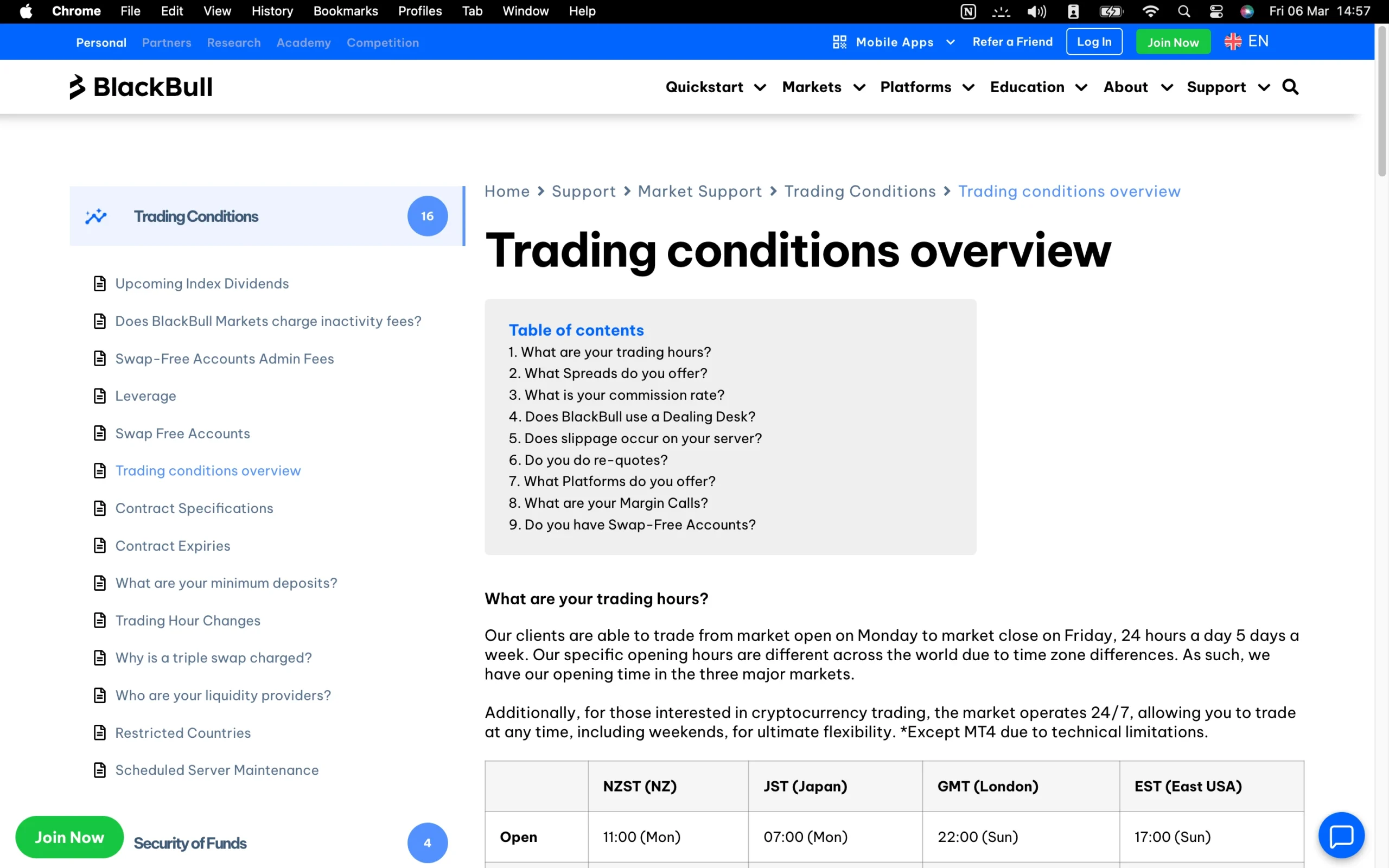
At BlackBull Markets, deposits are free of charge, though some third-party payment providers may apply their own processing fees. Withdrawals incur a standard $5 handling fee regardless of the chosen payment method. Additionally, accounts that remain inactive for 12 consecutive months are subject to a $10 monthly inactivity fee, which continues to be applied until either account activity resumes or the balance reaches zero. These transparent non-trading fees ensure traders can clearly anticipate all associated costs outside of their standard trading activities.
Are BlackBull Markets Fees Competitive?
Yes. BlackBull Markets offers trading fees that are generally competitive within the industry, featuring low-to-average spreads and swap rates across a broad range of popular instruments. This makes the broker attractive for active traders seeking cost-efficient execution. On the other hand, some non-trading fees, such as withdrawal charges and monthly inactivity fees, are slightly higher than the market average. Overall, BlackBull Markets balances competitive trading costs with transparent non-trading fees, allowing traders to clearly assess the total cost of their trading activity.
| Fees Summary | BlackBull Markets |
|---|---|
| Minimum Deposit | $0 |
| Average Spread EUR/USD - Standard | 0.71 |
| All-in Cost EUR/USD - Active | 0.71 |
| ACH or SEPA Transfers | No |
| Bank Wire (Deposit/Withdraw) | Yes |
| Visa/Mastercard (Credit/Debit) | Yes |
| Skrill (Deposit/Withdraw) | Yes |
| Active Trader or VIP Discounts | Yes |
| PayPal (Deposit/Withdraw) | No |
Deposit and Withdrawal Overview
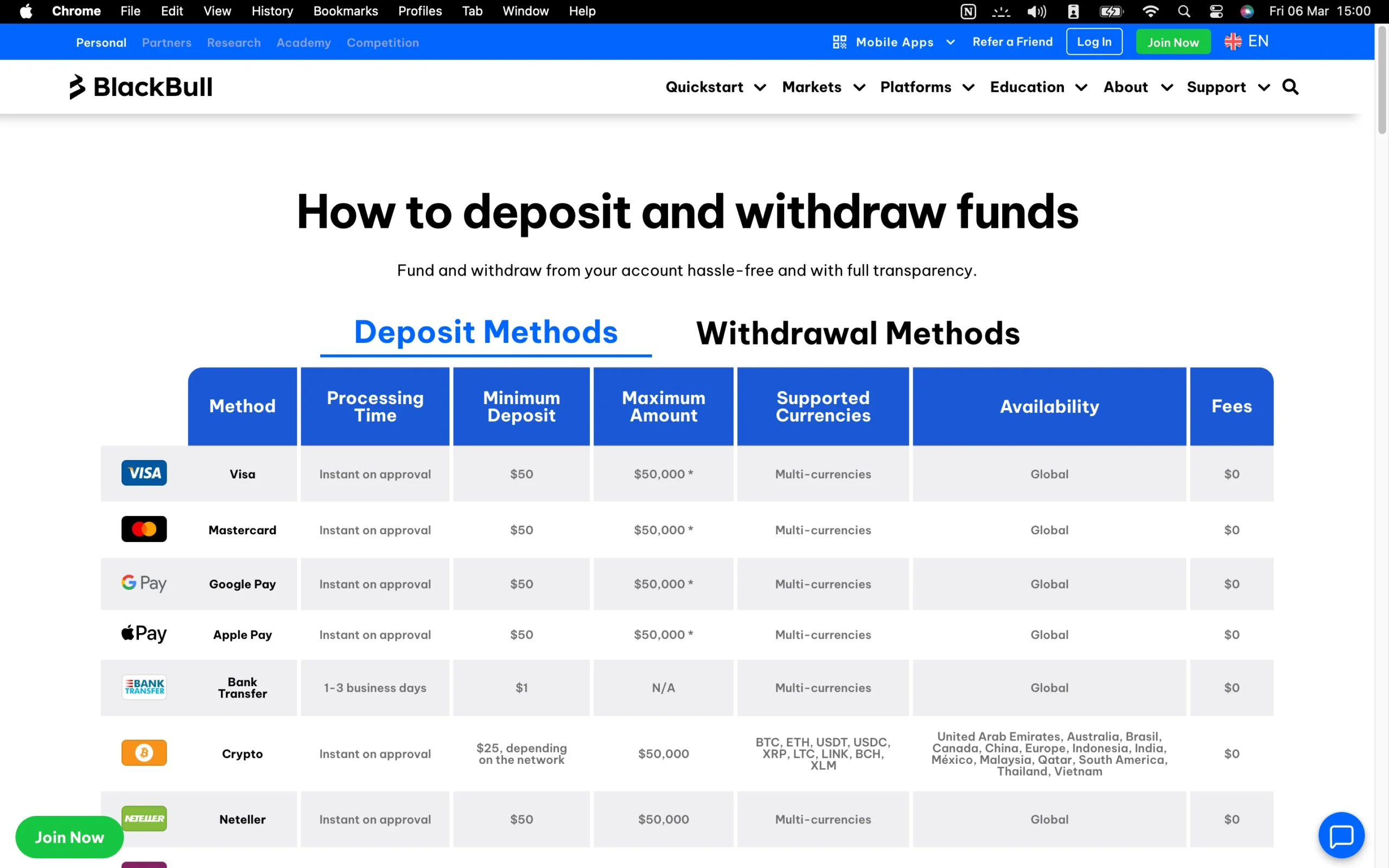
BlackBull Markets provides a versatile range of deposit and withdrawal methods, including bank wires, e-wallets, debit and credit cards, and cryptocurrencies, catering to traders across multiple regions. Deposits are processed instantly and free of charge, while withdrawals incur a modest $5 handling fee. The broker supports several base currencies, allowing clients to fund and access their accounts conveniently, and overall, the payment system is fast, reliable, and designed to accommodate both new and experienced traders.
Pros:
- Several account base currencies
- Credit/Debit card available
- No deposit fee
Cons:
- Withdrawal fee
BlackBull Markets Account Base Currencies
At BlackBull Markets, traders have the flexibility to open accounts in eight different base currencies, providing a level of choice that aligns with industry standards. Selecting the right base currency is not just a matter of preference – it has a direct impact on your trading efficiency and cost management. Funding your trading account in the same currency as your personal bank account or aligning your account currency with the primary currency of the assets you trade eliminates unnecessary currency conversion fees, which can quietly erode trading profits over time.
To further optimize your currency management, many traders turn to multi-currency digital bank accounts. These accounts offer banking in multiple currencies, typically with competitive exchange rates and minimal or zero fees for international transfers. This approach allows you to move funds efficiently between your bank and trading account while reducing conversion costs.
Opening such an account is usually straightforward, often completed in just a few minutes via a mobile app. By leveraging these strategies, traders at BlackBull Markets can enhance cost-efficiency, simplify account funding, and maintain greater control over their international trading activities, ultimately maximizing the value of every deposit and trade.
Deposit Methods and Fees
At BlackBull Markets, depositing funds is straightforward and cost-effective, with no fees applied to any deposit method. Traders can fund their accounts using a bank transfer, which may take several business days to process, or opt for a credit or debit card, which provides instant funding for quicker trading access. For security and regulatory compliance, deposits must originate from accounts held in the trader’s own name, ensuring both safety and transparency.
This combination of fee-free deposits and multiple payment options offers flexibility while maintaining full control over your trading funds, allowing you to start trading efficiently without hidden costs or delays.
BlackBull Markets supports the following electronic wallets:
| Neteller | AMEX | FasaPay | FXPay |
| AstroPay | Boleto | AIRTM | Help2Pay |
| PaymentAsia | Skrill | HexoPay | Poli |
| Beeteller | China UnionPay |
BlackBull Markets deposit methods and fees:
| Deposit Method | Processing Time | Fee | Currencies |
|---|---|---|---|
| Bank Wire | 1-3 business days | $0 | Multiple |
| Local Bank Transfer | 30 to 90 minutes | $0 | INR |
| Credit/Debit Card | Instant | $0 | Multiple |
| Google Pay | Instant | $0 | Multiple |
| Apple Pay | Instant | $0 | Multiple |
| Crypto | Instant | $0 | BTC, ETH, USDT, USDC, XRP, LTC, LINK, BCH, XLM |
| Airtm | Up to 24 hours | $0 | Multiple |
| Neteller | Instant | $0 | Multiple |
| Skrill | Instant | $0 | Multiple |
| HexoPay | Instant | $0 | CAD |
| AMEX | 1-2 business days | $0 | Multiple |
| SEPA | Up to 48 hours | $0 | EUR, GBP |
| Poli | Up to 48 hours | $0 | NZD |
| PaymentAsia | Up to 48 hours | $0 | THB |
| Help2Pay | Up to 48 hours | $0 | EUR, USD |
| FXPay | Up to 48 hours | $0 | EUR, USD |
| FasaPay | Up to 48 hours | $0 | USD |
| China Union Pay | Instant | $0 | Multiple |
| Boleto | Up to 48 hours | $0 | BRL |
| Beeteller | Up to 48 hours | $0 | BRL |
Withdrawal Methods and Fees
At BlackBull Markets, withdrawals are simple and secure, with a standard fee of $5 per transaction (or 5 units in your account’s base currency). All withdrawals must be made to accounts registered in your name, ensuring compliance and security. For credit/debit cards, Skrill, FasaPay, Neteller, or UnionPay, you can only withdraw funds up to the amount you originally deposited via that method. Any profits beyond your initial deposit must be withdrawn through a bank transfer, which provides a reliable and flexible way to access your earnings. This system balances convenience, safety, and transparency, giving traders confidence when managing their funds.
How Long Does BlackBull Markets Take to Process Withdrawals?
At BlackBull Markets, withdrawal processing is fast and efficient, providing traders with quick access to their funds. Based on our testing, withdrawals via credit card or bank transfer are typically completed within 1 business day. This prompt processing time ensures that your profits and capital are accessible without unnecessary delays, offering both convenience and reliability. Whether funding your account or retrieving earnings, BlackBull Markets prioritizes speed and transparency, making fund management seamless for all clients.
Step-by-Step Guide to Withdrawing Money From BlackBull Markets
Access the Client Portal – Log in to the BlackBull Markets Client Login Portal using your registered credentials.
Navigate to Funding – From the dashboard, select ‘Withdraw Funds’ under the Funding section.
Choose Your Trading Account – Pick the MetaTrader account from which you wish to withdraw funds.
Enter Withdrawal Details – Specify the amount you want to withdraw and select your preferred withdrawal method.
Available Withdrawal Methods – Choose withdrawal method
Submit Request – Confirm and submit your withdrawal request.
Fees and Processing Time:
Handling fee: $5 per withdrawal (or equivalent in your account currency)
Processing: Most withdrawals via credit card or bank transfer are completed within 1 business day
Withdrawals are strictly allowed to accounts registered in your name for security and compliance.
Trading Platforms Overview
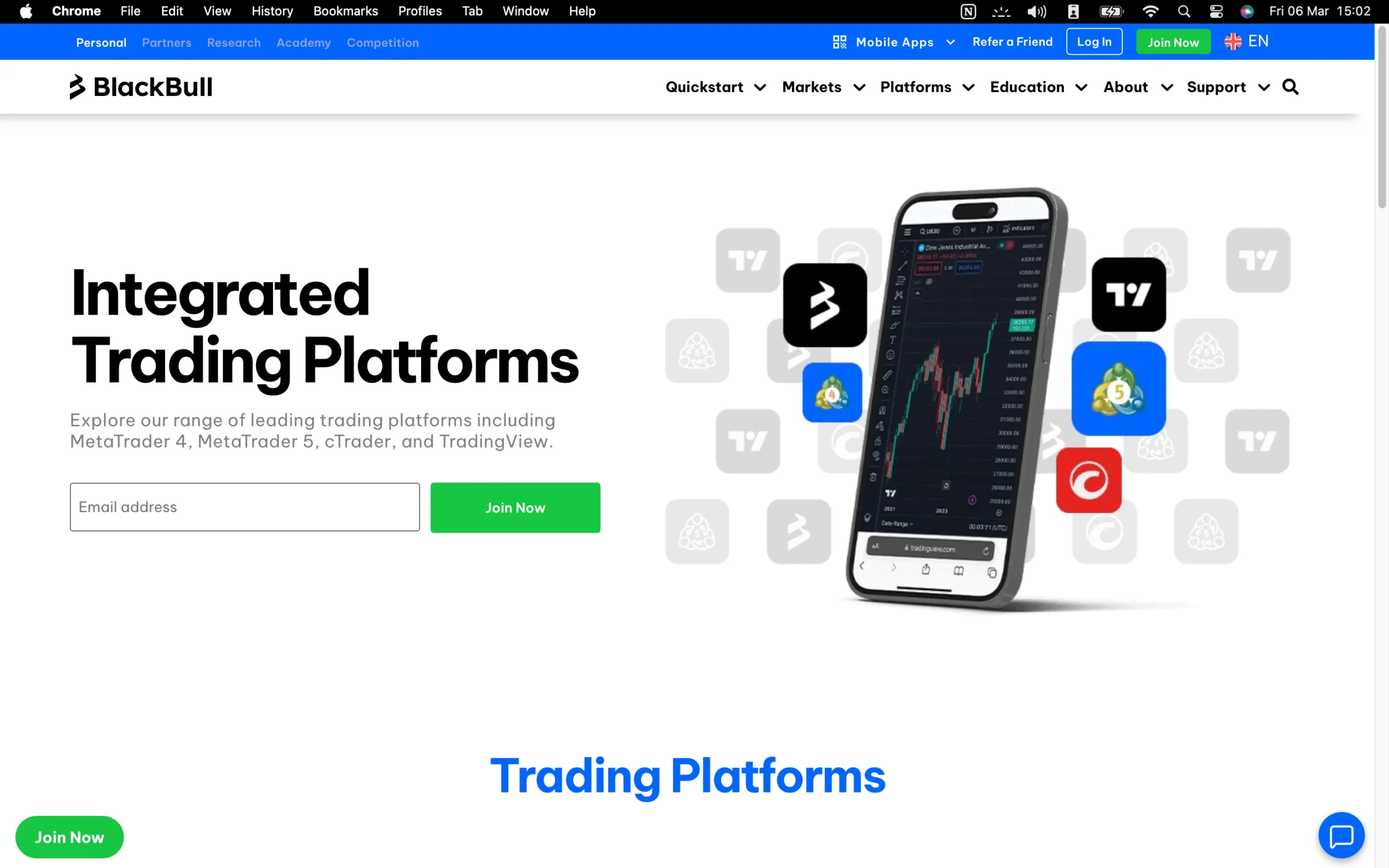
BlackBull Markets offers a comprehensive suite of trading platforms and advanced tools, catering to both beginner and professional traders. The broker’s flagship platform, BlackBull Invest, delivers access to thousands of trading and investment opportunities across forex, CFDs, and other instruments. Alongside this, traders can utilize industry-standard platforms such as MetaTrader 4 (MT4), MetaTrader 5 (MT5), cTrader, TradingView, and ZuluTrade, supporting a variety of trading styles including automated strategies, social trading, and copy trading.
Platform Features and Options:
MetaTrader Suite: Both MT4 and MT5 are available for desktop, web, and mobile, offering comprehensive charting, technical indicators, and expert advisor (EA) functionality for automated trading.
BlackBull Invest & BlackBull Shares: Proprietary platforms with enhanced analytics, custom charting, and integrated market data, allowing access to global trading opportunities.
TradingView Integration: Offers advanced charting tools, robust analysis capabilities, and seamless connectivity for traders who rely on professional technical studies.
cTrader: Supports algorithmic trading, in-depth market analysis, and ECN-style execution for serious traders seeking tighter spreads.
Social and Copy Trading Capabilities:
BlackBull Markets supports a range of social and copy trading platforms, including ZuluTrade, MyFxbook, and the broker’s proprietary CopyTrader, fully integrated with MetaTrader via Hokocloud.
Traders can follow, replicate, and interact with professional traders, gaining access to real-time strategy execution and performance tracking.
VPS Hosting for Algorithmic Traders:
For automated trading around the clock, BlackBull Markets offers VPS hosting through BeeksFX for a monthly fee.
Free VPS access is available for ECN Prime account holders who deposit at least $2,000 and trade a minimum of 20 standard lots (2,000,000 units) per month, ensuring uninterrupted algorithmic operations.
Enhanced Tools for Professional Trading:
FIX API Integration: Advanced traders can directly connect their trading software for high-speed execution and improved liquidity access.
The combination of multiple platforms, social trading apps, VPS solutions, and proprietary tools positions BlackBull Markets as a versatile broker equipped to meet diverse trading needs.
This comprehensive approach to trading platforms ensures that whether you are executing manual trades, automating strategies, or participating in social trading networks, BlackBull Markets provides the technology and infrastructure to maximize efficiency and trading potential.
MetaTrader 4

MetaTrader 4 Desktop Intro
The MT4 platform at BlackBull Markets is equipped with an advanced charting package designed to meet the needs of both beginners and seasoned traders. With a wide range of technical indicators, drawing tools, and customizable chart types, it provides a powerful environment for conducting in-depth technical and strategic analysis.
Key Charting Features
Technical Indicators: Traders can utilize 38 built-in indicators, covering trend analysis, oscillators, and volume-based tools. These indicators help track price momentum, market sentiment, and possible entry or exit points.
Drawing Tools: The platform includes 24 drawing tools, such as Fibonacci retracements and Elliott Wave analysis, giving traders the ability to map out support and resistance levels, chart formations, and potential breakout zones.
Timeframes & Chart Types: With 21 different timeframes ranging from one minute to monthly, MT4 supports multi-timeframe strategies. Users can switch between candlestick, line, and bar charts for different perspectives on price action.
Customization & Usability: While MT4 offers extensive flexibility, applying multiple indicators at once can make charts appear cluttered, which may challenge newer traders when interpreting price movements.
BlackBull Markets combines the reliability of MT4 with a comprehensive charting toolkit that supports both manual trading and algorithmic strategies. From scalpers who rely on short-term setups to swing traders analyzing longer trends, the platform delivers the versatility required to make informed trading decisions. Despite the potential for visual clutter, its depth of tools makes it one of the most robust charting solutions in online trading.
Pros:
- Clear fee report
- Good customizability (for charts, workspace)
- Price alerts
Cons:
- Search function could be improved
- Poor design
Mt4 Charts
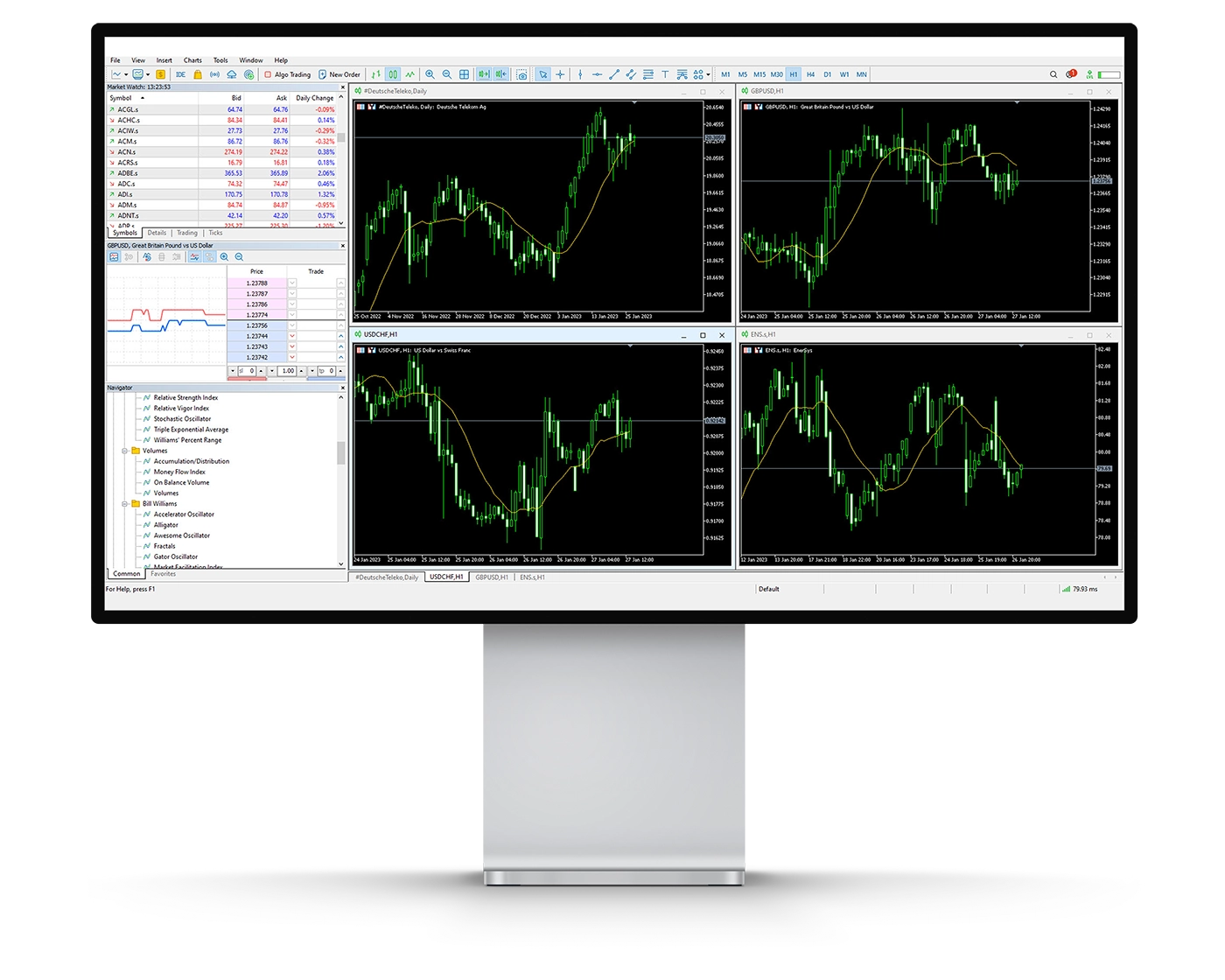
The MT4 platform at BlackBull Markets is equipped with an advanced charting package designed to meet the needs of both beginners and seasoned traders. With a wide range of technical indicators, drawing tools, and customizable chart types, it provides a powerful environment for conducting in-depth technical and strategic analysis.
Key Charting Features
Technical Indicators: Traders can utilize 38 built-in indicators, covering trend analysis, oscillators, and volume-based tools. These indicators help track price momentum, market sentiment, and possible entry or exit points.
Drawing Tools: The platform includes 24 drawing tools, such as Fibonacci retracements and Elliott Wave analysis, giving traders the ability to map out support and resistance levels, chart formations, and potential breakout zones.
Timeframes & Chart Types: With 21 different timeframes ranging from one minute to monthly, MT4 supports multi-timeframe strategies. Users can switch between candlestick, line, and bar charts for different perspectives on price action.
Customization & Usability: While MT4 offers extensive flexibility, applying multiple indicators at once can make charts appear cluttered, which may challenge newer traders when interpreting price movements.
BlackBull Markets combines the reliability of MT4 with a comprehensive charting toolkit that supports both manual trading and algorithmic strategies. From scalpers who rely on short-term setups to swing traders analyzing longer trends, the platform delivers the versatility required to make informed trading decisions. Despite the potential for visual clutter, its depth of tools makes it one of the most robust charting solutions in online trading.
Mt4 Orders
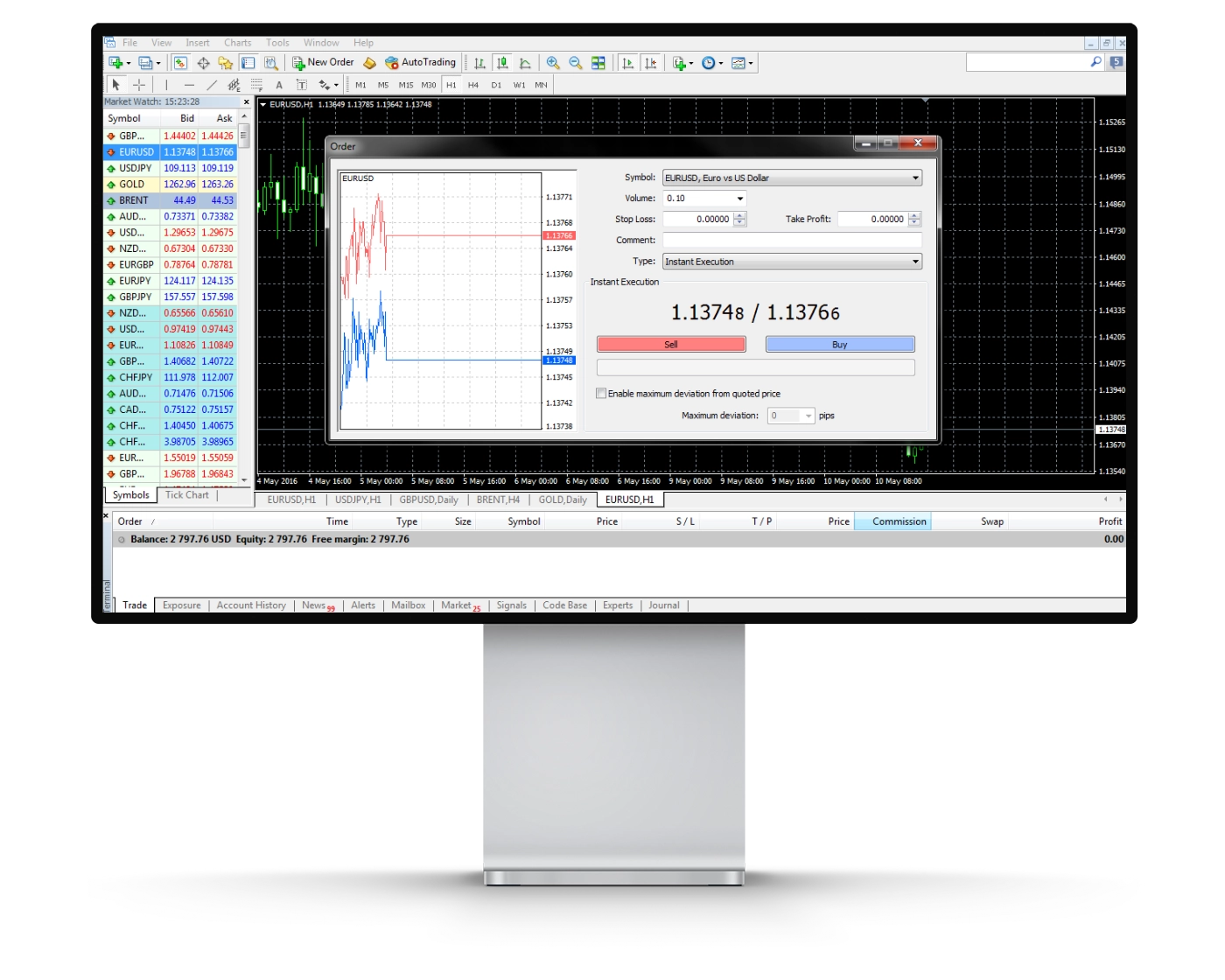
The MetaTrader 4 (MT4) platform at BlackBull Markets provides a flexible range of order execution types, making it suitable for scalpers, day traders, swing traders, and algorithmic strategies alike. With features like one-click trading and advanced pending orders, the platform is designed to maximize both speed and precision in trade execution.
Available Order Types
Market Orders: These allow instant execution at the best available price in the market. While they guarantee trade volume, final execution may differ slightly from the quoted price due to slippage in fast-moving conditions.
Limit Orders: With limit orders, traders can set their desired entry price in advance. The order will only execute if the market reaches the specified level, ensuring complete control over entry points.
Stop Orders: Designed as a risk management tool, stop orders automatically trigger when the price crosses a chosen level. Once activated, they convert into market orders to help limit losses or secure profits.
One-Click Trading: Ideal for high-speed strategies, this feature allows traders to open or close positions instantly without extra confirmation steps.
By offering a full suite of order types combined with one-click trading, BlackBull Markets equips traders with the ability to act quickly and confidently in dynamic market conditions. Whether executing short-term trades or managing long-term strategies, the platform delivers the precision and efficiency needed to optimize performance.
Mt4 WebTrader
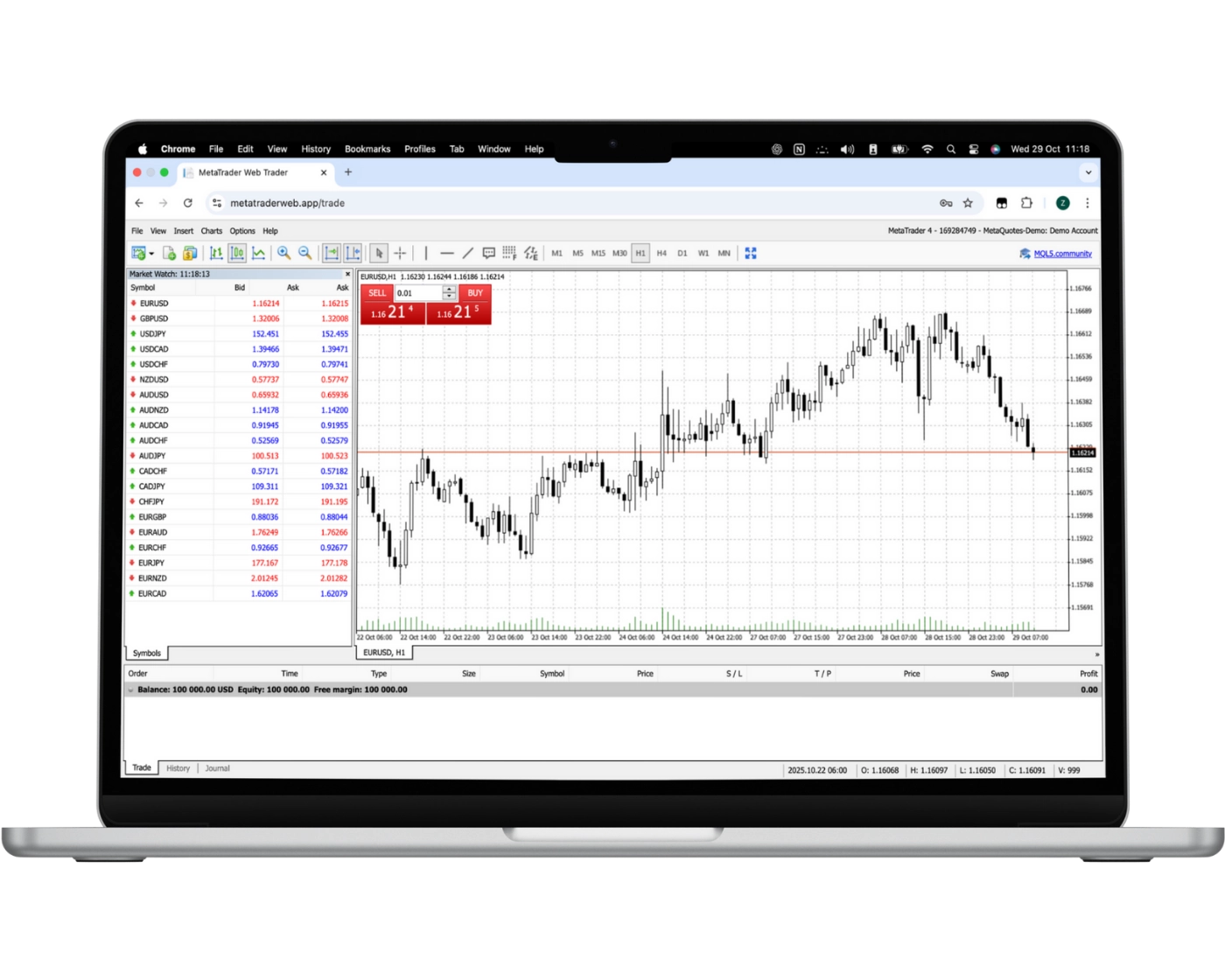
The MetaTrader Web Platform (Web Trader) at BlackBull Markets delivers the full power of MT4 in a browser-based solution, giving traders the freedom to access their accounts anytime, anywhere, without the need to install additional software. Whether you trade on Windows, macOS, or Linux, the platform runs smoothly across all operating systems for maximum convenience.
Key Features of the Web Trader
One-Click Trading: Open or close positions instantly with a single click, perfect for traders who need speed and efficiency.
Trading Directly from Charts: Analyze price movements and execute trades seamlessly from within your charts for faster decision-making.
Custom Watchlists with Live Quotes: Monitor your preferred instruments in real-time and stay ahead of the markets with updated pricing.
Comprehensive Trade History: Review past transactions quickly, allowing you to evaluate performance and refine your strategies.
Advanced Charting Tools: Access 30 built-in technical indicators to perform detailed market analysis and improve trade accuracy.
Copy & Automated Trading Options: Follow top-performing traders or implement automated strategies to streamline your trading approach.
By combining flexibility, speed, and professional-grade features, the BlackBull Markets Web Trader makes it easy for traders of all levels to stay connected to the markets. With powerful execution tools, advanced charting, and automation capabilities, it stands as a leading solution for traders seeking both convenience and performance.
MT4 Mobile App
Pros:
- User-friendly
- Good search function
- Price alerts
Cons:
- No two-step (safer) login
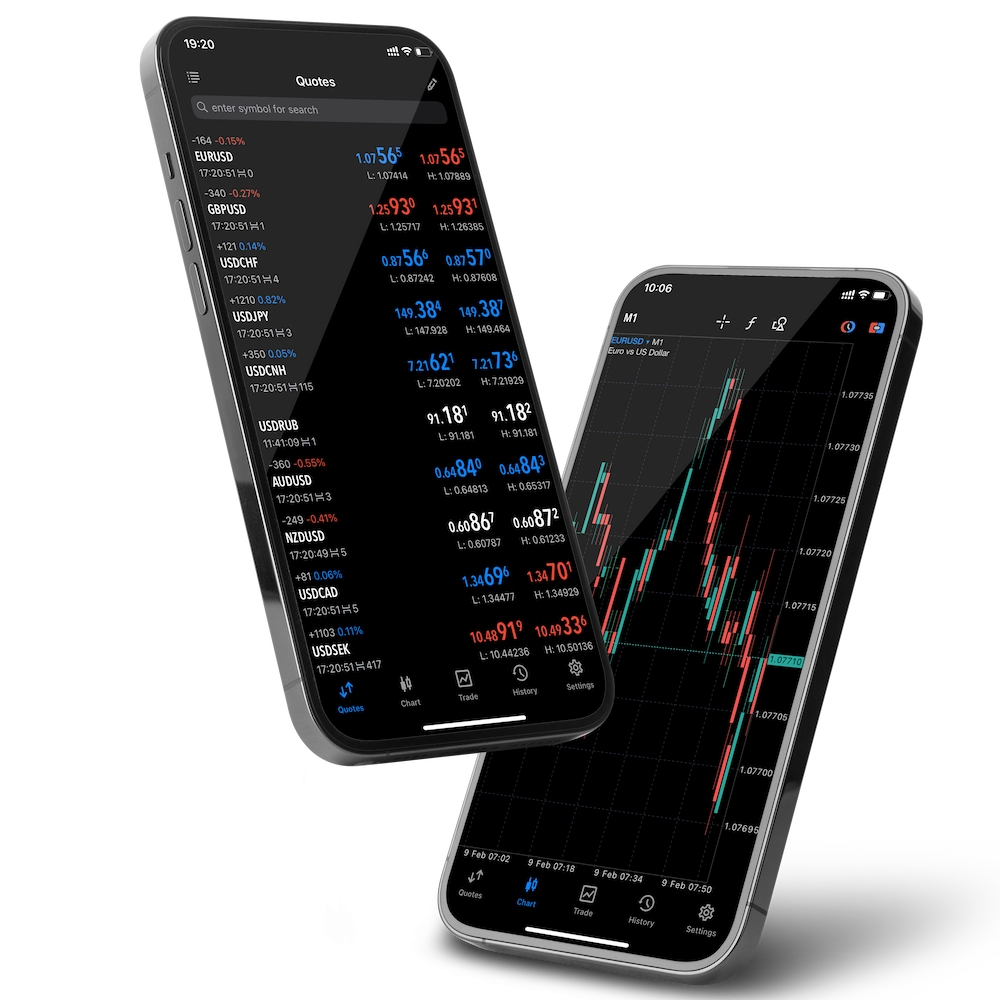
The MetaTrader 4 (MT4) mobile app from BlackBull Markets, available on both iOS and Android, gives traders instant access to the global markets anytime and anywhere. Designed for speed and accuracy, the app enables users to open, close, and manage trades directly from their mobile devices with just a few taps.
Key Features of MT4 Mobile Trading
Full Order Execution: Place market, limit, and stop orders with ease while adjusting trade sizes and exposure to match your strategy.
Intuitive & Responsive Interface: The clean design ensures smooth navigation, allowing traders to make fast, informed decisions without delays.
On-the-Go Flexibility: Monitor positions, analyze charts, and react to market changes in real time – no matter where you are.
Advanced Execution & Real-Time Data: Backed by BlackBull Markets’ execution technology, traders benefit from speed, reliability, and live price feeds.
Professional-Grade Mobile Experience: Whether you are a casual trader or a professional, the MT4 mobile platform provides the tools you need to stay competitive in fast-moving markets.
The MT4 app is more than just a simplified version of the desktop platform – it delivers full trading functionality, technical analysis tools, and real-time execution, all optimized for mobile use. This makes it an essential tool for traders who value flexibility without compromising performance.
Look and Feel
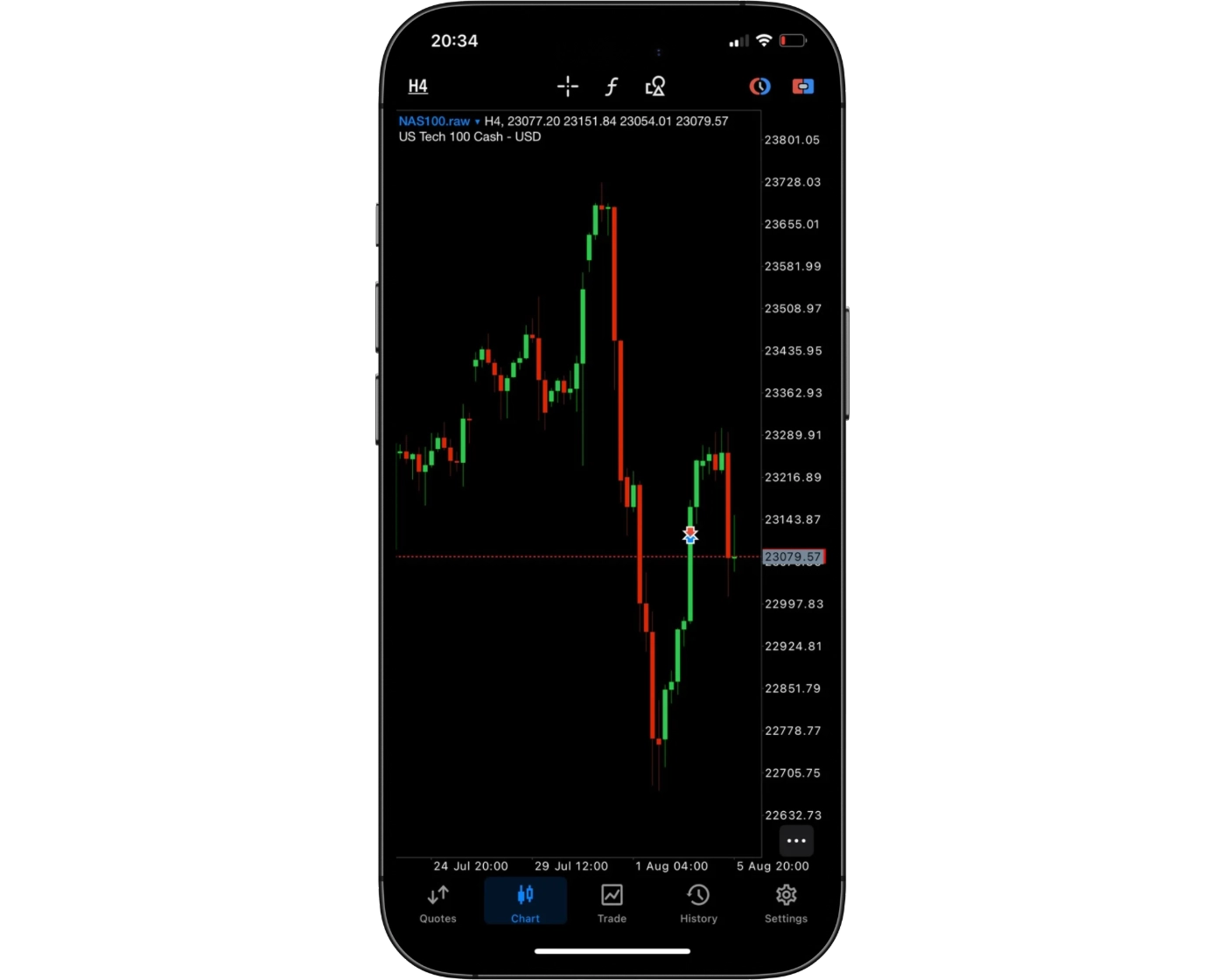
The MT4 mobile trading platform from BlackBull Markets is designed with both style and practicality in mind, offering a smooth balance between clean visuals and powerful functionality. Its modern interface is easy to navigate, allowing traders to quickly access charts, place trades, and manage open positions without unnecessary clutter.
The layout is thoughtfully structured so that essential tools are always within reach, ensuring fast decision-making in dynamic markets. Whether you are new to trading or a seasoned professional, the intuitive design reduces the learning curve and helps you stay focused on execution rather than navigation.
With its polished look, responsive performance, and reliable functionality, BlackBull Markets’ MT4 mobile app provides a seamless mobile trading experience that keeps you connected and in control of your trades anywhere, anytime.
Login and security
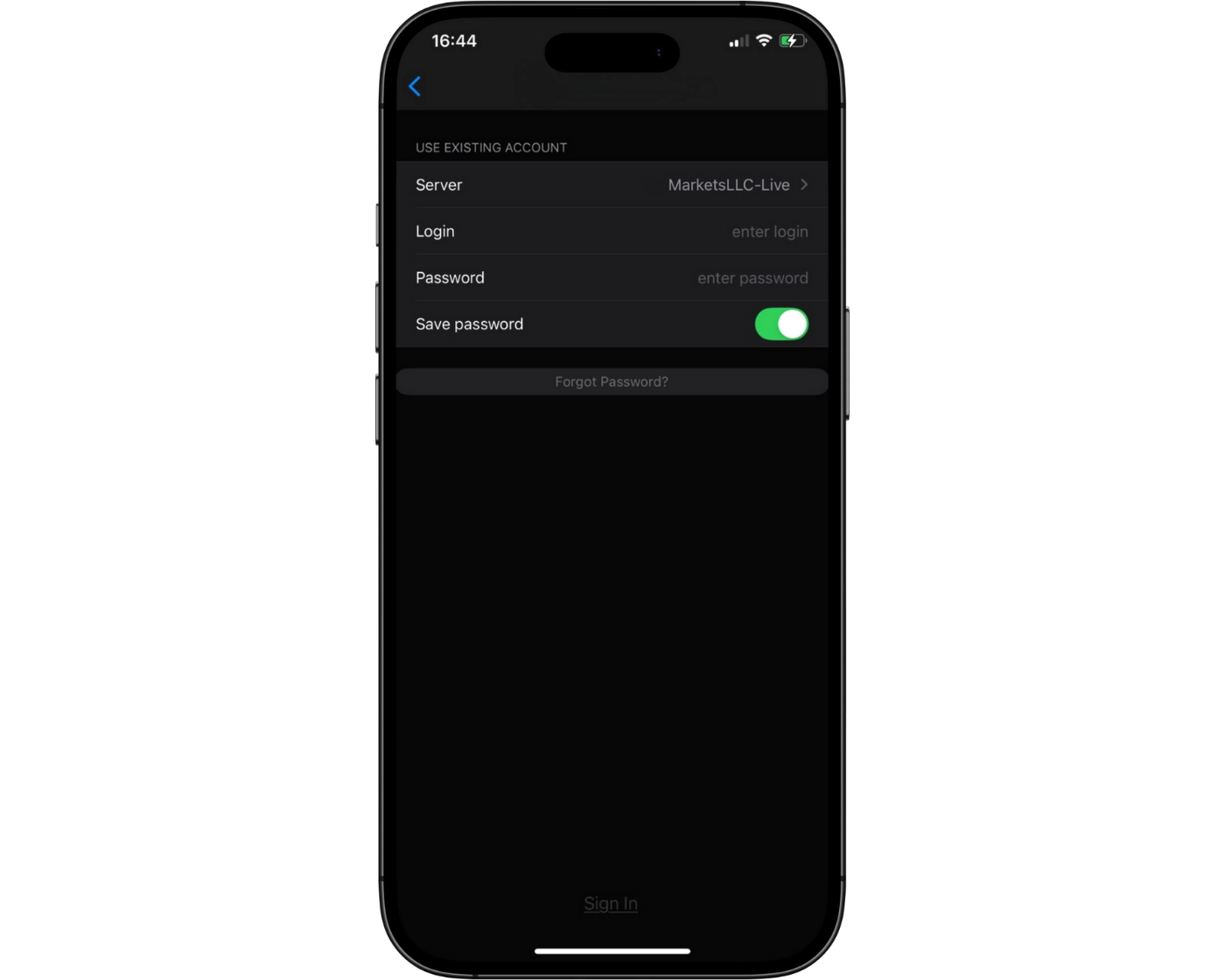
BlackBull Markets’ MT4 mobile app currently uses a simple one-step login process, giving traders quick access to their accounts. While this approach is straightforward and convenient, it leaves room for enhanced security measures.
Two-Factor Authentication (2FA): Adding 2FA would provide an extra layer of protection against unauthorized access, ensuring accounts remain secure even if login details are compromised.
Biometric Login: Features such as fingerprint or facial recognition are not yet available but would significantly improve both speed and security for mobile traders.
Overall, the platform’s current setup is functional, but the addition of advanced security options would create a safer and more seamless login experience for users who prioritize both protection and convenience.
Search functions
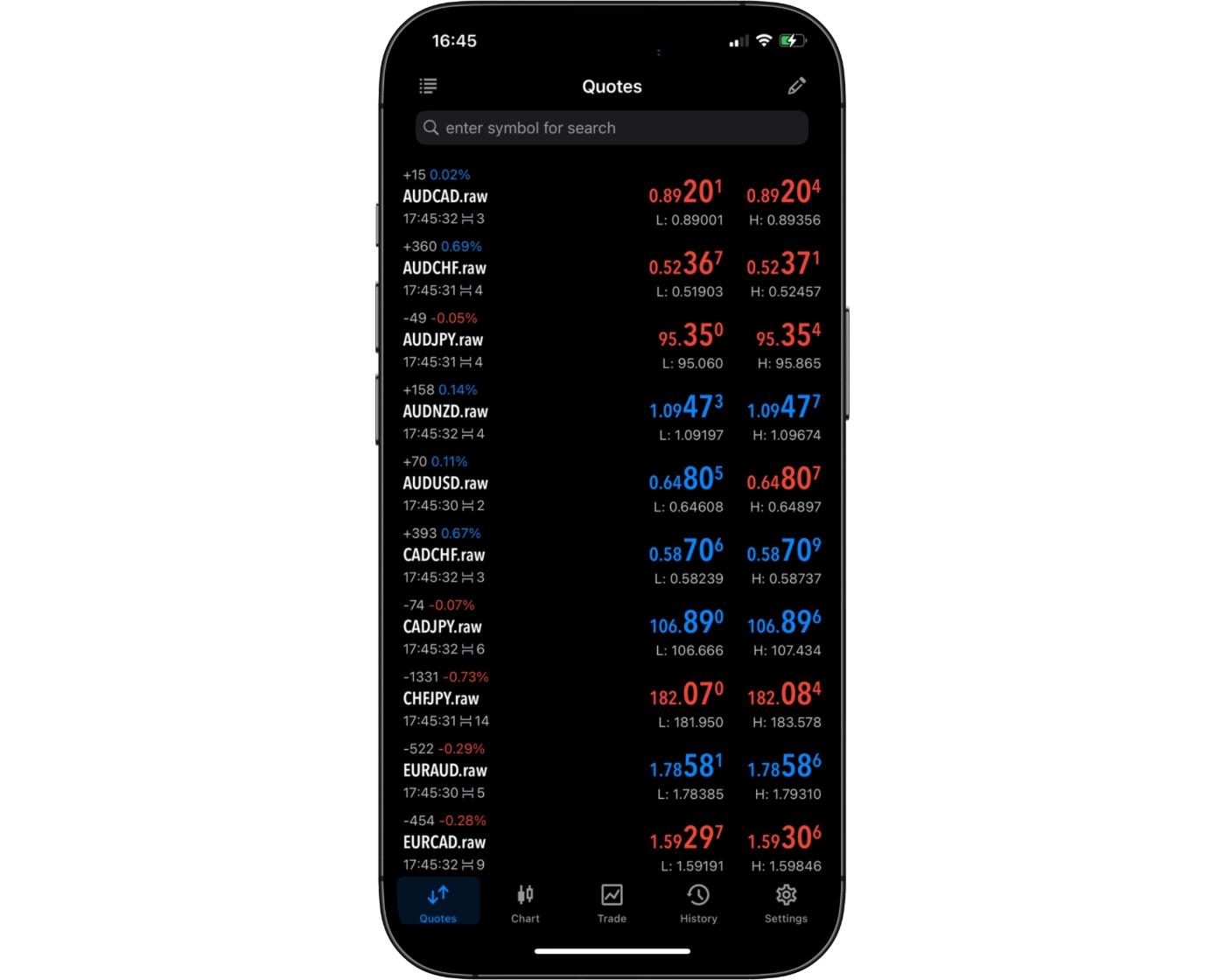
The BlackBull Markets MT4 mobile app features a streamlined search function that makes finding trading instruments fast and straightforward. Traders can either:
Use the search bar to type in the exact name or symbol of the instrument they want to trade.
Browse by category folders, which neatly organize available assets for easy exploration.
This dual navigation system combines speed with flexibility, ensuring traders can quickly access their preferred instruments while also discovering new opportunities. The intuitive design minimizes wasted time and enhances overall trading efficiency, making it especially valuable for active traders who need rapid access to the markets.
Placing orders
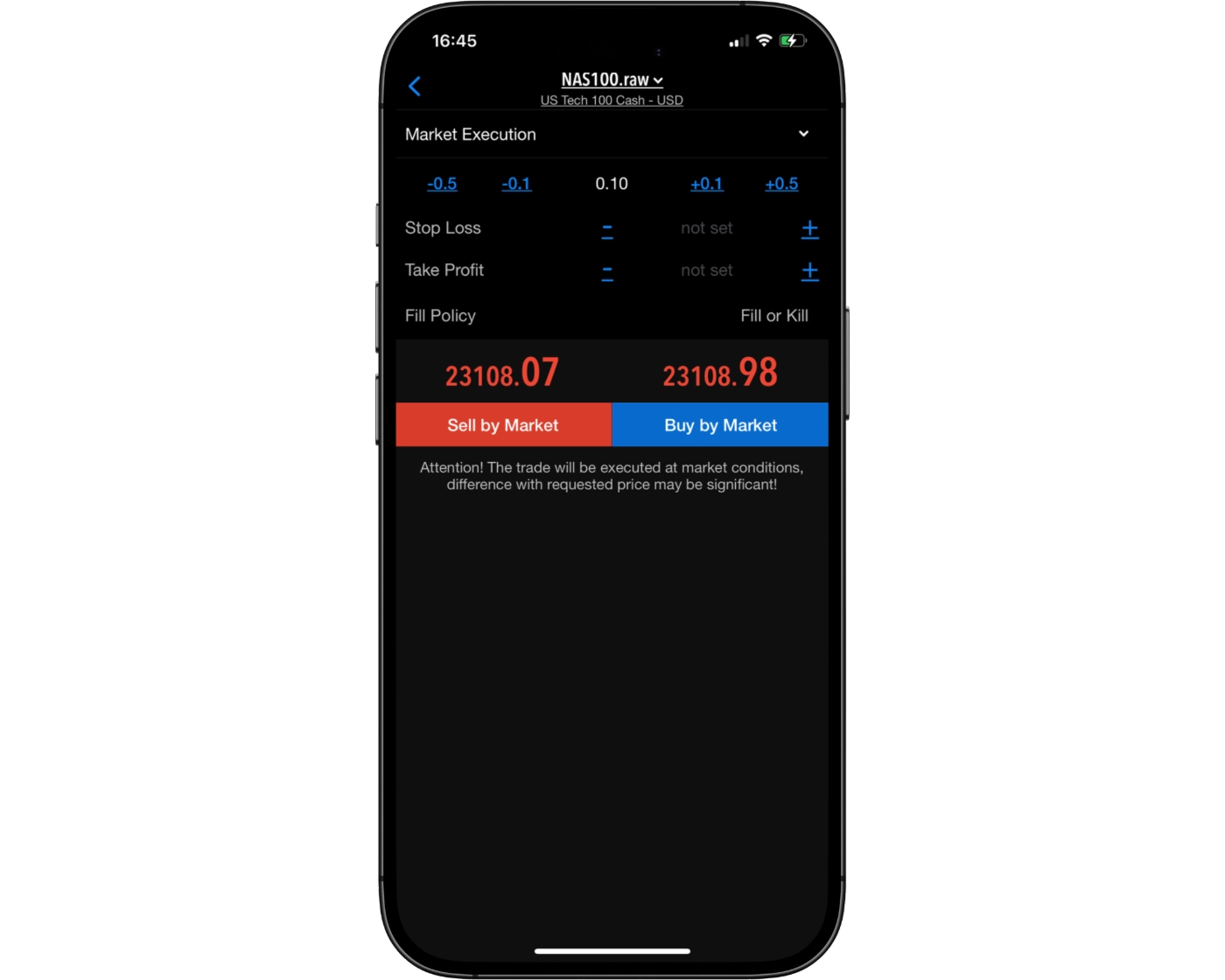
The BlackBull Markets MT4 mobile app offers a versatile suite of order placement options, catering to both casual traders and active professionals. Traders can select from:
Market Orders: Execute trades instantly at the current market price for immediate action.
Limit Orders: Enter positions at a pre-defined price, allowing precise control over trade entries.
Stop-Loss Orders: Manage risk by automatically closing positions at set levels to protect capital.
To accommodate different trading strategies, the platform also supports flexible order duration settings:
Good ‘til Canceled (GTC): Orders remain active until manually canceled, providing lasting trade opportunities.
Good ‘til Time (GTT): Orders automatically expire after a specified period, ensuring timely execution.
This combination of order types and time controls allows traders to implement strategies efficiently from their mobile devices, making the MT4 app a reliable tool for managing positions anytime, anywhere.
Alerts and notifications
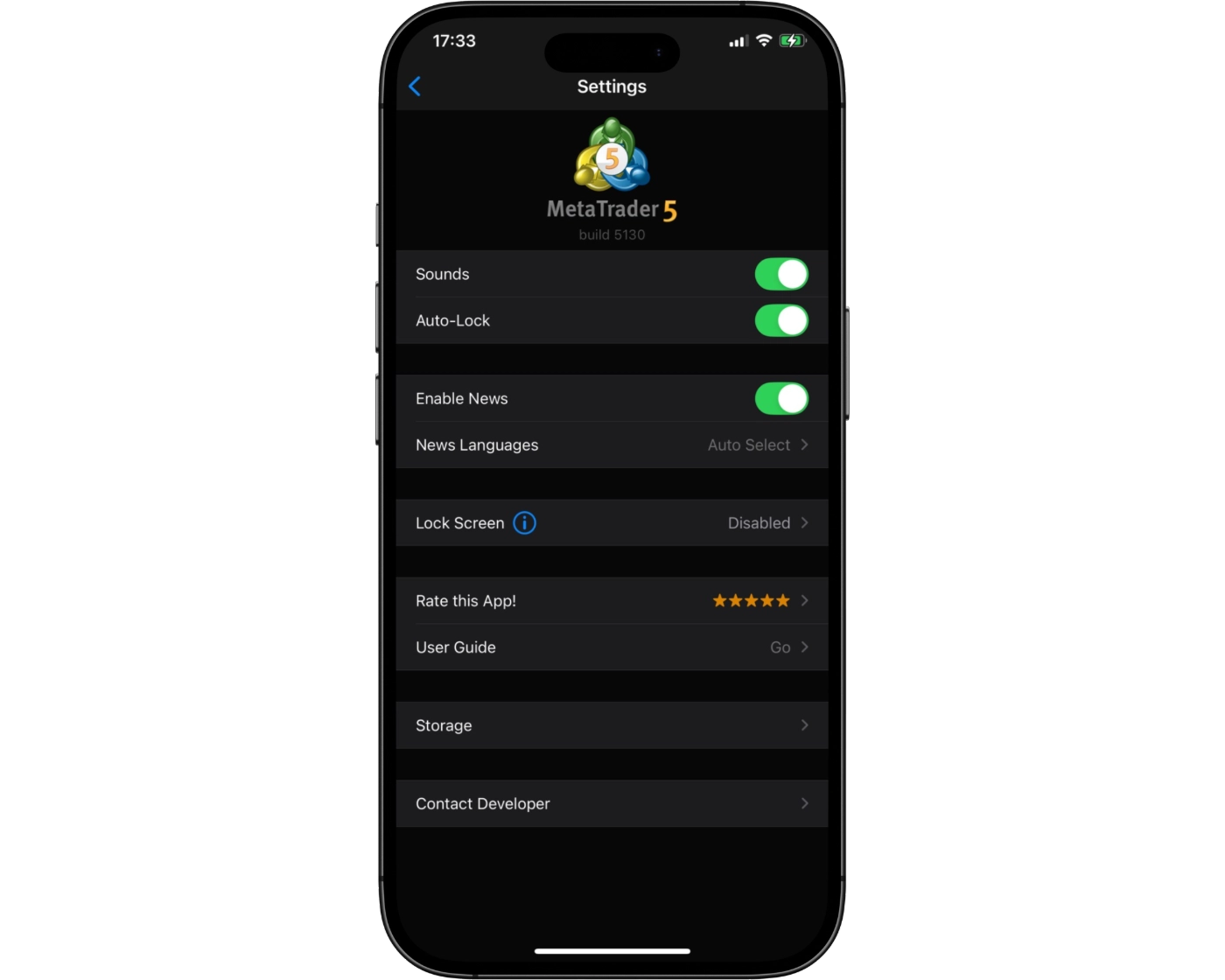
Currently, the BlackBull Markets MT4 mobile app does not provide alerts or push notifications, a feature that remains available exclusively on the desktop platform. These notifications are crucial for staying informed about market movements and executing trades at optimal moments.
While mobile users can monitor positions and track market activity in real time, they miss the advantage of instant trade alerts. Incorporating alert functionality into the mobile app would significantly elevate its usability, allowing traders to respond promptly to market changes from anywhere.
MetaTrader 4: Key Takeaways
MT4 Desktop Platform
The MetaTrader 4 desktop platform offers fast, dependable order execution, making it a solid choice for traders who value efficiency and precision. Its interface, while functional, retains a traditional design that may feel less modern compared to newer trading platforms. Charting tools are reliable but somewhat rigid, which can limit flexibility for multi-timeframe analysis and complex technical studies. Despite these limitations, MT4 desktop remains a trusted environment for executing advanced trading strategies with confidence.
MT4 Mobile App
The MT4 mobile application provides traders with convenient, on-the-go access to their accounts. Users can quickly manage positions, adjust trade sizes, and execute market, limit, or stop orders from their smartphone or tablet. The app excels in speed and accessibility, making it especially useful during volatile market conditions. However, it is less equipped for in-depth technical analysis and extensive charting, tasks better handled on the desktop platform.
Overall, MT4 delivers a well-rounded trading experience across both desktop and mobile platforms. It balances speed, reliability, and convenience, allowing traders to manage positions efficiently while providing robust desktop tools for comprehensive analysis when needed.
cTrader

cTrader Desktop Intro
BlackBull Markets offers the professional-grade cTrader platform, built for traders who prioritize precision, transparency, and lightning-fast execution. With its clean, intuitive interface and advanced trading tools, cTrader delivers a seamless trading experience across desktop, web, and mobile devices, catering to both beginners and seasoned professionals.
Unlike MetaTrader platforms, cTrader emphasizes depth of market visibility (Level II pricing), fast order execution, and highly detailed charting capabilities. This makes it particularly popular among scalpers, day traders, and algorithmic trading enthusiasts who rely on real-time market insights.
Through BlackBull Markets, traders can access cTrader to trade forex, indices, commodities, and shares using raw spreads from 0.0 pips with a transparent commission-based pricing structure. The platform also integrates cTrader Copy, enabling users to follow and replicate the strategies of successful traders, adding a social trading element to the professional-grade experience.
With its combination of real-time analytics, customizable charts, and seamless order execution, BlackBull Markets’ cTrader platform provides a powerful and user-friendly environment for traders seeking performance, control, and clarity in every trade.
Pros:
- A clean, modern user interface across desktop, web and mobile platforms
- cTrader delivers high-speed trade execution and real-time Depth of Market (Level II) data, enabling traders to make precise decisions and manage risk better.
- Its advanced charting tools and analytics
Cons:
- While feature-rich, the learning curve can be steeper for beginners
cTrader Charts
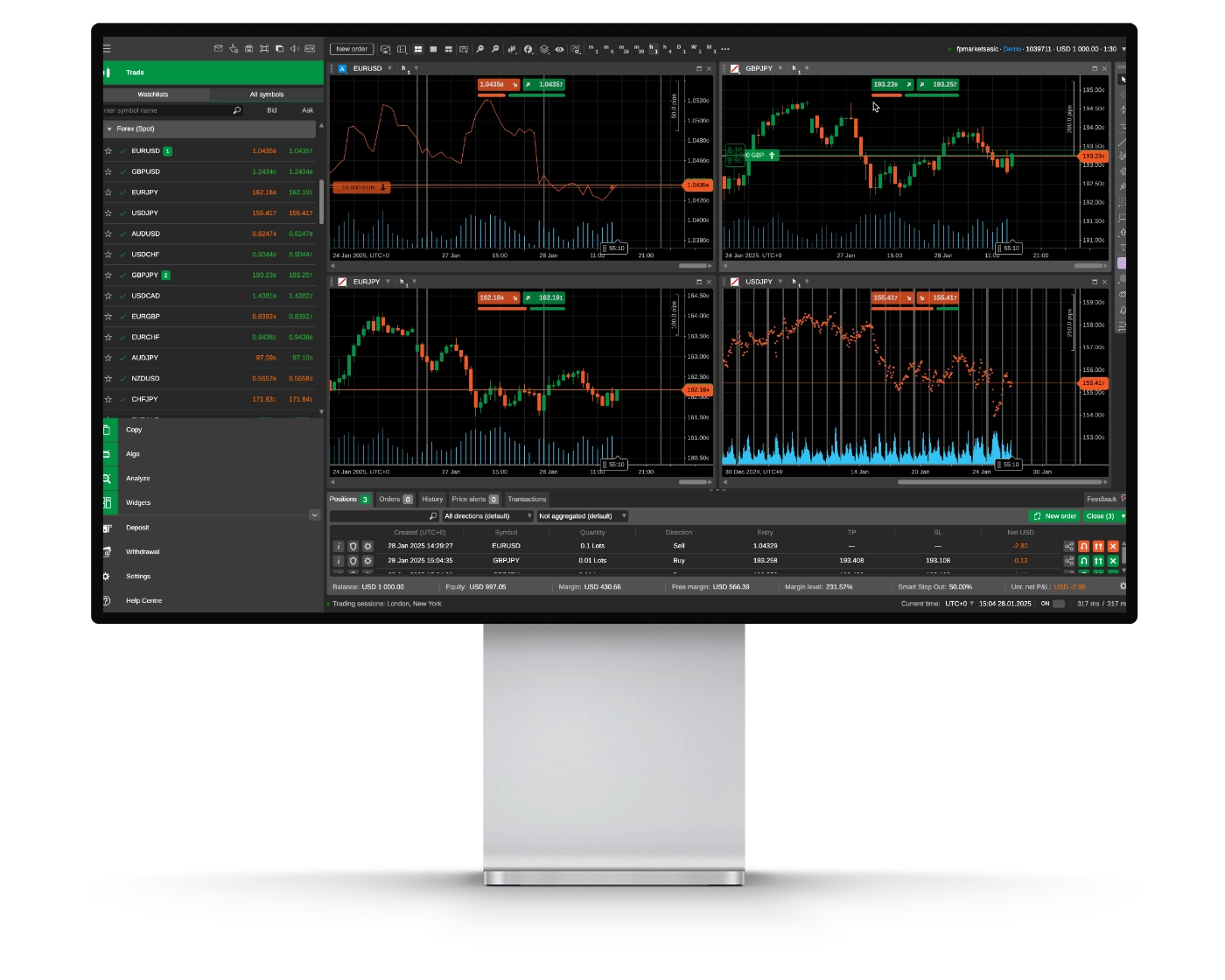
BlackBull Markets’ cTrader charting suite provides a modern, high-performance trading environment designed for precision analysis and advanced market insights. Whether you trade manually or use algorithmic strategies, cTrader delivers deep market transparency, rapid execution, and fully customizable charting tools to enhance your trading edge in forex and CFD markets.
Advanced Charting Tools
The platform comes equipped with 70+ built-in technical indicators and 50+ drawing tools, including Fibonacci retracements, trend channels, pitchforks, and geometric shapes. These features allow traders to clearly visualize price movements and identify key market structures across all instruments.
Depth of Market (DOM)
cTrader offers real-time Level II pricing, giving traders comprehensive visibility into market depth and liquidity. This feature is particularly valuable for scalpers and professional-style traders who require precise order flow information for high-speed trading decisions.
Customizable Layouts & Timeframes
Traders can select from 26 timeframes and 9 chart types, including Renko, Tick, and Heikin-Ashi charts. Detachable chart windows make multi-monitor setups seamless, allowing professional users to optimize workflow and analyze multiple instruments efficiently.
Usability Considerations
While cTrader provides a sleek and intuitive interface, new users may need time to explore its extensive tools and configurations. Once mastered, the platform becomes a powerful ally for technical and algorithmic trading, offering unmatched flexibility and insight.
Why BlackBull Markets cTrader Charting Stands Out
Optimized for speed, transparency, and precision, BlackBull Markets’ cTrader charts give traders access to institutional-grade tools, algorithmic trading via cTrader Automate, and raw pricing, making it ideal for traders pursuing consistency and high performance. Whether you’re day trading, analyzing commodities, or running automated systems, BlackBull Markets’ cTrader charting suite empowers you with the insights and control needed to stay ahead in fast-moving markets.
cTrader Orders
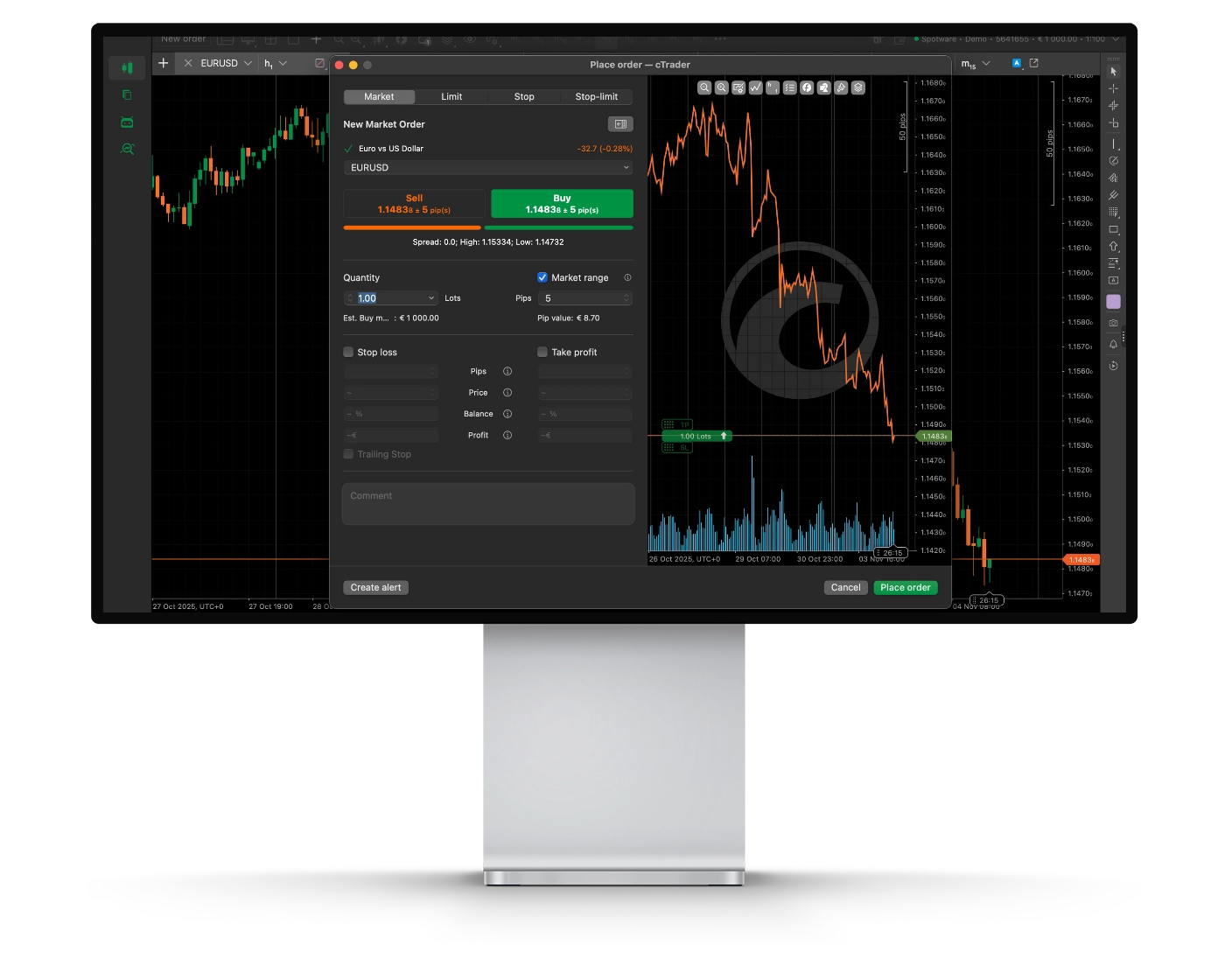
BlackBull Markets’ cTrader order execution system is designed for precision, speed, and transparency, giving traders complete control over entries, exits, and risk management. Whether you’re scalping, day trading, or managing swing positions, cTrader’s streamlined interface allows you to place, modify, and monitor orders efficiently while maintaining full access to market depth and raw spreads.
Order Types
cTrader supports six primary order types, including Market, Limit, Stop, Stop-Limit, Market Range, and Trailing Stop. This flexibility accommodates diverse trading strategies and allows traders to manage risk effectively in volatile markets.
Depth of Market (DOM)
With real-time Level II market depth, BlackBull Markets’ cTrader gives traders detailed insight into liquidity and order flow. This transparency is particularly useful for institutional-style and professional traders who rely on precise volume and order data to optimize execution.
Execution Speed & Control
BlackBull Markets hosts cTrader servers in high-performance data centers, minimizing latency and maximizing execution speed. The platform supports one-click trading and provides detailed trade confirmations, ensuring all transactions are fast, accurate, and verifiable.
Usability Considerations
While cTrader’s advanced order tools are ideal for professional traders, beginners may need some time to explore its comprehensive features. Once familiar, users benefit from one of the most intuitive and powerful environments for order management available today.
Why BlackBull Markets cTrader Orders Stand Out
Combining raw pricing, deep liquidity, and lightning-fast execution, BlackBull Markets’ cTrader is perfect for traders seeking precision and efficiency. From micro-lot trading to institutional-scale strategies, every order – whether market entry or algorithmic execution – is handled with accuracy, transparency, and speed. With no dealing desk intervention, direct market access, and spreads from 0.0 pips, cTrader empowers serious traders to execute strategies confidently and consistently.
cTrader Mobile App
Pros:
- Clean and intuitive interface
- Syncs seamlessly across devices
- Powerful charting on the go
Cons:
- Limited advanced features vs desktop
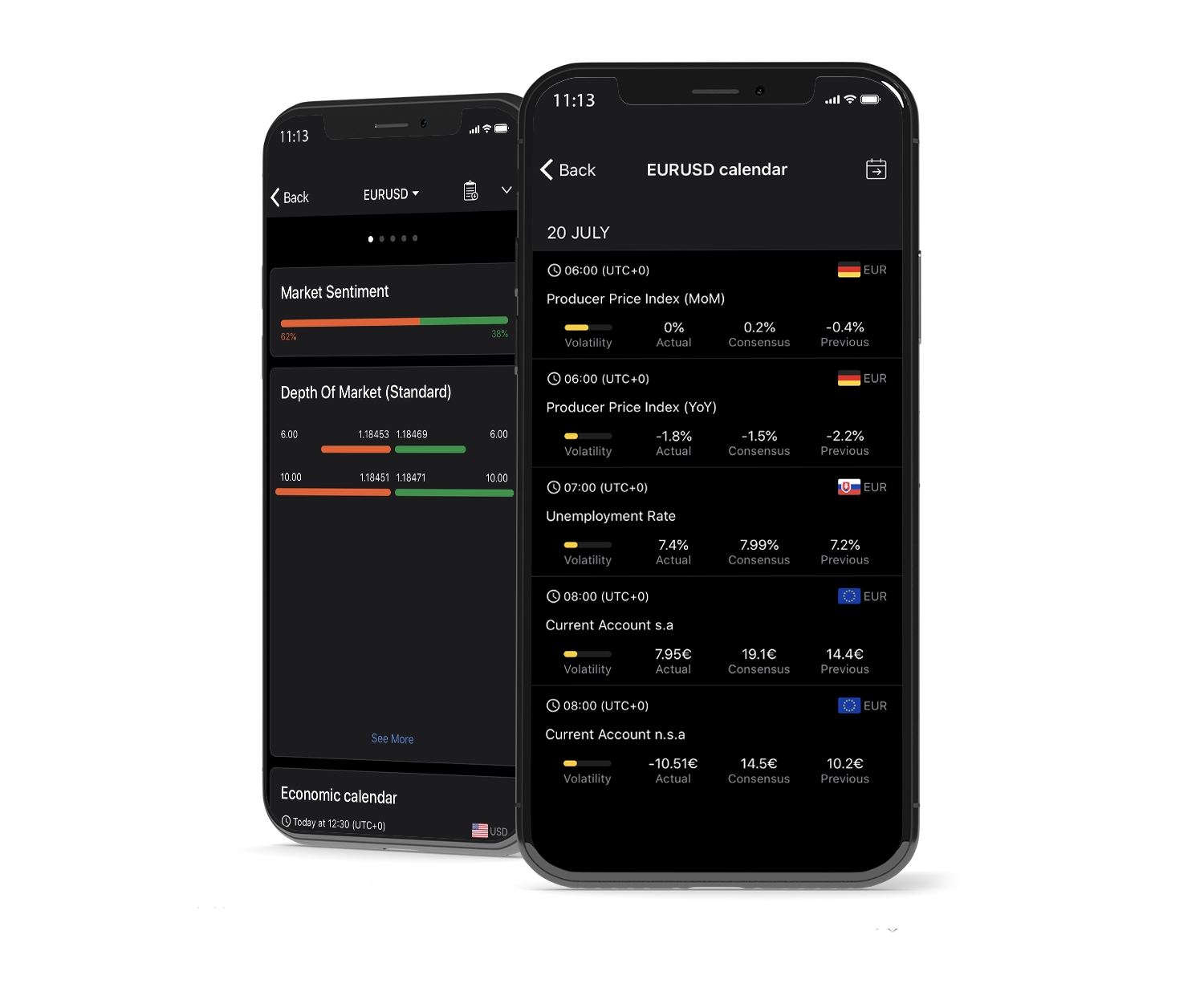
The cTrader mobile app from BlackBull Markets offers a premium trading experience for both iOS and Android users, giving traders full access to the markets from anywhere. Engineered for professional-grade performance, the app combines a modern design, fast execution, and advanced charting tools, allowing users to analyze markets, manage positions, and execute trades instantly on the go.
Key Features of BlackBull Markets cTrader Mobile
-
Full Trade Control: Open, modify, and close trades instantly with intuitive one-tap execution.
-
Smart Order Management: Place market, limit, stop, and advanced order types while maintaining precise control over position sizing and risk.
-
Modern Interface: Enjoy a sleek, responsive layout with smooth navigation and customizable workspace options.
-
Real-Time Price Feeds: Receive live quotes and dynamic market updates instantly, ensuring informed trading decisions anytime, anywhere.
Advanced Mobile Charting
BlackBull Markets’ cTrader mobile app includes interactive charts with multiple timeframes, drawing tools, and built-in indicators, providing professional-grade analysis capabilities for traders on the move.
Why Trade with BlackBull Markets’ cTrader Mobile App?
By combining flexibility, speed, and institutional-grade precision, the cTrader mobile app offers seamless synchronization with desktop and web versions. Its transparent pricing, lightning-fast execution, and intuitive design make it ideal for traders who prioritize control, clarity, and performance – no matter where they are.
Look and Feel
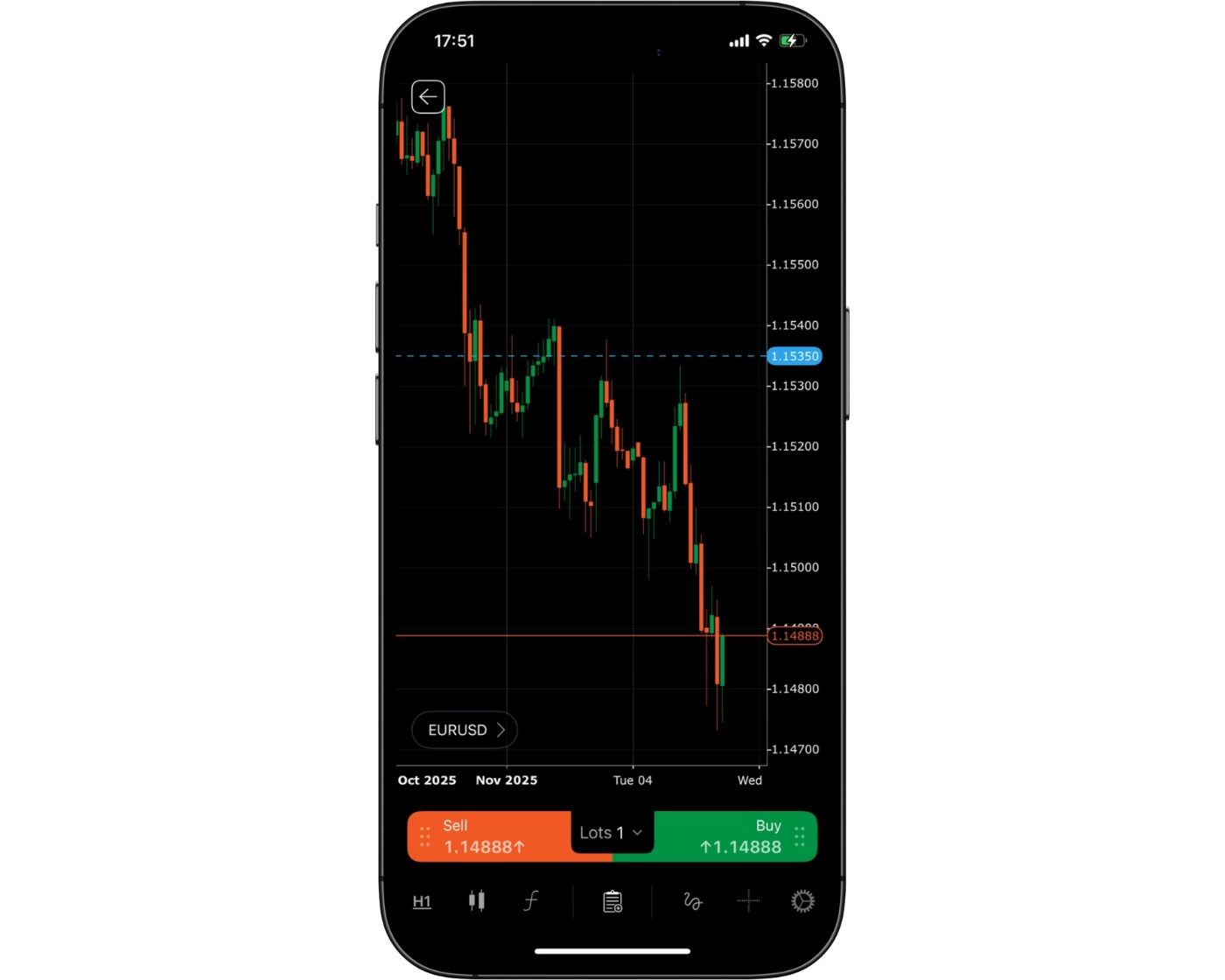
The cTrader mobile app from BlackBull Markets delivers a modern, visually refined trading experience, combining cutting-edge design with professional functionality. Its sleek interface and intuitive layout make it effortless for traders to navigate charts, place orders, and manage positions with minimal friction. Every feature is optimized for speed, clarity, and responsiveness, so users can focus on market movements rather than complex menus.
Elegant and Functional Design
What sets BlackBull Markets’ cTrader mobile platform apart is its fusion of elegance and precision. The app features a clean, modern aesthetic, customizable chart themes, intuitive touch gestures, and instant access to essential trading tools – all fully optimized for mobile devices. While beginners can quickly pick up the platform, advanced traders benefit from the power and flexibility of a professional-grade trading environment.
Smooth and Responsive Experience
The result is a fast, responsive, and visually polished trading interface that keeps you connected to the markets and in full control of your strategies, whether you’re analyzing trends, managing positions, or executing trades on the move.
Login and security
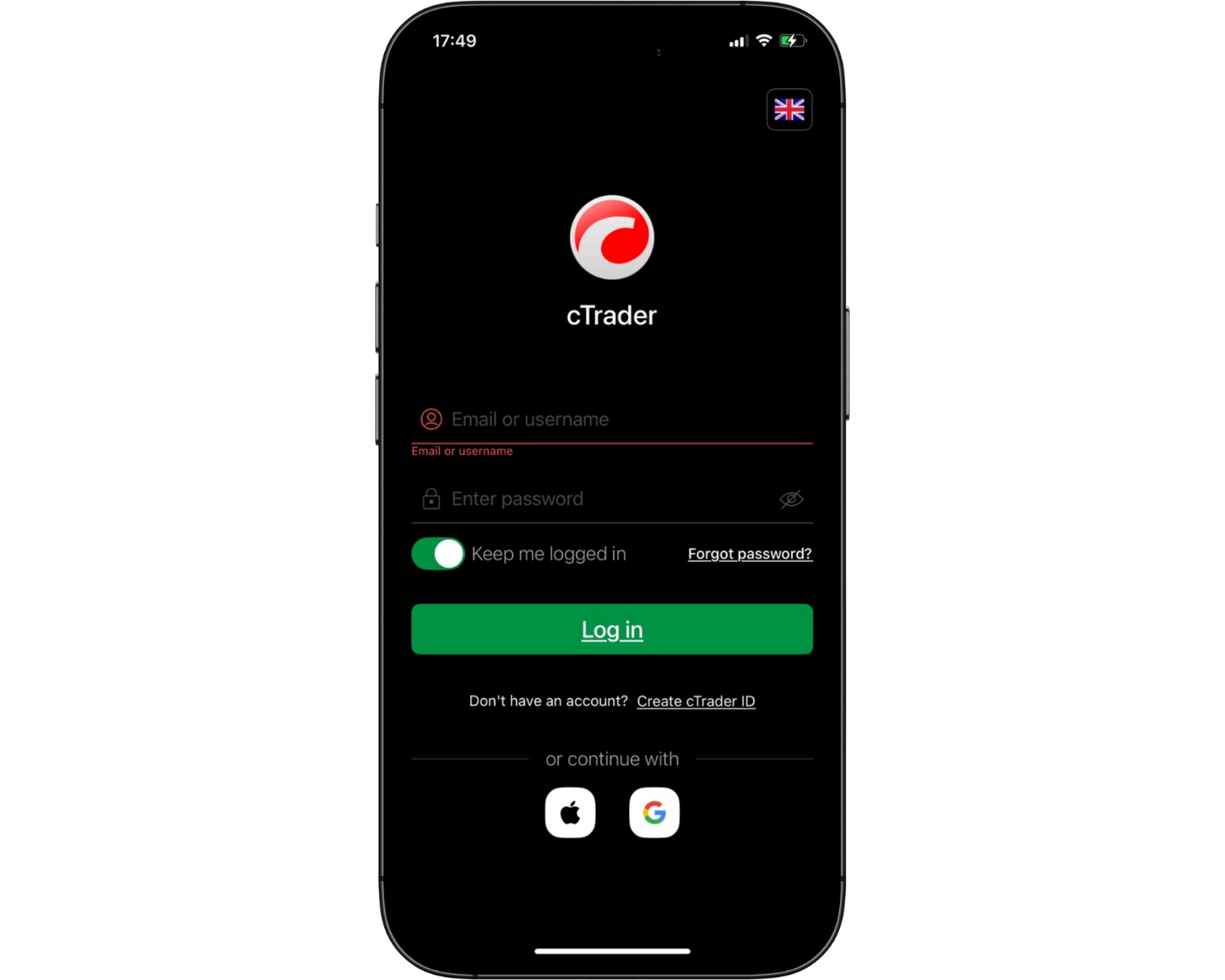
The cTrader mobile platform from BlackBull Markets provides a fast and seamless login experience, allowing traders to access their accounts and start trading within seconds. The platform supports single-step sign-in, ensuring users can monitor markets and execute trades efficiently while on the go.
Advanced Security Measures
From a security standpoint, the app uses advanced encryption protocols to protect personal and financial information during every session. While the login process is already secure and user-friendly, the platform also supports two-factor authentication (2FA) and biometric login options, such as fingerprint and facial recognition, to further safeguard accounts against unauthorized access.
Balance of Accessibility and Safety
Overall, BlackBull Markets’ cTrader mobile app delivers a perfect balance between accessibility and account protection, giving traders confidence that their funds and sensitive data remain secure while maintaining the speed and simplicity essential for mobile trading.
Search functions
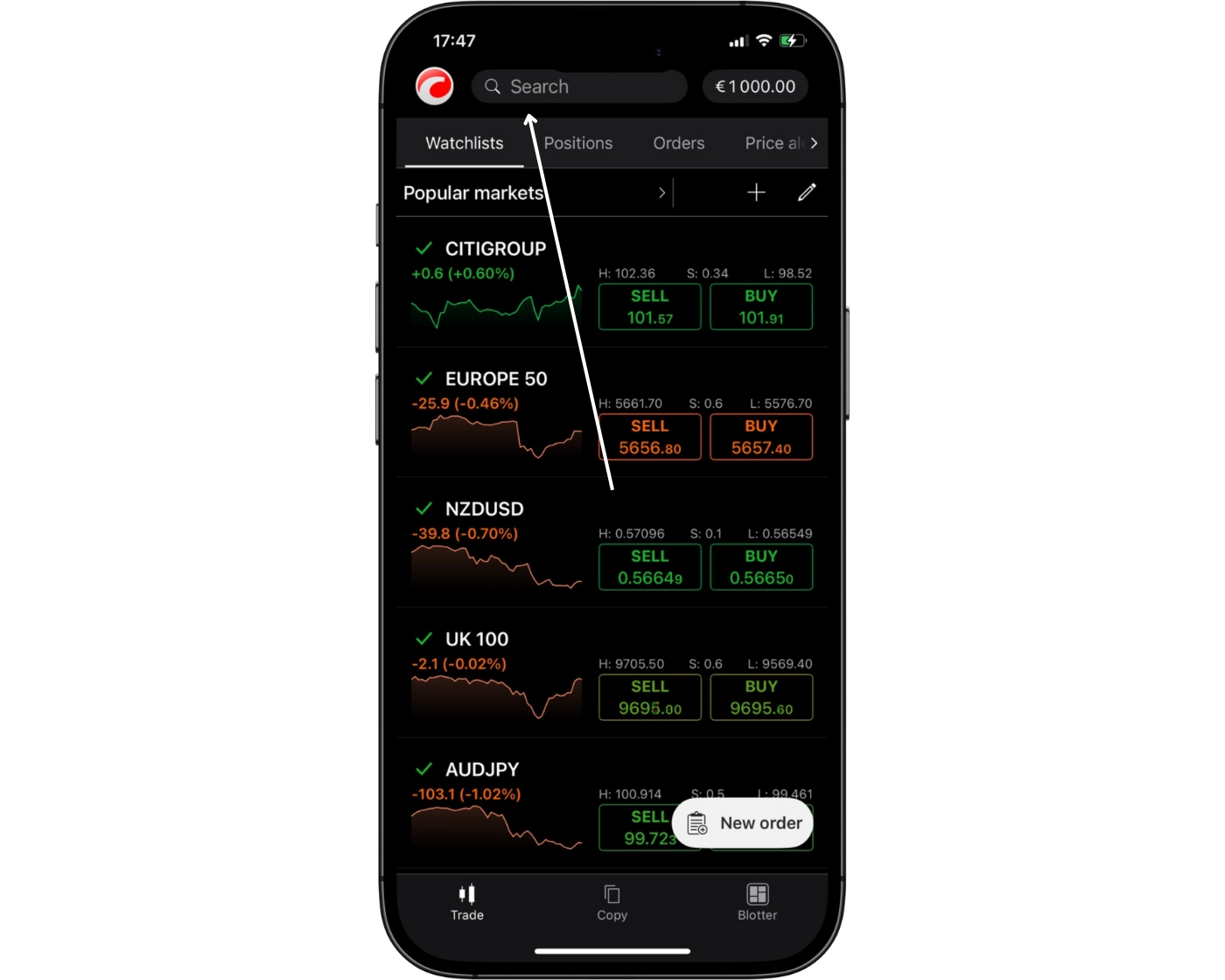
The cTrader mobile app from BlackBull Markets features a fast and intuitive search tool that allows traders to locate instruments quickly and efficiently. By typing directly into the search bar, users can instantly find specific currency pairs, indices, commodities, or stocks without scrolling through lengthy lists. The platform also organizes instruments into well-structured categories, making it easy to browse markets and discover new trading opportunities.
This streamlined search system enables traders to respond rapidly to price movements, add instruments to watchlists, and open positions instantly – all within a clean, responsive interface. With BlackBull Markets’ cTrader mobile app, accessing the markets is smooth, efficient, and optimized for speed, ensuring traders never miss critical opportunities.
Placing orders
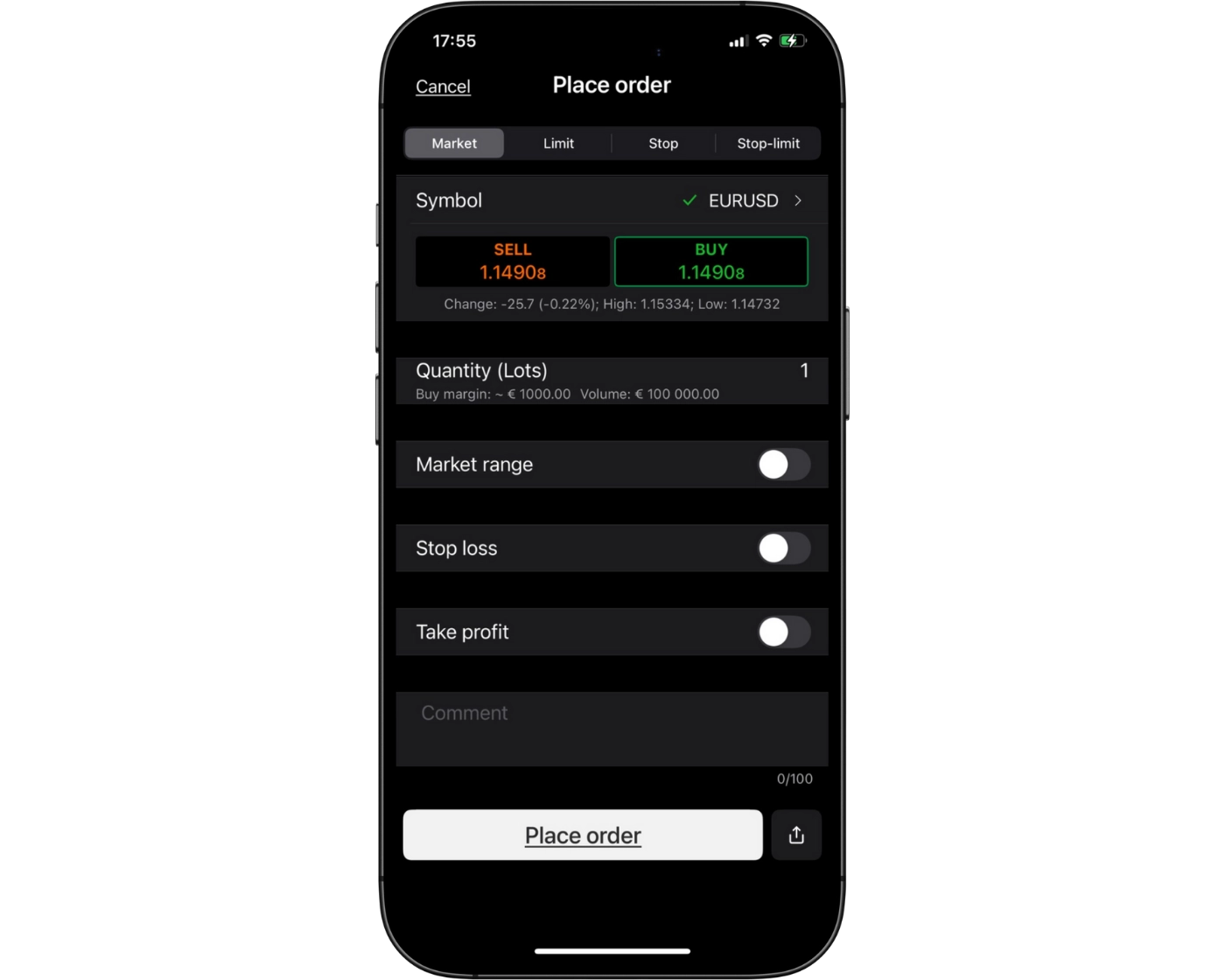
The cTrader mobile app from BlackBull Markets offers a highly responsive and flexible order placement system designed for precise trading on the go. Whether you are executing market orders for instant entry, setting limit orders to target ideal price levels, or using stop-loss and take-profit orders to manage risk, the platform delivers the accuracy and control professional and beginner traders need.
Multiple Order Duration Types
The mobile app supports a variety of order duration options to accommodate different trading strategies:
Good ‘til Canceled (GTC): Orders stay active until manually canceled.
Good ‘til Time (GTT): Orders automatically expire after a set period.
Market Range Orders: Trades execute within a specified price range, helping reduce slippage during volatile market conditions.
With its intuitive interface, one-tap order execution, and real-time trade management, BlackBull Markets’ cTrader mobile app allows traders to enter, adjust, and monitor positions efficiently – all while maintaining fast execution and professional-grade transparency.
Alerts and notifications
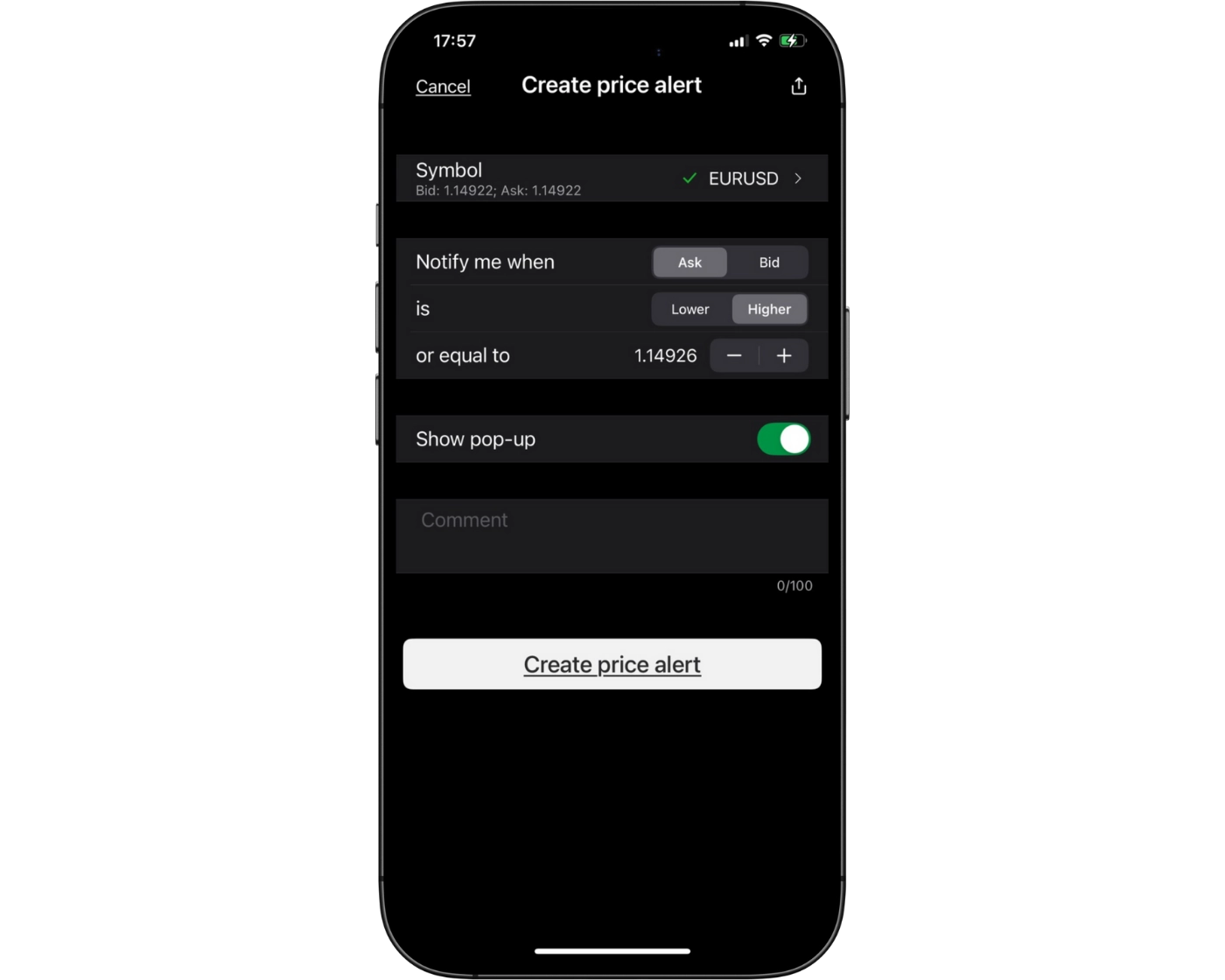
The cTrader mobile app from BlackBull Markets delivers powerful alerts and push notifications, ensuring traders stay updated on price movements, executed trades, and important market events directly on their mobile devices. This real-time functionality allows users to react quickly to market changes, even when away from their desktop.
Customizable Alerts
Traders can set personalized price alerts for individual instruments or receive instant notifications for actions like executed trades, stop-loss triggers, or margin updates. These customizable alerts help users maintain full control over positions and risk management, making it easier to trade confidently in volatile markets.
Always-Connected Trading
With integrated push notifications and flexible alert settings, BlackBull Markets’ cTrader mobile app provides an always-connected trading experience, empowering traders to act with precision, speed, and confidence anytime, anywhere.
cTrader : Key Takeaways
The cTrader desktop platform at BlackBull Markets delivers a professional, high-performance trading environment tailored for traders who value precision, speed, and flexibility. Its clean, intuitive interface enhances usability, while advanced charting tools, customizable layouts, and automated trading features make it suitable for both manual and algorithmic strategies. Despite offering more features than traditional platforms, BlackBull Markets’ desktop cTrader remains user-friendly and reliable, allowing traders to execute complex trading plans with confidence.
BlackBull Markets cTrader Mobile App
The cTrader mobile app is designed for traders who need full control and flexibility on the go. It supports seamless trade management, including market, limit, and stop orders, adjustable lot sizes, and risk management tools. Real-time alerts and push notifications ensure traders never miss critical market movements. While mobile trading provides speed and convenience, in-depth multi-timeframe analysis is best performed on the desktop platform for maximum precision.
Summary
The BlackBull Markets cTrader ecosystem combines the power and precision of an advanced desktop platform with a responsive, feature-rich mobile app. Traders benefit from professional-grade tools, reliable execution, and flexible account management, making it an ideal choice for both beginners and experienced traders who want efficiency, control, and modern trading solutions.
TradingView

TradingView Intro
BlackBull Markets offers seamless integration with the TradingView platform, providing traders with high-definition charts and intuitive trading signals suitable for both beginners and seasoned professionals. Its advanced charting capabilities allow price action to be displayed clearly and scaled effortlessly across multiple timeframes, making technical analysis precise and efficient.
Traders gain access to over 150 analytical tools and fully customizable chart configurations, including trend lines, indicators, and sophisticated oscillators, ensuring every trading strategy can be executed with accuracy. Order placement is streamlined within the platform, allowing efficient trade execution without interrupting workflow.
Beyond technical tools, TradingView supports one of the largest global social trading communities, connecting traders worldwide to share insights, strategies, and market perspectives. This combination of advanced charting features and collaborative engagement makes TradingView an indispensable platform for traders seeking precision, insight, and a connected trading experience.
Pros:
- Powerful Charting Tools for Technical Analysis
- Built-in Social Trading Community
- Cloud-based Access Across All Devices
Cons:
- Full Features Require a Paid Subscription
TradingView Orders and Advanced Charting
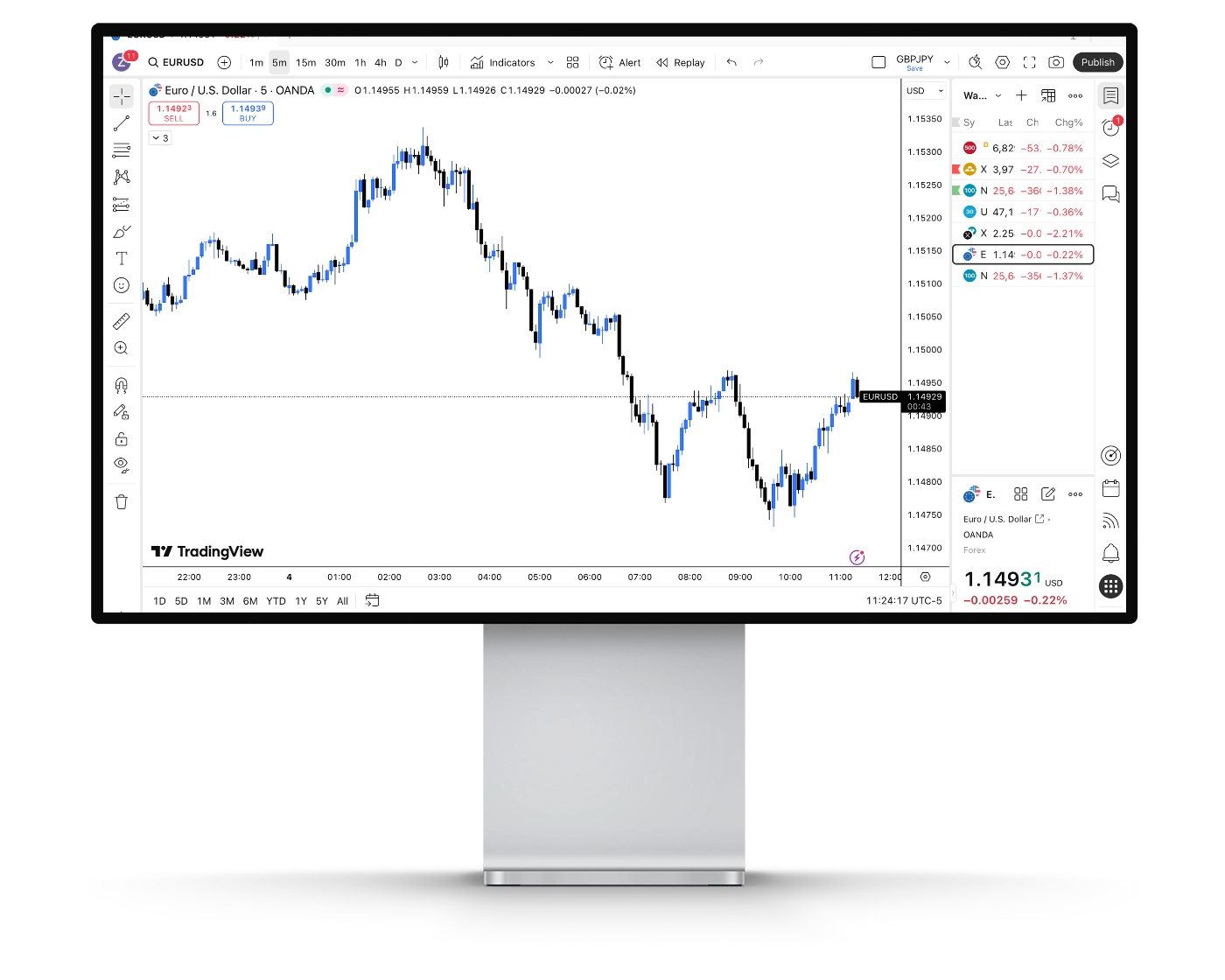
BlackBull Markets integrates TradingView seamlessly into its platform, offering traders a sophisticated charting environment ideal for both beginners and seasoned professionals. Users can choose from a variety of chart types, including candlesticks, Heikin Ashi, Renko, and Kagi, across multiple timeframes. Multi-chart layouts enable side-by-side comparisons of different assets or periods, helping traders quickly identify trends and potential trading opportunities.
Technical Indicators for Smarter Trading
With over 100 built-in technical indicators, such as Moving Averages (MA), Relative Strength Index (RSI), MACD, Bollinger Bands, and candlestick pattern recognition, traders can analyze market trends, momentum, and possible entry or exit points with precision. These tools provide the insights needed to make data-driven decisions and optimize trading strategies.
Comprehensive Drawing Tools
BlackBull Markets provides a complete set of drawing tools to enhance technical analysis. Traders can use trend lines, Fibonacci retracements, support and resistance levels, and more to visually map out strategies and interpret market movements more effectively.
Custom Alerts and Notifications
Traders can configure custom alerts based on price levels, indicators, or market events. Notifications are delivered via pop-ups, audio signals, emails, SMS, and mobile push alerts, ensuring you never miss critical market changes, even while away from your desk.
Fundamental Analysis Integration
Beyond technical tools, BlackBull Markets supports fundamental research through TradingView. Access financial statements, valuation ratios, and historical company data to combine both technical and fundamental approaches for more informed trading decisions.
Extensive Market Coverage
The platform offers access to a wide range of markets, including forex, commodities, stocks, and cryptocurrencies, enabling traders to diversify portfolios and implement multi-asset strategies from a single, unified platform.
Pine Script for Custom Strategies
Advanced traders can leverage TradingView’s Pine Script™ to create personalized indicators, automated strategies, and alerts. BlackBull Markets fully supports these scripts, providing flexibility for algorithmic trading and tailored technical setups.
BlackBull Markets delivers a comprehensive charting and analysis solution, equipping traders with everything they need to trade confidently across multiple markets. From advanced charts and technical indicators to drawing tools, alerts, and custom scripts, the platform ensures you have professional-grade tools at your fingertips.
TradingView Social Community and Network
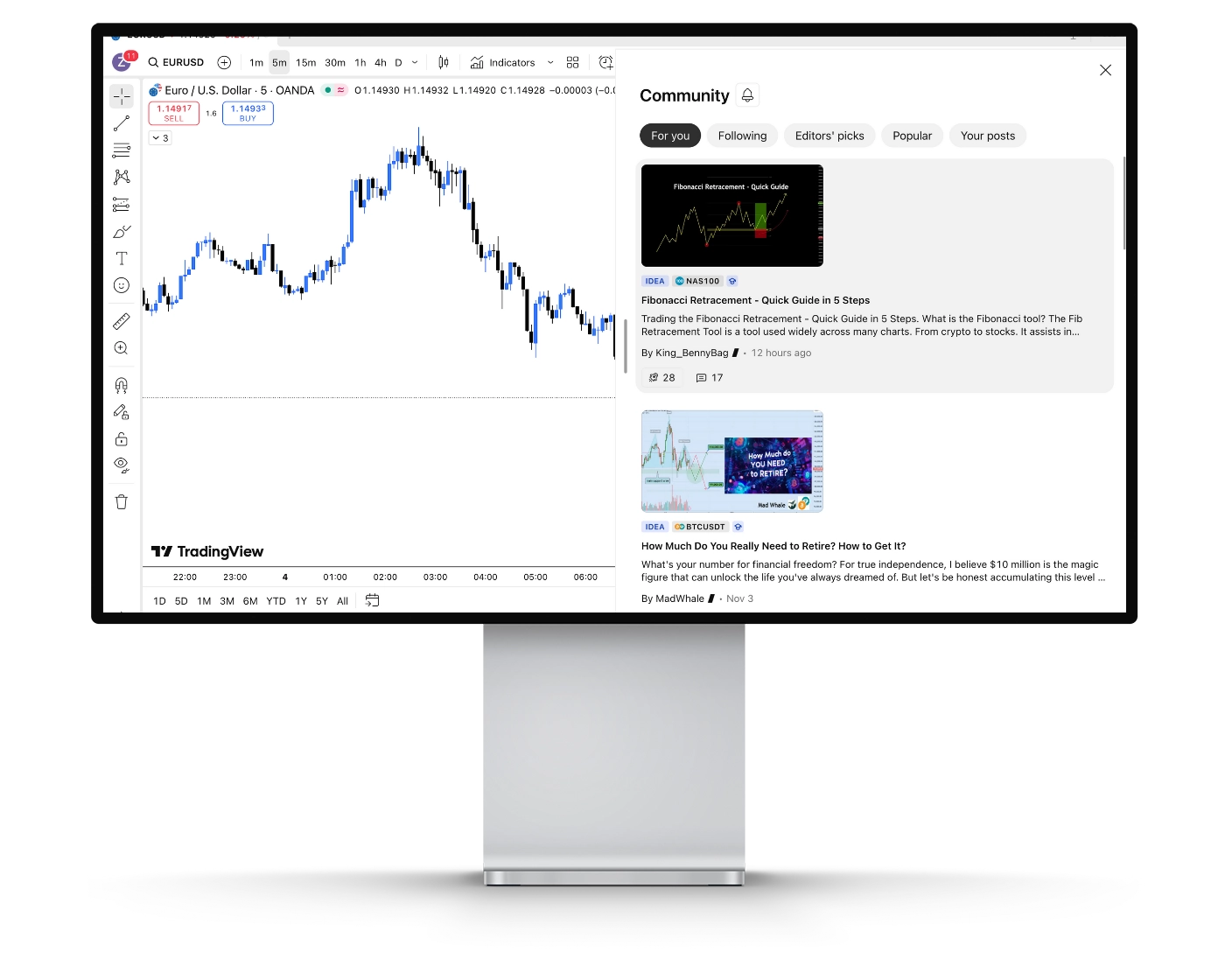
BlackBull Markets integrates TradingView’s social network, providing traders with access to a vibrant global community. This connection allows users to exchange ideas, discuss strategies, and collaborate with like-minded traders worldwide, fostering continuous learning and growth. At the heart of this community is the Trading Ideas hub, where traders can explore a wide range of strategies and analyses shared by others, comment on posts, and participate in discussions to refine their own trading approaches.
Users can follow experienced traders whose insights resonate with them, receiving updates whenever new content is posted and incorporating proven strategies into their routines. The platform also supports live video streams, offering immersive sessions where traders share real-time market analysis, strategies, and insights, with opportunities to ask questions and engage directly. Additionally, real-time chat and collaboration features enable users to join topic-specific rooms or create discussions, facilitating instant exchange of ideas and collaborative analysis.
Access to a global trading community through TradingView integration
Trading Ideas hub for exploring and sharing strategies
Ability to follow experienced traders and receive updates
Live video streams for interactive learning and real-time analysis
Real-time chat and collaboration for discussion and idea exchange
By combining BlackBull Markets’ robust trading infrastructure with TradingView’s social features, traders gain both advanced technical tools and a dynamic, interactive learning environment, empowering them to learn, connect, and trade more effectively.
TradingView Mobile App
Pros:
- Comprehensive Charting on the Go
- Community Integration
- Real-Time Alerts and Notifications
Cons:
- Smaller Screen Limitations
BlackBull Markets’ TradingView mobile app, available on both iOS and Android, provides traders with complete access to advanced charting, market insights, and trading tools directly from their smartphone or tablet. Designed for accuracy and efficiency, the app enables users to monitor price movements, analyze market trends, and manage positions from anywhere at any time.
The platform offers a wide selection of chart types, technical indicators, and drawing tools, along with the ability to set custom alerts based on price points, technical signals, or specific market events. Multi-chart layouts and interactive charting allow traders to track multiple assets or timeframes simultaneously, while push notifications, emails, and SMS updates ensure they remain informed of key market developments in real time.
Seamlessly connected to BlackBull Markets’ trading accounts, the TradingView mobile platform allows for order execution, position adjustments, and strategy implementation on the move. Combined with BlackBull Markets’ reliable execution and real-time market data, the app delivers a professional-grade mobile trading experience, making it an essential solution for both active and algorithmic traders seeking flexibility, precision, and efficiency in dynamic markets.
Look and Feel
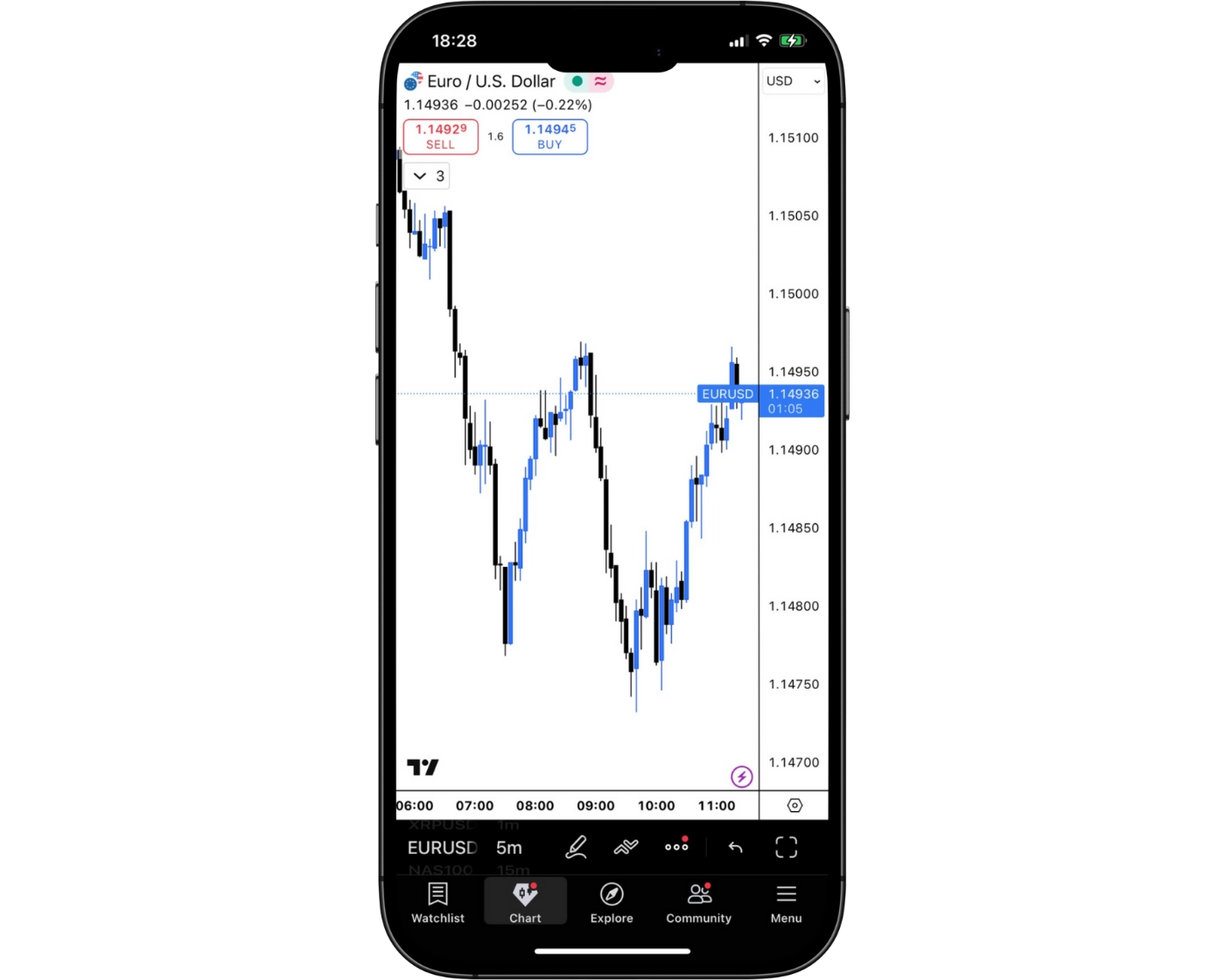
BlackBull Markets offers a sleek and highly intuitive TradingView mobile app that blends modern design with advanced trading functionality. The platform’s clean and well-organized interface allows traders to effortlessly access interactive charts, technical indicators, and drawing tools while placing and managing trades directly from their mobile devices. Suitable for both beginners and experienced traders, the user-friendly layout ensures efficient navigation, seamless trade execution, and real-time market engagement, empowering users to stay in control of their strategies anytime, anywhere.
Login and security
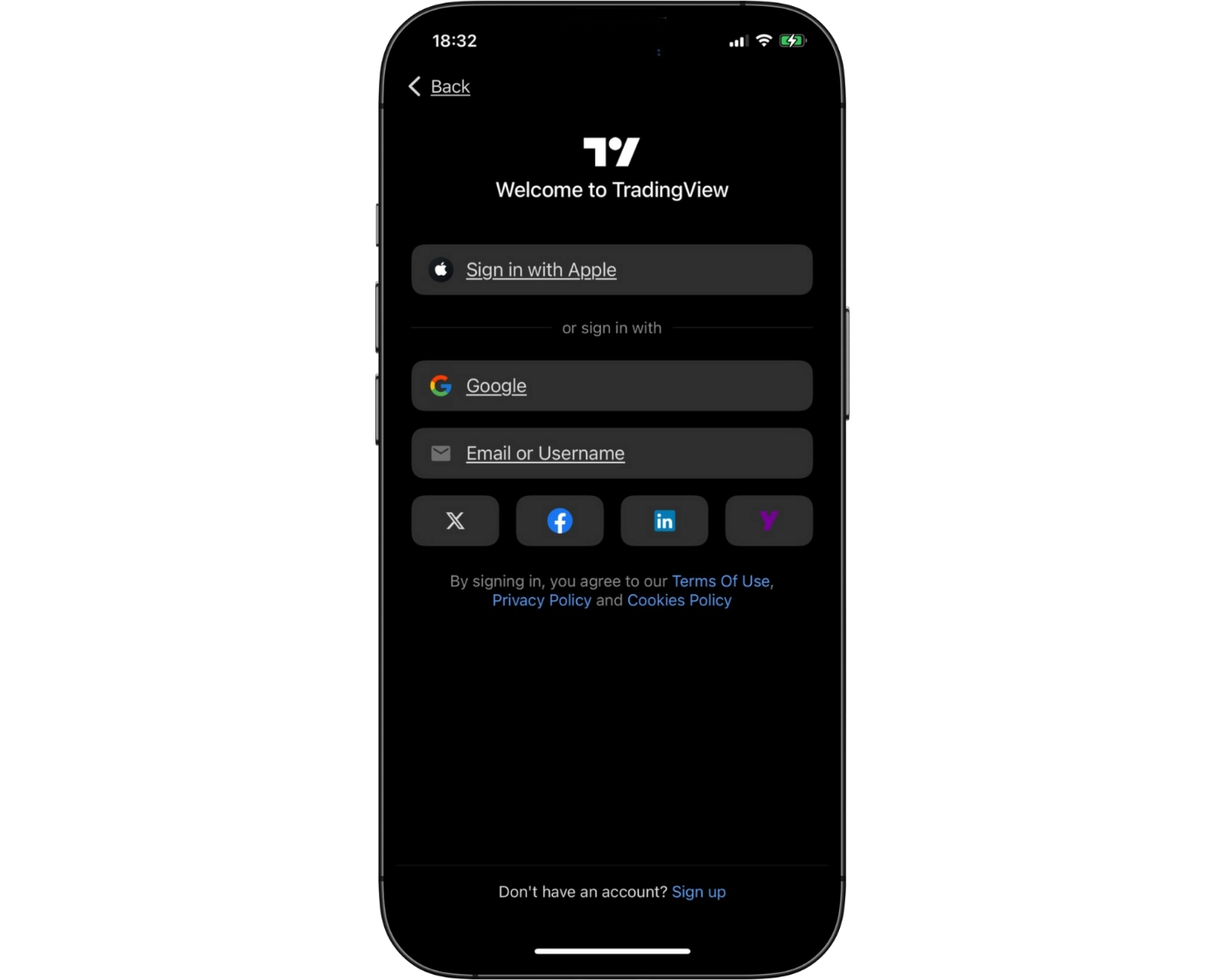
BlackBull Markets’ TradingView mobile integration ensures secure access to trading accounts through standard email and password login. For enhanced protection, traders can activate two-factor authentication (2FA) via their TradingView credentials. Additionally, the app supports device-level biometric authentication on both iOS and Android, allowing users to log in quickly with fingerprint or facial recognition while maintaining robust account security.
Search functions
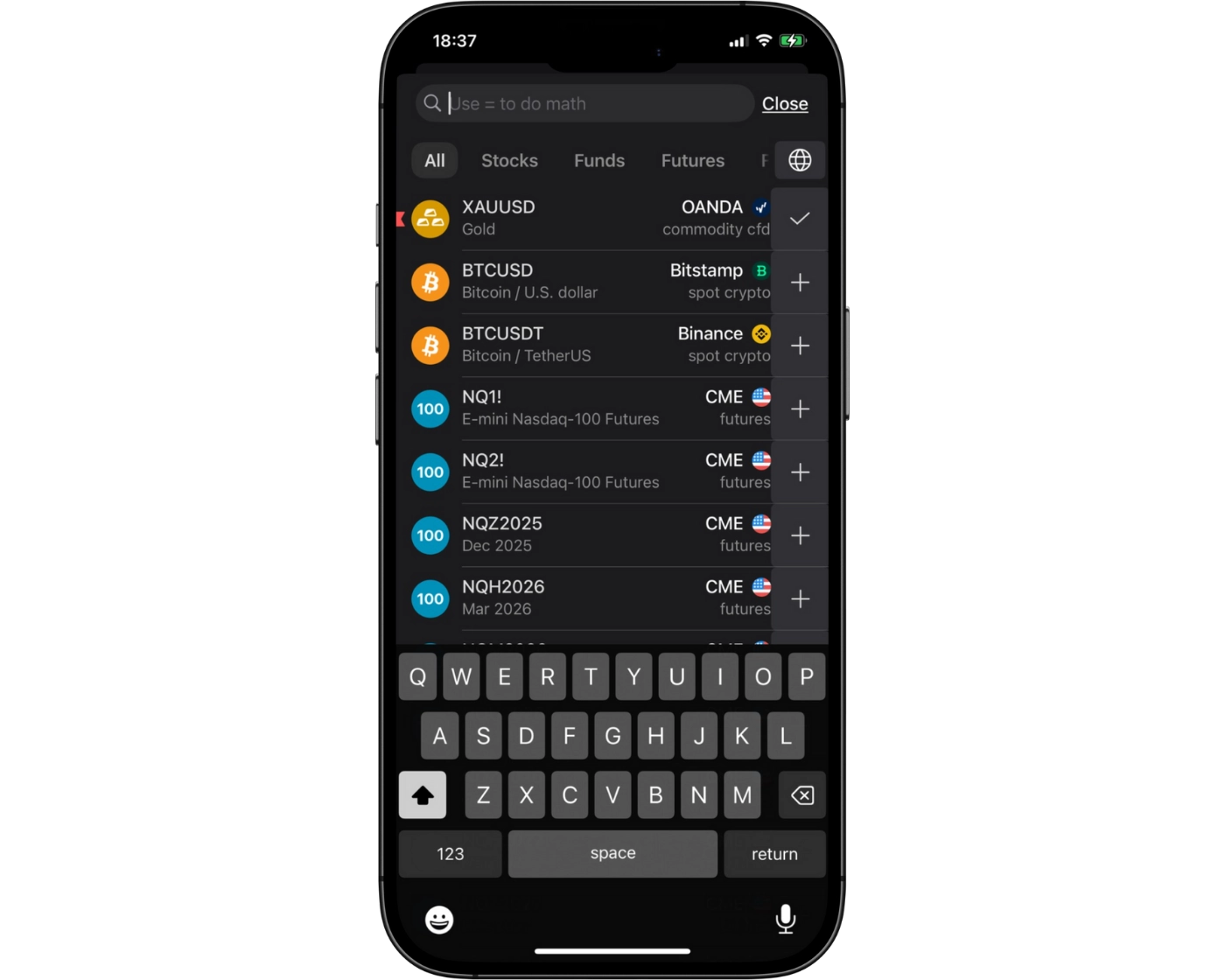
BlackBull Markets’ TradingView mobile app features a powerful search tool designed to help traders quickly locate instruments, assets, or market symbols. Users can enter the name or ticker of a specific asset directly into the search bar or explore organized categories such as forex, stocks, commodities, and cryptocurrencies. This intuitive search functionality ensures rapid and efficient navigation, allowing traders to access the markets they need seamlessly while managing trades on the go.
Placing orders
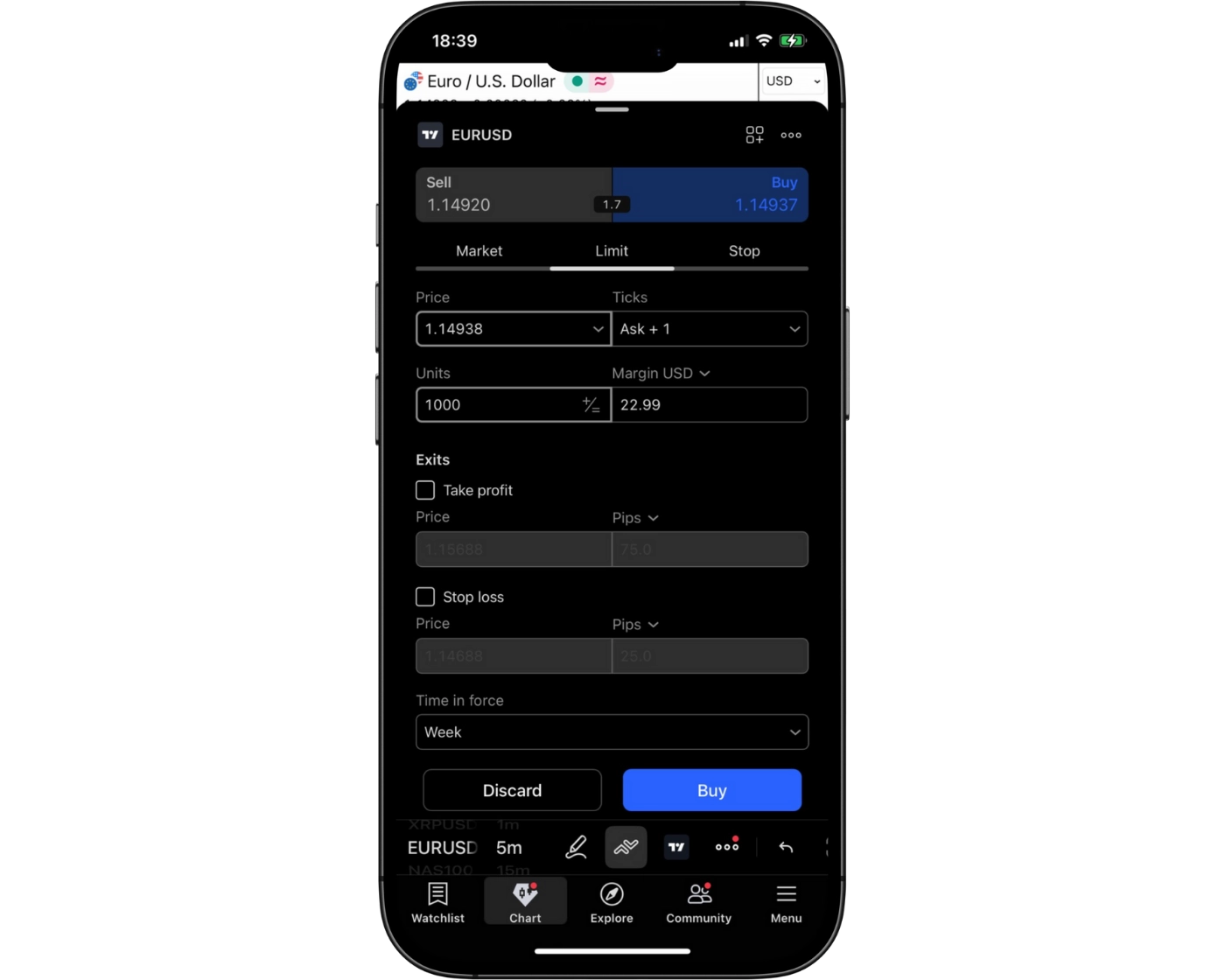
BlackBull Markets’ TradingView mobile platform provides traders with flexible order placement options tailored to diverse trading strategies. Users can place market orders for immediate execution, set limit orders to enter positions at specific price levels, and employ stop orders to manage risk and safeguard trades.
The app also supports configurable order durations:
Good ‘til Canceled (GTC): Orders remain active until the trader manually cancels them.
Good ‘til Time (GTT): Orders automatically expire after a predetermined time frame.
These features enable precise trade management, allowing traders to monitor markets, adjust positions, and execute strategies efficiently from their mobile devices.
Alerts and notifications
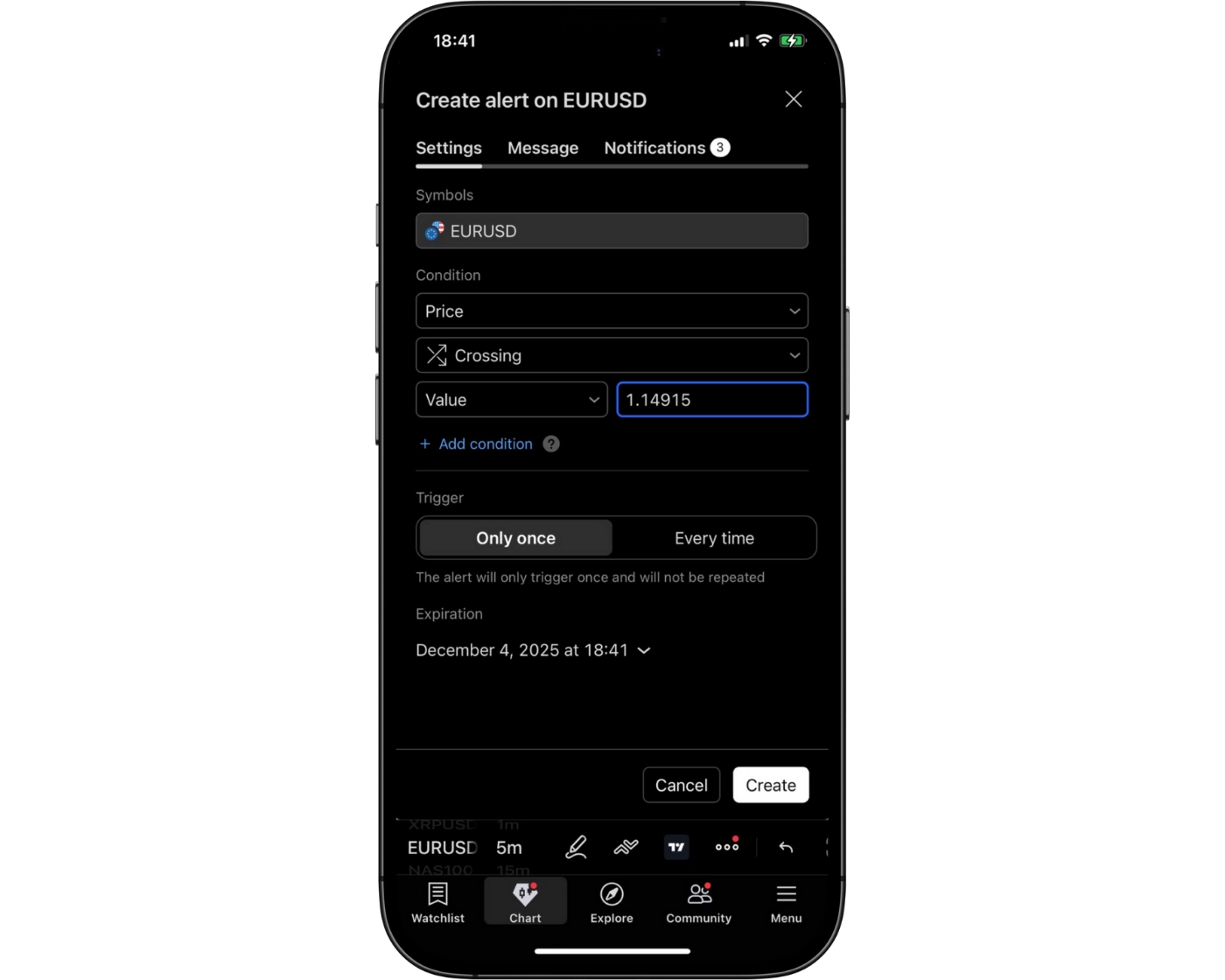
BlackBull Markets’ TradingView mobile platform offers robust alerts and notification features, empowering traders to stay informed and act quickly while on the move. Users can set customized alerts based on price levels, technical indicators, or specific market events, ensuring they never miss critical trading opportunities.
Notifications are delivered seamlessly through push notifications, in-app alerts, and email, providing real-time updates to help traders monitor positions, respond to market fluctuations, and execute strategies efficiently. This combination of timely alerts and flexible delivery options makes the mobile app an essential tool for both active day traders and those employing longer-term strategies.
TradingView: Key Takeaways
BlackBull Markets integrates TradingView across both desktop and mobile platforms, offering traders a versatile and seamless trading experience.
The desktop version provides advanced charting capabilities, an extensive library of technical indicators, and full access to social trading features. Traders can analyze multiple assets concurrently, perform detailed technical studies, and develop custom indicators or automated strategies using Pine Script™. This makes the desktop platform ideal for those requiring in-depth market analysis and precise strategy execution.
The mobile app brings nearly all desktop functionalities to iOS and Android devices, including real-time charts, technical indicators, customizable alerts, and community features. Traders can monitor markets, manage positions, and react to trading signals while on the go. Although highly functional, complex charting or advanced Pine Script development is generally more efficient on the desktop platform.
Together, TradingView’s desktop and mobile platforms deliver a comprehensive trading ecosystem, combining powerful analytical tools with flexible, real-time market access. This integration ensures BlackBull Markets clients can stay connected to the markets at all times while optimizing their trading strategies across devices.
BlackBull Markets Tradable Instruments Overview
BlackBull Markets provides traders with access to a diverse range of over 26,000 tradable instruments across multiple asset classes. These include currency pairs, commodities, share CFDs, indices, cryptocurrencies, equities, ETFs, bonds, and options, with the majority of offerings available on the BlackBull Invest platform.
The broker has expanded its market selection significantly through BlackBull Shares, giving clients the ability to trade 2,500 symbols on MetaTrader 5 (716 for Prime accounts) and TradingView, alongside 311 symbols on MetaTrader 4. Cryptocurrency trading is available via CFDs, although direct ownership of underlying assets, such as Bitcoin, is not supported. Note that crypto CFDs are restricted for retail traders in the U.K. and unavailable to U.K. residents.
While BlackBull Markets is primarily recognized as a forex broker, it also offers an extensive selection of CFDs. Its stock index CFD offerings are particularly competitive compared to other brokers, whereas its forex and commodity CFD selections remain strong and in line with industry standards.
This broad and flexible range of markets ensures that both beginner and advanced traders can diversify portfolios and implement multi-asset trading strategies from a single platform.
| Markets | Types | Industry Average | Number |
|---|---|---|---|
| Indices | US, EU, Asia, Other | 5 – 10 | 11 |
| Shares, Options, ETFs, and Bonds* | Retail, Finance, Tech, Other | 100 – 500 | 26,000+ |
| Cryptocurrencies | Major and Minor | 10 – 20 | 17 |
| Forex Pairs | Major, Minor, and Exotic | 30 – 75 | 58 |
| Commodities | Metals, Energies, and Futures | 5 – 10 | 13 |
What Are CFDs and How to Trade Them
Contracts for Difference (CFDs) are a type of financial derivative that allows traders to speculate on the price movements of an underlying asset without actually owning it. This means you can gain exposure to markets such as stocks, indices, commodities, or currencies without physically holding them.
For instance, if you take a long position on gold via a CFD, you stand to profit when gold prices rise and incur losses if they fall – all without the need to purchase physical gold bars. This flexibility makes CFDs an efficient tool for traders seeking to respond quickly to market changes.
One of the key benefits of CFD trading with BlackBull Markets is the ability to enter and exit positions almost instantly. This rapid execution enables traders to capitalize on even small fluctuations in market prices, providing opportunities for both short-term strategies and longer-term planning.
CFDs also offer the advantage of leveraging your capital, meaning you can control larger positions with a smaller initial investment. However, it’s important to understand that leverage can amplify both gains and losses, so risk management is essential.
By combining accessibility, speed, and flexibility, CFDs have become a popular instrument for traders who want to diversify their portfolio and react quickly to evolving market conditions.
Social Trading at BlackBull Markets
BlackBull Markets provides clients with access to social trading through leading platforms, allowing both novice and experienced traders to mirror strategies and optimize their trading performance.
- ZuluTrade: ZuluTrade is a peer-to-peer social trading network where traders can replicate the strategies of thousands of registered currency traders across 192 countries. BlackBull Markets clients benefit from ZuluTrade’s proprietary performance evaluation metrics, as well as insights from an active trading community. This allows users to tailor trades based on personal risk preferences, investment goals, and market conditions, offering a highly customizable trading experience.
- Myfxbook: Myfxbook is a comprehensive social trading platform that enables users to share, analyze, and track trading activities while comparing performance with other traders. The platform supports automated trading, allowing BlackBull Markets clients to follow selected traders seamlessly. Integration with MetaTrader 4 ensures a smooth connection: users simply create a Myfxbook account and link it to their BlackBull Markets account to begin mirroring trades effectively.
By leveraging these social trading tools, BlackBull Markets empowers clients to learn from top-performing traders, enhance their trading strategies, and gain real-time insights from global trading communities.
BlackBull Markets Instruments: Key Takeaways
BlackBull Markets provides a broad and versatile range of tradable instruments, catering to traders with varying risk appetites and investment goals. The offering spans lower-risk options, such as ETFs and bonds, which can help mitigate market exposure, to higher-risk, higher-reward assets like cryptocurrencies.
For those seeking complete access to BlackBull Markets’ full suite of tradable instruments, the flagship BlackBull Invest platform is the recommended gateway. This platform allows traders to seamlessly navigate and execute trades across all available markets, ensuring flexibility and control over their portfolios.
By offering a mix of conservative and speculative instruments, BlackBull Markets empowers clients to diversify their trading strategies while managing risk effectively.
| Tradable Instruments Summary | BlackBull Markets |
|---|---|
| Tradeable Symbols (Total) | 26000+ |
| Forex Pairs (Total) | 58 |
| Cryptocurrency (Derivative) | Yes |
| Forex Trading (Spot or CFDs) | Yes |
| Social Trading / Copy Trading | Yes |
| Int’l Stock Trading (Non CFD) | Yes |
| Cryptocurrency (Physical) | No |
| U.S. Stock Trading (Non CFD) | Yes |
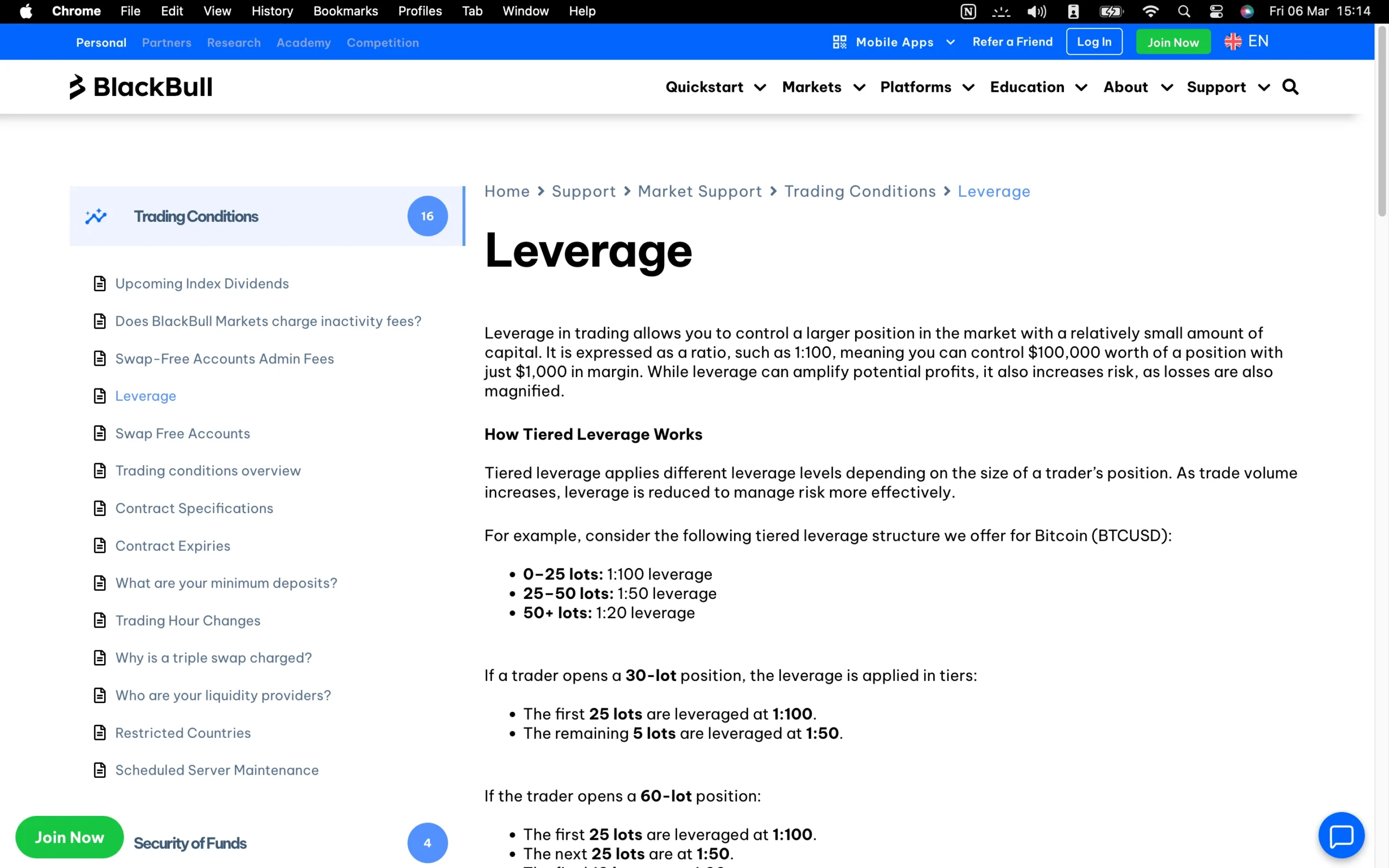
Understanding CFD Leverage on BlackBull Markets
CFD leverage allows traders to control larger market positions while committing only a fraction of the total trade value. When using leverage, the broker effectively lends capital to the trader, enabling them to open bigger positions than their account balance would normally allow. This amplification can significantly increase potential profits from successful trades, but it also proportionally raises the risk of losses if trades move against the trader. Understanding and managing leverage is essential for effective risk management and maximizing trading opportunities when dealing with Contracts for Difference (CFDs).
Understanding CFD Leverage on BlackBull Markets
BlackBull Markets offers varying maximum retail leverage depending on the asset class, allowing traders to tailor their exposure according to market type and risk appetite. The leverage limits are set to provide sufficient trading flexibility while maintaining prudent risk management. The table below summarizes the maximum leverage available for each category of instruments, giving traders a clear overview of the potential amplification for forex, commodities, indices, cryptocurrencies, and other tradable assets.
| Asset Class | Maximum Leverage |
|---|---|
| Indices | 1:100 |
| Metals | 1:500 |
| Currency Pairs | 1:500 |
| Futures | 1:2 |
| Shares CFDs | 1:5 |
| Cryptocurrencies | 1:100 |
| Energies | 1:100 |
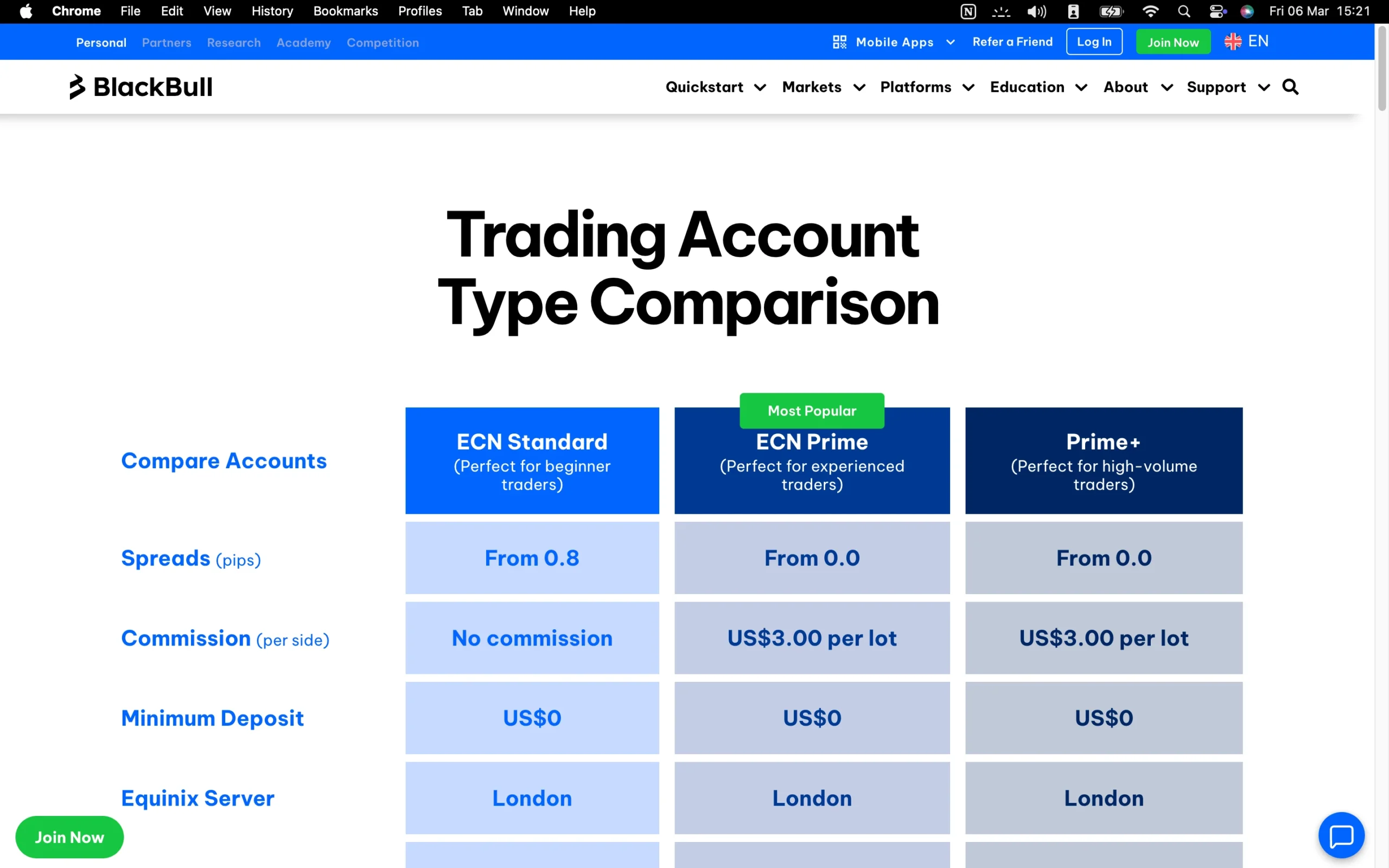
| Account Type | ECN Standard | ECN Prime | ECN Institutional |
|---|---|---|---|
| Minimum Deposit Requirement | $0 | $2,000 | $20,000 |
| Commission | $0 | $6 | $4 |
| Spread From | 0.8 pips | 0.1 pips | 0.0 pips |
| Minimum Trade Volume | 0.01 lot | 0.01 lot | 0.01 lot |
| Margin Call | 70% | 70% | 70% |
| Stop Out | 50% | 50% | 50% |
| Swap Free Account | Yes | Yes | No |
| Standard Contract Size | 100,000 units | 100,000 units | 100,000 units |
| Demo Account | Yes | Yes | No |
Introduction to BlackBull Markets Account Options
BlackBull Markets offers a range of ECN account types tailored to different trading needs and experience levels. The ECN Standard account is ideal for casual traders due to its low minimum deposit, while the ECN Prime account provides a balanced option with competitive fees and features. For professional traders, the ECN Institutional account delivers the most cost-effective trading conditions.
To safeguard traders against extreme market volatility, BlackBull Markets enforces a 70% margin call and a 50% stop-out level, reducing the risk of full account depletion.
The broker also provides swap-free or Islamic accounts in full compliance with Sharia Law, available as variants of Standard, Prime, and Institutional accounts.
Account ownership options include individual accounts for single traders, joint accounts for multiple co-owners, and company accounts for legal entities, offering flexibility to meet diverse trading requirements.
BlackBull Markets ECN Standard Account
| Account Type | ECN Standard |
|---|---|
| Minimum Deposit Requirement | $0 |
| Commission | $0 |
| Spread From | 0.8 pips |
| Minimum Trade Volume | 0.01 lot |
| Margin Call | 70% |
| Stop Out | 50% |
| Swap Free Account | Yes |
| Standard Contract Size | 100,000 units |
| Demo Account | Yes |
The BlackBull ECN Standard Account is ideal for beginner to intermediate traders who want direct market access with low trading costs. With competitive spreads and no hidden fees, this account suits those starting in forex and CFD trading while maintaining transparency and efficiency. It’s perfect for traders seeking a reliable, easy-to-manage account to develop their strategies without overcomplication.
BlackBull Markets ECN Prime Account
| Account Type | ECN Prime |
|---|---|
| Minimum Deposit Requirement | $2,000 |
| Commission | $6 |
| Spread From | 0.1 pips |
| Minimum Trade Volume | 0.01 lot |
| Margin Call | 70% |
| Stop Out | 50% |
| Swap Free Account | Yes |
| Standard Contract Size | 100,000 units |
| Demo Account | Yes |
The BlackBull ECN Prime Account is designed for experienced traders and active day traders who require ultra-tight spreads and faster execution. This account type supports higher trading volumes and provides direct access to deep liquidity, making it ideal for scalpers, swing traders, and those pursuing advanced trading techniques with minimal latency.
BlackBull Markets ECN Institutional Account
| Account Type | ECN Institutional |
|---|---|
| Minimum Deposit Requirement | $20,000 |
| Commission | $4 |
| Spread From | 0.0 pips |
| Minimum Trade Volume | 0.01 lot |
| Margin Call | 70% |
| Stop Out | 50% |
| Swap Free Account | No |
| Standard Contract Size | 100,000 units |
| Demo Account | No |
The BlackBull ECN Institutional Account caters to professional and institutional traders, including hedge funds and trading firms, who need maximum flexibility, raw spreads, and high-volume execution. With personalized service and priority support, this account is built for traders who demand optimal conditions, advanced order types, and sophisticated risk management tools to execute large-scale strategies efficiently.
BlackBull Markets Demo Account: Practice Trading Risk-Free
BlackBull Markets provides demo accounts across all supported trading platforms, allowing traders to explore the broker’s offerings and practice strategies in a completely risk-free setting. This simulated environment is ideal for refining trading skills, testing new techniques, and gaining confidence before committing real capital. Traders can open a demo account either prior to launching a live CFD account or alongside it, ensuring continuous learning and strategy optimization in a safe, controlled market environment.
Islamic Account: Swap-Free Trading Options
BlackBull Markets provides Islamic accounts designed for swap-free trading in full compliance with Shariah law. These accounts allow clients to trade without incurring interest on overnight positions, ensuring adherence to religious principles. Traders interested in opening an Islamic account can contact BlackBull Markets’ customer support for guidance and to complete the setup process efficiently.
BlackBull Markets Restricted Countries
BlackBull Markets does not provide services to residents of the United States, Canada, or any countries currently under OFAC sanctions. Traders from these regions are unable to open accounts or access the broker’s trading platforms, ensuring compliance with international regulatory requirements and maintaining secure, lawful operations for all other clients.
Pros:
- Fast
- User-friendly
- Fully digital
Cons:
- High minimum deposit for Prime Account
Step-by-Step BlackBull Markets Account Opening Process
Opening an account with BlackBull Markets is simple and secure. Follow these numbered steps to get started:
Click the ‘Join Now’ button at the top-right corner of the homepage.
Register your email address.
Enter your full name, date of birth, phone number, and country of residence.
Create a secure password and choose between a live or demo account.
Agree to BlackBull Markets’ Terms and Conditions.
Fill in the remaining personal details requested.
Select your account type, base currency, leverage, and preferred trading platform.
Provide information about your employment history.
Upload official documents to verify your identity and address.
Following these steps ensures a smooth account setup, giving you access to all of BlackBull Markets’ trading tools and features.
What is the minimum deposit at BlackBull Markets?
BlackBull Markets offers flexible account funding options to accommodate different trading needs. The minimum deposit for a Standard account is $0, allowing new traders to start without any upfront investment. For those opting for a Prime account, the minimum deposit requirement is $2,000, providing access to enhanced features and trading conditions.
Research Overview and Key Features
BlackBull Markets provides a robust suite of research tools designed to support traders across all experience levels. Combining in-house resources with third-party analytics, the broker delivers actionable insights, market reviews, and trading ideas to help traders make informed decisions. The research offerings are accessible via a dedicated portal that includes both free and premium content, ensuring a comprehensive view of market opportunities.
Economic Calendar
This essential tool highlights upcoming economic events and market releases, allowing traders to anticipate potential volatility and identify trading opportunities.
BlackBull Research
A premium section featuring daily market news, reviews, and institutional-grade stock market reports. Reports are crafted to be informative yet easy to understand, suitable for both speculative trading and long-term investment. Subscription plans start at 45 NZD per month.
Trading Opportunities
Updated daily, these articles focus on specific instruments, integrating technical, fundamental, and economic analysis. Supporting charts highlight critical support and resistance levels, and content is available in both written and audio formats for convenient consumption.
Myfxbook Analytics
This third-party platform provides advanced analytics, market breakdowns, and news summaries, giving traders deeper insight into potential trades.
Trading Calculators
BlackBull Markets offers sophisticated calculators for margin and risk management, helping traders optimize position sizing and leverage use.
Market News and Analysis
BlackBull Markets continuously enhances its market coverage, recently expanding through strategic acquisitions. The broker delivers high-quality daily market reviews and technical and fundamental analysis videos. Some content features collaborations with industry participants such as LMAX representatives, providing additional credibility and insight. While video content is growing, much of it currently focuses on tutorials and platform navigation, supplementing the more detailed written and audio research.
Key Takeaways for Traders Using BlackBull Markets Research
BlackBull Markets continuously enhances its market coverage, recently expanding through strategic acquisitions. The broker delivers high-quality daily market reviews and technical and fundamental analysis videos. Some content features collaborations with industry participants such as LMAX representatives, providing additional credibility and insight. While video content is growing, much of it currently focuses on tutorials and platform navigation, supplementing the more detailed written and audio research.
| Research Summary | BlackBull Markets |
|---|---|
| Autochartist | Yes |
| Forex News (Top-Tier Sources) | No |
| Social Sentiment - Currency Pairs | Yes |
| Daily Market Commentary | Yes |
| Trading Central (Recognia) | No |

Education Overview: Guides, Webinars, and Courses
BlackBull Markets provides a comprehensive and diverse educational platform designed to equip traders of all experience levels with the knowledge and skills required to succeed in financial markets. Covering technical analysis, fundamental analysis, trading psychology, and risk management, the broker’s resources range from beginner-friendly guides to advanced strategies.
Webinars
BlackBull Markets hosts live webinars and maintains a library of past sessions on its YouTube channel. These in-depth presentations explore topics such as price action reading, risk management techniques, and strategy development, offering traders a hands-on learning experience. Future webinars can be registered directly on the BlackBull website.
Trading Courses
The broker offers structured courses across four major asset classes – Forex, Commodities, Shares, and Crypto – catered to beginner, intermediate, and advanced traders. Each course is designed to build a solid understanding of the instruments within each market while progressively introducing more complex concepts.
Podcast Episodes
Available on Spotify and YouTube, BlackBull Markets’ podcasts cover a wide spectrum of trading insights, including “Prop vs. Copy Trading,” “Pain Points of New Traders,” and “Key Traits of 300 Successful Traders.” Episodes often feature industry experts sharing practical tips and unique market perspectives.
Educational Videos
The broker’s YouTube channel hosts over 135 videos on diverse topics, including trading strategy development, Elliott Wave Theory, and other technical methodologies. These resources allow traders to visually grasp key concepts and apply them effectively.
Platform Tutorials
BlackBull Markets provides more than 170 instructional videos covering popular trading platforms such as MT4, MT5, cTrader, TradingView, and AI-driven trading tools. These tutorials ensure traders can navigate platforms confidently and execute trades efficiently.
Live Streams
Regular live streams focus on major market events, including NFP report releases, providing timely insights and analysis. These sessions enable traders to respond to market developments in real time and refine their trading approach.
Education Hub
The dedicated Education Hub on BlackBull’s website organizes articles and video content by skill level, from novice to professional. Recent expansions include themed articles, new video playlists such as the Elliott Wave Theory series, and curated webinar recordings, offering a structured path for continuous learning.
BlackBull Markets Education: Key Takeaways
BlackBull Markets has steadily enhanced its educational offerings, combining practical guides, advanced courses, and live content to cater to diverse learning preferences. While the platform continues to evolve and expand, it already delivers a strong foundation for traders seeking to improve their knowledge, refine their strategies, and gain confidence in navigating global financial markets.
| Education Summary | BlackBull Markets |
|---|---|
| Videos - Advanced Trading Videos | Yes |
| Client Webinars (Archived) | Yes |
| Investor Dictionary (Glossary) | Yes |
| Education (Forex or CFDs) | Yes |
| Client Webinars | Yes |
| Videos - Beginner Trading Videos | Yes |

Customer Support Overview
BlackBull Markets offers reliable 24/7 customer support across multiple channels, including live chat, email, and phone, ensuring traders can access assistance whenever needed. Support is available in several languages, such as English, French, and Chinese, allowing clients from diverse regions to receive help efficiently. The team is generally knowledgeable, courteous, and quick to respond, providing a seamless experience for both new and experienced traders.
During live chat testing, I was connected with an agent within seconds after submitting basic details and navigating an initial chatbot. Questions regarding shares CFD commissions on an ECN Standard account were addressed thoroughly, with the agent taking a moment to confirm details internally before providing a clear and professional explanation. This approach reflects BlackBull Markets’ commitment to accurate, reliable, and client-focused support.
Overall, BlackBull Markets’ customer service combines speed, expertise, and multilingual accessibility, making it an excellent resource for traders who value responsive assistance, clear communication, and professional guidance. The integration of live chat directly into the platform also allows traders to resolve queries without interrupting their workflow, enhancing overall trading efficiency.
BlackBull Markets Customer Support Languages:
English, Spanish, French, Greek, and Chinese
BlackBull Markets Customer Support: Key Takeaways
24/7 Multichannel Support: BlackBull Markets provides round-the-clock assistance via live chat, email, and phone, ensuring traders can get help anytime.
Multilingual Service: Support is available in multiple languages, including English, French, and Chinese, catering to a diverse global client base.
Fast & Responsive: Live chat connects users with an agent within seconds, minimizing downtime and helping traders resolve queries quickly.
Knowledgeable & Professional: Agents provide clear, detailed, and polite responses, even for complex topics like shares CFD commissions on ECN accounts.
Integrated Platform Support: The live chat is embedded directly in the trading platform, allowing traders to get help without disrupting their workflow.
This makes BlackBull Markets’ support ideal for traders seeking reliable, accessible, and efficient customer service while trading forex, CFDs, or other instruments.
Final Thoughts on BlackBull Markets
BlackBull Markets is a well-established financial derivatives broker catering to a wide range of traders, from beginners to experienced professionals. Founded in 2014 and headquartered in New Zealand, the broker operates under the regulatory oversight of the FMA and FSA, ensuring compliance and security for its clients.
The broker offers access to over 26,000 tradable instruments across asset classes, with competitive fees and flexible account options. Traders can leverage a variety of advanced platforms and tools, supporting low-latency trading, day trading, algorithmic strategies, and social copy trading. This comprehensive platform selection allows clients to execute trades efficiently, whether using MetaTrader, TradingView, or proprietary solutions.
BlackBull Markets also provides an extensive suite of educational and research resources. Beginners can benefit from platform tutorials, articles, videos, webinars, and podcasts, while more advanced traders gain from in-depth market analytics and actionable trading insights. The broker’s commitment to trader education and research ensures users are well-equipped to make informed decisions in dynamic markets.
While BlackBull Markets has made significant strides over the past decade, particularly in expanding its product range and improving educational content, it still has room to grow compared to the top-tier brokers in certain areas, such as the breadth of Tier-1 regulatory coverage. Increasing the number of licenses in Tier-1 jurisdictions would further enhance its trustworthiness and overall value proposition.
Overall, BlackBull Markets represents a strong choice for traders seeking a diverse selection of trading instruments, advanced tools, and robust educational support. Its combination of competitive fees, versatile platforms, and growing research capabilities makes it a compelling option for a wide spectrum of trading styles.
BlackBull Markets FAQ
Does BlackBull Markets provide VPS hosting?
Yes, VPS hosting is offered to enhance trade execution speed and reliability for automated and high-frequency strategies.
What is the minimum deposit at BlackBull Markets?
Deposit requirements vary by account type:
ECN Standard Account: $0 minimum, perfect for beginners or traders testing the platform.
ECN Prime Account: $2,000 minimum, offering tighter spreads and advanced trading features.
ECN Institutional Account: $20,000 minimum, designed for high-volume and institutional traders with the lowest spreads and dedicated support.
Is BlackBull Markets safe?
Yes. BlackBull Markets is considered a secure broker, regulated by the FMA and FSA. Client funds are held in segregated accounts, and negative balance protection ensures traders cannot lose more than their deposited capital. All legal and compliance documents are transparent and readily accessible.
How do I deposit or withdraw funds?
Clients can fund accounts via bank wire, international bank transfer, credit/debit cards, e-wallets, or cryptocurrencies. Withdrawals typically process within 5 minutes to 24 hours, depending on the chosen method.
Is BlackBull Markets suitable for scalping and automated trading?
Yes. Scalpers benefit from one-click trading, free VPS hosting, and FIX API access. Automated trading is supported through MetaTrader Expert Advisors (EAs), with strategy testing capabilities and low-latency VPS options.
Where is BlackBull Markets based?
BlackBull Markets is headquartered in New Zealand with additional offices in Seychelles, providing global access while adhering to international regulatory standards.
Which trading platforms are available?
BlackBull Markets supports a diverse range of platforms: BlackBull Invest, BlackBull CopyTrader, MetaTrader 4 (MT4), MetaTrader 5 (MT5), TradingView, cTrader, and ZuluTrade.
Can I hedge trades or spread bet with BlackBull Markets?
Hedging is supported using a wide range of low-risk securities such as ETFs and bonds. Spread betting, however, is not available.
Is BlackBull Markets suitable for beginners?
Absolutely. The broker offers comprehensive educational resources, responsive customer support, multiple trading platforms, and competitive fees, making it ideal for novice traders.
What is the maximum leverage offered?
Traders can access up to 1:500 leverage, enabling larger market exposure with smaller capital outlay.
Does BlackBull Markets offer demo accounts?
No. BlackBull Markets operates as a Straight-Through Processing (STP) broker without a dealing desk and does not function as a bank.
How is customer support?
The broker provides responsive and knowledgeable support to ensure smooth account management and timely assistance with trading inquiries.
Does BlackBull Markets offer demo accounts?
Yes. Demo accounts are available on all platforms, allowing traders to practice strategies in a risk-free environment before committing real capital.
Are there any additional considerations for beginners or advanced traders?
With tiered account types, extensive educational content, and advanced tools, BlackBull Markets accommodates both beginners exploring the market and professional traders seeking institutional-grade features.
Sources used to create the BlackBull Markets Review
- BlackBull Markets – Account specifications, trading conditions, commission structure, and regulatory info
- FMA – Financial Markets Authority (New Zealand)
- FSA – Financial Services Authority (Vanuatu)
- MetaTrader4
- TradingView
- cTrader



































More Broker Reviews
Meet the experts behind Broker Review

Zhahn du Plessis
Lead Analyst
Zhahn Du Plessis is the Lead Analyst at TradeWiki.io, where he is responsible for broker analysis, review creation, and overall platform development. He oversees every aspect of the website, ensuring that all content is accurate, transparent, and designed to help traders make informed decisions.
He holds a Bachelor of Commerce in Business Management from Akademia University and has been actively trading the forex markets since 2018. As a funded trader since 2021, he brings real-world experience in evaluating brokers, trading conditions, and execution quality.
Cobus Viljoen
Head of Marketing
Cobus Viljoen is the Head of Marketing at TradeWiki.io, where he leads content strategy and oversees all digital communication across platforms including Instagram, TikTok, YouTube, Pinterest, X, Threads, and Facebook. He is responsible for producing and distributing educational trading content, broker insights, and market-focused media designed to help traders make informed decisions.
With hands-on forex trading experience since 2019, Cobus has traded funded accounts through multiple proprietary trading firms, giving him practical insight into real market conditions, risk management, and trading psychology. His combined expertise in trading and content strategy helps ensure that all TradeWiki content is accurate, relevant, and aligned with the needs of modern traders.


About Tradewiki.io
Our goal at Tradewiki.io is to deliver clear, unbiased reviews of top international forex brokers and prop firms, guiding you toward the best forex broker or prop firm that fits your needs. Since launch, Tradewiki.io has helped thousands of traders worldwide find, compare, and choose trusted forex brokers and prop firms.
Tradewiki.io Reviews