

FP Markets Review 2026: Pros & Cons
FP Markets Review 2026: Pros & Cons
Overall Rating
Min. Deposit
Spreads From
Max. Leverage
FP Markets Overview
FP Markets is a well-established CFD broker, founded in 2005 and headquartered in Sydney, Australia. With licenses from top-tier regulators such as ASIC and CySEC, FP Markets provides a secure and compliant trading environment for clients worldwide.
Trading Platforms and Instruments:
FP Markets supports a wide range of platforms tailored to different trading styles: MetaTrader 4, MetaTrader 5, cTrader, TradingView, Iress, and Mottai. Traders gain access to thousands of CFDs spanning forex, indices, commodities, shares, ETFs, bonds, and cryptocurrencies.
For cost-conscious traders, MetaTrader and cTrader offer highly competitive spreads and fast order execution, making them ideal for day traders and scalpers. While the Iress platform provides access to over 10,000 instruments, it is primarily geared toward share trading and carries higher fees.
Research, Analysis & Tools:
FP Markets delivers a strong suite of research and analytical tools. Clients can utilize Trading Central and Autochartist for technical insights, while VPS hosting ensures low-latency execution – critical for algorithmic and high-frequency trading. Beginners also benefit from structured educational resources and responsive customer support.
Cost and Trading Conditions:
Spreads are particularly competitive on indices and cryptocurrencies, allowing traders to maximize efficiency without sacrificing quality. The broker combines affordable trading conditions with advanced platform features, giving both new and experienced traders the tools they need to succeed.
Why FP Markets Stands Out:
With its versatile platform offering, broad instrument range, and reliable execution, FP Markets strikes a balance between affordability and functionality. Whether you are a scalper, day trader, or algorithmic trader, the broker provides the infrastructure, research, and support needed to trade with confidence.
For traders seeking a trusted, regulated, and well-rounded CFD broker, FP Markets remains a top choice in the global market.
FP Markets Pros and Cons
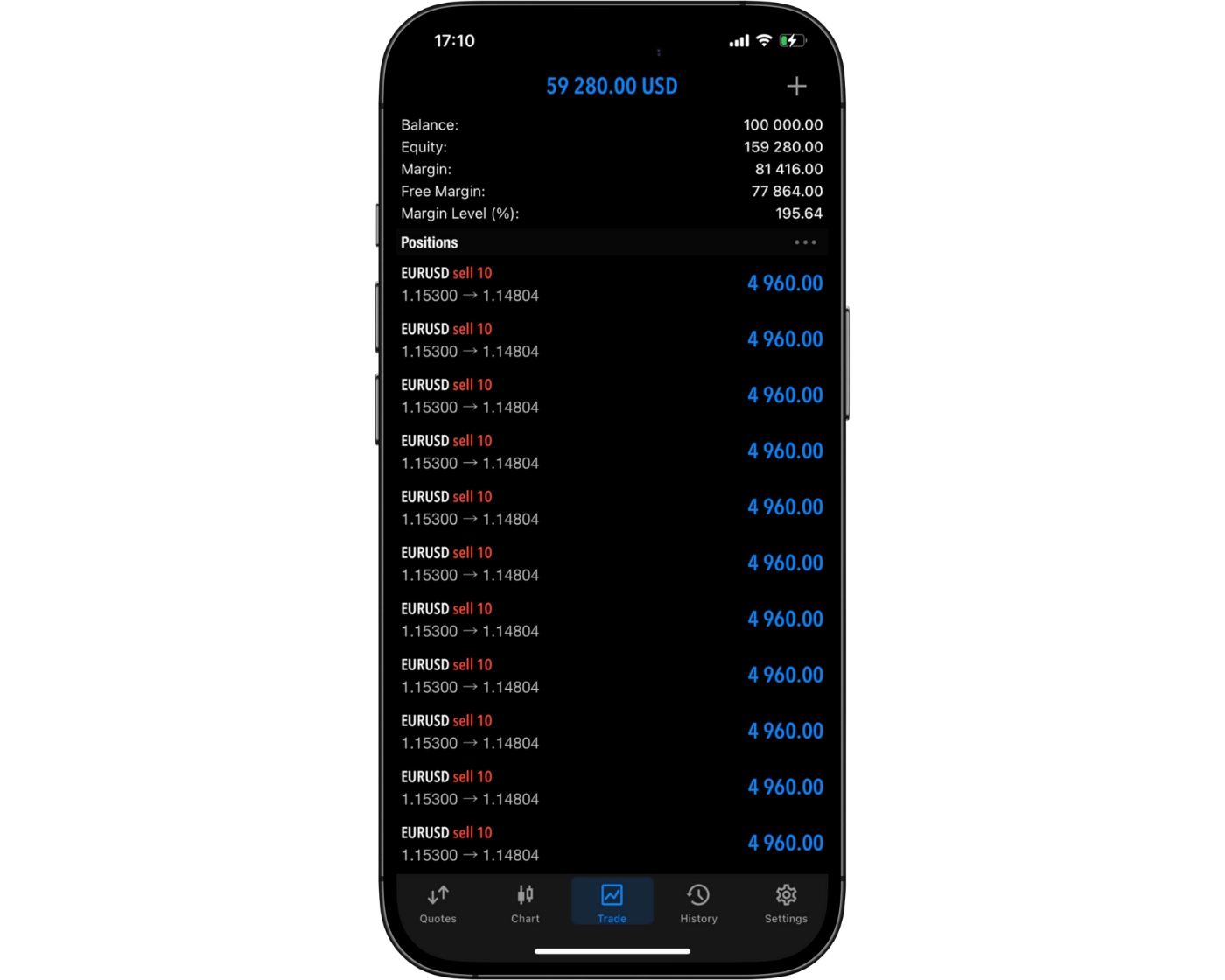
FP Markets Pros:
- Copy trading via Myfxbook
- VPS Hosting
- Easy and fast account opening and funding
- Access to 10,000+ tradeable symbols via the Iress platform
- Personal Account Managers
- Autochartist and Trading Central
- Supports MetaTrader, cTrader, TradingView, and Autochartist tools
- Low forex fees
- Direct Market Access (DAM) via Iress platform
- Comprehensive educational content and tools
- Competitive spreads
- Excellent range of instruments
- Reliable chat support
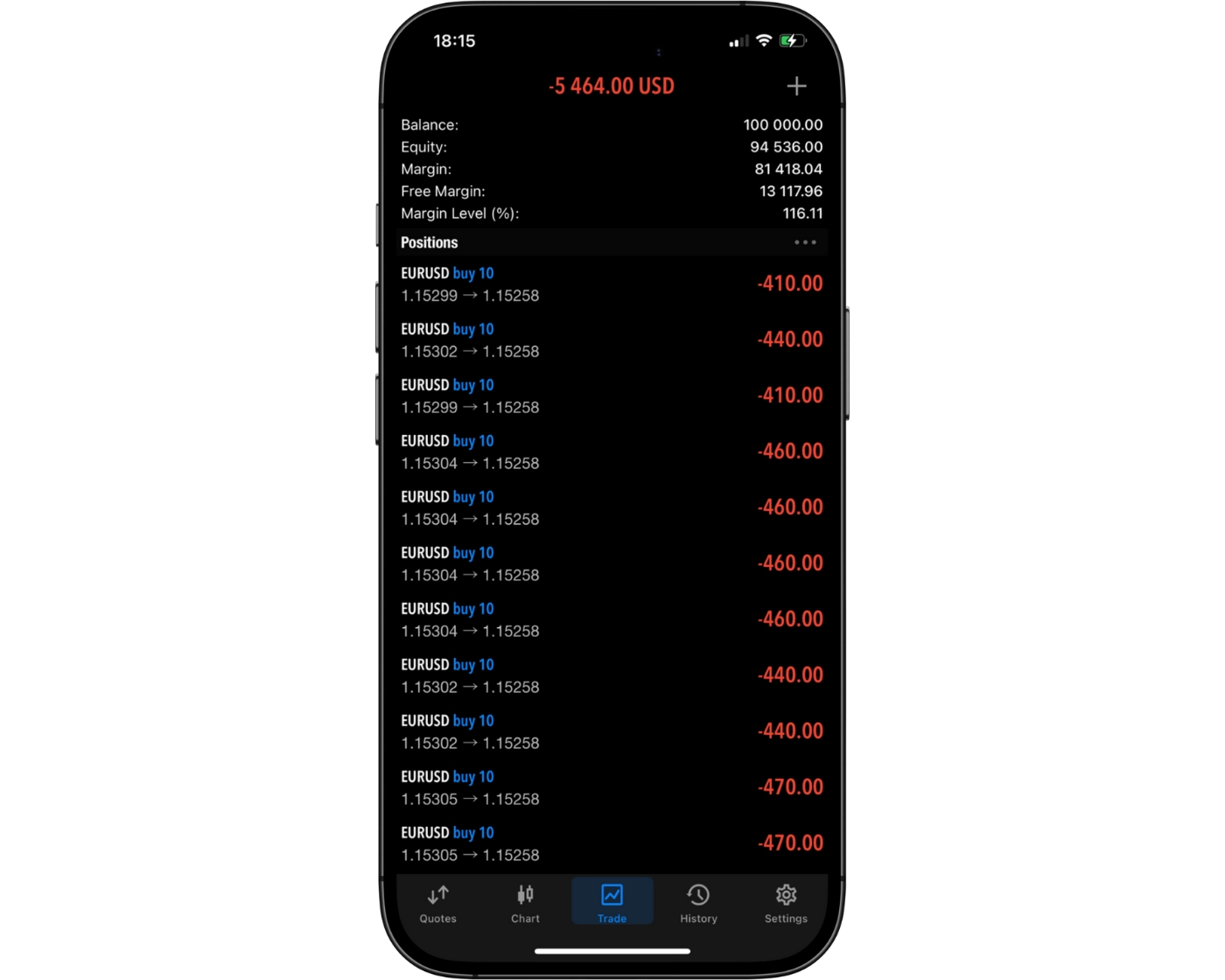
FP Markets Cons:
- Mobile app lacks tools and charting found on leading mobile trading apps
- Offshore entity is unregulated
- Some withdrawal options are not free
- Lacks a proprietary web platform
- Iress platform fees add up unless you’re an active or high-balance trader
Beginner - Ideal Fit
FP Markets provides robust educational materials and demo accounts, making it an excellent starting point for new traders. The broker’s platforms, including the user-friendly web-based TradingView, allow beginners to learn the markets in a practical environment. Traders can also access actionable ideas via the Traders Hub research section and signals through Autochartist, helping to bridge the gap between theory and real-market execution.
News Trading - Suitable Option
FP Markets supplies consistent market news and analysis through the Traders Hub. Breaking news from Dow Jones and Reuters is integrated into TradingView, allowing news traders to stay updated on significant events that may impact their positions.
Scalping - Ideal Fit
Scalpers gain an edge with FP Markets’ lightning-fast order execution, averaging just 29 milliseconds. VPS hosting ensures uninterrupted trading even during power or connectivity interruptions. The depth-of-market (DOM) features in MetaTrader and cTrader give scalpers visibility into order volumes at different price levels, helping identify potential support and resistance. Raw Spreads accounts further minimize trading costs for high-frequency strategies.
Investing - Poor Option
Long-term investors will find FP Markets less suitable, as the broker does not offer access to real shares, ETFs, mutual funds, or managed portfolios. Tools and research for long-term investing are also limited compared to brokers that specialize in wealth management and investment products.
Automated Trading - Ideal Fit
FP Markets supports automated strategies on MetaTrader and cTrader, including backtesting capabilities to optimize trading performance. VPS hosting enhances trade execution reliability, providing stability and speed for algorithmic systems.
Swing Trading - Suitable Option
Swing traders have access to a wide selection of CFDs, though overnight swap fees are average compared to industry standards. The lack of real shares and ETFs limits long-term portfolio diversification for swing trading strategies.
Day Trading - Ideal fit
Active traders benefit from MetaTrader, cTrader, and TradingView, which support one-click execution and trading directly from the chart. Tight spreads on major forex pairs make it easier for day traders to maintain profitability. Additionally, Autochartist signals provide real-time insights that can enhance intraday trading strategies.
Copy Trading - Ideal fit
For traders interested in copying experienced investors, FP Markets offers multiple options. Through MetaTrader 4, clients can automatically replicate trades from MT4 signal providers. Myfxbook AutoTrade enables access to a wider range of strategies directly within the MT4 environment. Copy trading is also available on the cTrader platform, allowing seamless mirroring of trades across accounts.
Who is FP Markets for?
While creating the FP Markets Review 2026, it became clear that the broker offers the features and tools to cater to a wide range of trading strategies. Here’s how it stacks up for different trader styles:
What Sets FP Markets Apart?
One of the broker’s key advantages is its fast execution and ECN pricing model, which streams quotes directly from liquidity providers. This ensures tight spreads and minimal slippage, creating an optimal trading environment for active, day, and algorithmic traders.
FP Markets supports multiple trading platforms, including MetaTrader 4, MetaTrader 5, cTrader, TradingView, and Iress, catering to various trading styles. While MetaTrader’s web and desktop interfaces may appear dated, their functionality remains solid, especially when combined with additional tools like VPS hosting and Autochartist.
The broker also excels in client support and educational resources. From demo accounts and e-books to extensive research and market analysis, FP Markets equips traders with the knowledge they need to make informed decisions. Account setup and funding are streamlined, allowing new users to start trading quickly.
Although FP Markets focuses on forex and CFDs rather than a broad investing product lineup, the diversity within these markets is notable. Traders can access a wide range of instruments across currencies, commodities, indices, shares, and cryptocurrencies, all under one platform.
In summary, FP Markets differentiates itself through low trading costs, reliable execution, a broad selection of platforms, and strong support and research offerings, making it a compelling choice for forex and CFD traders seeking efficiency and performance.
What Sets FP Markets Apart?
FP Markets is a versatile Australian broker that has earned a reputation for combining cost-efficiency with robust trading features. Regulated by ASIC, a top-tier financial authority, FP Markets offers traders peace of mind alongside a powerful suite of tools for both beginners and professional traders.
FP Markets Main Features

Regulations
FSA (Seychelles), FSCM (Mauritius), FSCA (South Africa), ASIC (Australia), CMA (Kenya), CySEC (Cyprus)

Languages
English, Russian, French, Indonesian, Dutch, Portuguese, Thai, Polish, Arabic, Hungarian, Bulgarian, Italian, Spanish, Chinese, Japanese, Greek, Vietnamese, German, Korean, Bahasa.

Products
Currencies, Stocks, ETFs, Crypto, Bonds, Indices, Commodities

Min Deposit
$100

Max Leverage
1:500 (FSA), 1:500 (FSCM), 1:400 (FSCA), 1:30 (ASIC), 1:500 (CMA), 1:30 (CySEC)

Trading Desk Type
Market Maker

Trading Platforms
MT5, cTrader, IRESS, MT4, Mottai, TradingView

Deposit Options
PayPal, Wire Transfer, Skrill, Neteller, Credit Card, Bpay, Broker to Broker, Debit Card, PayID

Withdrawal Options
Wire Transfer, Neteller, Skrill, PayPal, Paytrust, Online Pay, Debit Card

Demo Account
Yes

Foundation Year
2005

Headquarters
Australia
Regulations
FSA (Seychelles), FSCM (Mauritius), FSCA (South Africa), ASIC (Australia), CMA (Kenya), CySEC (Cyprus)
Languages
English, Russian, French, Indonesian, Dutch, Portuguese, Thai, Polish, Arabic, Hungarian, Bulgarian, Italian, Spanish, Chinese, Japanese, Greek, Vietnamese, German, Korean, Bahasa.
Products
Currencies, Stocks, ETFs, Crypto, Bonds, Indices, Commodities
Min Deposit
$100
Max Leverage
1:500 (FSA), 1:500 (FSCM), 1:400 (FSCA), 1:30 (ASIC), 1:500 (CMA), 1:30 (CySEC)
Trading Desk Type
Market Maker
Trading Platforms
MT5, cTrader, IRESS, MT4, Mottai, TradingView
Deposit Options
PayPal, Wire Transfer, Skrill, Neteller, Credit Card, Bpay, Broker to Broker, Debit Card, PayID
Withdrawal Options
Wire Transfer, Neteller, Skrill, PayPal, Paytrust, Online Pay, Debit Card
Demo Account
Yes
Foundation Year
2005
Headquarters
Australia
Start Trading With FP Markets
FP Markets MetaTrader Account Types:
| Feature | Standard MT4/MT5 Account | Raw MT4/MT5 Account |
|---|---|---|
| Demo Account | Yes | Yes |
| Commission | Zero | $3.0 (Per Side) |
| Base Currencies | AUD, EUR, GBP, SGD, CHF, CAD, NZD, JPY, HKD, PLN, ZAR, MXN, BRL | AUD, USD, EUR, GBP, SGD, CHF, CAD, NZD, JPY, HKD, PLN, ZAR, MXN, BRL |
| Minimum Deposit | $100 AUD or equivalent | $100 AUD or equivalent |
| Islamic Account | Yes | Yes |
| Spreads | From 1.0 pips | From 0.0 pips |
FP Markets Iress Account Types:
| Feature | Retail Account | Professional Account |
|---|---|---|
| Minimum Balance | $1,000 | €1,000 |
| Telephone Trades | No additional charge | No additional charge |
| Account Description | Retail account provides access to competitive DMA commission and margin rates with IRESS trading platform options | Wholesale account provides access to competitive DMA commission and margin rates, which are further negotiable with your account manager based on deposit and average monthly turnover |
| ASX Live Data fee | $25 ASX Inc GST fee is waived if you generate $50 in comm/month | $25 ASX Inc GST fee is waived if you generate $50 in comm/month |
| Iress ViewPoint | $75 inc. GST fee is waived if you generate $150 in comm/month | $75 inc. GST fee is waived if you generate $150 in comm/month |
| Brokerage Rate (ASX) | $6 min, then 0.06% | 0.05%, no min |
| ViewPoint Essential | Free | Free |
| ASX Delayed Data | Free | Free |
| Financing (ASX) | FP Markets Base Rate +3.0% | FP Markets Base Rate +2.0% |
FP Markets Review
Introduction to FP Markets Safety Measures
FP Markets operates through six distinct entities, each governed by varying levels of regulatory oversight. The broker is regulated by top-tier authorities such as the Australian Securities and Investments Commission (ASIC) and the Cyprus Securities and Exchange Commission (CySEC), providing clients with confidence in its legitimacy and operational standards.
Through its CySEC-regulated European entity, FP Markets offers robust safeguards including negative balance protection, segregated client funds, and access to compensation schemes. These measures enhance the security of client capital and reinforce trust. Conversely, the St. Vincent & the Grenadines entity provides more limited protections, which can influence the perceived risk for certain traders.
Despite these differences, FP Markets maintains a high degree of transparency and has built a solid reputation over its 20-year history. Traders benefit from a brokerage that combines regulatory compliance with a long-standing track record, offering both reliability and peace of mind for trading in forex and CFDs.
Pros:
- €20,000 investor protection under CySEC
- Negative balance protection
Cons:
- No investor protection under ASIC
- Does not hold a banking license
FP Markets Regulation and Licensing
FP Markets operates through multiple entities, each regulated under different jurisdictions to provide varying degrees of client protection. Our review evaluates these licenses using a three-tier system, with Tier-1 regulators representing the highest standards of oversight and investor security.
Here is a randomized breakdown of FP Markets’ regulatory entities:
FP Markets LLC – Registered with the St. Vincent & the Grenadines Financial Services Authority (FSA), which we categorize as unregulated.
FP Markets Ltd – Licensed and supervised by the Mauritius Financial Services Commission (FSC), considered Tier-3 in our ranking.
First Prudential Markets Ltd – Licensed and regulated by the Cyprus Securities and Exchange Commission (CySEC), also classified as Tier-1, ensuring robust European client protections.
First Prudential Markets PTY Ltd – Licensed and regulated by the Australian Securities and Investments Commission (ASIC), a Tier-1 regulator known for stringent oversight.
FP Markets (Pty) Ltd – Licensed by the South Africa Financial Sector Conduct Authority (FSCA), rated as Tier-2, providing solid regional regulatory coverage.
First Prudential Markets Limited – Regulated by the Seychelles Financial Services Authority (FSA) under License SD130, classified as Tier-3.
FP Markets Limited – Authorized by the Capital Markets Authority of Kenya (CMA), a Tier-2 regulator offering moderate investor safeguards.
This diversified regulatory structure allows FP Markets to serve a global client base while maintaining transparency, with higher-tier licenses offering extensive protections such as segregated client funds and negative balance protection. Traders can therefore choose entities that align with their desired level of regulatory security, balancing risk and accessibility for forex and CFD trading.
| Entity Features | FP Markets LLC | FP Markets Ltd | First Prudential Markets Ltd | FP Markets Limited | FP Markets (Pty) Ltd | First Prudential Markets Limited | First Prudential Markets PTY Ltd |
|---|---|---|---|---|---|---|---|
| Country/Region | St. Vincent & the Grenadines | Mauritius | EU | Kenya | South Africa | Seychelles | Australia |
| Regulation | FSA | FSC | CySEC | CMA | FSCA | FSA | ASIC |
| Tier | Unregulated | 3 | 1 | 2 | 2 | 3 | 1 |
| Segregated Funds | Yes | Yes | Yes | Yes | Yes | Yes | Yes |
| Negative Balance Protection | Yes | Yes | Yes | Yes | Yes | Yes | Yes |
| Compensation Scheme | No | No | Yes | No | No | No | No |
| Maximum Leverage | 1:500 | 1:500 | 1:30 | 1:500 | 1:400 | 1:500 | 1:30 |
Understanding Regulatory Protections for FP Markets Traders
When trading globally, it’s crucial to understand the regulatory safeguards offered by your broker, as protections vary depending on the entity and jurisdiction. FP Markets operates multiple entities worldwide, each subject to different regulatory standards, ensuring that clients can choose the level of protection that suits their trading needs.
Maximum Leverage: Leverage caps limit potential exposure. While offshore entities of FP Markets allow up to 1:500 leverage for higher profit potential, traders should carefully consider the associated risk.
Segregated Client Funds: FP Markets keeps all client deposits in accounts separate from its corporate funds, minimizing the risk of accounting errors and ensuring your money is safeguarded.
Compensation Scheme: Only clients of FP Markets’ EU entity benefit from a formal compensation scheme, which provides an added layer of security if the company were ever to face insolvency.
Negative Balance Protection: This feature ensures that losses cannot exceed the amount deposited in your trading account, protecting traders from extreme market volatility. All FP Markets entities provide this protection.
By understanding these protections, traders can make informed decisions about which FP Markets entity aligns with their risk tolerance and trading objectives. These safeguards combine transparency, client security, and responsible trading practices, giving you confidence while trading forex and CFDs.
How FP Markets Protects Your Funds
FP Markets operates multiple subsidiaries across different regions, which affects the level of investor protection available to each client. Understanding these distinctions is essential for traders seeking both security and peace of mind.
Negative Balance Protection: Every FP Markets entity provides negative balance protection, ensuring that your trading losses cannot exceed your deposited funds, even during volatile market conditions.
Segregated Client Assets: Customer funds, including cash and securities, are kept fully separate from the broker’s corporate accounts. This segregation guarantees that your assets remain secure and accessible, even in the unlikely event of broker insolvency.
These protections, combined with FP Markets’ global regulatory oversight, create a secure trading environment for forex and CFD traders while maintaining transparency and accountability.
| Country of Clients | Legal Entity | Regulator | Protection Amount |
|---|---|---|---|
| Australia | First Prudential Markets Pty Ltd | Australian Securities and Investments Commission (ASIC) | No protection |
| EU | First Prudential Markets Ltd | Cyprus Securities and Exchange Commission (CySEC) | €20,000 |
| Rest of the world | FP Markets LLC | Financial Services Authority (St. Vincent and the Grenadines) | No protection |
| Rest of the world | FP Markets (Pty) Ltd | Financial Sector Conduct Authority (South Africa) | No protection |
| Rest of the world | First Prudential Markets Limited | Financial Services Authority (Seychelles) | No protection |
| Rest of the world | FP Markets Ltd | Financial Services Commission (Mauritius) | No protection |
Stability and Transparency of FP Markets
FP Markets has established itself as a reliable and transparent CFD broker since its founding in 2005. Headquartered in Sydney, Australia, the company employs between 201 and 500 staff, reflecting a stable organizational structure that supports traders worldwide.
Transparency is a key focus for FP Markets. Regulatory information is clearly detailed on the broker’s Regulation page, helping clients understand the protections in place. Additionally, spreads and commissions are openly presented on the Forex Spreads page, while comprehensive terms and conditions are accessible via the Legal Documents page.
This combination of long-standing operational history, clear communication of fees, and regulatory openness makes FP Markets a trustworthy choice for both new and experienced traders seeking a secure trading environment.
Is FP Markets Safe to Trade With?
Yes. FP Markets is widely recognized as a trustworthy broker, offering a high degree of security and transparency for traders. With a 20-year operational history, the broker demonstrates stability and reliability in the global CFD and forex markets.
Regulatory oversight is a key strength of FP Markets. It is authorized by multiple top-tier regulators, including the Australian Securities & Investments Commission (ASIC) and the European Union via the MiFID passporting system. Additional entities are regulated by Tier-2 authorities, while some offshore entities carry higher risk, providing a clear picture of regulatory coverage across jurisdictions.
Client protection is reinforced through strict segregation of funds, ensuring your assets remain separate from the broker’s corporate accounts. All FP Markets entities also provide negative balance protection, which caps trading losses to the deposited amount, safeguarding traders in volatile markets.
Overall, FP Markets combines long-standing operational experience, robust regulatory oversight, and comprehensive client safeguards, making it a highly reliable choice for both beginner and experienced traders seeking a secure trading environment.
| Safety Summary | FP Markets |
|---|---|
| Bank | No |
| Publicly Traded (Listed) | No |
| Year Founded | 2005 |
| Tier-1 Licenses | 2 |
| Tier-2 Licenses | 2 |
| Tier-3 Licenses | 2 |
Introduction to FP Markets Fees
FP Markets stands out as one of the most cost-effective brokers in the industry, offering highly competitive spreads and fee structures tailored to different trading needs. Whether you’re a beginner looking for simplicity or an active trader seeking ultra-low spreads, FP Markets provides flexible account types with transparent pricing.
Raw ECN Account: Designed for serious traders, the Raw ECN account offers some of the tightest spreads in the market, averaging just 0.1 pips on EUR/USD (0.8 pips all-in after commission as of January 2026). Commissions are set at $6 per round-turn lot ($3 per side), making this account type the most cost-efficient option for forex traders. With a minimum deposit of just $50, this account combines accessibility with professional-grade pricing.
Standard Account: For traders who prefer a commission-free model, the Standard account includes costs within the spread. Average spreads start at 1.2 pips on EUR/USD (as of January 2026). While slightly higher in cost compared to the Raw ECN account, this option provides simplicity and transparency, especially for those new to trading.
cTrader Accounts: FP Markets also supports trading via cTrader, available in both Standard and Raw structures. The commission-based Raw option matches MetaTrader pricing, while the Standard version offers a spread-only setup.
Iress Accounts (Australia): FP Markets’ Iress platform suite caters to equity and CFD traders who require Direct Market Access (DMA). Options include:
Standard Account: Minimum deposit AUD 1,000
Platinum Account: Minimum deposit AUD 25,000
Premier Account: Minimum deposit AUD 50,000
To avoid monthly platform and data fees, traders must either qualify for the Premier account or generate at least AUD 150 in commissions per month. The Iress Investor Account offers a lower-cost option without monthly fees, though it comes with limitations such as non-streaming quotes and simplified charting.
Other Fees: FP Markets charges no deposit or withdrawal fees in most cases, and importantly, there is no inactivity fee – a benefit that many competitors fail to offer. However, international bank withdrawals may incur higher charges, which is worth considering for traders funding accounts globally.
Overall, FP Markets excels in offering low forex fees, zero hidden costs, and highly competitive spreads, making it an attractive choice for cost-conscious traders. The broker has also earned industry recognition for its pricing model, positioning it as one of the most competitive options worldwide.
Pros:
- Low forex CFD fees
- Low trading fees
- Low non-trading fees
Cons:
- High fee for international bank withdrawals
FP Markets Spreads
Forex Spreads
| Standard Account | Raw ECN Account | ||
|---|---|---|---|
| Symbol | Product | Avg. Spread | Avg. Spread |
| AUDCAD | Australian Dollar vs Canadian Dollar | 1.9 | 1.1 |
| AUDCHF | Australian Dollar vs Swiss Franc | 1.9 | 0.8 |
| AUDJPY | Australian Dollar vs Japanese Yen | 1.9 | 0.8 |
| AUDNZD | Australian Dollar vs New Zealand Dollar | 1.7 | 0.9 |
| AUDSGD | Australian Dollar vs Singapore Dollar | 3.2 | 1.7 |
| AUDUSD | Australian Dollar vs US Dollar | 1.4 | 0.3 |
| BWPUSD | Botswanan Pula vs US Dollar | 1.8 | 1.8 |
| CADCHF | Canadian Dollar vs Swiss Franc | 1.6 | 0.8 |
| CADJPY | Canadian Dollar vs Japanese Yen | 1.7 | 0.6 |
| CHFJPY | Swiss Franc vs Japanese Yen | 2.2 | 1.1 |
| CHFSGD | Swiss Franc vs Singapore Dollar | 4.3 | 3.2 |
| EURAUD | Euro vs Australian Dollar | 2.3 | 1.2 |
| EURCAD | Euro vs Canadian Dollar | 3.1 | 1.4 |
| EURCHF | Euro vs Swiss Franc | 1.9 | 0.8 |
| EURCZK | Euro vs Czech Koruna | 117.7 | 100.3 |
| EURDKK | Euro vs Danish Krone | 11 | 5 |
| EURGBP | Euro vs Great Britain Pound | 1.4 | 0.3 |
| EURHUF | Euro vs Hungarian Forint | 121 | 20.6 |
| EURJPY | Euro vs Japanese Yen | 1.9 | 0.8 |
| EURMXN | Euro vs Mexican Peso | 67.4 | 47.5 |
| EURNOK | Euro vs Norwegian Krone | 70.9 | 63.4 |
| EURNZD | Euro vs New Zealand Dollar | 3 | 1.9 |
| EURPLN | Euro vs Polish Zloty | 21.2 | 17.9 |
| EURSEK | Euro vs Swedish Krona | 64.6 | 59.1 |
| EURSGD | Euro vs Singapore Dollar | 2.9 | 1.8 |
| EURTRY | Euro vs Turkish Lira | 498.3 | 495.2 |
| EURUSD | Euro vs US Dollar | 1.2 | 0.1 |
| EURZAR | Euro vs South African Rand | 80 | 68.5 |
| GBPAUD | Great Britain Pound vs Australian Dollar | 3.5 | 2.4 |
| GBPCAD | Great Britain Pound vs Canadian Dollar | 3 | 1.9 |
| GBPCHF | Great Britain Pound vs Swiss Franc | 2.7 | 1.6 |
| GBPDKK | Great Britain Pound vs Danish Krone | 24.3 | 18.3 |
| GBPJPY | Great Britain Pound vs Japanese Yen | 2.2 | 1.1 |
| GBPMXN | Great Britain Pound vs Mexican Peso | 81.5 | 61.5 |
| GBPNOK | Great Britain Pound vs Norwegian Krone | 68.6 | 61.1 |
| GBPNZD | Great Britain Pound vs New Zealand Dollar | 3.9 | 2.4 |
| GBPPLN | Great Britain Pound vs Polish Zloty | 44.1 | 42.6 |
| GBPSEK | Great Britain Pound vs Swedish Krona | 115.7 | 111 |
| GBPSGD | Great Britain Pound vs Singapore Dollar | 3.2 | 2 |
| GBPTRY | Great Britain Pound vs Turkish Lira | 765.6 | 758.6 |
| GBPUSD | Great Britain Pound vs US Dollar | 1.5 | 0.4 |
| NZDCAD | New Zealand Dollar vs Canadian Dollar | 2 | 1.2 |
| NZDCHF | New Zealand Dollar vs Swiss Franc | 1.6 | 0.8 |
| NZDJPY | New Zealand Dollar vs Japanese Yen | 1.9 | 0.8 |
| NZDSGD | New Zealand Dollar vs Singapore Dollar | 2.2 | 1.1 |
| NZDUSD | New Zealand Dollar vs US Dollar | 1.6 | 0.4 |
| USDBRL | US Dollar vs Brazilian Real | 35.6 | 25.6 |
| USDCAD | US Dollar vs Canadian Dollar | 1.5 | 0.4 |
| USDCHF | US Dollar vs Swiss Franc | 1.7 | 0.6 |
| USDCLP | US Dollar vs Chilean Peso | 556.5 | 556.5 |
| USDCNH | US Dollar vs Chinese Yuan | 1.7 | 0.6 |
| USDCOP | US Dollar vs Colombian Peso | 3334.7 | 3334.7 |
| USDCZK | US Dollar vs Czech Koruna | 91.2 | 73.8 |
| USDDKK | US Dollar vs Danish Krone | 14.5 | 8.5 |
| USDHKD | US Dollar vs Hong Kong Dollar | 6.8 | 5.7 |
| USDHUF | US Dollar vs Hungarian Forint | 228.1 | 14.5 |
| USDINR | US Dollar vs Indian Rupee | 21.8 | 11.8 |
| USDJPY | US Dollar vs Japanese Yen | 1.4 | 0.3 |
| USDKES | US Dollar vs Kenyan Shilling | 963.6 | 963 |
| USDKRW | US Dollar vs Korean Won | 80.2 | 60.3 |
| USDMXN | US Dollar vs Mexican Peso | 42.7 | 36.7 |
| USDNOK | US Dollar vs Norwegian Krone | 64.2 | 55.7 |
| USDPLN | US Dollar vs Polish Zloty | 19.5 | 15.8 |
| USDSEK | US Dollar vs Swedish Krona | 56.2 | 47.5 |
| USDSGD | US Dollar vs Singapore Dollar | 1.9 | 1.1 |
| USDTHB | US Dollar vs Thai Baht | 185.2 | 165.2 |
| USDTRY | US Dollar vs Turkish Lira | 236.1 | 233.6 |
| USDTWD | US Dollar vs New Taiwan dollar | 5 | 5 |
| USDUGX | US Dollar vs Ugandan Shilling | 200.8 | 200.8 |
| USDZAR | US Dollar vs South African Rand | 49.9 | 39 |
Metal Spreads
| Standard Account | Raw ECN Account | ||
|---|---|---|---|
| Symbol | Product | Avg. Spread | Avg. Spread |
| XAGAUD | Silver vs Australian Dollar | 0.05 | 0.042 |
| XAGEUR | Silver vs Euro | 0.02 | 0.012 |
| XAGUSD | Silver vs US Dollar | 0.02 | 0.014 |
| XAUAUD | Gold vs Australian Dollar | 0.81 | 0.71 |
| XAUEUR | Gold vs Euro | 0.37 | 0.19 |
| XAUUSD | Gold vs US Dollar | 0.26 | 0.12 |
| XPDUSD | Palladium vs US Dollar | 8.81 | - |
| XPTUSD | Platinum vs US Dollar | 4.01 | - |
| XPBUSD | Lead vs US Dollar | 3.98 | 3.84 |
| XZNUSD | Zinc vs US Dollar | 3.78 | 3.64 |
| XNIUSD | Nickel vs US Dollar | 24.51 | 24.37 |
| XALUSD | Aluminum vs US Dollar | 3.73 | 3.59 |
| XCUUSD | Copper vs US Dollar | 5.79 | 5.65 |
| XAUGBP | Gold vs Great Britain Pound | 0.43 | 0.31 |
| XAUSGD | Gold vs Singapore Dollar | 0.86 | 0.67 |
| XAGSGD | Silver vs Singapore Dollar | 0.023 | 0.017 |
| XAUCNH | Gold vs Chinese Renminbi | 4.26 | 3.24 |
Indices Spreads
| Standard Account | ||
|---|---|---|
| Symbol | Product | Avg. Spread |
| AUS200 | Australia 200 Index vs Australian Dollar Cash | 1.33 |
| CHINA50 | China A50 Index vs US Dollar Cash | 8.01 |
| EURO50 | Euro 50 Index vs Euro Cash | 2.05 |
| FRA40 | CAC 40 Index vs Euro Cash | 2.3 |
| GER40 | German 40 Index vs Euro Cash | 1.4 |
| HK50 | Hang Seng Index vs Hong Kong Dollar Cash | 4.55 |
| ITA40 | Italy 40 Index vs Euro Future | 15 |
| JP225 | Japan 225 Index vs Japanese Yen Cash | 4.8 |
| SPA35 | Spain 35 Index vs Euro Cash | 5.66 |
| UK100 | UK100 Index vs Great Britain Pound Cash | 1.27 |
| US100 | US Tech 100 Index vs US Dollar Cash | 1.29 |
| US30 | US 30 Index vs US Dollar Cash | 1.2 |
| US500 | US 500 Index vs US Dollar Cash | 0.46 |
| USDX | USD Index Basket vs US Dollar Future | 0.05 |
| VIX | VIX Index Cash vs US Dollar Future | 0.16 |
Commodities Spreads
| Standard Account | ||
|---|---|---|
| Symbol | Product | Avg. Spread |
| COCOA | Cocoa vs US Dollar Cash | 20.69 |
| COTTON | US Cotton No.2 vs US Dollar Future | 2.12 |
| SUGAR | US Sugar No.11 vs US Dollar Future | 2.04 |
| COFFEE | US Coffee vs US Dollar Future | 1.01 |
| CORN | Corn vs US Dollar Cash | 0.71 |
| SOYBEANS | Soybeans vs US Dollar Cash | 1.11 |
| WHEAT | Wheat vs US Dollar Cash | 2.11 |
| WTI | West Texas Intermediate Crude Oil vs US Dollar Future | 0.04 |
| XBRUSD | Brent Crude Oil vs US Dollar Cash | 0.04 |
| XNGUSD | Natural Gas vs US Dollar Cash | 0.02 |
| XTIUSD | West Texas Intermediate Crude Oil vs US Dollar Cash | 0.04 |
| BRENT | Brent Crude Oil vs US Dollar Future | 0.05 |
Cryptocurrency Spreads
| Standard Account | ||
|---|---|---|
| Symbol | Product | Avg. Spread |
| ADAUSD | Cardano vs US Dollar | 0.004 |
| BCHUSD | Bitcoin Cash vs US Dollar | 1.46 |
| BTCUSD | Bitcoin vs US Dollar | 19.21 |
| DOGUSD | Dogecoin vs US Dollar | 0.00128 |
| DOTUSD | Polkadot vs US Dollar | 0.029 |
| EOSUSD | EOS vs US Dollar | 0.0088 |
| ETHUSD | Etherium vs US Dollar | 4.32 |
| LNKUSD | Chainlink vs US Dollar | 0.043 |
| LTCUSD | Litecoin vs US Dollar | 1.01 |
| RPLUSD | Ripple vs US Dollar | 0.0015 |
| SOLUSD | Solana vs US Dollar | 0.898 |
| XLMUSD | Stellar vs US Dollar | 0.00285 |
Commission Rates for FP Markets
When trading share CFDs through FP Markets on MetaTrader 5, both Standard and Raw account types include commission charges in addition to spreads. This structure ensures transparency in trading costs, allowing investors to clearly understand the fees associated with equity CFDs.
By combining competitive spreads with clearly defined commissions, FP Markets provides traders with a cost-effective and predictable trading environment for shares, making it easier to manage risk and calculate potential returns.
Whether you’re trading single stocks or diversifying across multiple CFDs, the inclusion of commission fees on MT5 ensures that all costs are upfront, supporting informed trading decisions.
| Exchange/Region | Commission on CFDs on Shares |
|---|---|
| Europe | 0.10% with a minimum charge of 2 EUR |
| NASDAQ | 2 cents per share with a minimum charge of 2 USD per side. |
| United Kingdom | 0.10% with a minimum charge of 2 GBP |
| Hong Kong | 0.20% with a minimum charge of 2 USD. |
| NYSE | 2 cents per share with a minimum charge of 2 USD per side. |
FP Markets Swap Fees Explained
FP Markets applies swap fees to positions held overnight, which are calculated differently for buy and sell trades. The Swap Long represents the cost or credit of maintaining a buy position overnight, while the Swap Short reflects the cost or credit for holding a sell position.
These fees are based on a full-sized contract of 100,000 units of the base currency (the first currency listed in the pair). The recorded data is accurate as of January 2025, ensuring traders can plan their positions with current and reliable information.
Understanding swap fees is essential for overnight and long-term traders, as they can influence overall profitability. FP Markets provides transparent and clearly defined swap rates to help traders make informed decisions and manage trading costs effectively.
| Instrument | Swap Short | Swap Long |
|---|---|---|
| GBP/JPY | Charge of $30.72 | Credit of $15.54 |
| EUR/USD | Credit of $2.20 | Charge of $6.59 |
Non-Trading Fees at FP Markets
FP Markets is recognized for its transparent and cost-effective approach to non-trading fees. Clients benefit from no charges on deposits or withdrawals when using bank transfers or credit cards, making it simple and affordable to manage funds. Account inactivity is also fee-free across most trading platforms, ensuring that traders are not penalized for periods of low activity.
The only exception applies to the IRESS Trader platform, which incurs a monthly fee of AUD 55. This fee is waived if you generate at least AUD 200 in monthly commissions or maintain a balance of AUD 50,000, providing flexibility for active traders or those with larger account holdings. Overall, FP Markets offers one of the most competitive non-trading fee structures in the industry, allowing traders to focus on opportunities in the market without worrying about hidden costs.
Are FP Markets Fees Competitive?
Yes. FP Markets offers a fee structure that stands out for its transparency and competitiveness, making it a preferred choice for both beginner and experienced traders. The broker provides spreads that are better than the industry average across most trading instruments, ensuring cost-effective entry and exit points in the market.
Account management is straightforward, with no charges for account setup, inactivity, or standard deposit and withdrawal methods. Swap fees are also aligned with market norms, providing predictable overnight financing costs for leveraged positions.
Overall, FP Markets combines low and transparent fees with efficient trading conditions, allowing traders to maximize their potential returns without being burdened by hidden or excessive costs.
| Fees Summary | FP Markets |
|---|---|
| Minimum Deposit | $100 AUD |
| Average Spread EUR/USD (Standard Account) | 1.2 pips |
| All-in Cost EUR/USD (Active Trader Account) | 0.7 pips |
| Active Trader or VIP Discounts | Yes |
| Skrill (Deposit/Withdraw) | Yes |
| ACH or SEPA Transfers | No |
| Bank Wire (Deposit/Withdraw) | Yes |
| Visa/Mastercard (Credit/Debit) | Yes |
| PayPal (Deposit/Withdraw) | Yes |
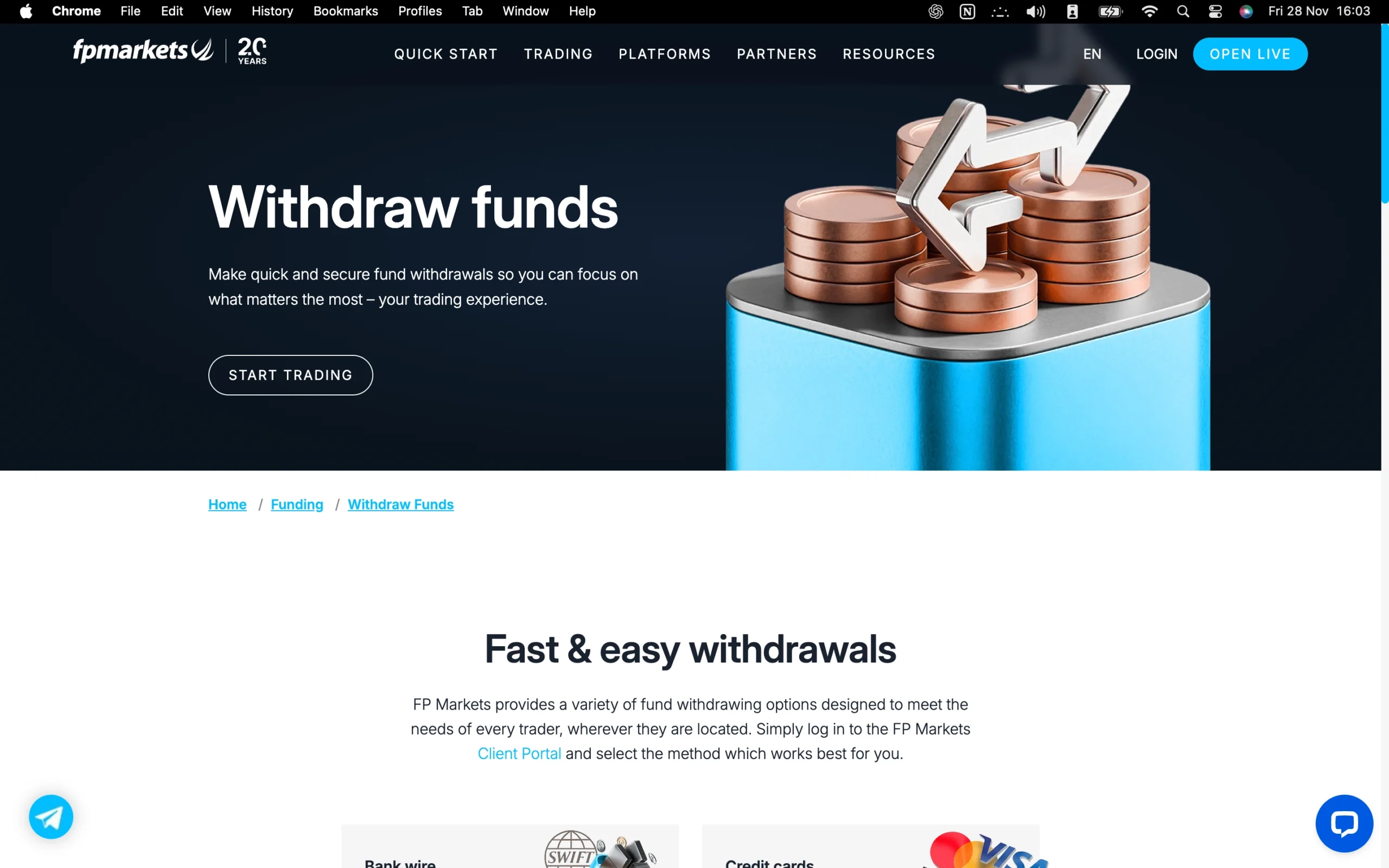
Deposit and Withdrawal Overview
FP Markets provides traders with a versatile range of deposit and withdrawal methods, including credit and debit cards, bank wire transfers, digital wallets, and other online payment systems. Transactions are generally processed quickly, often faster than industry standards, ensuring seamless access to funds.
Most deposit and withdrawal methods are free of charge, and in certain cases, FP Markets even covers bank fees for international transfers, making it a cost-effective choice for global traders. While a small number of withdrawal methods may incur nominal fees, the broker’s transparency and speed in fund transfers consistently rank highly among traders seeking reliability and convenience.
With flexible payment options, fast processing times, and competitive fee structures, FP Markets ensures clients can manage their accounts efficiently while keeping trading costs low.
Pros:
- Credit/Debit card available
- No deposit fee
- Several account base currencies
Cons:
- Some withdrawal options are not free
FP Markets Account Base Currencies
At FP Markets, you can choose from the following base currencies:
| ZAR | USD | HKD | EUR |
| MXN | JPY | GBP | CAD |
| AUD | CHF | SGD | BRL |
FP Markets stands out with its wide selection of base currencies, giving traders the flexibility to fund accounts in their preferred currency. This feature is particularly valuable because it helps avoid unnecessary currency conversion fees when deposits or trades are conducted in the same currency as the trading account.
For added convenience, traders can also consider opening a multi-currency bank account through a digital bank. These accounts often support multiple currencies, provide competitive exchange rates, and offer low-cost or free international transfers. Setting up such an account typically takes only a few minutes via a smartphone, making it a practical solution for managing global trading funds efficiently.
By combining FP Markets’ diverse base currency options with strategic banking solutions, traders can minimize costs and streamline account management, enhancing the overall trading experience.
FP Markets Deposit Methods and Fees
FP Markets offers flexible funding options designed to accommodate a wide range of traders. You can deposit funds using multiple methods, including bank transfers, credit/debit cards, and digital wallets, providing convenience and accessibility.
In most cases, FP Markets does not charge deposit fees, making it cost-effective to fund your trading account. However, depending on the chosen trading platform or specific payment method, some deposits may incur a small fee. This approach keeps FP Markets competitive with other brokers while maintaining transparency and affordability.
With its variety of deposit options and generally fee-free funding, FP Markets ensures that traders can start trading quickly and efficiently, without hidden costs affecting their initial capital.
FP Markets supports the following electronic wallets:
| PayPal | Neteller | Virtual Pay | fasapay |
| Google Pay | Sticpay | Rupee Payments | Skrill |
| Rapyd | Apple Pay | B2Binpay | Crypto (finrax) |
| mybux | pagsmile | ypay | Perfect Money |
| Cryptocurrency Solution | Asia Banks |
All FP Markets deposit methods and fees:
| Method | Accepted Currencies | Fees | Processing Time |
|---|---|---|---|
| Skrill | USD, EUR, GBP | $0 | MT4/5: InstantIress: 1 business day |
| Broker to Broker | AUD, CAD, CHF, EUR, GBP, HKD, JPY, NZD, SGD, USD | No deposit fees charged from FP Markets | 1 business day from when the funds are received |
| PayPal | AUD, CAD, EUR, GBP, HKD, JPY, SGD, USD | $0 | MT4/5: InstantIress: 1 business day |
| BPAY | AUD | $0 | 1 business day |
| Bank Transfer | AUD, USD, EUR, GBP, SGD, CAD | No deposit fees charged from FP Markets | 1 business day from when the funds are received |
| Credit/Debit Card | AUD, USD, GBP, EUR, CAD, CHF, HKD, SGD, NZD, JPY | $0 | MT4/5: InstantIress: 1 business day |
| Neteller | AUD, CAD, CHF, EUR, GBP, JPY, PLN, SGD, USD | $0 | MT4/5: InstantIress: 1 business day |
| PayID | AUD | $0 | Up to 1 business day from when the funds are received |
FP Markets Withdrawal Methods and Fees
FP Markets provides a versatile and efficient withdrawal system that caters to a variety of trader preferences. You can access your funds using bank transfers, credit/debit cards, and electronic wallets, offering the same convenience as its deposit options.
Most withdrawals, including domestic bank transfers and credit card withdrawals, are free of charge, while some international or third-party payment providers may apply their own fees. All withdrawals must be processed to accounts in your name, ensuring security and regulatory compliance.
The broker’s fast processing times, broad range of withdrawal methods, and minimal fees consistently exceed industry standards, making FP Markets a reliable choice for seamless fund management.
FP Markets withdrawal methods and fees:
| Method | Accepted Currencies | Fees | Processing Time |
|---|---|---|---|
| PayPal | AUD, CAD, EUR, GBP, HKD, JPY, SGD, USD | $0 | 1 business day |
| Domestic bank wire | AUD | $0 | 1 business day once all the correct documents are received |
| Skrill | USD, GBP, EUR | 1% + country fees (if applicable) | 1 business day |
| Credit/Debit Card | AUD, USD, GBP, EUR, CAD, CHF, HKD, SGD, NZD, JPY | $0 | 2-10 business days, depending on your corresponding bank |
| OnlinePay | RMB | 10 USD if withdrawal is less than 500 USD; 3 USD if withdrawal is over 500 USD | 1 business day |
| Neteller | AUD, CAD, CHF, EUR, GBP, JPY, PLN, SGD, USD | 1% up to 30 USD + country fees (if applicable) per 45,000 USD transaction | 1 business day |
| PayTrust | MYR, IDR, THB, VND | 1.50% | 1 business day |
| International bank wire | Other than AUD | $0 | 1 business day once all the correct documents are received |
How Long Does FP Markets Take to Process Withdrawals?
Withdrawing funds from FP Markets is designed to be fast and convenient. On average, most withdrawals are processed within 24 hours, ensuring quick access to your funds. Whether using bank transfers, credit or debit cards, or electronic wallets, the broker maintains a streamlined process to minimize delays. This efficiency, combined with no withdrawal fees for standard methods, makes managing your trading capital straightforward and cost-effective.
For traders looking to move funds quickly, FP Markets’ reliable processing times and transparent policies provide peace of mind and enhance the overall trading experience.
Step-by-Step Guide to Withdrawing Money From FP Markets
Withdrawing funds from FP Markets is a straightforward and secure process:
Access Your Client Area – Log in to your FP Markets account through the client portal.
Navigate to Funding – Click on the ‘Funding’ section, then select ‘Withdrawal’.
Choose Your Method and Amount – Pick your preferred withdrawal method and specify the amount to transfer.
Submit the Request – Confirm and initiate the withdrawal transaction.
FP Markets ensures a smooth and efficient withdrawal experience, giving traders confidence that their funds are processed safely and promptly.
Trading Platforms Overview
FP Markets provides a robust suite of trading platforms designed to meet the needs of both beginner and experienced traders. For forex and CFD trading, its primary offerings include MetaTrader 4 (MT4), MetaTrader 5 (MT5), cTrader, and the increasingly popular TradingView platform, particularly available for RAW account holders. These platforms are complemented by professional-grade options such as Iress Trader, Iress Investor, and Iress ViewPoint, which are primarily geared toward share trading and more advanced market analysis.
Additionally, FP Markets offers a proprietary mobile application, enabling traders to manage positions and monitor the markets on the go.
For traders seeking social trading capabilities, FP Markets integrates copy trading via Myfxbook for MT4 and supports the MetaTrader signals market. cTrader users can also access copy trading features, allowing traders to replicate strategies from experienced peers seamlessly. The combination of these tools positions FP Markets as an appealing choice for traders interested in both independent and social trading opportunities.
Charting and technical analysis are strong points across FP Markets’ platform ecosystem. MetaTrader platforms offer a wide range of indicators, customizable charts, and support for Autochartist and FX Blue add-ons through the Trader Toolbox. The Iress ViewPoint platform, powered by TradingView, features a clean watchlist and nearly 100 technical indicators, making it ideal for traders who value comprehensive market visualization. While the Iress suite excels in share trading, MetaTrader remains the preferred platform for forex due to its faster execution and broader range of forex-specific tools.
With its diverse platform selection, integrated copy trading, and advanced charting capabilities, FP Markets provides a trading environment that caters to multiple strategies and experience levels. Traders can confidently explore forex, CFD, and share markets, taking advantage of both desktop and mobile access, while benefiting from reliable tools for technical analysis and social trading.
MetaTrader 4

MetaTrader 4 Desktop Intro
The desktop version of MetaTrader 4 (MT4) offered by FP Markets delivers a professional and user-friendly trading environment suitable for both beginners and seasoned traders. Its intuitive interface allows smooth navigation through charts, orders, and trading instruments, ensuring traders can focus on strategy rather than platform complexity. While its chart visuals may appear more traditional compared to newer platforms, MT4 remains a highly dependable choice for executing trades efficiently.
Platform Compatibility & Global Accessibility
FP Markets’ MT4 is fully compatible with both Windows and Mac operating systems and supports 52 languages, including English, Spanish, French, German, Arabic, and Chinese. This extensive language support makes it an ideal option for traders across different regions, providing accessibility for a worldwide trading community.
Key Features
Custom Alerts: Set price-level alerts to quickly identify potential entry or exit points.
Watchlist Management: Organize and monitor your preferred instruments and market movements efficiently with personalized watchlists.
One-Click Trading: Execute market orders instantly at the current price, a feature particularly useful for scalpers and high-frequency traders.
Chart-Based Trading: Place trades directly from the chart, specifying volume, stop-loss, take-profit, and entry price for precise execution.
Expert Advisor Integration: MT5 enhances automated trading capabilities, allowing users to run and optimize Expert Advisors (EAs) through the built-in strategy tester. Algo traders can fine-tune strategies across varying market conditions with ease.
Why MT4 on FP Markets Excels
FP Markets’ MT4 desktop platform stands out for its combination of reliability, flexibility, and advanced trading tools. Its robust automation features, customizable alerts, and direct chart trading capabilities create a professional-grade trading experience that caters to precision-oriented traders. Whether pursuing discretionary trading strategies or automated algorithmic systems, MT4 provides the tools necessary for effective, efficient market engagement.
Pros:
- Clear fee report
- Good customizability (for charts, workspace)
- Price alerts
Cons:
- Search function could be improved
- Poor design
Mt4 Charts
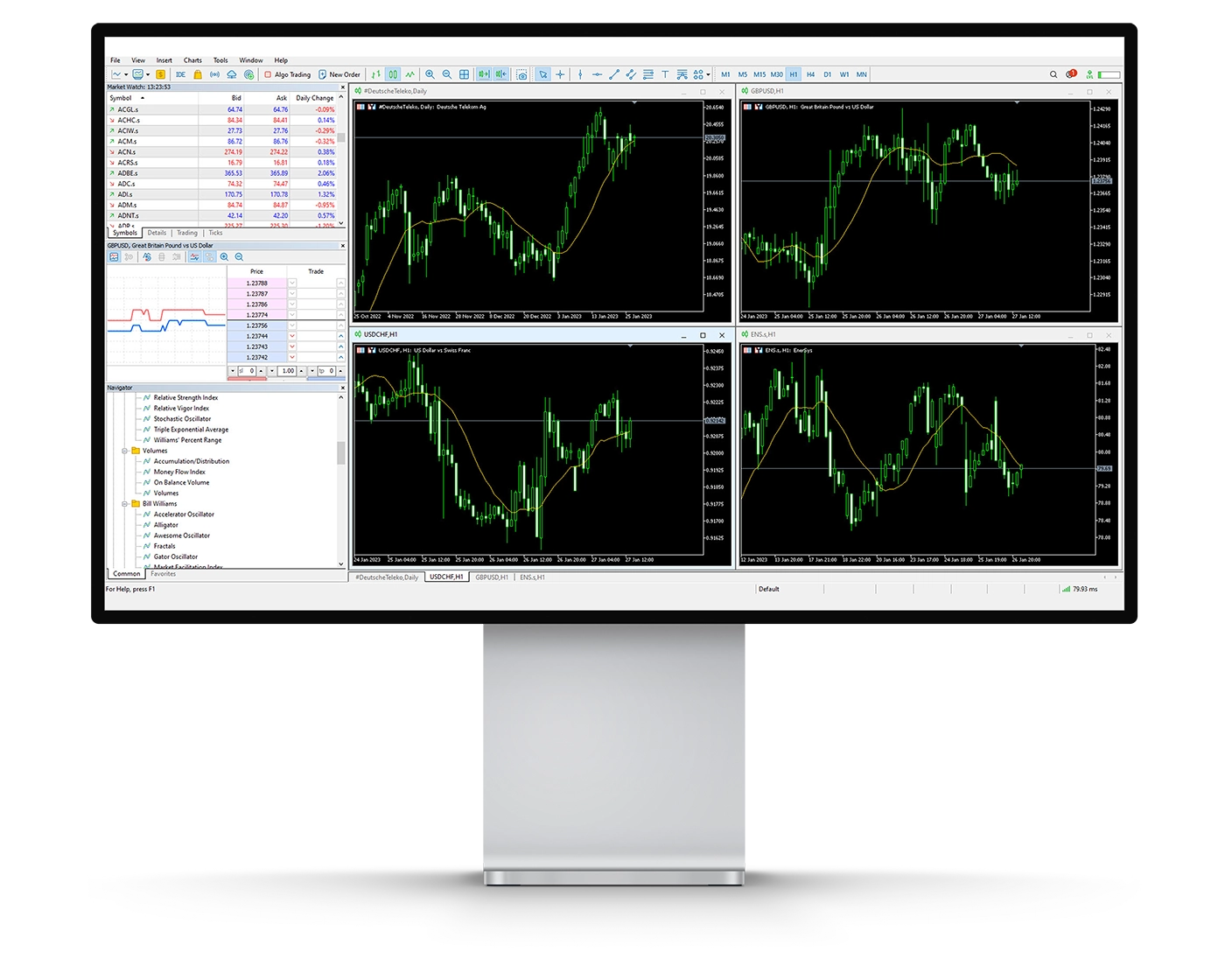
FP Markets’ MetaTrader 4 (MT4) platform delivers a highly versatile charting and analytical environment, tailored for traders who require precision and depth in their market analysis. It combines intuitive design with advanced functionality, making it suitable for both discretionary and algorithmic trading strategies.
- Technical Indicators: Traders on MT4 have access to 38 built-in technical indicators, covering trend-following, volume-based, and oscillator tools. These indicators assist in evaluating price movements, measuring market sentiment, and forecasting potential trading opportunities, providing the analytical foundation for informed decision-making.
- Drawing and Analysis Tools: MT4 also includes 24 drawing tools, such as Fibonacci retracements and Elliott waves, which help identify support and resistance levels, trend patterns, and possible breakout points. While these tools are essential for in-depth technical analysis, charts can become visually dense when multiple indicators and drawings are applied simultaneously.
- Timeframes and Chart Options: Supporting 21 distinct timeframes, MT4 enables detailed multi-timeframe analysis, offering traders a comprehensive view of market trends. Price action can be visualized through line charts, bar charts, or candlesticks, giving multiple perspectives to identify optimal entry and exit points.
- User Considerations: While the MT4 suite offers extensive analytical capabilities, overloading charts with indicators may obscure key price movements. Strategic use of indicators and drawing tools ensures clarity while maintaining analytical depth.
FP Markets’ MT4 charting platform provides robust flexibility and reliability, making it a top choice for traders seeking comprehensive market analysis. Its combination of technical indicators, advanced drawing tools, and multi-timeframe capabilities supports both manual trading and automated strategies.
Mt4 Orders
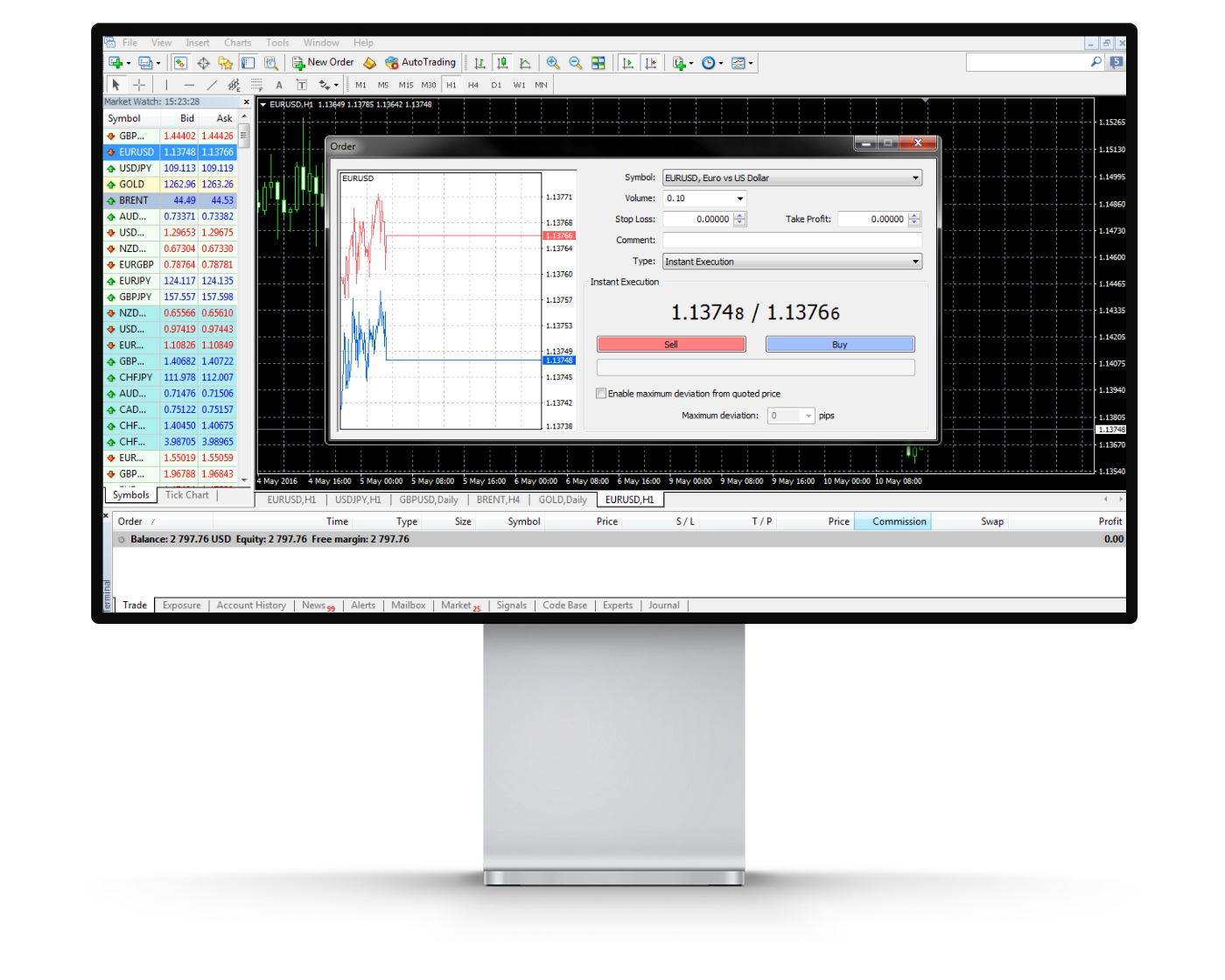
FP Markets’ MetaTrader 4 (MT4) platform provides a flexible and professional-grade order execution system, designed to accommodate both manual trading and high-speed strategies. Traders benefit from a variety of order types, allowing precise control over trade entries and risk management.
- Market Orders: Market orders on MT4 are executed immediately at the best available price. While they guarantee that the specified trade volume is filled, the actual entry price may fluctuate slightly due to real-time market movements. This order type is ideal for traders seeking rapid execution in volatile conditions.
- Limit Orders: Limit orders allow traders to define the exact price at which a trade should be executed, giving full control over entry points. The order is only filled if the market reaches the predetermined price level, making it a preferred choice for strategic entries and planned trades.
- Stop Orders: Stop orders serve as a key risk management tool, helping to limit potential losses on open positions. A stop-loss is placed above or below the current market price and, once triggered, converts into a market order to close the trade at the best possible price. This feature is crucial for protecting capital and enforcing disciplined trading strategies.
- One-Click Trading: MT4’s one-click trading feature enhances execution speed by allowing orders to be placed directly from the chart at the current market price. This is particularly useful for scalpers, day traders, and algorithmic trading strategies that require rapid decision-making.
By combining market, limit, and stop orders with one-click execution, FP Markets’ MT4 platform delivers unmatched flexibility and precision. Traders can efficiently implement diverse strategies, from fast-paced scalping to systematic automated approaches, all within a reliable and professional trading environment.
Mt4 WebTrader
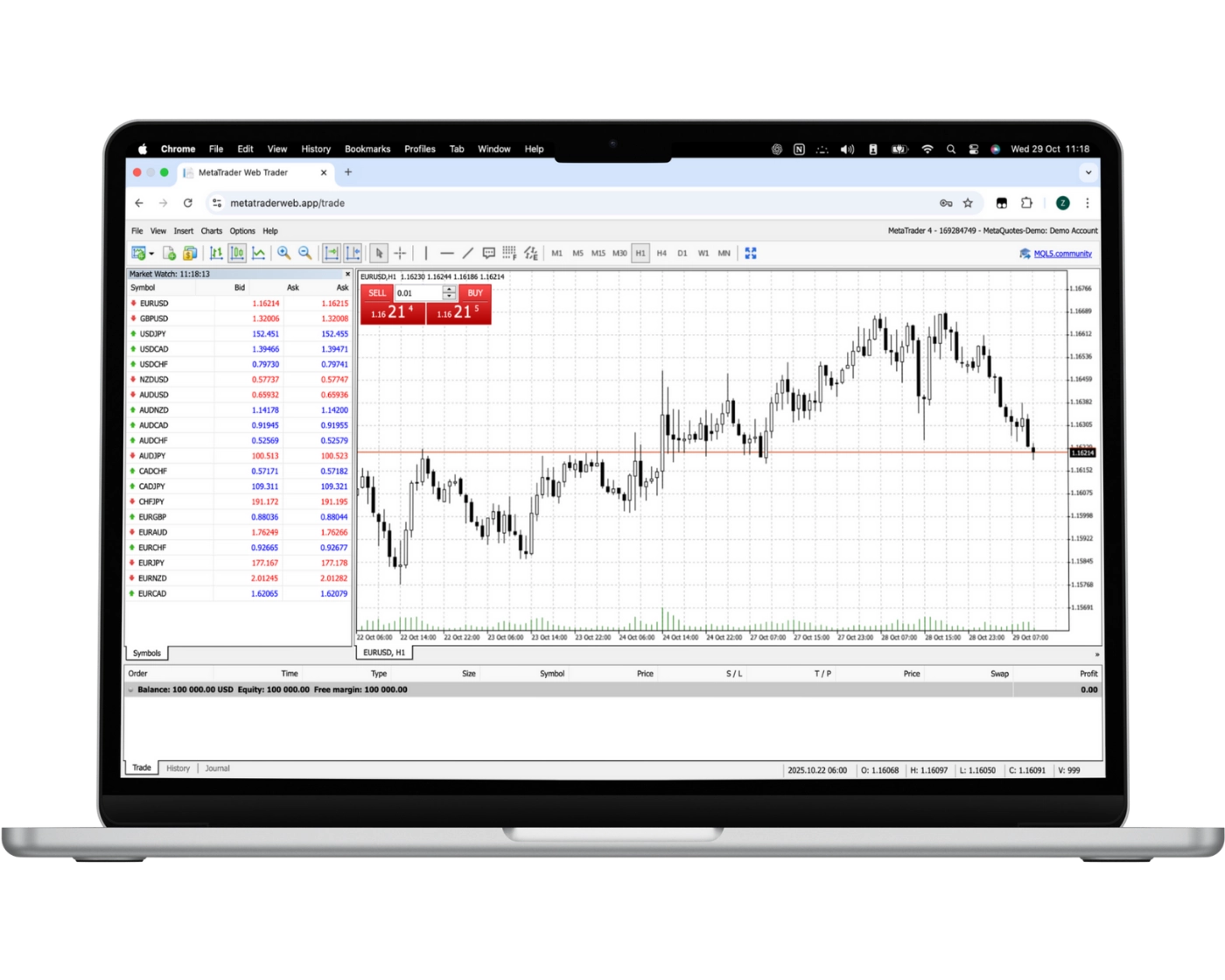
The MetaTrader Web Platform (Web Trader) from FP Markets delivers a seamless, browser-based trading experience that requires no software installation, allowing traders to access the markets from any operating system. This streamlined version of the desktop platform combines convenience with powerful functionality, making it an excellent choice for both beginner and experienced traders.
Key Features of the Web Trader
One-Click Trading: Place trades instantly with a single click, enabling fast execution during volatile market conditions.
Chart-Based Trading: Execute orders directly from your charts, giving you the ability to act quickly on market movements.
Real-Time Watchlists: Track your preferred instruments and monitor live quotes effortlessly for informed trading decisions.
Trade History Access: Review past trades to analyze performance, refine strategies, and optimize future trades.
Advanced Charting Tools: Utilize 30 built-in technical indicators to enhance technical analysis and support strategic decision-making.
Copy Trading & Automated Trading: Follow successful traders through copy trading or implement automated strategies to increase efficiency and diversify your trading approach.
FP Markets’ Web Trader platform combines accessibility with robust functionality, providing a professional-grade trading environment without the need for downloads. Its range of tools and features ensures traders can execute strategies efficiently, monitor markets in real-time, and maintain control over risk and performance.
MT4 Mobile App
Pros:
- Price alerts
- Good search function
- User-friendly
Cons:
- No two-step (safer) login
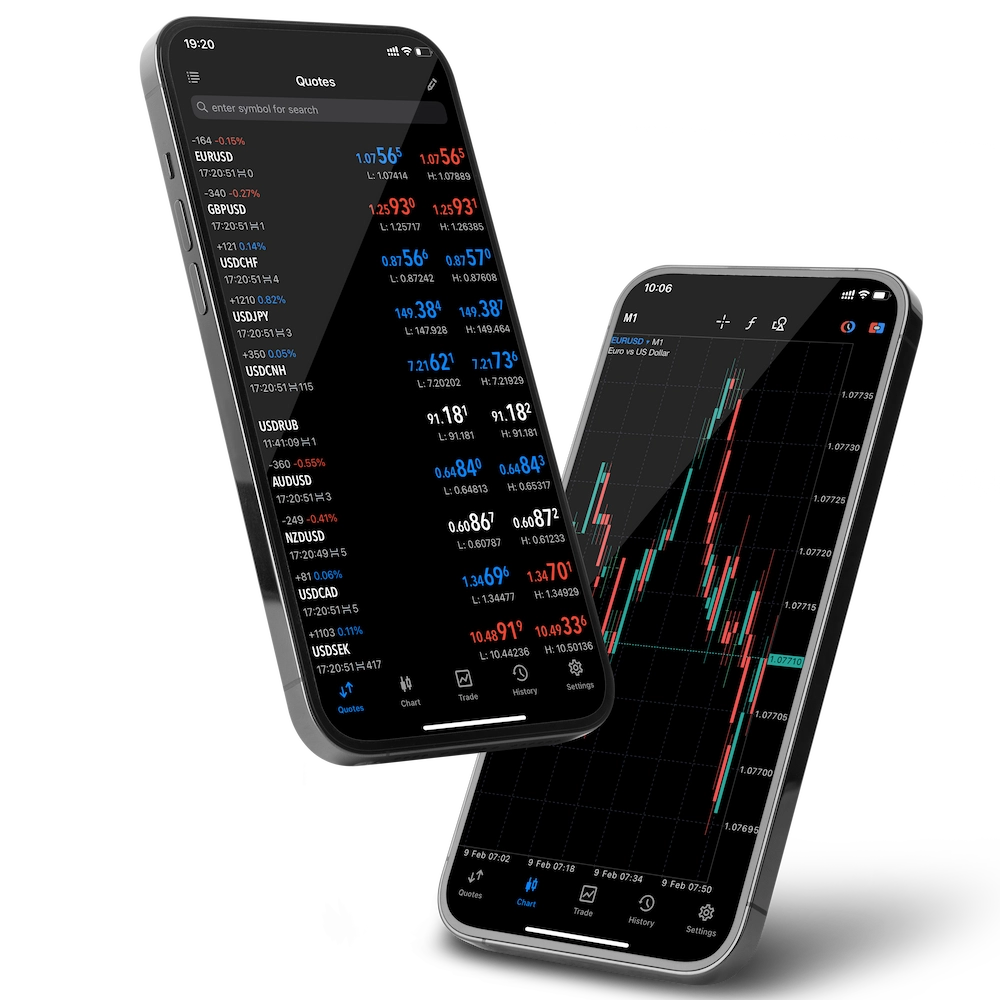
FP Markets’ MetaTrader 4 (MT4) mobile app, available for both iOS and Android, delivers a full-featured trading experience directly on your smartphone or tablet. Designed for efficiency and ease of use, the app allows traders to open, close, and manage positions with precision from anywhere, providing the flexibility needed for dynamic market conditions.
Key Features of MT4 Mobile:
Order Execution: Place market, limit, and stop orders while easily adjusting trade size and exposure on existing positions.
Intuitive Interface: A responsive, user-friendly design ensures that critical trading decisions can be executed instantly without navigating complex menus.
Real-Time Market Data: Access live quotes, charts, and technical indicators to analyze trends and make informed trading decisions on the go.
Full Account Management: Monitor balances, track margin levels, and review trade history seamlessly within the app.
Professional-Grade Functionality: Coupled with FP Markets’ advanced execution and real-time data, the MT4 mobile app supports both casual and professional traders in implementing strategies effectively.
FP Markets’ MT4 mobile platform empowers traders to maintain complete control over their trades anytime, anywhere. With its combination of speed, reliability, and advanced trading tools, it is an essential solution for traders who require responsive, on-the-go access to global forex and CFD markets.
Look and Feel
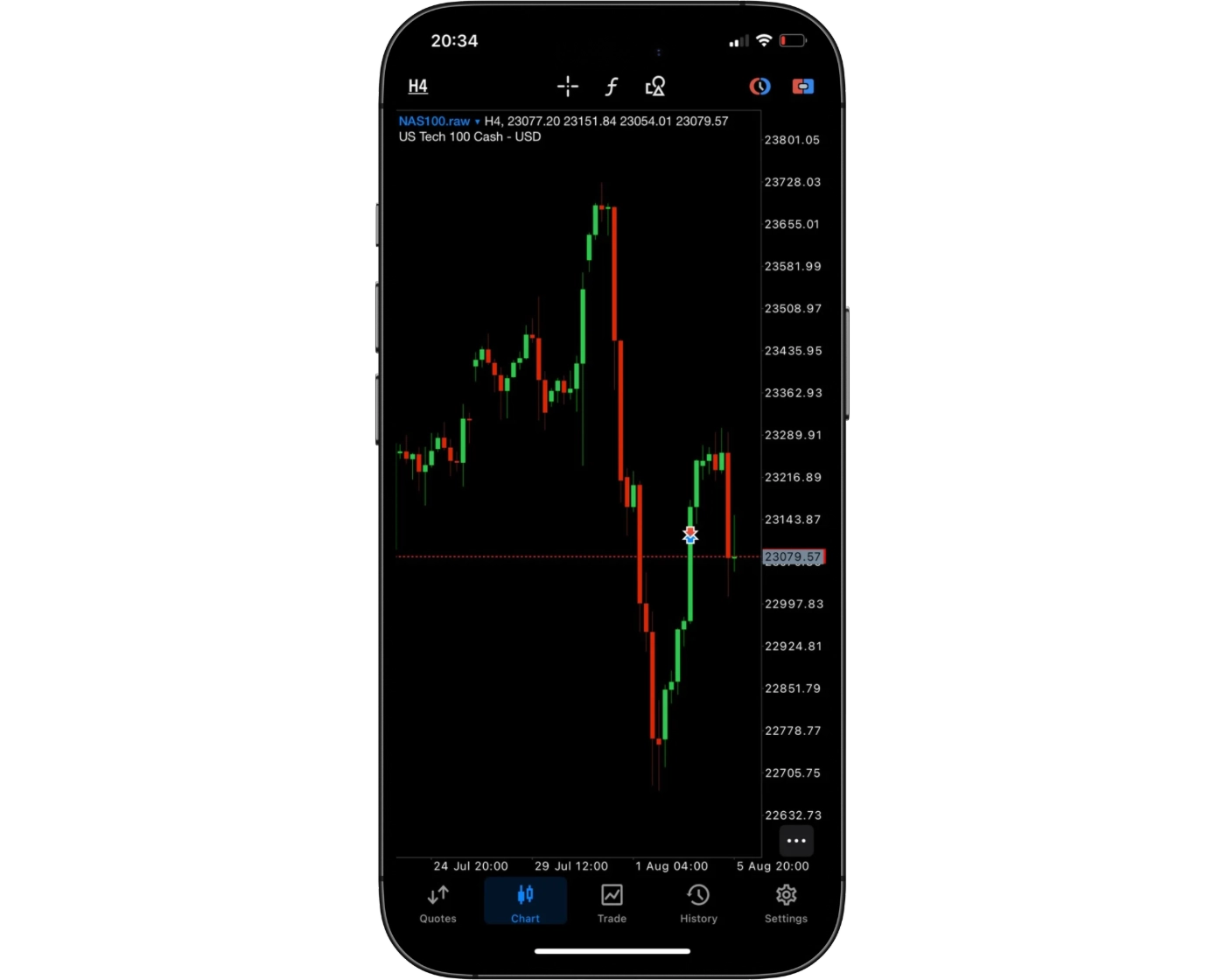
FP Markets offers a sleek and intuitive MT4 mobile trading platform designed for both new and seasoned traders. The platform combines modern aesthetics with powerful functionality, ensuring that every feature is easy to access and use. With a clean layout and logically structured tools, traders can seamlessly navigate between charts, execute trades, and manage open positions without unnecessary complexity.
The mobile interface is built for speed and reliability, making it simple to react to market movements in real time. Whether you’re tracking multiple instruments, analyzing price action, or placing quick orders, the design keeps everything within easy reach. This balance of usability and performance means traders stay connected to global markets at any time, from anywhere.
Login and security
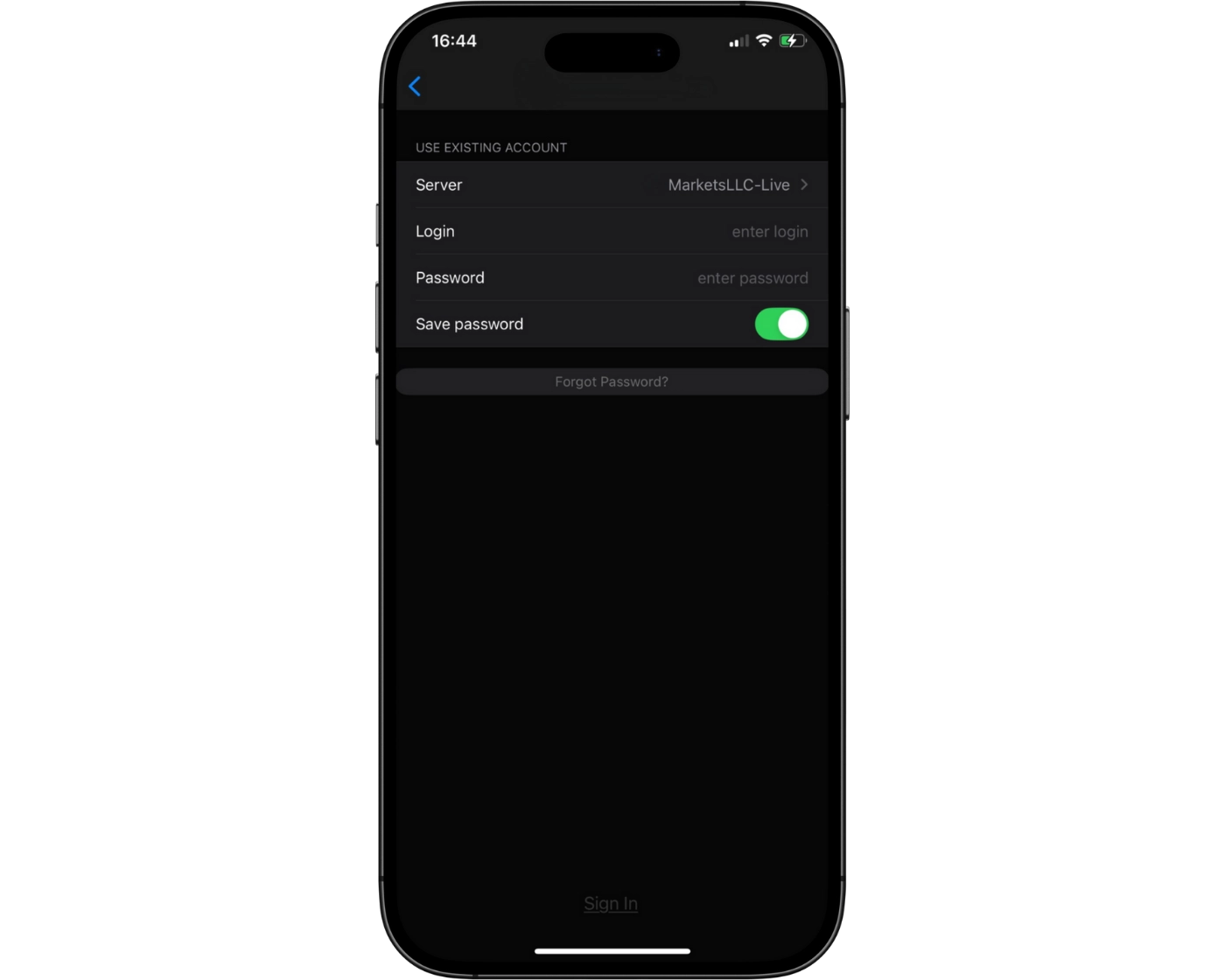
The FP Markets MT4 mobile app provides a simple, single-step login process, giving traders quick access to their accounts. While this straightforward approach ensures ease of use, it leaves room for stronger security measures. Features such as two-factor authentication (2FA) could add an extra layer of protection, safeguarding accounts against unauthorized access.
Currently, biometric options like fingerprint and facial recognition are not available on the MT4 mobile platform. The addition of these features would not only improve security but also offer greater convenience, allowing traders to log in faster while maintaining account safety.
Search functions
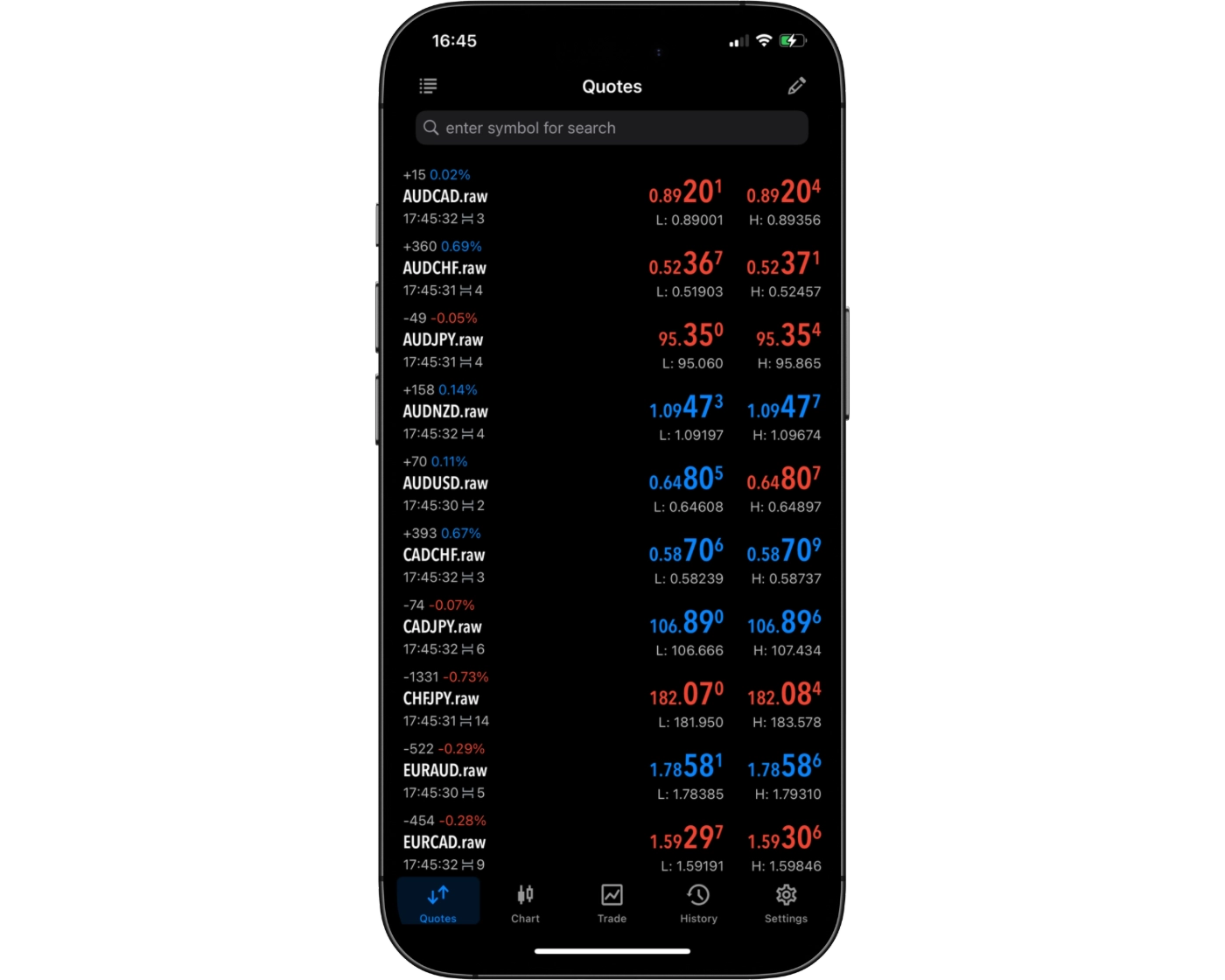
FP Markets’ mobile MT4 app is designed with traders in mind, offering a streamlined and intuitive search system that makes navigating the platform effortless. Whether you know exactly what you’re looking for or want to explore new opportunities, the app provides two convenient ways to access trading instruments.
Traders can simply type the name of a product directly into the search bar for instant results, ensuring quick access to specific assets. Alternatively, you can browse through well-organized category folders to discover a full range of available options at your own pace. This dual approach combines speed with flexibility, helping both beginners and experienced traders find the right instruments without unnecessary delays.
Placing orders
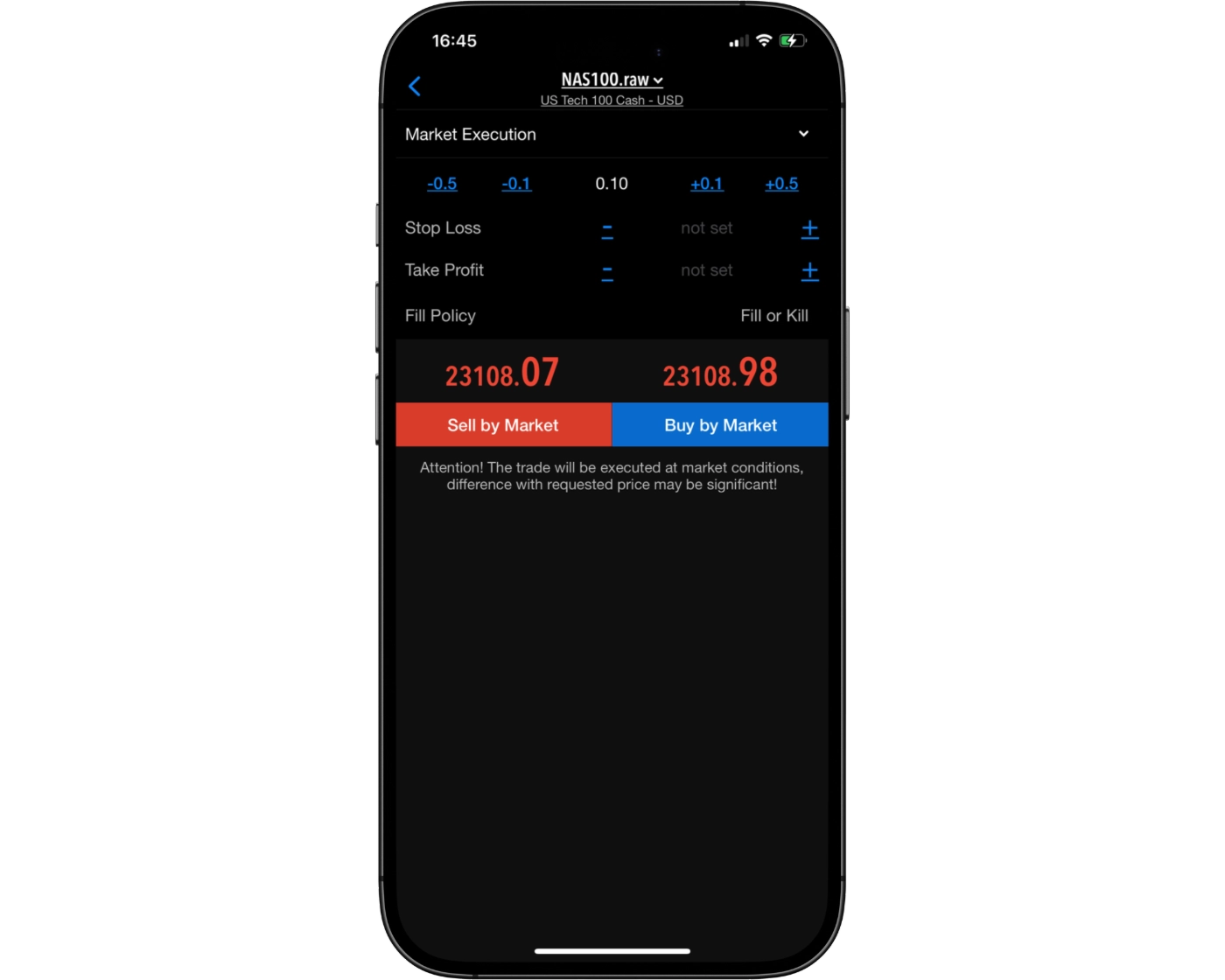
The FP Markets mobile MT4 platform offers traders a complete range of order placement options, giving you the flexibility to execute trades according to your preferred strategy. Whether you need immediate execution or precise entry points, the app provides the tools to trade efficiently on the go.
Traders can choose from multiple order types:
Market Orders – Execute trades instantly at the current market price.
Limit Orders – Set a preferred price level to enter the market when conditions align.
Stop-Loss Orders – Manage risk by automatically closing positions if the market moves against you.
To further refine execution, FP Markets also supports customizable order duration settings:
Good ‘til Canceled (GTC): Orders remain active until you manually cancel them.
Good ‘til Time (GTT): Orders automatically expire after a chosen time frame.
This combination of flexible order types and time-in-force settings empowers traders to maintain control over their strategies while adapting to fast-moving market conditions. With FP Markets’ mobile MT4, you can confidently place, monitor, and manage trades from anywhere, without sacrificing precision or speed.
Alerts and notifications
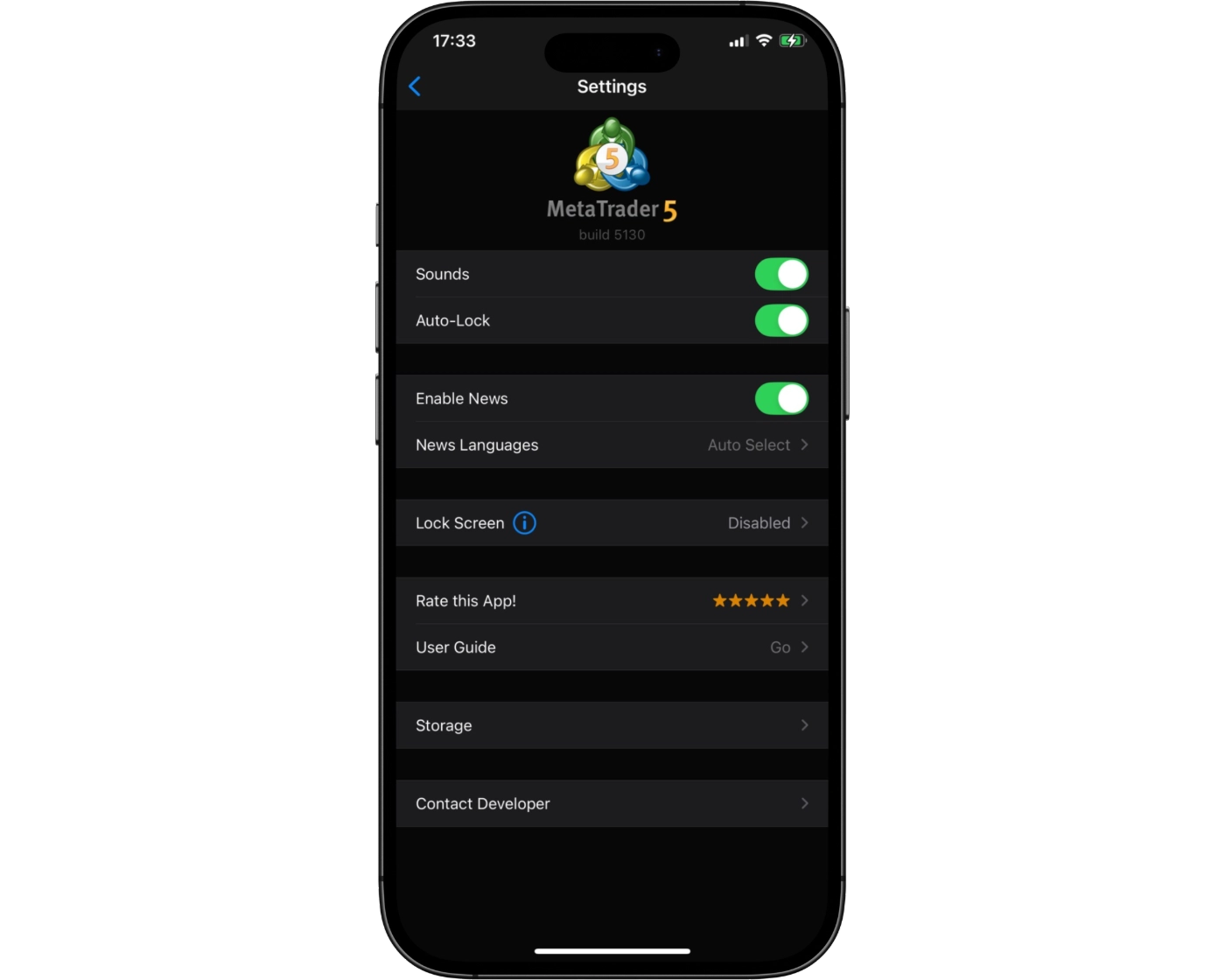
The FP Markets mobile MT4 app offers traders access to a powerful suite of tools for monitoring markets and managing trades, but one limitation is the absence of built-in alerts and push notifications. Unlike the desktop platform, which allows traders to set automated alerts for price levels, news events, or order execution, the mobile version currently requires users to actively monitor charts and positions in real time.
While this setup ensures you can still track market activity and manage open trades on the go, the lack of instant notifications means traders may need to rely on the desktop platform – or third-party solutions – for timely alerts. For active traders who value real-time updates, integrating customizable alerts into the mobile app would greatly improve convenience and responsiveness.
That said, FP Markets’ mobile MT4 remains a robust option for executing trades, checking positions, and analyzing markets quickly from anywhere.
MetaTrader 4: Key Takeaways
MT4 Desktop Platform
The MetaTrader 4 desktop platform is well-regarded for its fast, dependable order execution, making it a favorite among traders who value efficiency and reliability. While the platform’s design leans toward a more traditional, no-frills interface that may appear dated compared to newer platforms, it remains highly functional. Charting tools are solid but somewhat rigid, which may not fully satisfy traders seeking advanced flexibility for multi-timeframe analysis or complex technical strategies.
MT4 Mobile App
The MetaTrader 4 mobile app is built for traders who need quick access to the markets anytime, anywhere. It allows seamless order execution, trade adjustments, and risk management directly from a smartphone or tablet – especially useful during high-volatility periods. Its strengths lie in speed and convenience, though it’s less equipped for deep technical analysis or extensive charting. For comprehensive market evaluation, most traders will still find the desktop version more suitable.
Overall Summary
MetaTrader 4 delivers a strong balance between desktop and mobile trading. The desktop platform excels in reliability and precision, while the mobile app ensures traders never miss an opportunity on the move. Together, they provide a versatile solution for managing trades effectively across devices.
cTrader

cTrader Desktop Intro
cTrader is a high-performance trading platform built for traders who value precision, transparency, and ultra-fast execution speeds. Known for its clean, modern interface and advanced trading functionality, it provides a seamless experience across desktop, web, and mobile – making it one of the strongest alternatives to MetaTrader for traders who want more depth and control.
What sets cTrader apart is its focus on institutional-style tools such as Level II pricing (depth of market), lightning-fast order execution, and detailed charting with real-time analytics. These features make it especially appealing to scalpers, day traders, and algorithmic traders who rely on accurate data and responsive execution.
With FP Markets, traders gain access to cTrader to trade forex, indices, commodities, and shares using raw spreads starting from 0.0 pips and transparent, commission-based pricing. The platform also includes cTrader Copy, an integrated social trading feature that lets users mirror the strategies of proven traders directly from the interface.
Whether you’re just starting or already trading at a professional level, cTrader’s intuitive layout, advanced charting tools, and transparent execution environment offer a powerful, user-friendly platform designed to support fast, confident, and informed trading decisions.
Pros:
- cTrader delivers high-speed trade execution and real-time Depth of Market (Level II) data, enabling traders to make precise decisions and manage risk better.
- A clean, modern user interface across desktop, web and mobile platforms
- Its advanced charting tools and analytics
Cons:
- While feature-rich, the learning curve can be steeper for beginners
cTrader Charts
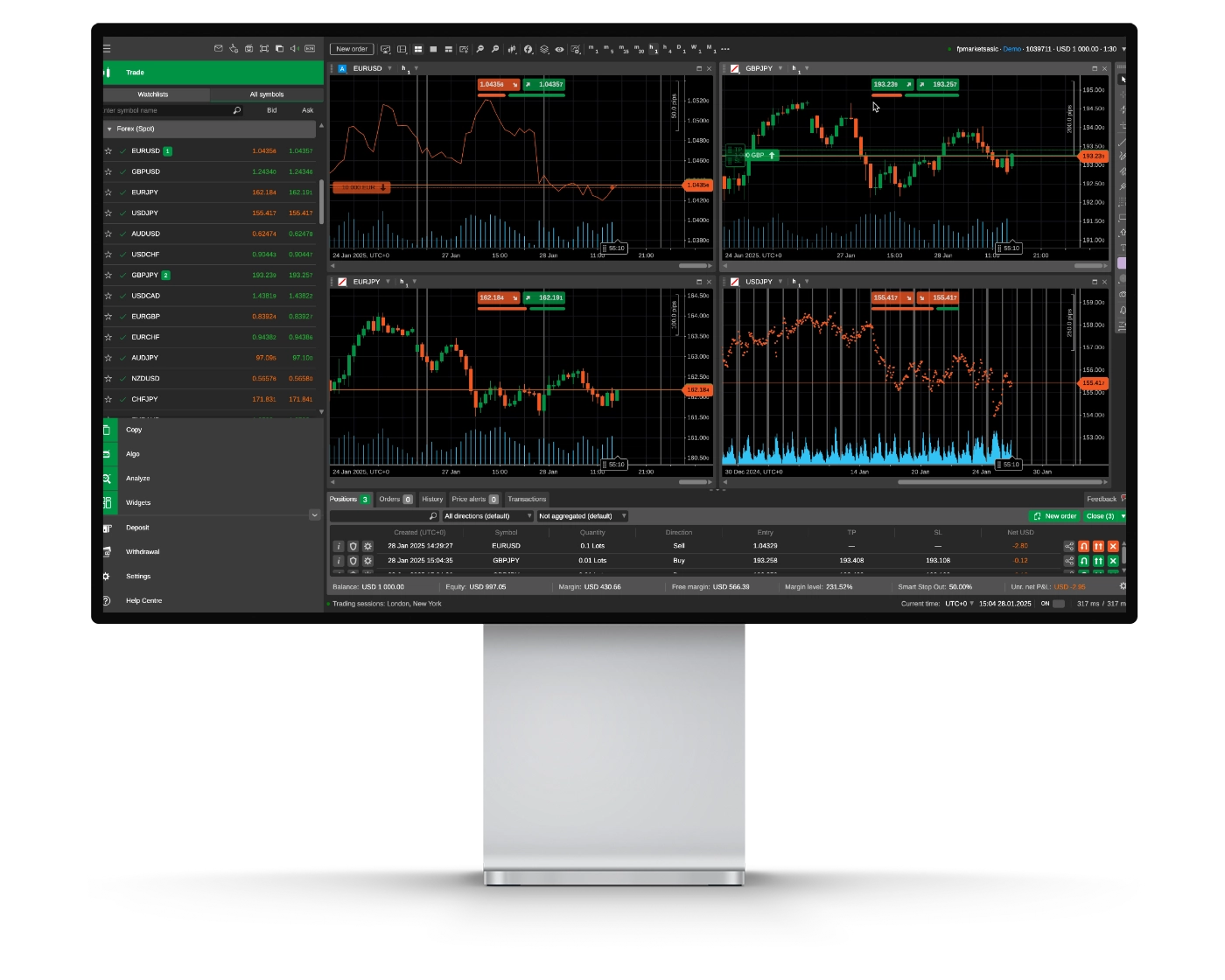
FP Markets’s cTrader platform offers a clean, responsive charting experience with fast execution and clear market data. Trade Wiki highlights it as a strong option for traders who want reliable tools without unnecessary complexity.
Advanced Charting Tools
cTrader includes 70+ indicators and 50+ drawing tools, covering everything from Fibonacci retracements to channels and structure-mapping tools. These features make it easy to interpret price action, mark important zones, and track market trends across any instrument.
Depth of Market (DOM) Transparency
The platform provides real-time Level II pricing, showing full market depth and available liquidity. This gives traders a clearer view of order flow – something that’s especially useful for scalping or timing entries more precisely.
Flexible Timeframes, Chart Types & Layouts
With 26 timeframes and 9 chart types – including Renko, Tick charts, and Heikin-Ashi – cTrader makes it simple to switch between different perspectives. Charts can also be detached for multi-screen setups, which helps keep the workspace organized and efficient.
Ease of Use
The interface is modern and easy to navigate, but the number of tools may take a bit of getting used to for newer traders. Once familiar, the layout becomes very practical, especially for those who rely on technical analysis or run automated strategies through cTrader Automate.
Why FP Markets’s cTrader Is Worth Considering
FP Markets pairs cTrader with fast execution, transparent pricing, and strong data accuracy. This combination makes it a dependable choice for traders who want consistent performance, whether they’re analyzing charts, managing short-term trades, or testing automated systems.
Overall, FP Markets’s cTrader setup offers a solid mix of speed, transparency, and advanced charting – giving traders a straightforward environment to make informed decisions in fast-moving markets.
cTrader Orders
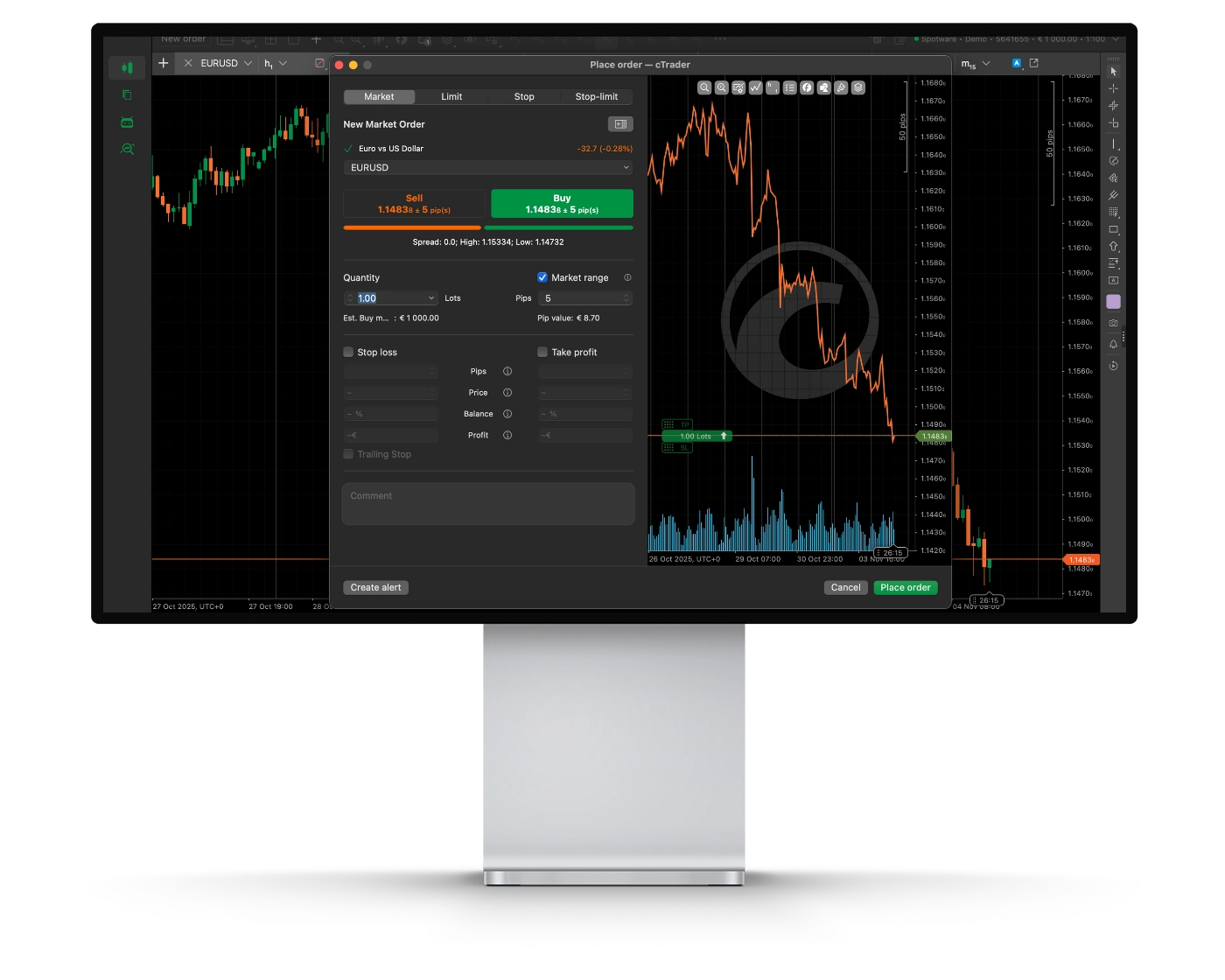
FP Markets’s cTrader order system delivers fast, accurate, and transparent execution designed to give traders full control over every position. This is one of the most reliable environments for scalpers, day traders, and anyone who depends on consistent execution quality.
Order Types
cTrader supports six core order types – Market, Limit, Stop, Stop-Limit, Market Range, and Trailing Stop. This range gives traders the flexibility to plan entries and exits with precision, manage risk in fast markets, and structure more advanced strategies without workarounds.
Depth of Market (DOM)
The platform displays full Level II market depth, showing available liquidity across multiple price levels. This helps traders see how the market is moving beneath the surface and make better decisions when timing entries, managing size, or trading in higher volumes.
Speed, Stability & Control
FP Markets hosts its cTrader servers inside Equinix data centers, reducing latency and improving execution reliability. One-click trading, instant order modification, and clear trade confirmations help ensure every action is processed quickly and without interruptions.
Raw pricing and deep liquidity also support tighter spreads, with options starting from 0.0 pips.
Ease of Use
While cTrader offers advanced execution tools, new users may need a short adjustment period. The detailed layout and extensive data can look complex at first. Once familiar, the platform becomes straightforward, especially for anyone who values accuracy and transparency when placing trades.
Why FP Markets’s cTrader Execution Stands Out
FP Markets combines no dealing desk intervention, direct access to liquidity providers, and an execution engine built to handle everything from micro-lot trades to algorithmic strategies. The result is a trading environment where orders are processed cleanly and consistently – an essential advantage for traders who rely on speed, precision, and dependable pricing.
This cTrader setup gives traders the confidence to enter and exit the market with clarity, supported by raw spreads, real market depth, and stable execution designed for serious performance.
cTrader Mobile App
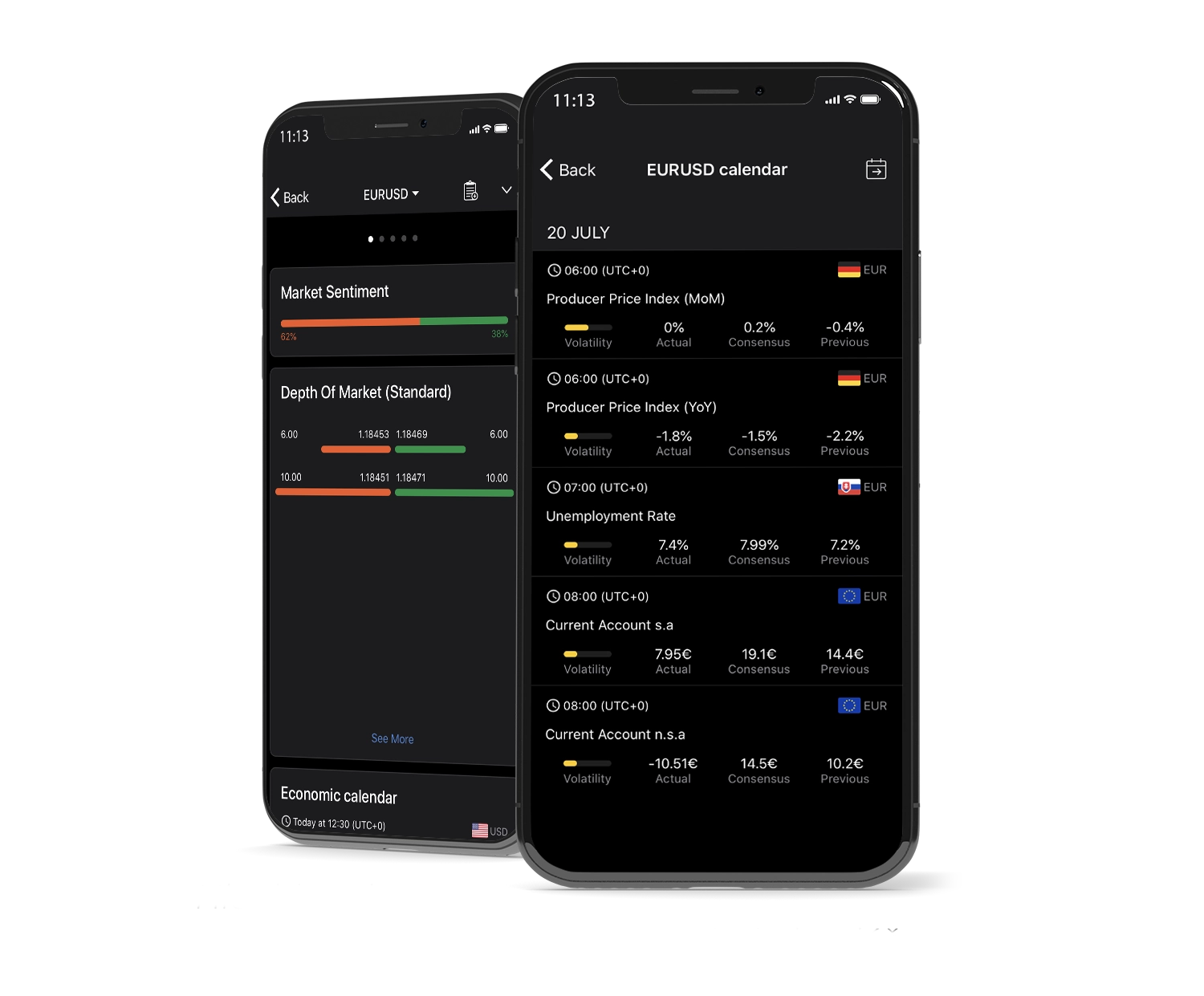
Pros:
- Syncs seamlessly across devices
- Clean and intuitive interface
- Powerful charting on the go
Cons:
- Limited advanced features vs desktop
FP Markets’s cTrader mobile app offers a professional-grade trading experience for both iOS and Android users, putting full market access directly in your hands. Designed for traders who need speed, precision, and flexibility, the app combines a clean, modern interface with advanced tools that make managing positions, analyzing markets, and executing trades fast and effortless.
Key Features of cTrader Mobile
Complete Trade Control: Instantly open, adjust, or close trades with one-tap execution for fast and efficient order handling.
Smart Order Options: Access market, limit, stop, and advanced order types, with full control over trade size and risk management.
Sleek Interface: Navigate with ease through a responsive layout that offers customizable workspace settings and smooth navigation.
Real-Time Market Data: Receive live quotes and dynamic market updates to make informed decisions wherever you are.
Advanced Mobile Charting
Traders can use interactive charts featuring multiple timeframes, an array of drawing tools, and built-in technical indicators, all optimized for mobile trading. This ensures that even on the go, users can conduct thorough market analysis and refine their strategies with confidence.
Why Choose FP Markets’s cTrader Mobile App
The mobile platform seamlessly synchronizes with FP Markets’s desktop and web versions, maintaining consistent pricing and performance across devices. With institutional-level execution speed, transparent order handling, and intuitive navigation, the cTrader mobile app gives traders both control and clarity, making it ideal for anyone who wants professional-grade trading flexibility anytime, anywhere.
Look and Feel
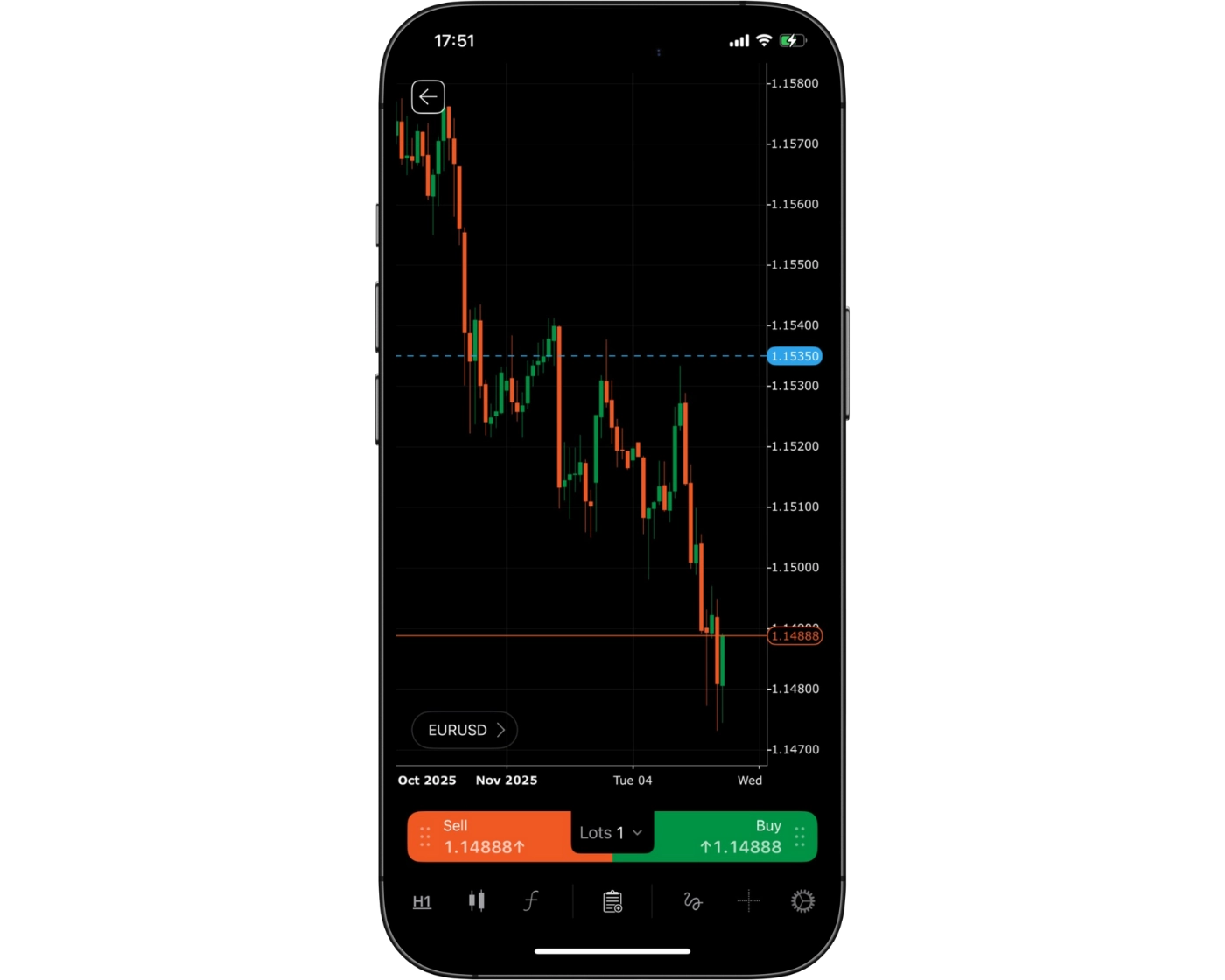
FP Markets’s cTrader mobile app delivers a polished and professional trading experience for both novice and experienced traders. The app combines modern design with practical functionality, offering a sleek interface and intuitive layout that makes navigating charts, placing orders, and managing positions quick and effortless. Every element is designed for speed and clarity, allowing traders to focus on market movements rather than complicated menus.
What sets FP Markets’s cTrader mobile platform apart is its balance of elegance and precision. Users benefit from a clean visual design, customizable chart themes, intuitive touch gestures, and instant access to essential trading tools, all optimized for mobile use. While beginners can pick up the platform quickly, advanced traders gain the flexibility and control expected from a professional-grade trading solution.
The result is a responsive, visually refined, and highly functional mobile trading environment that keeps traders connected and in command of their strategies, anytime and anywhere.
Login and security
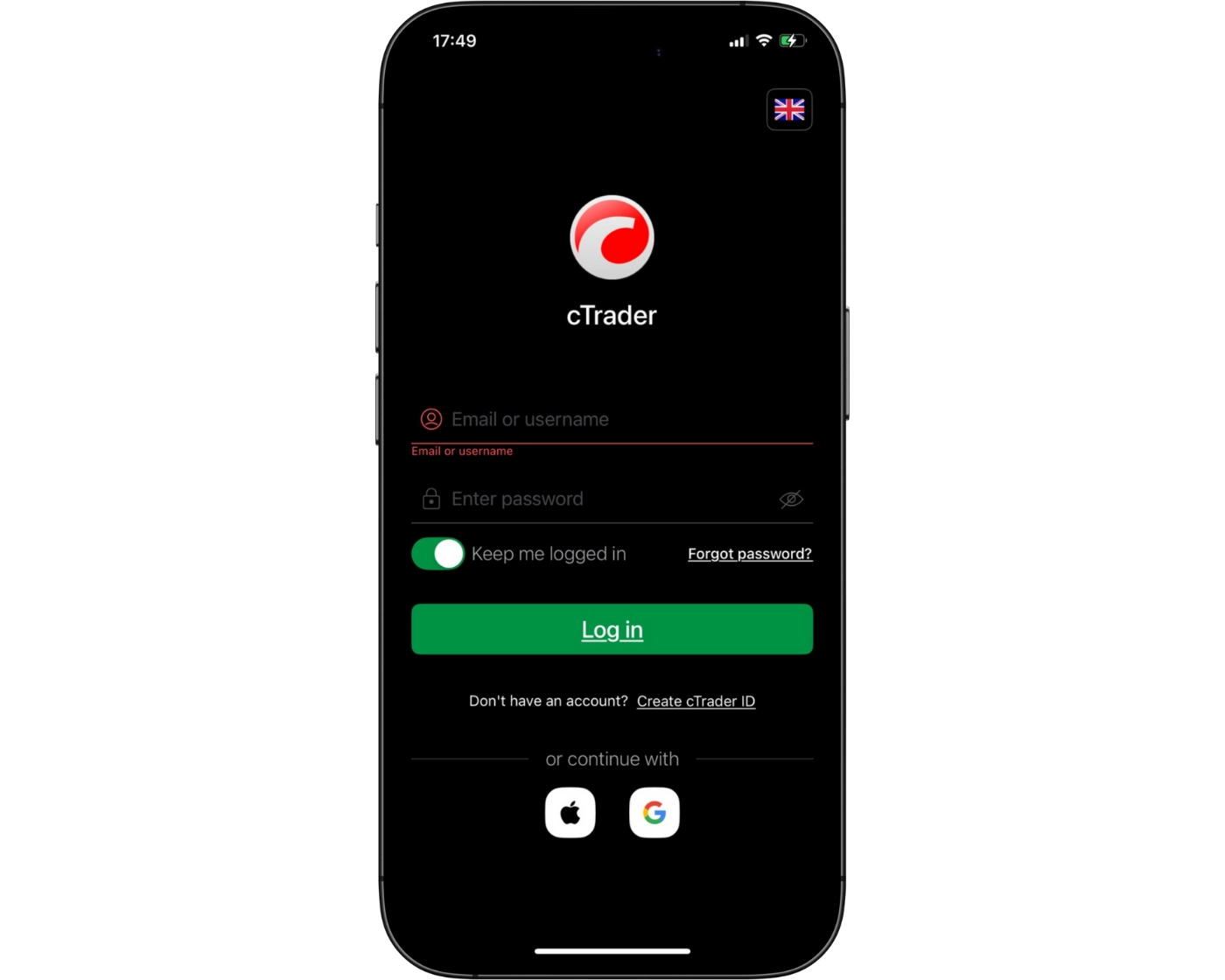
FP Markets’s cTrader mobile platform provides a quick and effortless login process, allowing traders to access their accounts and begin trading within seconds. The platform supports single-step sign-in, ensuring that monitoring markets and executing trades on the move is fast and convenient.
Security is a top priority with cTrader, as the app employs advanced encryption protocols to protect both personal and financial data throughout every session. While the current login system is already secure, adding options like two-factor authentication (2FA) or biometric verification – such as fingerprint or facial recognition – could further enhance protection against unauthorized access.
Overall, FP Markets’s cTrader mobile app balances accessibility with robust security, giving traders confidence that their funds and information remain safe while maintaining the speed and simplicity essential for efficient mobile trading.
Search functions
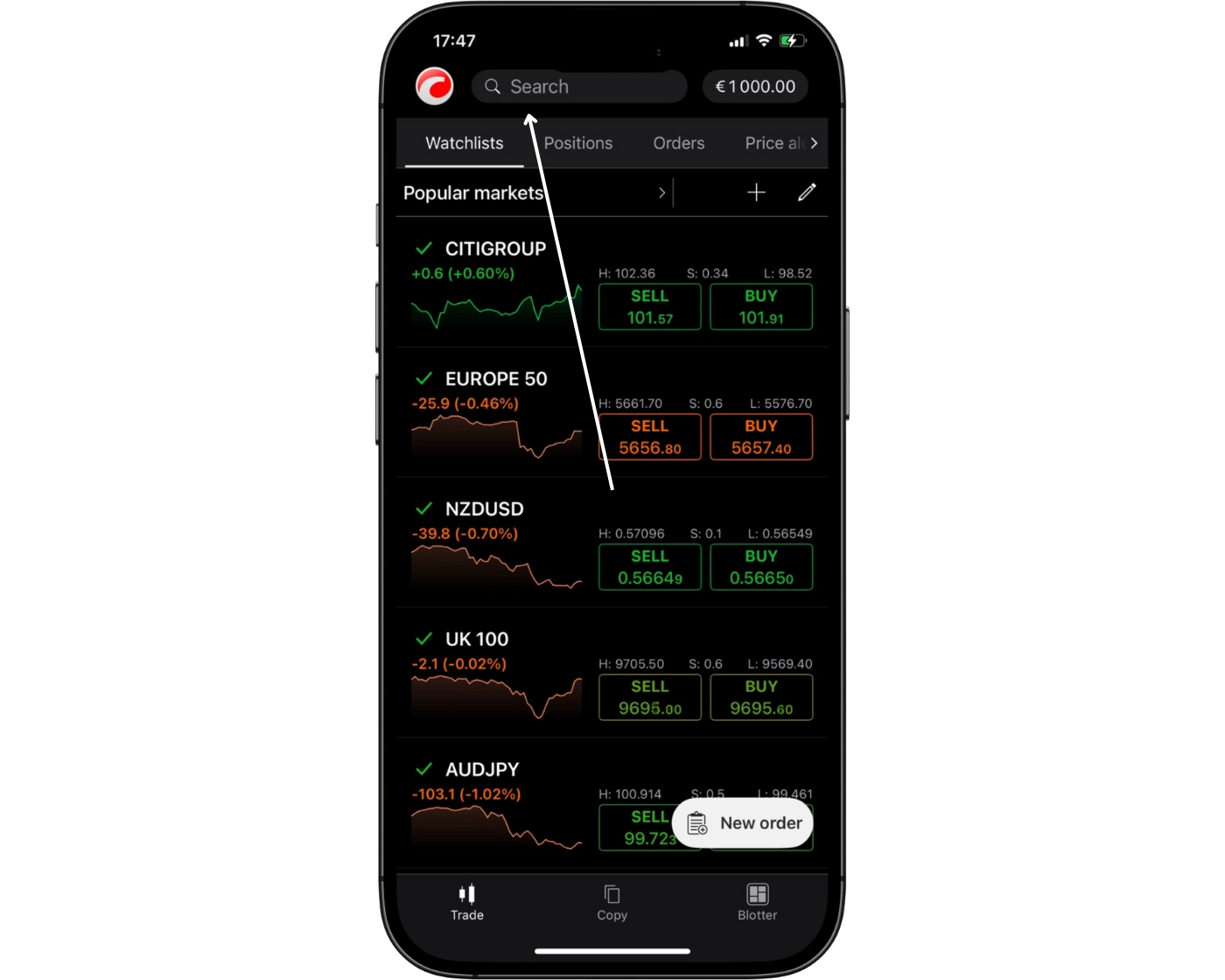
FP Markets’s cTrader mobile app includes a fast, straightforward search tool that makes it easy for traders to find the instruments they want to trade. By typing directly into the search bar, users can instantly pull up specific forex pairs, commodities, indices, or stocks without navigating through long menus. Instruments are also neatly grouped into clear categories, making it simple to browse different markets and spot new trading opportunities.
This efficient search setup helps traders react quickly to market changes, build personalized watchlists, and open positions in just a few taps. With its clean layout and responsive performance, FP Markets’s cTrader mobile app keeps market access smooth, organized, and optimized for speed.
Placing orders
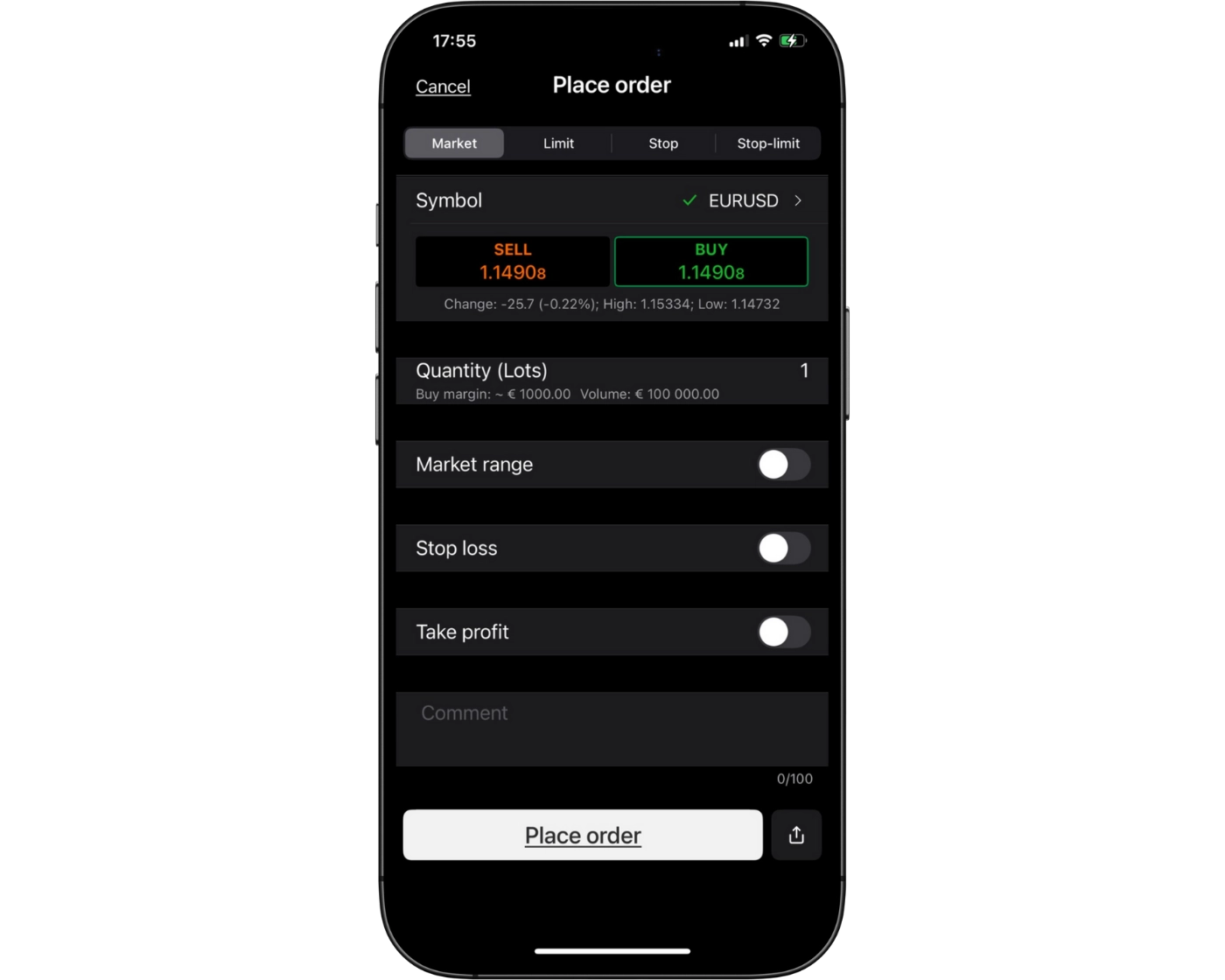
FP Markets’s cTrader mobile app offers a smooth and responsive order placement system designed for traders who rely on accuracy and speed. Whether you need to enter the market immediately, set pending orders at key price levels, or manage risk with stop-loss and take-profit instructions, the platform gives you full control from your phone.
The app supports several order duration types that suit different trading styles:
Good ’til Canceled (GTC): Orders stay active until you manually remove them.
Good ’til Time (GTT): Orders automatically expire at a time you choose.
Market Range Orders: Trades only execute within a price range you set, helping reduce unwanted slippage during fast-moving conditions.
With one-tap execution, real-time modification options, and a clean layout that keeps essential tools within reach, FP Markets’s cTrader mobile platform makes it easy to place, adjust, and monitor trades with confidence. Its blend of speed, clarity, and flexible order settings ensures traders can act decisively and maintain control wherever they are.
Alerts and notifications
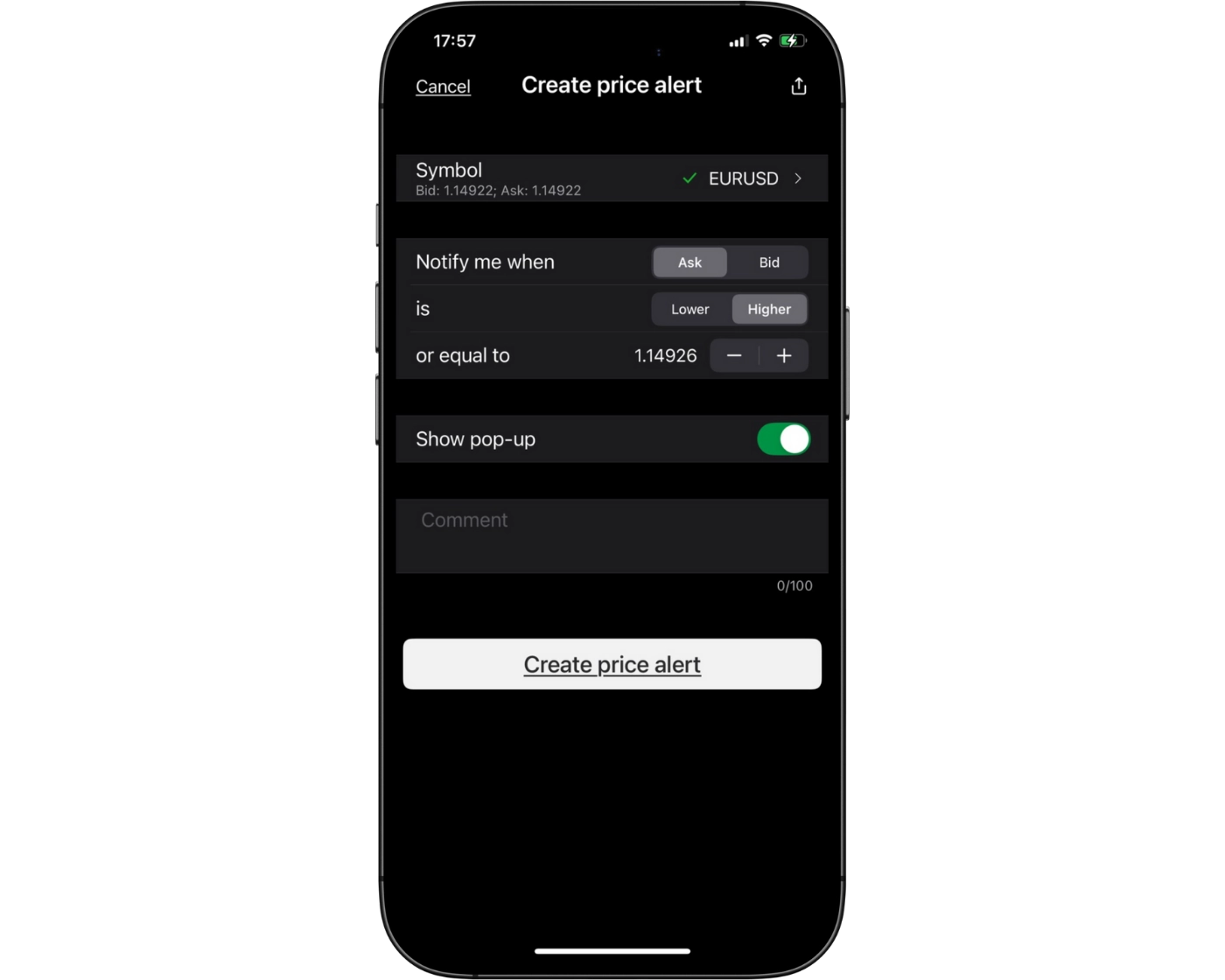
FP Markets’s cTrader mobile app delivers a powerful alert and push-notification system designed to keep traders connected to the markets at all times. Whether monitoring fast-moving price action, tracking open positions, or managing risk, the platform ensures you receive instant updates directly on your device – even when you’re away from your trading setup.
Traders can create custom price alerts for any instrument, as well as receive immediate notifications for executed orders, stop-loss activations, take-profit hits, or margin-level changes. Each alert type can be personalized to match your strategy and risk tolerance, helping you maintain full awareness of your account without constant screen time.
By combining real-time notifications with flexible alert settings, FP Markets’s cTrader mobile platform offers an uninterrupted, always-ready trading experience.
cTrader : Key Takeaways
FP Markets’s cTrader desktop platform offers a clean, modern trading environment built for speed, precision, and efficiency. Its streamlined interface supports smooth navigation, while advanced charting features, customizable workspaces, and support for automated strategies provide the flexibility needed for both discretionary traders and algorithmic setups. Despite its depth of tools, the platform remains easy to operate, making it suitable for traders who want professional-grade functionality without unnecessary complexity.
The cTrader mobile app extends this experience to traders who need full oversight while away from their desk. It supports all core order types – including market, limit, and stop orders – along with adjustable lot sizes and integrated risk management features. With real-time alerts and push notifications, users can react instantly to price changes, execution updates, or margin shifts. While the mobile interface offers speed and convenience, more detailed multi-timeframe chart analysis is generally better handled on the desktop version.
Together, FP Markets’s cTrader desktop and mobile platforms create a cohesive, high-performance trading ecosystem. Traders benefit from reliable execution, intuitive design, and a wide range of professional tools on both devices.
TradingView

TradingView Intro
FP Markets offers full integration with the TradingView platform, giving traders access to some of the most advanced charting and analysis tools available today. Known for its high-definition, interactive charts, TradingView enables seamless price action analysis across multiple timeframes, making it a valuable tool for both beginners and seasoned professionals.
With over 150 technical indicators, drawing tools, and customizable chart setups, traders can conduct in-depth technical analysis with precision. From simple trend lines to advanced oscillators, every analytical need is covered. Trade execution is also streamlined within the platform, allowing orders to be placed directly from charts without interrupting workflow or analysis.
Beyond its technical capabilities, TradingView stands out for its global social trading community. This feature connects traders worldwide, encouraging the exchange of strategies, market insights, and trading ideas. Whether you’re seeking to refine your strategy or learn from others, this collaborative environment adds significant value to the platform.
By combining professional-grade charting with a vibrant trading community, TradingView – supported by FP Markets – delivers a comprehensive solution for traders who want both precision and connectivity.
Pros:
- Cloud-based Access Across All Devices
- Powerful Charting Tools for Technical Analysis
- Built-in Social Trading Community
Cons:
- Full Features Require a Paid Subscription
TradingView Orders and Advanced Charting
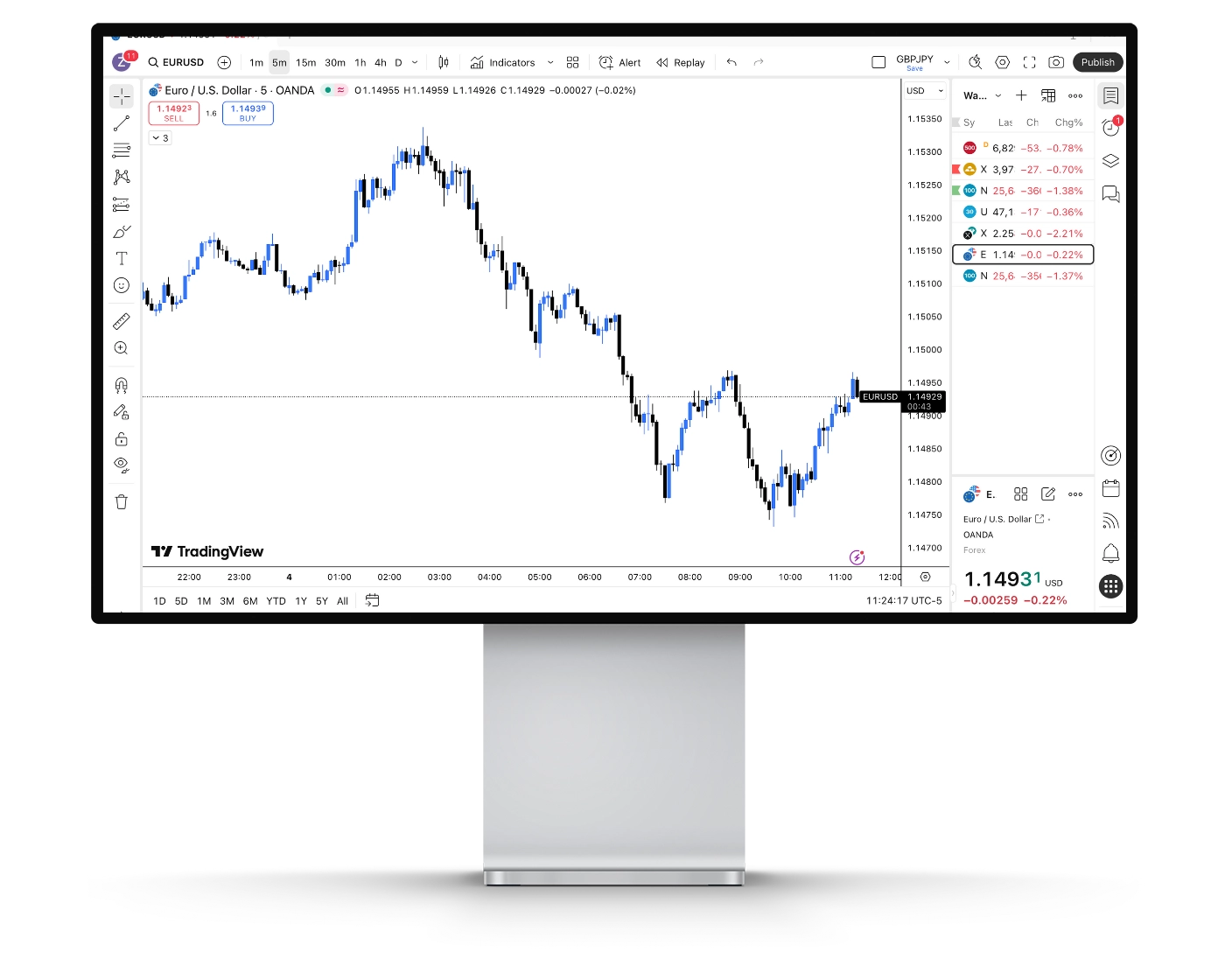
FP Markets enhances its platform by fully integrating TradingView, giving traders access to one of the most powerful charting and analysis environments available. This integration caters to both beginners and advanced traders, combining professional-grade visuals with flexible trading functionality.
Advanced Charting Options
Traders can choose from a variety of chart types – including candlestick, Heikin Ashi, Renko, and Kagi – across multiple timeframes. Customizable themes and multi-chart layouts allow users to compare assets side by side, making it easier to spot emerging trends and fine-tune entry or exit points.
Technical Indicators for Precision
With over 100 built-in technical indicators, including Moving Averages (MA), RSI, MACD, Bollinger Bands, and automated candlestick pattern recognition, traders gain the tools to assess momentum, volatility, and market direction with confidence.
Comprehensive Drawing Tools
FP Markets equips its TradingView charts with robust drawing tools such as Fibonacci retracements, trend lines, and support/resistance markers. These features help traders map strategies visually and strengthen decision-making through clear technical insights.
Custom Alerts and Notifications
Staying updated on market movements is effortless with customizable alerts. Traders can set triggers based on indicators, price levels, or specific market events, and receive instant notifications via email, SMS, pop-ups, or mobile push alerts.
Fundamental Analysis Support
In addition to technical tools, FP Markets integrates fundamental research directly into TradingView. Access to financial statements, valuation ratios, and historical company data enables traders to combine technical and fundamental approaches for a well-rounded strategy.
Multi-Market Access
FP Markets provides coverage across forex, stocks, commodities, and cryptocurrencies, allowing for multi-asset trading and portfolio diversification from a single account.
Pine Script for Advanced Traders
For algorithmic and professional traders, TradingView’s Pine Script language allows for the creation of custom indicators, automated strategies, and tailored alerts. FP Markets supports these scripts, ensuring flexibility for those who want to optimize or automate their trading setups.
By integrating TradingView, FP Markets delivers a complete trading solution that blends advanced charting, reliable execution, and fundamental insights. Whether you’re just starting out or running complex strategies, the platform offers the tools needed to trade smarter and more effectively.
TradingView Social Community and Network
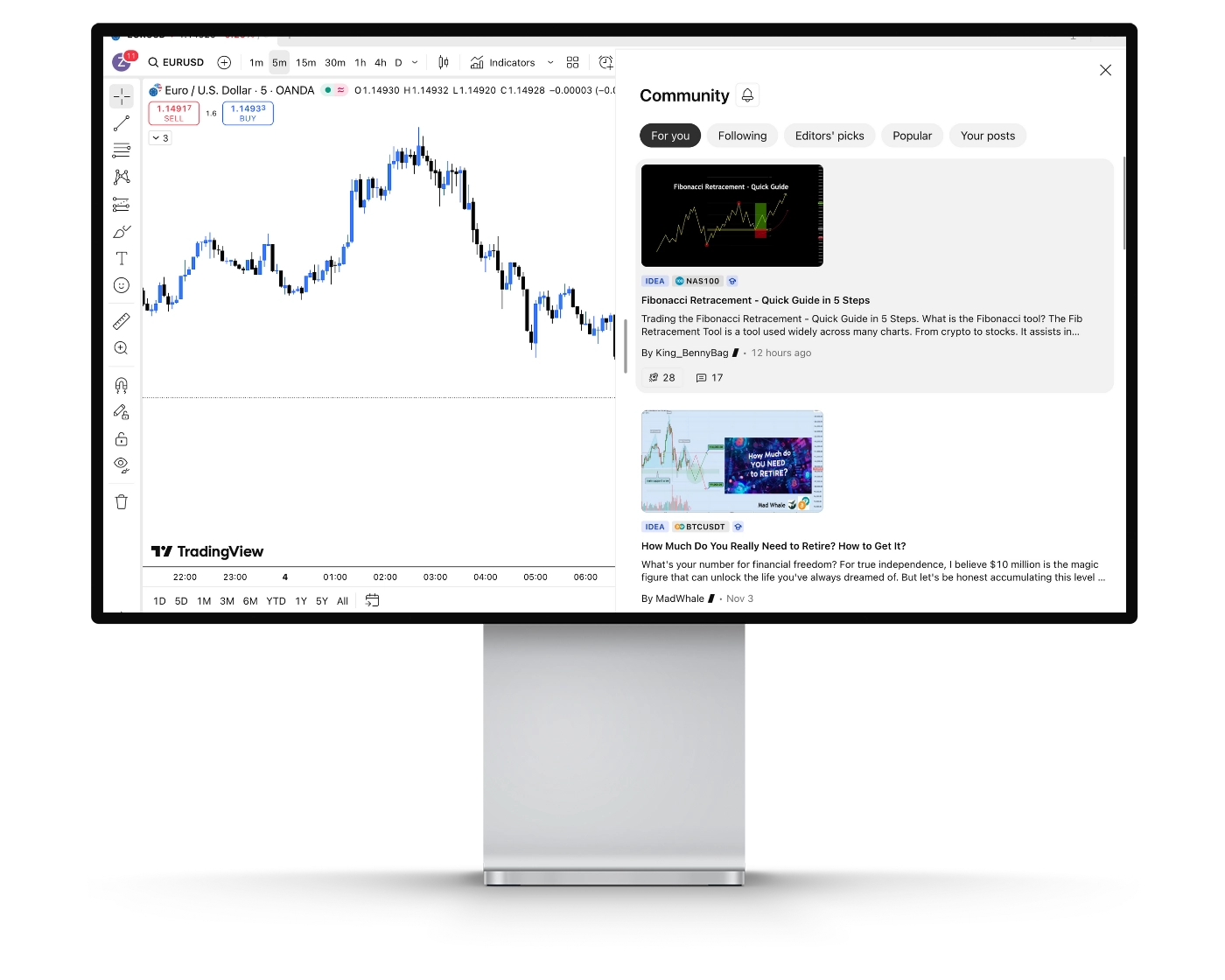
FP Markets enhances its platform by integrating TradingView’s powerful social network, creating a dynamic hub where traders can connect, share insights, and learn from one another. This feature transforms trading into a collaborative experience, combining robust market tools with real-time community engagement.
Connect with a Worldwide Trading Network
Traders gain access to a global community where they can exchange strategies, discuss market trends, and collaborate with peers. This interactive environment fosters continuous learning and encourages traders to refine their skills through shared knowledge.
Trading Ideas Hub
At the center of the community is the Trading Ideas hub, where traders can explore strategies and analyses contributed by others. FP Markets users can comment, ask questions, and participate in discussions, helping them gain fresh perspectives and improve decision-making.
Follow Experienced Traders
Members can follow seasoned traders whose insights match their trading style. Once connected, users receive real-time updates whenever these experts share new ideas or market observations, making it easier to adopt proven strategies and adapt them to personal trading plans.
Live Streams and Interactive Learning
FP Markets clients can join live video streams, where experienced traders walk through real-time analysis, chart setups, and strategy breakdowns. Participants can ask questions, interact with presenters, and gain practical insights that are immediately applicable to their own trades.
Real-Time Chat Rooms
The integration also includes topic-specific chat rooms and private discussion groups. These allow traders to collaborate instantly, debate current market moves, and share analysis with others, adding a layer of real-time engagement to their trading experience.
By combining FP Markets’ trusted infrastructure with TradingView’s community-driven features, traders get more than just advanced tools – they join a thriving network designed for collaboration, learning, and growth. Whether exploring trading ideas, following expert strategies, or joining live discussions, FP Markets empowers its users to trade smarter and stay connected.
TradingView Mobile App

Pros:
- Comprehensive Charting on the Go
- Community Integration
- Real-Time Alerts and Notifications
Cons:
- Smaller Screen Limitations
The FP Markets TradingView mobile app, available on both iOS and Android, brings professional-grade trading tools straight to your smartphone or tablet. Designed for speed, precision, and flexibility, the app allows traders to monitor markets, analyze price movements, and manage positions seamlessly – anytime, anywhere.
Advanced Mobile Charting
The app includes a wide selection of chart types such as candlesticks, Heikin Ashi, and Renko, along with dozens of technical indicators and customizable drawing tools. Traders can also set up multi-chart layouts to compare different assets or timeframes simultaneously, ensuring a complete market view even while on the go.
Real-Time Alerts and Notifications
Stay informed with customizable alerts based on price levels, technical indicators, or market events. Notifications can be delivered via push, SMS, or email, giving traders immediate updates on significant movements without needing to constantly monitor charts.
Seamless Account Integration
Direct integration with FP Markets’ trading accounts ensures that mobile users can place trades, adjust open positions, or implement strategies in real time. Combined with FP Markets’ ultra-fast execution speeds and live market data, the app delivers a smooth and reliable mobile trading experience.
Flexibility for Every Trader
Whether you are a day trader monitoring intraday price action, a swing trader managing multiple setups, or an algorithmic trader needing mobile oversight, the FP Markets TradingView app provides the tools to stay ahead.
Look and Feel
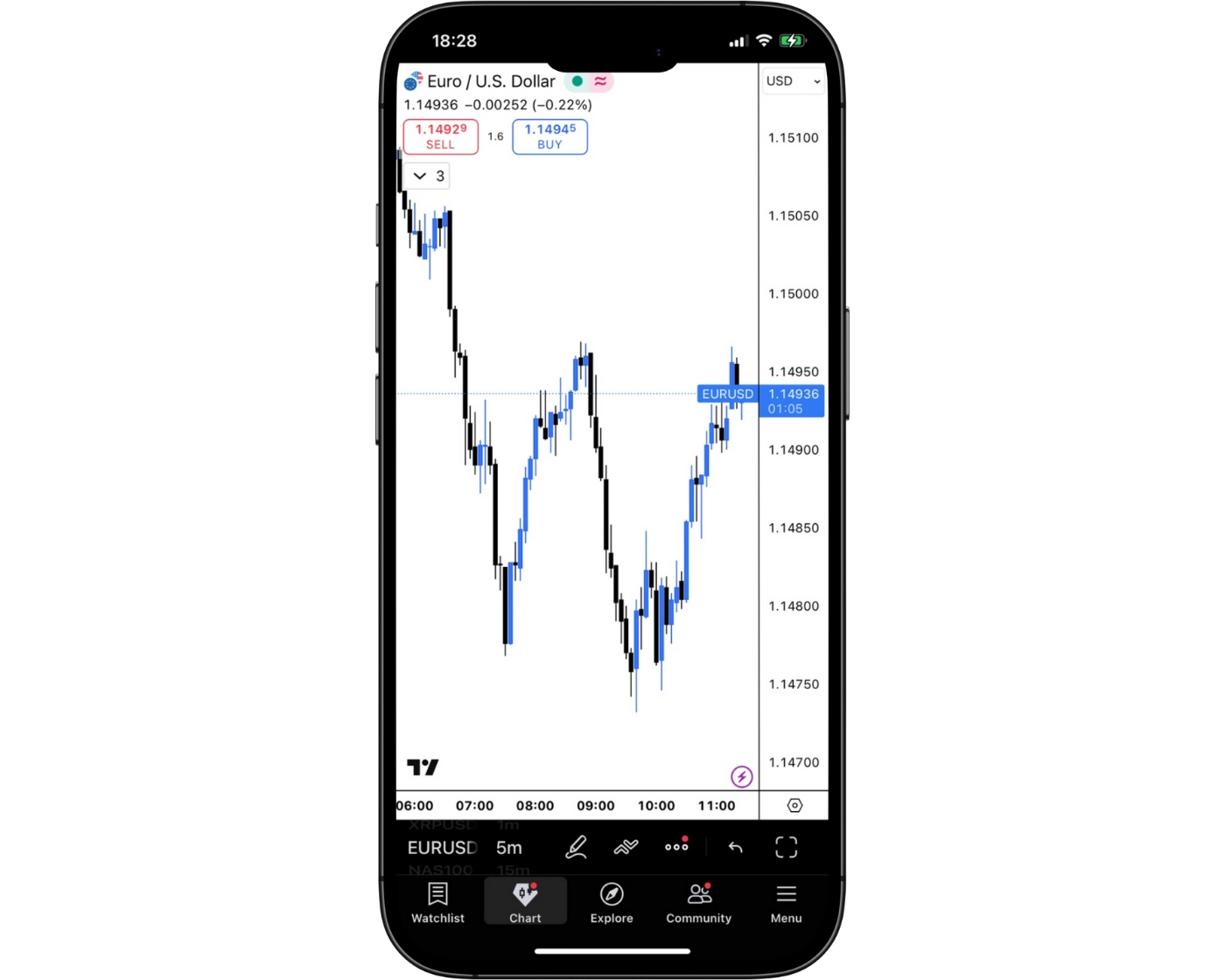
FP Markets offers traders a sleek and intuitive mobile trading platform powered by TradingView, designed for both beginners and experienced traders. The app combines advanced trading tools with a clean, modern interface, making it effortless to navigate charts, apply technical indicators, and use drawing tools directly from your mobile device.
With its thoughtfully organized layout, traders can place and manage orders seamlessly, monitor positions in real time, and stay fully connected to global markets. FP Markets’ mobile app ensures a smooth, efficient, and professional trading experience, keeping your strategies under control anytime, anywhere.
Login and security
FP Markets’ TradingView mobile integration provides robust and convenient login options for traders. Users can securely access their accounts with standard email and password credentials, while two-factor authentication (2FA) adds an extra layer of protection.
For enhanced security and ease of use, the app supports biometric login features on both iOS and Android devices, including fingerprint scanning and facial recognition. This combination of advanced security measures and user-friendly access ensures that your account remains safe without compromising convenience.
Search functions
The FP Markets TradingView mobile app comes equipped with a powerful search tool designed for speed and accuracy. Traders can quickly locate any market, instrument, or symbol by entering the name or ticker directly into the search bar. For those who prefer to explore, the app also provides organized browsing by category, including forex, stocks, commodities, and cryptocurrencies.
This streamlined functionality ensures that users spend less time searching and more time trading. Whether you’re monitoring major currency pairs, checking stock indices, or exploring digital assets, the intuitive search system makes navigation effortless.
With instant access to thousands of instruments and a user-friendly interface, the search functions within the TradingView app deliver both convenience and reliability, making it an essential tool for traders who value speed and precision.
Placing orders
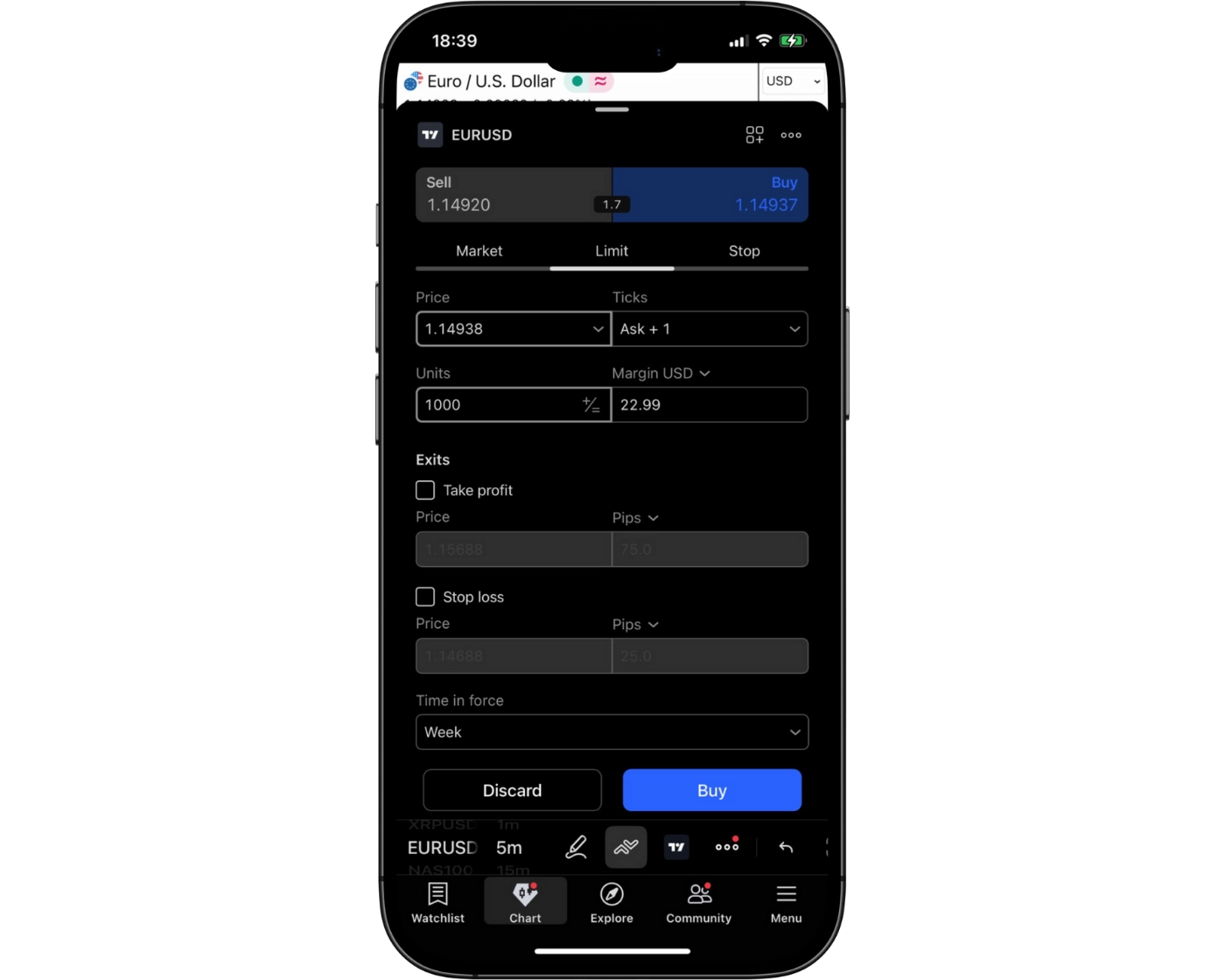
The FP Markets TradingView mobile app delivers flexible and intuitive order placement tools, giving traders the control they need to adapt to any market condition. Users can choose from multiple order types to match their strategy:
Market Orders – Execute trades instantly at the current market price for quick entry or exit.
Limit Orders – Set a preferred entry price to ensure trades are executed only when the market reaches your specified level.
Stop Orders – Protect positions and manage risk by triggering trades once a designated price threshold is hit.
To further enhance trade management, the platform includes customizable order duration settings:
Good ‘til Canceled (GTC): Keeps the order active until the trader manually cancels it.
Good ‘til Time (GTT): Allows traders to set an expiration time, automatically closing the order once the deadline is reached.
This level of precision ensures traders can manage their strategies seamlessly, whether reacting to short-term opportunities or maintaining longer-term setups. Combined with FP Markets’ reliable execution and real-time market data, the mobile platform empowers traders to stay in control – anytime, anywhere.
Alerts and notifications
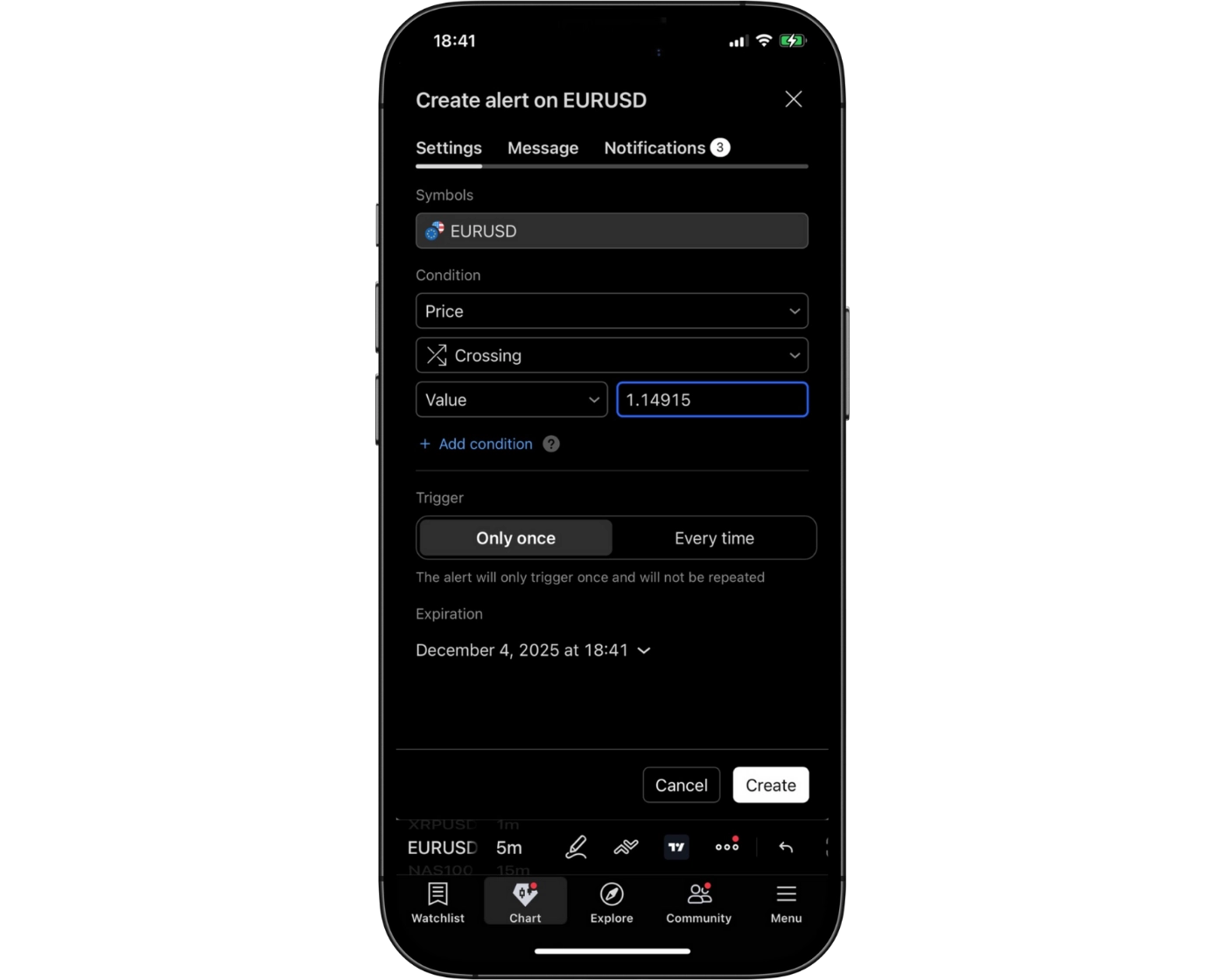
The FP Markets TradingView mobile app offers advanced alerts and notification features, ensuring traders never miss key market opportunities. Users can set personalized alerts based on price levels, technical indicators, or significant market events, tailoring the system to match their strategies and risk management needs.
Alerts are delivered instantly via push notifications, email, or in-app messages, keeping traders connected to the markets no matter where they are. This real-time responsiveness enables quick decision-making – whether it’s entering a trade at the right moment, adjusting an open position, or protecting profits during volatile conditions.
For both active day traders and those who prefer a more hands-off approach, this functionality makes the mobile platform a reliable companion for staying ahead of sudden market shifts. Paired with FP Markets’ fast execution and live data, the alert system transforms smartphones into powerful trading hubs.
TradingView: Key Takeaways
TradingView Desktop Platform
The TradingView desktop platform delivers an advanced trading environment designed for traders who demand precision and depth in their market analysis. It features professional-grade charting tools, extensive technical indicators, and customizable layouts that allow users to track multiple assets at once. Traders can also create custom indicators and automated strategies using Pine Script, TradingView’s proprietary coding language. This makes the desktop version especially valuable for those who rely on complex strategies, algorithmic trading, or in-depth technical studies.
TradingView Mobile App
The TradingView mobile application extends much of this functionality to iOS and Android devices, offering real-time charting, a wide selection of indicators, and fully integrated alerts. Users can easily monitor markets, adjust open positions, and set personalized notifications while on the move. While the mobile app is highly versatile for day-to-day trading and market tracking, the desktop platform remains more efficient for handling highly detailed analysis or advanced Pine Script development.
Seamless Multi-Device Experience
Together, the desktop and mobile platforms create a unified trading ecosystem. Desktop access is ideal for deep analysis and strategy building, while the mobile app ensures traders remain connected and agile in fast-moving markets. This flexibility allows traders to shift effortlessly between devices without losing access to essential tools or data.
By pairing FP Markets’ execution reliability with TradingView’s cross-platform capabilities, traders gain the best of both worlds: powerful technical analysis, real-time market connectivity, and flexible access to global markets.
FP Markets Tradable Instruments Overview
FP Markets provides traders with access to a diverse portfolio of over 10,000 CFDs spanning multiple asset classes, including forex, commodities, indices, shares, bonds, and cryptocurrencies. Both spot and futures CFDs are available, giving traders flexibility to implement a wide range of strategies across global markets.
Forex and Commodities
FP Markets excels in forex trading, offering a competitive selection of currency pairs that cater to both novice and professional traders. Commodities trading is also strong, with multiple metals and energy products accessible via CFDs. Orders are routed using ECN (Electronic Communication Network) for forex, ensuring tight spreads and fast execution, while DMA (Direct Market Access) is used for CFDs, passing trades directly to underlying markets for efficiency and reduced latency.
CFDs on Shares and ETFs
The broker offers an extensive range of stock and ETF CFDs, primarily via the Iress platform, providing global exposure without the need to purchase the underlying asset. While FP Markets leads in stock CFD offerings compared to competitors, the selection of stock indices, commodity, and cryptocurrency CFDs is more limited. Cryptocurrency trading is available through CFDs, though direct ownership of the underlying coins is not offered; note that crypto CFDs are unavailable to retail traders in the U.K.
Other Asset Classes
In addition to CFDs and forex, FP Markets allows trading in bonds and futures CFDs, enabling portfolio diversification across multiple markets from a single platform. While real stocks, ETFs, mutual funds, options, and futures are not offered, the platform’s CFD focus ensures streamlined access, fast execution, and competitive pricing across its available products.
By combining a wide instrument range with advanced order-routing practices, FP Markets delivers a professional trading environment suited for both speculative strategies and portfolio diversification. Traders looking for a robust CFD and forex experience will find FP Markets’ offerings particularly compelling.
| Instrument | Number | Type | Industry Average |
|---|---|---|---|
| Stocks | 10,000+ | London, Hong Kong, Paris, Frankfurt, Madrid, Amsterdam and New York (NYSE & Nasdaq) Exchanges | 200–300 |
| Bonds | 2 | US and European | 0 |
| Cryptocurrencies | 12 | Major and Minor | 10–20 |
| Indices | 19 | Major Stock Indices, US Dollar Index, VIX | 5–10 |
| Commodities | 29 | Metals, Energies, Softs | 5–10 |
| Forex Pairs | 72 | Major, Minor, Exotic | 30–75 |
What Are CFDs and How to Trade Them
A Contract for Difference (CFD) is a financial agreement between a trader and a broker, such as FP Markets, specifying that the trader pays or receives the difference between the current value of an asset and its price when the contract was opened. This derivative instrument allows traders to speculate on price fluctuations across a wide range of markets – forex, commodities, indices, stocks, and cryptocurrencies – without the need to physically own the underlying asset.
CFDs are popular for their flexibility and accessibility, enabling both long (buy) and short (sell) positions, as well as the potential to leverage capital. By using CFDs, traders can efficiently react to market movements, diversify portfolios, and access global markets conveniently through trusted platforms like FP Markets.
With no direct ownership of the underlying asset, CFD trading reduces administrative burdens while maintaining exposure to price changes. This approach is particularly advantageous for active traders and investors seeking to capitalize on short-term market trends while managing risk effectively.
Explore CFD trading with FP Markets for a secure, professional, and transparent trading experience, supported by competitive spreads, reliable execution, and a wide range of instruments to trade.
Social Trading at FP Markets
FP Markets launched its social trading platform in 2021, offering a dynamic copy trading solution that caters to both beginner and experienced traders. This feature allows users to participate in the market in two ways: as a Copier or a Provider.
As a Copier, you can follow top-performing traders and replicate their trades in real time, selecting professionals based on performance ratings and risk profiles. This approach is ideal for traders who want to gain exposure to global markets without dedicating extensive time to market analysis.
As a Provider, you can share your trading strategies and make your portfolio available for others to follow. By doing so, skilled traders can earn recognition and potentially additional income from their expertise.
FP Markets’ social trading system is designed for transparency, ease of use, and reliability, ensuring that both Copiers and Providers enjoy a secure and seamless trading experience. For more details, visit FP Markets’ official website.
FP Markets Instruments: Key Takeaways
FP Markets offers a comprehensive selection of tradable instruments, making it a versatile choice for both beginner and experienced traders. The platform provides access to a broad spectrum of forex pairs, ranging from popular majors like EUR/USD to less common exotic pairs such as USD/ZMW (Zambian Kwacha), catering to diverse trading strategies and risk appetites.
Beyond currencies, FP Markets supports CFDs on indices, commodities, and shares, giving traders exposure to global markets in one convenient platform. Notably, the broker also offers CFDs on bonds and ETFs, instruments that are less commonly found in other trading platforms. This diversity allows users to build well-rounded portfolios and take advantage of opportunities across multiple asset classes.
With FP Markets, traders benefit from competitive spreads, reliable execution, and a wide range of market instruments, all within a secure and regulated environment.
Whether you are focused on forex trading, equity CFDs, or commodity speculation, FP Markets provides the tools and market access to implement a variety of trading strategies efficiently and effectively.
| Tradable Instruments Summary | FP Markets |
|---|---|
| Cryptocurrency (Derivative) | Yes |
| Int’l Stock Trading (Non CFD) | No |
| Social Trading / Copy Trading | Yes |
| U.S. Stock Trading (Non CFD) | No |
| Forex Pairs (Total) | 71 |
| Cryptocurrency (Physical) | No |
| Tradeable Symbols (Total) | 10,000 |
| Forex Trading (Spot or CFDs) | Yes |
Understanding CFD Leverage on FP Markets
CFD leverage is a key feature that attracts traders to forex and CFD markets, allowing them to control larger positions with a smaller amount of capital. Essentially, leverage lets you borrow funds to amplify the size of your trades beyond the balance in your trading account.
For retail clients regulated by ASIC, the maximum leverage is 1:30. This means an account holding $1,000 can potentially manage positions valued up to $30,000. While leverage can significantly enhance profit potential, it is important to remember that it also magnifies losses, making careful risk management essential.
Leverage availability varies across asset classes. CFDs on forex typically offer the highest leverage, whereas cryptocurrency CFDs provide more conservative leverage levels. Traders should always align leverage usage with their trading strategy, experience, and risk tolerance to trade confidently and responsibly.
By understanding and using leverage effectively, traders on FP Markets can optimize their exposure, implement diverse strategies, and maximize opportunities while maintaining control over risk.
| Asset Class | Professional Account | Maximum Available Leverage |
|---|---|---|
| Major Forex | 1:500 | 1:30 |
| Minor Forex | 1:500 | 1:20 |
| Major Indices (excl. DAX) | 1:200 | 1:20 |
| Gold | 1:500 | 1:20 |
| Commodities (excl. Gold) | 1:100 | 1:10 |
| Minor Indices (excl. CHINA50) | 1:200 | 1:10 |
| Shares | 1:20 | 1:5 |
| Cryptocurrencies | 1:5 | 1:2 |
FP Markets MetaTrader Account Types:
| Feature | Standard MT4/MT5 Account | Raw MT4/MT5 Account |
|---|---|---|
| Demo Account | Yes | Yes |
| Commission | Zero | $3.0 (Per Side) |
| Base Currencies | AUD, EUR, GBP, SGD, CHF, CAD, NZD, JPY, HKD, PLN, ZAR, MXN, BRL | AUD, USD, EUR, GBP, SGD, CHF, CAD, NZD, JPY, HKD, PLN, ZAR, MXN, BRL |
| Minimum Deposit | $100 AUD or equivalent | $100 AUD or equivalent |
| Islamic Account | Yes | Yes |
| Spreads | From 1.0 pips | From 0.0 pips |
FP Markets Iress Account Types:
| Feature | Retail Account | Professional Account |
|---|---|---|
| Minimum Balance | $1,000 | €1,000 |
| Telephone Trades | No additional charge | No additional charge |
| Account Description | Retail account provides access to competitive DMA commission and margin rates with IRESS trading platform options | Wholesale account provides access to competitive DMA commission and margin rates, which are further negotiable with your account manager based on deposit and average monthly turnover |
| ASX Live Data fee | $25 ASX Inc GST fee is waived if you generate $50 in comm/month | $25 ASX Inc GST fee is waived if you generate $50 in comm/month |
| Iress ViewPoint | $75 inc. GST fee is waived if you generate $150 in comm/month | $75 inc. GST fee is waived if you generate $150 in comm/month |
| Brokerage Rate (ASX) | $6 min, then 0.06% | 0.05%, no min |
| ViewPoint Essential | Free | Free |
| ASX Delayed Data | Free | Free |
| Financing (ASX) | FP Markets Base Rate +3.0% | FP Markets Base Rate +2.0% |
Introduction to FP Markets Account Options
FP Markets offers traders a variety of account options across its two main platforms – MetaTrader and IRESS – each designed to suit different trading styles, assets, and fee preferences. Understanding these accounts can help you choose the best fit for your trading goals.
MetaTrader Accounts (Forex Trading)
MetaTrader is ideal for forex trading and offers two main account types:
Standard Account: Features wider spreads with no commission, suitable for traders seeking simplicity.
Raw Account: Offers tighter spreads with a small commission per trade, ideal for active traders looking to optimize costs.
IRESS Accounts (CFDs & Stocks)
For trading CFDs and Australian stocks, FP Markets uses the IRESS platform, providing three account levels:
Standard: Entry-level account with lower minimum balances.
Platinum: Mid-tier account with reduced fees and enhanced features.
Premier: Premium account offering the lowest fees and advanced tools, requiring a higher minimum balance.
The IRESS platform also comes in three versions to match your trading needs:
IRESS Investor: A straightforward, user-friendly platform for beginners.
IRESS Trader: Designed for advanced traders requiring more analytical tools.
IRESS ViewPoint: Combines advanced functionality with an enhanced interface for professional traders.
Ownership Options
FP Markets provides flexible account ownership structures:
Individual: Owned by a single trader.
Joint: Shared ownership between two or more individuals.
Corporate: Held by a registered company or legal entity.
Trust/SMF: Managed by a trustee for family or special purpose arrangements.
By offering multiple platforms, account tiers, and ownership options, FP Markets ensures every trader – from beginner to professional – can select an account structure that aligns with their trading style, asset preference, and financial strategy.
FP Markets Standard Account
| Account | Standard |
|---|---|
| Minimum Deposit | $100 AUD or equivalent |
| Commission | Zero |
| Spreads | From 1.0 pips |
| Demo Account | Yes |
| Islamic Account | Yes |
| Base Currencies | AUD, EUR, GBP, SGD, CHF, CAD, NZD, JPY, HKD, PLN, ZAR, MXN, BRL |
A Standard account at FP Markets features a commission-free pricing model, making it an accessible choice for traders seeking simplicity in costs. Instead of paying separate commissions, trading fees are incorporated directly into the spreads. As a result, Standard account spreads are generally wider than those found on Raw accounts. This structure is particularly well-suited for casual or new traders who prioritize straightforward trading conditions and prefer to avoid managing additional commission charges. For insights on how this account type compares to others
FP Markets Raw Account
| Account | Raw |
|---|---|
| Minimum Deposit | $100 AUD or equivalent |
| Commission | $3 ( Per Side ) |
| Spreads | From 0.0 pips |
| Demo Account | Yes |
| Islamic Account | Yes |
| Base Currencies | AUD, USD, EUR, GBP, SGD, CHF, CAD, NZD, JPY, HKD, PLN, ZAR, MXN, BRL |
A Raw account at FP Markets offers traders direct access to true market pricing, with spreads starting as low as 0.0 pips. Unlike Standard accounts, Raw accounts charge a separate commission, but this structure ensures that spreads remain tighter and free from broker markups. This makes them an ideal choice for scalpers, high-frequency traders, and those who require precision in execution and cost efficiency.
FP Markets Demo Account: Practice Trading Risk-Free
FP Markets provides free demo accounts across multiple platforms, including MetaTrader 4 (MT4), MetaTrader 5 (MT5), TradingView, and cTrader. These accounts are an essential tool for beginners and experienced traders alike, allowing them to practice strategies, explore platform features, and build confidence without risking real funds.
Demo accounts replicate live market conditions with real-time quotes across forex, commodities, indices, and stock CFDs. Traders can experiment with order types, technical indicators, and charting tools, gaining hands-on experience in a risk-free environment.
Once traders feel confident, transitioning from a demo account to a live trading account is seamless, providing continuity and a smooth learning curve. By offering these practice accounts, FP Markets ensures that all clients – novice or advanced – can refine their trading skills and approach live markets with greater assurance and competence.
Islamic Account: Swap-Free Trading Options
FP Markets provides a swap-free Islamic account designed to comply with Sharia law requirements. This account type ensures that traders who follow Islamic finance principles can participate in forex and CFD trading without incurring interest (swap) on overnight positions.
The Islamic account maintains full functionality of FP Markets’ trading platforms, including access to advanced charting, order types, and risk management tools, while adhering to ethical and religious guidelines. This offering allows traders to engage in global markets confidently, respecting their faith and trading principles.
FP Markets Restricted Countries
FP Markets welcomes clients from the majority of countries worldwide. However, due to regulatory and legal restrictions, the broker does not accept traders from the following nations: Afghanistan, Cuba, Iraq, Iran (Islamic Republic), Liberia, Libya, Myanmar, Palestine, Russia, Somalia, Syria, Sudan, Yemen, and the United States.
This selective acceptance ensures FP Markets operates within international compliance standards while providing a secure and regulated trading environment for eligible clients globally. Traders from permitted regions can access the full suite of FP Markets’ platforms, account types, and trading instruments with confidence.
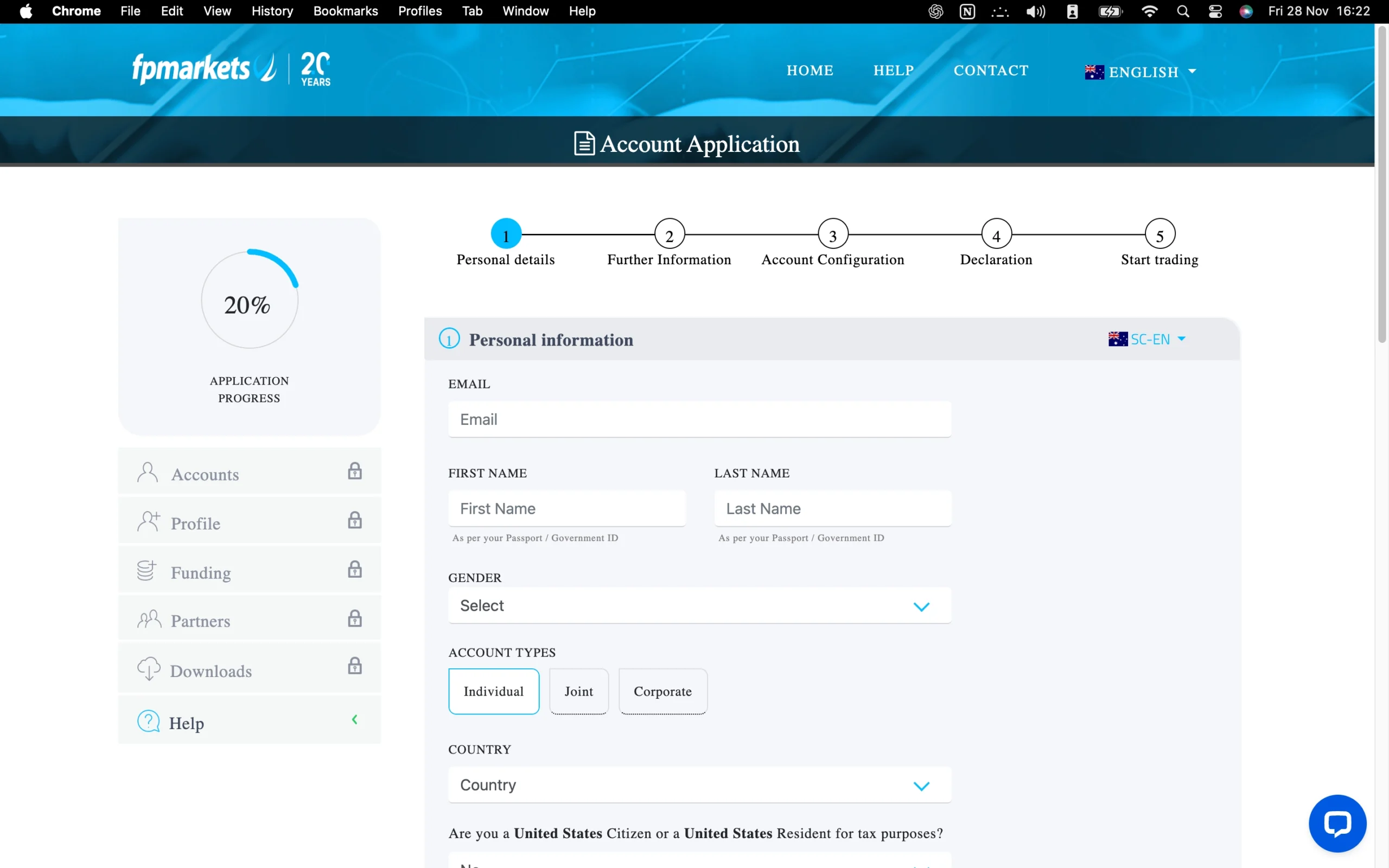
Pros:
- Fast
- Low minimum deposit for forex accounts
- Fully digital
Cons:
- High minimum balance for CFD/stock accounts
Step-by-Step FP Markets Account Opening Process
Opening a CFD trading account with FP Markets’ is a streamlined process designed to ensure regulatory compliance while setting you up for a professional trading experience. The application covers several key areas:
1. Personal and Contact Information: Traders provide essential details including full name, email address, country of residence, date of birth, phone number, physical address, nationality, and a government-issued ID such as a passport or driver’s license.
2. Employment Information: Applicants disclose their employment status and occupation, helping the broker understand the client’s financial background.
3. Account Preferences: You select your preferred trading platform, account type, and base currency to tailor your trading setup to your needs.
4. Trading Experience: FP Markets assesses your prior market activity by reviewing your trading volume in forex and other markets over the past three years.
5. Market Knowledge Assessment: A short test evaluates your understanding of CFD trading concepts to ensure you are equipped to trade responsibly.
This structured onboarding ensures that all FP Markets clients are set up with accounts suitable for their experience and trading goals, combining regulatory compliance, risk awareness, and platform readiness for a confident start in online trading.
What is the minimum deposit at Pepperstone?
Starting your trading journey with FP Markets is accessible, with the minimum deposit set at $50 for certain account types. The exact deposit requirement varies depending on the trading platform and assets you wish to access.
MetaTrader Accounts (Forex Trading): Standard accounts on the MetaTrader platform require a minimum funding of AUD 100, making it easy for traders to begin forex trading with a modest investment.
IRESS Accounts (CFDs & Stocks): For trading CFDs and stocks on the Australian Securities Exchange (ASX) via the IRESS platform, the minimum deposit is AUD 1,000.
These flexible funding options allow traders to select a platform and account type that aligns with their trading goals and capital availability, ensuring a smooth start to your FP Markets trading experience.
Research Overview and Key Features
FP Markets provides traders with a comprehensive suite of research tools and market insights designed to support informed trading decisions. At the core of its research offerings is the Traders Hub, a dedicated portal featuring both fundamental and technical analysis. The content is predominantly text-based and covers global markets, including forex, commodities, indices, stocks, and cryptocurrencies.
For in-depth analysis, FP Markets integrates third-party research from Autochartist and Trading Central, delivering automated analytics alongside expert insights. Key features include:
Analyst Views: Covers trading ideas, technical updates, and key support and resistance levels across multiple asset classes.
Featured Ideas: Highlights high-potential trading opportunities, helping traders spot actionable setups.
Technical Insights: Traders can select preferred technical indicators, candle patterns, or oscillators, and Trading Central scans the markets for matching opportunities.
FP Markets’ in-house analysts complement third-party tools with timely coverage of major economic events such as central bank meetings and important financial releases. This dual approach ensures traders receive both strategic guidance and practical trade ideas.
Additionally, FP Markets offers free Autochartist signals, which automatically detect chart patterns and critical price levels, enabling traders to anticipate potential market trends. The broker also provides an economic calendar to keep traders informed of upcoming events that may impact market volatility.
Daily market coverage extends across FP Markets’ website, blog, and YouTube channel, with regular articles, videos, and news headlines sourced from top-tier providers. While most content is up to date and well-organized, some categories may occasionally contain older material. Overall, the combination of fundamental analysis, technical reports, and automated insights provides a robust and professional-grade research ecosystem.
Key Takeaways for Traders Using FP Markets Research
FP Markets delivers a balanced research offering that merges in-house expertise with third-party tools, giving traders actionable insights, technical guidance, and timely updates to navigate markets effectively.
| Research Summary | FP Markets |
|---|---|
| Autochartist | Yes |
| Daily Market Commentary | Yes |
| Social Sentiment - Currency Pairs | Yes |
| Forex News (Top-Tier Sources) | Yes |
| Trading Central (Recognia) | Yes |

Education Overview: Guides, Webinars, and Courses
FP Markets provides a robust educational suite designed to support traders at every experience level. The FP Markets Academy centralizes a variety of learning materials, including written guides, video tutorials, live webinars, podcasts, and e-books. While much of the content focuses on foundational trading principles, select materials delve into more advanced concepts, making the platform suitable for both beginners and intermediate traders.
Core Learning Topics Include:
Trading Fundamentals: Key concepts such as pips, margin, spreads, and swaps.
Order and Chart Types: Clear explanations of different order executions and charting techniques.
Technical Analysis: Introductory lessons on classic indicators like MACD, RSI, and other essential tools.
Platform Guidance: Step-by-step video tutorials for MetaTrader 4 and 5, covering installation, login, VPS setup, and activating EAs (Expert Advisors) for automated trading.
The lessons are structured to be practical and easy to follow, with content available in both video and written formats. Archived webinars—nearly sixty in total—alongside instructional YouTube videos and at least 34 articles under the Forex 101 section, provide ample resources for hands-on learning. The broker’s podcast offers an additional format, though it remains basic and hasn’t seen updates since 2022.
Opportunities for Improvement:
The advanced content section is limited, with few courses offering progress tracking, quizzes, or deeper strategy tutorials.
Some video content is in foreign languages, while older English archives are available but not recently refreshed.
The overall design and user interface of the education section could be modernized to enhance navigation and engagement.
FP Markets Education: Key Takeaways
FP Markets delivers a strong educational foundation for traders, combining practical tutorials, platform-specific guidance, and foundational trading concepts. Expanding advanced courses, updating podcasts, and modernizing the learning portal would further elevate the educational experience, helping traders build confidence and proficiency across markets.
| Education Summary | FP Markets |
|---|---|
| Videos - Beginner Trading Videos | Yes |
| Investor Dictionary (Glossary) | Yes |
| Client Webinars | Yes |
| Videos - Advanced Trading Videos | Yes |
| Client Webinars (Archived) | Yes |
| Education (Forex or CFDs) | Yes |
Customer Support Overview
FP Markets offers comprehensive customer support available 24 hours a day from Monday to Friday through live chat, phone, and email. During an extensive two-week evaluation, we found their support to be both responsive and dependable, surpassing the industry standard in many areas.
We submitted a variety of queries covering trading platforms, account details, and fee structures. Live chat consistently connected us with knowledgeable agents within a minute or two, while email responses were reliably received within one business day. Phone support was helpful, though occasionally involved longer wait times.
The support team demonstrated professionalism and expertise across all interactions and can assist clients in 18 different languages.
Pepperstone Customer Support: Key Takeaways
24/5 Availability: Support is accessible Monday to Friday via live chat, phone, and email.
Fast Response Times: Live chat connects within 1–2 minutes; emails are answered within one business day.
Knowledgeable Staff: Agents are well-informed about trading platforms, account issues, and fees.
Multilingual Support: Assistance available in 18 languages for global traders.
Reliable Service: Consistently professional and helpful, ranking above industry average.
Final Thoughts on FP Markets
In the competitive landscape of CFD and forex brokerage, FP Markets has established itself as a trusted and reliable choice for traders over the past two decades. With a strong focus on premium trading conditions, advanced platforms, and comprehensive resources, the Australian broker caters effectively to both seasoned traders and ambitious beginners.
Key Strengths:
Competitive Pricing and Low Fees: FP Markets offers tight spreads and minimal commissions, particularly on its ECN MetaTrader accounts. Ultra-fast order execution is supported through its NY4 server facility, ensuring trades are processed with minimal latency.
Diverse Trading Instruments: The broker provides access to over 10,000 CFDs, including forex pairs, stocks, indices, commodities, bonds, and cryptocurrencies. While MetaTrader 5 (MT5) covers 764 symbols, the IRESS platform offers an extensive selection for share trading.
Advanced Platforms and Tools: Traders can leverage MetaTrader 4 and 5, cTrader, and IRESS for sophisticated charting, algorithmic trading, and in-depth market analysis.
Research and Education: FP Markets delivers above-average research with insights from in-house analysts and third-party providers like Autochartist and Trading Central, alongside a growing educational suite of articles, webinars, and tutorials.
Areas for Improvement:
While FP Markets excels in many areas, there are opportunities to enhance its offering further. A proprietary web-based trading platform could strengthen its unique value proposition, and a modernized website design would improve overall user experience. Additionally, expanding third-party account insurance and consolidating offshore entities could boost trust and security for all clients. The research and educational materials, though steadily improving, remain less extensive compared to the very best brokers in the industry.
Final Verdict:
FP Markets combines competitive pricing, extensive instrument availability, fast execution, and robust trading platforms into a well-rounded offering. Despite minor limitations in research, education, and web platform innovation, its solid performance across commissions, MetaTrader, and algorithmic trading categories positions FP Markets as a top-tier choice for traders seeking reliability, versatility, and professional-grade trading conditions.
With continuous improvements and a strong foundation, FP Markets is well-positioned to maintain its role as a leading broker in the CFD and forex markets.
FP Markets FAQ
Does FP Markets provide VPS hosting?
Yes. VPS hosting is offered to support automated trading and minimize downtime.
Is FP Markets suitable for scalping?
Yes. One-click trading, fast execution, and competitive spreads make FP Markets well-suited for scalpers.
What account types does FP Markets offer?
MetaTrader Accounts:
Standard Account: No commission, higher spreads averaging 1.2 pips on EUR/USD.
Raw ECN Account: Lower spreads averaging 0.1 pips, with a commission of $6 per round-turn lot; effective spread averages 0.8 pips after fees.
IRESS Accounts for Share CFDs:
IRESS Investor: Low-cost, limited features, no streaming data.
IRESS ViewPoint: Standard, Platinum, and Premier tiers offering better trading conditions and lower fees.
Is FP Markets suitable for automated trading?
Yes. Automated trading is supported on MetaTrader and cTrader platforms using Expert Advisors (EAs) or trading bots.
Can I use FP Markets for spread betting?
No. Spread betting is not available.
Which trading platforms are available?
Clients can trade on MetaTrader 4, MetaTrader 5, cTrader, TradingView, and IRESS platforms.
Where is FP Markets located?
FP Markets is headquartered at 10 Bridge Street, Level 5, Sydney, NSW, 2000, Australia.
Does FP Markets offer demo accounts?
Yes. Free demo accounts are available on MetaTrader 4, MetaTrader 5, cTrader, and TradingView, providing live market conditions for practice and strategy testing without risking real funds.
Is FP Markets safe?
Yes. FP Markets is a well-established broker regulated by multiple Tier-1 authorities, providing a relatively secure trading environment for retail and professional clients.
How can I withdraw funds?
Withdrawals can be made using credit/debit cards, bank wire, Neteller, Skrill, PayTrust, PayPal, or OnlinePay.
What is the minimum deposit for FP Markets?
For MetaTrader Standard and Raw ECN accounts, the minimum deposit is AUD 100. For share CFD trading on IRESS, minimum deposits vary by account type: Standard (AUD 1,000), Platinum (AUD 25,000), and Premier (AUD 50,000).
How do I deposit funds?
Australian clients can fund their accounts via credit/debit cards, bank wire, BPAY, PayID, PayPal, Neteller, Skrill, or Broker-to-Broker transfers.
Is FP Markets suitable for beginners?
Yes. With comprehensive educational resources, demo accounts, and responsive customer support, FP Markets is beginner-friendly and allows new traders to learn in a low-risk environment.
Does FP Markets offer raw spreads accounts?
Yes. The Raw ECN account provides commission-based raw spreads for traders seeking tighter pricing.
Is hedging allowed?
Yes. Hedging strategies are permitted at FP Markets.
Is FP Markets a market maker?
Yes. FP Markets operates under the Principle Model, acting as the counterparty to client trades.
Does FP Markets operate as a bank?
No. FP Markets is strictly a brokerage firm.
Are there any special considerations for share CFDs?
Higher-tier IRESS accounts (Platinum and Premier) provide lower fees, priority data access, and improved trading conditions for active and professional traders.
What is the maximum leverage?
The maximum leverage available for retail clients at FP Markets’ Australian entity is 1:30.
Sources used to create the FP Markets Review
FP Markets – Account specifications, trading conditions, commission structure, and regulatory info
FSA – Financial Services Authority (Seychelles)
FSC – Financial Services Commission (Mauritius)
CySEC – Cyprus Securities and Exchange Commission (Cyprus)
CMA – Capital Markets Authority (Kenya)
FSCA – Financial Sector Conduct Authority (South Africa)
ASIC – Australian Securities & Investments Commission (Australia)
Meet the experts behind FP Markets Review

Zhahn du Plessis
Lead Analyst
Zhahn Du Plessis is the Lead Analyst at TradeWiki.io, where he is responsible for broker analysis, review creation, and overall platform development. He oversees every aspect of the website, ensuring that all content is accurate, transparent, and designed to help traders make informed decisions.
He holds a Bachelor of Commerce in Business Management from Akademia University and has been actively trading the forex markets since 2018. As a funded trader since 2021, he brings real-world experience in evaluating brokers, trading conditions, and execution quality.
Cobus Viljoen
Head of Marketing
Cobus Viljoen is the Head of Marketing at TradeWiki.io, where he leads content strategy and oversees all digital communication across platforms including Instagram, TikTok, YouTube, Pinterest, X, Threads, and Facebook. He is responsible for producing and distributing educational trading content, broker insights, and market-focused media designed to help traders make informed decisions.
With hands-on forex trading experience since 2019, Cobus has traded funded accounts through multiple proprietary trading firms, giving him practical insight into real market conditions, risk management, and trading psychology. His combined expertise in trading and content strategy helps ensure that all TradeWiki content is accurate, relevant, and aligned with the needs of modern traders.


About Tradewiki.io
Our goal at Tradewiki.io is to deliver clear, unbiased reviews of top international forex brokers and prop firms, guiding you toward the best forex broker or prop firm that fits your needs. Since launch, Tradewiki.io has helped thousands of traders worldwide find, compare, and choose trusted forex brokers and prop firms.
Tradewiki.io Reviews