

ATFX Review 2026: Pros & Cons
ATFX Review 2026: Pros & Cons
Overall Rating
Min. Deposit
Spreads From
Max. Leverage
ATFX Overview
While creating the ATFX review it became clear that ATFX is a global forex and CFD broker that places particular emphasis on execution, regulatory oversight, trader education, and customer support. Established in 2017 and headquartered in Hong Kong, the broker follows a client-focused approach aimed at providing trading conditions that are straightforward, consistent, and transparent.
Testing showed that ATFX delivered reliable trading performance, with execution speeds consistently around 37ms. However, spreads across many of the broker’s popular instruments were generally wider than the industry average, which is an important consideration for cost-conscious traders and those who trade frequently.
ATFX Safety and Regulation
Client fund protection is one of ATFX’s notable strengths. Client money is maintained in segregated bank accounts, separating traders’ funds from the broker’s own operational capital.
ATFX is regulated by several financial authorities, including the FCA, ASIC, and CySEC, which provide oversight across its operations. This broad regulatory coverage can be particularly relevant for traders who place a high priority on fund security, regulatory supervision, and transparency.
ATFX Trading Platforms and Research
ATFX supports MetaTrader 4 (MT4) and MetaTrader 5 (MT5) across desktop, web, and mobile devices. Traders can also access the broker’s AT GO mobile app, providing an additional option for managing trades from mobile devices.
The broker supplements its platforms with free research tools, including Trading Central technical insights and a real-time Dow Jones news wire available directly through the client portal. These resources give traders access to market analysis and financial news alongside their trading tools.
Overall Assessment
ATFX combines multi-jurisdictional regulation, reliable execution, established MetaTrader platforms, research tools, and customer support. While its execution performance was strong, the generally wider spreads across many popular instruments may be a disadvantage for traders who place significant emphasis on trading costs.
Overall, ATFX represents a stability-focused option for forex and CFD traders seeking a regulated broker with reliable execution, multiple trading platforms, and a straightforward trading environment.
ATFX Pros and Cons
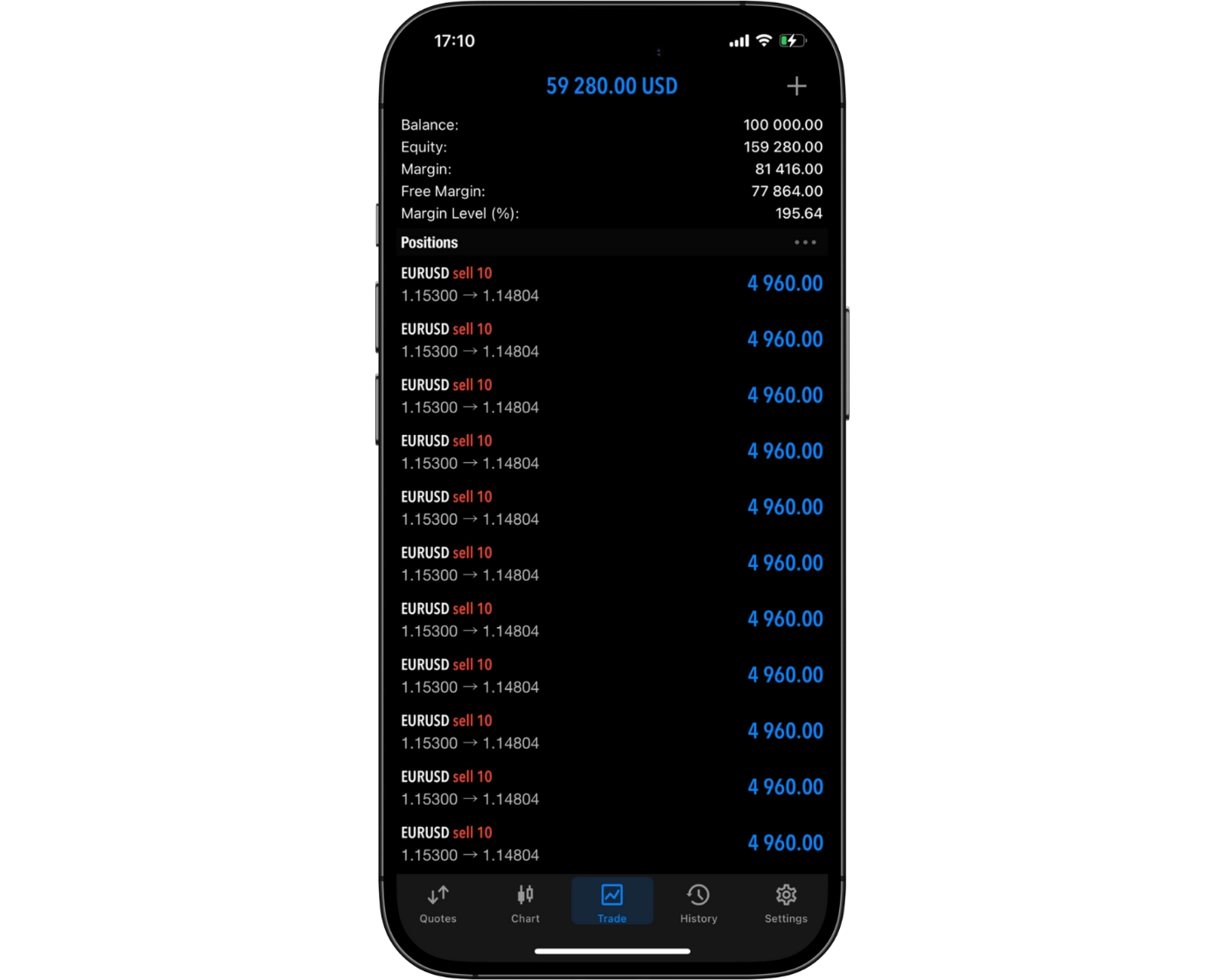
ATFX Pros:
- MAM and PAMM accounts
- Trading Central research and Dow Jones newswire
- VPS hosting
- Tight spreads on shares
- Responsive live chat support
- Support & Resistance indicator
- Regulated by top-tier authorities
- Wide range of educational resources
- Order execution below 40ms
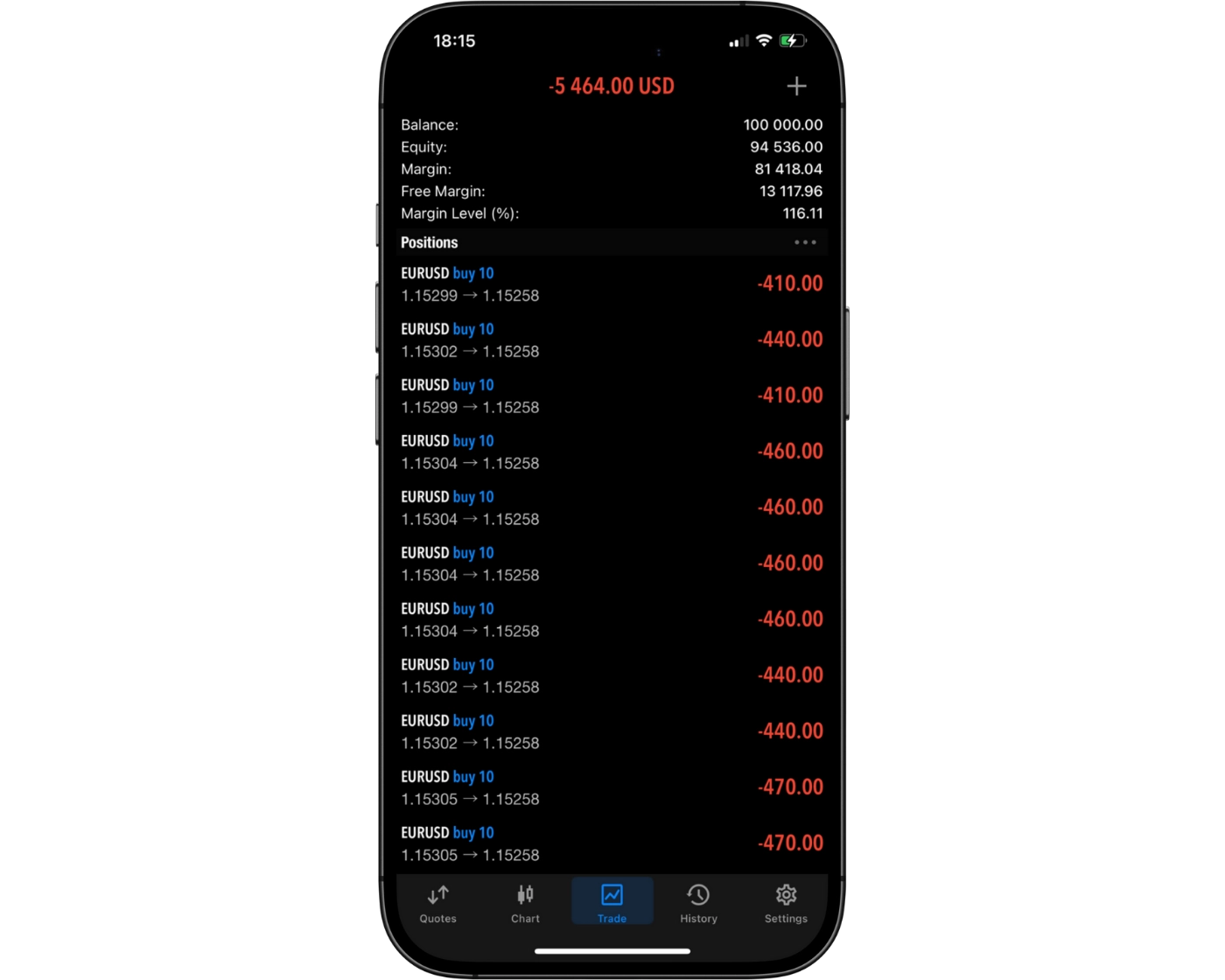
ATFX Cons:
- No soft commodities
- Limited choice of trading platforms
- Wide spreads on many popular instruments
Beginner - Ideal Fit
ATFX is well suited to casual and beginner traders, offering relatively low barriers to entry, MetaTrader 4 (MT4), MetaTrader 5 (MT5), and the intuitive AT GO mobile app. Its educational resources and straightforward trading environment can help newer traders get familiar with the markets without having to navigate an unnecessarily complicated platform.
News Trading - Ideal Fit
ATFX provides several tools that can support news-based trading strategies, including market commentary, an economic calendar, and a live Dow Jones news wire available through the client portal. This combination provides traders with direct access to market-moving information and economic events, making the broker particularly suitable for strategies that depend on reacting to major headlines and macroeconomic developments.
Scalping - Suitable Option
ATFX supports scalping, with no explicit restrictions on short-term trading and generally reliable execution through MetaTrader. The broker also provides VPS hosting, helping traders maintain low-latency trading conditions when executing short-term strategies. The main consideration for scalpers is pricing: spreads are relatively wide across many popular instruments, which can make the broker less attractive to high-frequency traders who depend on very tight spreads.
Investing - Poor Option
ATFX is primarily focused on leveraged trading products rather than traditional long-term investing. The broker does not provide access to real stocks, ETFs, bonds, or mutual funds, making it unsuitable for traders looking to construct conventional buy-and-hold portfolios. Instead, ATFX is better aligned with active traders seeking shorter-term opportunities across leveraged markets.
Automated Trading - Suitable Option
ATFX supports Expert Advisors (EAs) through MetaTrader, allowing traders to deploy and backtest automated strategies. Reliable execution and VPS hosting can also help maintain stable, low-latency conditions for automated systems. However, the relatively wide spreads on many popular instruments may reduce the broker’s appeal for cost-sensitive algorithmic traders whose strategies depend heavily on minimizing transaction costs.
Swing Trading - Suitable Option
ATFX provides several features that can support swing trading, including MetaTrader’s advanced charting capabilities, multiple order types, and alerts. Traders also have access to forex, indices, commodities, shares, ETFs, and crypto, providing exposure to a range of markets suitable for medium-term strategies. Swap fees are broadly in line with the industry average, although overnight financing costs should still be considered when holding positions for several days.
Day Trading - Suitable Option
Day traders benefit from ATFX’s reliable execution, competitive spreads on major forex pairs, and the full functionality of MT4, including one-click trading and customizable charts. The broker’s technology-focused infrastructure supports fast order handling during liquid trading sessions, which can benefit intraday traders who prioritize execution efficiency and consistency. However, relatively wide spreads across the broker’s offering can be a disadvantage for traders who frequently enter and exit positions.
Copy Trading - Ideal fit
ATFX’s CopyTrade feature provides a straightforward way to follow experienced traders without having to manage every position manually. Traders can copy multiple strategy providers simultaneously, review performance statistics and risk scores, and maintain control over their accounts by adjusting or stopping copying whenever required. With no platform or management fees, the structure is transparent and particularly suitable for beginners and hands-off traders.
Who is ATFX for?
While creating the ATFX Review 2026, it became clear that the broker offers the features and tools to cater to a wide range of trading strategies. Here’s how it stacks up for different trader styles:
What Sets ATFX Apart?
ATFX takes a client-focused approach to online trading, concentrating on the core features that matter most to retail traders rather than adding unnecessary complexity. The broker places emphasis on reliable trade execution, transparent pricing, accessible trading platforms, and responsive customer support.
This approach creates a trading environment built around practicality and ease of use. Instead of requiring traders to navigate an overly complicated range of features, ATFX focuses on providing the essential tools and services needed to access and manage the markets efficiently.
What Sets ATFX Apart?
ATFX Main Features

Regulations
FCA (United Kingdom), CMA UAE (United Arab Emirates), FSCM (Mauritius), FSA (Seychelles), ASIC (Australia), FSCA (South Africa), SFC (Hong Kong), CySEC (Cyprus), SERC (Cambodia)

Languages
Arabic, Chinese, English, Spanish, Thai, Portuguese, Vietnamese, Korean, Hindi, German

Products
Currencies, Stocks, ETFs, Crypto, Indices, Commodities

Min Deposit
$50

Max Leverage
1:30 (FCA), 1:400 (CMA UAE), 1:500 (FSCM), 1:500 (FSA), 1:30 (ASIC), 1:400 (FSCA), 1:400 (SFC), 1:30 (CySEC), 1:400 (SERC)

Trading Desk Type
STP, Market Maker

Trading Platforms
MT4, MT5, ATFX Trading App

Deposit Options
PerfectMoney, Wire Transfer, Skrill, Neteller, Credit Card, Debit Card

Withdrawal Options
Credit Card, Neteller, Skrill, Wire Transfer, Debit Card, PerfectMoney

Demo Account
Yes

Foundation Year
2017

Headquarters
United Kingdom
Regulations
FCA (United Kingdom), CMA UAE (United Arab Emirates), FSCM (Mauritius), FSA (Seychelles), ASIC (Australia), FSCA (South Africa), SFC (Hong Kong), CySEC (Cyprus), SERC (Cambodia)
Languages
Arabic, Chinese, English, Spanish, Thai, Portuguese, Vietnamese, Korean, Hindi, German
Products
Currencies, Stocks, ETFs, Crypto, Indices, Commodities
Min Deposit
$50
Max Leverage
1:30 (FCA), 1:400 (CMA UAE), 1:500 (FSCM), 1:500 (FSA), 1:30 (ASIC), 1:400 (FSCA), 1:400 (SFC), 1:30 (CySEC), 1:400 (SERC)
Trading Desk Type
STP, Market Maker
Trading Platforms
MT4, MT5, ATFX Trading App
Deposit Options
PerfectMoney, Wire Transfer, Skrill, Neteller, Credit Card, Debit Card
Withdrawal Options
Credit Card, Neteller, Skrill, Wire Transfer, Debit Card, PerfectMoney
Demo Account
Yes
Foundation Year
2017
Headquarters
United Kingdom
Start Trading With ATFX
| Account Feature | Standard Account |
|---|---|
| Minimum Deposit | $50 |
| Spreads From | 1.8 Pips |
| Commission | $0 |
| Margin Call | 100% |
| Stop Out | 30% |
| Base Currencies | USD |
| Islamic Account | Yes |
| Demo Account | Yes |
ATFX Review
Introduction to ATFXSafety Measures
ATFX operates as a multi-regulated broker, with its various entities overseen by multiple leading financial regulators. Across these entities, client funds are held in segregated accounts, helping separate traders’ money from the broker’s operational funds. ATFX also provides negative balance protection, preventing trading losses from exceeding the funds deposited into an account.
Testing also found ATFX to be transparent regarding key areas of its offering, particularly its fees and regulatory information. This combination of regulatory oversight, client fund segregation, negative balance protection, and clear information contributes to the broker’s overall trust profile.
Pros:
- Multiple regulatory authorities
- Segregated client funds
- Negative balance protection
Cons:
- Regulatory protection varies by entity
ATFX Regulation and Licensing
ATFX operates through a network of entities that are subject to different financial regulators and regulatory standards depending on the jurisdiction. This is important when assessing broker safety because the level of protection available to a client can depend on which ATFX entity holds their account.
For this review, regulators are grouped into three tiers, with Tier-1 representing the highest level of regulatory oversight.
Tier-1 Regulation
AT Global Markets (UK) Ltd operates under the supervision of the Financial Conduct Authority (FCA) in the United Kingdom. Its licence number is 760555, and the FCA is classified as a Tier-1 regulator.
ATFX Global Markets (CY) Ltd is authorised by the Cyprus Securities and Exchange Commission (CySEC) under licence number 285/15. CySEC is classified as a Tier-1 regulator.
AT Global Markets (Australia) Pty Ltd holds an ASIC licence numbered 418036 and is regulated by the Australian Securities and Exchange Commission (ASIC). ASIC is classified as a Tier-1 regulator.
Tier-2 Regulation
AT Global Markets SA (Pty) Ltd is regulated in South Africa by the Financial Services Conduct Authority (FSCA) under licence number 44816. The FSCA is classified as a Tier-2 regulator.
AT Global Financial Services (HK) Ltd falls under the oversight of Hong Kong’s Securities and Futures Commission (SFC) and operates under licence number BUM667. The SFC is classified as a Tier-2 regulator.
ATFX MENA FINANCIAL SERVICES LLC is regulated by the UAE’s Securities and Commodities Authority (SCA) under licence number 20200000078. The SCA is classified as a Tier-2 regulator.
Tier-3 Regulation
AT Global Markets Intl Ltd operates under a Financial Services Commission (FSC) licence in Mauritius, numbered C118023331. The FSC is classified as a Tier-3 regulator.
AT Global Markets (SC) Ltd is supervised by the Financial Services Authority (FSA) of Seychelles under licence number SD093. The FSA is classified as a Tier-3 regulator.
ATFX (Cambodia) Company Limited is licensed by the Securities and Exchange Regulator of Cambodia (SERC) under licence number 041. SERC is classified as a Tier-3 regulator.
Unregulated Entity
ATFX also operates AT Global Markets LLC, which is registered in St Vincent and the Grenadines as a Limited Liability Company. This entity is not regulated.
| Entity Features | AT Global Markets (Australia) Pty Ltd | AT Global Markets (UK) Ltd | ATFX Global Markets (CY) Ltd | AT Global Markets SA (Pty) Ltd | ATFX MENA Financial Services LLC | AT Global Financial Services (HK) Limited | AT Global Markets LLC | AT Global Markets (SC) Limited | AT Global Markets Intl Ltd | ATFX (Cambodia) Company Limited |
|---|---|---|---|---|---|---|---|---|---|---|
| Country/Region | Australia | UK | EU | South Africa | UAE | Hong Kong | Saint Vincent and the Grenadines | Seychelles | Mauritius | Cambodia |
| Regulation | ASIC | FCA | CySEC | FSCA | CMA | SFC | N/A | FSA | FSC | SERC |
| Tier | 1 | 1 | 1 | 2 | 2 | 2 | 3 | 3 | 3 | 3 |
| Segregated Funds | Yes | Yes | Yes | Yes | Yes | Yes | Yes | Yes | Yes | Yes |
| Negative Balance Protection | Yes | Yes | Yes | Yes | Yes | Yes | Yes | Yes | Yes | Yes |
| Compensation Scheme | No | Up to GBP 120,000 under FSCS | Up to EUR 20,000 under ICF | No | No | No | Up to USD 1,000,000 under Excess of Loss Policy | No | No | No |
| Maximum Leverage | 1:30 | 1:30 | 1:30 | 1:400 | 1:400 | 1:400 | 1:500 | 1:500 | 1:500 | 1:500 |
Understanding Regulatory Protections for ATFX Traders
The level of protection available to traders can differ depending on the ATFX entity holding their account, as regulatory requirements and investor safeguards vary between jurisdictions. Understanding these protections is therefore important when assessing the broker’s overall safety.
Segregated client funds: ATFX holds client money in segregated bank accounts, keeping it separate from the broker’s operating funds. This arrangement is designed to keep client capital distinct from the company’s own finances across all ATFX entities.
Negative balance protection: ATFX offers negative balance protection across all of its entities. This means traders cannot lose more than the amount available in their accounts. The protection can be particularly relevant during periods of extreme market volatility, when rapid price movements can otherwise result in losses exceeding an account balance.
Compensation coverage: The level of additional compensation depends on the ATFX entity a client uses. Customers of AT Global Markets (UK) Ltd are covered by the Financial Services Compensation Scheme (FSCS) for up to GBP 85,000. Clients of AT Global Markets (Cy) Ltd receive protection through the Investor Compensation Fund (ICF) of up to EUR 20,000. Clients of AT Global Markets LLC also receive additional coverage of up to USD 1,000,000 through the broker’s Excess of Loss insurance policy.
ATFX Investor Protection
ATFX’s investor protection varies depending on the legal entity through which a client opens an account. The level of protection is determined by the regulator and compensation framework applicable in the client’s country of residence. While some ATFX entities provide access to formal compensation schemes or additional insurance coverage, others do not offer a specific investor compensation amount.
The table below outlines the ATFX legal entity, regulator, and applicable investor protection for clients in each jurisdiction.
| Country of Clients | Legal Entity | Regulator | Invesor Protection Amount |
|---|---|---|---|
| UK | AT Global Markets (UK) Ltd | FCA | Up to GBP 120,000 under FSCS |
| EU | ATFX Global Markets (CY) Ltd | CySEC | Up to EUR 20,000 under ICF |
| Saint Vincent and the Grenadines | AT Global Markets LLC | N/A | Up to USD 1,000,000 under Excess of Loss Policy |
| Australia | AT Global Markets (Australia) Pty Ltd | ASIC | None |
| South Africa | AT Global Markets SA (Pty) Ltd | FSCA | None |
| UAE | ATFX MENA Financial Services LLC | CMA | None |
| Hong Kong | AT Global Financial Services (HK) Limited | SFC | None |
| Seychelles | AT Global Markets (SC) Limited | FSA | None |
| Mauritius | AT Global Markets Intl Ltd | FSC | None |
| Cambodia | ATFX (Cambodia) Company Limited | SERC | None |
Stability and Transparency of ATFX
Founded in 2017, ATFX has developed into an established global CFD broker with regulatory licenses across multiple jurisdictions. Its international presence and regulatory oversight provide important context when assessing the broker’s stability, transparency, and overall trustworthiness.
ATFX employs 501–1,000 people and maintains operations across Europe, Southeast Asia, the Middle East, Latin America, APAC, and South Africa. This broad footprint reflects a sizeable international business with an established operating structure.
Transparency is another important consideration. ATFX provides information about its corporate structure, regulatory licenses, client protection measures, trading conditions, and legal terms on its website. The broker’s Terms of Business also sets out the conditions governing its services, giving clients access to key information before and during their relationship with the broker.
Is ATFX Safe to Trade With?
ATFX shows several characteristics associated with a well-established and closely supervised CFD broker. Its history, regulatory coverage, operational scale, and level of disclosure provide a solid basis for assessing its overall safety and stability.
- Established operating history: Founded in 2017, ATFX has built a steadily expanding international business.
- Strong regulatory oversight: The broker is regulated by multiple Tier-1 authorities, including the FCA, ASIC, and CySEC.
- Substantial global operation: ATFX employs 501–1,000 people and maintains a presence across multiple international markets.
- Transparent trading environment: The broker provides clear information covering risks, client protections, and trading conditions, allowing traders to understand the terms associated with its services.
| Safety Summary | ATFX |
|---|---|
| Year Founded | 2017 |
| Publicly Traded (Listed) | No |
| Bank | No |
| Tier-1 Licenses | 3 |
| Tier-2 Licenses | 3 |
| Tier-3 Licenses | 4 |
Introduction to ATFX Fees
ATFX uses a commission-free pricing model on its Standard account, but trading costs can still vary significantly depending on the instrument. Live testing found that spreads were wider than the industry average across many popular instruments, which weighs on the broker’s overall fee competitiveness. On the non-trading side, ATFX does not charge deposit or withdrawal fees, helping reduce the cost of funding and withdrawing from an account. However, an inactivity fee is charged on dormant accounts.
Pros:
- No commissions on the Standard account
- No deposit fees
- No withdrawal fees
Cons:
- Wider-than-average spreads on many popular instruments
ATFX Spreads
Forex Spreads
| Symbol | Product | Avg. Spread |
|---|---|---|
| EURUSD | Euro vs US Dollar | 1.80 |
| USDJPY | US Dollar vs Japanese Yen | 2.00 |
| GBPUSD | Great British Pound vs US Dollar | 2.00 |
| USDCHF | US Dollar vs Swiss Franc | 2.20 |
| AUDUSD | Australian Dollar vs US Dollar | 2.50 |
| NZDUSD | New Zealand Dollar vs US Dollar | 2.50 |
| USDCAD | US Dollar vs Canadian Dollar | 2.50 |
| AUDCAD | Australian Dollar vs Canadian Dollar | 3.00 |
| AUDCHF | Australian Dollar vs Swiss Franc | 3.00 |
| AUDJPY | Australian Dollar vs Japanese Yen | 3.00 |
| AUDNZD | Australian Dollar vs New Zealand Dollar | 3.00 |
| CADCHF | Canadian Dollar vs Swiss Franc | 3.20 |
| CADJPY | Canadian Dollar vs Japanese Yen | 3.20 |
| CHFJPY | Swiss Franc vs Japanese Yen | 3.20 |
| EURAUD | Euro vs Australian Dollar | 3.30 |
| EURCAD | Euro vs Canadian Dollar | 3.30 |
| EURCHF | Euro vs Swiss Franc | 3.20 |
| EURGBP | Euro vs Great British Pound | 3.00 |
| EURJPY | Euro vs Japanese Yen | 3.20 |
| EURNZD | Euro vs New Zealand Dollar | 3.50 |
| GBPAUD | Great British Pound vs Australian Dollar | 3.50 |
| GBPCAD | Great British Pound vs Canadian Dollar | 3.80 |
| GBPCHF | Great British Pound vs Swiss Franc | 3.50 |
| GBPJPY | Great British Pound vs Japanese Yen | 3.50 |
| GBPNZD | Great British Pound vs New Zealand Dollar | 3.80 |
| NZDCAD | New Zealand Dollar vs Canadian Dollar | 3.00 |
| NZDCHF | New Zealand Dollar vs Swiss Franc | 3.20 |
| NZDJPY | New Zealand Dollar vs Japanese Yen | 3.00 |
| EURHUF | Euro vs Hungarian Forint | 18.00 |
| EURPLN | Euro vs Polish Zloty | 25.00 |
| USDCNH | US Dollar vs Chinese Offshore Yuan | 20.00 |
| USDHKD | US Dollar vs Hong Kong Dollar | 20.00 |
| USDSGD | US Dollar vs Singapore Dollar | 20.00 |
| USDCZK | US Dollar vs Czech Koruna | 200.00 |
| USDDKK | US Dollar vs Danish Krone | 18.00 |
| USDHUF | US Dollar vs Hungarian Forint | 15.00 |
| USDMXN | US Dollar vs Mexican Peso | 50.00 |
| USDNOK | US Dollar vs Norwegian Krone | 35.00 |
| USDPLN | US Dollar vs Polish Zloty | 15.00 |
| USDSEK | US Dollar vs Swedish Krone | 23.00 |
| USDZAR | US Dollar vs South African Rand | 31.00 |
Indices Spreads
| Symbol | Product | Avg. Spread |
|---|---|---|
| CHI50 | FTSE China A50 Spot Index (CFD) | 8.00 |
| HK50 | Hong Kong 50 Spot Index (CFD) | 8.00 |
| HKCH50 | Hong Kong China H-Shares Spot Index (CFD) | 8.00 |
| AUS200 | Australian 200 Spot Index (CFD) | 4.00 |
| EU50 | Euro 50 Spot Index (CFD) | 2.50 |
| ESP35 | Spanish 35 Spot Index (CFD) | 6.00 |
| FRA40 | French 40 Spot Index (CFD) | 2.50 |
| GER30 | Germany 30 Spot Index (CFD) | 3.50 |
| IT40 | Italy 40 Spot Index (CFD) | 10.00 |
| JP225 | Japan 225 Spot Index (CFD) | 8.00 |
| UK100 | UK 100 Spot Index (CFD) | 3.00 |
| US30 | US 30 Spot Index (CFD) | 3.80 |
| NAS100 | US 100 Spot Index (CFD) | 2.50 |
| SPX500 | US 500 Spot Index (CFD) | 1.50 |
| US2000 | US Russell 2000 Spot Index (CFD) | 1.00 |
| USDX_MMMYY | US Dollar Futures Index (CFD) | 5.00 |
| TW128 | FTSE Taiwan Spot Index (CFD) | 1.00 |
Commodities Spreads
| Symbol | Product | Avg. Spread |
|---|---|---|
| XAUUSD | Spot Gold vs US Dollar | 3.80 |
| XAUEUR | Spot Gold vs Euro | 3.80 |
| XAGUSD | Spot Silver vs US Dollar | 4.00 |
| GOLD_MMMYY | Gold Futures Contract | 4.50 |
| HG_MMMYY | High Grade Copper Futures (CFD) | 5.00 |
| USOIL.MMMYY | US WTI Crude Oil Futures Contract (CFD) | 5.00 |
| UKOIL.MMMYY | UK BRENT Crude Oil Futures Contract (CFD) | 5.00 |
| WTI | US WTI Crude Oil Spot Contract | 5.00 |
| BRENT | UK BRENT Crude Oil Spot Contract | 5.00 |
| NGAS.MMMYY | US Natural Gas Futures Contract (CFD) | 10.00 |
Crypto Spreads
| Symbol | Product | Avg. Spread |
|---|---|---|
| BTCUSD | Bitcoin vs US Dollar | 25.00 |
| ETHUSD | Ethereum vs US Dollar | 4.00 |
| LTCUSD | Litecoin vs US Dollar | 4.00 |
| ADAUSD | Cardano vs US Dollar | 0.01 |
| LNKUSD | LINK vs US Dollar | 0.08 |
| BCHUSD | Bitcoin Cash vs US Dollar | 5.00 |
| BNBUSD | Binance Coin vs US Dollar | 5.00 |
| DOGUSD | Doge vs US Dollar | 0.01 |
| DOTUSD | Polkadot vs US Dollar | 0.10 |
| UNIUSD | Uniswap vs US Dollar | 0.08 |
| XLMUSD | Stellar vs US Dollar | 0.01 |
US ETFs Spreads
| Symbol | Product | Avg. Spread |
|---|---|---|
| ETF-ARGT | Global X MSCI Argentina ETF(CFD) | 0.05 |
| ETF-ASHR | Xtrackers Harvest CSI 300 China A-Shares ETF(CFD) | 0.05 |
| ETF-EEM | iShares MSCI Emerging Markets ETF(CFD) | 0.05 |
| ETF-EFA | iShares MSCI EAFE Index ETF(CFD) | 0.05 |
| ETF-EIDO | iShares MSCI Indonesia ETF(CFD) | 0.05 |
| ETF-EPU | iShares MSCI Peru ETF(CFD) | 0.05 |
| ETF-EWT | iShares MSCI Taiwan ETF(CFD) | 0.05 |
| ETF-EWW | iShares MSCI Mexico ETF(CFD) | 0.05 |
| ETF-EWZ | iShares MSCI Brazil ETF(CFD) | 0.05 |
| ETF-EZA | iShares MSCI South Africa ETF(CFD) | 0.05 |
| ETF-GDX | VanEck Vectors Gold Miners ETF(CFD) | 0.05 |
| ETF-GLD | SPDR Gold Trust ETF(CFD) | 0.05 |
| ETF-GXC | SPDR S&P China ETF(CFD) | 0.05 |
| ETF-ILF | iShares Latin America 40 ETF(CFD) | 0.05 |
| ETF-KSA | iShares MSCI Saudi Arabia ETF(CFD) | 0.05 |
| ETF-SMIN | iShares MSCI India Small Cap ETF(CFD) | 0.05 |
| ETF-USO | United States Oil Fund ETF(CFD) | 0.05 |
| ETF-VNM | VanEck Vietnam ETF(CFD) | 0.05 |
| ETF-VTI | Vanguard Total Stock Market Index ETF(CFD) | 0.05 |
| ETF-VUG | Vanguard Growth Index Fund ETF(CFD) | 0.05 |
| ETF-XLE | SPDR Energy Select Sector Fund ETF(CFD) | 0.05 |
| ETF-XLF | SPDR Financial Select Sector Fund ETF(CFD) | 0.05 |
| ETF-XLK | SPDR Technology Select Sector ETF(CFD) | 0.05 |
ATFX Swap Fees Explained
Swap rates represent the cost or credit applied when a position remains open overnight. The table below shows ATFX’s Swap Long and Swap Short rates for one full-sized contract. In forex, one full-sized contract equals 100,000 units of the base currency, while the equivalent contract size for gold is 100 ounces. The data was recorded in August 2026.
Overall, ATFX’s overnight financing costs are around the industry average, although rates vary considerably between instruments and position directions. On EURUSD, long positions carry a moderate charge, while short positions receive a small credit. GBPJPY provides a favorable swap rate for long positions but comes with a relatively high cost for short positions. For gold, long positions carry a high overnight cost, whereas short positions receive a substantial credit.
| Instrument | Swap Short | Swap Long |
|---|---|---|
| Gold | Credit of $45.08 | Charge of $69.70 |
| GBP/JPY | Charge of $28.61 | Credit of $12.67 |
| EUR/USD | Credit of $3.61 | Charge of $8.83 |
Non-Trading Fees at ATFX
ATFX keeps its non-trading costs relatively straightforward, with no deposit or withdrawal fees in most cases. The main account-related charge to be aware of is an inactivity fee of $10 per month, which applies when an account has remained dormant for six months.
Are ATFX Fees Competitive?
ATFX keeps its pricing structure straightforward, with no commissions and relatively low non-trading costs. This can make the broker appealing to casual traders who prioritize simple pricing. However, spreads vary by asset and are not particularly competitive across all instruments. Wider spreads on popular markets can make ATFX less attractive to highly active traders who depend on keeping trading costs as low as possible.
| Fees Summary | ATFX |
|---|---|
| Minimum Deposit | $50 |
| Average Spread EUR/USD | 1.80 pips |
| PayPal (Deposit/Withdraw) | No |
| Skrill (Deposit/Withdraw) | Yes |
| Visa/Mastercard (Credit/Debit) | Yes |
| Bank Wire (Deposit/Withdraw) | Yes |
Deposit and Withdrawal Overview
ATFX supports several deposit and withdrawal methods, giving traders flexibility when moving funds to and from their accounts. Available options include bank transfers, major credit and debit cards, and popular e-wallets.
Deposits are free and processed quickly, while withdrawals are generally fee-free. The main exception is bank wire withdrawals below the minimum threshold, where charges may apply. Overall, ATFX’s processing times are in line with industry standards, providing a straightforward way to manage trading funds.
Pros:
- Multiple funding methods
- Free deposits
- Fast processing times
Cons:
- Fees may apply to small bank wire withdrawals
ATFX Account Base Currencies
At ATFX, you can choose from the following base currencies:
| USD |
ATFX has a limited selection of base currencies, putting it at a disadvantage compared with many other brokers. Selecting an account currency that matches the currency of your bank account or the assets you trade can help avoid unnecessary currency conversion fees.
For traders who regularly handle multiple currencies, a multi-currency digital bank account can provide a practical solution. These accounts typically support several currencies, offer competitive exchange rates, and allow low-cost or free international transfers. They can also generally be opened quickly through a smartphone, simplifying currency management for active traders.
Deposit Methods and Fees
ATFX provides several ways to fund a trading account, with no deposit fees across all available methods. Bank wire transfers support USD and EUR and have a $0 minimum deposit, although processing can take 3–7 business days.
For faster funding, card payments and e-wallets require a $50 minimum deposit. These methods are processed almost instantly or within one business day, making them more suitable for traders who need quicker access to their trading funds.
All ATFX deposit methods and fees:
| Method | Fees | Minimum Deposit | Processing Time |
|---|---|---|---|
| Visa, Mastercard | $0 | $50 | Instant to one business day |
| Bank Wire | $0 | $0 | 3-7 business days, subject to bank processing |
| Neteller | $0 | $50 | Instant to one business day |
| Skrill | $0 | $50 | Instant to one business day |
| Perfect Money | $0 | $50 | Instant to one business day |
Withdrawal Methods and Fees
ATFX provides several withdrawal options, with most methods available without fees. Bank wire withdrawals in USD or EUR are free when the withdrawal amount exceeds $1,000, although these transfers generally take 3–7 business days to complete.
Card withdrawals are also fee-free, but the actual processing time depends on the cardholder’s bank. For faster withdrawals, ATFX supports Skrill, Neteller, and Perfect Money. These e-wallet methods do not charge withdrawal fees and typically process requests instantly to one business day.
ATFX withdrawal methods and fees:
| Method | Fees | Processing Time |
|---|---|---|
| Visa, Mastercard | $0 | Subject to bank processing |
| Bank Wire | No fees > US/EUR $1,000 | 3-7 business days, subject to bank processing |
| Neteller | $0 | Instant to one business day |
| Skrill | $0 | Instant to one business day |
| Perfect Money | $0 | Instant to one business day |
How Long Does ATFX Take to Process Withdrawals?
ATFX withdrawal times depend on the payment method selected. E-wallet withdrawals through Skrill, Neteller, and Perfect Money are generally the fastest, with funds processed instantly to one business day.
Card withdrawals are also fee-free, but the time required for the funds to reach the account depends on the cardholder’s bank. Bank wire withdrawals in USD or EUR typically take 3–7 business days to process. These withdrawals are free when the amount exceeds $1,000.
Overall, traders using e-wallets can expect the quickest access to withdrawn funds, while bank transfers generally require more processing time.
Step-by-Step Guide to Withdrawing Money From ATFX
- Log in to the ATFX Client Portal
Sign in to your secure ATFX Client Portal using your registered account details. - Open the withdrawal section
From the Client Portal, select “Withdrawal” from the menu. In the upgraded Client Portal 2.0, this takes you to the withdrawal page. - Choose your withdrawal method
Select the available payment method you want to use. Depending on your location, ATFX supports options such as bank transfers, credit/debit cards, and e-wallets. - Enter the withdrawal details
Complete the withdrawal form with the requested information, including the amount and payment details for the selected method. - Make sure your payment details are verified
ATFX states that your bank account must be fully verified before submitting a withdrawal request. For first-time withdrawals in South Africa, ATFX also requires an ID and a recent bank statement in the client’s name that is no older than three months. Requirements can vary depending on the ATFX entity and location. - Submit the withdrawal request
Review the information you entered and submit the withdrawal request through the Client Portal. - Wait for ATFX to process the withdrawal
Processing times depend on the selected payment method. ATFX’s general withdrawal information states that requests received before 4:00 p.m. Cyprus time on a business day are processed the same day; requests received after that time are processed on the next available working day. - Receive the funds
Once ATFX has processed the withdrawal, the time required for the money to reach you depends on the payment method and your bank or payment provider. ATFX currently states approximately 3–5 working days for bank transfers, up to 2 working days for e-wallets, and around 2–5 working days for card withdrawals on its general withdrawal page.
Trading Platforms Overview
ATFX provides access to MetaTrader 4 (MT4) and MetaTrader 5 (MT5) through desktop, web, and mobile versions, giving traders flexibility in how they access the markets. The MetaTrader web trader offers a simpler browser-based experience that is well suited to beginners, while the desktop platforms provide more advanced functionality, including automated trading for experienced traders.
For mobile users, ATFX also offers its proprietary AT GO app. The application provides a clean and user-friendly environment for monitoring markets and managing trades on the go, complementing the broker’s MetaTrader offering.
MetaTrader 4

MetaTrader 4 Desktop Intro
ATFX provides MetaTrader 4 (MT4) as a desktop trading platform, giving traders access to one of the most established platforms in the forex and CFD industry. Its familiar interface and broad range of trading tools make it suitable for both newer traders and experienced users who require greater control over their strategies.
Platform Compatibility & Accessibility
ATFX’s MT4 desktop platform is available for desktop trading and provides access to the broker’s range of forex and CFD markets. MT4 combines a straightforward interface with advanced functionality, making it possible to analyze markets, place and manage trades, and use automated strategies from a single platform.
Key Features of ATFX MT4
- Custom Alerts: Traders can configure price alerts to monitor important market levels and identify potential trading opportunities without constantly watching the charts.
- Watchlist Management: MT4 allows traders to organize preferred instruments in the Market Watch window, making it easier to monitor available markets and current prices.
- One-Click Trading: The platform supports one-click trading, allowing orders to be placed directly from the trading interface. This can be particularly useful for traders who need to react quickly to market movements.
- Chart-Based Trading: Traders can analyze price movements using MT4’s charting environment while opening and managing positions directly from the platform.
- Expert Advisor (EA) Support: ATFX’s MT4 platform supports Expert Advisors (EAs), allowing traders to run automated trading strategies. MT4 also includes tools for developing and testing automated systems before deploying them in live markets.
Why ATFX MT4 Stands Out
ATFX’s MT4 desktop platform combines established trading functionality with support for manual and automated strategies. Its charting, order-management, and Expert Advisor capabilities make it a practical choice for traders who want a familiar desktop environment for analyzing markets and executing forex and CFD strategies.
Pros:
- Clear fee report
- Price alerts
- Good customizability (for charts, workspace)
Cons:
- Search function could be improved
- Poor design
Mt4 Charts
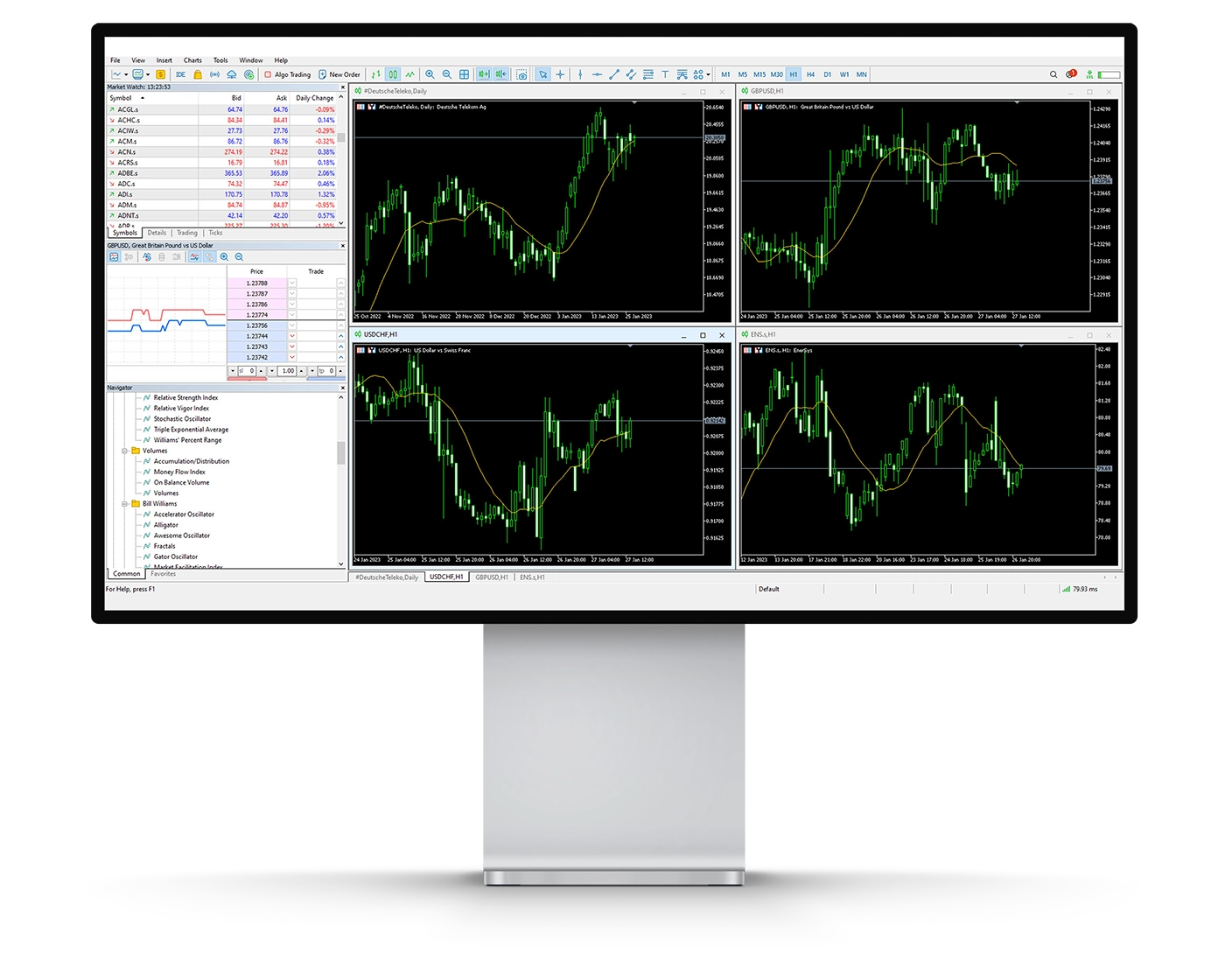
ATFX’s MetaTrader 4 (MT4) charting tools provide a solid environment for analyzing price movements and applying technical trading strategies. The platform supports both straightforward market analysis and more advanced chart-based approaches, making it suitable for traders with different levels of experience.
Key Charting Features
Technical Indicators: MT4 includes 30 built-in technical indicators, covering areas such as trend identification, momentum, and volatility. Traders can use these tools to examine price behaviour and identify potential trading setups.
Drawing Tools: The platform provides a range of 24 analytical drawing objects, including tools that can be used to mark price levels, trends, and other chart structures.
Timeframes & Chart Types: MT4 supports 9 standard timeframes, from 1-minute (M1) through monthly (MN). Traders can display price data using candlestick, bar, or line charts, allowing them to assess market movements from different perspectives.
Usability Considerations
MT4 provides substantial analytical flexibility, but using too many indicators and drawing tools simultaneously can make charts difficult to interpret. Traders may benefit from keeping their layouts focused on the indicators and price-action information most relevant to their strategy.
Why ATFX MT4 Charting Stands Out
ATFX’s MT4 charting environment combines established technical-analysis functionality with flexible timeframes, indicators, and drawing tools. This makes it suitable for strategies ranging from short-term trading to longer-term technical analysis, while its broader MT4 ecosystem also supports automated trading through Expert Advisors.
Mt4 Orders
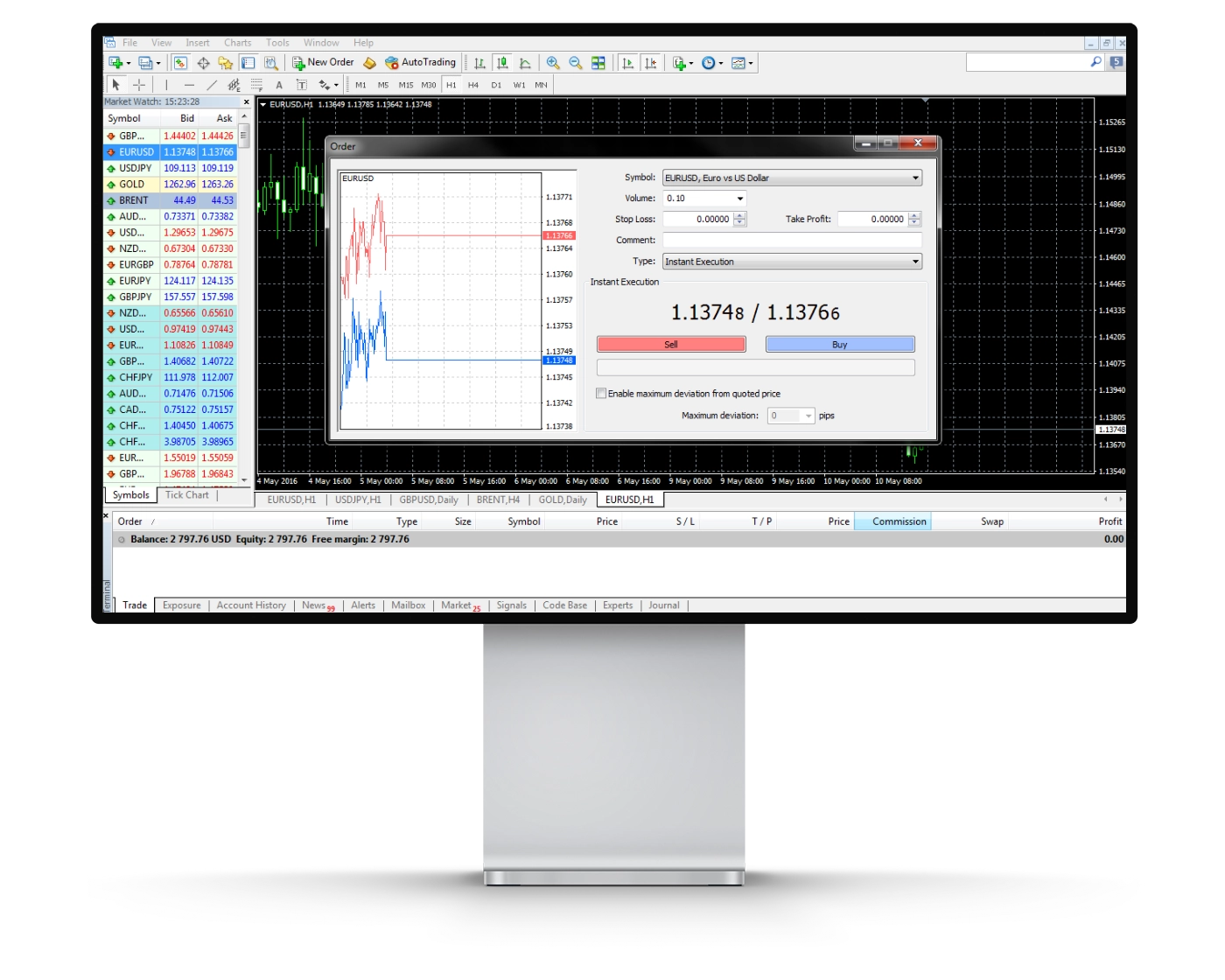
ATFX’s MetaTrader 4 (MT4) platform supports several order types, giving traders flexibility when entering and managing positions. The available order functionality can accommodate different approaches, from short-term trading to automated strategies, while allowing traders to define their preferred entry and risk-management levels.
Types of Orders Available
Market Orders: These orders are executed at the best available market price when submitted. Because prices can change rapidly, the actual execution price may differ from the quoted price due to slippage.
Limit Orders: Traders can specify the price at which they want to enter a position. The order is triggered when the market reaches the specified level, although execution is not guaranteed if the market does not reach that price or moves away before the order is filled.
Stop Orders: A stop order becomes a market order once the specified trigger price is reached. Traders commonly use these orders for stop-loss management, helping control potential losses when markets move against an open position.
Additional Execution Features
ATFX’s MT4 platform also supports one-click trading, allowing traders to submit orders directly from the trading interface. This can be particularly useful for traders who need to respond quickly to changing market conditions.
ATFX MT4 Order Execution
The combination of market, limit, and stop orders, together with one-click trading and support for Expert Advisors (EAs), gives ATFX MT4 users a flexible framework for executing both manual and automated trading strategies.
Mt4 WebTrader
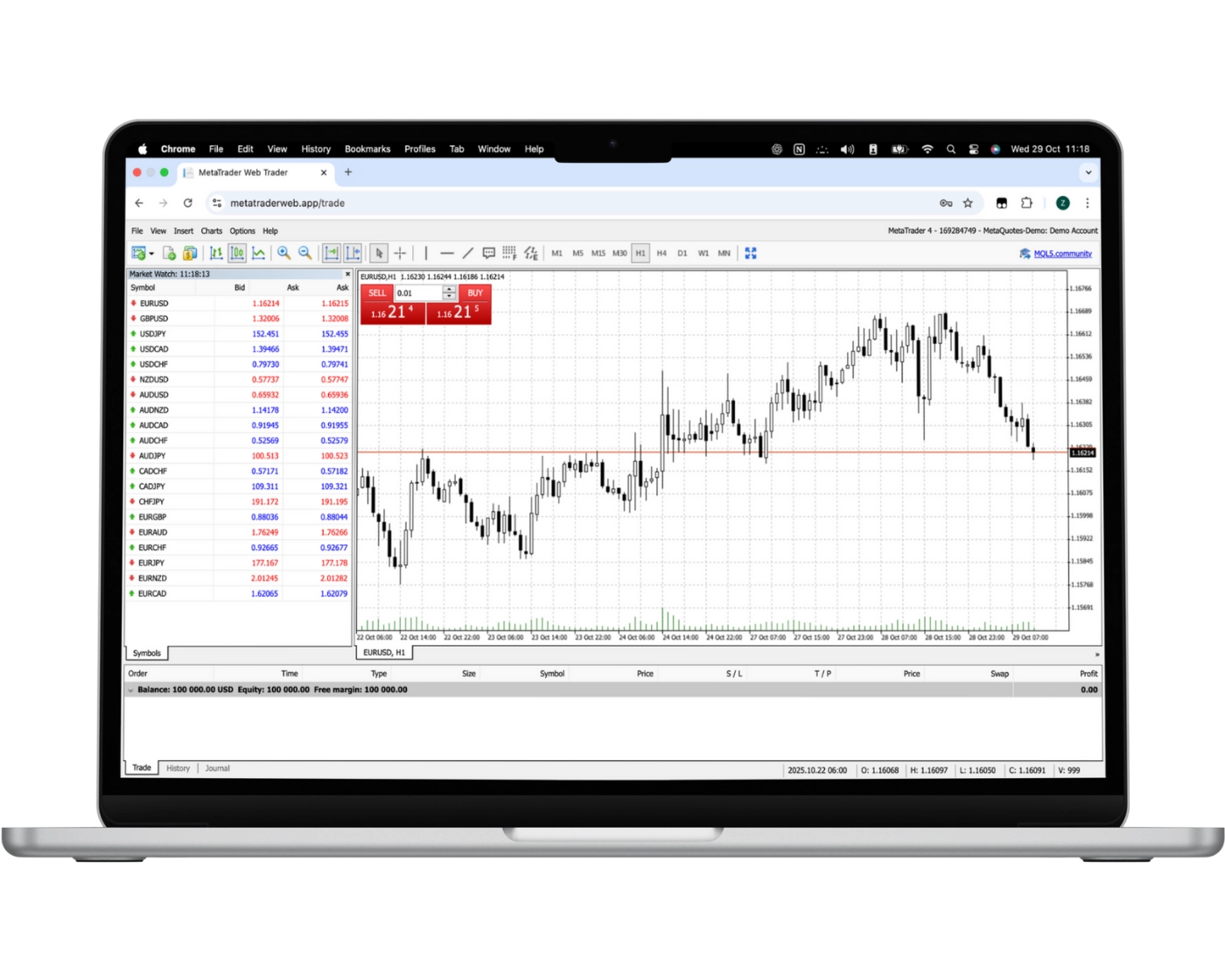
ATFX’s MetaTrader 4 WebTrader provides browser-based access to the MT4 trading environment without requiring a separate desktop installation. This makes it convenient for traders who want to access their accounts and manage positions from an internet-connected device.
Key Features of MT4 WebTrader
One-Click Trading: Traders can place orders quickly using the one-click trading functionality, which can be useful when reacting to fast-moving markets.
Trading from Charts: Positions can be opened and managed through the platform’s charting interface, allowing traders to combine price analysis with trade execution.
Watchlists & Real-Time Quotes: Traders can monitor selected instruments and follow current market prices directly through the web-based platform.
Trade History: MT4 WebTrader provides access to account and trading information, allowing users to review previous activity.
Technical Analysis: The web platform includes charting and technical-analysis functionality, giving traders tools to assess market movements without switching to separate software.
Why Use ATFX MT4 WebTrader?
The ATFX MT4 WebTrader offers a convenient alternative to the desktop version for traders who prefer browser-based access. It retains core MT4 trading and analysis functionality while removing the need to download and install the desktop application, making it particularly useful for traders who need flexible access to their accounts.
MT4 Mobile App
Pros:
- User-friendly
- Good search function
- Price alerts
Cons:
- No two-step (safer) login
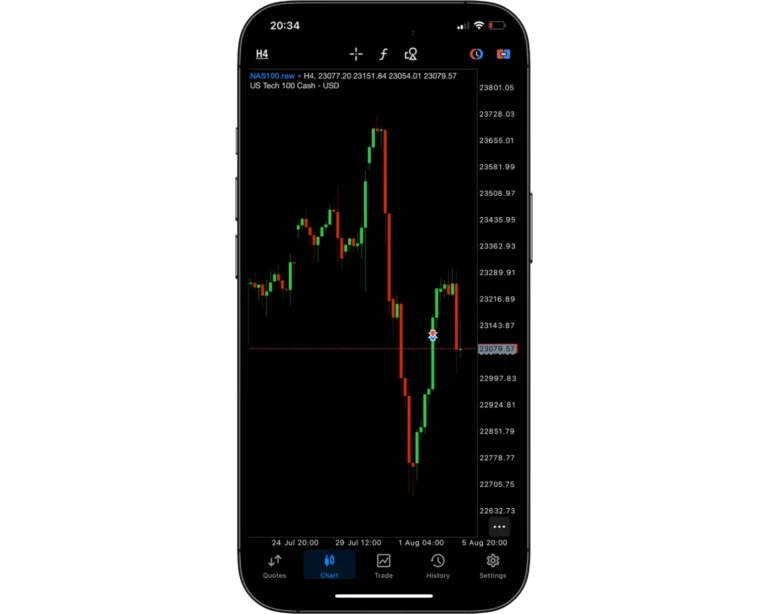
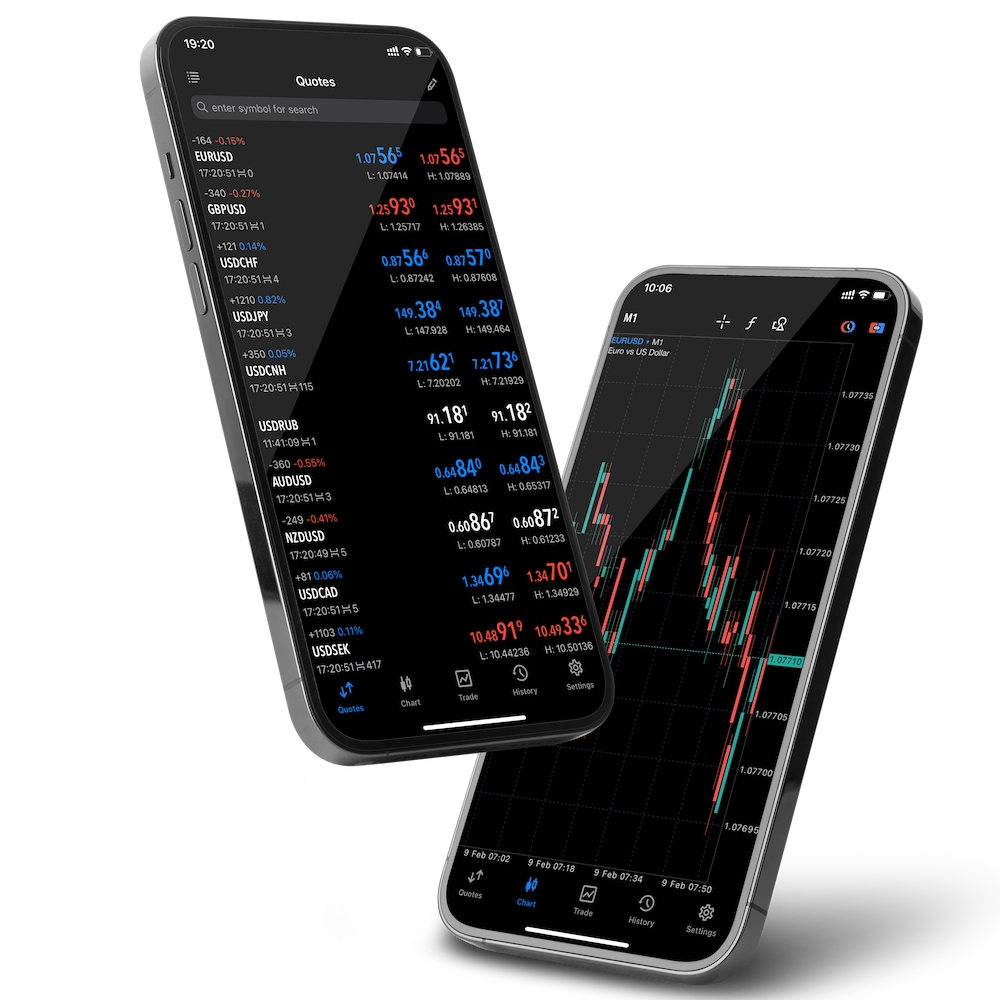
ATFX’s MetaTrader 4 (MT4) mobile app gives traders access to their trading accounts and markets through iOS and Android devices. The mobile version is designed for traders who need to monitor prices, analyze charts, and manage positions while away from their desktop.
Key Features of MT4 Mobile
Trade Management: Traders can open, close, and modify positions directly from their mobile devices.
Flexible Order Placement: MT4 mobile supports market, pending, and stop orders, allowing traders to manage entries and positions while on the move.
Simple Interface: The application uses MT4’s familiar mobile layout, making it relatively straightforward to navigate between quotes, charts, orders, and account information.
Real-Time Market Data: Traders can monitor live quotes and follow price movements across available instruments.
Mobile Charting: Interactive charts and multiple timeframes allow traders to perform technical analysis and monitor market conditions from their smartphones or tablets.
Why Use ATFX MT4 Mobile?
ATFX’s MT4 mobile app provides a practical way to stay connected to trading accounts when away from a desktop. While the mobile platform is convenient for monitoring markets and managing positions, more detailed technical analysis and advanced trading functionality are generally better suited to the MT4 desktop platform.
Look and Feel
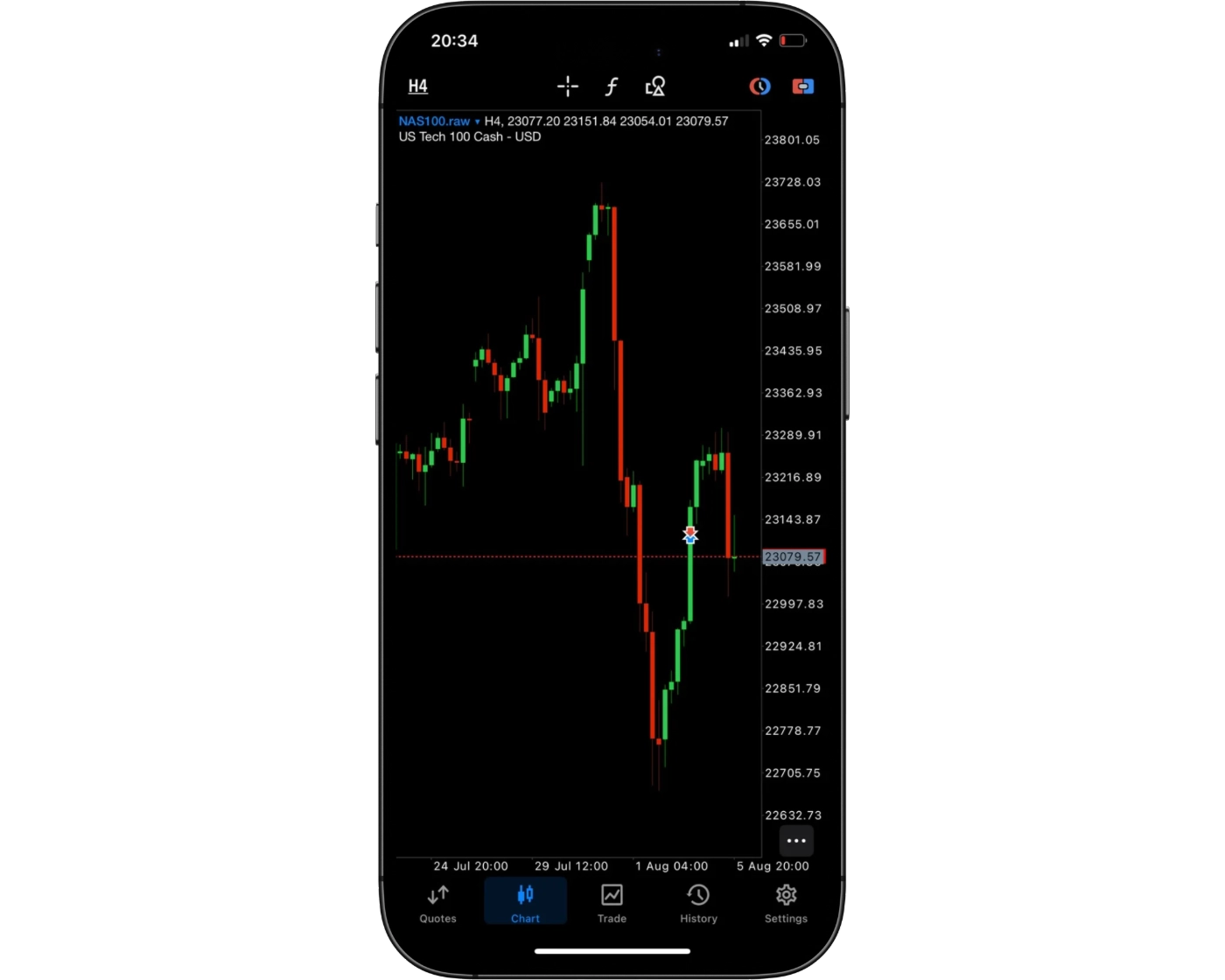
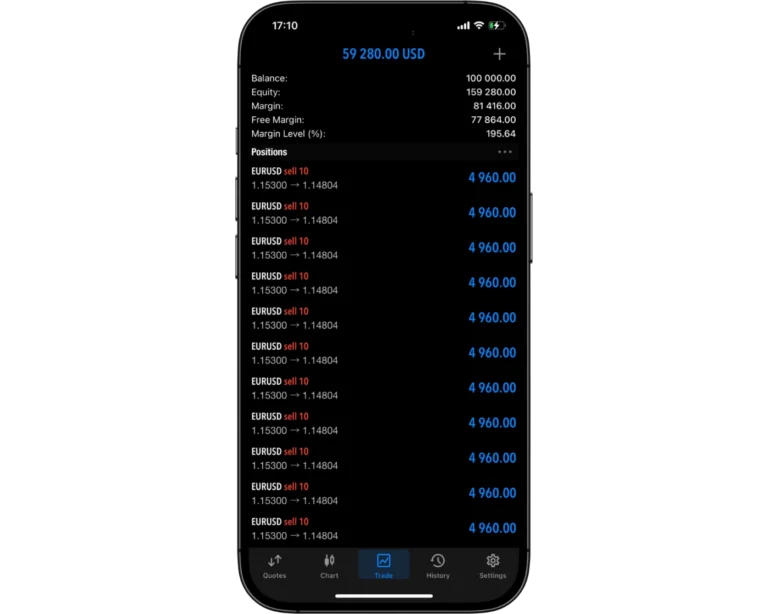
ATFX’s MetaTrader 4 mobile app follows the familiar MT4 design, with a straightforward layout that allows traders to move between market quotes, charts, open positions, and account information without unnecessary complexity. The interface is designed for quick access to essential trading functions, making it suitable for traders who need to monitor and manage positions from a mobile device.
The platform places its focus on practicality and accessibility rather than an elaborate visual design. Traders can view live market prices, analyze charts, and manage trades from their smartphones or tablets. While the mobile interface is convenient for day-to-day monitoring and trade management, traders requiring more advanced analysis may find the MT4 desktop platform better suited to detailed charting and strategy development.
Login and security
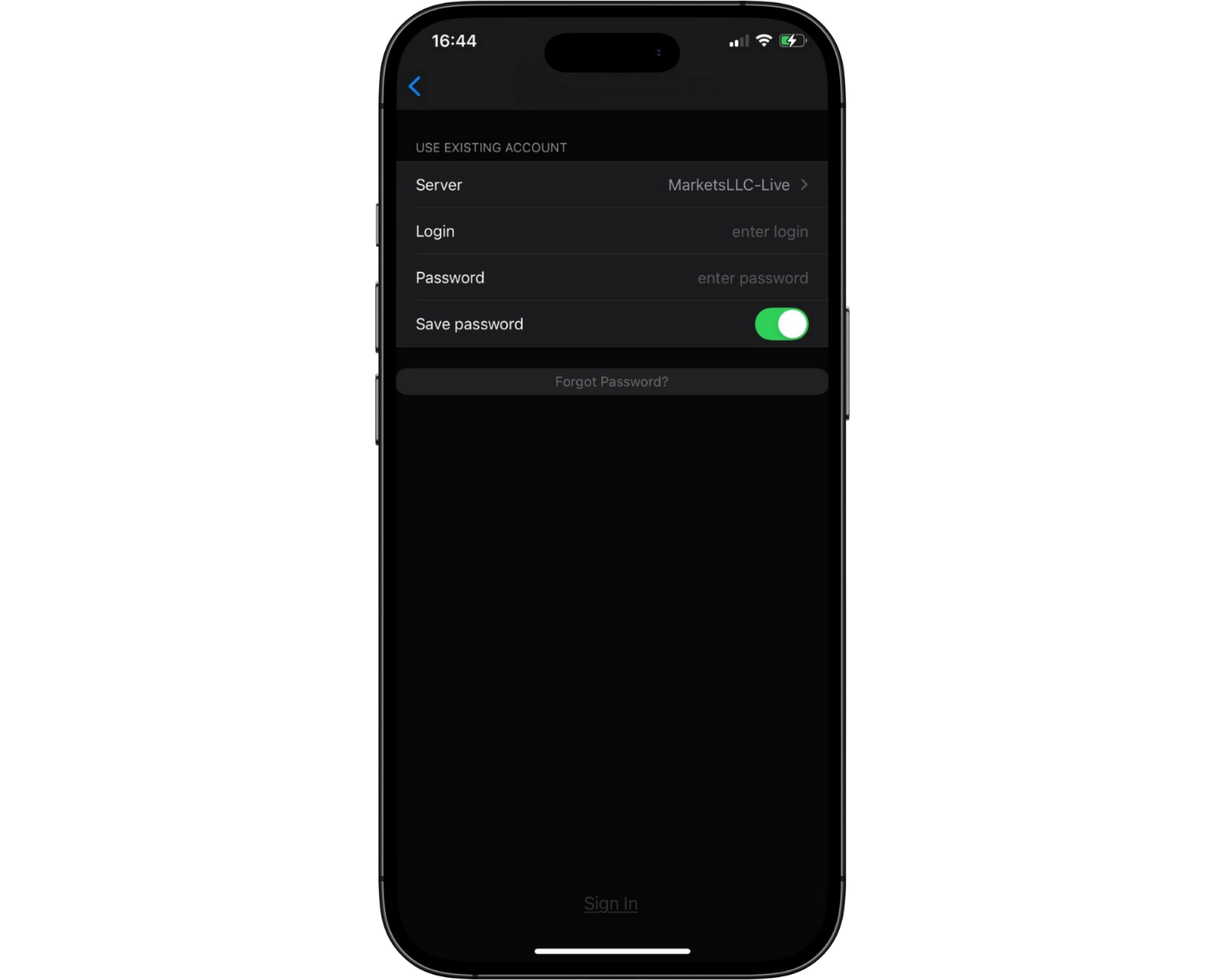
ATFX’s MT4 mobile app provides straightforward access to trading accounts through standard account credentials, allowing traders to monitor markets and manage positions from their mobile devices. The login process is designed around simplicity, although traders should take appropriate care to protect their account credentials.
ATFX’s official mobile-app information confirms the use of secure servers and SSL encryption to protect information and payment transactions. However, there is no reliable basis to state that the MT4 mobile app currently supports two-factor authentication, fingerprint login, or facial recognition. These features should therefore not be presented as available without confirmation for the relevant ATFX entity and app version.
For traders who prioritize mobile security, keeping login credentials private and using official ATFX applications remains important when accessing accounts away from a desktop.
Search functions
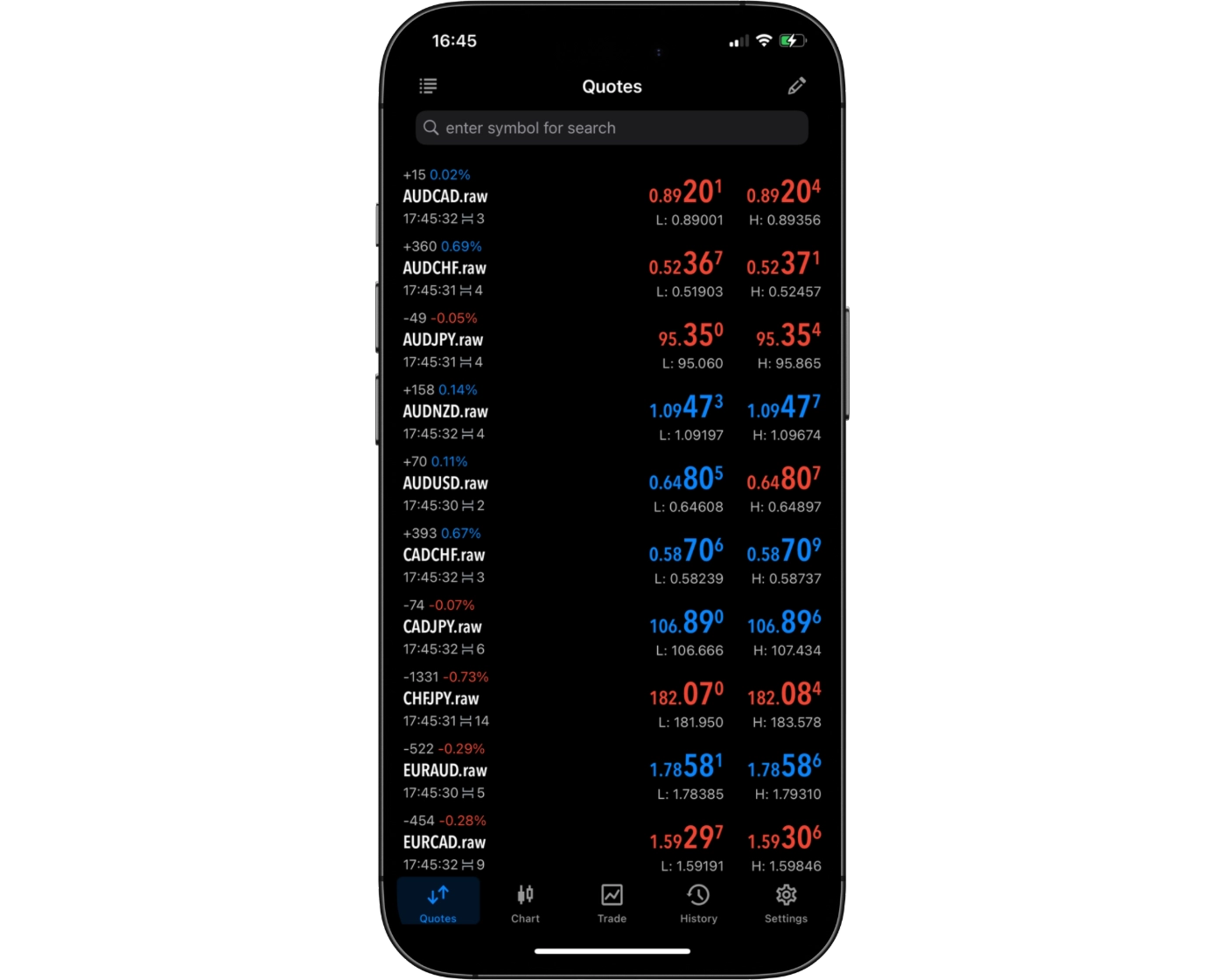
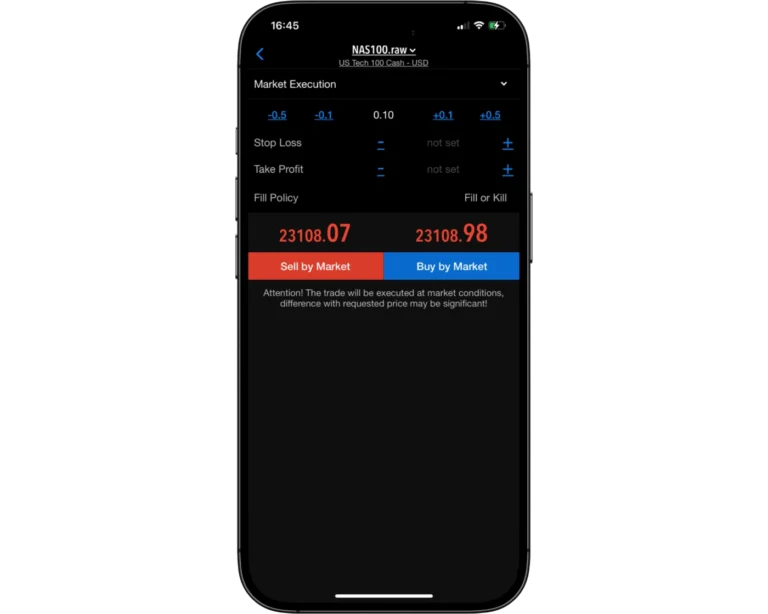
ATFX’s MT4 mobile app provides traders with convenient access to available trading instruments through the platform’s Quotes section. Instruments can be located and added to the market watchlist, allowing traders to monitor selected markets and view their current prices directly from their mobile device.
The search and instrument-management functionality is particularly useful for traders who follow multiple markets, as it allows preferred instruments to be organized within the Quotes list rather than requiring traders to navigate through the full instrument catalogue each time.
Placing orders
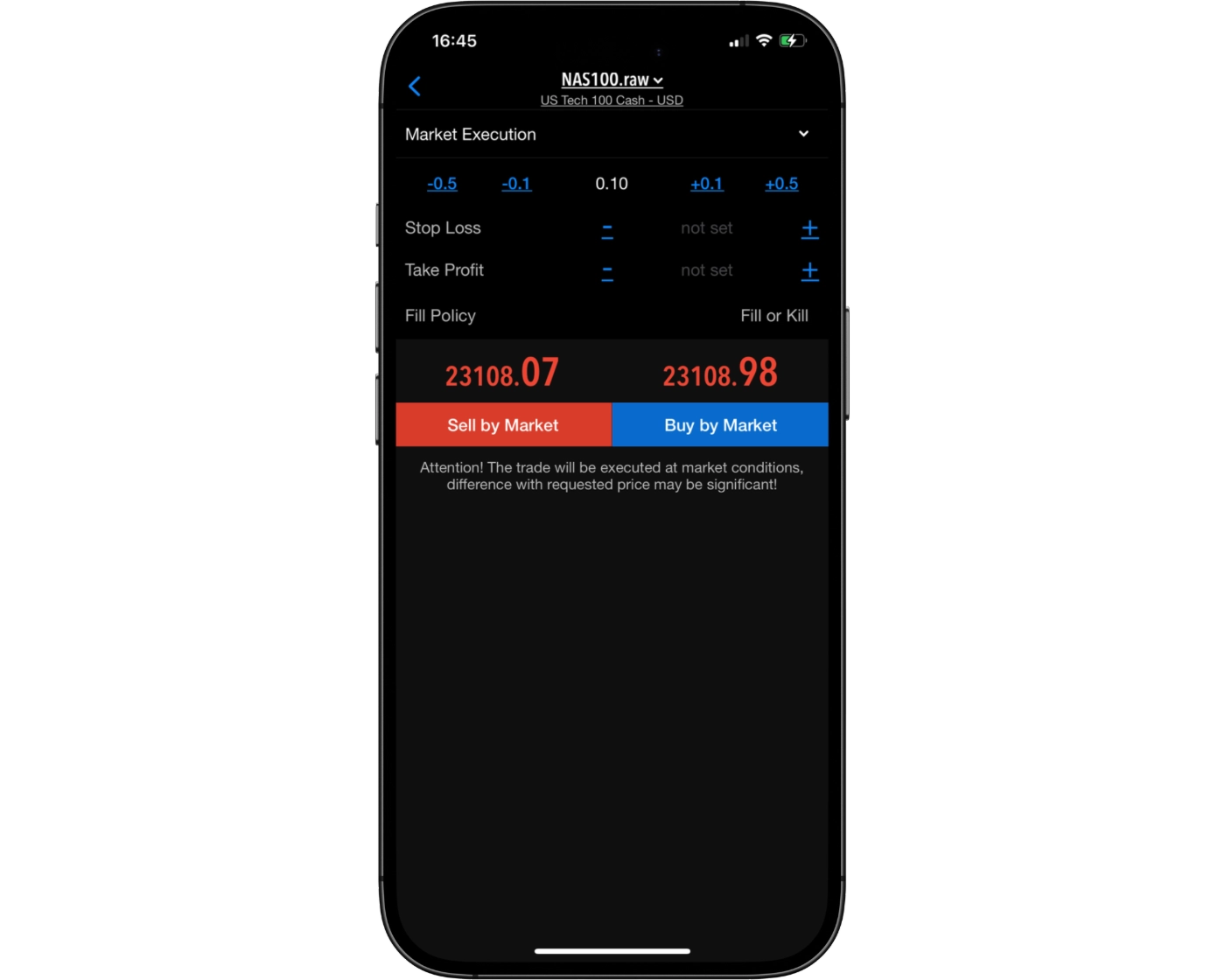
ATFX’s MetaTrader 4 (MT4) mobile app provides a range of order types for entering and managing trades directly from compatible mobile devices. Traders can use market orders for immediate execution, while pending orders can be placed at predefined price levels to help manage entries and trading strategies.
- Market Orders: Execute at a tradable market price. The final execution price can vary from the price observed when the order was placed because market prices and liquidity can change rapidly.
- Buy Limit & Sell Limit: Pending orders that are triggered when the market reaches the specified price level.
- Buy Stop & Sell Stop: Pending orders designed to activate when the market reaches the selected stop price. Once triggered, pending orders are executed as market orders, meaning the original requested price cannot be guaranteed.
- Stop Loss & Take Profit: Traders can also use these order-management settings to automatically close positions when predefined price levels are reached.
ATFX’s MT4 mobile order system therefore provides the essential execution and risk-management functionality needed to manage trades while away from a desktop platform.
Alerts and notifications
ATFX’s MT4 mobile app supports push notifications, allowing traders to receive alerts and updates directly on their mobile devices. This provides a convenient way to stay informed about account activity and important trading events without having to keep the MT4 desktop platform open.
The app also allows traders to monitor live prices and manage positions while away from their computer. For traders who rely on timely notifications, the combination of mobile push notifications and MT4 alerts provides a practical way to remain connected to their trading account while on the go.
MetaTrader 4: Key Takeaways
MT4 Desktop Platform
ATFX’s MetaTrader 4 desktop platform provides a well-established trading environment with comprehensive tools for market analysis, order execution, and automated trading. Its traditional interface may feel less modern than some newer platforms, but its familiar layout and functionality make it practical for both manual and algorithmic traders. The platform also supports Expert Advisors (EAs), giving traders the ability to implement automated strategies.
MT4 Mobile App
The ATFX MT4 mobile app provides convenient access to trading accounts from compatible smartphones and tablets. Traders can monitor live prices, analyze charts, place and manage orders, and keep track of open positions while away from their desktop. The mobile platform is well suited to monitoring and trade management, although traders looking for more advanced analysis and strategy development will generally find the desktop version more suitable.
Summary
Overall, ATFX’s MT4 offering combines the established functionality of the desktop platform with the convenience of mobile trading. The desktop version is better suited to detailed analysis and automated strategies, while the mobile app provides flexibility for monitoring markets and managing positions on the go.
MetaTrader 5

MetaTrader 5 Desktop Intro
The MetaTrader 5 (MT5) desktop platform at ATFX provides a more advanced trading environment designed for both newer and experienced traders. It combines a familiar MetaTrader interface with enhanced analytical, order-management, and automated-trading capabilities, making it a versatile platform for trading forex and CFDs.
Platform Compatibility & Accessibility
ATFX offers MT5 for desktop trading, giving users access to the platform’s full range of trading and analytical functionality. MT5 is available for Windows and Mac, allowing traders to access their ATFX accounts across the two major desktop operating systems.
Key Features of ATFX MT5
Custom Alerts: Traders can create price alerts to monitor important market levels and receive notifications when specified conditions are reached.
Watchlist Management: The Market Watch window allows traders to monitor instruments and keep track of current market prices from a centralized interface.
One-Click Trading: MT5 supports one-click trading, allowing orders to be submitted quickly when traders need to react to changing market conditions.
Chart-Based Trading: Traders can analyze price movements and manage positions directly through MT5’s interactive charts, with multiple analytical tools available for technical analysis.
Expert Advisor (EA) Integration: ATFX’s MT5 platform supports Expert Advisors, enabling traders to develop and run automated trading strategies. MT5 also includes a built-in Strategy Tester for testing and optimizing automated systems.
Why ATFX MT5 Stands Out
ATFX’s MT5 desktop platform combines advanced charting, flexible order functionality, and automated-trading support in a single environment. Compared with MT4, MT5 provides a broader range of built-in analytical and trading features, making it a strong option for traders who want a more comprehensive MetaTrader platform.
Pros:
- Clear fee report
- Good customizability (for charts, workspace)
- Price alerts
Cons:
- Poor design
- Search function could be improved
Mt5 Charts
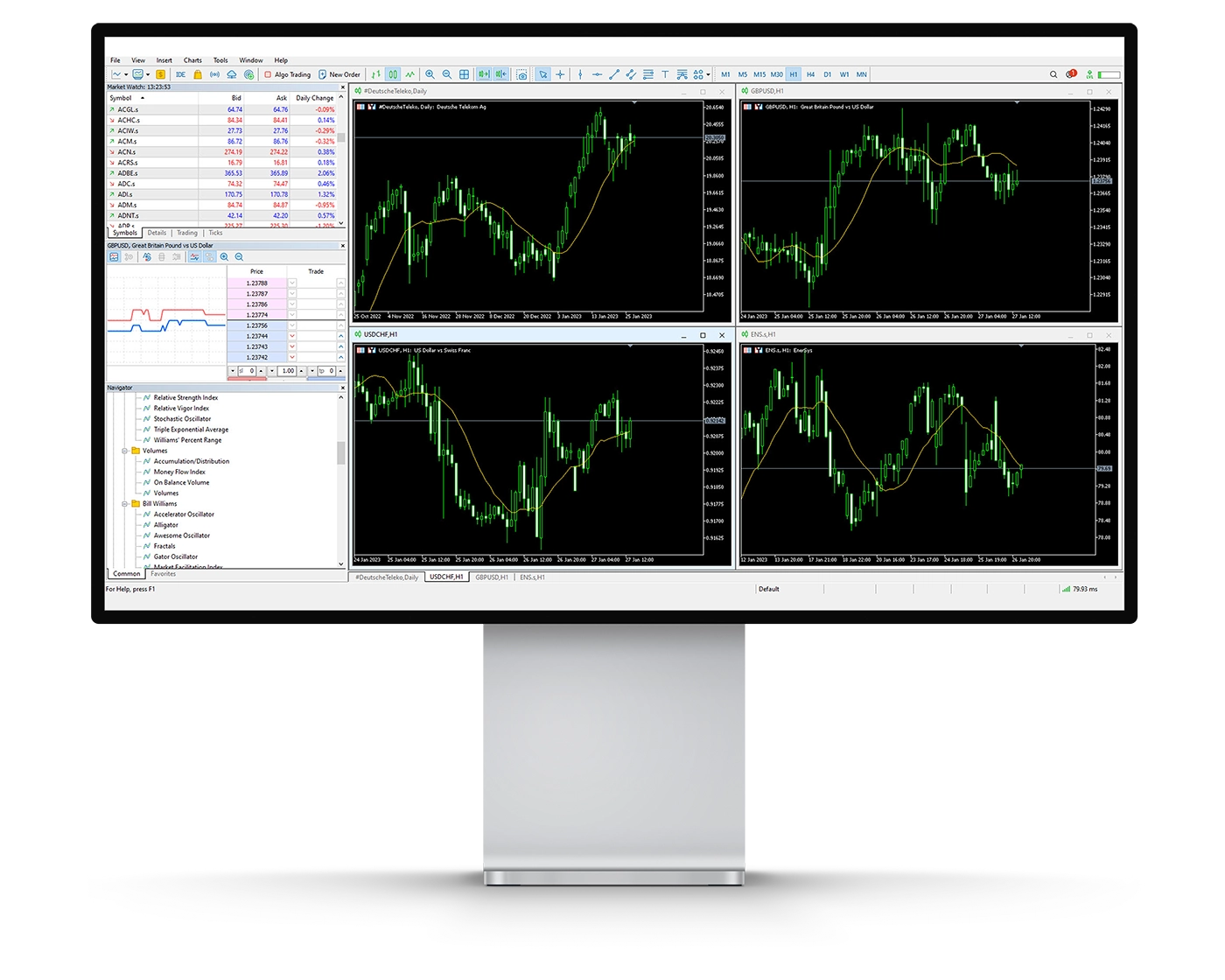
ATFX’s MetaTrader 5 (MT5) charting suite provides a comprehensive environment for technical analysis, supporting everything from basic price monitoring to more advanced trading strategies. The platform combines multiple chart types, timeframes, technical indicators, and analytical tools, giving traders flexibility when studying market behaviour.
Key Charting Features
Technical Indicators: MT5 provides 38 built-in technical indicators, covering trend-following tools, oscillators, volume-based indicators, and other forms of technical analysis. These can help traders assess price movements and identify potential trading setups.
Drawing Tools: The platform includes 44 graphical objects, including trendlines, Fibonacci tools, channels, and other drawing features that can be used to mark important price levels and analyze market structures.
Timeframes & Chart Types: MT5 supports 21 timeframes, allowing traders to conduct detailed multi-timeframe analysis. Price data can be displayed using candlestick, bar, and line charts, providing different ways to study market movements.
Usability Considerations
MT5 offers a substantial selection of analytical tools, but using too many indicators and graphical objects at once can make charts unnecessarily complicated. Keeping chart layouts focused can make important price movements and trading signals easier to identify.
Why ATFX MT5 Charting Stands Out
ATFX’s MT5 charting environment combines a broad selection of indicators, drawing tools, and timeframes with the flexibility required for both manual and automated trading strategies. Its expanded analytical functionality makes MT5 a suitable choice for traders who require more charting depth than the traditional MT4 environment.
Mt5 Orders
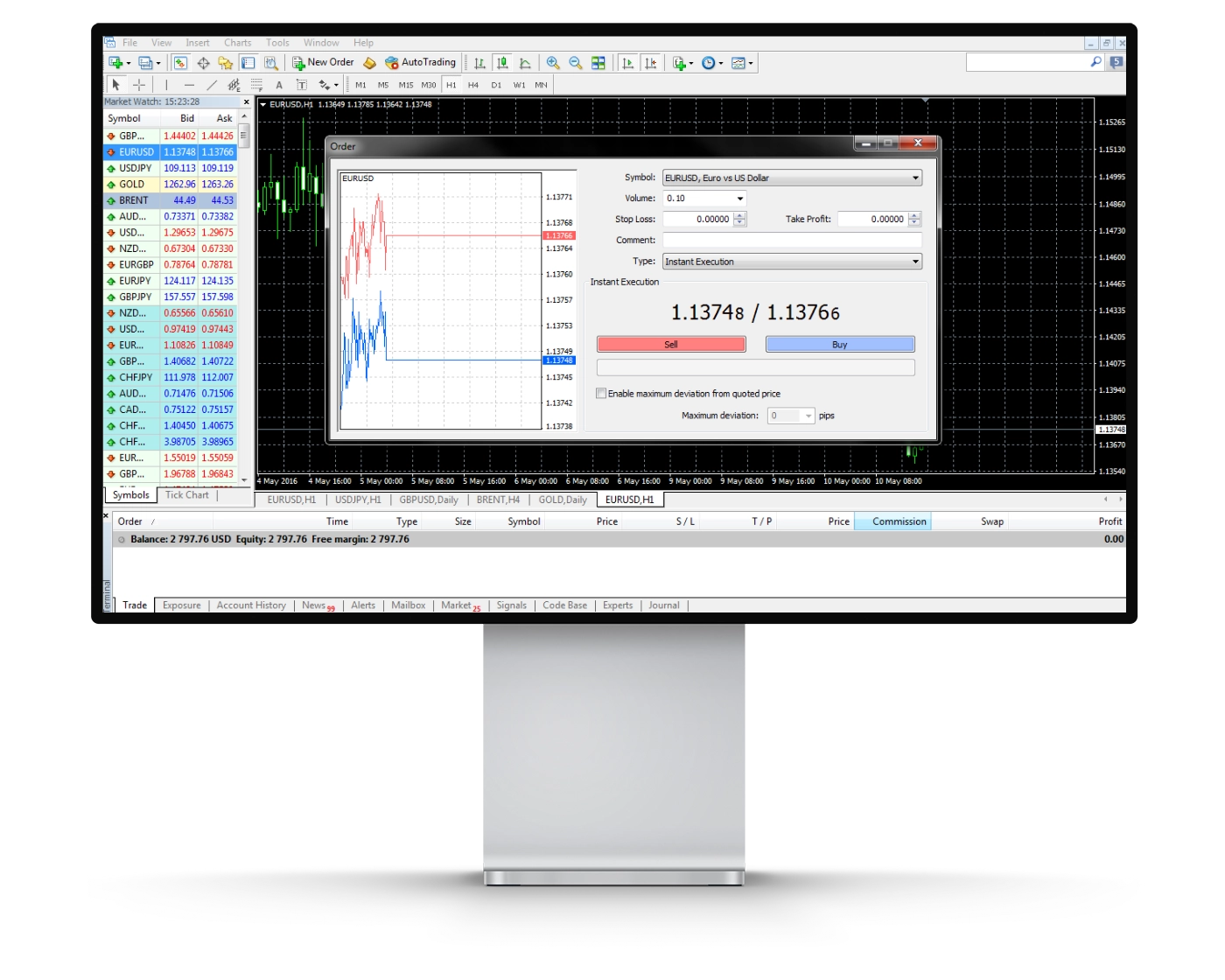
ATFX’s MetaTrader 5 (MT5) platform provides a flexible order-management system designed to support different trading approaches, from short-term strategies to automated trading. Traders can choose between immediate execution and pending orders, giving them greater control over how positions are entered and managed.
Types of Orders Available
Market Orders: Execute at the best available market price when submitted. Because market prices can change rapidly, the final execution price may differ from the displayed price due to slippage.
Limit Orders: Allow traders to specify a preferred entry price. A buy limit or sell limit order is activated when the market reaches the specified level, although execution is not guaranteed if the required price is not reached or available.
Stop Orders: Stop orders are activated when the market reaches a predefined trigger level and then become market orders. They can be used as part of a stop-loss strategy to help manage downside risk.
Stop-Limit Orders: MT5 also supports stop-limit orders, combining a stop trigger with a specified limit price. This gives traders additional control over the price range at which a pending order can be executed.
Enhanced Execution Tools
ATFX MT5 also supports one-click trading, allowing orders to be submitted directly through the trading interface. The platform’s order-management functionality can be used alongside its advanced charting and automated-trading capabilities.
Why Traders Choose ATFX MT5
With market, limit, stop, and stop-limit orders, ATFX’s MT5 platform provides a broad range of execution options for manual traders. Support for Expert Advisors (EAs) also makes MT5 suitable for traders who use automated strategies and require flexible order management.
Mt5 WebTrader
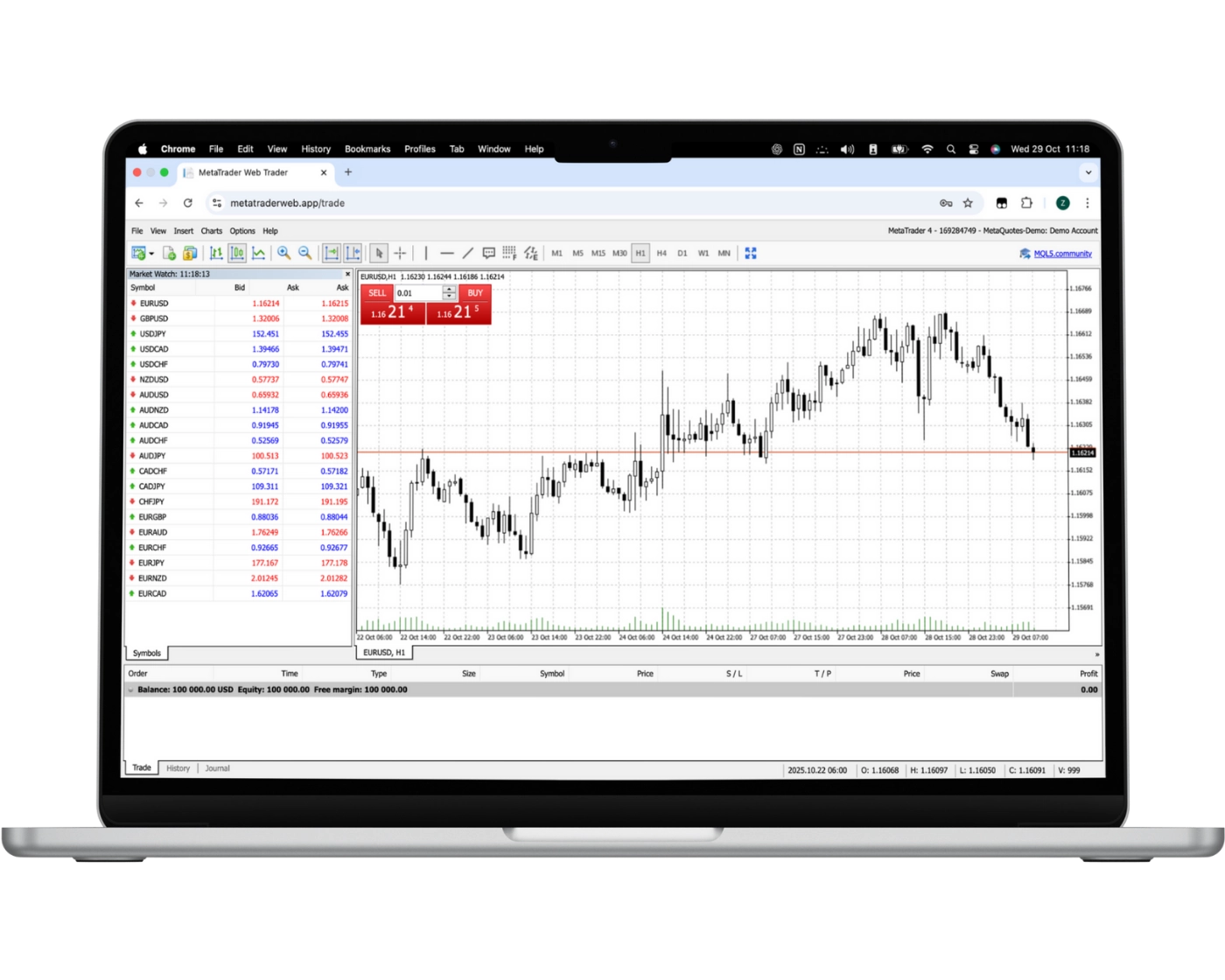
ATFX’s MetaTrader 5 WebTrader brings the MT5 trading environment directly into a web browser, allowing traders to access their accounts without installing the desktop application. This provides a convenient option for traders who want to monitor markets and manage positions from different devices.
Key Features of MT5 WebTrader
One-Click Trading: Submit orders quickly through the one-click trading functionality, which can be useful when reacting to fast-moving market conditions.
Trade from Charts: MT5 WebTrader allows traders to analyze price movements and manage trades through its integrated charting interface.
Market Watch: Monitor available instruments and their live prices through the Market Watch window.
Trade Management: Traders can monitor open positions and pending orders while managing their account directly through the browser-based platform.
Advanced Charting: MT5 WebTrader provides access to the platform’s technical-analysis tools, including multiple timeframes, indicators, and graphical objects.
Why Choose ATFX MT5 WebTrader?
ATFX’s MT5 WebTrader combines browser-based accessibility with the core trading and analysis functionality of MetaTrader 5. It is particularly useful for traders who want to access their ATFX account without relying on the desktop application, while more advanced strategy development and automated trading can be handled through the MT5 desktop platform.
Mt5 Mobile App
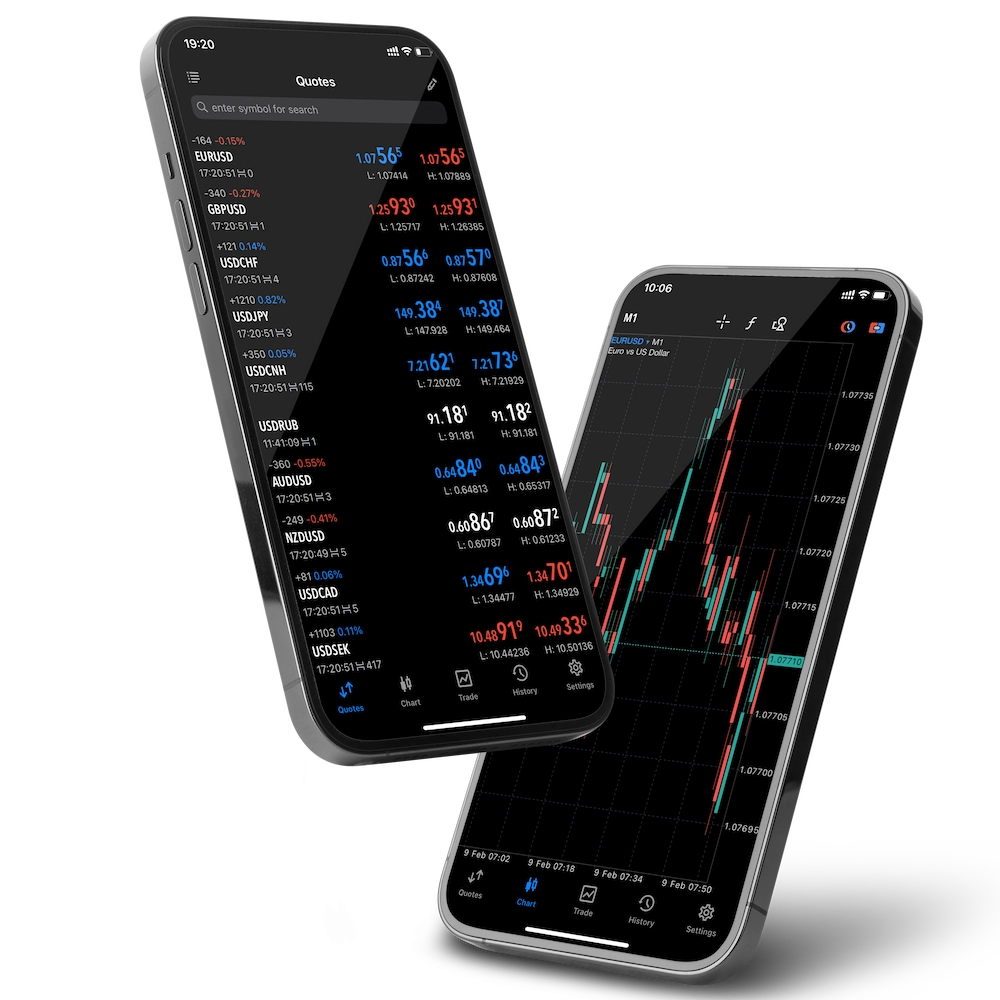
Pros:
- User-friendly
- Price alerts
- Good search function
Cons:
- No two-step (safer) login
The MetaTrader 5 (MT5) mobile app from ATFX gives traders access to their accounts and available markets directly from compatible iOS and Android devices. The app is designed for traders who want to monitor prices, analyze charts, and manage positions while away from their desktop.
Key Features of MT5 Mobile
Full Trade Management: Open, close, and modify positions directly from the mobile application.
Order Flexibility: Place and manage market and pending orders, giving traders control over entries and existing positions while on the move.
User-Friendly Interface: Navigate between quotes, charts, positions, orders, and account information through the familiar MT5 mobile interface.
Real-Time Data: Monitor live quotes and follow price movements across the instruments available through the ATFX account.
Advanced Charting: Use interactive charts, multiple timeframes, indicators, and graphical tools to analyze market movements from a mobile device.
Why Trade with ATFX’s MT5 Mobile App?
ATFX’s MT5 mobile app provides convenient access to trading accounts when traders are away from their computers. It is well suited to monitoring markets and managing positions on the go, while the MT5 desktop platform remains the better option for more detailed analysis and automated trading.
Look and Feel
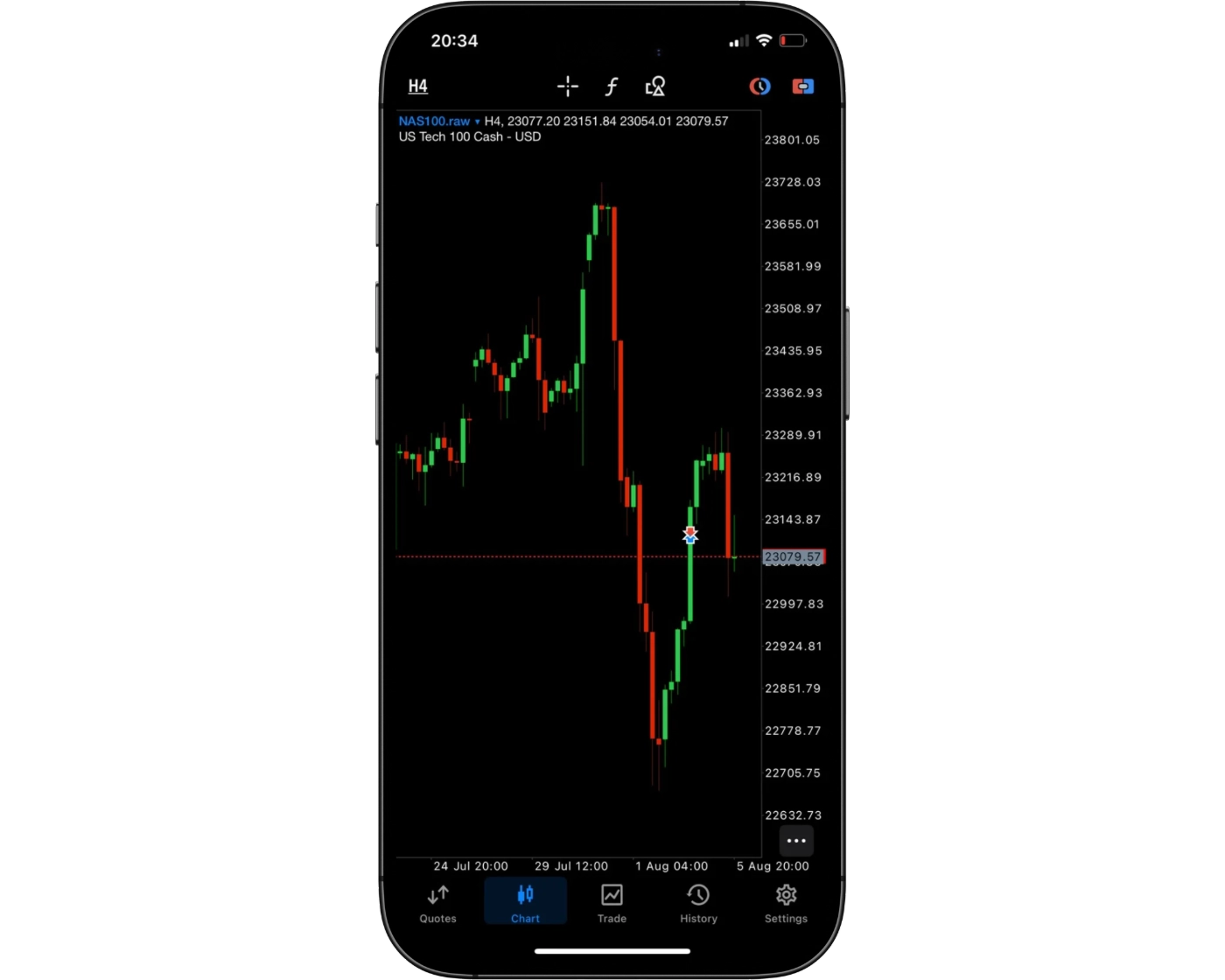
ATFX’s MetaTrader 5 mobile app uses the familiar MT5 interface to provide a straightforward way to navigate markets, review charts, and manage positions from a mobile device. The layout organizes key functions such as quotes, charts, positions, orders, and account information in an accessible format, allowing traders to move between different areas of the platform efficiently.
The app balances simplicity with functionality, giving traders access to live market prices, multiple chart timeframes, technical indicators, and mobile trade execution without making the interface unnecessarily complicated. This makes ATFX’s MT5 mobile platform a practical option for traders who want to remain connected to their accounts and monitor the markets while away from their desktop.
Login and security
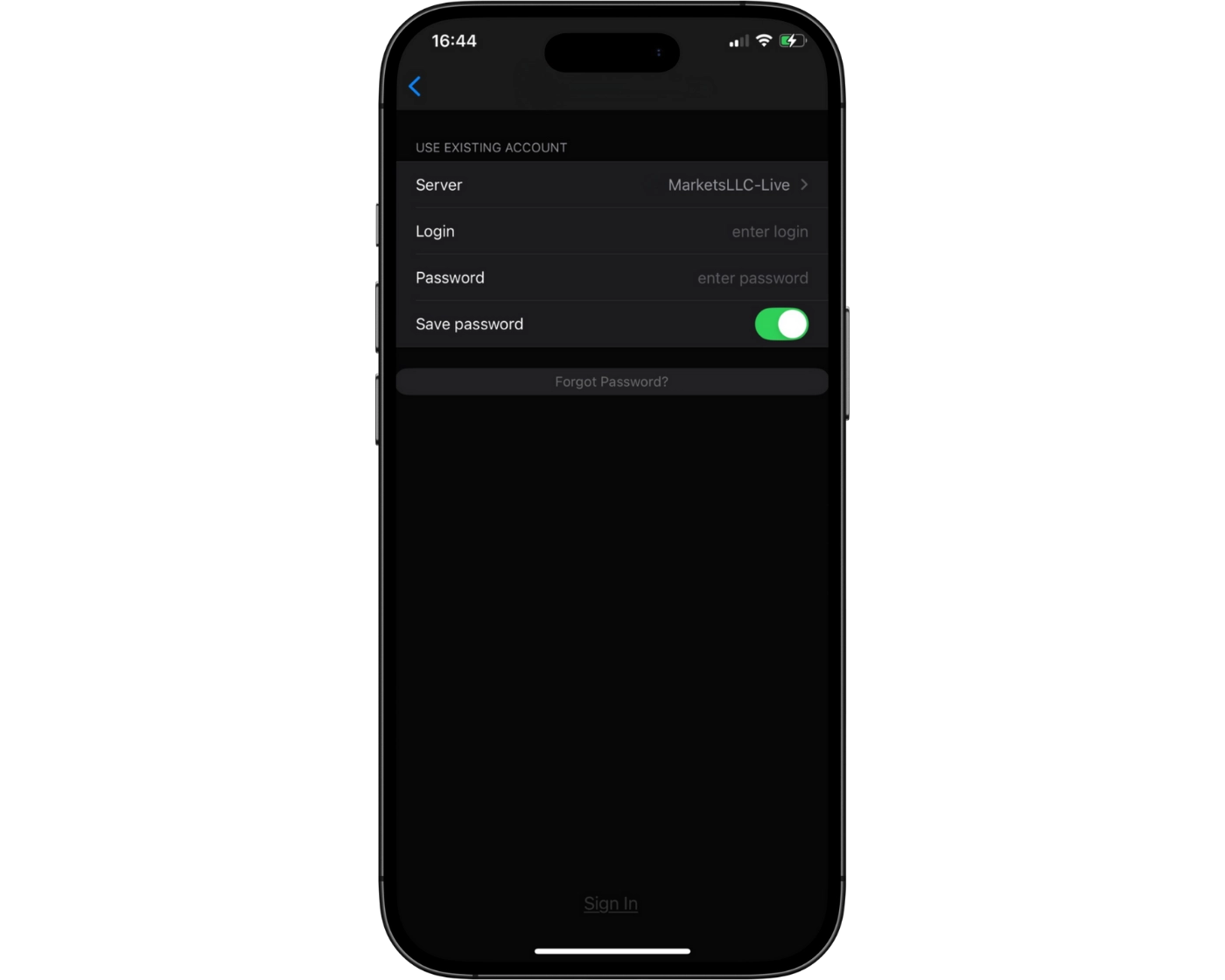
ATFX’s MetaTrader 5 (MT5) mobile app provides direct access to trading accounts through standard account login credentials, allowing traders to monitor markets and manage positions from their mobile devices. The login process follows the familiar MT5 approach, keeping access straightforward for traders on the move.
ATFX’s mobile-app security information states that user information is stored on secure servers, while payment transactions are protected using SSL encryption. ATFX also emphasizes the importance of keeping account credentials confidential.
ATFX’s published information does not clearly confirm two-factor authentication, fingerprint login, or facial-recognition login specifically for the MT5 mobile app. These features should therefore not be presented as available. For traders using MT5 mobile, maintaining secure login credentials and using official ATFX applications remain important parts of protecting account access.
Search functions
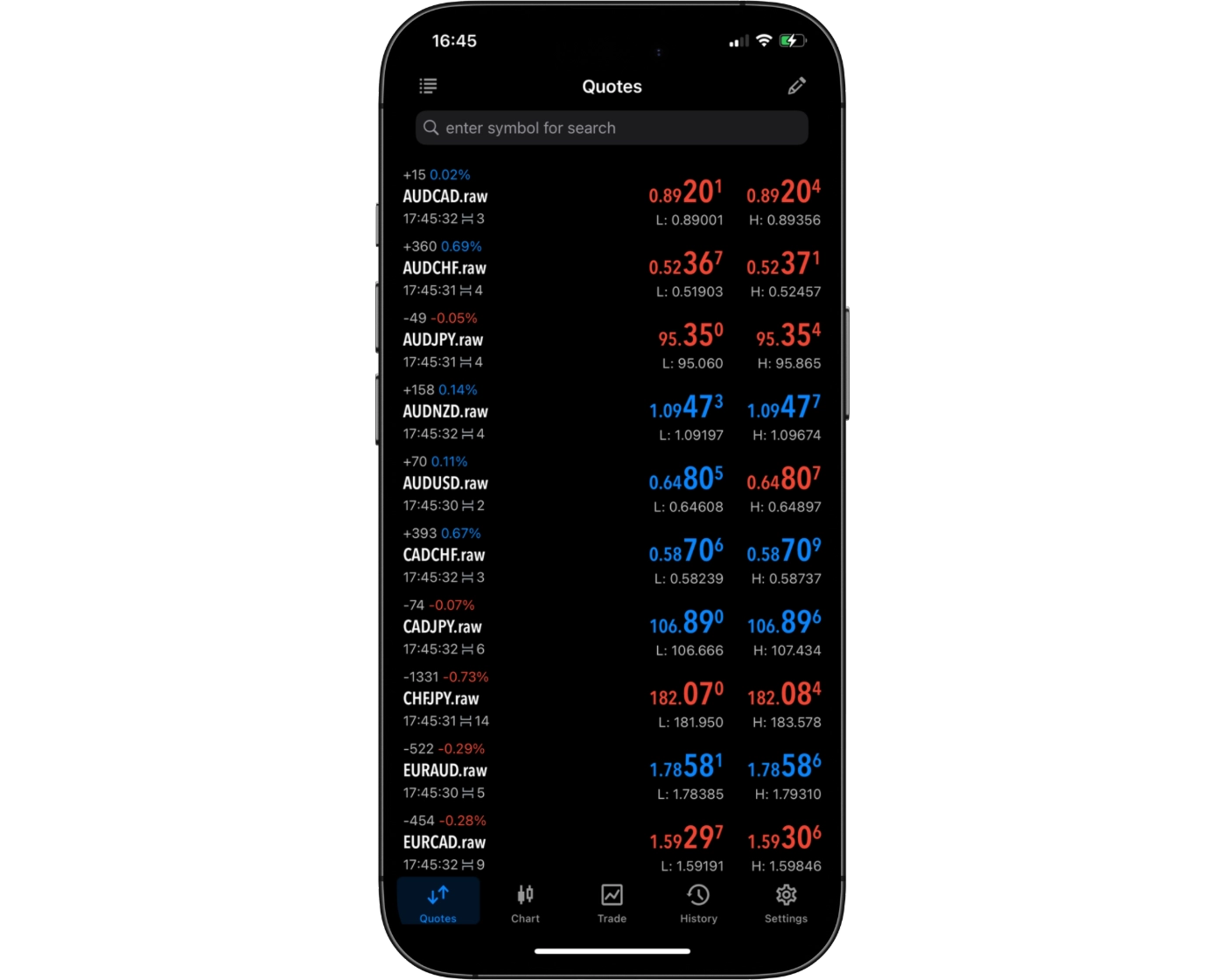
ATFX’s MetaTrader 5 (MT5) mobile app provides a straightforward way to find and monitor available trading instruments through the Quotes section. Traders can browse the instruments available on their account and add preferred markets to their watchlist, making frequently followed assets easier to access.
Once instruments have been added, traders can monitor live prices and market movements directly from the Quotes screen. This keeps the most relevant markets readily available and makes it easier to move from monitoring an instrument to opening its chart or managing a trade from the mobile application.
Placing orders
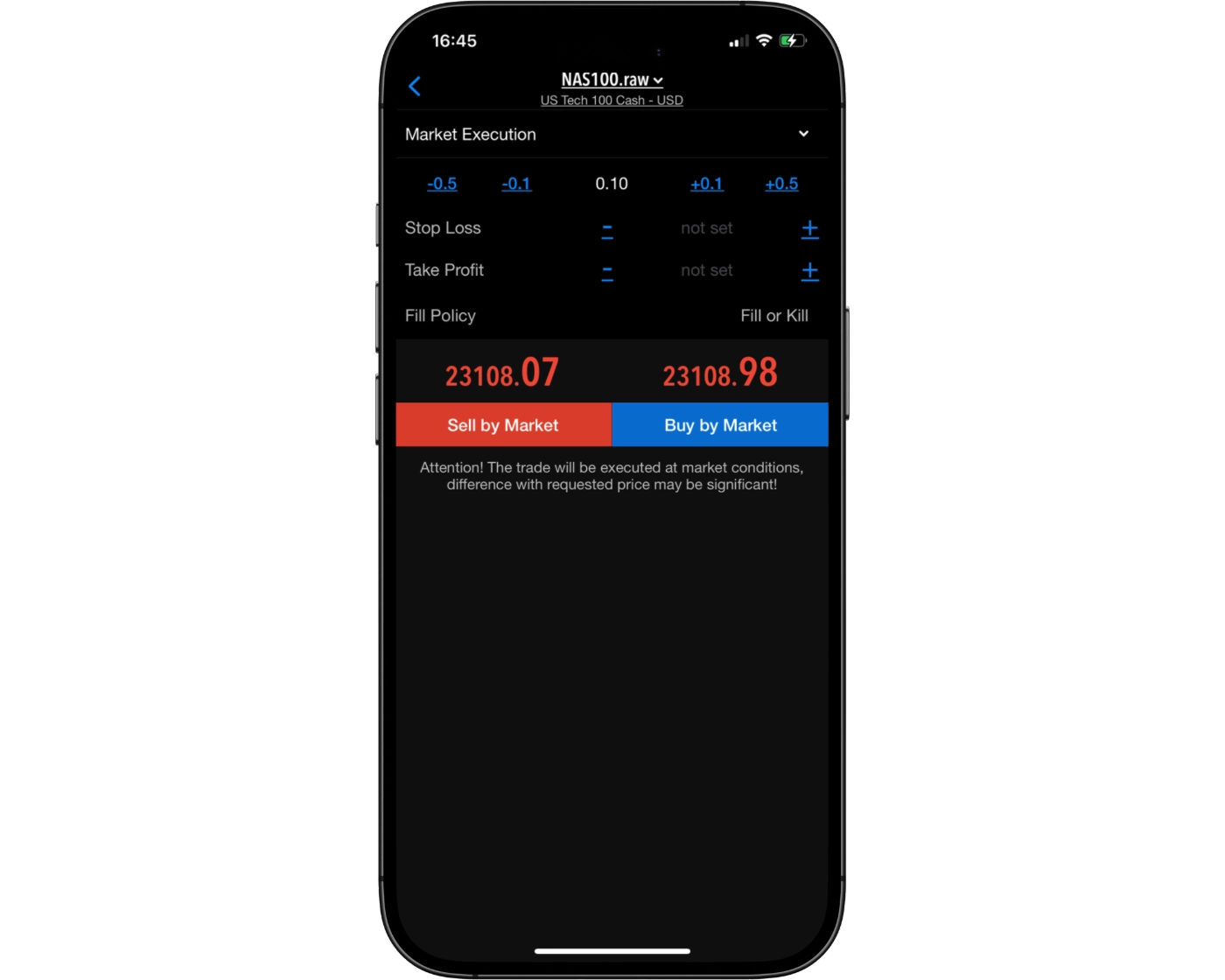
ATFX’s MetaTrader 5 (MT5) mobile app provides traders with the core order-management functionality needed to enter and manage positions from a smartphone or tablet. Traders can place market orders for immediate execution and use pending orders to target specific price levels.
The platform supports several order types:
- Market Orders: Used to enter or exit a position at the available market price.
- Buy Limit & Sell Limit: Allow traders to specify a price at which they want to enter a position if the market reaches that level.
- Buy Stop & Sell Stop: Allow traders to set entry orders above or below the current market price, depending on the strategy.
- Stop Loss & Take Profit: Help traders automatically manage open positions when predefined price levels are reached.
MT5 mobile also allows traders to monitor and modify their open positions and pending orders directly from the application. This gives ATFX clients the flexibility to manage trades while away from the desktop platform.
Alerts and notifications
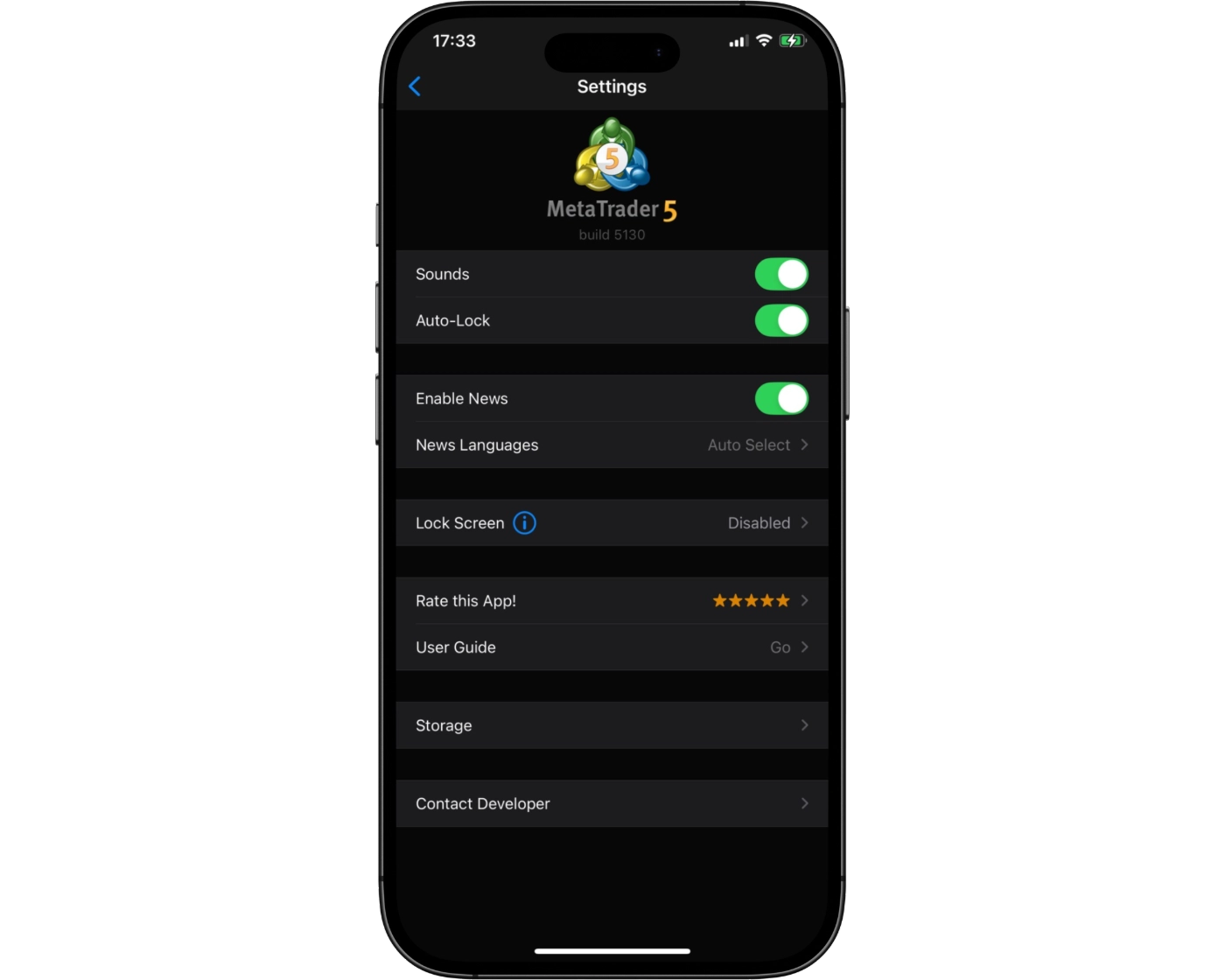
ATFX’s MetaTrader 5 (MT5) mobile app supports push notifications, allowing traders to receive alerts and account-related updates directly on their mobile devices. MT5 can also be used to monitor market prices and trading activity while away from the desktop platform.
For traders who rely on price alerts, MT5 provides the ability to create alerts based on specified market conditions. Notifications can then help keep traders informed when relevant price levels or trading events are reached.
This functionality makes ATFX’s MT5 mobile app useful for traders who want to remain connected to the markets without continuously monitoring their desktop platform.
MetaTrader 5: Key Takeaways
MT5 Desktop Platform
ATFX’s MetaTrader 5 desktop platform provides a comprehensive trading environment with advanced charting, multiple order types, and support for automated trading through Expert Advisors. Its interface retains the familiar MetaTrader design, while offering more analytical and trading functionality than MT4. The desktop version is particularly well suited to traders who require detailed market analysis, flexible order management, or automated strategies.
MT5 Mobile App
The ATFX MT5 mobile app provides convenient access to markets from compatible smartphones and tablets. Traders can monitor live prices, analyze charts, place and manage orders, and receive push notifications while away from their desktop. Although the mobile platform offers useful charting and trading tools, the desktop version remains better suited to detailed technical analysis and automated trading.
Summary
Overall, ATFX’s MT5 ecosystem combines the broader functionality of the desktop platform with the convenience of mobile trading. MT5 desktop is the stronger choice for advanced analysis and automated strategies, while the mobile app provides a practical solution for monitoring markets and managing positions while on the go.
ATFX Tradable Instruments Overview
ATFX provides access to more than 350 CFDs across forex, indices, stocks, ETFs, commodities, and cryptocurrencies. This multi-asset offering allows traders to diversify across different markets and pursue both short-term and longer-term trading strategies.
The overall selection is well-balanced and competitive, with strong forex coverage, above-average access to indices, and a solid range of stocks, ETFs, and cryptocurrencies. Overall, the range of instruments is rated average for the industry.
One area where ATFX could expand its offering is soft commodities, with markets such as coffee and soybeans currently absent from the range.
| Instrument | Type | Number |
|---|---|---|
| Forex Pairs | Major, Minor, Exotic | 43 |
| Indices | US, UK, Europe, Asia | 25 |
| Commodities | Metals, Energy | 11 |
| Cryptocurrencies | Major, Minor | 11 |
| Stocks and ETFs | US, Germany, France, Hong Kong | 277 |
What Are CFDs and How to Trade Them
A Contract for Difference (CFD) is a derivative agreement where the buyer and seller settle the difference between an asset’s value when the contract is opened and its value when the position is closed. CFDs allow traders to speculate on whether an asset’s price will rise or fall without owning the underlying asset.
Like futures and other derivative products, CFDs provide exposure to market price movements without requiring direct ownership of the asset itself.
ATFX Instruments: Key Takeaways
ATFX provides a diversified range of tradable instruments that broadly aligns with industry standards. Traders can access forex, commodities, indices, equities, and cryptocurrencies, providing sufficient market coverage for strategies ranging from short-term forex and index trading to longer-term equity positions and multi-asset approaches.
The main limitation is the scope of the overall offering. Adding soft commodities and expanding the selection within other asset classes would give traders greater diversification and strengthen ATFX’s instrument offering.
| Instruments Summary | ATFX |
|---|---|
| Tradeable Symbols ( CFD ) | 350+ |
| Forex Pairs | 43 |
| Forex Trading | Yes |
| U.S. Stocks | Yes |
| Cryptocurrency | Yes |
| Global Stocks | Yes |
| Copy Trading | Yes |
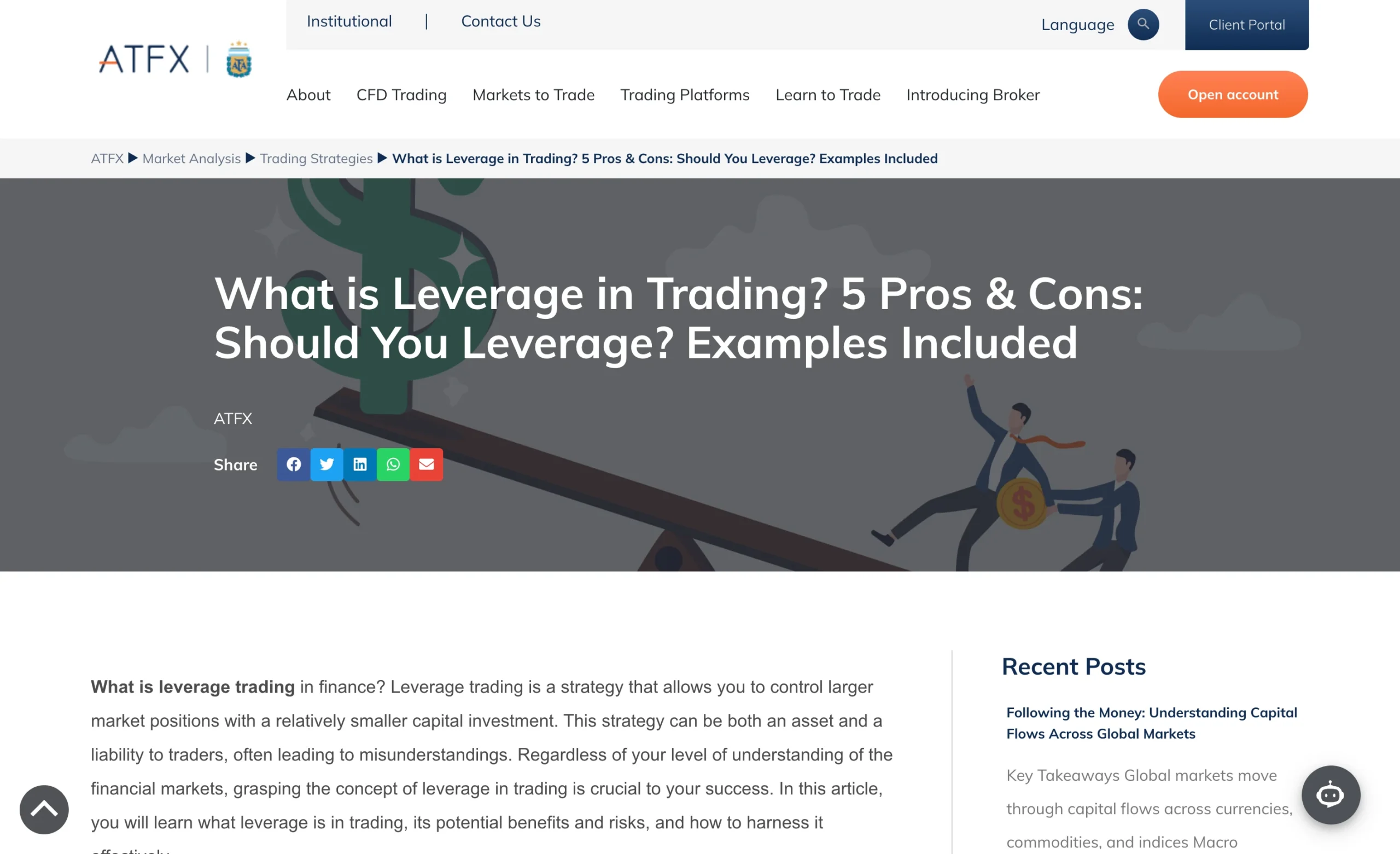
Understanding CFD Leverage on ATFX
CFD leverage allows traders to control a position that is larger than the cash available in their trading account by using borrowed capital. This is one of the features that makes forex and CFD trading attractive to many traders, but it also increases the potential risk.
Under the AT Global Markets (SC) Limited entity, ATFX offers maximum leverage of 1:500. For example, a $1,000 account could provide control over positions worth up to $500,000 at the maximum leverage level. This represents a very high level of leverage and is considered risky to use.
Leverage can magnify trading results in both directions. While it can increase potential profits when a trade moves favorably, it can also amplify losses when the market moves against the position.
What Leverage Does ATFX Offer?
The table below outlines the maximum retail leverage available with ATFX across different asset classes and instruments, showing the highest level of exposure traders can access depending on the market being traded.
| Asset Class | Maximum Available Leverage |
|---|---|
| Forex | 1:500 |
| Indices | 1:100 |
| Cryptocurrencies | 1:10 |
| Metals | 1:500 |
| Energies | 1:500 |
| Shares | 1:20 |
| Account Feature | Standard Account |
|---|---|
| Minimum Deposit | $50 |
| Spreads From | 1.8 Pips |
| Commission | $0 |
| Margin Call | 100% |
| Stop Out | 30% |
| Base Currencies | USD |
| Islamic Account | Yes |
| Demo Account | Yes |
Introduction to ATFX Account Options
ATFX takes a streamlined approach to its retail account structure, offering one main trading account intended to accommodate most traders. The account has a $50 minimum deposit, carries no commissions, and uses floating spreads starting from 1.8 pips.
For traders with different account requirements, ATFX also provides MAM and PAMM accounts for money managers, as well as swap-free Islamic accounts.
ATFX Standard Account
| Account Feature | Standard Account |
|---|---|
| Minimum Deposit | $50 |
| Spreads From | 1.8 Pips |
| Commission | $0 |
| Margin Call | 100% |
| Stop Out | 30% |
| Base Currencies | USD |
| Islamic Account | Yes |
| Demo Account | Yes |
The ATFX Standard Account is designed as a straightforward option for retail traders who want access to forex and CFD markets without paying trading commissions. With a $50 minimum deposit and floating spreads starting from 1.8 pips, it can suit beginner and casual traders who prefer a simple account structure. It may also appeal to traders who value easy access to ATFX’s trading platforms without the added complexity of specialized account types.
ATFX Demo Account: Practice Trading Risk-Free
ATFX provides demo accounts through MetaTrader 4 (MT4) and MetaTrader 5 (MT5), giving traders a risk-free environment to become familiar with the platforms and test trading strategies. The demo account uses live quotes and replicates market conditions across forex and CFDs on commodities, indices, and stocks.
For beginners, this provides an opportunity to build confidence and understand how the trading platforms work before committing real capital. Once traders are comfortable with the demo environment, they can transition to a live ATFX account.
Islamic Account: Swap-Free Trading Options
ATFX offers swap-free Islamic accounts for eligible clients who require an account structure aligned with certain Sharia law principles. The swap-free setup removes overnight swap charges from the account, providing an alternative to ATFX’s standard trading account structure.
ATFX Restricted Countries
The AT Global Markets LLC entity does not offer its services to residents of certain jurisdictions. Restricted locations include, but are not limited to, Canada, Japan, the Democratic People’s Republic of Korea (DPRK), Iran, and the United States of America (USA).
Pros:
- Fast
- Fully digital
Cons:
- None
Step-by-Step ATFX Account Opening Process
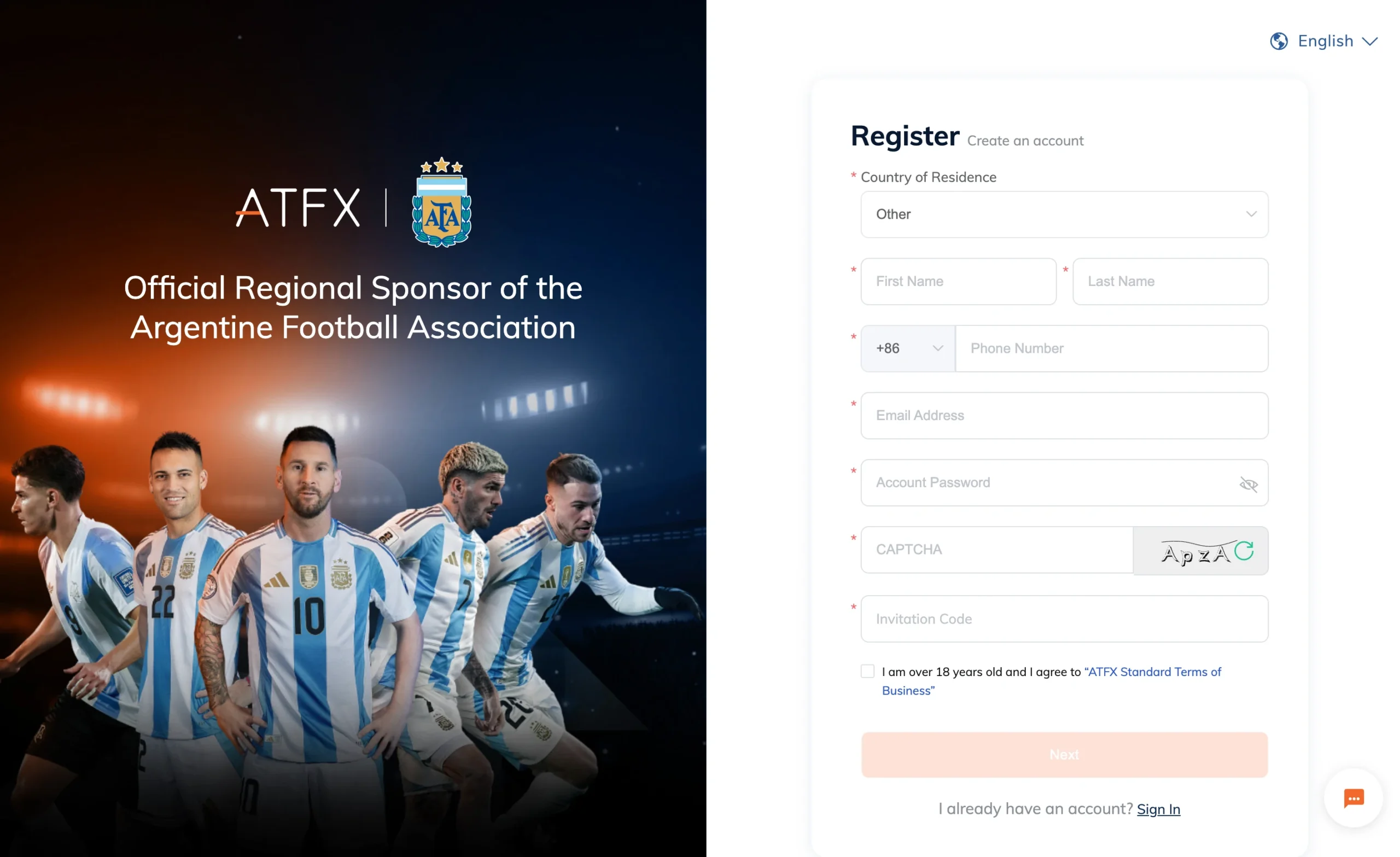
Opening an ATFX trading account is a straightforward online process. Before registering, make sure you meet ATFX’s eligibility requirements and that its services are available in your country. The entity you register with can also affect the regulator, investor protection, leverage and trading conditions that apply to your account.
1. Visit the ATFX Website
Start by visiting the official ATFX website and selecting the option to open a live trading account. You will typically need to choose the relevant country or region during the registration process.
2. Create Your Account
Enter your basic personal information and create your account credentials. Make sure the information you provide matches your official identification documents, as ATFX will need to verify your identity before you can fully use the account.
3. Complete Your Personal Details
ATFX requires additional information during the application process, including details such as your residential address, date of birth, nationality and contact information. Provide accurate information to avoid delays during verification.
4. Complete the Suitability and Trading Questionnaire
As part of the account-opening process, you may need to answer questions about your trading experience, financial situation and knowledge of CFDs and leveraged products. These questions help determine whether the products and services are appropriate for your circumstances.
5. Verify Your Identity
Complete ATFX’s identity verification process by providing the requested documentation. Depending on the jurisdiction and account application, this can include proof of identity and proof of address.
Make sure your documents are clear, valid and contain information that matches the details provided during registration.
6. Choose Your Trading Account
Once the application and verification requirements have been completed, select the available ATFX trading account that suits your needs. ATFX offers a Standard Account for retail traders, while other account arrangements are available for specific purposes, including MAM, PAMM and swap-free Islamic accounts.
7. Select Your Trading Platform
Choose the trading platform you want to use. ATFX provides access to MetaTrader 4 (MT4) and MetaTrader 5 (MT5), with availability depending on the applicable ATFX entity and account setup.
8. Fund Your ATFX Account
After your account has been approved, you can make your first deposit using one of the available funding methods. ATFX supports options including bank transfers, credit and debit cards, and e-wallets, although available methods can vary by jurisdiction.
The ATFX Standard Account has a $50 minimum deposit based on the account information reviewed.
9. Start Trading
Once your funds have been credited, log in to your selected trading platform and choose from the instruments available through your ATFX account. You can then monitor markets, place trades and manage your positions through MT4, MT5 or the applicable ATFX trading platform.
How Long Does It Take to Open an ATFX Account?
The time required to open an ATFX trading account depends largely on how quickly you complete the registration and verification requirements. Applications with accurate information and clear documentation can generally move through the process more smoothly, while additional verification requirements may take longer.
For beginners, ATFX also provides demo accounts through MT4 and MT5, allowing you to become familiar with the platforms and practise trading before depositing real money.
What is the minimum deposit at ATFX?
The minimum deposit at ATFX is $50, giving traders a relatively low starting requirement for opening a live trading account. This makes the broker accessible to traders who want to begin with a smaller amount of capital while becoming familiar with the platform and testing their trading approach before committing larger funds.
Research Overview and Key Features
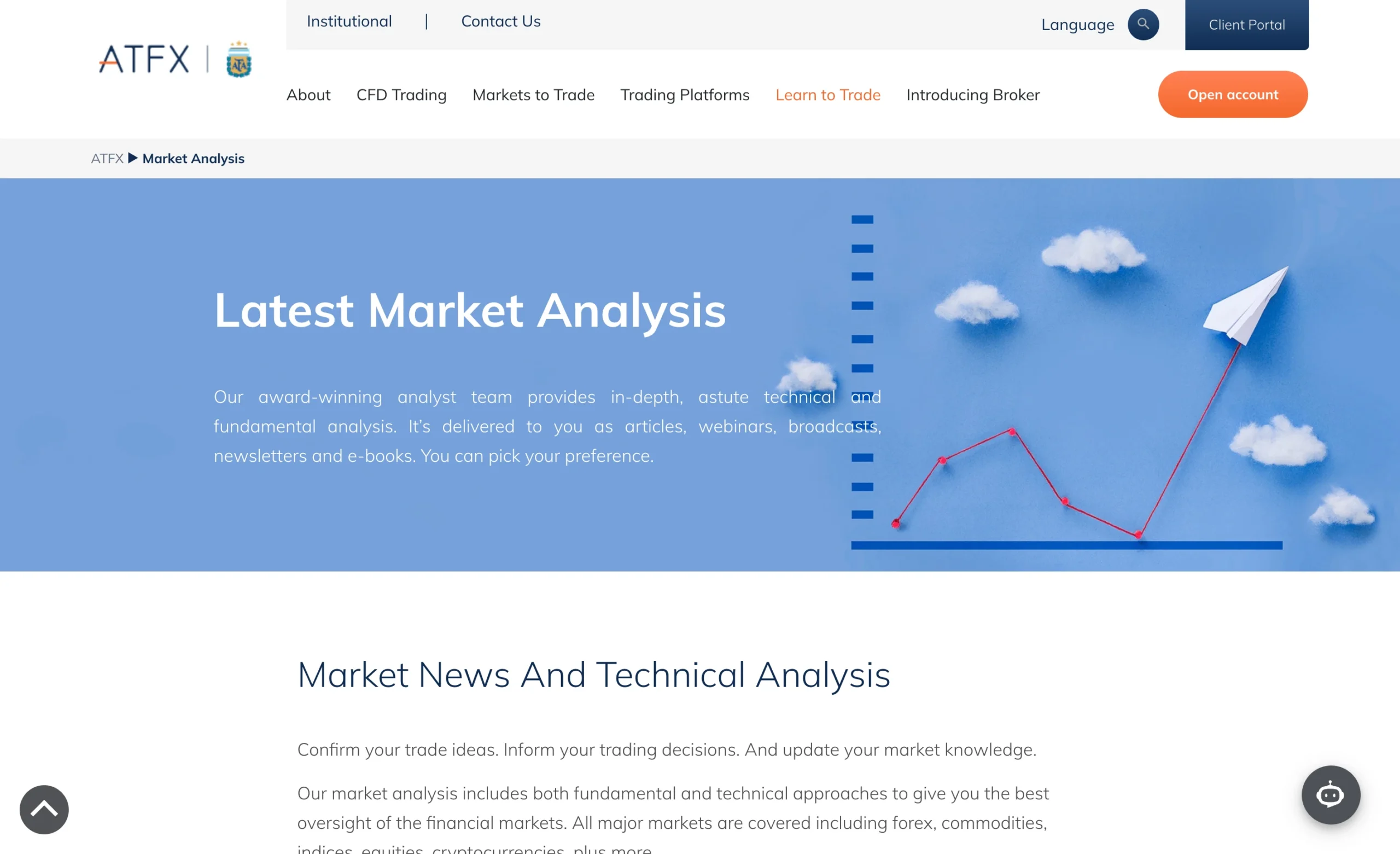
ATFX provides a well-organized research hub covering daily market developments, trading strategies, and macroeconomic events. Its research is divided into several categories, including market news, technical and strategic analysis, financial events, and an economic calendar.
The content covers forex, indices, commodities, equities, and cryptocurrencies, giving traders research across multiple asset classes. ATFX also keeps the research section active, with fresh market updates published on most trading days.
ATFX Market News
ATFX’s market news focuses on developments that can influence financial markets, including major economic releases, central bank decisions, and broader macroeconomic themes.
This section can help traders understand the events driving price movements across markets rather than relying solely on technical analysis.
ATFX Trading Strategies
The trading strategies section provides structured material covering common trading approaches, technical setups, and risk considerations.
The content is useful for traders looking to understand how different strategies can be applied to current market conditions, while also providing educational context around potential trading setups.
ATFX Technical Analysis
ATFX also provides technical and strategic market analysis, helping traders evaluate price movements across instruments such as forex, indices, commodities, equities, and cryptocurrencies.
The combination of technical analysis and market commentary gives traders additional context when assessing potential opportunities.
ATFX Economic Calendar
The ATFX economic calendar provides a dedicated way to monitor upcoming financial events and economic releases.
For traders who base their strategies around macroeconomic announcements, an economic calendar can help identify potentially important events before they occur.
ATFX Trading Central
One of the more notable parts of ATFX’s research offering is its integration with Trading Central, a third-party market analysis provider.
Through Trading Central, traders gain access to AI-driven technical analysis, trading signals, market outlooks, and educational explainers. These tools provide additional insight when evaluating market setups and can add educational value to day-to-day trading decisions.
ATFX YouTube Channel
ATFX extends its research content through its YouTube channel (@ATFX-Global), which provides video-based market analysis and educational material.
The channel covers market analysis, trading strategies, major forex pairs, gold, and cryptocurrencies, alongside platform tutorials and updates on important macroeconomic events.
ATFX Video Market Analysis
The video format can be particularly useful for visual learners, allowing technical concepts and market developments to be explained in a more accessible format.
Analyst Gonzalo Canete also provides market updates covering topics such as Fed rate cuts, inflation, jobs, and developments across financial markets.
Key Takeaways for Traders Using ATFX Research
ATFX offers a well-rounded research suite combining market news, technical analysis, trading strategies, financial events, an economic calendar, Trading Central tools, and video content.
The overall offering is well suited to traders who want frequent market updates, structured trading ideas, and macroeconomic coverage. Overall, ATFX’s research offering above the standard broker research experience.
| Research Summary | ATFX |
|---|---|
| Daily Market Commentary | Yes |
| Forex News | Yes |
| Trading Central | Yes |
| Autochartist | Yes |
| Client sentiment data | No |
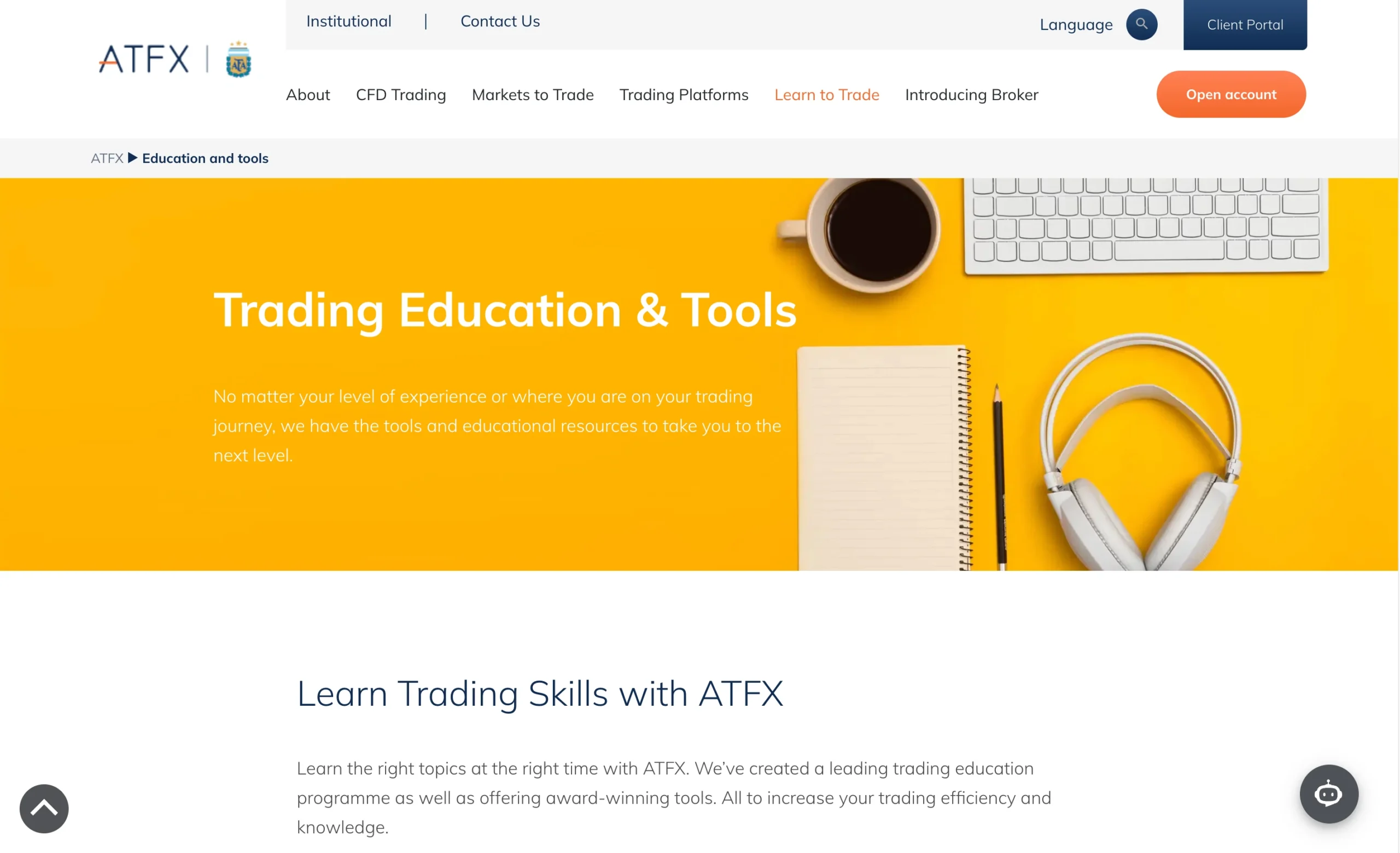
ATFX Overview: Guides, Webinars, and Courses
ATFX provides a structured education offering aimed at traders with different levels of experience. Its educational resources include e-books, trading courses, platform tutorials, strategy guides, and videos, covering topics from MetaTrader basics to more advanced approaches such as the Zigzag breaker.
ATFX Trading Courses
ATFX offers 12 structured trading courses covering subjects such as trading strategies and platform walkthroughs. Each course is divided into short video modules, allowing traders to progress through the material step by step and learn at their own pace.
Trading Strategy Guides
The Trading Strategies section within Market News and Insights provides practical, text-based educational material covering a range of trading topics. Beginner content includes guides to common trading mistakes, forex day trading, position trading, and copy trading.
More intermediate material covers areas such as technical indicators, including the Relative Strength Index (RSI), as well as market trend analysis.
ATFX Trading E-books
ATFX also provides a library of 14 free trading e-books covering topics ranging from market fundamentals and technical analysis to trading strategies. The material is structured in an accessible format, making it suitable for traders learning the basics while also providing useful reference material for more experienced traders.
ATFX Education: Key Takeaways
ATFX’s education section offers a good mix of video courses, strategy guides, platform tutorials, and free e-books. With content ranging from beginner concepts to more advanced trading strategies, the educational offering provides traders with several ways to develop and refresh their market knowledge.
| Education Summary | ATFX |
|---|---|
| Videos - Beginner Trading Videos | Yes |
| Videos - Advanced Trading Videos | Yes |
| Webinars | Yes |
| Platform Tutorials | Yes |
| YouTube educational content | Yes |
Customer Support Overview
ATFX provides 24/5 multilingual customer support through live chat, email, and phone, giving traders several ways to get assistance during the trading week.
Live Chat Support
In testing, ATFX’s live chat was consistently responsive, with replies typically arriving in under one minute. Support agents provided clear and relevant answers to questions covering fees, trading platforms, and regulatory matters.
Email Support
Email support was also responsive during testing, with inquiries receiving a response the same day. Answers were clear, well-informed, and directly addressed the questions raised.
Customer Support Test
ATFX customer support was tested over a two-week period, using a combination of basic and more technical questions. The interactions covered trading fees, platforms, and regulation, providing a broad test of the support team’s product knowledge.
Overall, the responses were professional and demonstrated a good understanding of both the ATFX platform and CFD trading.
ATFX Customer Support Languages:
English, Spanish, German, Portuguese, Thai, Arabic, Vietnamese, Korean, Hindi, Simplified Chinese, Traditional Chinese
ATFX Customer Support: Key Takeaways
- 24/5 multilingual support via live chat, email, and phone.
- Fast live chat responses, typically under one minute.
- Same-day email responses during testing.
- Support agents provided clear and knowledgeable answers.
- Good coverage of fees, platforms, and regulatory questions.
- Better-than-average customer support compared with the industry.
Final Thoughts on ATFX
Hands-on testing shows that ATFX is a well-established broker with a strong focus on safety, execution quality, and customer support. Execution speeds were consistently fast, averaging around 37ms, which is well above the industry norm. Customer support also performed strongly, with quick and genuinely helpful responses.
However, ATFX is not a pricing leader. Spread testing found that most major forex pairs, indices, and commodities were priced wider than the industry average. Based on a database covering 70+ brokers, traders who are highly focused on minimising trading costs may find more competitive alternatives. ATFX performed particularly well on share CFDs and Bitcoin, where spreads were noticeably tighter than the market benchmark.
Who Is ATFX Best For?
ATFX is best suited to beginners, casual traders, and traders who prioritise regulation and a straightforward trading environment over ultra-tight spreads. The broker combines reliable execution with research and educational resources, including Trading Central + Dow Jones.
Is ATFX Suitable for Scalping?
Traders planning to scalp heavily or use high-frequency trading strategies should consider ATFX’s wider spreads. Higher trading costs can reduce the potential advantage of strategies that rely on capturing small price movements.
For everyday forex and CFD trading, ATFX offers a dependable combination of research, education, and reliable execution. Overall, the broker provides a simple and transparent trading environment for traders who value reliability and functionality over the lowest possible trading costs.
ATFX FAQ
Is ATFX a regulated broker?
Yes. ATFX operates through regulated entities, with the applicable regulator depending on the entity and jurisdiction under which an account is opened. Traders should verify the specific ATFX entity and regulatory protections available in their country before opening an account.
Is ATFX safe?
ATFX is an established broker that operates through regulated entities. However, the level of regulatory protection can vary depending on the jurisdiction and ATFX entity serving the client. Traders should check the relevant regulatory information before depositing funds.
What is the minimum deposit at ATFX?
The minimum deposit at ATFX is $50. This relatively low minimum deposit allows traders to open a live account without committing a large amount of capital.
What account types does ATFX offer?
ATFX keeps its retail account structure relatively simple, with a Standard account designed for most retail traders. The broker also supports MAM and PAMM accounts for money managers and offers swap-free Islamic accounts for eligible clients.
Does ATFX offer a demo account?
Yes. ATFX offers demo accounts through MetaTrader 4 (MT4) and MetaTrader 5 (MT5). Demo trading allows users to practise strategies and become familiar with the platforms without risking real money.
What trading platforms does ATFX offer?
ATFX provides access to MetaTrader 4 and MetaTrader 5, with availability across desktop, web, and mobile. The broker also offers its proprietary AT GO mobile app for monitoring markets and managing trades on mobile devices.
Does ATFX offer MetaTrader 4?
Yes. ATFX supports MetaTrader 4 (MT4) across desktop, web, and mobile. MT4 provides access to charting tools, technical indicators, multiple order types, and Expert Advisor functionality for automated trading.
Does ATFX offer MetaTrader 5?
Yes. ATFX supports MetaTrader 5 (MT5), providing traders with access to the newer MetaTrader environment across supported devices. MT5 offers advanced charting, order management, and analytical tools for traders who want a more comprehensive platform.
What can you trade with ATFX?
ATFX offers over 350 CFDs covering forex, indices, stocks, ETFs, commodities, and cryptocurrencies. This provides exposure to multiple asset classes from a single trading account.
What are ATFX spreads?
ATFX’s Standard account offers floating spreads starting from 1.8 pips. Actual spreads can vary depending on the instrument and market conditions.
Does ATFX charge commissions?
The ATFX Standard account is described as commission-free, with trading costs primarily reflected through the spread.
Does ATFX offer leverage?
Yes. The maximum leverage depends on the ATFX entity and the applicable jurisdiction. For the AT Global Markets (SC) Limited entity, maximum leverage is 1:500. High leverage can significantly increase both potential profits and losses.
Does ATFX offer an Islamic account?
Yes. ATFX offers a swap-free Islamic account for eligible Islamic clients. The account is designed to accommodate certain principles of Sharia law.
What withdrawal methods does ATFX offer?
ATFX provides several withdrawal options, including bank wire transfers, cards, and e-wallets. Available methods, fees, and processing times can depend on the withdrawal method and client jurisdiction.
How long do ATFX withdrawals take?
Withdrawal processing times vary by method. Bank wire withdrawals in USD or EUR are free for amounts above $1,000 and typically take 3–7 business days to process. Card withdrawals are fee-free, although processing times depend on the bank. E-wallet withdrawals through options such as Skrill, Neteller, and Perfect Money can be processed from instantly to one business day.
Does ATFX offer customer support?
Yes. ATFX provides 24/5 multilingual customer support through live chat, email, and phone. Support is available during the trading week for assistance with account, platform, and trading-related queries.
Does ATFX offer trading education?
Yes. ATFX provides a range of educational resources, including 12 structured trading courses, 14 free e-books, platform guides, trading strategy articles, and educational videos. The material covers topics ranging from beginner trading concepts to more advanced strategies.
Does ATFX provide market research?
Yes. ATFX offers a research section covering market news, trading strategies, financial events, and economic events. The broker also provides access to Trading Central, which offers technical analysis, trading signals, market outlooks, and educational content.
Is ATFX good for beginners?
ATFX can be suitable for beginner traders because of its $50 minimum deposit, demo accounts, educational resources, straightforward Standard account, and access to established MetaTrader platforms. Beginners should nevertheless understand the risks associated with leveraged CFD trading before opening a live account.
Is ATFX good for scalping?
ATFX provides access to fast execution and supports trading strategies across forex and CFDs. However, spread costs should be considered by scalpers, as testing found that many major forex pairs, indices, and commodities had spreads wider than the industry average.
Which countries does ATFX not accept?
The AT Global Markets LLC entity does not provide services to residents of certain countries, including but not limited to Canada, Japan, the Democratic People’s Republic of Korea (DPRK), Iran, and the United States of America (USA). Restrictions can vary between ATFX entities and jurisdictions.
Is ATFX a good broker?
ATFX offers a broad range of CFDs, established MetaTrader platforms, educational resources, market research, multilingual customer support, and access to regulated entities. Its $50 minimum deposit and straightforward Standard account may appeal to beginners and casual traders, while traders focused primarily on the lowest possible spreads may find more competitive pricing elsewhere.
Sources used to create the ATFX Review
ATFX – Account specifications, trading conditions, commission structure, trading platforms, instruments, education, research, withdrawals, customer support, and regulatory information
FCA – Financial Conduct Authority (United Kingdom)
ASIC – Australian Securities and Investments Commission (Australia)
CySEC – Cyprus Securities and Exchange Commission (Cyprus)
CMA – Capital Market Authority (United Arab Emirates)
SFC – Securities and Futures Commission (Hong Kong)
FSCA – Financial Sector Conduct Authority (South Africa)
FSA – Financial Services Authority (Seychelles)
SERC – Securities and Exchange Regulator of Cambodia





























More Broker Reviews
Meet the experts behind the ATFX Review

Zhahn du Plessis
Lead Analyst
Zhahn Du Plessis is the Lead Analyst at TradeWiki.io, where he is responsible for broker analysis, review creation, and overall platform development. He oversees every aspect of the website, ensuring that all content is accurate, transparent, and designed to help traders make informed decisions.
He holds a Bachelor of Commerce in Business Management from Akademia University and has been actively trading the forex markets since 2018. As a funded trader since 2021, he brings real-world experience in evaluating brokers, trading conditions, and execution quality.
Cobus Viljoen
Head of Marketing
Cobus Viljoen is the Head of Marketing at TradeWiki.io, where he leads content strategy and oversees all digital communication across platforms including Instagram, TikTok, YouTube, Pinterest, X, Threads, and Facebook. He is responsible for producing and distributing educational trading content, broker insights, and market-focused media designed to help traders make informed decisions.
With hands-on forex trading experience since 2019, Cobus has traded funded accounts through multiple proprietary trading firms, giving him practical insight into real market conditions, risk management, and trading psychology. His combined expertise in trading and content strategy helps ensure that all TradeWiki content is accurate, relevant, and aligned with the needs of modern traders.


About Tradewiki.io
Our goal at Tradewiki.io is to deliver clear, unbiased reviews of top international forex brokers and prop firms, guiding you toward the best forex broker or prop firm that fits your needs. Since launch, Tradewiki.io has helped thousands of traders worldwide find, compare, and choose trusted forex brokers and prop firms.
Tradewiki.io Reviews