

OANDA Review 2026: Pros & Cons
OANDA Review 2026: Pros & Cons
Overall Rating
Min. Deposit
Spreads From
Max. Leverage
OANDA Overview
Founded in 1996, OANDA is a well-established multinational CFD broker headquartered in New York. The broker operates through multiple global entities regulated by top-tier regional authorities, providing traders with access to a secure and well-regulated trading environment.
Clients can trade using OANDA Trade Web, MetaTrader 4 (MT4), and TradingView, offering flexibility for traders with different strategies and experience levels. OANDA provides an above-average selection of CFDs across forex, indices, and commodities, while clients registered under its global and EU entities can also trade share CFDs and cryptocurrency CFDs.
The broker offers competitive spreads on major forex pairs and indices, whereas pricing on most other asset classes is generally closer to the industry average. One of OANDA’s strongest features is its comprehensive market research, combining innovative trading tools with high-quality market analysis to help traders make informed decisions.
With advanced trading platforms, reliable execution, and strong analytical resources, OANDA is particularly well suited for day traders, scalpers, and algorithmic traders seeking a professional trading experience.
OANDA Pros and Cons
OANDA Pros:
- Great selection of trading platforms
- API access
- Fast and user-friendly account opening
- Outstanding research tools
- Excellent mobile trading app
- VPS hosting
- Regulated across multiple global jurisdictions
- Strong range of tradable instruments
- Reliable customer support
- Trading ideas from Autochartist
- Tight spreads on major forex pairs
- Trader Sentiment Tool
OANDA Cons:
- Limited educational materials
- Not publicly listed and does not operate a bank
- Withdrawal fees and inactivity fees
- Only forex and CFDs are available for most clients (stocks only in the EU)
- Customer support is not available 24/7
- Wider spreads on some instruments
Beginner - Ideal Fit
OANDA is an excellent choice for casual traders thanks to its responsive customer support, multiple trading platforms, and free demo accounts. Educational articles, live webinars, and third-party tools such as Autochartist provide additional guidance, making it easier for beginners and part-time traders to build confidence.
News Trading - Ideal Fit
For news traders, OANDA delivers excellent market coverage through MarketPulse, where experienced in-house analysts publish regular market commentary. Traders also receive breaking news from Dow Jones within the OANDA Trade Web platform, alongside a comprehensive economic calendar for tracking major economic events.
Scalping - Ideal Fit
Scalpers benefit from OANDA’s reliable execution and fast order processing, even during periods of increased market volatility. The availability of VPS hosting through Beeks and Liquidity Connect also provides continuous 24/7 uptime, helping maintain uninterrupted automated or high-frequency trading.
Investing - Poor Option
OANDA’s UK entity does not provide access to popular long-term investment products such as real shares, ETFs, mutual funds, or managed portfolios, and its investing tools and research are relatively limited. However, real shares are available through the OANDA TMS Brokers S.A entity for European clients.
Automated Trading - Ideal Fit
Automated traders have access to MetaTrader 4, which supports Expert Advisors (EAs), strategy backtesting, and automated trading systems. VPS hosting helps improve execution reliability while protecting against internet or power interruptions. In addition, OANDA’s API technology allows developers to integrate custom trading applications and create personalized trading interfaces.
Swing Trading - Suitable Option
OANDA Europe Ltd. offers a relatively limited selection of markets for swing traders and does not provide access to real shares or ETFs. However, the broker’s EU entity does offer trading in real shares. Overnight swap fees are generally in line with the industry average.
Day Trading - Ideal fit
MetaTrader 4 and TradingView include essential day trading features such as one-click trading and chart trading. Combined with competitive spreads on major forex pairs, these platforms create a strong environment for active traders. Additional support comes from Autochartist trading signals and the Dow Jones news feed, helping traders identify short-term opportunities.
Copy Trading - Suitable Option
Although OANDA does not offer its own copy trading platform, traders using MetaTrader 4 (MT4) can automatically replicate the trades of signal providers through the platform’s built-in functionality.
Who is OANDA for?
While creating the OANDA Review 2026, it became clear that the broker offers the features and tools to cater to a wide range of trading strategies. Here’s how it stacks up for different trader styles:
What Sets OANDA Apart?
OANDA stands out as one of the industry’s most established forex and CFD brokers, with operations dating back to 1996 and oversight from multiple top-tier regulators worldwide. Its long-standing presence in the financial markets has enabled the broker to develop a strong reputation for trust, while delivering sophisticated trading tools, high-quality market research, and reliable trading conditions.
Modern Trading Experience
OANDA provides a range of intuitive trading platforms designed to suit traders of all experience levels. Its customizable desktop and mobile platforms are complemented by TradingView and MetaTrader 5 (MT5) integration where available, giving traders access to powerful charting, flexible workspaces, and advanced trading functionality.
Comprehensive Market Research
Research is one of OANDA’s strongest features. Traders benefit from comprehensive market analysis, live forex pricing, historical exchange rate data, and a built-in currency converter, making it easier to monitor market developments and make informed trading decisions.
Simple and Fast Account Setup
Opening an account with OANDA is quick and straightforward, with the entire process taking less than 10 minutes. The broker requires a $0 minimum deposit, and traders can also access a demo account to practice strategies before committing real capital.
Competitive Trading Costs
OANDA offers competitive pricing across major forex pairs and index CFDs. Most trading costs are incorporated into the spread, including an EUR/USD spread of 0.9 and an S&P 500 index CFD spread of 0.7. Traders also benefit from a low stock CFD commission of 0.10%, helping to keep overall trading costs competitive.
What Sets OANDA Apart?
OANDA Main Features

Regulations
FCA (United Kingdom), CFTC (United States), NFA (United States), FFAJ (Japan), ASIC (Australia), CIRO (IIROC) (Canada), MAS (Singapore)

Languages
English, Spanish, Chinese, German

Products
Currencies, Crypto, Bonds, Indices, Commodities

Min Deposit
$0

Max Leverage
1:30 (FCA), 1:50 (CFTC), 1:50 (NFA), 1:25 (FFAJ), 1:30 (ASIC), 1:50 (CIRO (IIROC)), 1:20 (MAS)

Trading Desk Type
Market Maker

Trading Platforms
MT5, MT4, OANDA Trade Web Platform

Deposit Options
Wire Transfer, Credit Card, Debit Card

Withdrawal Options
Wire Transfer, Credit Card, Debit Card

Demo Account
Yes

Foundation Year
1996

Headquarters
United States
Regulations
FCA (United Kingdom), CFTC (United States), NFA (United States), FFAJ (Japan), ASIC (Australia), CIRO (IIROC) (Canada), MAS (Singapore)
Languages
English, Spanish, Chinese, German
Products
Currencies, Crypto, Bonds, Indices, Commodities
Min Deposit
$0
Max Leverage
1:30 (FCA), 1:50 (CFTC), 1:50 (NFA), 1:25 (FFAJ), 1:30 (ASIC), 1:50 (CIRO (IIROC)), 1:20 (MAS)
Trading Desk Type
Market Maker
Trading Platforms
MT5, MT4, OANDA Trade Web Platform
Deposit Options
Wire Transfer, Credit Card, Debit Card
Withdrawal Options
Wire Transfer, Debit Card, Credit Card
Demo Account
Yes
Foundation Year
1996
Headquarters
United States
Start Trading With OANDA
| Account Type | Standard | Premium | Premium Plus |
|---|---|---|---|
| Minimum Deposit | $0 | $10000 | $10000 |
| Spread from | 0.60 | 0.70 | 0.10 |
| Commission | $0 | $0 | $0 |
| Minimum order size | 0.01 lots | 0.01 lots | 0.01 lots |
| Stop-out level | 50% | 50% | 50% |
| Instruments available | 1500+ | 1500+ | 1500+ |
| Platforms | MT5, fxTrade, TradingView | MT5, fxTrade, TradingView | MT5, fxTrade, TradingView |
OANDA Review
Introduction to OANDA Safety Measures
OANDA is one of the largest and oldest forex brokers in the industry, with eight regulated entities operating across multiple jurisdictions worldwide. The broker has built a long-standing reputation for reliability, supported by strong regulatory oversight and a high level of operational transparency.
To enhance client protection, customer funds are held in segregated accounts, ensuring they remain separate from the broker’s operating capital. OANDA is regulated by top-tier financial authorities and also provides negative balance protection, helping prevent retail traders from losing more than their account balance during periods of extreme market volatility.
While OANDA does not hold a banking license and is not listed on a stock exchange, its extensive regulatory framework, transparent business practices, and robust client protection measures make it a legitimate and trusted forex and CFD broker.
Pros:
- Negative balance protection
- Majority of clients belong to a top-tier financial authority
Cons:
- Not listed on stock exchange
- Does not hold a banking license
OANDA Regulation and Licensing
When evaluating a broker’s safety, it is important to assess each regulated entity individually, as the level of investor protection can vary by jurisdiction. Regulatory authorities are classified using a three-tier system, with Tier-1 regulators providing the highest standard of oversight and client protection.
The following OANDA entities are regulated by the respective financial authorities:
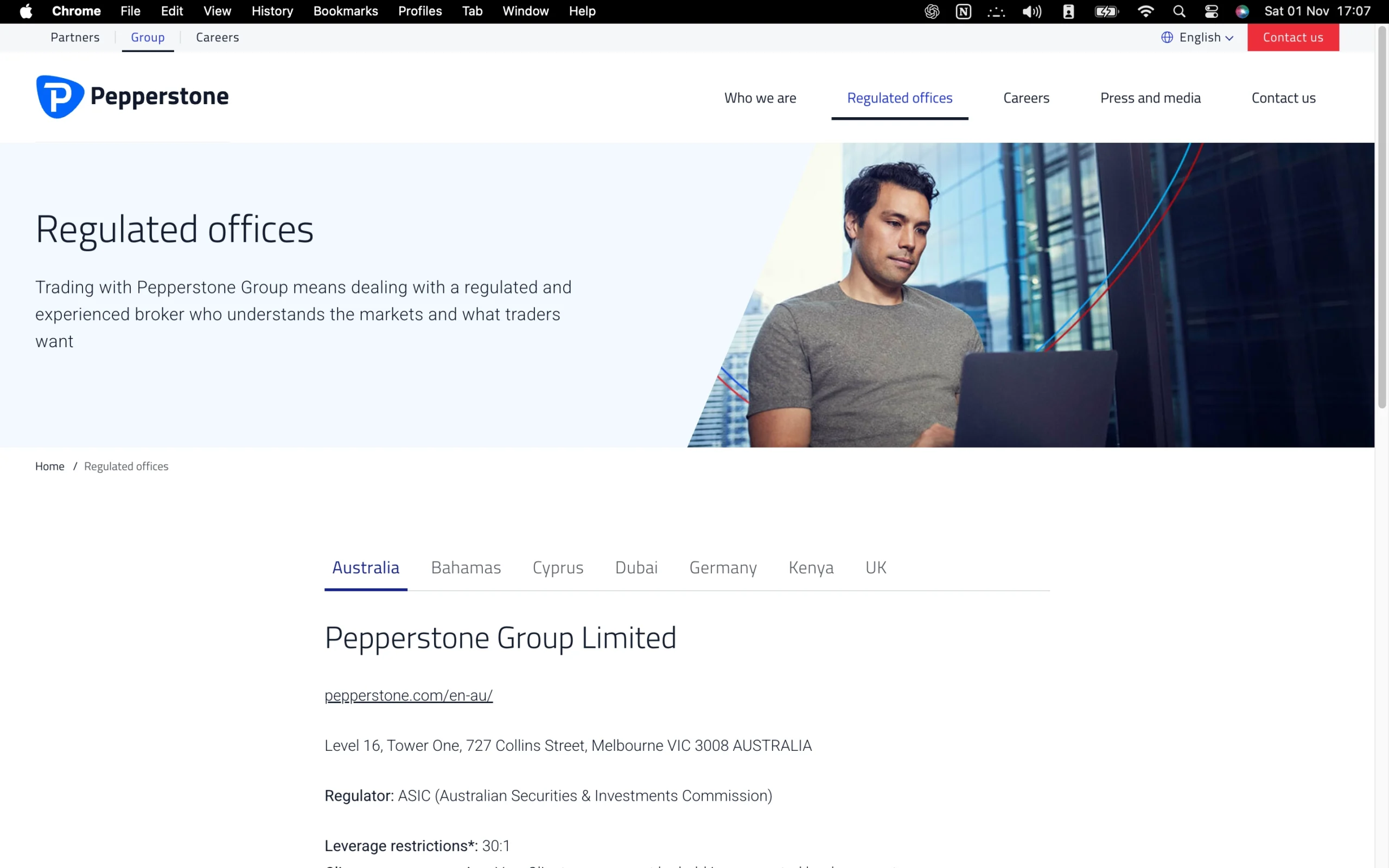
- OANDA Australia Pty Ltd is regulated by the Australian Securities and Investments Commission (ASIC) under ABN 26 152 088 349 and AFSL No. 412981. ASIC is rated as a Tier 1 regulator.
- OANDA Global Markets Ltd is authorized and regulated by the British Virgin Islands Financial Services Commission (FSC) under licence number SIBA/L/20/1130. The FSC is classified as a Tier 3 regulator.
- OANDA (Canada) Corporation ULC is regulated by the Investment Industry Regulatory Organization of Canada (IIROC), which is rated as a Tier 1 regulator.
- OANDA TMS Brokers S.A. operates under the supervision of the Polish Financial Supervision Authority (PFSA) based on authorization KPWiG-4021-54-1/2004, issued on April 26, 2004. PFSA is classified as a Tier 2 regulator.
- OANDA Europe Limited is authorized and regulated by the UK Financial Conduct Authority (FCA) under reference number 542574. The FCA is classified as a Tier 1 regulator.
- OANDA Asia Pacific Pte Ltd (Co. Reg. No 200704926K) holds a Capital Markets Services Licence issued by the Monetary Authority of Singapore (MAS). MAS is classified as a Tier 2 regulator.
- OANDA Corporation is registered as a Futures Commission Merchant and Retail Foreign Exchange Dealer with the US Commodity Futures Trading Commission (CFTC) and is a member of the National Futures Association (NFA) under reference number 0325821. Both the CFTC and NFA are classified as Tier 1 regulators.
- OANDA Japan Co., Ltd. is registered with the Institute Financial Futures Association of Japan (FFAJ) under subscriber number 1571. FFAJ is classified as a Tier 2 regulator.
| Entity Features | OANDA Australia Pty Ltd. | OANDA Europe Ltd. | OANDA (Canada) Corporation ULC | OANDA Corporation | OANDA TMS Brokers S.A. | OANDA Asia Pacific Pte Ltd. | OANDA Japan Co., Ltd. | OANDA Global Markets Ltd. |
|---|---|---|---|---|---|---|---|---|
| Country/Region | Australia | UK | Canada | US | Poland/EU | Singapore | Japan | British Virgin Islands |
| Regulation | ASIC | FCA | IIROC | CFTC, NFA | KNF | MAS | FFAJ | BVI FSA |
| Tier | 1 | 1 | 1 | 1 | 2 | 2 | 2 | 3 |
| Segregated Funds | Yes | Yes | Yes | Yes | Yes | Yes | Yes | Yes |
| Negative Balance Protection | No | Yes | No | No | Yes | No | No | No |
| Maximum Leverage | 1:30 | 1:30 | 1:50 | 1:50 | 1:30 | 1:20 | 1:25 | 1:200 |
Understanding Regulatory Protections for OANDA Traders
OANDA operates several regulated entities around the world, allowing it to serve clients in multiple jurisdictions. However, the level of regulatory protection depends on the entity under which an account is opened. While some financial regulators impose stringent client protection requirements, others apply less restrictive standards. Understanding these differences is essential before opening an account.
- Maximum Leverage: Retail leverage limits vary depending on the regulating authority. Standard account holders with OANDA Europe Ltd. can access leverage of up to 1:30, while OANDA Global Markets Ltd., the broker’s offshore entity, offers the highest available leverage of up to 1:200. Higher leverage increases both potential profits and potential losses.
- Investor Compensation Scheme: In the unlikely event of broker insolvency, eligible retail clients may receive compensation through a regulatory protection scheme. Clients of OANDA Europe Ltd. (UK) are covered by the Financial Services Compensation Scheme (FSCS) for up to £120,000.
- Segregated Client Funds: All OANDA entities keep client funds in segregated bank accounts, separate from the broker’s operating capital. This helps reduce the risk of accounting errors and ensures client money is not mixed with company funds.
- Negative Balance Protection: This safeguard prevents traders from losing more than the funds available in their trading account, even during periods of extreme market volatility. Negative balance protection is provided by OANDA’s UK and EU entities.
How OANDA Protects Your Funds
OANDA operates through multiple legal entities that serve clients in different regions around the world. The level of investor protection, including compensation coverage and regulatory oversight, depends on the specific entity with which your trading account is registered. As a result, the protections available to clients can vary based on their country of residence and the regulator supervising that entity.
| Country of Clients | Legal entity | Regulator | Investor protection amount |
|---|---|---|---|
| US | OANDA Corporation | Commodity Trading Futures Commission National Futures Association | No protection |
| UK | OANDA Europe Limited | FCA | £120,000 |
| EU | OANDA Europe Markets Ltd | MFSA | €20,000 |
| Canada | OANDA (Canada) Corporation | CIRO | CAD 1,000,000 |
| Singapore | OANDA Asia Pacific Pte Ltd | MAS | No protection |
| Australia | OANDA Australia Pty Ltd | ASIC | No protection |
| Japan | OANDA Japan Co., Ltd. | FFAJ | No protection |
| Other countries | OANDA Global Markets Ltd | British Virgin Islands Financial Services Commission | No protection |
Stability and Transparency of OANDA
OANDA has been operating since 1996, making it one of the longest-established retail forex brokers in the industry. According to its LinkedIn profile, the company is headquartered in New York and employs 201–500 people. In 2018, OANDA was acquired by CVC Capital Partners, a leading private equity firm managing more than €191 billion in assets globally.
The broker maintains a strong level of corporate transparency by clearly disclosing its regulatory licenses and supervised entities on its About Us page. The same section also provides information about the company’s history and senior management team.
Trading costs are presented transparently through the broker’s Charges page, while the Terms of Use document is easily accessible from the website footer. Overall, OANDA demonstrates a high level of transparency, exceeding the standard seen across much of the brokerage industry.
Is OANDA Safe to Trade With?
Yes. OANDA demonstrates a high level of trust and reliability, supported by its long-standing reputation and strong regulatory framework. The broker stands out for several key reasons:
- 29 years of operating history
- Owned by CVC Capital Partners, a global financial investment firm
- Regulated by multiple Tier-1 financial authorities
- High level of corporate transparency
| Safety Summary | OANDA |
|---|---|
| Year Founded | 1996 |
| Publicly Traded (Listed) | No |
| Bank | No |
| Tier-1 Licenses | 4 |
| Tier-2 Licenses | 3 |
| Tier-3 Licenses | 1 |
Introduction to OANDA Fees
OANDA offers low forex and CFD trading fees, with particularly competitive spreads on major forex pairs and indices. Pricing on other asset classes, including commodities, is generally closer to the industry average. Overnight financing charges and other account-related fees are also in line with typical industry standards.
On the non-trading side, withdrawal fees are generally low, although they do not apply in all cases, and bank wire withdrawals may incur a fee. The broker also charges a small inactivity fee. Overall, OANDA delivers attractive pricing for forex and CFD traders, although its fee structure is more competitive in some areas than others.
Pros:
- Low forex CFD fees
- Low trading fees
- First card withdrawal each month is free
Cons:
- Inactivity fee
OANDA Spreads
Forex Spreads
| Symbol | Product | Spread |
|---|---|---|
| AUDCAD | Australian Dollar vs Canadian Dollar | 12.8 |
| AUDCHF | Australian Dollar vs Swiss Franc | 7.6 |
| AUDHKD | Australian Dollar vs Hong Kong Dollar | 58 |
| AUDJPY | Australian Dollar vs Japanese Yen | 10.2 |
| AUDNZD | Australian Dollar vs New Zealand Dollar | 19.4 |
| AUDSGD | Australian Dollar vs Singapore Dollar | 18.4 |
| AUDUSD | Australian Dollar vs US Dollar | 6.10 |
| CADCHF | Canadian Dollar vs Swiss Franc | 7.80 |
| CADHKD | Canadian Dollar vs Hong Kong Dollar | 54.80 |
| CADJPY | Canadian Dollar vs Japanese Yen | 9.10 |
| CADSGD | Canadian Dollar vs Singapore Dollar | 13.00 |
| CHFHKD | Swiss Franc vs Hong Kong Dollar | 102.10 |
| CHFJPY | Swiss Franc vs Japanese Yen | 13.20 |
| CHFZAR | Swiss Franc vs South African Rand | 1,000.00 |
| EURAUD | Euro vs Australian Dollar | 14.60 |
| EURCAD | Euro vs Canadian Dollar | 8.90 |
| EURCHF | Euro vs Swiss Franc | 3.00 |
| EURCZK | Euro vs Czech Koruna | 168.80 |
| EURDKK | Euro vs Danish Krone | 14.10 |
| EURGBP | Euro vs British Pound | 4.80 |
| EURHKD | Euro vs Hong Kong Dollar | 52.60 |
| EURHUF | Euro vs Hungarian Forint | 80.20 |
| EURJPY | Euro vs Japanese Yen | 5.00 |
| EURNOK | Euro vs Norwegian Krone | 90.30 |
| EURNZD | Euro vs New Zealand Dollar | 15.30 |
| EURPLN | Euro vs Polish Złoty | 77.70 |
| EURSEK | Euro vs Swedish Krona | 115.10 |
| EURSGD | Euro vs Singapore Dollar | 15.70 |
| EURTRY | Euro vs Turkish Lira | 182.10 |
| EURUSD | Euro vs US Dollar | 1.70 |
| EURZAR | Euro vs South African Rand | 1,000.00 |
| GBPAUD | British Pound vs Australian Dollar | 26.60 |
| GBPCAD | British Pound vs Canadian Dollar | 19.60 |
| GBPCHF | British Pound vs Swiss Franc | 13.00 |
| GBPHKD | British Pound vs Hong Kong Dollar | 111.00 |
| GBPJPY | British Pound vs Japanese Yen | 17.30 |
| GBPNZD | British Pound vs New Zealand Dollar | 32.80 |
| GBPPLN | British Pound vs Polish Złoty | 155.80 |
| GBPSGD | British Pound vs Singapore Dollar | 28.10 |
| GBPUSD | British Pound vs US Dollar | 10.60 |
| GBPZAR | British Pound vs South African Rand | 1,150.00 |
| HKDJPY | Hong Kong Dollar vs Japanese Yen | 165.00 |
| NZDCAD | New Zealand Dollar vs Canadian Dollar | 12.30 |
| NZDCHF | New Zealand Dollar vs Swiss Franc | 7.90 |
| NZDHKD | New Zealand Dollar vs Hong Kong Dollar | 58.50 |
| NZDJPY | New Zealand Dollar vs Japanese Yen | 10.10 |
| NZDSGD | New Zealand Dollar vs Singapore Dollar | 13.00 |
| NZDUSD | New Zealand Dollar vs US Dollar | 6.30 |
| SGDCHF | Singapore Dollar vs Swiss Franc | 9.20 |
| SGDJPY | Singapore Dollar vs Japanese Yen | 16.10 |
| TRYJPY | Turkish Lira vs Japanese Yen | 1.00 |
| USDCAD | US Dollar vs Canadian Dollar | 7.20 |
| USDCHF | US Dollar vs Swiss Franc | 4.60 |
| USDCNH | US Dollar vs Chinese Yuan (Offshore) | 14.00 |
| USDCZK | US Dollar vs Czech Koruna | 146.00 |
| USDDKK | US Dollar vs Danish Krone | 16.00 |
| USDHKD | US Dollar vs Hong Kong Dollar | 17.00 |
| USDHUF | US Dollar vs Hungarian Forint | 70.80 |
| USDJPY | US Dollar vs Japanese Yen | 4.20 |
| USDMXN | US Dollar vs Mexican Peso | 140.60 |
| USDNOK | US Dollar vs Norwegian Krone | 83.20 |
| USDPLN | US Dollar vs Polish Złoty | 70.30 |
| USDSEK | US Dollar vs Swedish Krona | 100.00 |
| USDSGD | US Dollar vs Singapore Dollar | 14.40 |
| USDTHB | US Dollar vs Thai Baht | 17.70 |
| USDTRY | US Dollar vs Turkish Lira | 108.90 |
| USDZAR | US Dollar vs South African Rand | 900.00 |
| ZARJPY | South African Rand vs Japanese Yen | 6.00 |
Crypto Spreads
| Symbol | Product | Spread |
|---|---|---|
| BTCUSD | Bitcoin | 43 |
| BCHUSD | Bitcoin Cash | 1.2 |
| ETHUSD | Ether | 2.95 |
| LTCUSD | Litecoin | 0.62 |
| BNBUSD | Binance Coin | 1.9 |
| ADAUSD | Cardano | 0.0061 |
| LINKUSD | Chainlink | 0.20 |
| DOGEUSD | Dogecoin | 0.00 |
| DOTUSD | Polkadot | 0.88 |
| UNIUSD | Uniswap | 0.35 |
| AVAXUSD | Avalanche | 1.53 |
| MATICUSD | Polygon | 0.03 |
| SOLUSD | Solana | 0.86 |
Indices Spreads
| Symbol | Product | Spread |
|---|---|---|
| AU200 | Australia 200 Index | 3.2 |
| CN50 | China 50 Index | 8 |
| EU50 | Europe 50 Index | 1.4 |
| UK100 | UK 100 Index | 2.3 |
| US30 | US Wall St 30 Index | 6 |
| NAS100 | US Nas 100 Index | 3.8 |
Metal Spreads
| Symbol | Product | Spread |
|---|---|---|
| XAUUSD | Gold | 0.98 |
| XAGUSD | Silver | 0.0746 |
Commodities Spreads
| Symbol | Product | Spread |
|---|---|---|
| BRENT | Brent Crude Oil | 0.04 |
| CORN | Corn | 0.018 |
| COPPER | Copper | 0.00249 |
| NATGAS | Natural Gas | 0.014 |
| SOYBEAN | Soybeans | 0.018 |
| SUGAR | Sugar | 0.0004 |
| WTI | West Texas Oil | 0.04 |
| WHEAT | Wheat | 0.02 |
OANDA Swap Fees Explained
The table below outlines OANDA’s swap fees, including Swap Long (the overnight charge or credit applied to buy positions) and Swap Short (the overnight charge or credit applied to sell positions) for one full-sized contract.
A full-sized contract represents 100,000 units of the base currency, which is the first currency listed in a forex pair. The swap values shown below apply to one standard contract (100,000 units)
| Instrument | Swap Short | Swap Long |
|---|---|---|
| GBP/JPY | Charge of $19.32 | Credit of $12.26 |
| EUR/USD | Credit of $1.16 | Charge of $6.87 |
Non-Trading Fees at OANDA
OANDA does not charge account maintenance or deposit fees, helping traders keep non-trading costs low. For accounts held with OANDA Europe Limited, an inactivity fee of £10 per month applies after 12 months of no trading activity. This is generally considered a reasonable inactivity fee.
Withdrawal fees depend on the payment method used. The first debit or credit card withdrawal in each calendar month is free, while subsequent card withdrawals incur a fee. Credit card withdrawals are otherwise free under OANDA Europe Limited, but bank wire withdrawals are subject to a £10 fee. In addition, bank transfer and PayPal withdrawals (GBP, EUR, USD only) carry relatively high withdrawal fees.
Are OANDA Fees Competitive?
Yes. OANDA’s fee structure is slightly above the industry average, combining competitive pricing in some markets with higher costs in others. Forex spreads can be highly competitive, while swap fees are generally in line with industry norms. However, the broker also applies certain account-related fees that many competitors do not.
- Spreads from as low as 0.7 pips on popular forex pairs
- Average swap fees compared to the broader market
- Inactivity fees and bank wire withdrawal fees apply
- Wider spreads on some instruments, including gold
| Fees Summary | OANDA |
|---|---|
| Minimum Deposit | $0 |
| Average Spread EUR/USD | 0.60 pips |
| PayPal (Deposit/Withdraw) | Yes |
| Skrill (Deposit/Withdraw) | Yes |
| Visa/Mastercard (Credit/Debit) | Yes |
| Bank Wire (Deposit/Withdraw) | Yes |
Deposit and Withdrawal Overview
OANDA supports deposits and withdrawals through bank transfer, credit cards, and debit cards. Depending on the client’s location, digital wallets may also be available as an alternative payment method. Processing times are generally average for the industry, providing a reliable funding experience.
The broker does not charge deposit or account fees, making it cost-effective to fund a trading account. Debit and credit card withdrawals are free, while bank transfer withdrawals incur relatively high fees. Overall, OANDA offers a straightforward payment process, although traders using bank transfers should be aware of the additional withdrawal costs.
Pros:
- Free withdrawal
- Credit/Debit card available
- No deposit fee
Cons:
- High withdrawal fee for bank transfers
OANDA Account Base Currencies
At OANDA, you can choose from the following base currencies:
| CAD | AUD | CHF |
| USD | EUR | GBP |
| JPY | HKD | SGD |
OANDA supports 9 account base currencies, giving traders a reasonable level of flexibility when funding and managing their accounts. This selection is average compared to competing brokers.
Choosing the right account base currency can help reduce trading costs. If your bank account, trading account, and the assets you trade all use the same currency, you can avoid paying unnecessary currency conversion fees.
For traders who regularly use multiple currencies, opening a multi-currency bank account with a digital bank can be a practical way to minimize conversion costs. These accounts often support several currencies, offer competitive exchange rates, and provide free or low-cost international bank transfers. In most cases, the account opening process can be completed in just a few minutes using a smartphone.
Deposit Methods and Fees
OANDA does not charge deposit fees in most cases. However, exceptions may apply, particularly when funding your account in a currency that differs from your account base currency.
The broker supports funding via bank transfer and credit/debit card. Credit/debit card deposits are processed instantly, while bank transfers may take several business days to complete. For security purposes, all deposits must be made from accounts registered in your own name.
All OANDA deposit methods and fees:
| Method | Fees | Processing Time |
|---|---|---|
| Bank Wire | $0 | Up to 5 business days |
| Visa | $0 | Immediate |
| Mastercard | $0 | Immediate |
| Electronic Wallets | $0 | Immediate |
Withdrawal Methods and Fees
OANDA’s withdrawal methods and withdrawal fees depend on your country of residence and account base currency. In most cases, the available withdrawal options mirror the funding methods used for deposits.
Withdrawals to credit/debit cards, PayPal, and other electronic wallets are generally free of charge. However, bank transfer withdrawals are considerably more expensive in most regions. For USD and EUR accounts, bank transfer withdrawals typically cost $/€20, while additional withdrawals within the same calendar month often increase to around $/€35. You can only withdraw money to accounts in your name.
OANDA withdrawal methods and fees:
| Method | Fees | Processing Time |
|---|---|---|
| Bank wire | £20 | 1-2 business days; up to 5 business days for international withdrawals |
| Visa | $0 | 1-3 business days |
| Mastercard | $0 | 1-3 business days |
| Electronic Wallets | $0 | 1-3 business days |
How Long Does OANDA Take to Process Withdrawals?
OANDA withdrawal times typically range from one to five business days, depending on the withdrawal method selected and the client’s country of residence. During testing, a debit card withdrawal was processed within one business day, though actual processing times may vary based on the payment provider and location.
Step-by-Step Guide to Withdrawing Money From OANDA
Withdrawing funds from OANDA is a straightforward process. Follow the steps below to submit a withdrawal request from your trading account.
Step 1: Log in to Your OANDA Account
Sign in to your OANDA client portal using your registered email address and password.
Step 2: Open the Withdrawal Section
From your account dashboard, navigate to the Withdraw Funds or Funds Management section.
Step 3: Select Your Trading Account
If you have multiple trading accounts, choose the account you want to withdraw money from.
Step 4: Choose a Withdrawal Method
Select your preferred withdrawal method. Available options depend on your country of residence and account settings, but may include:
- Bank transfer
- Credit card
- Debit card
- Electronic wallets (where available)
Step 5: Enter the Withdrawal Amount
Specify the amount you wish to withdraw, ensuring sufficient available funds remain in your trading account.
Step 6: Confirm Your Withdrawal Request
Review all withdrawal details carefully, then submit your request.
Step 7: Wait for Processing
OANDA states that withdrawals generally take between one and six business days, depending on your withdrawal method and country of residence. In testing, a debit card withdrawal was completed within one business day.
Step 8: Receive Your Funds
Once your withdrawal has been processed, the funds will be sent to your selected payment method. The exact arrival time may vary depending on your bank or payment provider.
Trading Platforms Overview
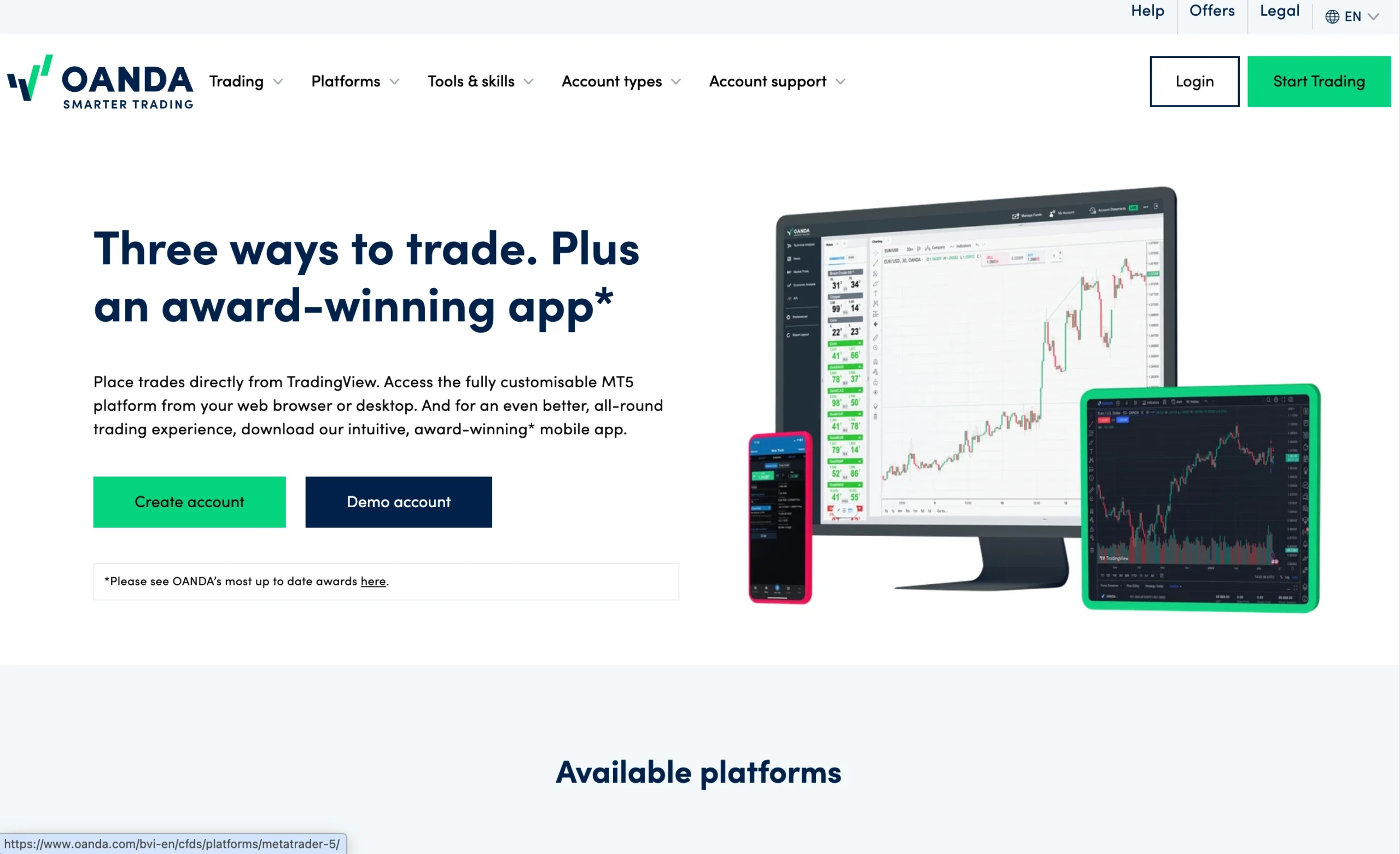
OANDA delivers a strong trading experience with a selection of feature-rich trading platforms designed to suit different trading styles. The broker’s proprietary OANDA Trade Web platform combines advanced charting capabilities, multiple order types, and exclusive features such as market sentiment data. The OANDA mobile app also stands out with its intuitive interface and comprehensive functionality, making it a strong choice for trading on the go. In addition, clients can trade through the widely used TradingView and MetaTrader 4 (MT4) platforms, providing flexibility for both discretionary and technical traders.
MetaTrader 5

MetaTrader 5 Desktop Intro
The MetaTrader 5 (MT5) desktop platform at OANDA is a feature-rich trading platform designed for traders seeking advanced analytical tools, fast execution, and support for automated trading. Built for both beginners and experienced traders, MT5 combines a modern interface with enhanced functionality to deliver a professional trading experience across multiple asset classes.
Platform Compatibility & Global Accessibility
OANDA’s MT5 platform is fully compatible with both Windows and Mac operating systems, allowing traders to access the markets from virtually any desktop device. The platform also supports multiple languages, making it accessible to traders around the world.
Key Features of OANDA MT5
Advanced Order Types: MT5 offers a wider range of pending order types than MT4, giving traders greater flexibility when executing different trading strategies.
One-Click Trading: Execute trades instantly at live market prices, making the platform well suited for scalping and other high-frequency trading strategies.
Chart-Based Trading: Place, modify, and manage orders directly from interactive charts while controlling position size, stop-loss, and take-profit levels.
Advanced Charting & Technical Analysis: Access multiple chart types, numerous timeframes, built-in technical indicators, and drawing tools to perform detailed market analysis.
Expert Advisor (EA) Integration: OANDA’s MT5 fully supports Expert Advisors (EAs) for automated trading. Traders can develop, backtest, and optimize trading strategies using the platform’s integrated multi-threaded strategy tester.
Why OANDA MT5 Stands Out
The MetaTrader 5 platform at OANDA delivers a powerful combination of advanced charting, flexible order management, and robust algorithmic trading capabilities. With support for automated strategies, comprehensive analytical tools, and OANDA’s reliable execution infrastructure, MT5 is an excellent choice for day traders, swing traders, and algorithmic traders looking for a professional-grade trading platform.
Pros:
- Good customizability (for charts, workspace)
- Price alerts
- Clear fee report
Cons:
- Search function could be improved
- Poor design
Mt5 Charts
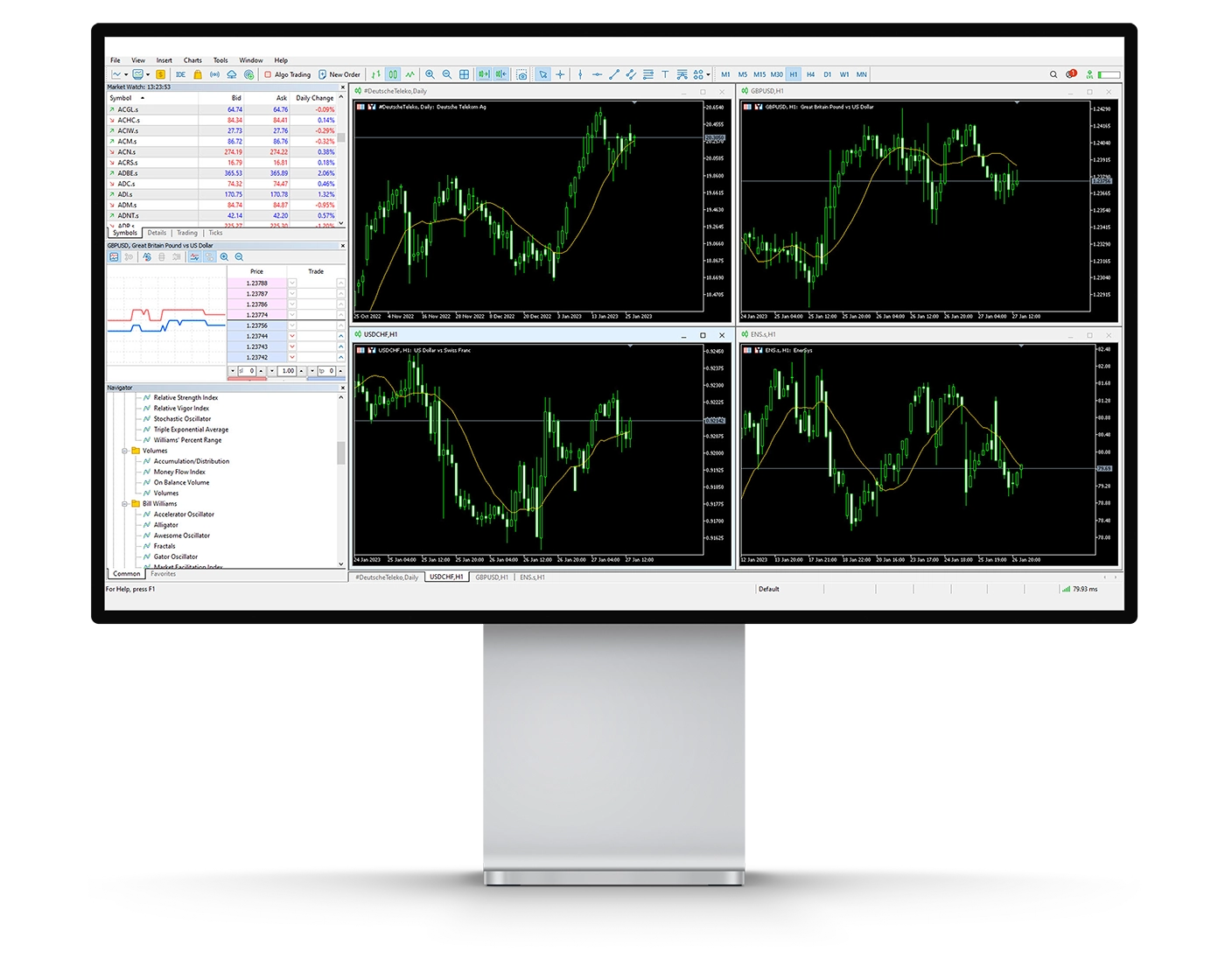
OANDA’s MetaTrader 5 (MT5) charting suite offers a comprehensive set of analytical tools designed to support traders of all experience levels. Whether you’re performing basic technical analysis or developing advanced trading strategies, MT5 provides the flexibility and functionality needed to analyse the markets with confidence.
Key Charting Features
Technical Indicators: MT5 includes 38 built-in technical indicators covering trend-following tools, oscillators, and volume-based analysis. These indicators help traders identify trends, measure momentum, and evaluate potential market reversals.
Drawing Tools: The platform features 44 analytical objects, including Fibonacci retracements, Gann tools, Elliott Waves, geometric shapes, and trendlines, allowing traders to accurately identify support and resistance levels and analyse chart patterns.
Timeframes & Chart Types: MT5 supports 21 timeframes, enabling detailed multi-timeframe analysis. Traders can choose between candlestick, bar, and line charts depending on their preferred trading style and market analysis approach.
Usability Considerations
Although MT5 provides an extensive range of charting tools, using too many indicators or drawing objects simultaneously can make charts difficult to interpret. Keeping chart layouts clean often makes it easier to identify high-quality trading opportunities.
Why OANDA MT5 Charting Stands Out
The MetaTrader 5 platform at OANDA combines advanced charting capabilities with reliable performance and fast execution. Its extensive selection of indicators, drawing tools, and timeframes makes it well suited for technical analysts, day traders, swing traders, and algorithmic traders who depend on detailed market analysis to make informed trading decisions.
Mt5 Orders
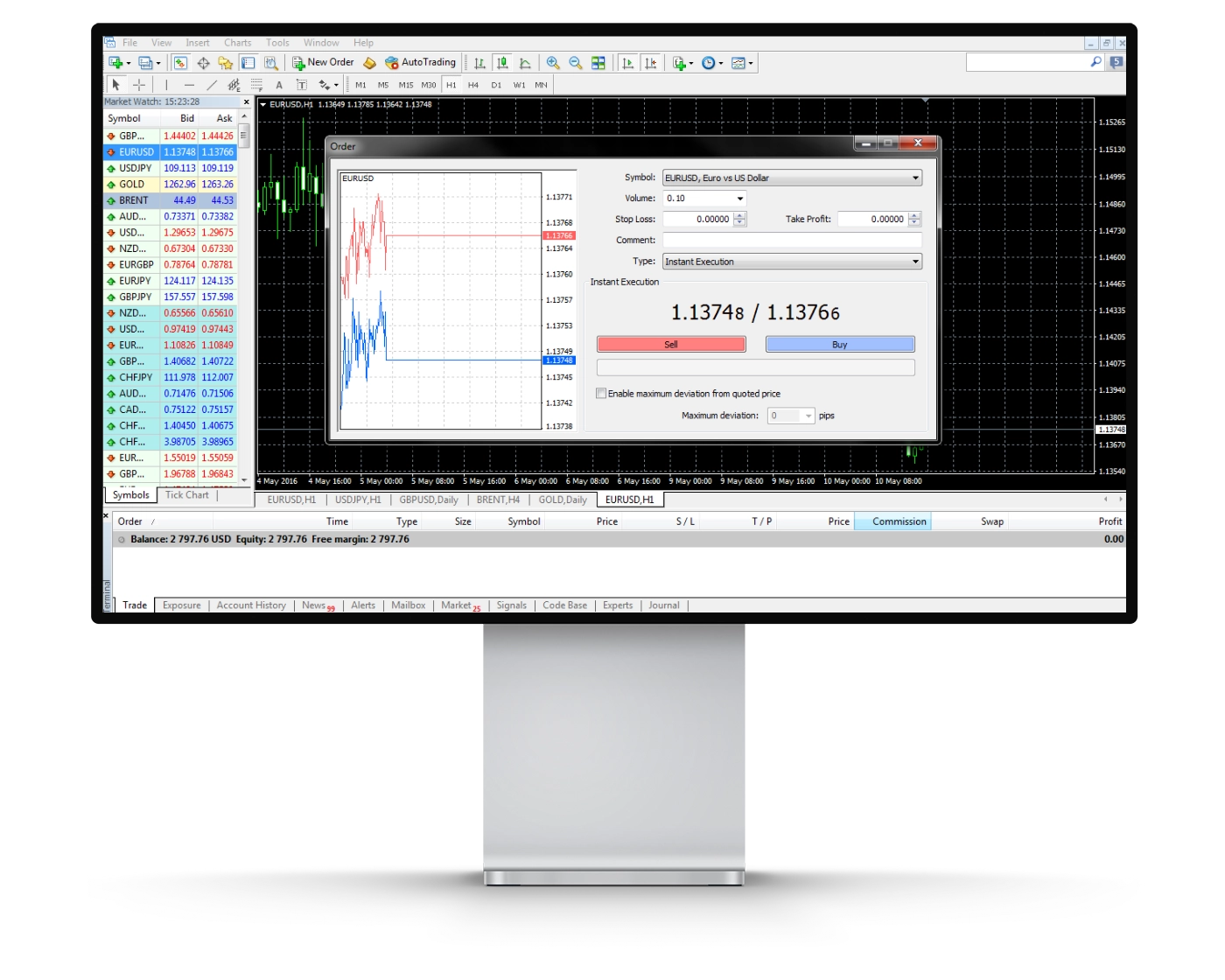
OANDA’s MetaTrader 5 (MT5) platform is built to deliver efficient and flexible trade execution, making it suitable for beginners, experienced traders, and algorithmic trading enthusiasts alike. Whether you’re day trading, swing trading, or running automated strategies, MT5 offers the tools needed to execute and manage positions with precision.
Order Types Available
Market Orders: Execute trades immediately at the best available market price. While the requested trade volume is filled, the final execution price may vary slightly due to normal market movements and slippage.
Limit Orders: Set a specific price at which you want to enter or exit the market. The order is only executed if the market reaches your chosen price, giving traders greater control over trade entries.
Stop Orders: Automatically trigger a market order once a predefined price level is reached. These orders are commonly used as stop-losses to help manage downside risk and maintain disciplined trading.
Stop Limit Orders: MT5 also supports stop limit orders, allowing traders to combine the functionality of stop and limit orders for greater control over execution once a trigger price has been reached.
Advanced Execution Features
In addition to its versatile order types, OANDA MT5 supports one-click trading, allowing positions to be opened and closed directly from the chart with a single click. This feature is particularly useful for active traders who require fast execution during volatile market conditions.
The platform also includes Depth of Market (DOM) functionality, giving traders additional insight into available market liquidity where supported.
Why Traders Choose OANDA for MT5 Execution
The MetaTrader 5 platform at OANDA combines reliable execution, advanced order management, and support for automated trading through Expert Advisors (EAs). With one-click trading, multiple order types, and built-in algorithmic trading capabilities, MT5 provides the speed, flexibility, and control needed for a wide range of trading strategies.
Mt5 WebTrader
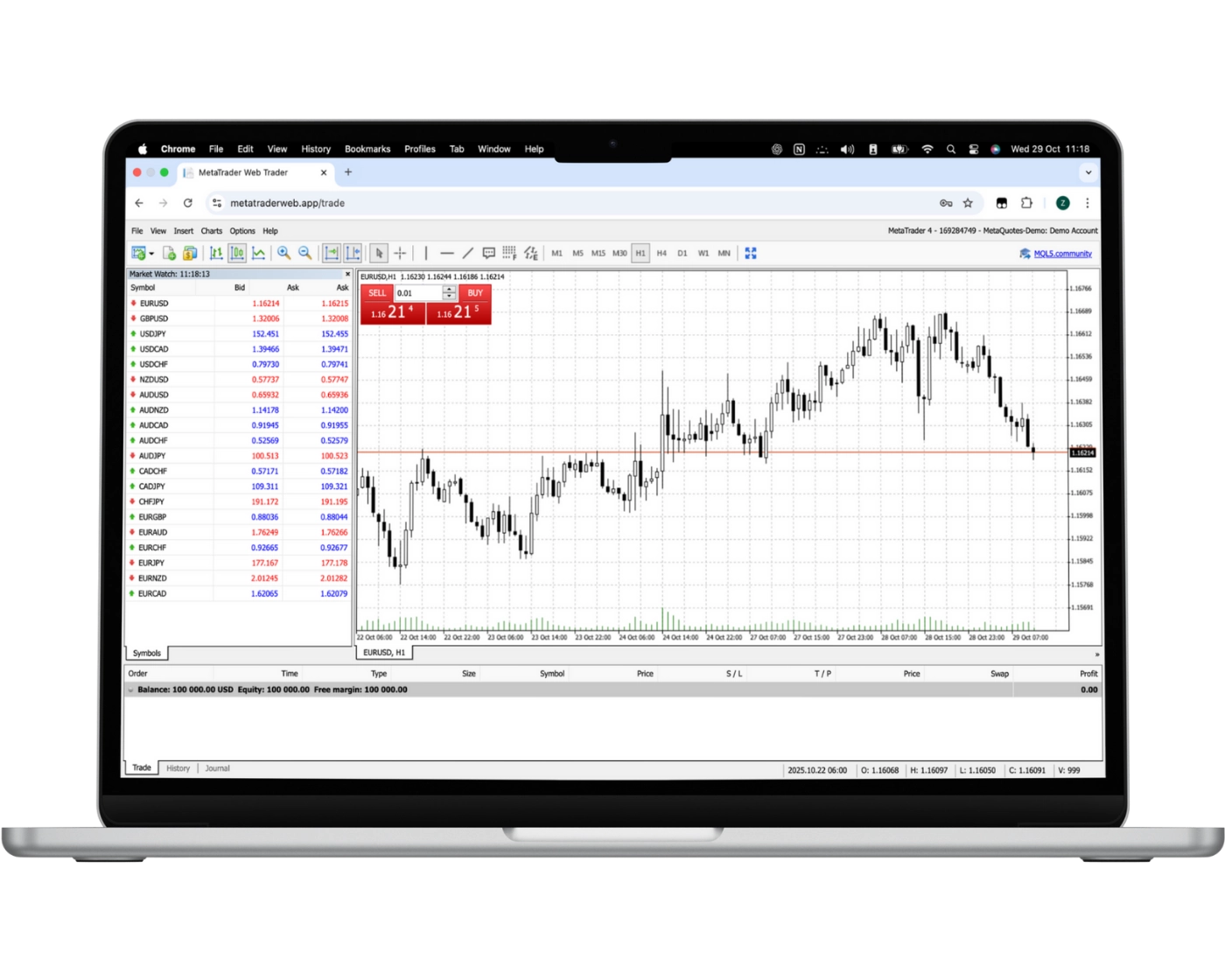
OANDA’s MetaTrader 5 (MT5) WebTrader brings the full functionality of MT5 to your web browser, allowing traders to access the markets without downloading or installing any software. Compatible with all major browsers and operating systems, the platform provides a secure and convenient way to trade from virtually any internet-connected device.
Key Features of MT5 WebTrader
One-Click Trading: Execute trades instantly with a single click, helping traders react quickly to changing market conditions.
Trade Directly from Charts: Open, modify, and close positions directly from interactive charts for faster and more efficient trade management.
Custom Watchlists & Live Quotes: Monitor your preferred trading instruments with customizable watchlists and real-time market pricing.
Trading History: Access your complete trading history to review past performance and evaluate trading strategies.
Advanced Charting: Analyze the markets using 38 built-in technical indicators, 44 analytical objects, multiple chart types, and 21 timeframes for comprehensive technical analysis.
Automated Trading Support: While Expert Advisors (EAs) cannot run directly within the web platform, MT5 WebTrader provides seamless access to accounts that use automated strategies on the desktop version.
Why Choose OANDA MT5 WebTrader?
OANDA’s MT5 WebTrader combines the flexibility of browser-based trading with the powerful tools available on the MetaTrader 5 platform. With advanced charting, fast order execution, customizable watchlists, and seamless account access, it offers an excellent solution for traders who want the convenience of web-based trading without sacrificing professional-grade functionality.
MT5 Mobile App
Pros:
- Good search function
- User-friendly
- Price alerts
Cons:
- No two-step (safer) login
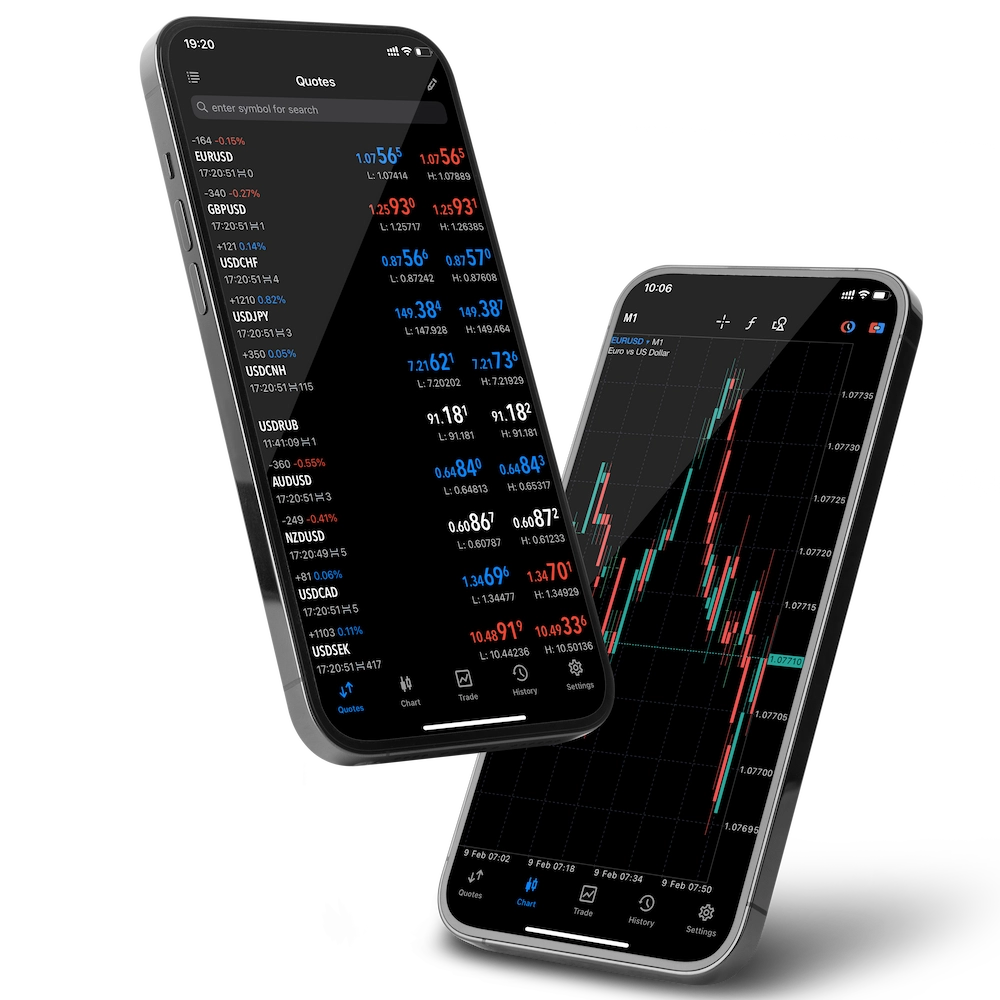
OANDA’s MetaTrader 5 (MT5) mobile app gives traders full access to the financial markets from virtually anywhere using an iOS or Android device. Combining powerful trading tools with an intuitive interface, the app allows users to monitor the markets, analyze charts, and manage positions while on the move.
Key Features of MT5 Mobile
Complete Trade Management: Open, modify, and close positions quickly from your smartphone or tablet with just a few taps.
Flexible Order Types: Execute market, limit, stop, and stop limit orders, while easily adjusting position size, stop-loss, and take-profit levels.
User-Friendly Interface: Navigate the platform through a clean and intuitive layout designed for efficient trading and fast market access.
Live Market Quotes: Access real-time prices and monitor market movements as they happen, helping you respond quickly to changing conditions.
Advanced Charting: Analyze the markets using interactive charts, 38 built-in technical indicators, multiple chart types, and 21 timeframes directly from your mobile device.
Why Trade with OANDA’s MT5 Mobile App?
OANDA’s MT5 mobile platform combines portability with professional trading functionality, allowing traders to manage positions, analyze markets, and execute trades wherever they are. With powerful charting tools, real-time pricing, multiple order types, and seamless synchronization with your MT5 account, the app provides a reliable mobile trading experience for both active and long-term traders.
Look and Feel
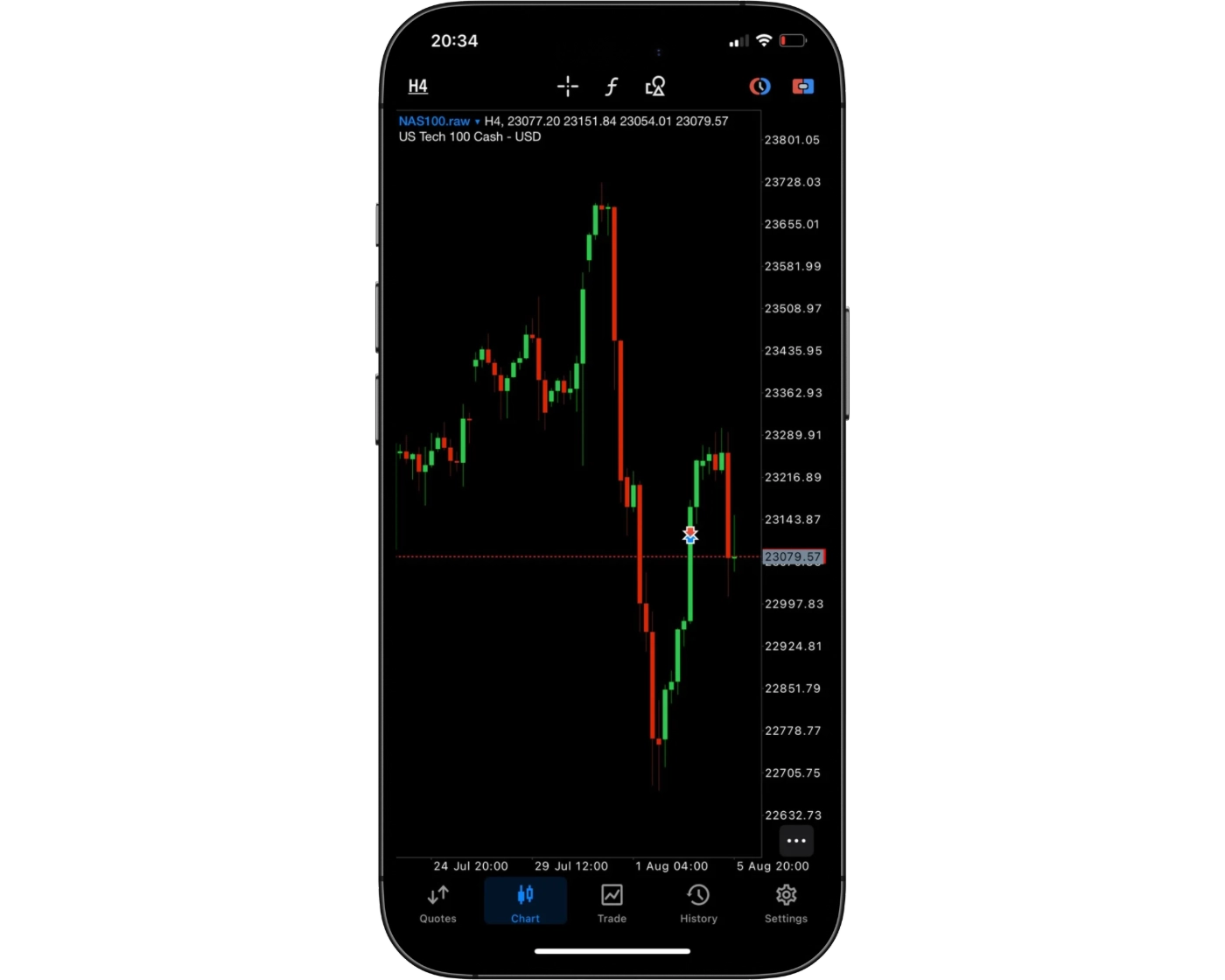
OANDA’s MetaTrader 5 (MT5) mobile platform features a clean, well-organized interface that makes it easy to monitor markets, analyze charts, and manage trades from a mobile device. Menus are logically arranged, allowing traders to navigate between watchlists, charts, orders, and account information with minimal effort. The intuitive design makes the platform accessible to beginners while providing the functionality experienced traders expect.
One of the strengths of OANDA’s MT5 mobile app is its combination of simplicity and advanced trading capabilities. Traders can access professional-grade charting tools, 38 built-in technical indicators, multiple timeframes, customizable chart settings, and fast order execution, all within a responsive mobile interface. This balance of ease of use and powerful functionality makes the platform a strong choice for traders who want to stay connected to the markets and manage positions efficiently from anywhere.
Login and security
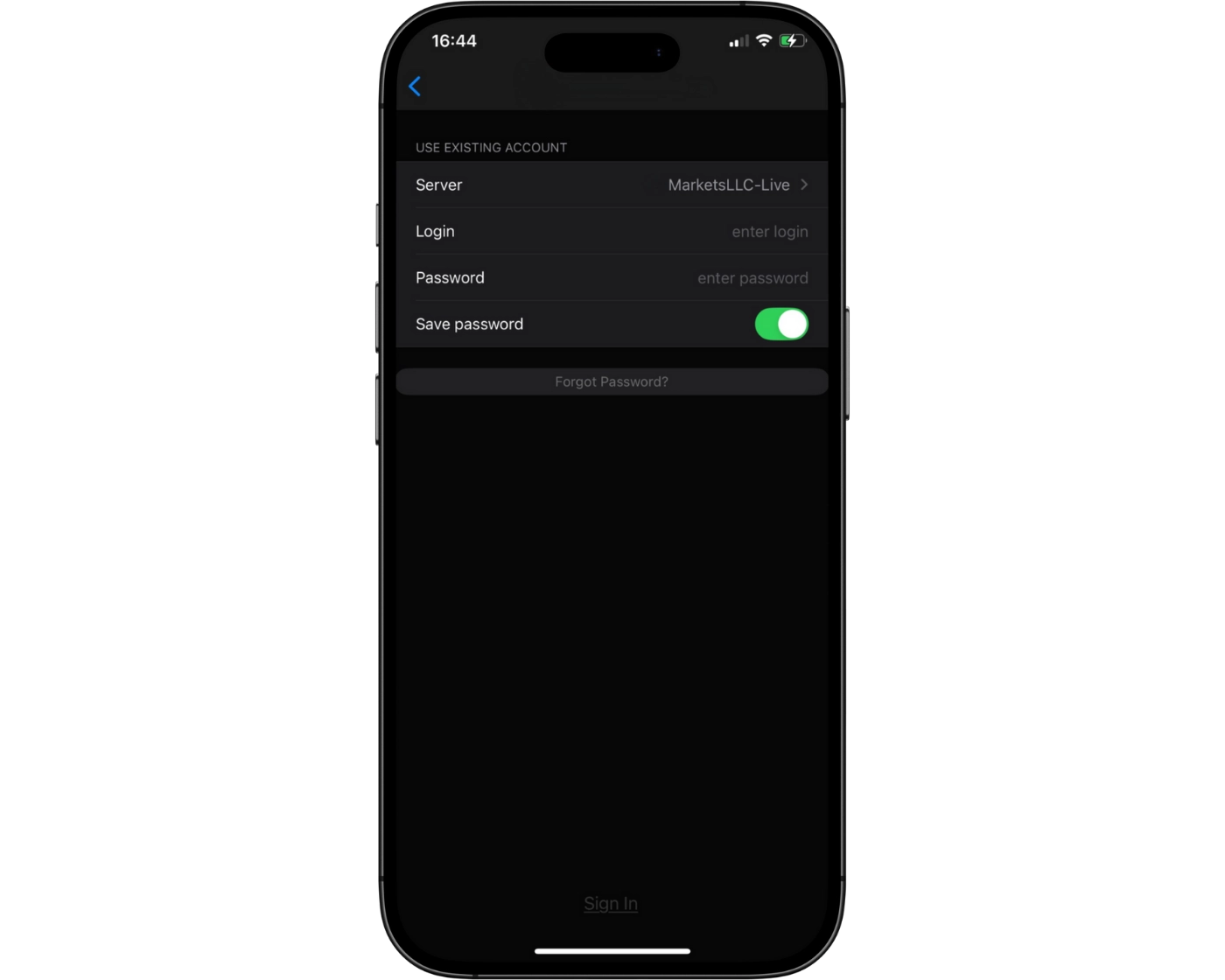
OANDA’s MetaTrader 5 (MT5) mobile platform offers a straightforward login process, allowing traders to access their accounts quickly from both iOS and Android devices. The simple sign-in experience makes it easy to monitor markets, manage positions, and execute trades while away from a desktop.
The MT5 mobile app also supports biometric authentication, including fingerprint and facial recognition on compatible devices. These features provide an additional layer of security while making account access faster and more convenient. Combined with encrypted communication and secure account credentials, OANDA’s MT5 mobile platform delivers a reliable balance of accessibility and account protection for traders on the move.
Search functions
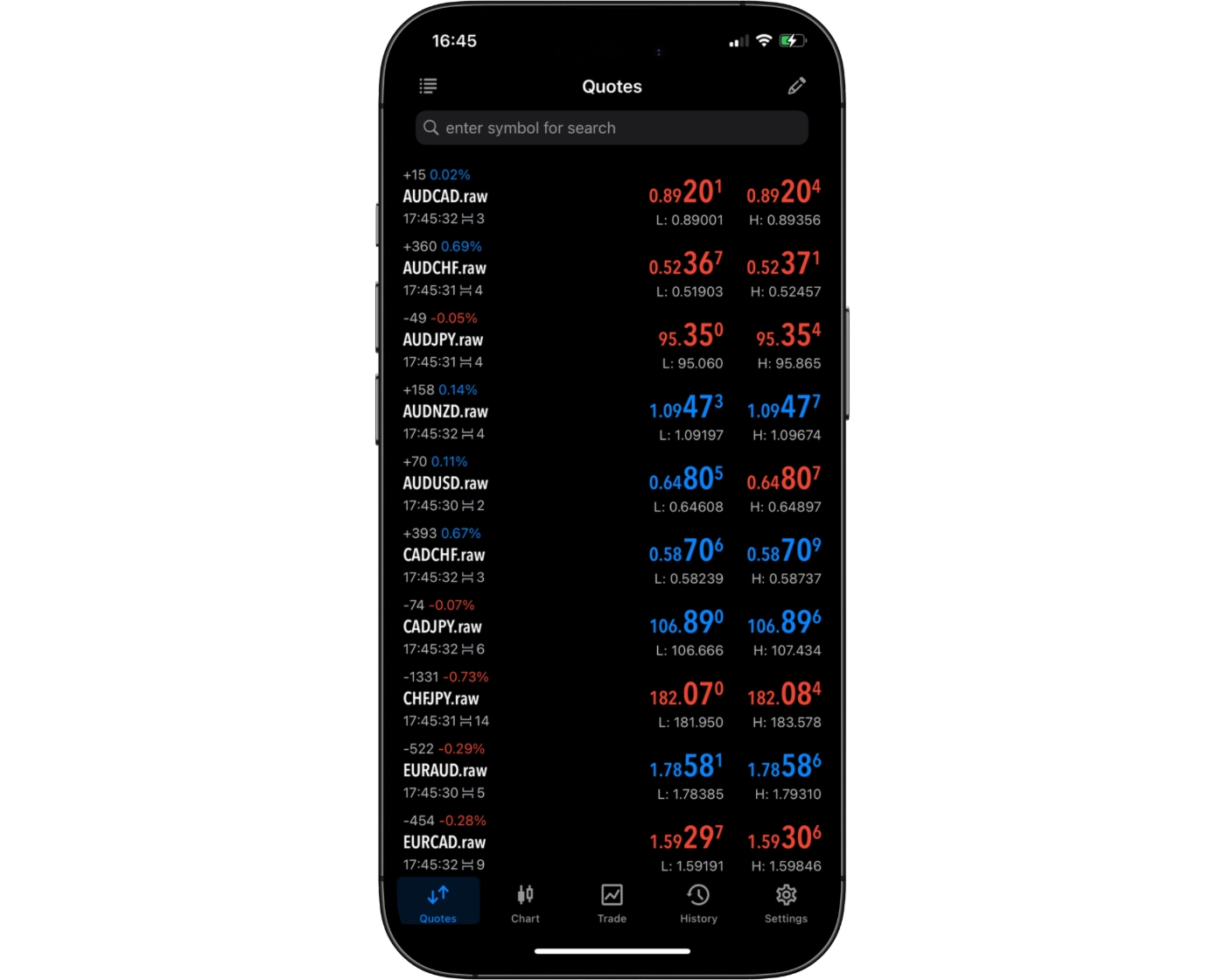
The OANDA MetaTrader 5 (MT5) mobile app includes an efficient search function that makes it easy to locate trading instruments from a wide range of available markets. Traders can quickly search for forex pairs, commodities, indices, stocks, and other supported CFDs by entering the instrument name or symbol.
Instruments are also organised into logical categories, allowing users to browse markets without relying solely on the search bar. Frequently traded assets can be added to a custom watchlist, providing faster access to preferred instruments and helping traders monitor market movements more efficiently while on the go.
Placing orders
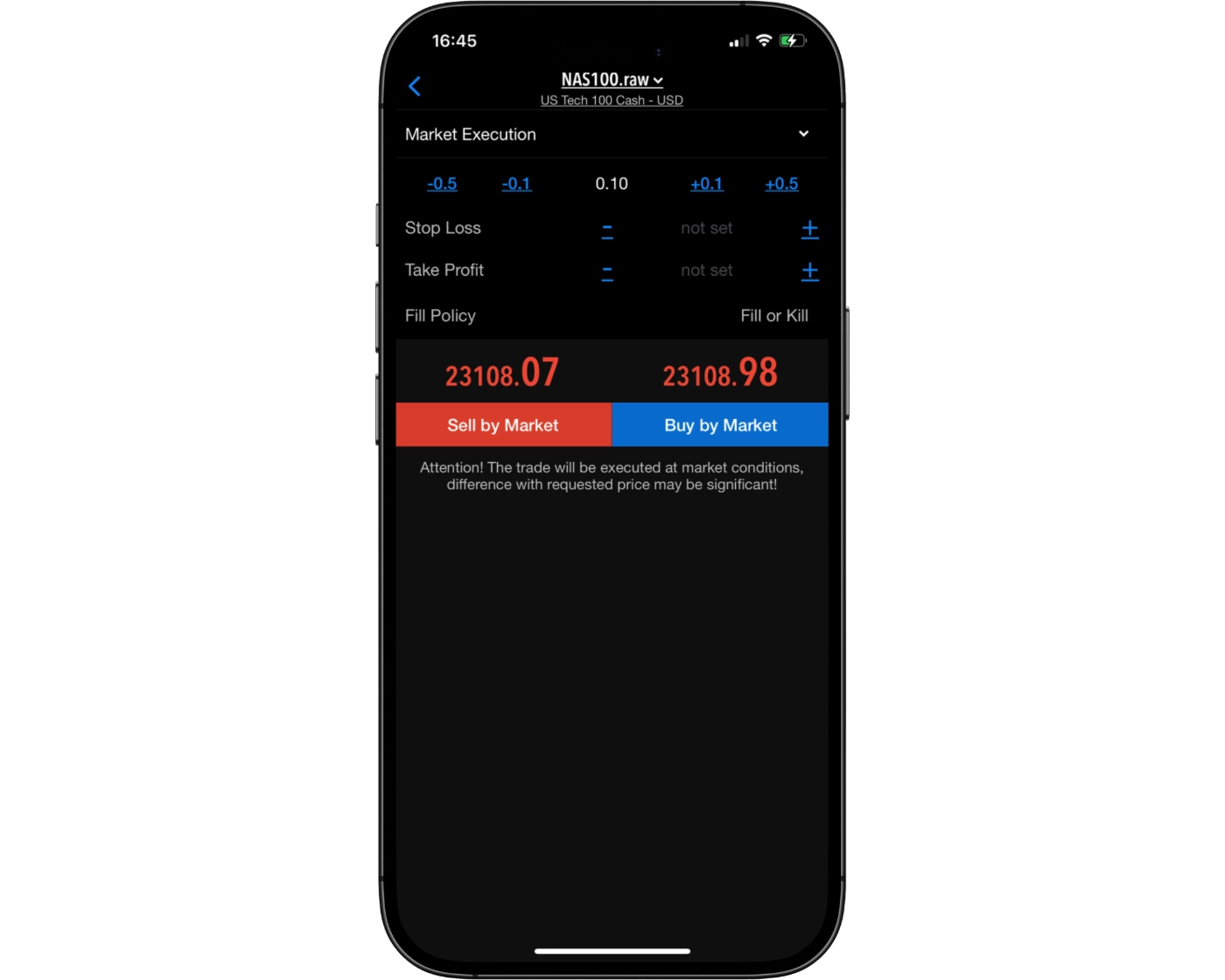
OANDA’s MetaTrader 5 (MT5) mobile platform provides a flexible and intuitive order management system, allowing traders to execute and manage trades efficiently from their smartphones or tablets. Whether you’re actively trading intraday or managing longer-term positions, the app supports the essential order types required for a wide range of trading strategies.
Available Order Types
Market Orders: Execute trades immediately at the best available market price, making them ideal for traders who want instant market exposure.
Limit Orders: Set a specific entry price and have the order executed only if the market reaches your chosen level, giving you greater control over trade entries.
Stop Orders: Place stop-loss or pending stop orders to help manage risk or enter the market once a predefined price threshold has been reached.
Order Duration Options
Good ’til Canceled (GTC): Orders remain active until they are either executed or manually canceled by the trader.
Specified Expiration: Pending orders can also be configured to expire automatically at a predetermined date and time if they have not been triggered.
With support for multiple order types, flexible expiration settings, and a user-friendly mobile interface, OANDA’s MT5 mobile app provides traders with the tools needed to execute and manage positions efficiently while trading on the go.
Alerts and notifications
OANDA’s MetaTrader 5 (MT5) mobile app supports push notifications, helping traders stay informed about important account activity and market events while away from their desktop. Notifications can be used alongside the MT5 ecosystem to receive updates on trade execution, Expert Advisor activity, and other platform events once properly configured.
The mobile app also enables traders to monitor open positions and market prices in real time, making it easier to react quickly to changing market conditions. Combined with MT5’s live market data and mobile trade management tools, these notification features help traders remain connected to the markets wherever they are.
MetaTrader 5: Key Takeaways
MT5 Desktop Platform
OANDA’s MetaTrader 5 desktop platform provides a fast, stable, and feature-rich trading environment suitable for both discretionary and algorithmic traders. Compared to MT4, MT5 offers enhanced functionality, including additional order types, more timeframes, improved charting tools, and a powerful multi-threaded strategy tester. Its combination of advanced analytical capabilities and reliable execution makes it well suited for day trading, swing trading, and automated trading strategies.
MT5 Mobile App
The OANDA MT5 mobile app delivers a smooth trading experience for traders who need to monitor the markets and manage positions while away from their desktop. Users can execute trades, modify orders, monitor watchlists, and access advanced charting tools directly from their mobile devices. Although the app includes powerful technical analysis features, traders performing extensive chart analysis or developing automated strategies will generally find the desktop platform more suitable.
Summary
Overall, OANDA’s MetaTrader 5 ecosystem combines the advanced functionality of the desktop platform with the convenience of mobile trading. Traders benefit from professional-grade charting, multiple order types, fast execution, and comprehensive trade management across devices. While the desktop version remains the preferred choice for detailed market analysis and algorithmic trading, the mobile app provides an excellent solution for monitoring and managing trades on the go.
OANDA web
OANDA web Intro
OANDA Web is OANDA’s proprietary browser-based trading platform, built to provide a fast, intuitive, and feature-rich trading experience without requiring any software installation. Accessible through any modern web browser, the platform combines professional trading tools with a clean interface, making it suitable for both new and experienced traders.
Powered by TradingView charting technology, OANDA Web offers advanced technical analysis, one-click trading, customizable watchlists, and the ability to place trades directly from the charts. The platform also includes proprietary features such as Trader Sentiment, integrated Dow Jones News (where available), an economic calendar, and customizable price alerts to help traders stay informed and react quickly to changing market conditions.
With OANDA Web, traders can access a wide range of forex pairs, indices, commodities, cryptocurrencies, and other supported CFD markets through a responsive browser-based interface. Unlike MetaTrader 5, OANDA Web is designed primarily for discretionary trading and does not support automated trading through Expert Advisors (EAs).
Whether you’re placing your first trade or actively managing multiple positions, OANDA Web combines powerful charting, efficient order management, and browser-based convenience to deliver a reliable and user-friendly trading experience.
Pros:
- TradingView-powered charts
- No software installation required
- Built-in Trader Sentiment tool
Cons:
- No automated trading support
OANDA web Charts
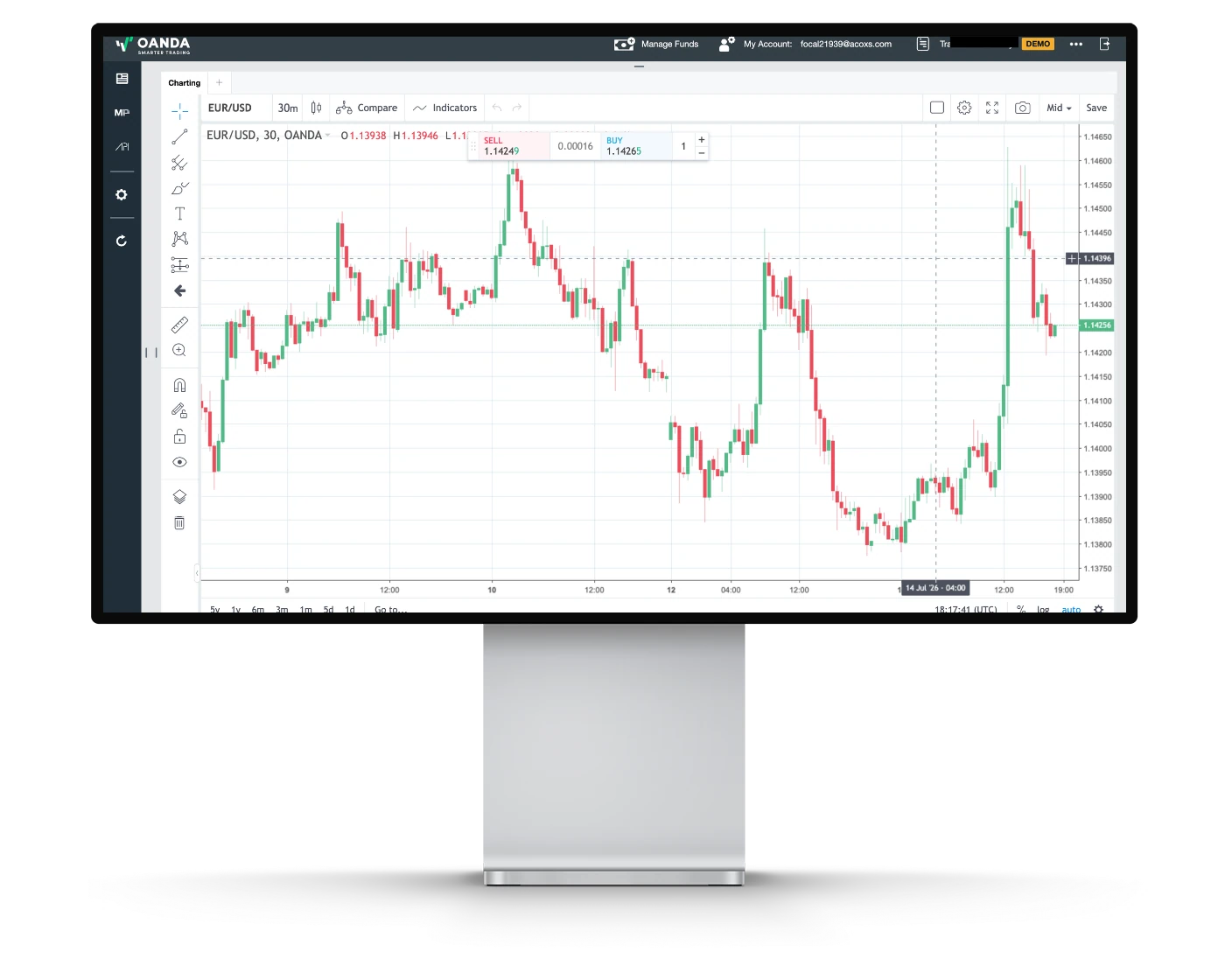
OANDA Web features TradingView-powered charts, delivering a modern and responsive charting experience directly within your browser. Designed for both beginner and experienced traders, the platform combines an intuitive interface with professional-grade analytical tools, allowing users to perform detailed technical analysis without installing additional software.
Advanced Charting Tools
OANDA Web includes a wide selection of technical indicators and drawing tools, enabling traders to analyze market trends and identify potential trading opportunities. Popular tools such as Moving Averages, RSI, MACD, Bollinger Bands, Fibonacci Retracements, and trendlines are available alongside customizable chart settings.
Flexible Chart Types and Timeframes
The platform supports multiple chart types, including candlestick, bar, and line charts, as well as a broad range of timeframes suitable for scalping, day trading, swing trading, and long-term market analysis. Traders can easily switch between intervals to evaluate market conditions from different perspectives.
Interactive Chart Trading
OANDA Web allows traders to place, modify, and close trades directly from the charts, creating a streamlined workflow for active trading. Combined with one-click trading functionality, this enables users to react quickly to changing market conditions while maintaining full control over their positions.
Usability Considerations
The platform offers a clean and user-friendly interface that makes advanced charting accessible without overwhelming newer traders. While the TradingView-powered charts provide excellent analytical capabilities, OANDA Web does not include advanced features such as Level II Depth of Market (DOM) or support for automated trading strategies within the web platform.
Why OANDA Web Charting Stands Out
By combining TradingView’s industry-leading charting technology with OANDA’s browser-based trading environment, OANDA Web provides an excellent balance between ease of use and analytical depth. With responsive charts, powerful technical analysis tools, and direct chart trading, the platform is well suited for discretionary traders seeking a professional trading experience from any modern web browser.
OANDA web Orders
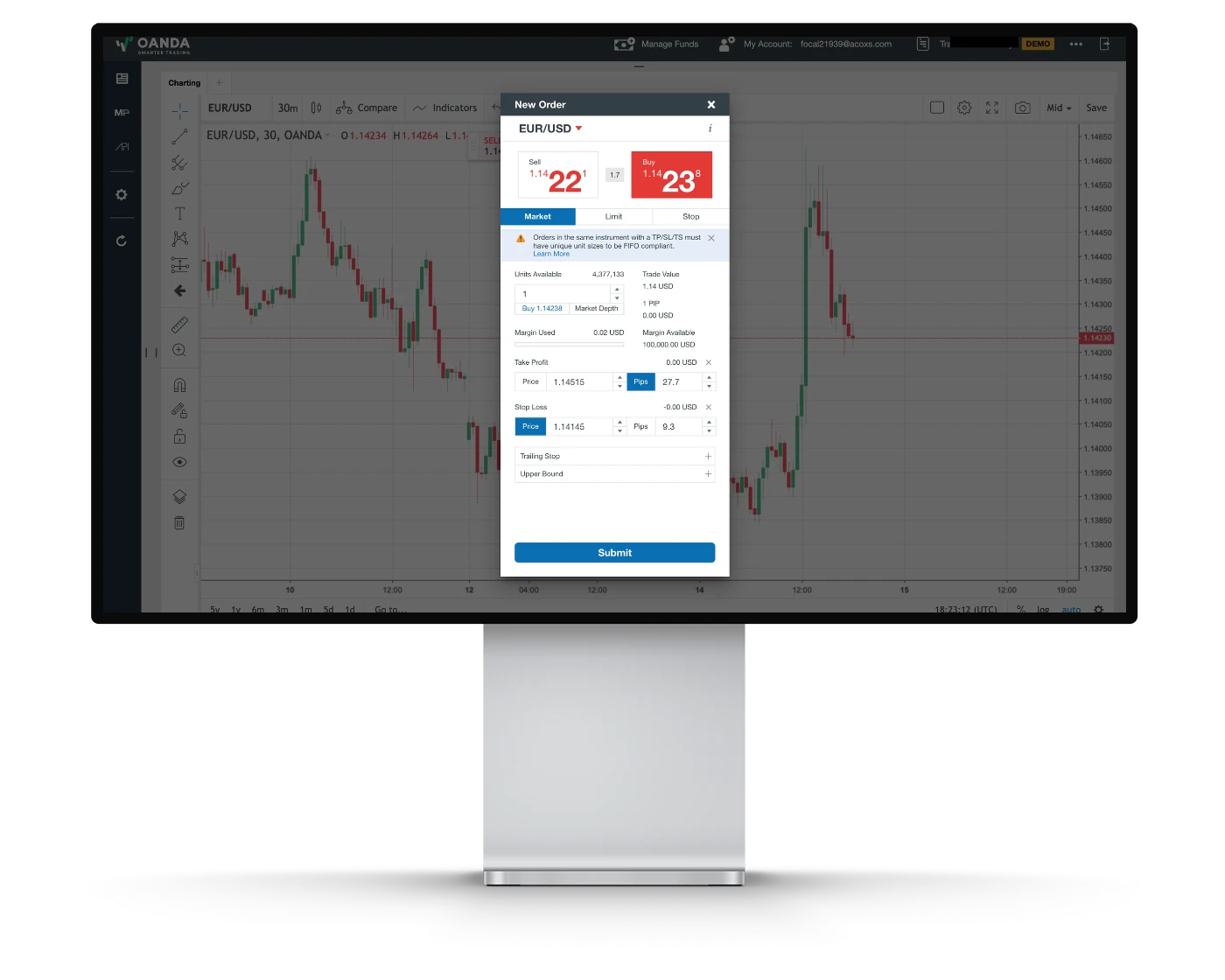
OANDA Web provides a fast, intuitive order management system that gives traders full control over their trade execution and risk management. Designed for both beginner and experienced traders, the platform offers a streamlined interface that makes it easy to place, modify, and monitor trades directly from the browser without installing additional software.
Order Types
OANDA Web supports a comprehensive range of order types, including Market Orders, Limit Orders, Stop Orders, Market If Touched (MIT) Orders, Take Profit Orders, and Stop Loss Orders. These order types provide the flexibility required for a variety of trading strategies, from short-term trading to longer-term position management.
Trade Execution & Order Management
The platform supports one-click trading, allowing traders to enter and exit positions quickly during fast-moving market conditions. Orders can also be placed, modified, and closed directly from the charts, while pending orders can be managed through the platform’s intuitive trade management interface.
Risk Management Tools
OANDA Web includes integrated Stop Loss, Take Profit, and Guaranteed Stop Loss Orders (GSLOs) where available, enabling traders to manage downside risk more effectively. These built-in risk management features help traders automate exit strategies and maintain greater control over open positions.
Usability Considerations
OANDA Web is designed with simplicity and efficiency in mind, making order placement straightforward even for newer traders. While it provides all of the core execution tools required by most discretionary traders, it does not offer Level II Depth of Market (DOM) or some of the advanced execution functionality found on institutional-focused trading platforms.
Why OANDA Web Order Management Stands Out
OANDA Web combines fast browser-based execution with flexible order types, integrated risk management tools, and direct chart trading in a clean, easy-to-use interface. The platform delivers a reliable trading experience for forex and CFD traders who value speed, simplicity, and efficient order management without sacrificing essential trading functionality.
OANDA Mobile App
Pros:
- Good search function
- User-friendly
- Two-step (safer) login
Cons:
- No Touch/Face ID login
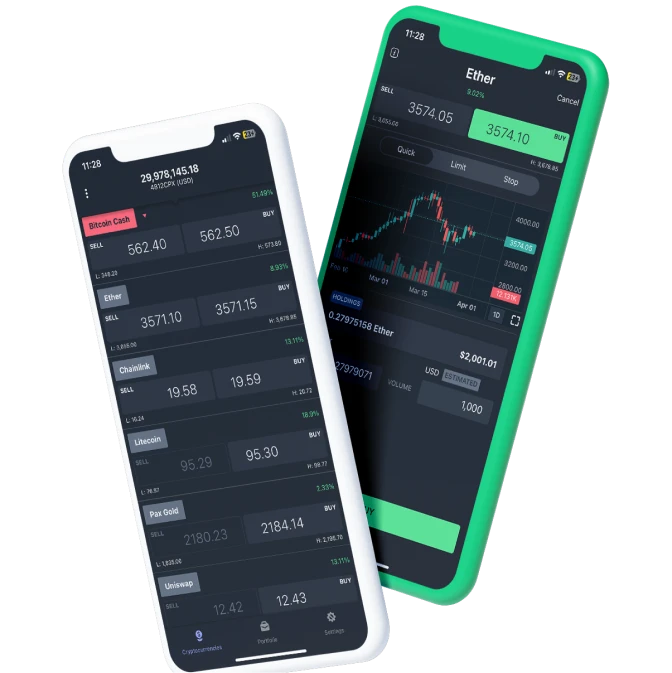
The OANDA mobile app closely mirrors the functionality of the web trading platform, providing a consistent trading experience across devices. In addition to its comprehensive trading features, the app allows users to set price alerts, helping traders stay informed about important market movements even while away from their desktop.
Look and Feel
The OANDA mobile app features a clean, intuitive interface that is easy to navigate for both new and experienced traders. One of its standout features is the highly customizable charting experience, allowing users to tailor charts to their individual trading preferences. This level of chart customization is not commonly offered by many competing brokers, making the app particularly appealing for traders who rely on technical analysis while trading on the go.
Login and security
The OANDA mobile app uses a two-step login process, providing an additional layer of security when accessing your trading account. This helps improve account protection compared to a standard single-step login.
However, the app does not support biometric authentication, such as fingerprint or facial recognition. Adding biometric login would provide a faster and more convenient way for traders to securely access their accounts on compatible mobile devices.
Search functions
The OANDA mobile app features a fast and user-friendly search function that makes it easy to locate trading instruments. Traders can simply enter the name or symbol of a currency pair, index, commodity, cryptocurrency, or other supported market into the search bar to quickly find the desired instrument without browsing through extensive lists.
Markets are also organized into logical categories, allowing users to navigate the platform efficiently and discover additional trading opportunities. This streamlined search functionality enables traders to add instruments to watchlists, monitor price movements, and access trading screens quickly through a responsive and intuitive interface.
Placing orders
The OANDA mobile app supports several order types, allowing traders to execute and manage positions efficiently while on the move. Available order types include Market Orders, Stop Loss Orders, Trailing Stop Orders, and Upper Bound Orders, providing flexibility for different trading and risk management strategies.
For order duration, the platform supports Good ’til Date (GTD), enabling traders to specify an expiration date for pending orders. This functionality helps automate trade execution while giving users greater control over how long their orders remain active.
Alerts and notifications
The OANDA mobile app allows traders to create price alerts and receive notifications, helping them stay informed about important market movements even when they are away from the platform. These alerts make it easier to monitor trading opportunities and react quickly as market conditions change.
OANDA web & OANDA Mobile App : Key Takeaways
OANDA Web Platform
OANDA Web is a powerful browser-based trading platform that combines ease of use with professional trading tools. Powered by TradingView charting, it offers advanced technical analysis, customizable layouts, one-click trading, and direct chart trading without requiring any software installation. The platform also includes useful features such as Trader Sentiment, integrated market news (where available), price alerts, and watchlists, making it well suited for both beginner and experienced traders. While it does not support automated trading or advanced institutional features like Level II Depth of Market (DOM), it delivers an excellent balance of functionality, speed, and accessibility for discretionary traders.
OANDA Mobile App
The OANDA mobile app closely mirrors the functionality of the web platform, allowing traders to manage positions, analyze markets, and monitor watchlists from virtually anywhere. The app offers highly customizable charts, real-time price alerts, multiple order types, and an intuitive interface that makes trading on the go simple and efficient. Security is enhanced through a two-step login process, although biometric authentication is currently unavailable. Overall, the mobile app provides a smooth and reliable trading experience while giving traders the flexibility to stay connected to the markets from their iOS or Android devices.
Overall Summary
Together, OANDA Web and the OANDA mobile app create a seamless cross-device trading experience. The web platform excels in technical analysis and browser-based trading, while the mobile app provides convenient access to the same core functionality wherever you are. With TradingView-powered charts, customizable workspaces, integrated market tools, price alerts, and reliable order execution, OANDA offers a well-rounded platform ecosystem suitable for traders seeking flexibility, usability, and professional-grade trading tools.
TradingView

TradingView Intro
OANDA offers full integration with TradingView, providing traders with one of the industry’s most advanced charting and market analysis platforms. Suitable for both beginner and experienced traders, TradingView combines high-quality interactive charts with professional analytical tools, enabling detailed technical analysis across a wide range of financial markets.
With access to more than 100 built-in technical indicators, extensive drawing tools, and highly customizable chart layouts, traders can create detailed trading setups tailored to their individual strategies. TradingView also supports seamless trade execution through OANDA, allowing users to open, manage, and close positions directly from the charts without disrupting their workflow.
Beyond its charting capabilities, TradingView features one of the world’s largest online trading communities, where traders can publish ideas, discuss market developments, and learn from other market participants. This combination of advanced technical analysis and community-driven insights makes it a valuable resource for traders looking to improve their market understanding.
By integrating TradingView directly into its trading offering, OANDA delivers a powerful platform that combines professional-grade charting, efficient trade execution, and an active trading community, making it an excellent choice for traders who rely heavily on technical analysis.
Pros:
- Built-in Social Trading Community
- Powerful Charting Tools for Technical Analysis
- Cloud-based Access Across All Devices
Cons:
- Full Features Require a Paid Subscription
TradingView Orders and Advanced Charting
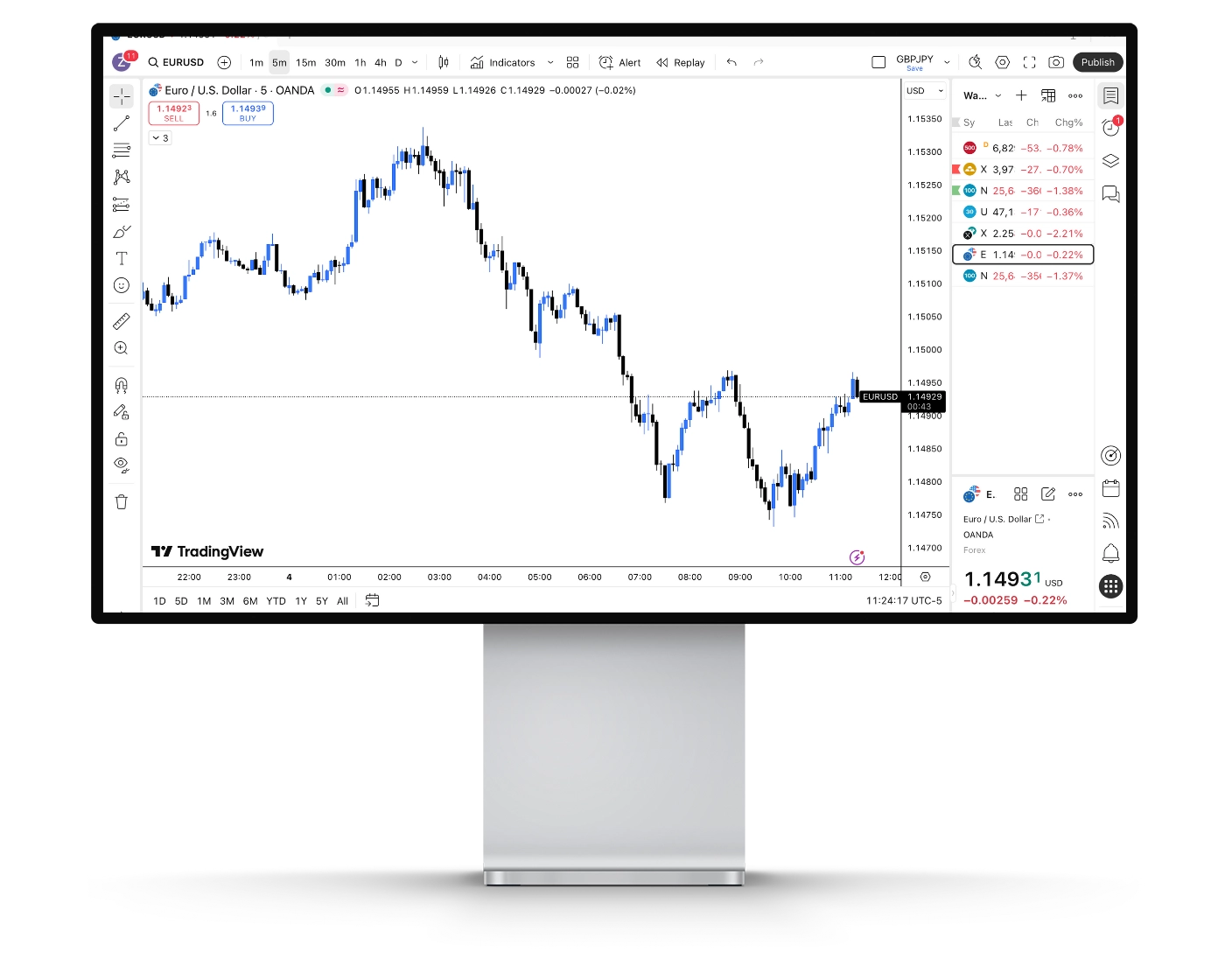
OANDA integrates TradingView directly into its trading environment, giving traders access to one of the industry’s most powerful charting platforms. Users can choose from multiple chart types, including candlesticks, Heikin Ashi, Renko, Kagi, Line Break, Point & Figure, and Range charts. Combined with multiple timeframes and fully customizable layouts, TradingView provides an excellent environment for technical analysis and trade execution.
Powerful Technical Indicators
TradingView offers more than 100 built-in technical indicators, including widely used tools such as Moving Averages (MA), Relative Strength Index (RSI), MACD, Bollinger Bands, Stochastic Oscillator, and Ichimoku Cloud. These indicators help traders analyze trends, identify momentum shifts, and refine entry and exit decisions across different market conditions.
Comprehensive Drawing and Analysis Tools
The platform includes an extensive collection of professional drawing tools, allowing traders to plot trendlines, Fibonacci retracements, pitchforks, channels, support and resistance levels, and various geometric patterns. These features make it easier to build detailed technical trading plans and visualize market structure.
Custom Alerts and Notifications
TradingView enables traders to create highly customizable alerts based on price levels, technical indicators, drawing tools, or strategy conditions. Alerts can be delivered through browser notifications, mobile push notifications, email, SMS, and webhooks, allowing traders to stay informed without constantly monitoring the charts.
Fundamental Analysis and Market Data
In addition to its technical analysis capabilities, TradingView provides access to economic data, financial statements, valuation metrics, market news, and company fundamentals where applicable. Through OANDA, traders can analyze multiple asset classes, including forex, commodities, indices, cryptocurrencies, and other supported CFDs from a single platform.
Custom Strategies with Pine Script®
One of TradingView’s biggest strengths is support for Pine Script®, its proprietary programming language. Traders can build custom indicators, develop automated trading strategies, backtest ideas, and create sophisticated alert conditions tailored to their trading approach.
By combining professional-grade charting, advanced technical analysis, customizable alerts, and seamless trade execution, OANDA’s TradingView integration provides a comprehensive trading solution for both beginner and experienced traders seeking a flexible and highly analytical trading platform.
TradingView Social Community and Network
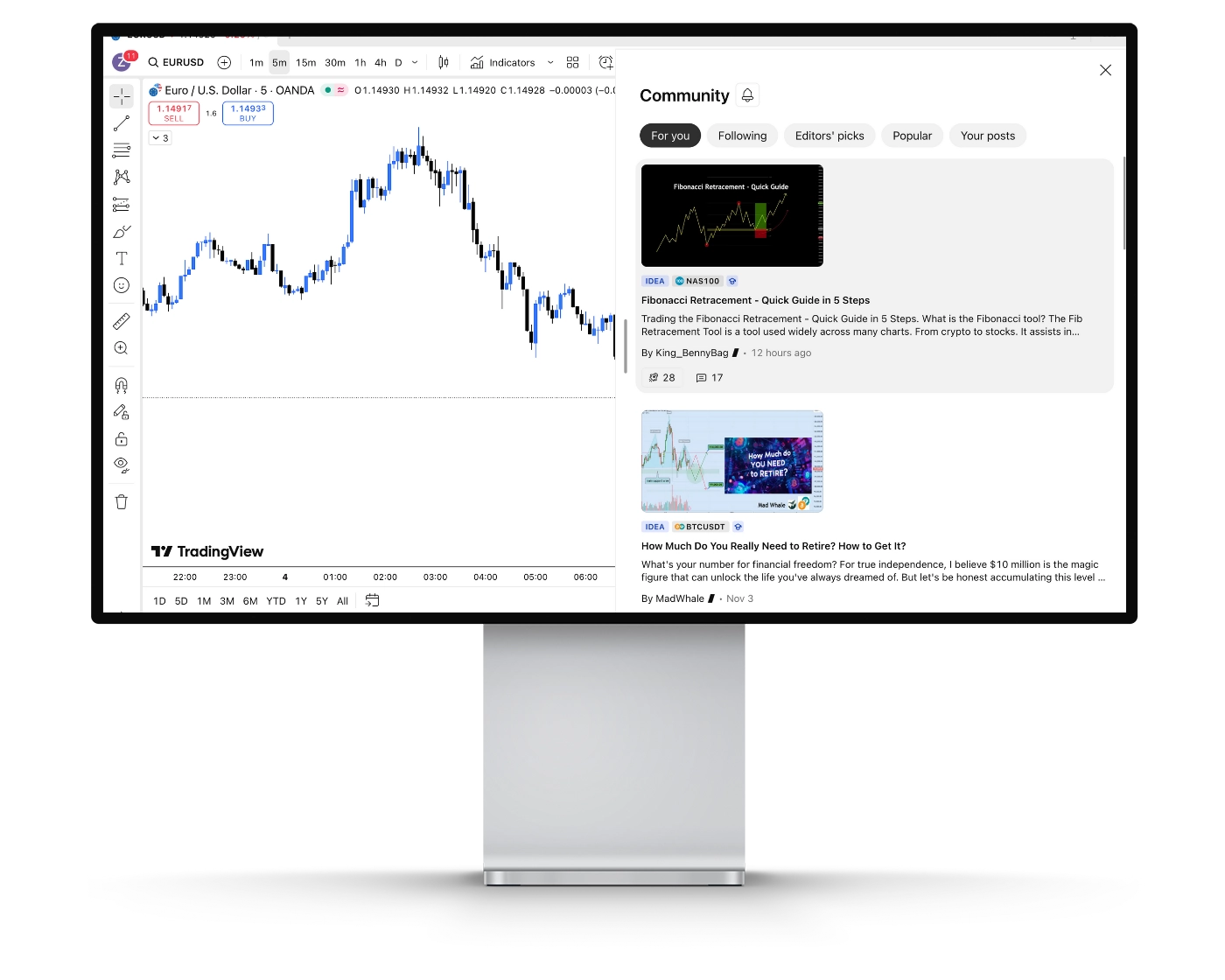
OANDA’s TradingView integration gives traders access to one of the world’s largest online trading communities, allowing them to connect with millions of market participants across the globe. The platform combines professional trading tools with a collaborative environment where users can exchange ideas, discover new strategies, and learn from experienced traders.
Trading Ideas
The Trading Ideas section enables OANDA users to browse thousands of market analyses and trade setups published by other traders. Users can comment on ideas, participate in discussions, and gain alternative perspectives on market conditions across forex, commodities, indices, cryptocurrencies, and other supported markets.
Follow Experienced Traders
TradingView allows users to follow traders whose market analysis and trading style align with their own. By following specific contributors, traders receive updates whenever new ideas, charts, or market commentary are published, helping them stay informed about changing market conditions.
Live Streams and Educational Content
TradingView regularly hosts live streams where experienced traders and analysts share real-time market analysis, trading techniques, and educational content. Viewers can interact with presenters, ask questions, and gain practical insights into different trading strategies and market conditions.
Community Discussions
The platform also features an active community where traders can participate in market discussions, exchange opinions, and collaborate with other users. This social aspect creates an environment that supports continuous learning while exposing traders to a wide range of trading styles and market perspectives.
By combining advanced charting with a thriving global trading community, OANDA’s TradingView integration offers more than just technical analysis tools. It provides traders with access to valuable market insights, educational resources, and a collaborative network that can help improve trading knowledge and decision-making over time.
TradingView Mobile App
Pros:
- Comprehensive Charting on the Go
- Community Integration
- Real-Time Alerts and Notifications
Cons:
- Smaller Screen Limitations
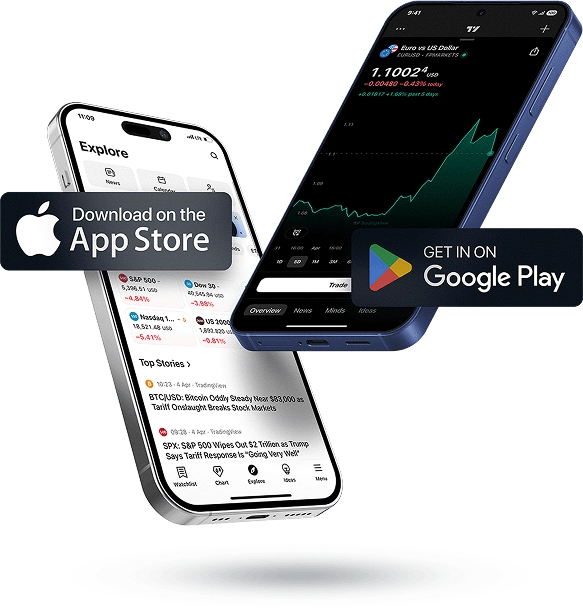
The OANDA TradingView mobile experience, available on both iOS and Android, gives traders access to TradingView’s industry-leading charting and market analysis tools directly from their smartphones or tablets. Designed for flexibility and performance, the app enables users to monitor the markets, perform technical analysis, and manage trades wherever they are.
Advanced Charting and Technical Analysis
The TradingView mobile app includes a wide selection of interactive chart types, technical indicators, and drawing tools, allowing traders to perform detailed market analysis from virtually anywhere. Multiple timeframes and customizable chart settings make it easy to analyze price action and identify trading opportunities across different markets.
Custom Alerts and Notifications
Traders can create custom alerts based on price movements, technical indicators, drawing tools, or strategy conditions. Notifications can be delivered through mobile push notifications, email, browser alerts, and other supported channels, helping traders stay informed of important market developments without continuously monitoring the charts.
Seamless Trading and Account Integration
Through OANDA’s TradingView integration, traders can execute trades, monitor open positions, and manage their accounts directly from the TradingView interface. Combined with real-time market data, advanced charting capabilities, and OANDA’s reliable trade execution, the TradingView mobile platform delivers a professional and convenient trading experience for traders who need access to the markets while on the move.
Look and Feel
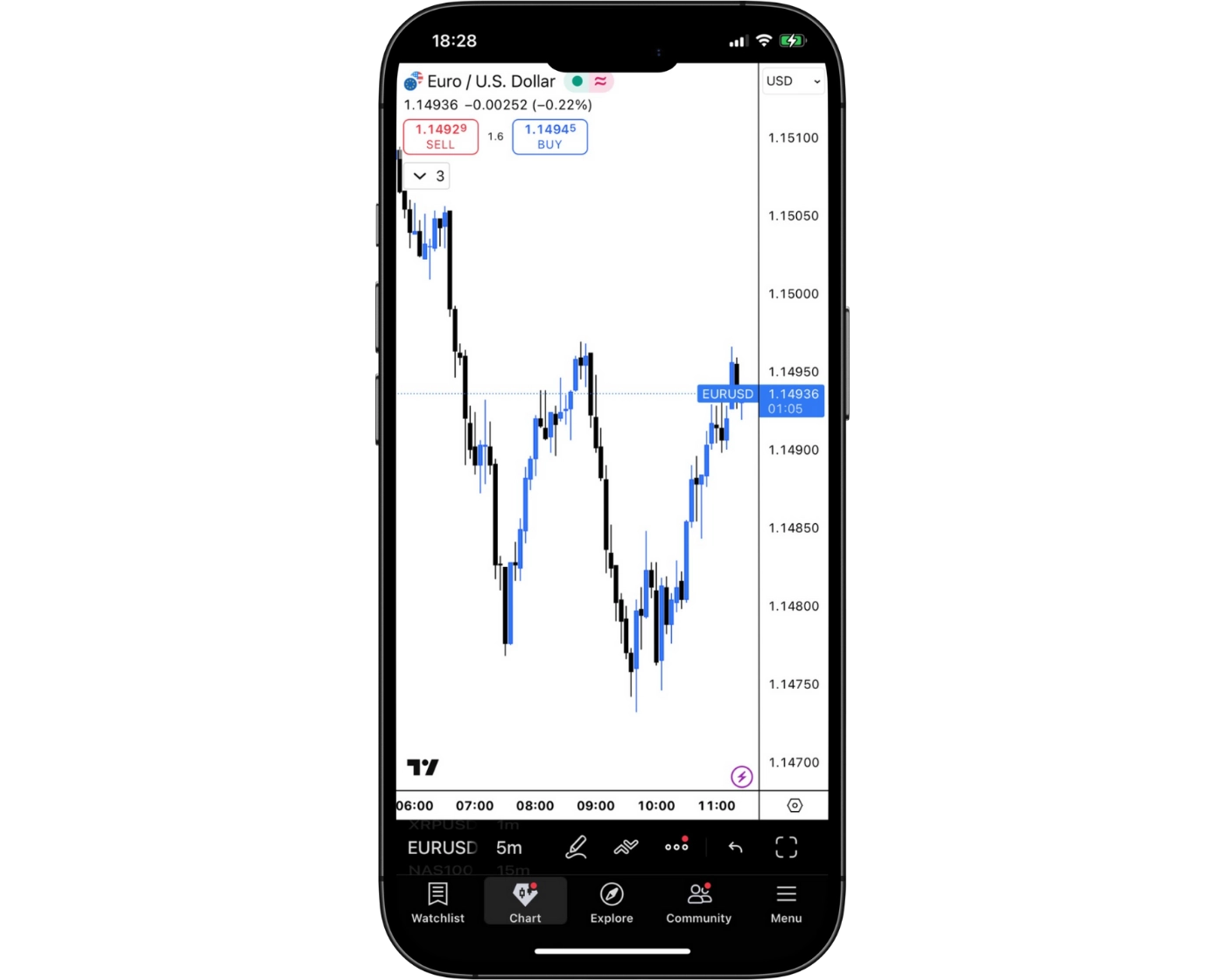
OANDA’s TradingView mobile experience combines a modern, intuitive interface with professional-grade trading and charting functionality. The platform is thoughtfully designed, allowing traders to navigate between watchlists, interactive charts, technical indicators, drawing tools, and account management features with ease.
Whether you’re new to trading or an experienced market participant, the app’s clean layout makes it simple to analyze price action, monitor markets, and execute trades from a mobile device. With responsive charting, customizable workspaces, and streamlined trade management, OANDA’s TradingView integration delivers a smooth and efficient mobile trading experience while keeping traders connected to the markets wherever they are.
Login and security
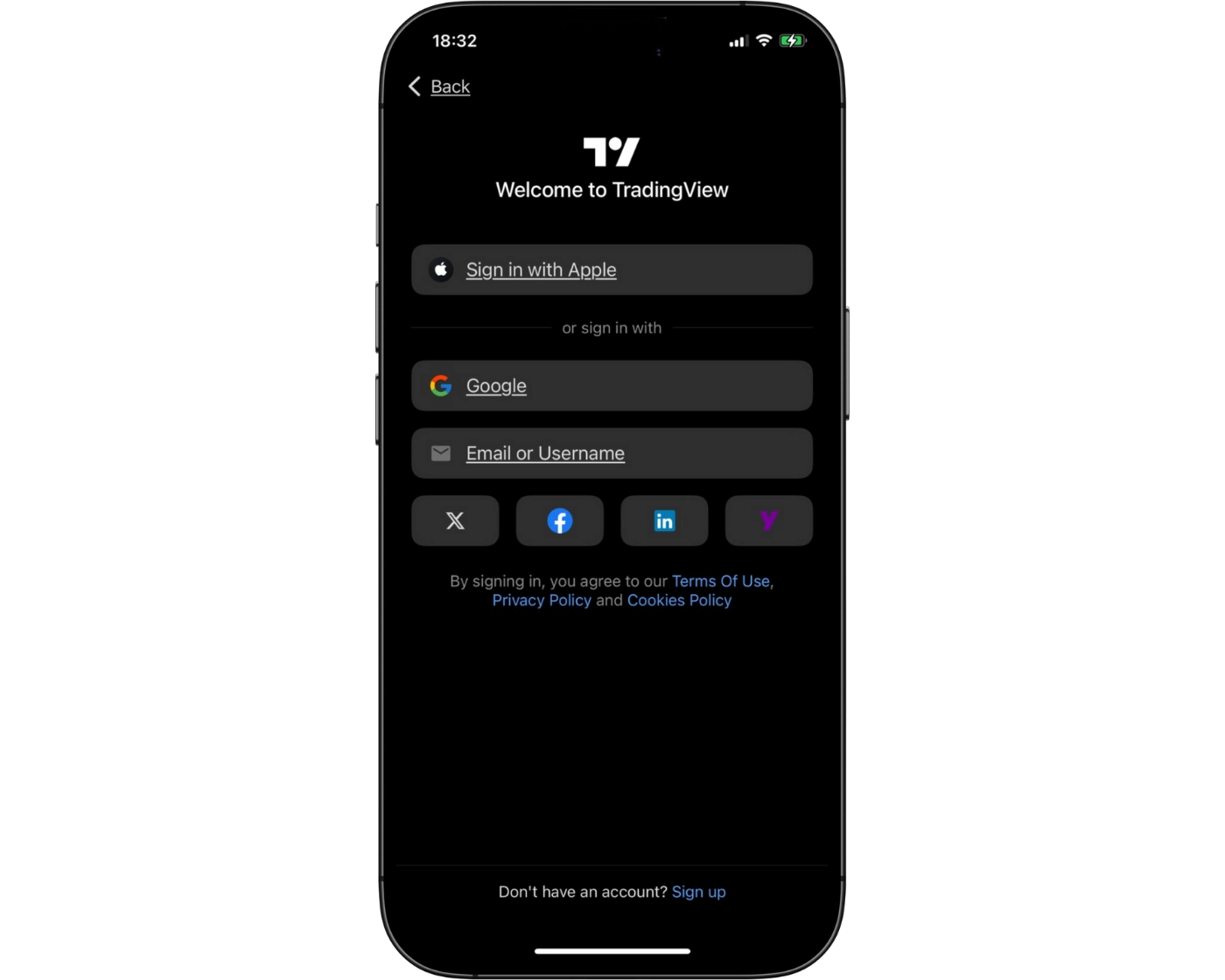
OANDA’s TradingView integration provides secure access through your TradingView and OANDA account credentials, allowing traders to connect their accounts safely while maintaining seamless access to the markets. For additional account protection, TradingView supports two-factor authentication (2FA), adding an extra layer of security beyond a standard username and password.
On supported iOS and Android devices, the TradingView mobile app also offers biometric authentication, including fingerprint and facial recognition. These features provide a faster and more secure login experience while helping protect trading accounts from unauthorized access. Combined with encrypted communications and OANDA’s secure account infrastructure, the platform offers a reliable balance of convenience and security for mobile traders.
Search functions
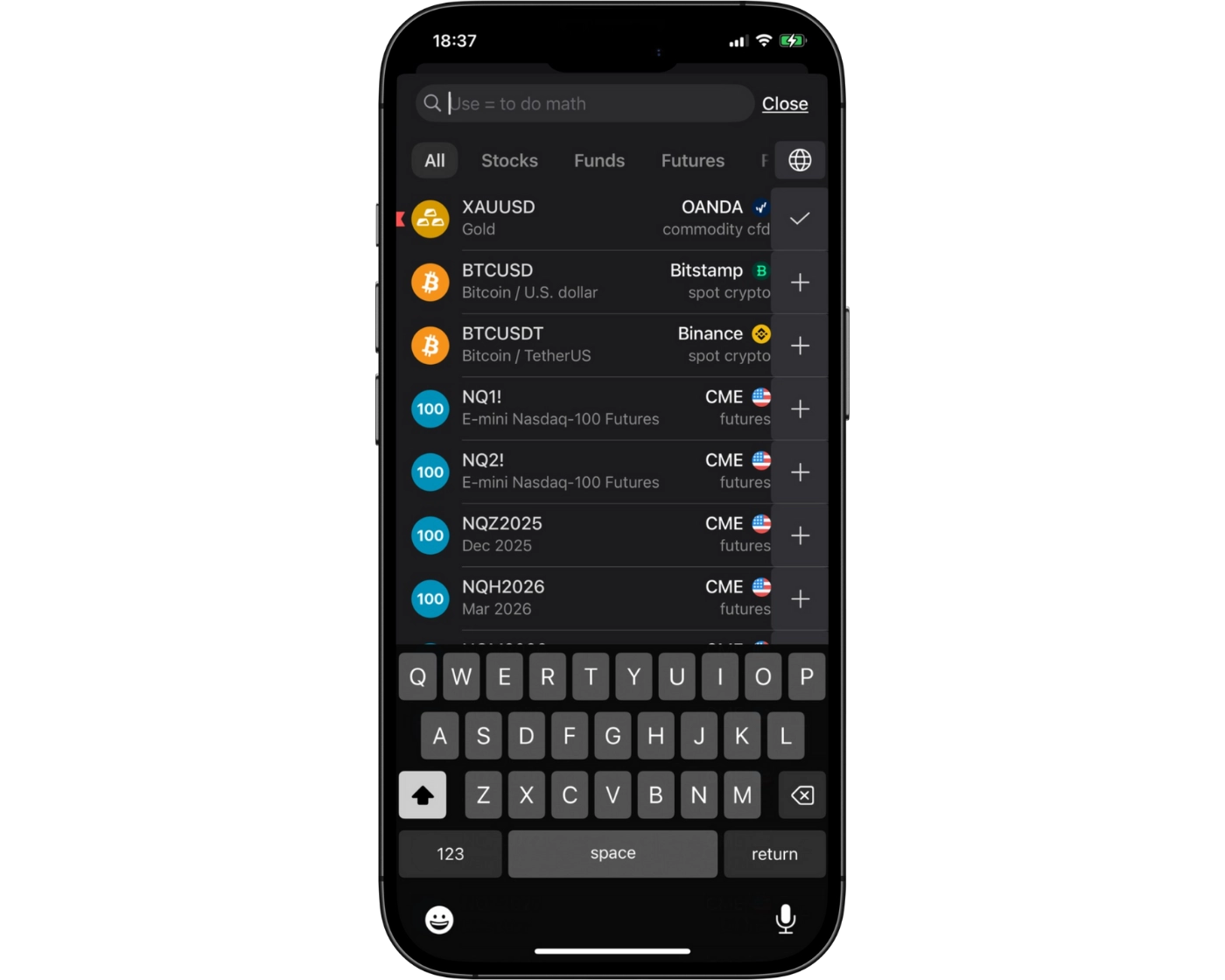
OANDA’s TradingView integration includes a fast and intuitive search function, making it easy for traders to locate instruments by entering the asset name or ticker symbol into the search bar. Users can quickly find supported forex pairs, indices, commodities, cryptocurrencies, stocks, and other available markets without navigating through multiple menus.
In addition to direct search, instruments are organized into logical market categories, allowing traders to browse assets efficiently. Combined with customizable watchlists and real-time market data, the search functionality helps traders quickly access their preferred instruments and respond to market opportunities from both desktop and mobile devices.
Placing orders
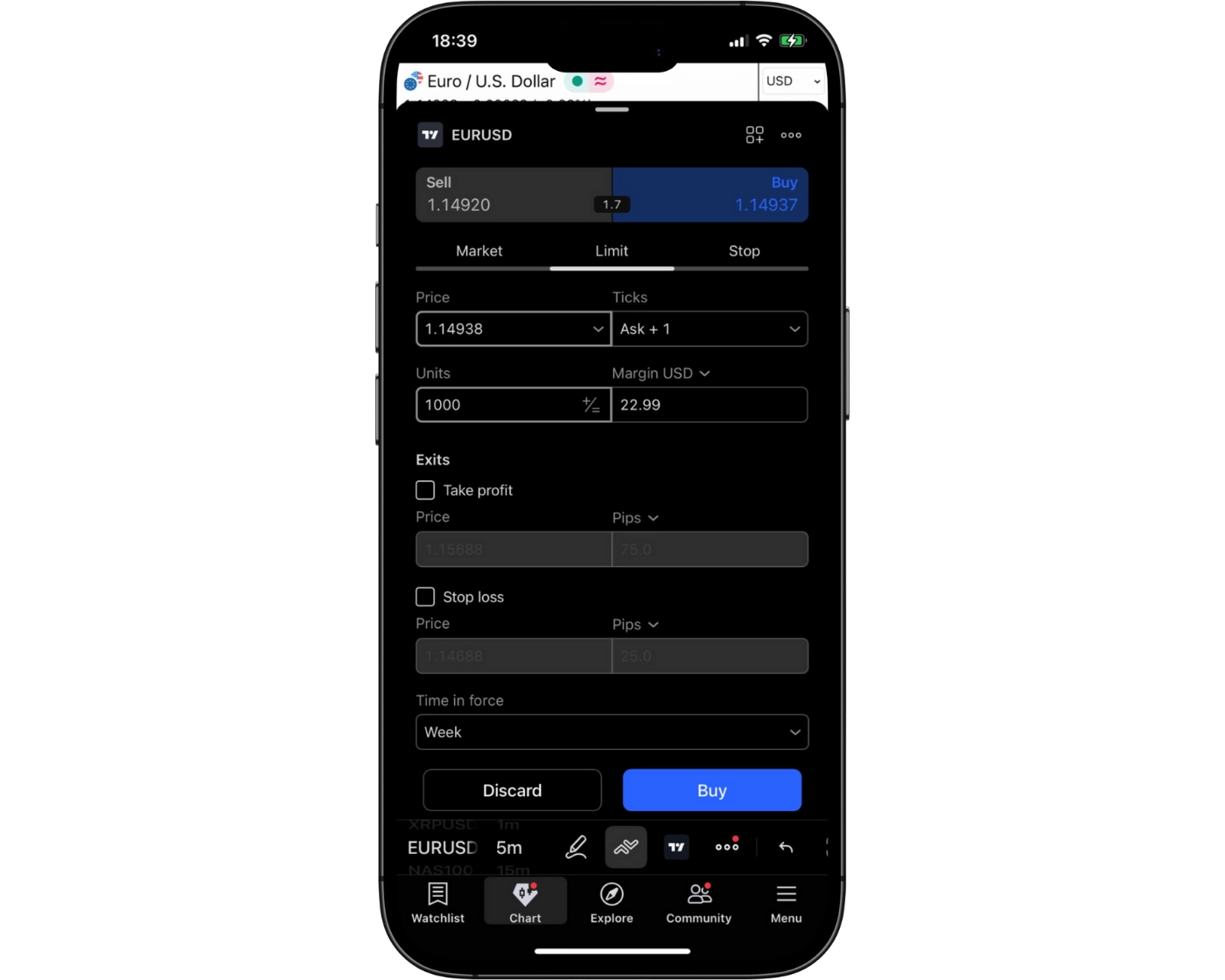
OANDA’s TradingView integration provides flexible order management tools that support a variety of trading strategies. Traders can place market orders for immediate execution, limit orders to enter trades at predefined prices, and stop orders for both market entry and risk management.
The platform also supports flexible order duration settings, including:
Good ’til Canceled (GTC): Orders remain active until they are executed or manually canceled by the trader.
Specified Expiration: Pending orders can be configured to expire automatically at a predetermined date and time if they have not been triggered.
With order placement directly from TradingView charts, traders can quickly execute, modify, and manage positions while benefiting from OANDA’s market access. These features provide precise control over trade execution and make TradingView a practical solution for both active and long-term traders.
Alerts and notifications
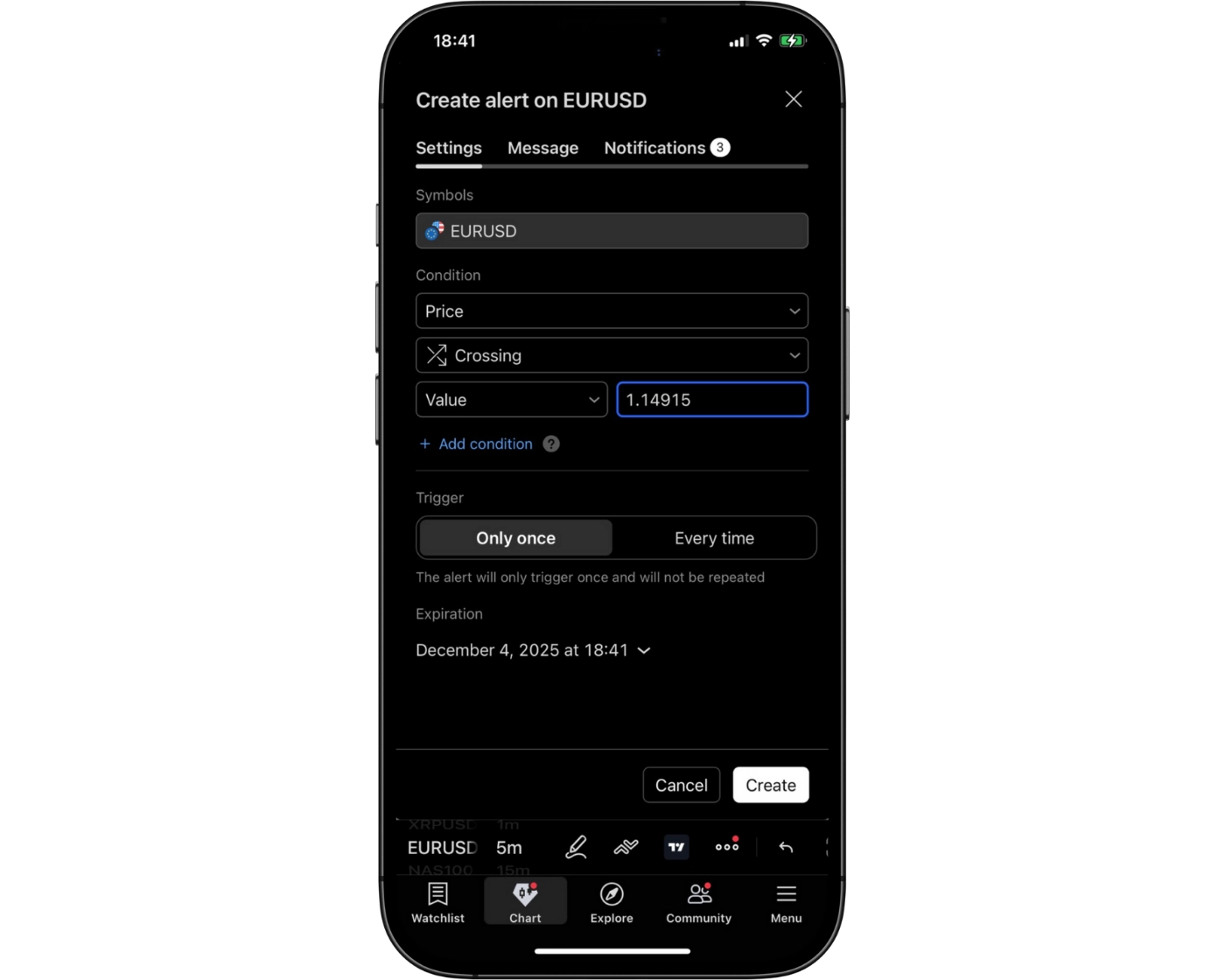
OANDA’s TradingView integration includes powerful alert and notification features that help traders stay informed about important market movements in real time. Users can create custom alerts based on price levels, technical indicators, drawing tools, or strategy conditions, making it easier to monitor trading opportunities without constantly watching the charts.
Alerts can be delivered through mobile push notifications, email, browser notifications, SMS (where supported), and webhooks, ensuring traders receive timely updates regardless of where they are. These notifications allow traders to react quickly to changing market conditions, manage risk more effectively, and stay connected to their trading strategies throughout the day.
By combining TradingView’s advanced alert system with OANDA’s seamless trade execution, traders benefit from a responsive trading environment that supports both active trading and longer-term market monitoring.
TradingView: Key Takeaways
TradingView Desktop Platform
OANDA’s TradingView desktop integration delivers professional-grade charting, a broad range of technical indicators, and direct trade execution from the charts. Traders can customize workspaces, monitor multiple instruments simultaneously, and build personalized indicators or trading strategies using Pine Script®. Combined with TradingView’s extensive social community and analytical tools, the desktop platform is particularly well suited for traders who rely heavily on technical analysis.
TradingView Mobile App
The TradingView mobile app, available for iOS and Android, provides access to interactive charts, technical indicators, custom alerts, and real-time market data while on the move. Traders can monitor markets, manage positions, and receive instant notifications about important price movements. While the mobile app supports comprehensive chart analysis, more advanced workspace customization and Pine Script® development are best performed on the desktop platform.
Seamless Multi-Platform Trading
By integrating TradingView across both desktop and mobile devices, OANDA offers a consistent trading experience regardless of where traders access the markets. Watchlists, alerts, and chart layouts synchronize across supported devices, while direct trade execution, advanced charting, and TradingView’s active trading community help traders stay connected and make informed trading decisions from virtually anywhere.
OANDA Tradable Instruments Overview
OANDA offers a better-than-average selection of tradable instruments, providing access to CFDs on forex, indices, commodities, and bonds. Depending on your region, traders may also have access to share CFDs and cryptocurrency CFDs.
The broker features an above-average range of CFDs across currency pairs, commodities, and indices. However, the availability of certain asset classes depends on the regulatory entity. For example, CFDs on shares and cryptocurrencies are offered through OANDA’s offshore entity, but they are not currently available through the UK entity.
| Instrument | Type | Number |
|---|---|---|
| Forex | Major, Minor, Exotic | 68 |
| Indices | Global indices (US, European, Asian) | 18 |
| Commodities | Metals, Energies, Softs | 32 |
| Bonds | US, European | 6 |
What Are CFDs and How to Trade Them
A Contract for Difference (CFD) is a financial derivative that allows traders to speculate on the price movement of an asset without actually owning it. Under a CFD agreement, the buyer pays the seller the difference between the asset’s price when the contract is opened and its value when the position is closed. Similar to futures and other derivative instruments, CFDs enable traders to profit from both rising and falling markets without taking ownership of the underlying asset.
OANDA Instruments: Key Takeaways
OANDA provides a well-rounded selection of tradable markets, with a particularly strong offering across forex, indices, commodities, and bonds. Its range of currency pairs and commodity CFDs is especially comprehensive. A notable feature is the ability to trade gold and silver against multiple currencies, including pairs such as Gold/CHF and Silver/JPY, offering traders additional flexibility beyond the standard USD-denominated precious metal markets.
| Instruments Summary | OANDA |
|---|---|
| Tradeable Symbols ( CFD ) | 124 |
| Forex Pairs | 68 |
| Forex Trading | Yes |
| U.S. Stocks | Yes |
| Cryptocurrency | Yes |
| Global Stocks | Yes |
| Copy Trading | No |
Understanding CFD Leverage on OANDA
CFD leverage allows traders to control positions that are significantly larger than the funds held in their trading account by using borrowed capital. This is one of the main reasons many traders are attracted to the forex and CFD markets, as it increases potential market exposure without requiring the full value of the position upfront.
For OANDA Europe Ltd., the maximum leverage available on a Standard Account is 1:30. This means that an account balance of $1,000 can control positions worth up to $30,000. While this represents a relatively moderate level of leverage, it still carries substantial risk.
Leverage is commonly referred to as a “double-edged sword” because it magnifies both potential profits and potential losses. Although it can increase returns when trades move in your favor, it can also significantly amplify losses when the market moves against your position.
What Leverage Does OANDA Offer?
The table below outlines the maximum retail leverage available with OANDA across different asset classes and instruments, showing the highest level of exposure traders can access depending on the market being traded.
| Asset Class | Maximum Available Leverage |
|---|---|
| Major Forex | 1:30 |
| Minor Forex | 1:30 |
| Exotic Forex | 1:20 |
| Indices | 1:20 |
| Energies | 1:10 |
| Metals | 1:20 |
| Softs | 1:10 |
| Account Type | Standard | Premium | Premium Plus |
|---|---|---|---|
| Minimum Deposit | $0 | $10000 | $10000 |
| Spread from | 0.60 | 0.70 | 0.10 |
| Commission | $0 | $0 | $0 |
| Minimum order size | 0.01 lots | 0.01 lots | 0.01 lots |
| Stop-out level | 50% | 50% | 50% |
| Instruments available | 1500+ | 1500+ | 1500+ |
| Platforms | MT5, fxTrade, TradingView | MT5, fxTrade, TradingView | MT5, fxTrade, TradingView |
Introduction to OANDA Account Options
OANDA EU offers a tiered account structure consisting of Basic, Premium, and Premium Plus accounts, alongside Demo and Corporate account options. In general, traders in the higher account tiers benefit from reduced spreads, while Basic accounts with lower balances may be subject to an additional spread markup.
A notable feature is the ability to open up to 19 sub-accounts under a single main account. This is particularly useful for traders who want to maintain multiple base currencies, such as a USD primary account with EUR and GBP sub-accounts, making it easier to manage funds across different currencies.
OANDA Standard Account
| Account Type | Standard |
|---|---|
| Minimum Deposit | $0 |
| Spread from | 0.60 |
| Commission | $0 |
| Minimum order size | 0.01 lots |
| Stop-out level | 50% |
| Instruments available | 1500+ |
| Platforms | MT5, fxTrade, TradingView |
The OANDA Basic Account is designed for beginner and casual traders who are looking for straightforward access to the forex and CFD markets. It provides all the essential trading features needed to trade a wide range of instruments while keeping the account structure simple and easy to understand. Although Basic accounts with lower balances may be subject to an additional spread markup, they remain a practical choice for traders who are learning the markets or trading with smaller amounts of capital.
OANDA Premium Account
| Account Type | Premium |
|---|---|
| Minimum Deposit | $10000 |
| Spread from | 0.70 |
| Commission | $0 |
| Minimum order size | 0.01 lots |
| Stop-out level | 50% |
| Instruments available | 1500+ |
| Platforms | MT5, fxTrade, TradingView |
The OANDA Premium Account is intended for active traders who execute trades more frequently and typically maintain larger account balances. Compared to the Basic Account, Premium clients generally benefit from reduced spreads, helping to lower overall trading costs over time. This account type is well suited to experienced retail traders who value more competitive pricing and regularly participate in the forex and CFD markets.
OANDA Premium Plus Account
| Account Type | Premium Plus |
|---|---|
| Minimum Deposit | $10000 |
| Spread from | 0.10 |
| Commission | $0 |
| Minimum order size | 0.01 lots |
| Stop-out level | 50% |
| Instruments available | 1500+ |
| Platforms | MT5, fxTrade, TradingView |
The OANDA Premium Plus Account is tailored for high-volume and professional-level traders seeking OANDA’s most competitive pricing within its tiered account structure. Like the Premium Account, it generally offers reduced spreads, making it particularly attractive for traders whose strategies depend on minimizing transaction costs. The Premium Plus Account is best suited for traders with substantial account balances who trade frequently and want to maximize cost efficiency while accessing OANDA’s full range of trading products.
OANDA Demo Account: Practice Trading Risk-Free
OANDA provides demo accounts for the OANDA Web, MetaTrader 4 (MT4), and TradingView platforms, allowing traders to explore the broker’s trading environment without risking real capital. Demo accounts are particularly valuable for beginners, as they offer a safe way to practice trading strategies, learn platform features, and build confidence before transitioning to live trading.
The demo account uses live market quotes and simulates real market conditions across a variety of instruments, including forex and CFDs on commodities, indices, and stocks. Once traders are comfortable with the platform and their trading approach, they can seamlessly upgrade from a demo account to a live trading account.
Islamic Account: Swap-Free Trading Options
OANDA does not offer swap-free Islamic accounts. As a result, traders seeking a Sharia-compliant trading account that does not incur overnight swap charges will need to consider alternative brokers that provide dedicated Islamic (swap-free) accounts.
OANDA Restricted Countries
OANDA accepts clients from most countries worldwide. However, the broker does not accept residents of China, India, North Korea, and Iran. Prospective traders should confirm their eligibility before opening an account, as client availability may vary depending on local regulations and the OANDA entity serving their region.
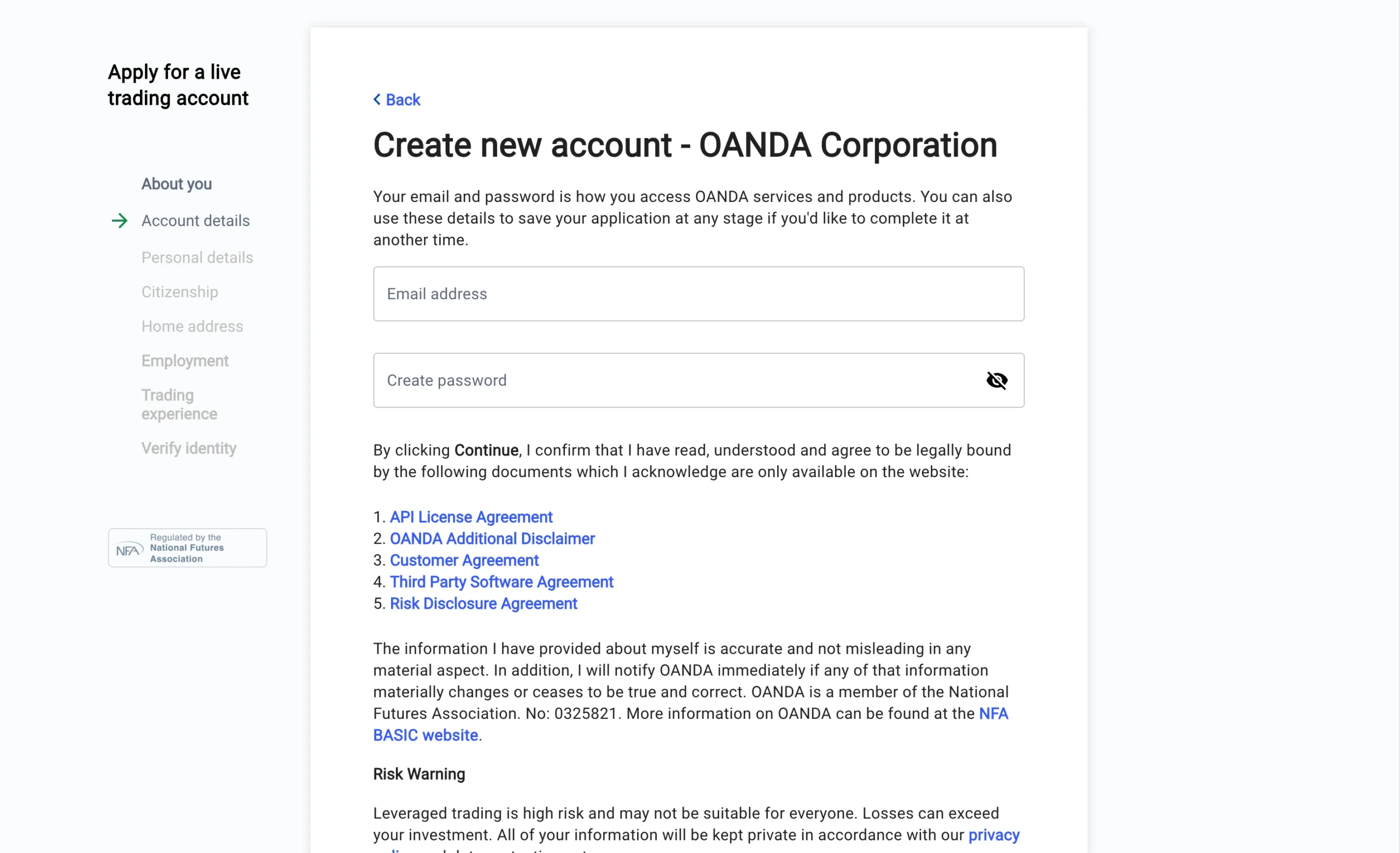
Pros:
- Fast
- No minimum deposit
- Fully digital
Cons:
- None
Step-by-Step OANDA Account Opening Process
Opening a CFD trading account with the UK entity of OANDA involves the following steps:
- Create your account by entering your email address and choosing a secure password.
- Provide your personal information, including your name, date of birth, and phone number.
- Enter your nationality and national insurance number.
- Submit your residential address for identity verification.
- Complete your financial profile by providing details about your employment, job title, industry, annual income, savings and investments, and source of funds.
- Disclose your trading experience, including any previous experience with CFDs, forex, or other leveraged derivatives.
- Complete the customer knowledge test, which consists of 9 questions related to forex and CFD trading.
What is the minimum deposit at OANDA?
OANDA has a minimum deposit requirement of $0, allowing traders to open and fund an account without making an initial deposit. This makes the broker accessible to both new and experienced traders, who can choose how much capital to deposit based on their individual trading goals and risk tolerance.
Research Overview and Key Features
OANDA stands out for its industry-leading research through MarketPulse, a dedicated market analysis portal launched in 2006 by a team of experienced market analysts. The platform delivers a continuous stream of high-quality market commentary covering the world’s largest financial markets, with content available in written articles, videos, and podcasts.
MarketPulse Research Portal
OANDA stands out for its industry-leading research through MarketPulse, a dedicated market analysis portal launched in 2006 by a team of experienced market analysts. The platform delivers a continuous stream of high-quality market commentary covering the world’s largest financial markets, with content available in written articles, videos, and podcasts.
Fundamental & Technical Analysis
MarketPulse.com provides comprehensive fundamental and technical analysis across forex, indices, commodities, and cryptocurrencies. The popular Week Ahead articles help traders prepare for upcoming economic events by highlighting their potential impact on the markets. Traders can also access technical market commentary featuring chart patterns, support, and resistance levels to identify potential trading opportunities.
Economic Calendar
A standout feature of the research portal is its global economic calendar, which displays event volatility, the actual figure, analyst consensus, and the previous figure for each economic release. Traders can fully customize the calendar by country, indicator category, and volatility level, making it easier to track the economic events most relevant to their trading strategies.
Market Insights Podcast
The Market Insights podcast features senior market analysts discussing major economic trends and market-moving events. These episodes provide traders with valuable insights into the factors influencing global financial markets and help them stay informed about changing market conditions.
Key Takeaways for Traders Using OANDA Research
OANDA offers one of the strongest research packages available, supported by a consistent flow of professional reports, educational videos, podcasts, and market analysis produced by experienced analysts. Combined with the comprehensive MarketPulse portal and customizable economic calendar, OANDA’s research resources rank among the best in the industry for traders seeking high-quality market intelligence.
| Research Summary | OANDA |
|---|---|
| Daily Market Commentary | Yes |
| Forex News | Yes |
| Trading Central | No |
| Autochartist | Yes |
| Client sentiment data | Yes |
Education Overview: Guides, Webinars, and Courses
OANDA offers a solid selection of educational resources, including articles, video lessons, platform tutorials, and live webinars hosted by experienced market professionals. The educational content available on the UK website is well-structured and of good quality, although the overall volume is relatively limited and primarily designed for beginner traders. For more advanced learning, the OANDA Labs section, available through the broker’s global entity website, provides more in-depth educational material suited to experienced traders.
Beginner-Friendly Trading Guides
The OANDA education portal is organized into dedicated sections covering the core principles of CFD trading and market analysis.
The Introduction to Leveraged Trading section explains essential concepts such as margin trading, order types, and key trading terminology, helping new traders understand the fundamentals before risking real capital.
Within the Fundamental Analysis section, traders learn how economic events influence financial markets, explore different forms of fundamental analysis, and gain insight into important economic indicators used in trading decisions.
The Technical Analysis section introduces the basics of chart analysis, explains commonly used technical tools, and demonstrates how traders can identify potential entry and exit points using technical indicators. These educational guides are well-designed and provide beginners with a strong foundation in market analysis.
Practical Trading Education
Rather than focusing solely on theory, OANDA’s educational content includes practical trading concepts and actionable strategies. Many of the guides demonstrate how technical indicators can be used to identify trading opportunities and improve decision-making in live market conditions, making the material more valuable for traders developing their own strategies.
Platform Tutorials
The OANDA Trade Web platform includes several unique tools and features that may require additional guidance for new users. To help traders become familiar with the platform, OANDA’s YouTube channel provides detailed tutorials covering topics such as the Order Book tool, advanced charting functionality, and other platform features.
Live Webinars
One of OANDA’s strongest educational offerings is its program of live webinars. These sessions are hosted regularly by seasoned market analysts and focus on recent price movements across major currency pairs. During these interactive webinars, traders learn practical technical analysis techniques, including how to draw trendlines, identify support and resistance levels, and apply these concepts in real market conditions.
OANDA Education: Key Takeaways
OANDA offers a well-rounded educational experience that is particularly well suited to beginner traders. Its library of articles, platform tutorials, educational videos, and live webinars covers the core principles of CFD trading, technical analysis, and fundamental analysis, making it easy for new traders to build a solid foundation.
While the educational content available on the UK website is comprehensive and easy to follow, more experienced traders may find the overall content volume somewhat limited. However, the additional OANDA Labs resources available through the broker’s global website provide more advanced educational material for traders looking to deepen their market knowledge.
Overall, OANDA combines practical learning materials with interactive webinars and platform-specific tutorials, making it a strong choice for traders who want to improve both their trading knowledge and their understanding of the broker’s trading platforms.
| Education Summary | OANDA |
|---|---|
| Videos - Beginner Trading Videos | Yes |
| Videos - Advanced Trading Videos | Yes |
| Webinars | Yes |
| Platform Tutorials | Yes |
| YouTube educational content | Yes |
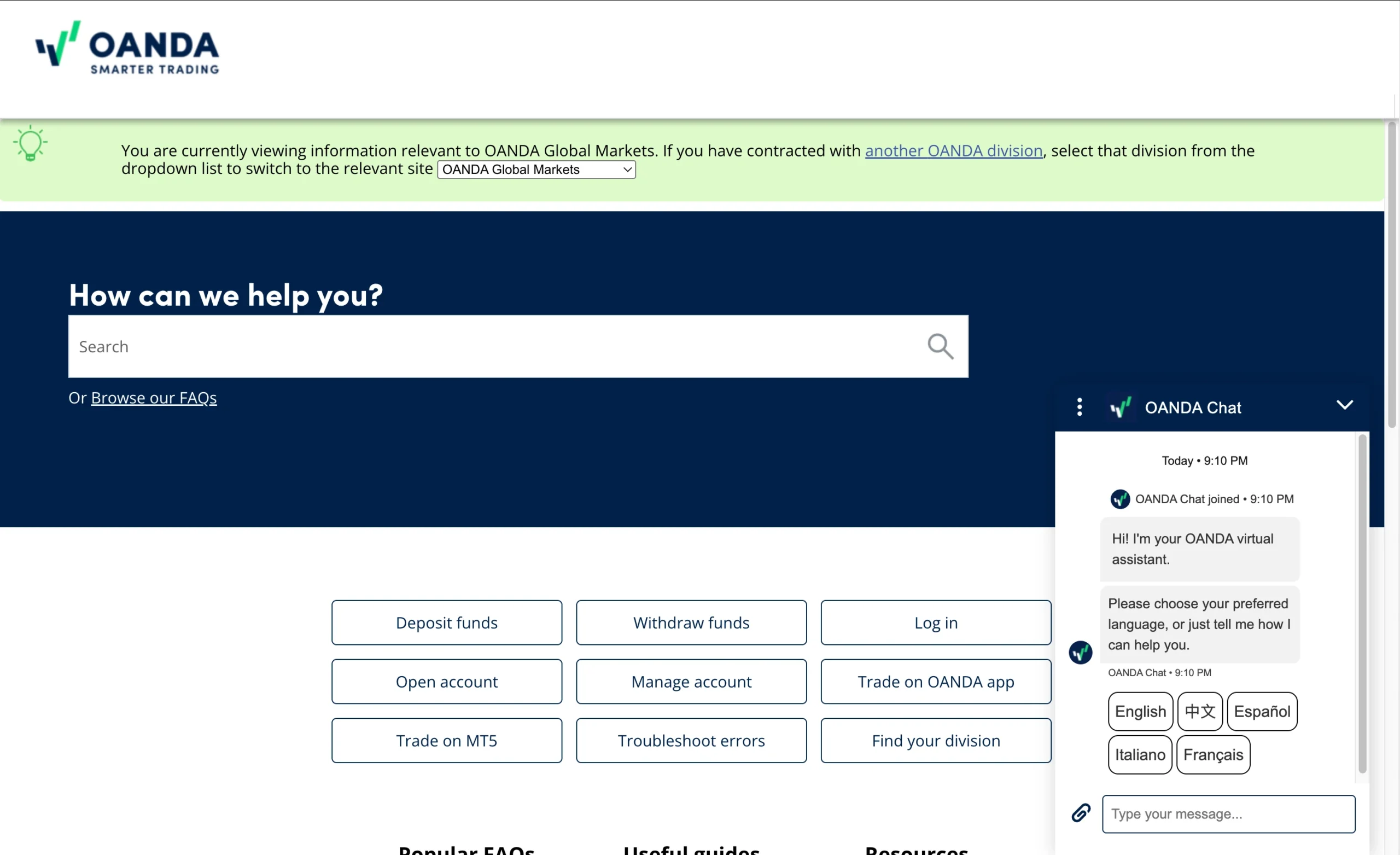
Customer Support Overview
OANDA offers customer support through phone, WhatsApp, live chat, and email. Across multiple support channels, the overall service is better than the industry average, providing traders with dependable assistance for platform, account, and trading-related questions.
Live Chat and WhatsApp Support
During testing, both the live chat and WhatsApp support channels required users to interact with a chatbot and verify their email address before being connected to a support representative. Once connected, customer service agents provided comprehensive and helpful responses to a wide range of account and trading inquiries.
Email Support
OANDA also offers customer support via email at frontdesk@oanda.com. Support requests submitted by email were answered within one business day, making it a reliable option for non-urgent account or platform-related questions.
Phone Support
The broker’s phone support proved equally reliable. After navigating a brief automated menu, it was possible to speak with a knowledgeable support representative within a couple of minutes. The agents demonstrated a solid understanding of OANDA’s products, trading platforms, fees, and account services.
Overall, OANDA delivers responsive and dependable customer support across several communication channels. Although live chat and WhatsApp require a short verification process before reaching an agent, traders can expect informative responses, timely email support, and efficient phone assistance throughout the broker’s support hours.
OANDA Customer Support Languages:
English, Spanish, Fench, German.
OANDA Customer Support: Key Takeaways
OANDA delivers better-than-average customer support, offering assistance through phone, live chat, WhatsApp, and email during market trading hours. Support agents are knowledgeable, responsive, and capable of handling a wide range of platform, account, and trading-related questions.
While live chat and WhatsApp require users to complete a chatbot interaction and email verification before reaching a representative, the overall quality of support is strong. Email inquiries are typically answered within one business day, while phone support provides quick access to well-informed agents after a brief automated menu.
Overall, OANDA’s customer support combines multiple contact channels, reliable response times, and knowledgeable assistance, making it a dependable choice for both new and experienced traders seeking prompt help when needed.
Final Thoughts on OANDA
With almost 30 years of experience and a well-established international presence, OANDA has built a reputation as a trusted and transparent CFD broker. Its extensive regulatory oversight and strong commitment to transparency contribute to a high level of confidence for traders.
OANDA provides a strong selection of tradable instruments across the major asset classes, making it suitable for traders seeking diversified market exposure. Spreads on major forex pairs and indices are highly competitive, although pricing on most other instruments is generally closer to the industry average.
One of OANDA’s biggest strengths is its broad range of trading platforms and tools, which support everything from casual investing to scalping and fully automated trading. Traders can choose between MetaTrader 4, TradingView, and the broker’s proprietary OANDA web and mobile platforms. The inclusion of unique features such as client sentiment data further enhances the trading experience.
There are still areas where OANDA could improve. Offering tighter spreads across all asset classes and reducing account-related fees for UK-based clients would strengthen its overall value proposition. While the broker excels in market research, its written educational resources remain relatively limited.
Overall, OANDA is a well-rounded broker that caters to a wide range of trading styles and experience levels. Its combination of trusted regulation, competitive pricing on key markets, multiple trading platforms, and advanced analytical tools makes it particularly attractive for algorithmic traders and short-term trading strategies.
OANDA FAQ
Is OANDA safe or a scam?
OANDA is considered a safe and legitimate broker. With nearly 30 years of industry experience, multiple regulatory licenses, and a strong reputation for transparency, it is regarded as one of the more trusted CFD and forex brokers available.
Can you trade silver with OANDA?
Yes. OANDA offers silver CFDs, allowing traders to speculate on silver price movements without owning the underlying metal.
What is the minimum deposit at OANDA?
OANDA has a $0 minimum deposit, allowing traders to open and fund an account with any amount that suits their budget.
Is the OANDA mobile trading app good?
Yes. The OANDA Mobile App offers a user-friendly interface, customizable charts, price alerts, and reliable order management. It closely mirrors the functionality of the web platform, making it an excellent choice for monitoring markets and managing trades while away from your computer.
How do you withdraw money from OANDA?
Withdrawals can generally be requested through the same funding methods used to deposit, subject to OANDA’s withdrawal policy and applicable regulations. Processing times vary depending on the payment method selected.
Does OANDA have low trading fees?
OANDA generally offers competitive pricing, particularly on major forex pairs and leading indices. However, spreads on some other asset classes are closer to the industry average. Overall, OANDA’s trading costs are competitive, especially for forex traders.
Can you trade options with OANDA?
No. OANDA primarily offers forex trading and CFDs, and options trading is not available on its standard retail trading platforms.
How do I open an account with OANDA?
Opening an account involves creating login credentials, submitting your personal and financial information, completing a short trading knowledge assessment, and verifying your identity. Once your application has been approved and your account is funded, you can begin trading.
What commissions and fees does OANDA charge?
OANDA primarily charges through spreads, although pricing may vary depending on the account type and region. Traders may also incur overnight financing charges when holding leveraged positions overnight, while some account-related fees may apply depending on the jurisdiction.
Is OANDA customer support good?
Yes. OANDA provides customer support via phone, live chat, WhatsApp, and email from Sunday 9 p.m. GMT to Friday 11 p.m. GMT. Support representatives are knowledgeable, response times are generally fast, and email queries are typically answered within one business day.
Does OANDA require a minimum account balance?
No. OANDA does not require traders to maintain a minimum account balance, making it accessible to traders with smaller account sizes.
Is OANDA a good broker for beginners?
Yes. OANDA is a solid choice for beginners thanks to its $0 minimum deposit, free demo account, beginner-friendly educational content, and intuitive trading platforms. New traders can practice with virtual funds before risking real capital, while experienced customer support and a straightforward account opening process make it easy to get started.
What does trading with OANDA actually cost?
Your trading costs mainly consist of spreads, and depending on your account type or market, overnight financing (swap) fees may also apply when positions are held overnight. OANDA does not require a minimum deposit, but traders should always consider both trading and non-trading fees before opening an account.
Sources used to create the OANDA Review
OANDA – Account specifications, trading conditions, spreads, fees, platforms, research, education, regulatory information, and product offering
ASIC – Australian Securities and Investments Commission (Australia)
FCA – Financial Conduct Authority (United Kingdom)
CIRO (formerly IIROC) – Canadian Investment Regulatory Organization (Canada)
CFTC – Commodity Futures Trading Commission (United States)
KNF – Polish Financial Supervision Authority (Poland)
MAS – Monetary Authority of Singapore (Singapore)
FFAJ – Financial Futures Association of Japan (Japan)
BVI FSC – British Virgin Islands Financial Services Commission (British Virgin Islands)
FSA – Financial Services Authority (Japan)
MetaTrader 5 – Trading platform features and functionality
TradingView – Charting platform, social trading features, and technical analysis tools


































More Broker Reviews
Meet the experts behind the OANDA Review

Zhahn du Plessis
Lead Analyst
Zhahn Du Plessis is the Lead Analyst at TradeWiki.io, where he is responsible for broker analysis, review creation, and overall platform development. He oversees every aspect of the website, ensuring that all content is accurate, transparent, and designed to help traders make informed decisions.
He holds a Bachelor of Commerce in Business Management from Akademia University and has been actively trading the forex markets since 2018. As a funded trader since 2021, he brings real-world experience in evaluating brokers, trading conditions, and execution quality.
Cobus Viljoen
Head of Marketing
Cobus Viljoen is the Head of Marketing at TradeWiki.io, where he leads content strategy and oversees all digital communication across platforms including Instagram, TikTok, YouTube, Pinterest, X, Threads, and Facebook. He is responsible for producing and distributing educational trading content, broker insights, and market-focused media designed to help traders make informed decisions.
With hands-on forex trading experience since 2019, Cobus has traded funded accounts through multiple proprietary trading firms, giving him practical insight into real market conditions, risk management, and trading psychology. His combined expertise in trading and content strategy helps ensure that all TradeWiki content is accurate, relevant, and aligned with the needs of modern traders.


About Tradewiki.io
Our goal at Tradewiki.io is to deliver clear, unbiased reviews of top international forex brokers and prop firms, guiding you toward the best forex broker or prop firm that fits your needs. Since launch, Tradewiki.io has helped thousands of traders worldwide find, compare, and choose trusted forex brokers and prop firms.
Tradewiki.io Reviews