

FxPro Review 2026: Pros & Cons
FxPro Review 2026: Pros & Cons
Overall Rating
Min. Deposit
Spreads From
Max. Leverage
FxPro Overview
FxPro was founded in 1999 and later rebranded in 2003. It has grown into a London-based global broker regulated by multiple financial authorities worldwide. The broker provides access to more than 2,100 trading instruments, covering CFDs on forex, commodities, indices, stocks, ETFs, and cryptocurrencies.
In terms of trading technology, FxPro delivers a strong multi-platform ecosystem. Traders can choose between the proprietary FxPro Trading Platform, the FxPro mobile app, and industry-leading solutions such as MetaTrader 4 (MT4), MetaTrader 5 (MT5), and cTrader. Additional tools like Trading Central and FxPro Squawk enhance market analysis and provide real-time trading insights.
From a cost perspective, the Standard account is not the most competitive in the industry, with relatively higher spreads. However, more cost-efficient pricing is available through the Raw+, Elite, and cTrader accounts, which offer tighter trading conditions for active traders.
Overall, FxPro positions itself as a well-balanced broker suitable for a wide range of trading styles. Beginners benefit from the intuitive FxPro platform, while more advanced traders can take advantage of fast execution speeds, raw pricing models, and professional-grade platforms. This makes FxPro particularly appealing for day traders, scalpers, and algorithmic trading strategies seeking a more advanced trading environment.
FxPro Pros and Cons
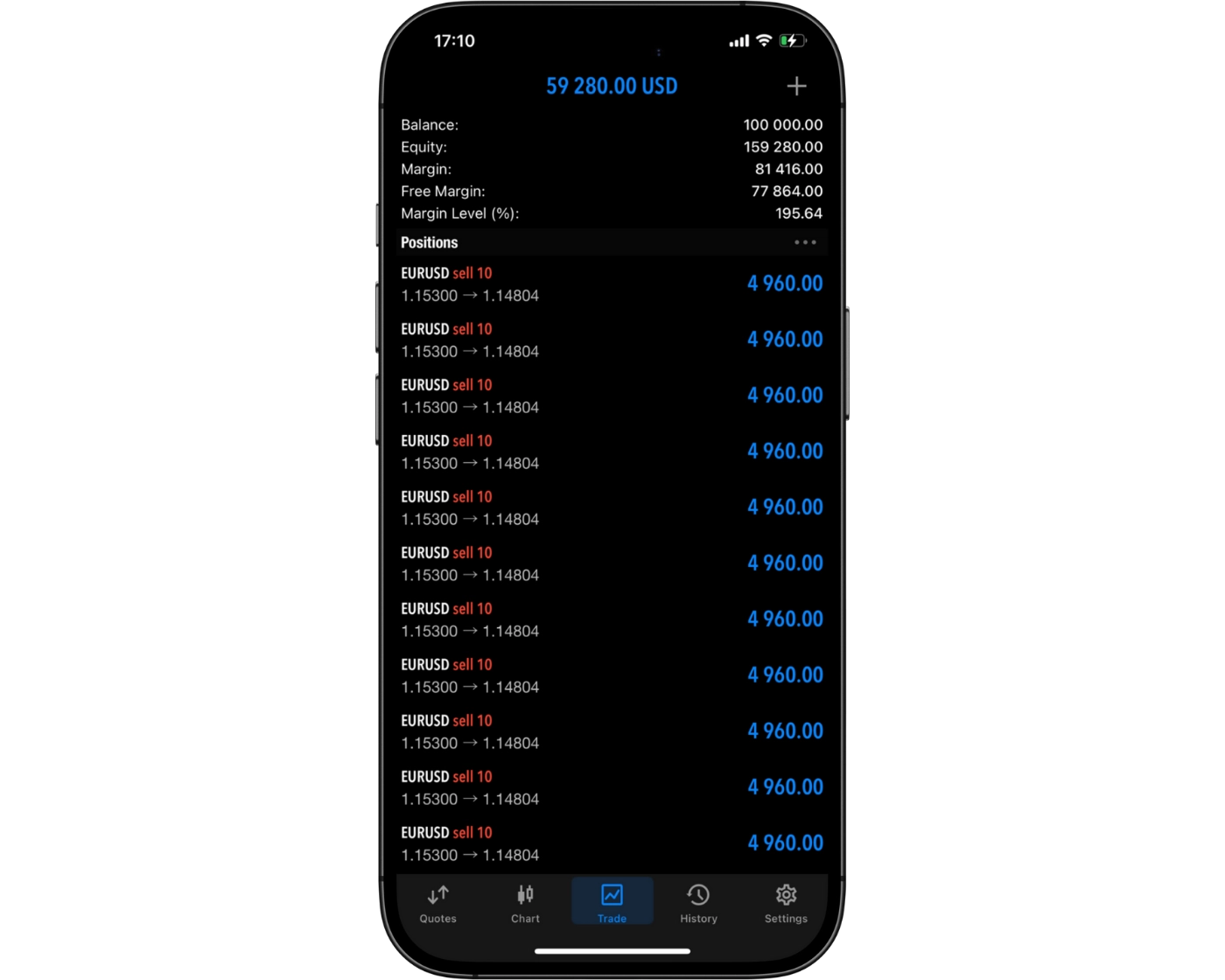
FxPro Pros:
- Fast deposits and withdrawals with FxPro Wallet
- Strong algorithmic trading support for large and high-frequency orders
- Excellent range of over 2,100 CFD instruments (forex, stocks, indices, commodities, ETFs, and crypto)
- Competitive spreads available via Raw+, Elite, and cTrader accounts
- Robust and diverse trading platforms
- Ultra-fast order execution (under 12 ms)
- Insightful research tools including Trading Central and LiveSquawk
- Reliable customer support
- Offers MetaTrader 4, MetaTrader 5, cTrader, and proprietary FxPro Edge platform
- Smooth and efficient account opening process
- Low forex fees
- Free deposit and withdrawal options
- Rich educational resources
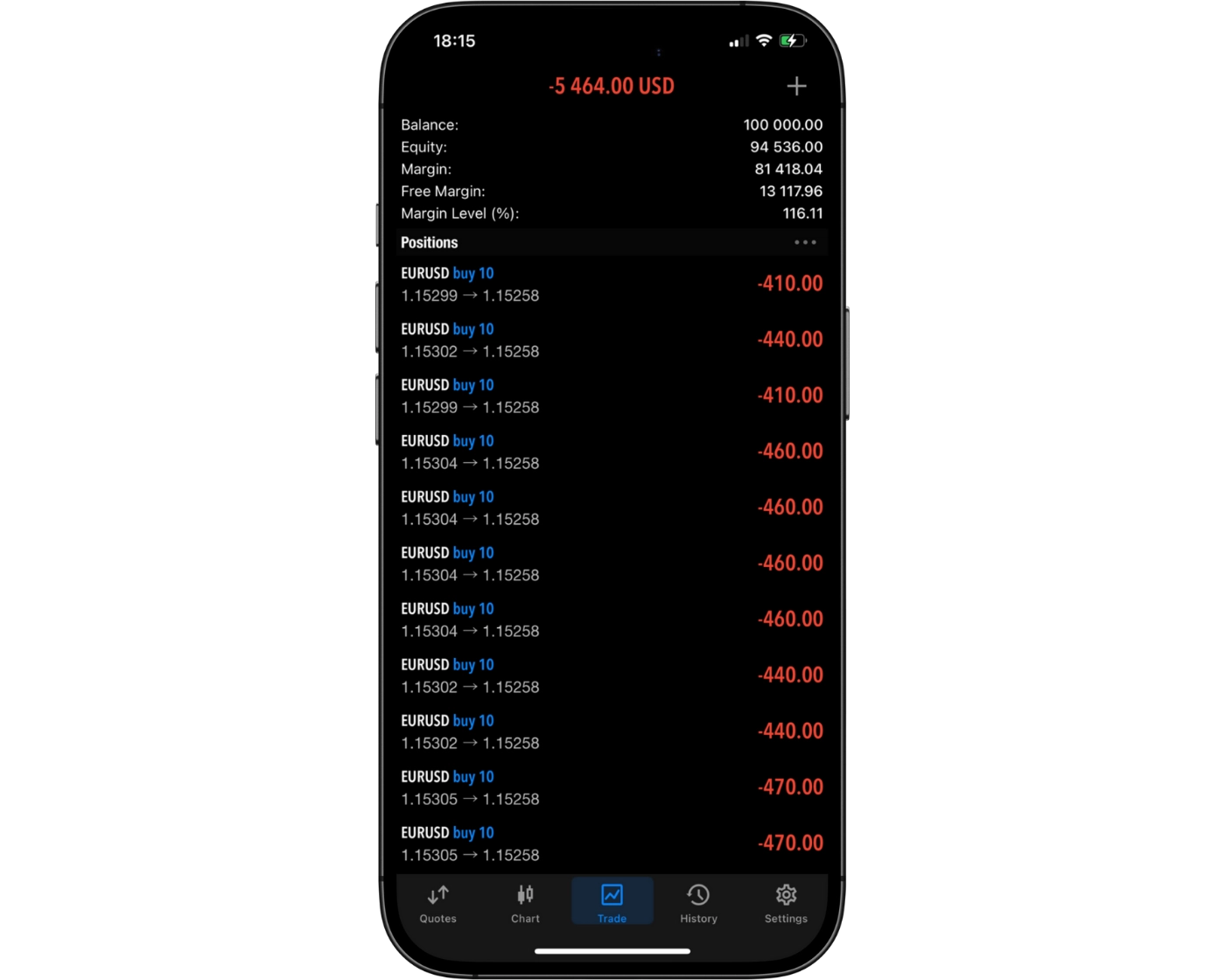
FxPro Cons:
- Inactivity fee applies
- Limited educational depth compared to top industry leaders
- CFDs are the only available instruments (no real asset ownership)
- FxPro Edge proprietary platform is less advanced than leading competitors
- Limited protection available under offshore entity regulations
- Trading costs can be higher than the cheapest low-cost forex brokers
Beginner - Ideal Fit
FxPro is well suited for casual traders thanks to its intuitive proprietary platform and a $100 minimum deposit. Beginners benefit from demo accounts, responsive customer support, micro-lot trading, and a solid selection of educational materials, making it easy to get started in the markets.
News Trading - Ideal Fit
News traders benefit from FxPro Squawk, which delivers continuous market-moving updates, including breaking news and economic releases. Additional insights are available through the FxPro Trading Platform and FxPro.news, offering analyst-driven commentary and real-time market context.
Scalping - Ideal Fit
FxPro is highly effective for scalping strategies due to its ultra-fast order execution and advanced tools such as depth-of-market (DOM) available on cTrader and MetaTrader 5. These features help traders execute high-frequency strategies efficiently under fast market conditions.
Investing - Suitable Option
FxPro provides access to thousands of real stocks and ETFs along with screening and portfolio analysis tools. However, real stock trading is not available directly within the FxPro Trading Platform, which may limit flexibility for some investors.
Automated Trading - Ideal Fit
FxPro supports algorithmic trading through MetaTrader 4, MetaTrader 5, and cTrader. Traders can also use VPS hosting for $30 per month, allowing Expert Advisors and automated systems to run continuously without interruption.
Swing Trading - Ideal Fit
Swing traders can take advantage of access to real stocks, allowing positions to be held for days or weeks. CFD trading is also suitable for swing strategies, with overnight swap fees that are not excessively high, supporting medium-term market exposure.
Day Trading - Suitable Option
Day traders can use one-click trading, chart-based execution, and Trading Central insights for trade ideas. While Standard account spreads are not the most competitive, lower trading costs are available through Raw+ and Elite accounts, improving conditions for active trading.
Copy Trading - Suitable Option
Copy trading is available via cTrader, offering access to multiple strategy providers with detailed performance statistics. However, FxPro does not yet provide a dedicated proprietary copy trading system, which limits its offering in this area.
Who is FxPro for?
While creating the FxPro Review 2026, it became clear that the broker offers the features and tools to cater to a wide range of trading strategies. Here’s how it stacks up for different trader styles:
What Sets FxPro Apart?
FxPro is particularly strong in serving short-term traders, especially day traders and scalpers. The broker delivers highly competitive trading conditions through its Raw+ and Elite account types, which provide ultra-low trading costs alongside institutional-grade execution quality.
One of FxPro’s key advantages is its sub-12 millisecond execution speed, which supports fast market entries and exits in volatile conditions. This is reinforced by access to advanced trading platforms, VPS hosting for uninterrupted algorithmic trading, and professional tools such as Trading Central and FxPro Squawk, which help traders identify opportunities and react quickly to market events.
From a cost perspective, FxPro offers low forex CFD spreads, with all forex trading fees incorporated into spreads (for example, EUR/USD spread 1.4). Index and stock CFD pricing is also competitive, with costs built into spreads such as S&P 500 at 0.7 and Apple stock CFD at 0.2.
Account setup is another strong point, with a fast, fully digital onboarding process that takes around 10 minutes, and account verification typically completed within two hours. Deposits and withdrawals are generally free in most cases, although some exceptions may apply depending on payment providers such as Neteller, Skrill, and PayPal.
What Sets FxPro Apart?
FxPro Main Features

Regulations
FCA (United Kingdom), SCB (Bahamas)

Languages
Turkish, English, Russian, French, Portuguese, Thai, Arabic, Spanish, Japanese, Vietnamese, Bahasa, German, Korean, Chinese, Indonesian

Products
Currencies, Stocks, Crypto, Indices, Commodities

Min Deposit
$100

Max Leverage
1:30 (FCA), 1:200 (SCB)

Trading Desk Type
No dealing desk

Trading Platforms
MT5, cTrader, MT4, FxPro Trading Platform, FxPro Mobile App

Deposit Options
Cryptocurrencies, PayPal, Wire Transfer, Skrill, Credit Card, Debit Card, SticPay, Local Transfer, Google Pay

Withdrawal Options
Wire Transfer, PayPal, Credit Card, Debit Card, Cryptocurrencies, SticPay, Local Transfer, Google Pay

Demo Account
Yes

Foundation Year
1999

Headquarters
United Kingdom
Regulations
FCA (United Kingdom), SCB (Bahamas)
Languages
Turkish, English, Russian, French, Portuguese, Thai, Arabic, Spanish, Japanese, Vietnamese, Bahasa, German, Korean, Chinese, Indonesian
Products
Currencies, Stocks, Crypto, Indices, Commodities
Min Deposit
$100
Max Leverage
1:30 (FCA), 1:200 (SCB)
Trading Desk Type
No dealing desk
Trading Platforms
MT5, cTrader, MT4, FxPro Trading Platform, FxPro Mobile App
Deposit Options
Cryptocurrencies, PayPal, Wire Transfer, Skrill, Credit Card, Debit Card, SticPay, Local Transfer, Google Pay
Withdrawal Options
Wire Transfer, PayPal, Credit Card, Debit Card, Cryptocurrencies, SticPay, Local Transfer, Google Pay
Demo Account
Yes
Foundation Year
1999
Headquarters
United Kingdom
Start Trading With FxPro
| Account Type | FxPro Standard | Mt4/Mt5 Standard | Mt4/Mt5 Elite | cTrader |
|---|---|---|---|---|
| Minimum Deposit | $100 | $100 | $100 | $100 |
| Spread From | 1.2 pips | 1.2 pips | 0 pips | 0.5 pips |
| Commission | $0 | $0 | $3.5 per side | $35 per $1 million traded |
| Rebates | $0 | $0 | $1.50 per lot | $0 |
| Minimum Trade Volume | 0.01 lot | 0.01 lot | 0.01 lot | 0.01 lot |
| Demo Account | Yes | Yes | Yes | Yes |
| Expert Advisors (EAs) | No | Yes | Yes | Yes |
| Scalping & Hedging | Yes | Yes | Yes | Yes |
FxPro Review
Introduction to FxPro Safety Measures
FxPro is considered a legitimate and well-established broker with a strong regulatory framework. It is authorised and regulated by four financial authorities worldwide, including the top-tier FCA (Financial Conduct Authority) in the United Kingdom, which adds a high level of trust and oversight for client protection.
While FxPro operates as a reputable global brand with a long-standing market presence, it is not publicly listed on any stock exchange. In addition, the broker does not disclose detailed financial statements, which limits full transparency compared to listed financial institutions.
Overall, FxPro maintains a solid safety profile supported by multi-jurisdiction regulation, with the FCA oversight being the most significant factor for trader confidence.
Pros:
- Regulated by top-tier FCA
- Negative balance protection
Cons:
- Not listed on stock exchange
- Does not hold a banking license
FxPro Regulation and Licensing
FxPro operates through multiple regulated entities across different jurisdictions, providing varying levels of client protection depending on the regulator overseeing the account. Regulatory authorities are commonly categorized into tiers, with Tier-1 regulators representing the highest level of financial oversight and investor protection.
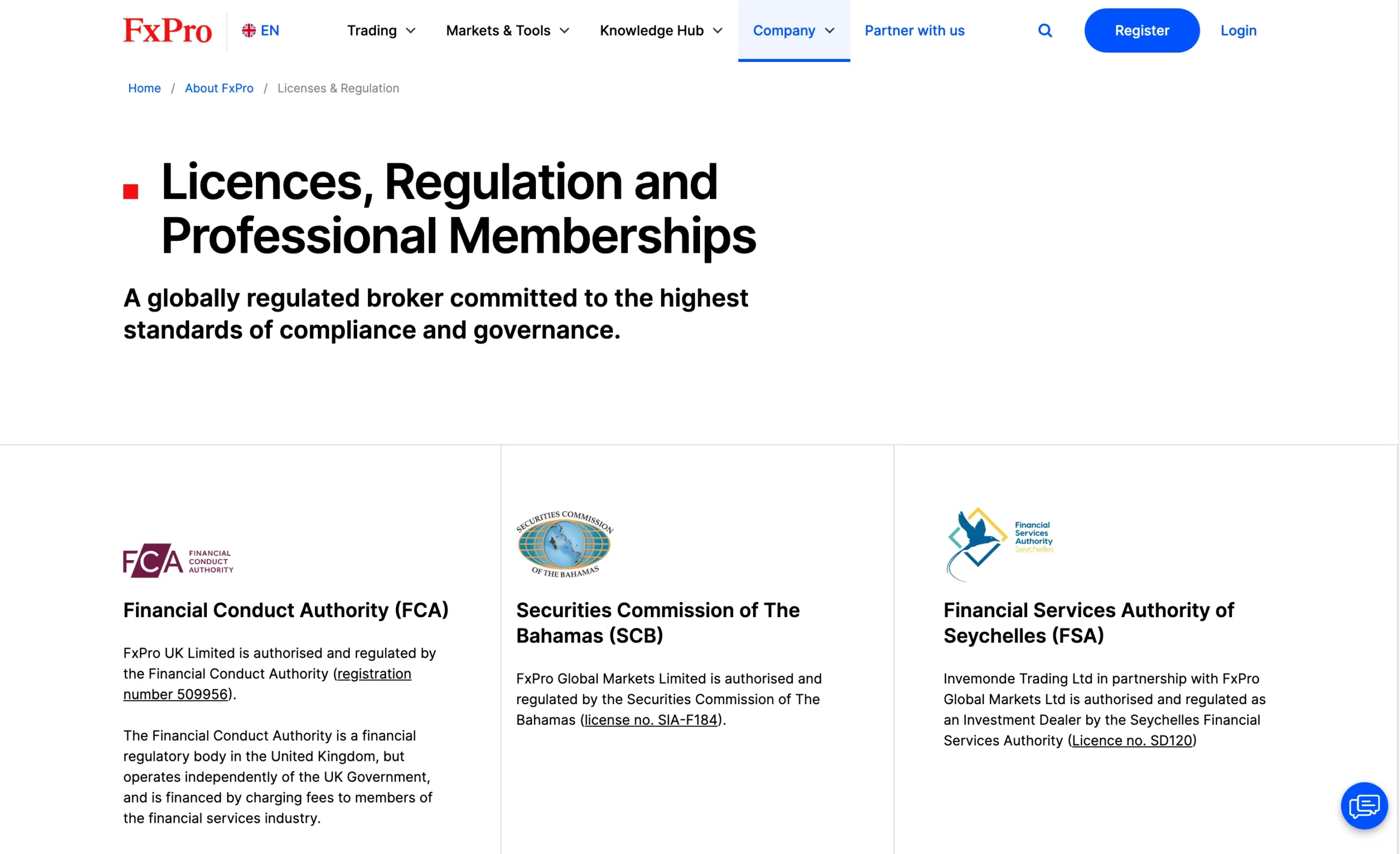
- FxPro UK Limited: FxPro UK Limited is authorised and regulated by the Financial Conduct Authority (FCA) in the United Kingdom under registration number 509956. The FCA is regarded as a Tier-1 regulator, known for its strict compliance standards and strong client protection requirements.
- FxPro Global Markets Limited: FxPro Global Markets Limited is authorised and regulated by the Securities Commission of The Bahamas (SCB) under licence number SIA-F184. The SCB is classified as a Tier-3 regulator.
- Pro Global Limited in Partnership with FxPro Global Markets Ltd: Pro Global Limited, in partnership with FxPro Global Markets Ltd, is authorised and regulated as an Investment Dealer by the Seychelles Financial Services Authority (FSA) under licence number SD120. The Seychelles FSA is also considered a Tier-3 regulator.
| Entity | Pro Global Limited | FxPro UK Limited | FxPro Global Markets Limited |
|---|---|---|---|
| Country/Regions | Seychelles/Global | United Kingdom | Bahamas/Global |
| Regulation | FSA | FCA | SCB |
| Tier | 3 | 1 | 3 |
| Segregated Funds | Yes | Yes | Yes |
| Negative Balance Protection | Yes | Yes | Yes |
| Compensation Scheme | No | Yes (FSCS Up to £85,000) | No |
| Maximum Leverage (Retail Account) | 1:10,000 | 1:30 | 1:200 |
| Maximum Leverage (Professional Accounts) | N/A | 1:500 | 1:10,000 |
Understanding Regulatory Protections for Pepperstone Traders
FxPro operates through multiple regulated entities worldwide, and the level of client protection depends on the jurisdiction under which a trading account is opened. Since regulatory standards vary between authorities, traders should understand the safeguards available with their specific FxPro entity.
- Maximum Leverage: Leverage limits vary depending on the regulatory jurisdiction. Higher leverage increases both potential profits and potential losses. Among FxPro’s entities, FxPro Global Markets Limited offers the highest available leverage of 1:200 for retail traders.
- Compensation Scheme Coverage: Investor compensation coverage depends on the regulatory entity. Accounts registered under FxPro Global Markets Limited do not include compensation scheme protection. In contrast, clients registered with the UK entity benefit from FSCS protection up to £85,000, providing additional security if the broker becomes insolvent.
- Negative Balance Protection: FxPro provides negative balance protection across all entities. This protection prevents traders from losing more money than the balance available in their trading account, which is particularly important during periods of high market volatility.
- Segregation of Client Funds: All FxPro entities keep client funds in segregated bank accounts separate from the broker’s operational capital. This structure helps reduce the risk of accounting errors and ensures client money is not mixed with company funds.
How FxPro Protects Your Funds
FxPro operates through multiple subsidiaries worldwide, and the entity assigned to your account depends on your country of residence. This is an important factor because the applicable regulator and level of investor protection can vary between jurisdictions.
Different FxPro entities are supervised by different financial authorities, meaning protections such as compensation coverage and regulatory safeguards may not be identical across all accounts. As a result, traders should review which FxPro entity they are registering under to better understand the specific protections and regulatory standards that apply to their account.
| Country of clients | Protection amount | Regulator | Legal entity |
|---|---|---|---|
| EEA | €20,000 | Cyprus Securities and Exchange Commission (CySEC) | FxPro Financial Services Ltd |
| UK | £85,000 | Financial Conduct Authority (FCA) | FxPro UK Limited |
| South Africa | No protection | Financial Sector Conduct Authority (FSCA) | FxPro Financial Services Limited |
| All other countries | No protection | Securities Commission of the Bahamas | FxPro Global Markets Ltd |
Stability and Transparency of FxPro
FxPro has built a strong reputation in the online trading industry through its long operating history and transparent approach to client communication. The broker has maintained a market presence for 25 years and is headquartered in London, United Kingdom, reinforcing its position as a well-established global brokerage.
The company employs more than 200 professionals, reflecting a sizeable operational structure capable of supporting its international client base and trading services.
Transparency is another notable aspect of FxPro’s business model. The broker provides detailed corporate information through its website, including a dedicated About page outlining the company’s history and its four separate corporate entities. Traders can also access clear information regarding trading costs through the Pricing page, while the Legal Documentation section includes downloadable client agreements and important account-related documentation. This level of accessibility helps traders better understand FxPro’s pricing structure, policies, and regulatory framework before opening an account.
Is FxPro Safe to Trade With?
Yes. FxPro is widely regarded as a safe and trustworthy broker due to its strong regulatory standing, long operating history, and transparent business practices. The broker has earned a high level of credibility within the online trading industry by maintaining regulatory oversight across multiple jurisdictions and implementing key client protection measures.
The company is authorised by Tier-1 regulators, including the Financial Conduct Authority (FCA), and also operates within the European Union under the MiFID passporting system. While FxPro is not publicly traded and does not operate as a bank, it maintains a solid reputation through its global regulatory framework and established market presence.
Several factors contribute to FxPro’s strong safety profile:
- Global regulatory oversight
- 25-year operating history
- Segregation of client funds across all entities
- Negative balance protection for all clients
- Transparent information regarding fees and regulation
One area where FxPro could strengthen its investor protection offering further would be the introduction of third-party account insurance for clients globally.
| Safety Summary | FxPro |
|---|---|
| Year Founded | 1999 |
| Publicly Traded (Listed) | No |
| Bank | No |
| Tier-1 Licenses | 1 |
| Tier-2 Licenses | 0 |
| Tier-3 Licenses | 2 |
Introduction to FxPro Fees
FxPro offers a mixed pricing structure depending on the account type and trading platform selected. During testing, Standard account spreads were found to be around the industry average, while the broker’s Raw+ and Elite accounts provide more competitive pricing for active and high-volume traders. FxPro also stands out for offering free deposits and withdrawals, although standard swap fees and an inactivity fee still apply.
Standard, Raw+, and Elite Account Pricing
FxPro’s MT4 platform gives traders the choice between a spread-only Standard account and the commission-based Raw+ account, both using market execution. The Raw+ account is available on both MT4 and MT5, while the Elite account includes similar pricing conditions but adds rebate perks and discount benefits. Access to the Elite account requires a $30,000 deposit.
The broker’s pricing becomes more attractive on lower-spread account types, particularly for scalpers and short-term traders seeking reduced execution costs.
Forex Spreads and Commission Structure
FxPro recorded an average EUR/USD spread of 1.6 pips, placing its Standard account pricing above the industry average compared to brokers such as Pepperstone and IC Markets.
FxPro’s most competitive pricing is available through its cTrader platform, which uses commission-based pricing. The broker’s effective spread on EUR/USD via cTrader is approximately 1.3 pips, combining an average spread of 0.6 pips with a 0.7 pip commission-equivalent.
Trading Conditions for Active Traders
FxPro includes an Active Trader program within its Elite account, offering discounts of up to 30% on spreads and commissions for qualifying traders based on trading volume or deposit size. While these discounts are relatively generous, the final trading costs still trail behind some leading competitors such as FOREX.com, IG, and Saxo.
For order placement flexibility, FxPro’s cTrader platform allows traders to place stop and limit orders without a minimum distance requirement. On MetaTrader platforms, however, stop and limit orders must be positioned at least 1 pip away from the entry price, including on Elite accounts.
Non-Trading Fees
FxPro keeps non-trading costs relatively competitive by charging no fees on most deposits and withdrawals. However, the broker does apply an inactivity fee, which may affect traders who leave their accounts dormant for extended periods.
Overall, FxPro delivers its best value through the Raw+, Elite, and cTrader accounts, where lower spreads, commission-based pricing, and active trader discounts help offset the broker’s otherwise above-average Standard account costs.
Pros:
- No withdrawal fee
- Low forex CFD fees
Cons:
- Inactivity fee
FxPro Spreads
Forex Spreads
| Standard Account | Raw+ Account | ||
|---|---|---|---|
| Symbol | Product | Avg. Spread | Avg. Spread |
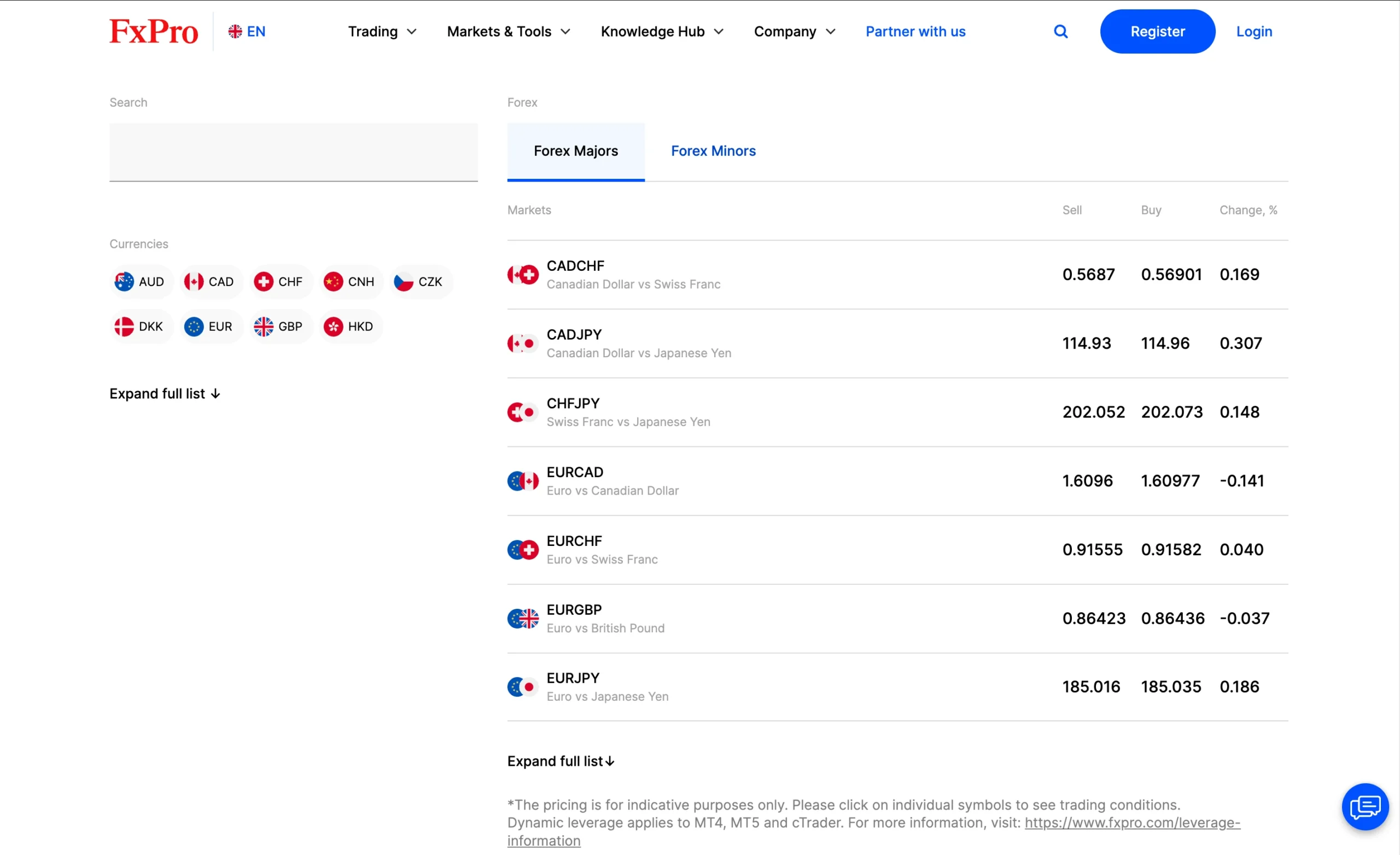
| CADCHF | Canadian Dollar vs Swiss Franc | 3.34 | 3.39 |
| CADJPY | Canadian Dollar vs Japanese Yen | 3.21 | 3.31 |
| CHFJPY | Swiss Franc vs Japanese Yen | 2.83 | 2.94 |
| EURCAD | Euro vs Canadian Dollar | 2.12 | 2.42 |
| EURCHF | Euro vs Swiss Franc | 3.15 | 3.18 |
| EURGBP | Euro vs British Pound | 1.67 | 1.6 |
| EURJPY | Euro vs Japanese Yen | 2.11 | 2.19 |
| EURUSD | Euro vs US Dollar | 1.45 | 1.45 |
| GBPCAD | British Pound vs Canadian Dollar | 3.18 | 3.28 |
| GBPCHF | British Pound vs Swiss Franc | 3.17 | 3.38 |
| GBPJPY | British Pound vs Japanese Yen | 3.5 | 3.68 |
| GBPUSD | British Pound vs US Dollar | 1.9 | 1.93 |
| USDCAD | US Dollar vs Canadian Dollar | 1.79 | 1.79 |
| USDCHF | US Dollar vs Swiss Franc | 2.6 | 2.18 |
| USDJPY | US Dollar vs Japanese Yen | 1.73 | 1.76 |
Metal Spreads
| Standard Account | Raw+ Account | ||
|---|---|---|---|
| Symbol | Product | Avg. Spread | Avg. Spread |
| COPPER | SPOT Grade A Copper MT vs US Dollar | 682.27 | 682.78 |
| GOLD | SPOT Gold Ounce vs US Dollar | 33.77 | 34.44 |
| GOLDEURO | SPOT Gold Ounce vs Euro chart | 55 | 54.72 |
| GOLDgr | SPOT Gold Grams vs US Dollar | 17 | 17.27 |
| GOLDoz | SPOT Gold Ounce vs US Dollar | 33.77 | 34.44 |
| LEAD | SPOT Lead of 99.97% purity MT vs US Dollar | 669 | 666.08 |
| PALLADIUM | SPOT Palladium Ounce vs US Dollar | 473.96 | 464.22 |
| PLATINUM | SPOT Platinum Ounce vs US Dollar | 509.02 | 528.93 |
| SILVER | SPOT Silver Ounce vs US Dollar | 41.07 | 41.07 |
| SILVEREURO | SPOT Silver Ounce vs Euro | 47.11 | 47.08 |
| ZINC | SPOTZinc of 99.995% purity MT vs US Dollar | 650.8 | 643.64 |
Indices Spreads
| Standard Account | Raw+ Account | ||
|---|---|---|---|
| Symbol | Product | Avg. Spread | Avg. Spread |
| ALUMINIUM | SPOT High grade primary aluminium MT vs US Dollar | 515.92 | 510.42 |
| AUS200 | Australia 200 Spot Index CFD | 410.00 | 410 |
| ChinaA50 | FTSE China A50 Spot Index CFD | 7.51 | 7.55 |
| ChinaHShar | China H Shares Spot Index CFD | 864.00 | 866.01 |
| Euro50 | Euro Stoxx 50 Spot Index CFD | 209.67 | 209.38 |
| France120 | France 120 Spot Index CFD | 310.03 | 309.87 |
| France40 | France CAC40 Spot Index CFD | 170.26 | 168.66 |
| Germany40 | Germany 40 (DAX) Spot Index CFD | 268.42 | 278.03 |
| Germany50 | Germany 50 Mid Cap Spot Index CFD | 2000.00 | 2000 |
| GerTech30 | Germany Technology 30 Spot Index CFD | 316.60 | 309.9 |
| Holland25 | Netherlands 25 Spot Index CFD | 122.71 | 122.42 |
| HongKong50 | Hong Kong 50 Spot Index CFD | 1036.77 | 1032.57 |
| Japan225 | Japan 225 Spot Index CFD | 7.70 | 7.67 |
| Spain35 | Spain 35 Spot Index CFD | 561.35 | 561.04 |
| Swiss20 | Swiss 20 Spot Index CFD | 550.16 | 550 |
| UK100 | FTSE 100 Spot Index CFD | 208.68 | 227.68 |
| US2000 | US Russell 2000 Spot Index CFD | 76.76 | 77.11 |
| US30 | US Dow Jones 30 Spot Index CFD | 228.03 | 242.37 |
| USNDAQ100 | US Nasdaq 100 Spot Index CFD | 233.24 | 251.49 |
| USSPX500 | US S&P500 Spot Index CFD | 87.34 | 100.76 |
Energy Spreads
| Standard Account | Raw+ Account | ||
|---|---|---|---|
| Symbol | Product | Avg. Spread | Avg. Spread |
| BRENT (CFD) | Brent oil | 30.49 | 30.78 |
| NAT.GAS (CFD) | Natural Gas | 19.00 | 19 |
| WTI (CFD) | WTI | 30.72 | 30.96 |
FxPro Swap Fees Explained
FxPro applies swap fees for positions held overnight. These charges, or credits, are displayed as Swap Long for buy positions and Swap Short for sell positions, calculated per one full-sized contract.
In the forex market, a standard full-sized contract equals 100,000 units of the base currency, while for gold it represents 100 ounces.
| Instrument | Swap Short | Swap Long |
|---|---|---|
| Gold | Credit of $13.20 | Charge of $46.10 |
| GBP/JPY | Charge of $36.40 | Credit of $7.60 |
| EUR/USD | Credit of $1.70 | Charge of $8.30 |
Non-Trading Fees at FxPro
FxPro does not apply account maintenance charges for active traders and, in most cases, offers free deposits and withdrawals. However, certain exceptions may apply when withdrawing funds to Neteller or Skrill without prior trading activity, or when refunding to PayPal more than six months after the original deposit.
For inactive accounts, FxPro charges a one-time maintenance and administration fee after six months of inactivity. Depending on the jurisdiction, this fee may be $10 or $15 (or currency equivalent), followed by a recurring monthly inactivity fee while the account remains inactive. Terms and conditions may vary slightly between regulatory entities.
Are FxPro Fees Competitive?
Yes. During testing, the Standard account delivered spreads that ranged from average to slightly above average compared to the broader industry. However, FxPro’s overall pricing structure remains competitive thanks to several key advantages:
- No deposit or withdrawal fees in most cases
- Average inactivity fees relative to other forex and CFD brokers
- Lower trading costs available through the Raw+ and Elite account types
- Average overnight swap fees compared to industry standards
| Fees Summary | FxPro |
|---|---|
| Minimum Deposit | $100 |
| Average Spread EUR/USD - Standard | 1.5 pips |
| All-in Cost EUR/USD - Active | 1.3 pips |
| Active Trader or VIP Discounts | Yes |
| ACH or SEPA Transfers | Yes |
| PayPal (Deposit/Withdraw) | Yes |
| Skrill (Deposit/Withdraw) | Yes |
| Visa/Mastercard (Credit/Debit) | Yes |
| Bank Wire (Deposit/Withdraw) | Yes |
Deposit and Withdrawal Overview
FxPro offers a smooth and flexible funding experience, supporting multiple payment methods including bank wire transfers, credit and debit cards, e-wallets, cryptocurrency, and local transfer solutions. This makes it easy for traders across different regions to manage their accounts efficiently.
A key advantage is that deposits and withdrawals are generally processed quickly, helping traders access their funds without unnecessary delays. In most cases, FxPro does not charge any transaction fees, making the funding process more cost-efficient overall.
Pros:
- Free withdrawal
- Credit/Debit card available
- No deposit fee
Cons:
- Few minor currencies accepted for account
FxPro Account Base Currencies
At FxPro, you can choose from the following base currencies:
| USD | GBP | EUR |
| CHF | AUD | PLN |
| ZAR | JPY |
This selection is fairly average compared to other brokers in the market.
This matters mainly for two reasons. If you deposit money in the same currency as your bank account, or trade assets in your account’s base currency, you can avoid currency conversion fees.
A simple way to reduce these fees is by using a multi-currency bank account from a digital bank. These accounts usually support several currencies, offer better exchange rates, and allow low-cost or free international transfers. You can usually open one in a few minutes using your phone.
Deposit Methods and Fees
FxPro does not usually apply deposit fees, although certain exceptions may occur, particularly when funding an account in a currency different from your base account currency.
Deposit processing times depend on the method used. Bank transfers can take several business days to complete, while credit and debit card deposits are typically processed instantly. All deposits must be made from payment methods registered in the trader’s own name for security and compliance reasons.
FxPro supports a wide range of payment options, including popular e-wallets such as PayPal, Skrill, and Neteller, making funding flexible and convenient for most traders. However, it is important to note that e-wallet options are not available to UK clients.
FxPro deposit methods:
| Method | Processing Time | Fees |
|---|---|---|
| Local Bank Wire | 15 minutes | $0 |
| Credit/Debit Card | 15 minutes | $0 |
| Google Pay | 15 minutes | $0 |
| Skrill | 15 minutes | $0 |
| Crypto Payment | 15 minutes | $0 |
| USDT | 15 minutes | $0 |
| Binance Pay | 15 minutes | $0 |
| Bitcoin | 15 minutes | $0 |
| Ethereum | 15 minutes | $0 |
| Sticpay | 15 minutes | $0 |
| PayPal | 15 minutes | $0 |
Withdrawal Methods and Fees
FxPro generally does not charge withdrawal fees, making the process cost-efficient for most traders. However, certain exceptions apply depending on the payment method and account activity.
A fee may be charged if funds are withdrawn back to PayPal more than 6 months after the original deposit, or if withdrawals are made to Neteller or Skrill without any trading activity on the account.
All withdrawals must be processed to payment methods registered in the trader’s own name, ensuring compliance and account security.
FxPro withdrawal methods and fees:
| Method | Processing Time | Fees |
|---|---|---|
| Local Bank Wire | 3-5 working days | $0 |
| Credit/Debit Card | 3-7 working days | $0 |
| Google Pay | Same Day | $0 |
| Binance Pay | 1 working day | $0 |
| Crypto Payment | 1 working day | $0 |
| Ethereum | 1 working day | $0 |
| Skrill | 2-3 working days | $0 |
| Bitcoin | 1 working day | $0 |
| Sticpay | 1 working day | $0 |
| USDT | 1 working day | $0 |
| PayPal | 2-3 working days | $0 |
How Long Does FxPro Take to Process Withdrawals?
When it comes to withdrawal processing time, FxPro delivers relatively fast execution for client payouts. Based on testing of credit card and bank transfer withdrawals, funds were processed within 1 business day.
This places FxPro in a competitive position among brokers where withdrawal efficiency is a key factor in user experience, especially for traders who value quick access to capital.
FxPro’s 1-business-day turnaround is generally considered efficient for traditional banking methods, which can often take longer depending on the payment provider.
Overall, FxPro demonstrates solid operational efficiency in withdrawal handling, particularly for standard bank transfers and card-based payments, where processing speed remains consistent and predictable.
Step-by-Step Guide to Withdrawing Money From FxPro
Withdrawing funds from FxPro is done through the FxPro Direct client portal and follows a simple, structured process designed for ease of use and secure account management.
- Log in to your FxPro Direct account
- Go to the ‘Wallet’ section
- Click on ‘Withdrawal’
- Select your preferred withdrawal method
- Enter the withdrawal amount and submit the request
This step-by-step withdrawal flow ensures traders can manage and access their funds efficiently while maintaining a clear and secure transaction process within FxPro’s system.
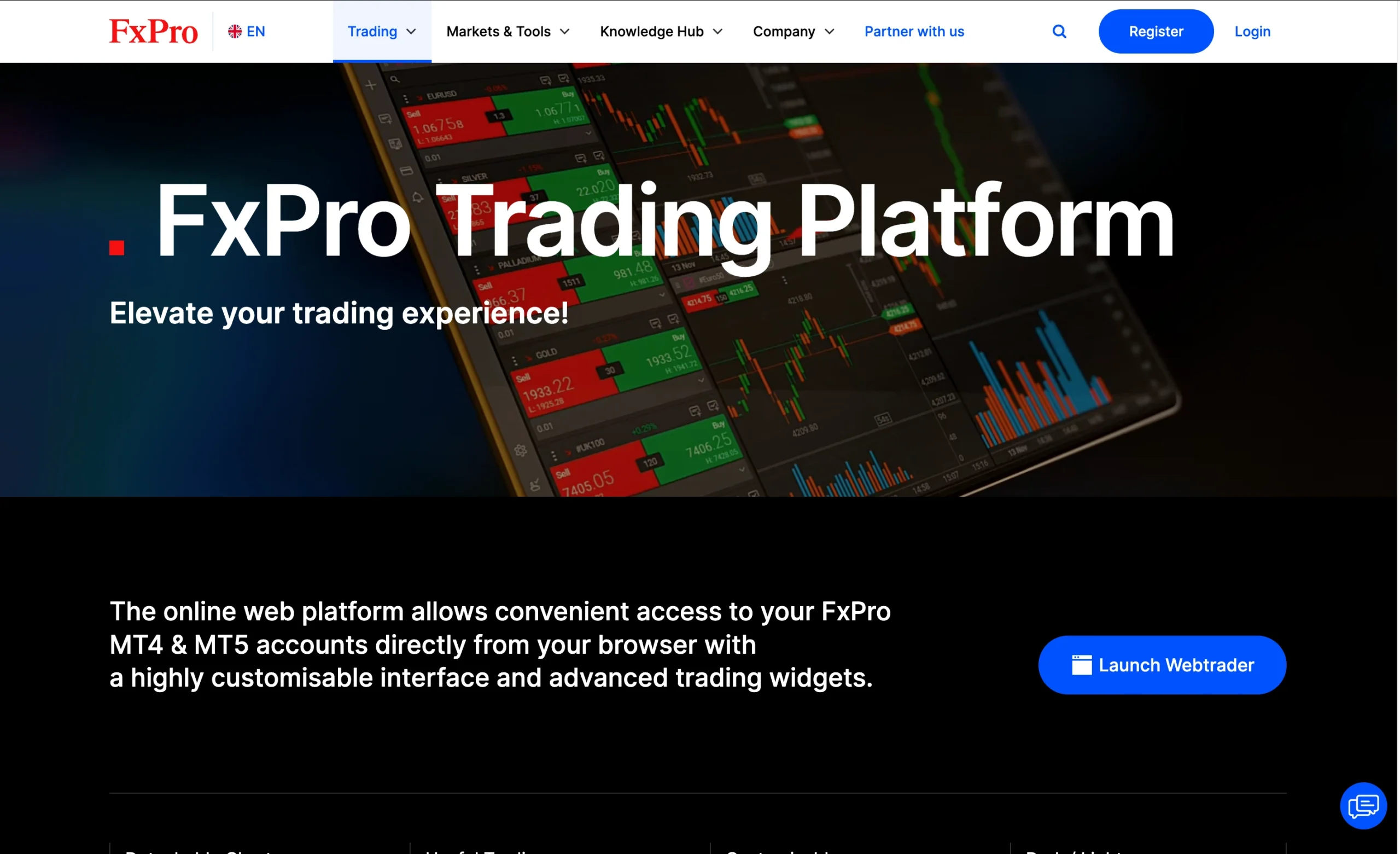
Trading Platforms Overview
FxPro provides a multi-platform trading environment designed to suit all experience levels, from beginners to advanced traders. Clients can choose between several platform options depending on their trading style and technical requirements.
The broker’s core offering includes the FxPro Trading Platform, the widely used MetaTrader suite (MT4 and MT5), and the advanced cTrader platform, each delivering different levels of functionality and customization.
In addition, the FxPro Direct Mobile App enhances flexibility by allowing users to trade, analyse markets, and manage their accounts on the go, ensuring full account control from mobile devices.
Platform Overview
FxPro supports three main platform categories:
- FxPro Edge – a proprietary web-based platform with responsive design and strong charting capabilities
- MetaTrader (MT4 & MT5) – available on web and desktop, offering standard industry tools and broad compatibility
- cTrader + cAlgo – a more advanced solution suited for algorithmic and professional trading strategies
Charting & Usability
The FxPro Edge platform includes smooth and responsive charting tools with 53 indicators and multiple chart types. A key usability feature is its drag-and-drop functionality, which allows traders to adjust stop-loss and limit orders directly on the chart and even place orders visually.
By comparison, cTrader offers 76 indicators along with a wider range of drawing tools and a more advanced charting experience than MetaTrader, making it more suitable for detailed technical analysis.
Trading Tools & Features
FxPro also integrates third-party tools to support analysis and decision-making. Trading Central signals are available as a plugin for MetaTrader users, while FxPro Edge includes pre-set layouts, customizable widgets, and modular interface components.
Overall, FxPro delivers a well-rounded platform selection combining MetaTrader, cTrader, and its proprietary Edge platform, offering strong flexibility across different trading styles, although there is still room for further refinement compared to top-tier industry leaders.
MetaTrader 4

MetaTrader 4 Desktop Intro
The MetaTrader 4 (MT4) desktop platform offered by FxPro is one of the most established and widely adopted trading platforms in the global forex industry. It is designed to support both new traders and experienced professionals, combining a simple user interface with advanced trading functionality for efficient market execution.
Platform Compatibility & Global Access
FxPro’s MT4 platform is fully supported on both Windows and Mac systems, ensuring broad accessibility across different devices. It also supports 52 languages, including English, French, Spanish, German, Arabic, and Chinese, making it suitable for traders operating in international markets.
Key Features of FxPro MT4
- Custom Alerts – Set price-based notifications to identify potential entry and exit points
- Watchlist Management – Organise and monitor selected instruments in a personalised watchlist
- One-Click Trading – Execute trades instantly at live market prices, useful for fast execution strategies such as scalping
- Chart-Based Trading – Place and manage orders directly from charts, including control over entry price, volume, stop-loss, and take-profit levels
- Expert Advisor (EA) Support – Fully compatible with automated trading systems, allowing users to build, test, and optimise trading algorithms using the built-in strategy tester
Why FxPro MT4 Remains Popular
Although newer platforms offer more modern visual designs, MT4 at FxPro continues to stand out for its reliability, execution speed, and stability. Its combination of automation tools, advanced charting features, and custom alerts makes it a strong choice for traders who prioritise precision, control, and consistent performance in active trading environments.
Pros:
- Price alerts
- Good customizability (for charts, workspace)
- Clear fee report
Cons:
- Poor design
- Search function could be improved
Mt4 Charts
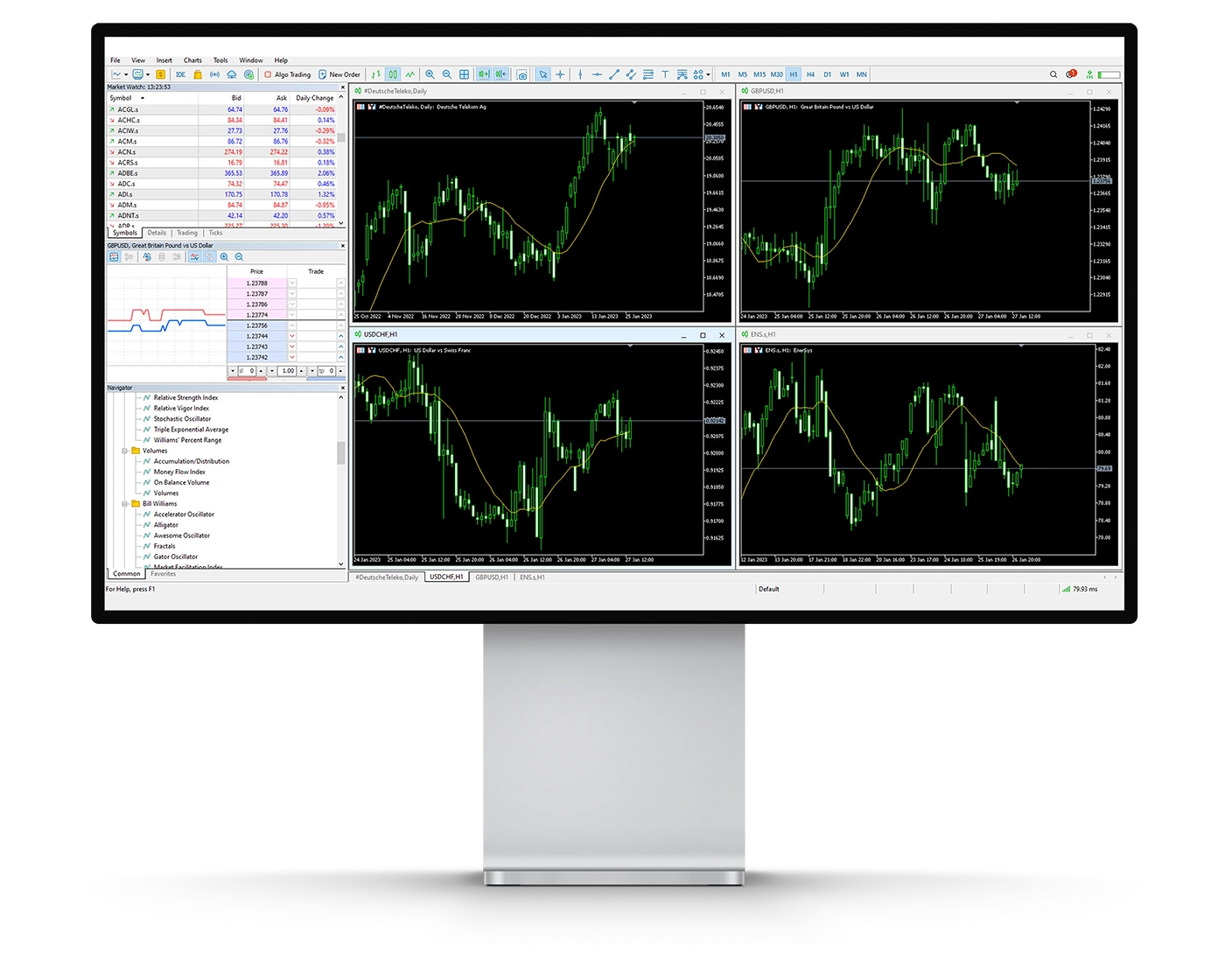
The MetaTrader 4 (MT4) charting suite at FxPro is built to deliver a comprehensive technical analysis environment, supporting traders across all experience levels. From simple price monitoring to advanced strategy development, MT4 provides the flexibility needed for both discretionary and systematic trading approaches.
Key Charting Features
- Technical Indicators (38 built-in) – FxPro MT4 includes 38 indicators covering trend analysis, volume-based tools, and oscillators. These help traders evaluate price movements, measure market sentiment, and identify potential trade setups.
- Drawing Tools (24 tools) – With 24 built-in drawing tools, including Fibonacci retracements and Elliott Wave tools, traders can map support and resistance levels, highlight breakout areas, and analyse price structures with precision.
- Timeframes & Chart Types (21 options) – The platform supports 21 different timeframes, enabling multi-timeframe technical analysis. Traders can view price data using candlestick, bar, or line charts depending on their strategy preference.
Usability Considerations
While MT4 offers strong analytical depth, it is important for traders to avoid overloading charts with excessive indicators. Using too many tools at once can reduce clarity and make it harder to identify high-quality trading signals.
Why FxPro MT4 Charting Stands Out
The FxPro MT4 charting environment combines speed, reliability, and analytical capability, making it a widely used choice for traders who depend on technical analysis. It supports a range of strategies, from scalping to swing trading, and is suitable for both manual execution and automated trading systems.
Mt4 Orders
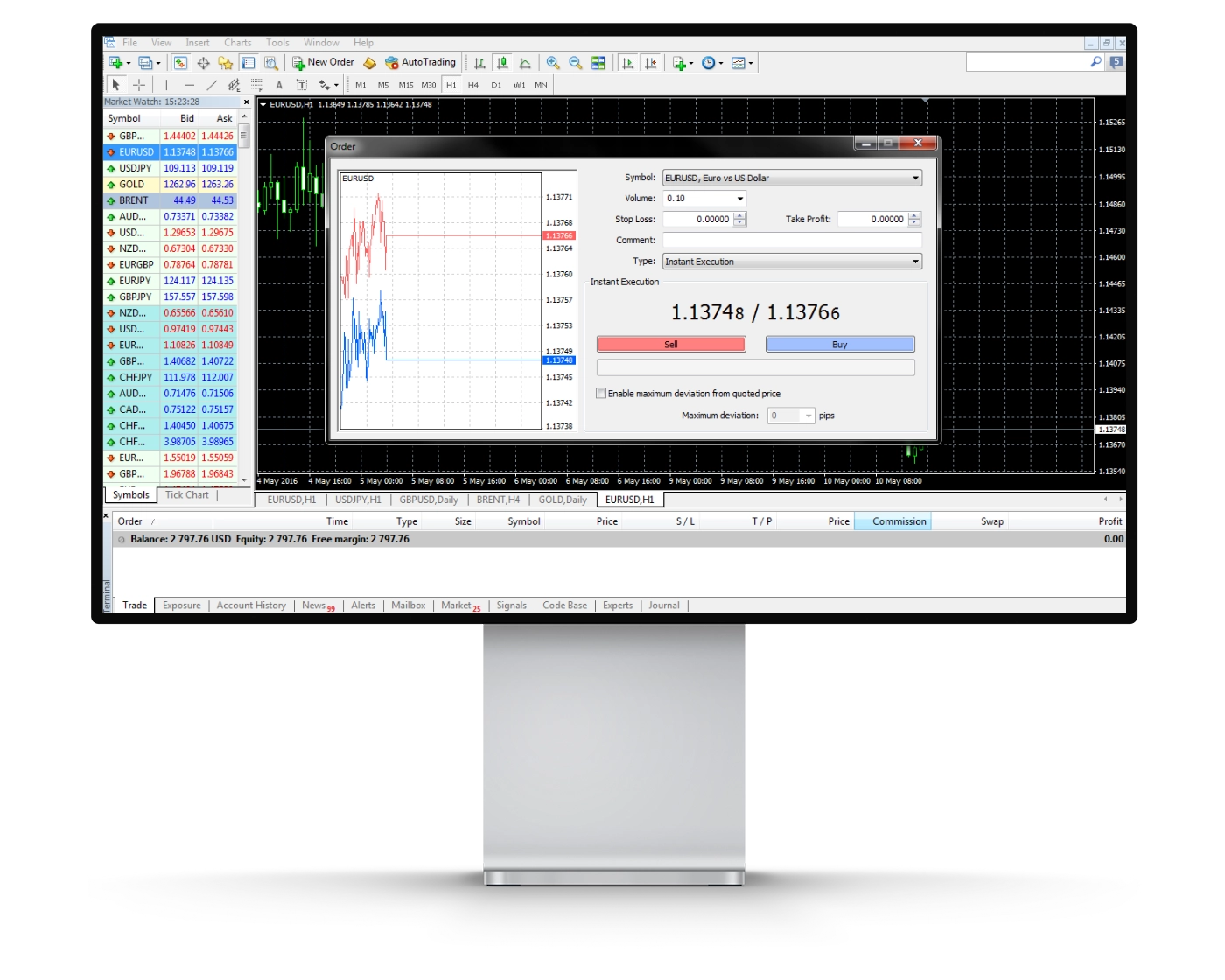
The MetaTrader 4 (MT4) platform at FxPro is designed to support fast, flexible, and precise trade execution, making it suitable for beginners as well as advanced traders. Whether used for scalping, day trading, or algorithmic strategies, MT4 provides the control and execution quality needed to manage positions effectively across different market conditions.
Types of Orders Available
- Market Orders – Execute immediately at the best available market price. While the requested trade size is filled, the final execution price may vary slightly due to live market movement, a standard occurrence known as slippage.
- Limit Orders – Allow traders to set a specific entry price in advance. The order is only activated once the market reaches that level, offering more precise entry control, though execution is not guaranteed if price does not return to the set level.
- Stop Orders – Commonly used for risk management, these orders trigger a market execution once a predefined price is reached. They are often used as stop-loss orders to help limit downside risk in volatile conditions.
Enhanced Execution Tools
FxPro MT4 also supports one-click trading, enabling instant order execution directly from the chart interface. This feature is particularly useful for traders who rely on speed, such as scalpers and short-term strategy users, where timing is critical.
Why FxPro MT4 Execution Stands Out
By combining multiple order types with fast execution and stable platform performance, FxPro ensures traders can operate with consistency across different trading conditions. The platform is also compatible with both manual trading and Expert Advisors (EAs), offering flexibility for users who rely on automated trading systems or hybrid strategies.
Mt4 WebTrader
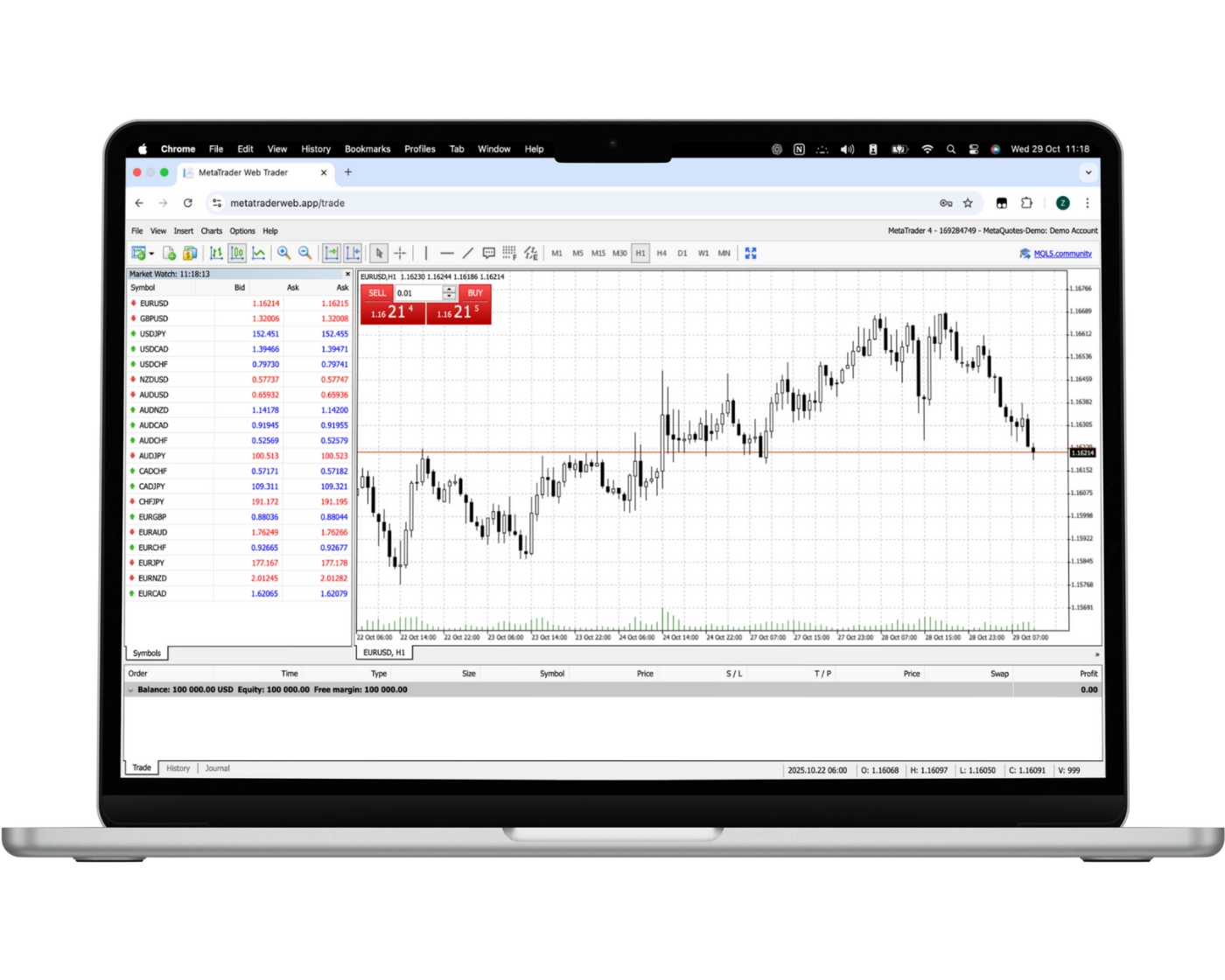
The FxPro MetaTrader WebTrader platform allows traders to access the full MetaTrader experience directly through a web browser, removing the need for any downloads or software installation. It is fully compatible across all operating systems, offering a flexible and secure way to trade from virtually any location with an internet connection.
Key Features of FxPro WebTrader
- One-Click Trading – Execute trades instantly with a single click, making it suitable for fast-moving and volatile markets
- Trade Directly from Charts – Open, adjust, and manage positions directly on interactive charts for quicker reaction to price changes
- Custom Watchlists & Real-Time Quotes – Monitor selected instruments with continuously updated market prices
- Trade History Access – Review previous trades to evaluate performance and refine trading strategies
- Advanced Charting Tools (30 indicators) – Use 30 built-in technical indicators to support technical analysis and improve decision-making
- Copy Trading & Automation Support – Follow experienced traders or automate strategies for consistent execution even when not actively monitoring the markets
Why FxPro WebTrader Stands Out
The FxPro WebTrader platform combines accessibility with professional-grade trading functionality. It enables users to analyse markets, manage positions, and execute strategies without relying on desktop software. Whether trading manually or using automated and copy trading features, FxPro provides a stable and user-friendly web-based trading environment designed for flexibility and convenience.
MT4 Mobile App
Pros:
- Price alerts
- User-friendly
- Good search function
Cons:
- No two-step (safer) login
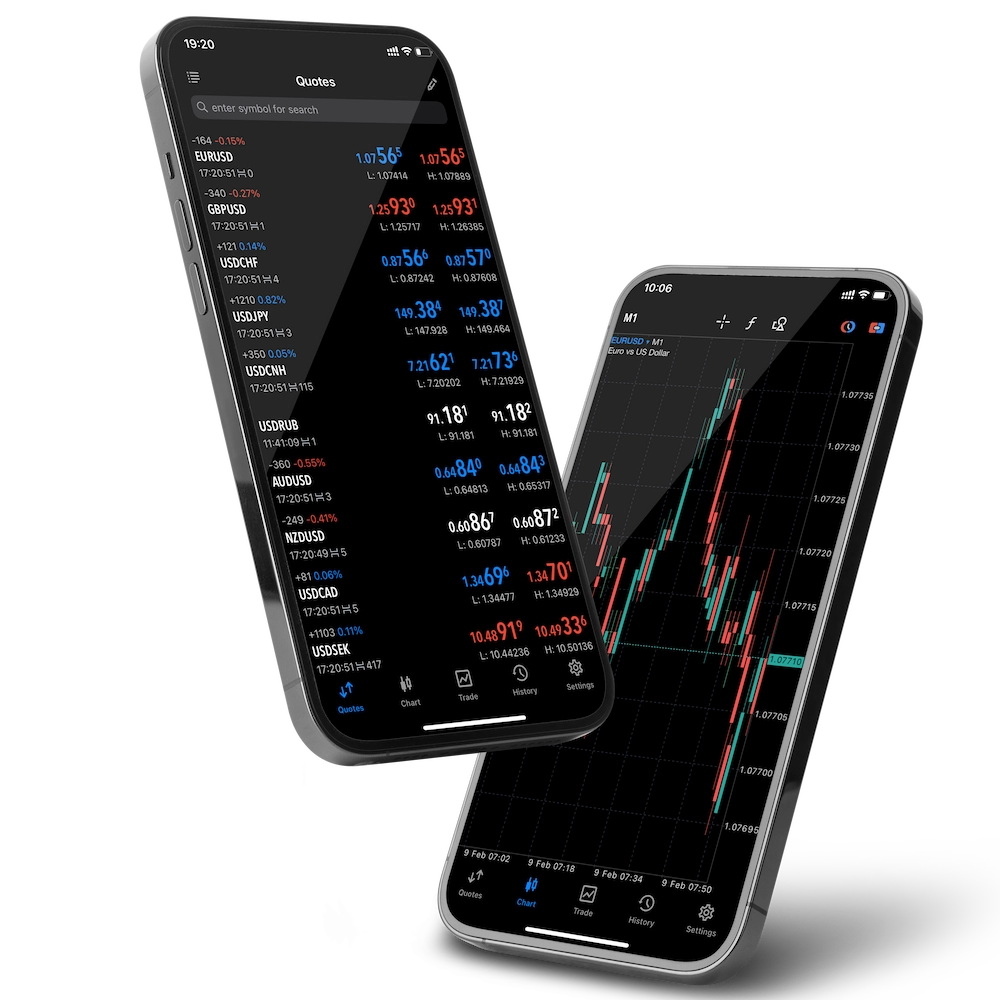
The FxPro MetaTrader 4 (MT4) mobile application delivers full trading functionality directly to iOS and Android devices, allowing traders to access global markets from anywhere. Built for speed, accuracy, and ease of use, the app ensures users can monitor and manage trades whether they are at home, travelling, or on the move.
Key Features of FxPro MT4 Mobile
- Full Trade Management – Open, close, and modify trading positions instantly with a few taps
- Order Flexibility – Place market, limit, and stop orders, while adjusting trade size and exposure directly from the app
- User-Friendly Interface – Simple and intuitive design that supports quick navigation and fast trading decisions
- Real-Time Market Data – Access live quotes and price updates to respond immediately to market movements
- Advanced Charting Tools – Use interactive charts and multiple timeframes to analyse price action and refine trading strategies on the go
Why Trade with FxPro MT4 Mobile
The FxPro MT4 mobile platform is designed to provide flexibility without sacrificing performance. It offers reliable execution, real-time data streaming, and seamless account synchronisation across devices, enabling traders to stay connected to the markets at all times. This makes it suitable for traders who require consistent access and efficient execution in fast-moving trading conditions.
Look and Feel
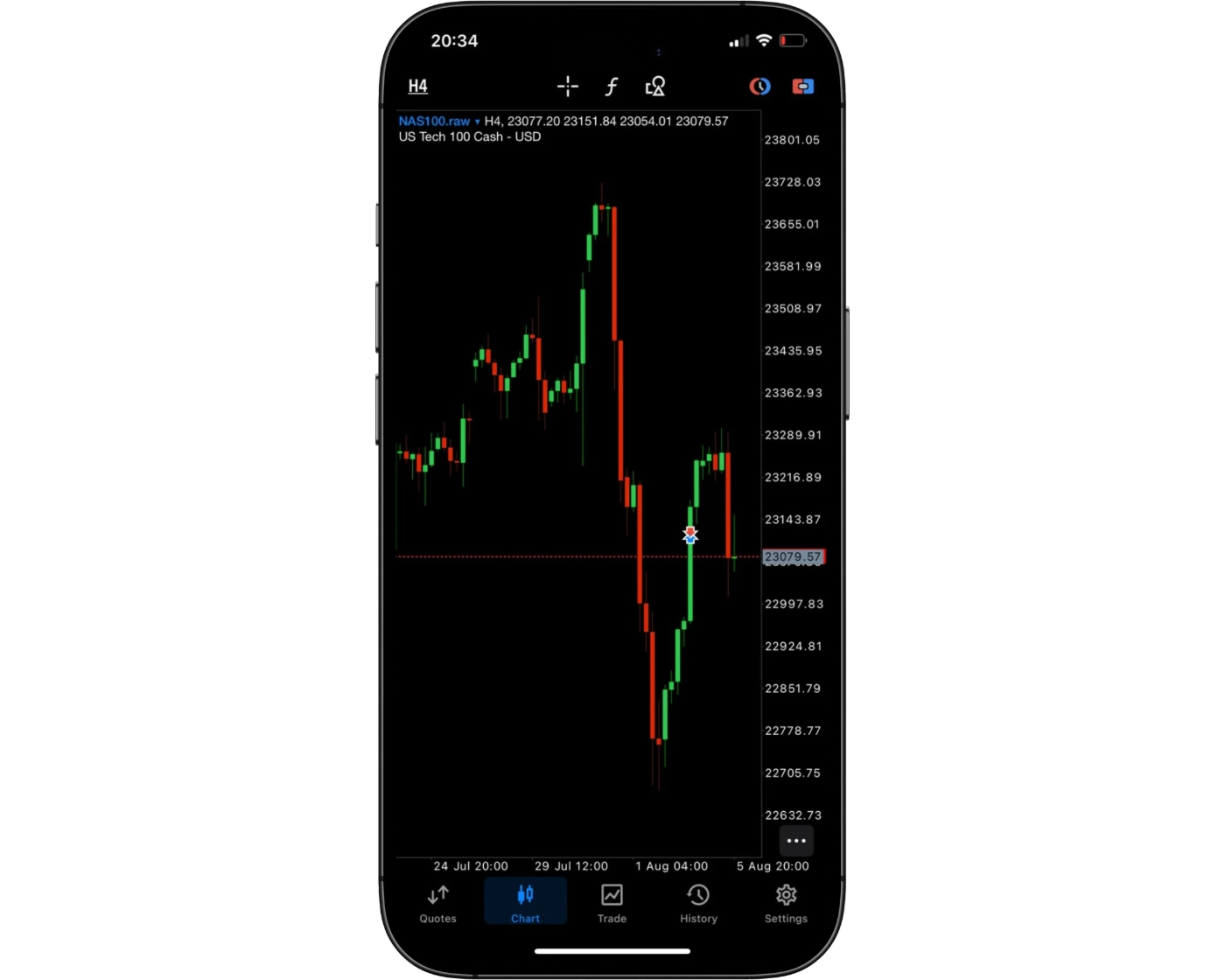
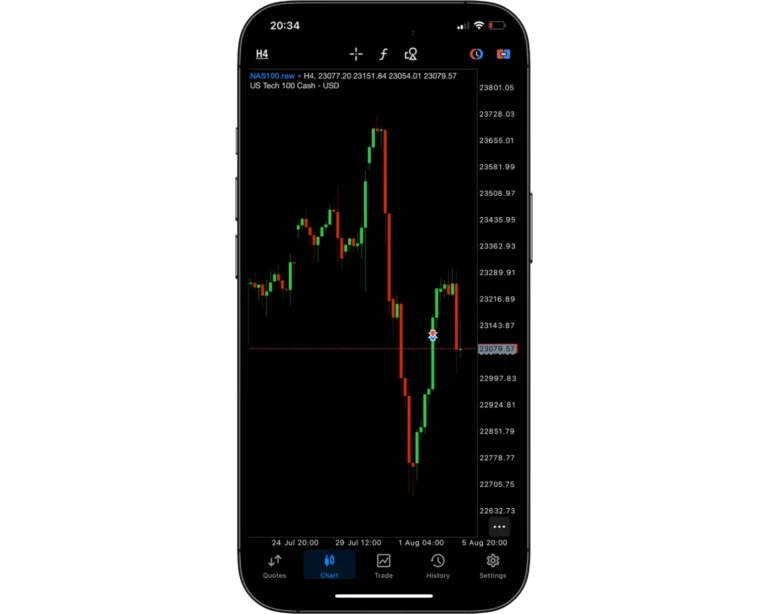
The FxPro MT4 mobile trading platform is designed to combine strong performance with a clean, intuitive user experience. Its streamlined layout allows traders to move easily between charts, open positions, and trade execution without unnecessary complexity. This makes the platform accessible for beginners while still efficient enough for experienced traders who rely on speed and clarity in decision-making.
A standout aspect of the FxPro MT4 mobile app is its balance between simplicity and advanced functionality. Despite its easy-to-navigate interface, it still offers professional trading tools such as advanced charting capabilities, customizable indicators, and one-tap order execution. This ensures traders can analyse markets and execute trades efficiently, even while on the move.
Overall, the FxPro MT4 mobile experience is built for traders who need a responsive and reliable mobile trading solution. It supports fast access to global markets while maintaining the depth required for more advanced strategies, making it suitable for both new and experienced traders.
Login and security
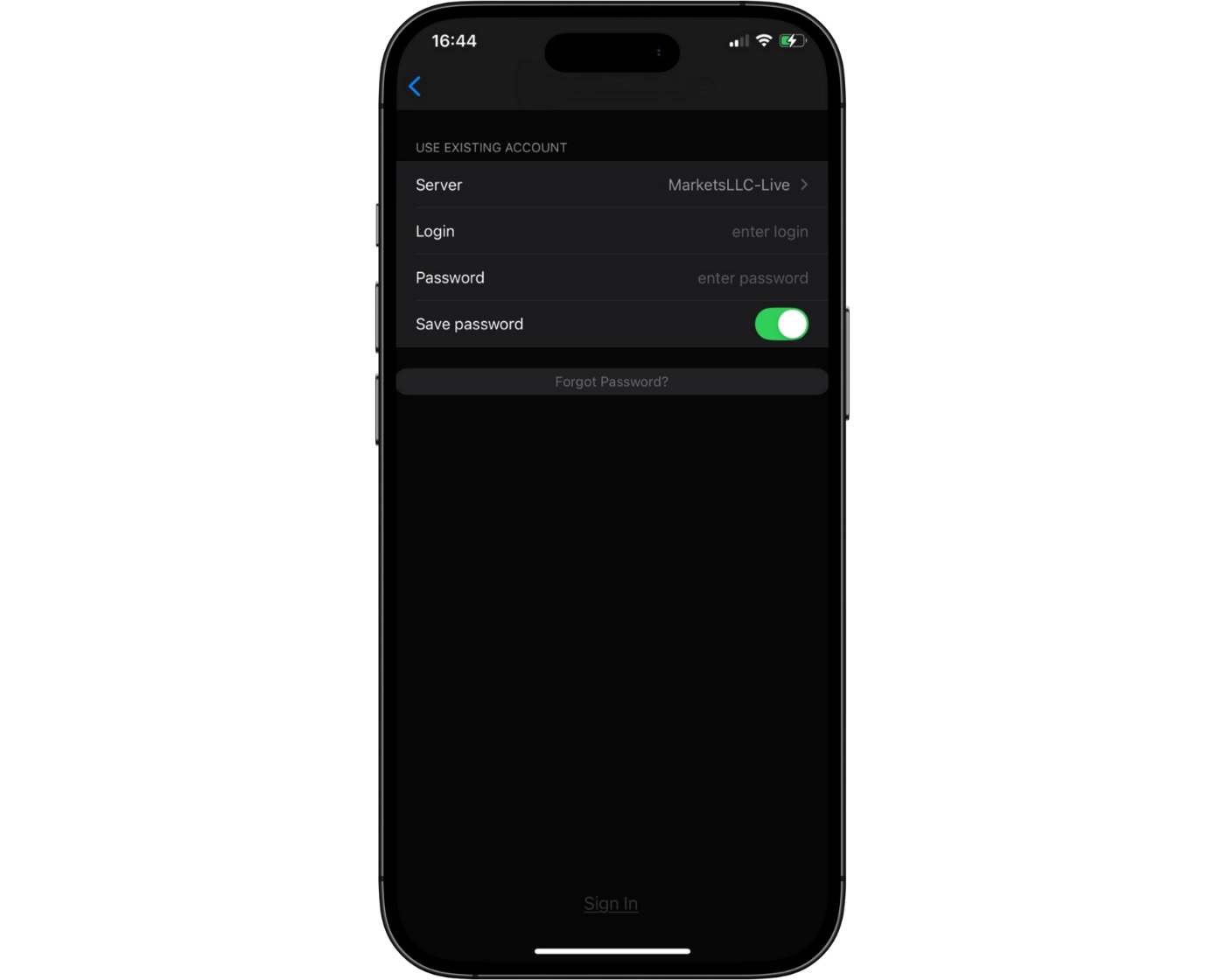
The FxPro MT4 mobile platform offers a simple and efficient single-step login process, allowing traders to access their accounts quickly and begin trading without delay. This streamlined approach is designed for convenience, especially for users who need fast access while trading on the move.
However, from a security perspective, additional enhancements such as two-factor authentication (2FA) would further strengthen account protection and improve overall safety standards. At present, the mobile platform does not include biometric login options like fingerprint recognition or facial ID, which could otherwise provide a faster and more secure alternative to traditional login methods.
Incorporating features such as biometric authentication and expanded security layers would significantly improve both convenience and protection. This would allow FxPro’s MT4 mobile platform to better combine ease of access with advanced account security, giving traders greater confidence when managing positions remotely.
Search functions
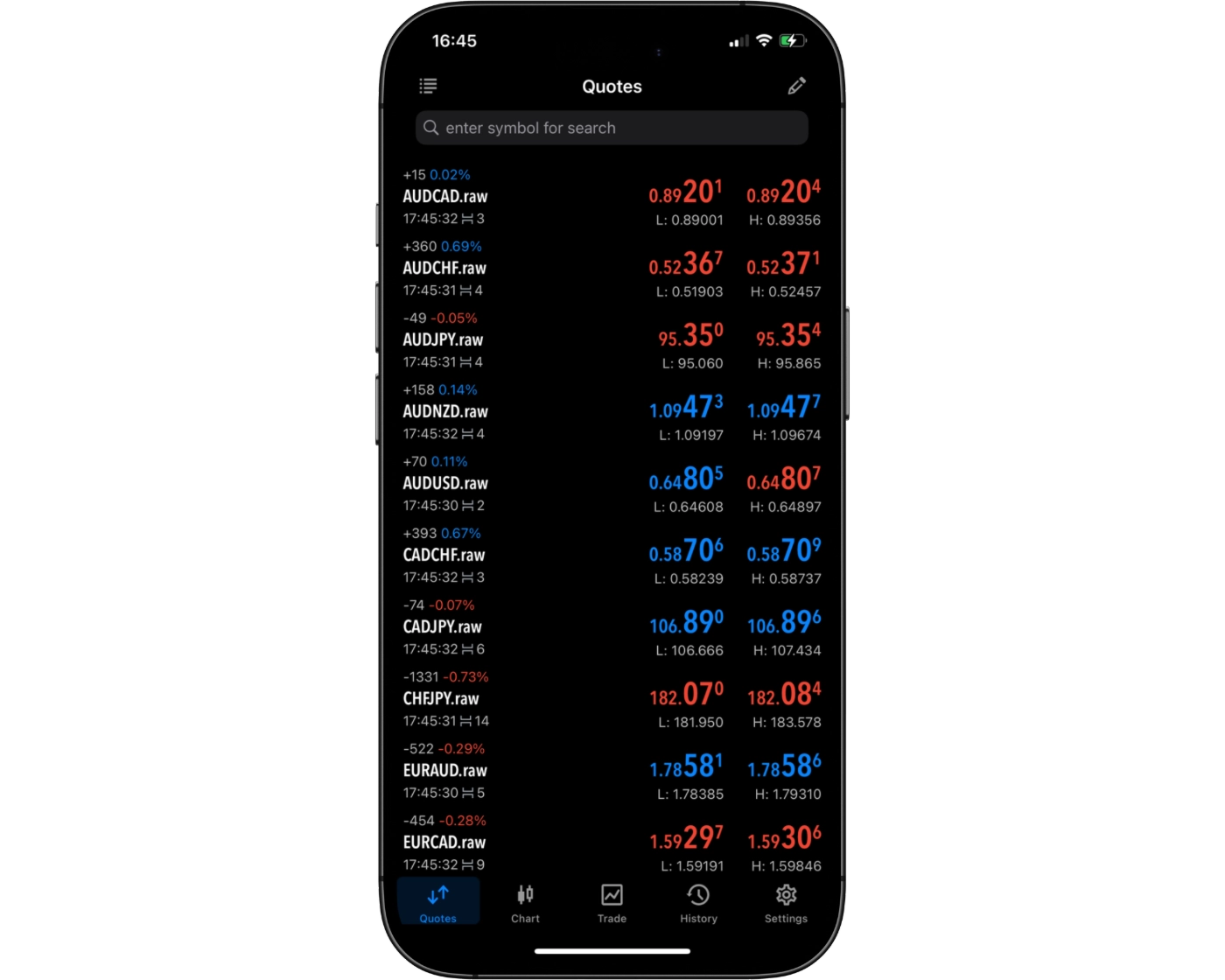
The FxPro MT4 mobile application includes an efficient and user-friendly search system designed to help traders quickly find trading instruments and platform tools. Users can either enter the name of a specific asset into the search bar for immediate results or navigate through clearly organised category folders to browse available markets.
This dual approach to navigation provides both speed and flexibility, allowing traders to locate instruments with minimal effort while maintaining full control over how they explore the platform. Whether searching directly or browsing by category, the system is built to support fast access to relevant trading options.
Overall, the search functionality on the FxPro MT4 mobile platform enhances the overall trading experience by making portfolio management more efficient and helping traders respond quickly to changing market conditions directly from their mobile devices.
Placing orders
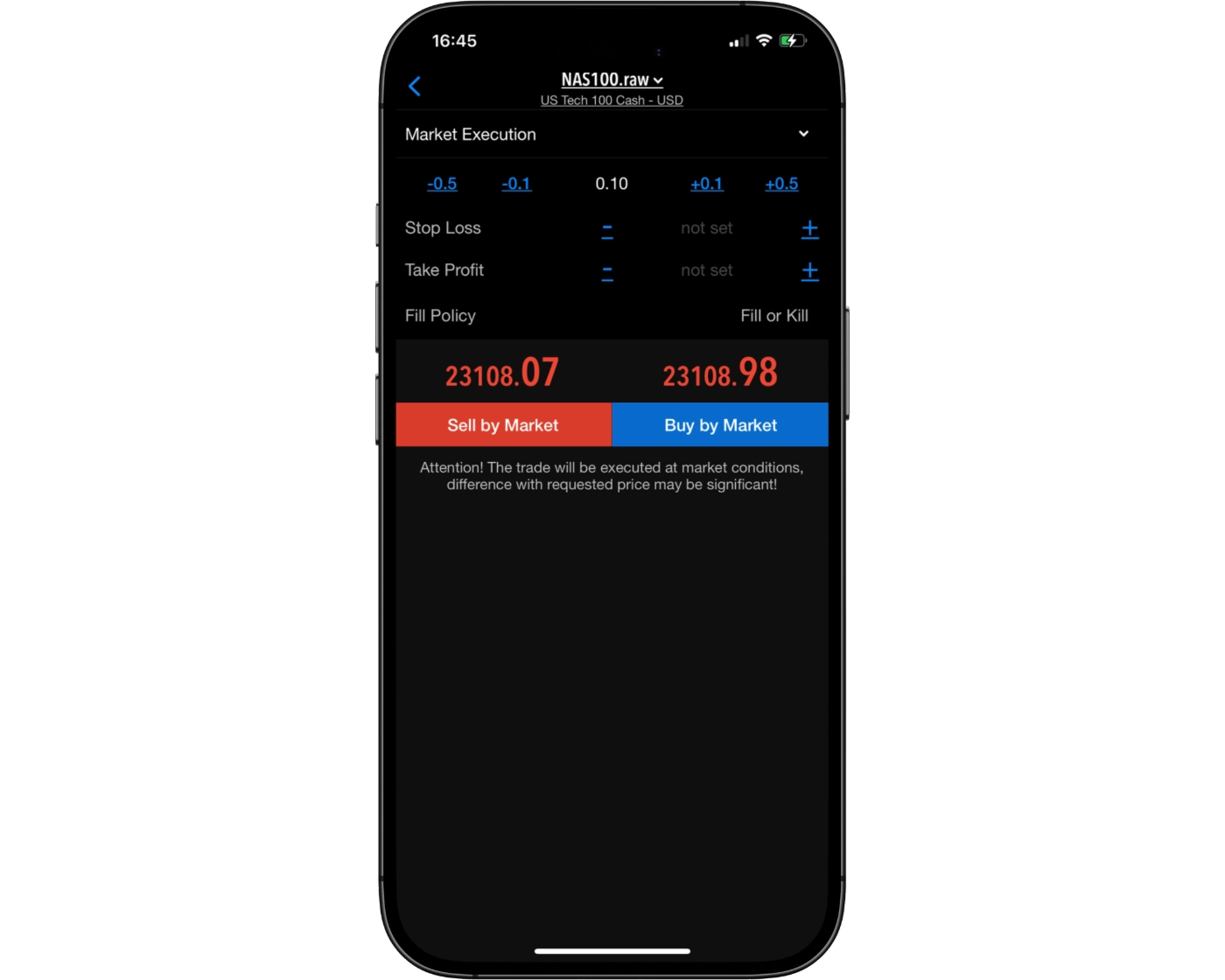
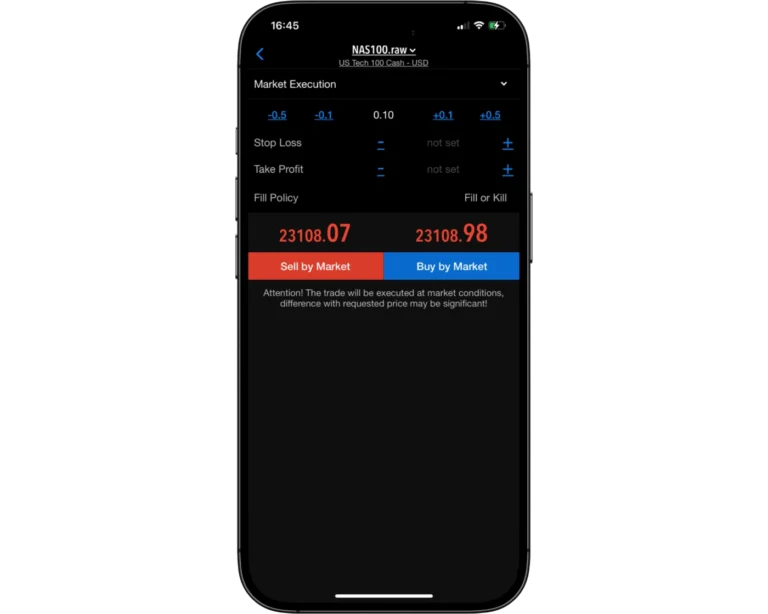
The FxPro MT4 mobile trading platform provides a flexible and well-structured order execution system designed to support a wide range of trading strategies. Traders can place market orders for instant execution, use limit orders to enter positions at specific price levels, and apply stop-loss orders to manage risk and protect open trades.
In addition to core order types, the platform includes adjustable order duration settings that allow traders to tailor executions to their trading approach:
- Good ‘til Canceled (GTC): Orders remain active until manually cancelled by the trader
- Good ‘til Time (GTT): Orders automatically expire after a set time period
By combining multiple order types with flexible time controls, FxPro ensures more precise trade management and efficient execution. This structure allows traders to control positions effectively and adapt their strategies directly from the mobile platform with greater accuracy and flexibility.
Alerts and notifications
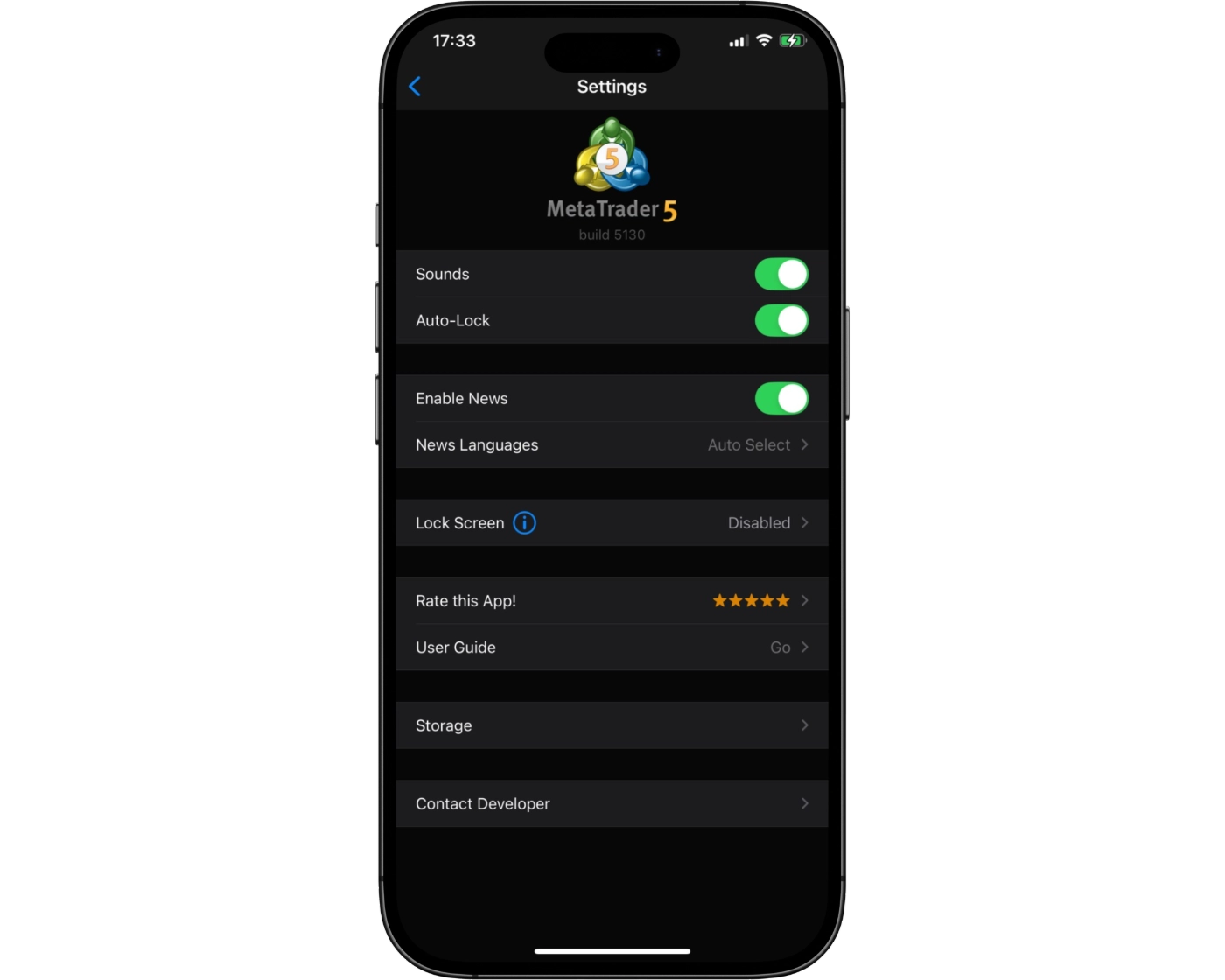
The FxPro MT4 mobile trading platform does not currently include built-in alerts or push notifications, a feature that is only available through the desktop version. Since real-time alerts play an important role in tracking price movements and reacting quickly to market changes, this limitation can impact the overall responsiveness of mobile trading.
Despite this, mobile users are still able to monitor live markets and manage open positions directly within the app. However, traders who rely heavily on instant notifications and proactive trade alerts may find the desktop platform more suitable for timely updates and execution monitoring.
Adding integrated alerts and push notifications to the mobile version would significantly improve functionality, creating a more complete and responsive trading experience for users who trade on the go.
MetaTrader 4: Key Takeaways
MT4 Desktop Platform
The FxPro MetaTrader 4 (MT4) desktop platform is built for fast and reliable trade execution, making it well-suited for traders who prioritise accuracy and efficiency. While the interface has a more traditional design compared to newer platforms, it remains highly functional and stable for day-to-day trading.
The charting environment is solid, although it can feel somewhat limited in flexibility. Traders who rely on multi-timeframe analysis or more advanced technical studies may find the structure less adaptable than modern alternatives. Even so, the desktop platform provides a dependable, professional-grade setup for executing strategies and monitoring market conditions effectively.
MT4 Mobile App
The FxPro MT4 mobile application is designed for traders who need flexibility while trading on the move. It allows users to manage positions efficiently, execute market, limit, and stop orders, and adjust risk exposure quickly during fast-moving market conditions.
While the mobile app performs well in terms of speed and convenience, it is less suited for in-depth technical analysis or complex charting. These functions are better handled on the desktop version, where the analytical tools are more comprehensive.
Summary
Overall, the FxPro MT4 ecosystem delivers a balanced trading experience by combining the speed and reliability of the desktop platform with the mobility and convenience of the mobile app. Traders benefit from efficient execution and account management on the go, while more advanced technical analysis is best carried out on the desktop platform.
cTrader

cTrader Desktop Intro
cTrader is a professional trading platform built for traders who value fast execution, advanced charting, and transparent pricing. With its modern interface and powerful trading tools, the platform delivers a smooth experience across desktop, web, and mobile devices.
Compared to traditional MetaTrader platforms, cTrader places a stronger focus on Level II depth of market pricing, rapid trade execution, and detailed technical analysis tools. This makes it especially popular among scalpers, day traders, and algorithmic traders.
At FxPro, traders can access cTrader to trade forex, indices, commodities, and shares using raw spreads from 0.0 pips with commission-based pricing. The platform also includes cTrader Copy, allowing users to follow and automatically copy strategies from other traders directly within the platform.
Whether you are new to trading or already experienced in the markets, cTrader combines an intuitive layout with advanced functionality, making it one of the most powerful and user-friendly trading platforms available.
Pros:
- Its advanced charting tools and analytics
- cTrader delivers high-speed trade execution and real-time Depth of Market (Level II) data, enabling traders to make precise decisions and manage risk better.
- A clean, modern user interface across desktop, web and mobile platforms
Cons:
- While feature-rich, the learning curve can be steeper for beginners
cTrader Charts
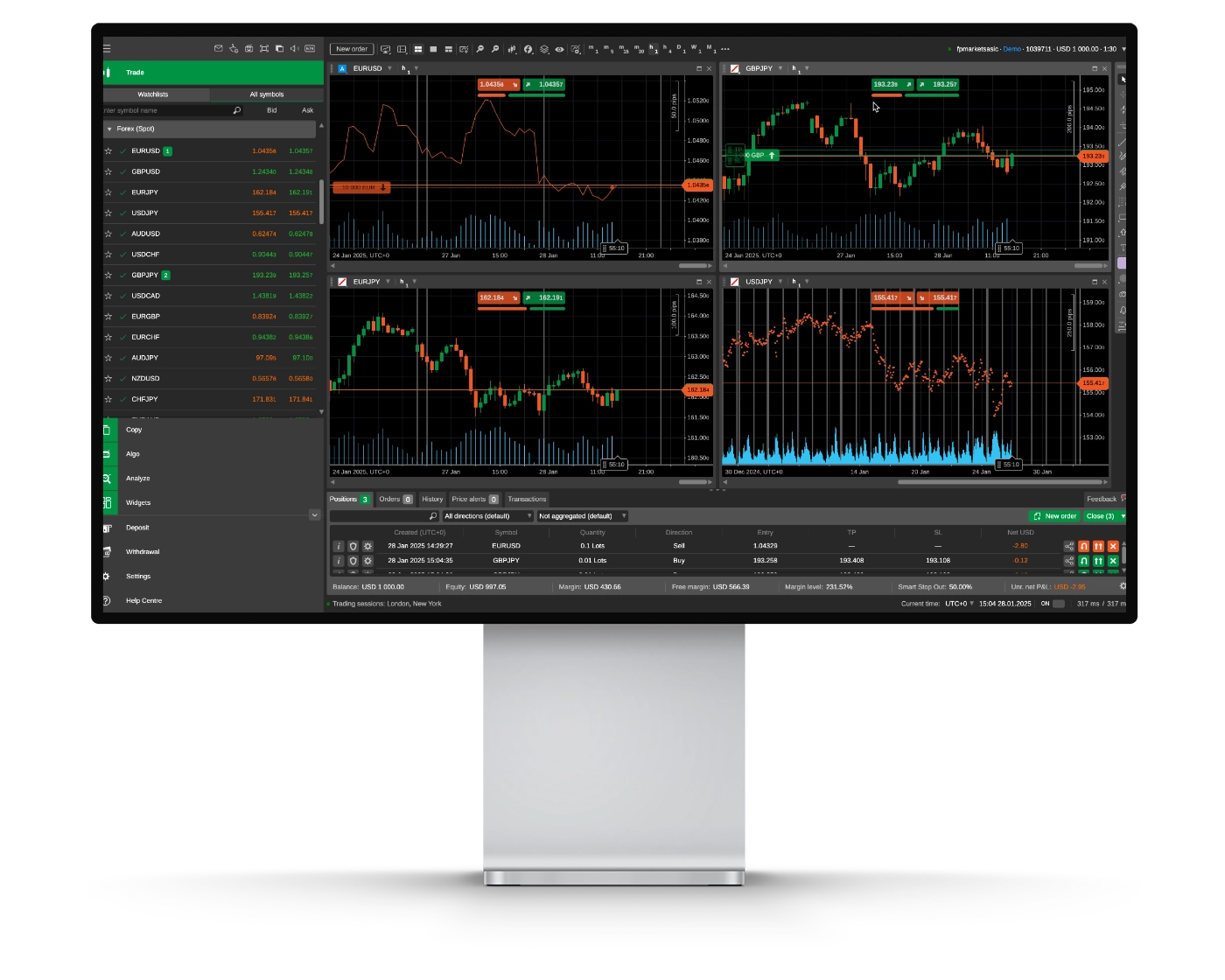
FxPro’s cTrader platform delivers a fast and modern charting experience built for traders who rely on detailed technical analysis and precise execution. The platform is designed to support both manual and automated trading across the forex and CFD markets.
Advanced Charting Features
cTrader includes more than 70 built-in technical indicators and over 50 drawing tools, including Fibonacci retracements, channels, pitchforks, and geometric drawing tools. These features help traders analyze price action, identify trends, and map out potential trading opportunities with greater accuracy.
Level II Depth of Market
One of cTrader’s standout features is its real-time Level II Depth of Market (DOM) functionality. This gives traders direct visibility into market liquidity and order flow, which can be especially useful for scalpers and high-frequency traders looking for accurate pricing data.
Flexible Chart Layouts and Timeframes
The platform supports 26 timeframes and 9 chart types, including Renko, Tick, and Heikin-Ashi charts. Traders can also use detachable chart windows, making cTrader well-suited for multi-monitor trading setups and more advanced workflows.
User Experience and Interface
cTrader features a clean and intuitive interface, though beginners may need some time to fully explore its extensive toolset and customization options. Once familiar with the platform, traders gain access to a highly capable trading environment built for speed and efficiency.
Why FxPro cTrader Stands Out
FxPro combines cTrader’s advanced functionality with fast execution speeds, transparent pricing, and raw spread trading, making it a strong option for serious traders. The platform also supports automated trading through cTrader Automate, giving algorithmic traders additional flexibility.
Whether trading forex, commodities, or CFDs, FxPro’s cTrader platform provides the tools, execution quality, and market transparency needed for active trading strategies.
cTrader Orders
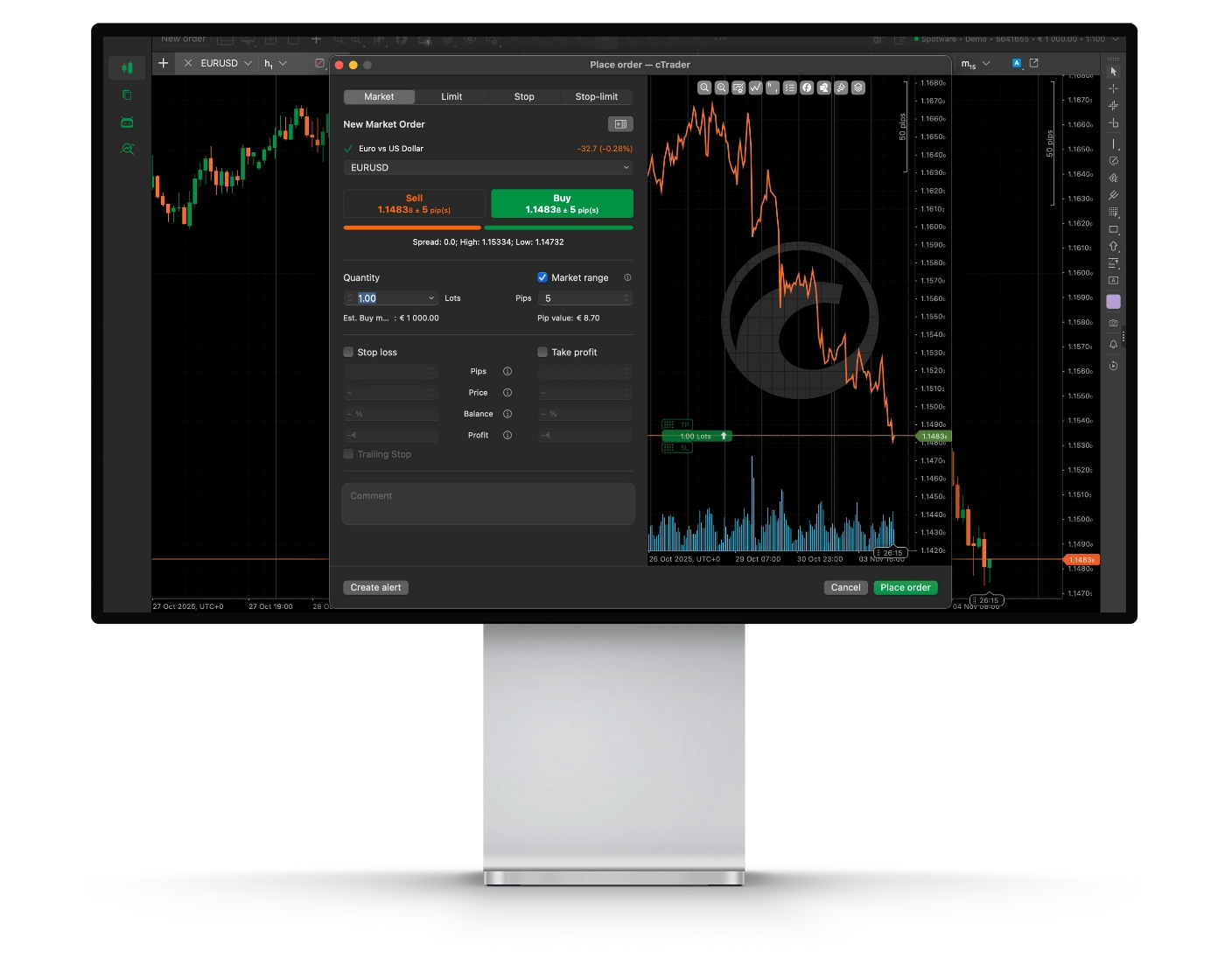
FxPro’s cTrader order system is built for traders who prioritize speed, precision, and transparent execution. The platform gives traders detailed control over trade entries and exits, making it suitable for scalping, day trading, and swing trading strategies.
Order Types
cTrader supports six different order types, including Market, Limit, Stop, Stop-Limit, Market Range, and Trailing Stop orders. This range of order functionality allows traders to execute more advanced strategies while managing risk more effectively during changing market conditions.
Depth of Market Transparency
The platform includes full Level II Depth of Market (DOM) pricing, giving traders direct insight into market liquidity and order flow. This feature is particularly useful for active traders who depend on accurate pricing data and execution precision.
Fast Execution and Trading Control
FxPro hosts its cTrader infrastructure in Equinix data centers, helping reduce latency and improve execution speed. The platform also supports one-click trading and detailed trade confirmations, allowing orders to be placed and monitored quickly and efficiently.
Trading Experience
Although cTrader offers a modern and user-friendly interface, new traders may initially find the advanced execution tools and market depth features slightly complex. However, once understood, the platform becomes highly efficient for managing trades and analyzing market activity.
Why FxPro cTrader Execution Stands Out
FxPro combines raw pricing, deep liquidity, and ultra-fast execution within the cTrader platform, creating a strong environment for active traders. From small position sizes to advanced algorithmic trading strategies, cTrader is designed to handle orders with speed, accuracy, and transparency.
With tight spreads starting from 0.0 pips, direct market access, and no dealing desk intervention, FxPro’s cTrader execution system is well-suited for traders who demand consistent and precise order handling.
cTrader Mobile App
Pros:
- Clean and intuitive interface
- Syncs seamlessly across devices
- Powerful charting on the go
Cons:
- Limited advanced features vs desktop
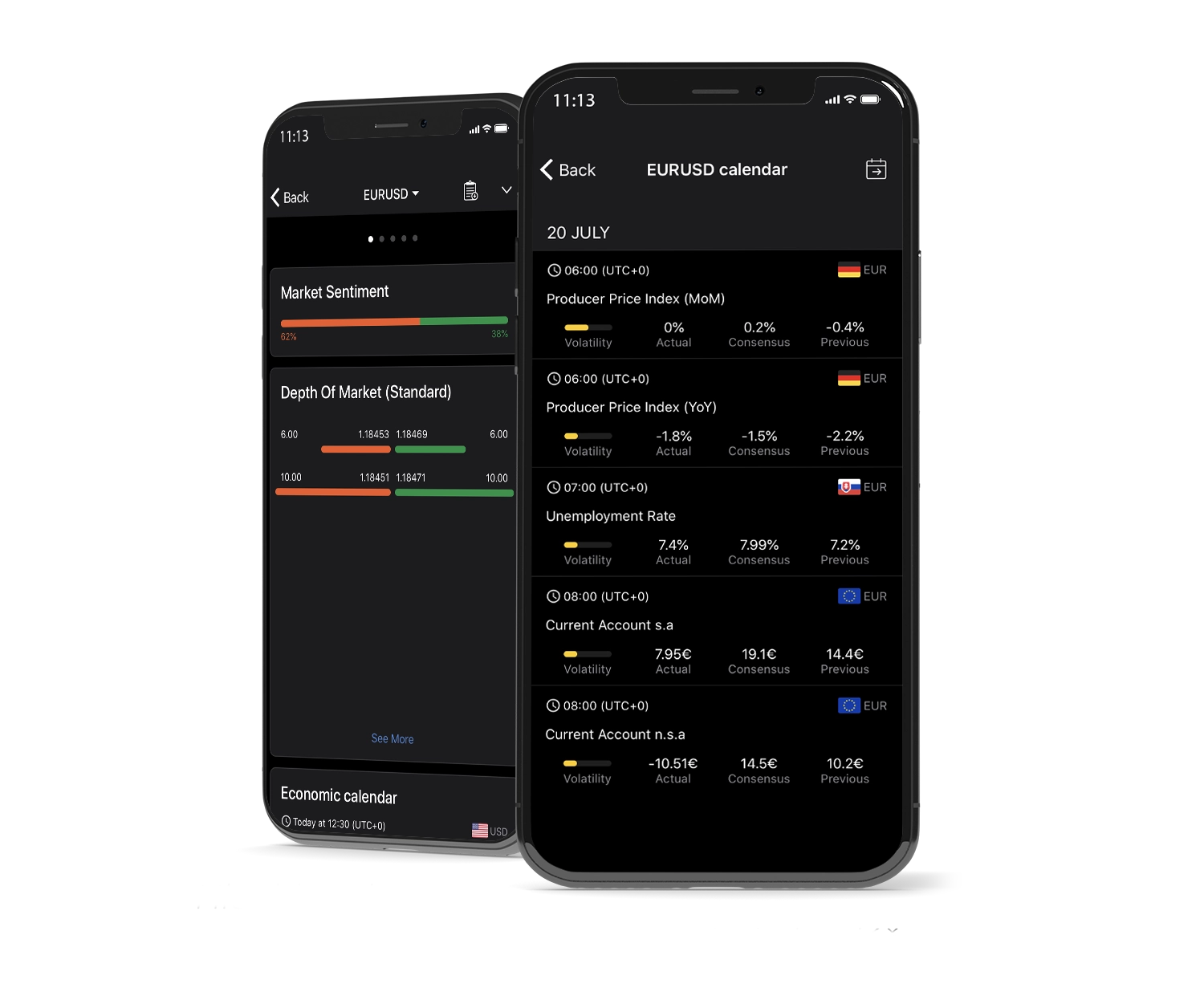
The cTrader mobile app available through FxPro delivers a powerful trading experience for both iOS and Android users. Designed for active traders, the app combines fast execution, advanced charting tools, and a modern interface, allowing traders to manage positions and monitor markets from anywhere.
Main Features of the cTrader Mobile App
- Instant trade management with one-tap execution for opening, modifying, and closing positions.
- Access to multiple order types, including market, limit, stop, and advanced orders.
- A clean and responsive interface with smooth navigation and customizable layouts.
- Real-time price feeds and live market updates for fast decision-making while trading on mobile.
Mobile Charting Tools
The app includes interactive charts with multiple timeframes, technical indicators, and drawing tools, helping traders perform detailed market analysis directly from their mobile devices.
Why FxPro cTrader Mobile Stands Out
FxPro’s cTrader mobile platform combines flexibility with professional-grade trading functionality. The app offers fast execution speeds, synchronized access across desktop and web platforms, and transparent pricing conditions, making it a strong option for traders who want reliable mobile trading performance.
Whether monitoring trades, analyzing charts, or placing orders on the go, the FxPro cTrader mobile app provides the tools and control needed for active trading across global markets.
Look and Feel
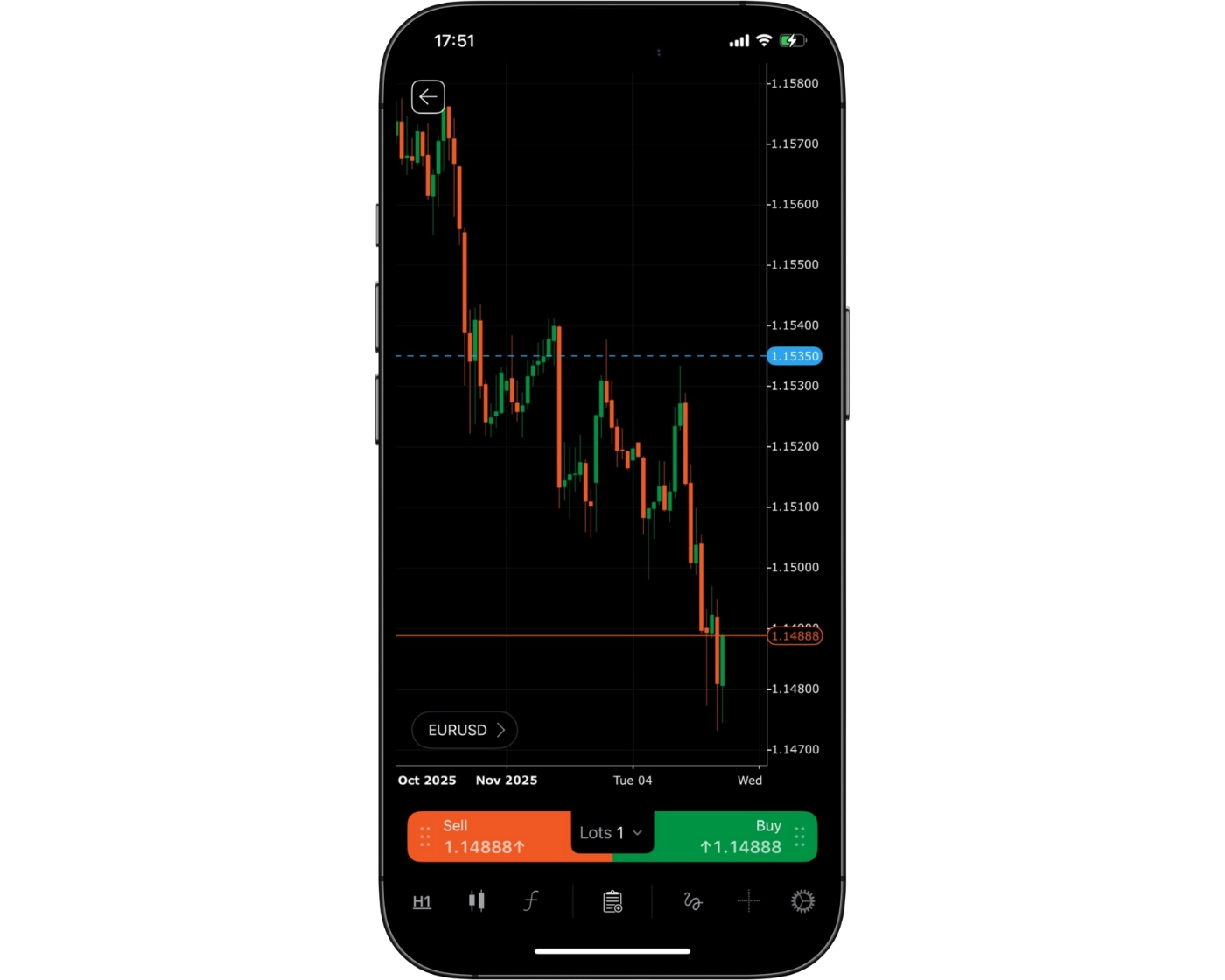
FxPro’s cTrader mobile app offers a clean and modern trading experience that combines professional trading functionality with an easy-to-use mobile interface. The platform is designed for speed and simplicity, allowing traders to manage positions, analyze charts, and place trades efficiently while on the move.
The app features a polished layout with intuitive navigation, responsive controls, and customizable chart settings. Traders can quickly access key tools, switch between charts, and execute trades with minimal interruption, making the platform suitable for both active trading and market monitoring.
One of the strongest aspects of the FxPro cTrader mobile platform is the balance between simplicity and advanced functionality. Beginners can easily learn the platform thanks to its straightforward design, while experienced traders still have access to the advanced tools and flexibility expected from a professional trading app.
With smooth performance, modern visuals, and fast access to trading features, the FxPro cTrader mobile app delivers a reliable and user-friendly mobile trading experience across global markets.
Login and security
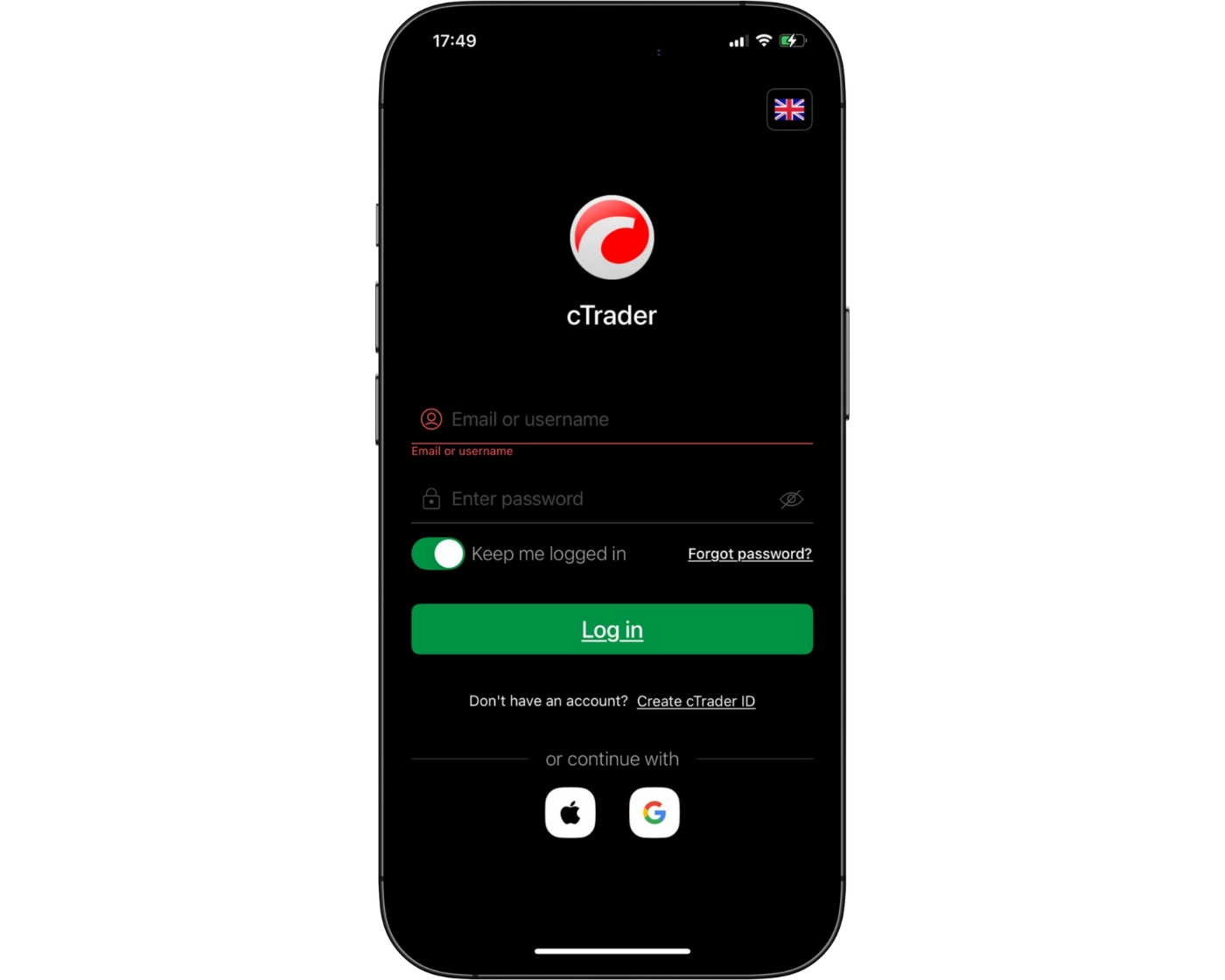
FxPro’s cTrader mobile app provides a quick and straightforward login process, allowing traders to access their accounts and begin trading within seconds. The platform supports a smooth sign-in experience, making it easy to monitor markets and manage trades while away from a desktop device.
On the security side, cTrader uses advanced encryption technology to help protect user data and account information during each session. This adds an important layer of protection for traders accessing financial markets through mobile devices.
The app already delivers a secure and efficient trading experience, though additional security features such as two-factor authentication (2FA) and biometric login options, including fingerprint or facial recognition, could further improve account protection against unauthorized access.
Overall, FxPro’s cTrader mobile platform offers a strong balance between convenience, speed, and account security, helping traders stay connected to the markets with confidence.
Search functions
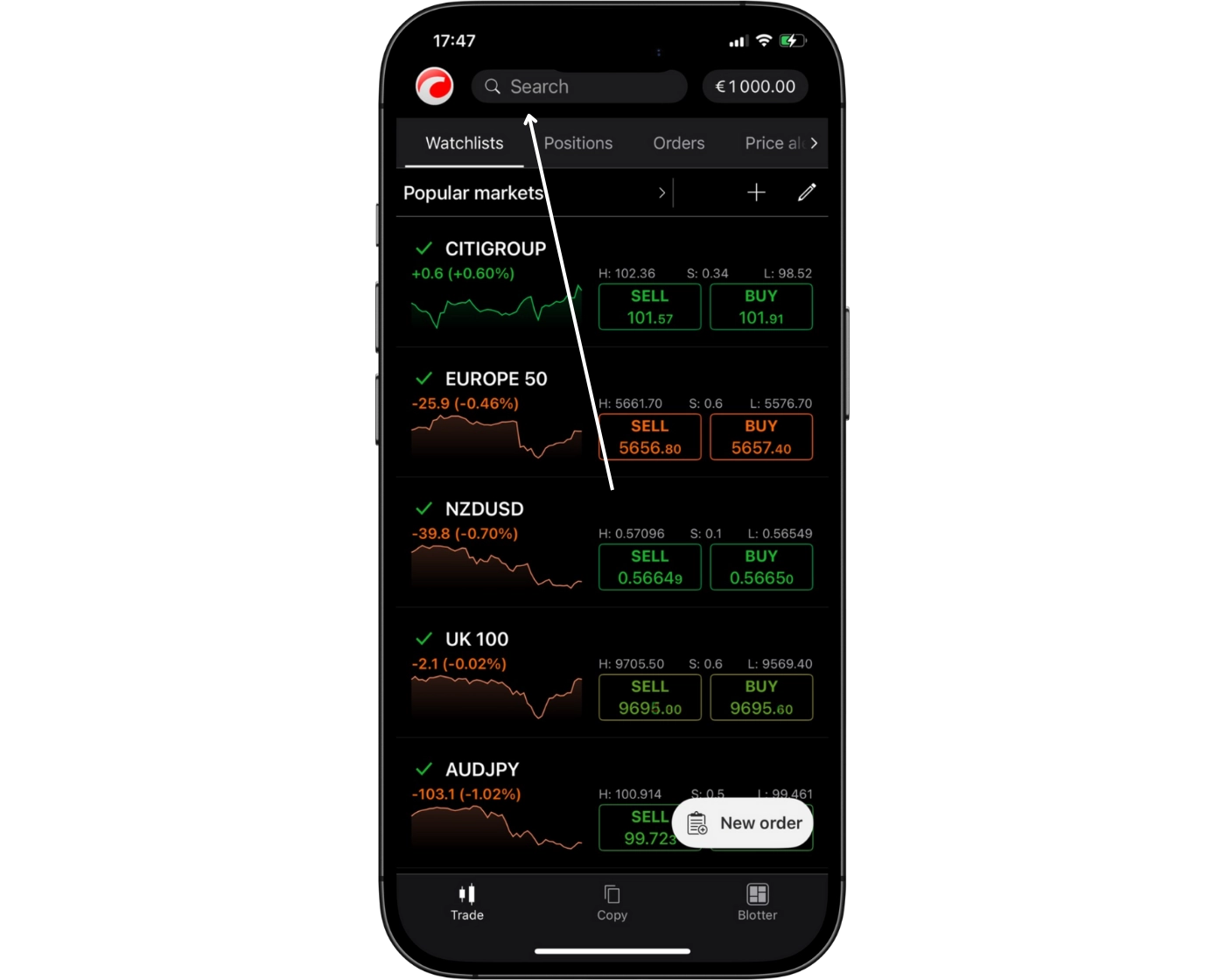
FxPro’s cTrader mobile app includes a fast and easy-to-use search feature that helps traders quickly locate trading instruments. Users can search directly from the search bar to instantly find forex pairs, indices, commodities, stocks, and other CFD markets without scrolling through large instrument lists.
The platform also groups instruments into organized categories, making it easier to browse markets, monitor different asset classes, and discover potential trading opportunities more efficiently.
This streamlined search functionality allows traders to react faster to market movements, add instruments to watchlists, and place trades directly from the mobile app. Combined with the platform’s clean layout and responsive design, the search experience remains smooth, practical, and optimized for active trading on mobile devices.
Placing orders
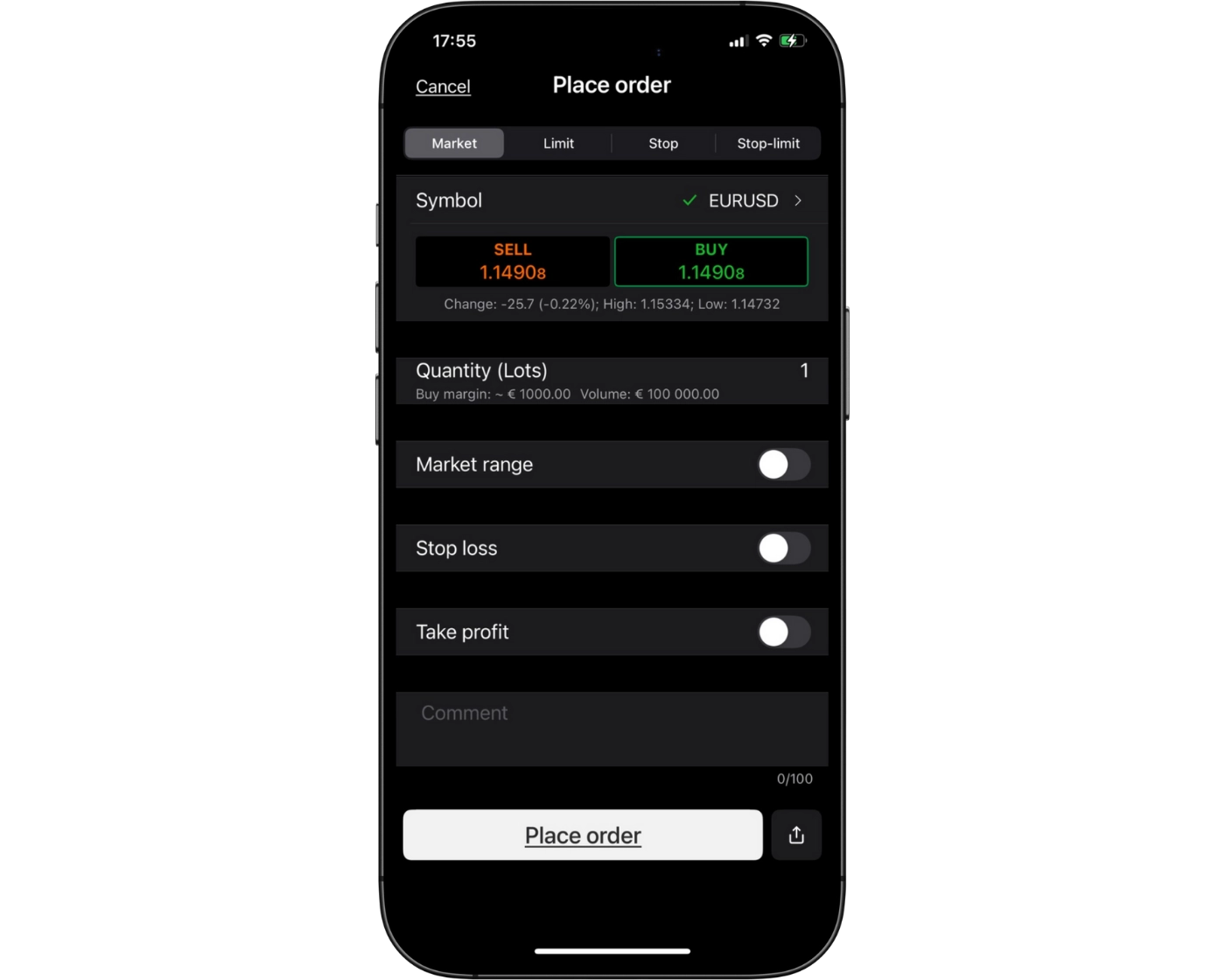
FxPro’s cTrader mobile app delivers a smooth and efficient order management experience designed for traders who need speed, flexibility, and precision while trading on mobile devices. The platform allows users to place market orders, limit orders, stop-loss orders, and take-profit orders quickly, making it suitable for both short-term and long-term trading strategies.
To support different trading approaches, the platform includes several order duration settings:
- Good ‘til Canceled (GTC): Orders stay active until the trader manually cancels them.
- Good ‘til Time (GTT): Orders automatically expire after a specified time period.
- Market Range Orders: Trades execute within a selected price range, helping reduce slippage during volatile market conditions.
With one-tap trading, live order tracking, and a clean mobile interface, FxPro’s cTrader app makes it easy to open, adjust, and manage positions in real time while maintaining the fast execution and transparency the platform is known for.
Alerts and notifications
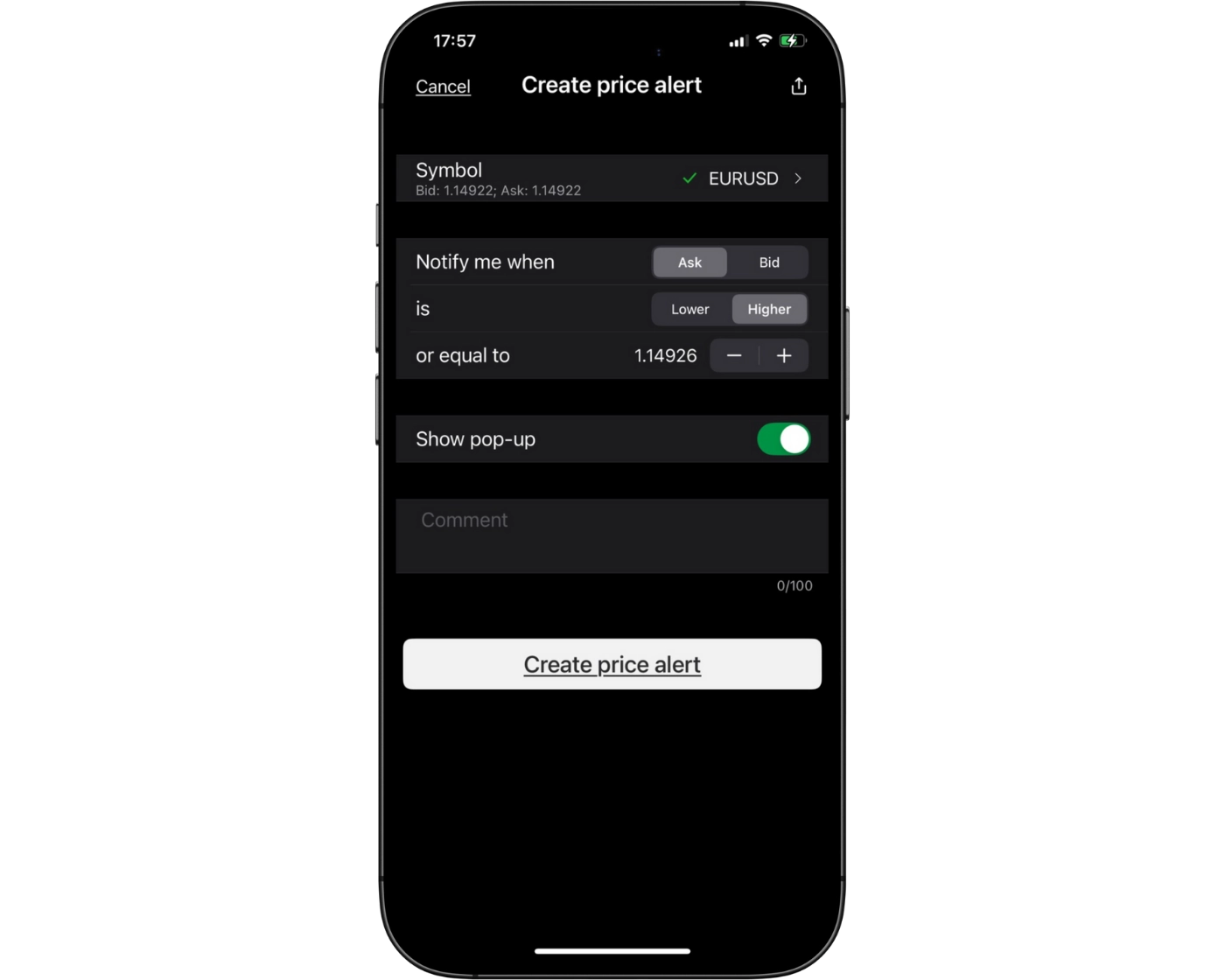
FxPro’s cTrader mobile app includes powerful alerts and push notification tools, helping traders stay updated on market activity, trade execution, and account changes in real time directly from their mobile devices. This allows users to respond quickly to changing market conditions, even when away from their desktop platform.
Traders can create custom price alerts for specific instruments and receive instant notifications for executed orders, stop-loss activation, and margin-related updates. These settings can be personalized to match individual trading strategies and risk management preferences.
By combining flexible notification settings with real-time market updates, FxPro’s cTrader mobile platform delivers a connected and efficient mobile trading experience that helps traders monitor positions and manage trades with speed and confidence from anywhere.
cTrader : Key Takeaways
cTrader Desktop Platform
FxPro’s cTrader desktop platform delivers a clean and modern trading experience focused on speed, precision, and flexibility. The platform is well-suited to traders who value efficient execution and advanced trading functionality. Its intuitive interface makes navigation straightforward, while features such as customizable layouts, advanced charting tools, and automated trading support cater to both discretionary and algorithmic traders.
Although cTrader includes more advanced functionality than many traditional trading platforms, the desktop version remains accessible and dependable for managing detailed trading strategies.
cTrader Mobile App
The cTrader mobile app gives traders the ability to manage their accounts and positions efficiently from anywhere. The app supports market, limit, and stop orders, along with flexible position sizing and built-in risk management tools. Real-time alerts and push notifications help traders stay updated on important market activity and trade execution.
While the mobile platform is fast and convenient for active trading, more detailed multi-timeframe technical analysis is generally better suited to the desktop version.
Summary
Overall, FxPro’s cTrader platform suite combines a powerful desktop trading environment with a responsive and feature-rich mobile app. Traders benefit from professional-level tools, reliable execution, and flexible trade management features, making cTrader a strong option for both beginner and experienced forex and CFD traders seeking a modern trading platform.
FxPro Trading Platform
FxPro Trading Platform Intro
The FxPro Trading Platform is a comprehensive trading environment designed for traders who prioritise fast execution, reliable pricing, and advanced market analysis tools. With a clean, user-friendly interface, it delivers a smooth trading experience across desktop, web, and mobile access.
Compared to more traditional trading platforms, FxPro’s platform focuses strongly on execution speed, transparent pricing, and in-depth charting capabilities. This makes it well suited to active traders such as scalpers, day traders, and those using automated or systematic strategies.
Through FxPro, traders can access global markets including forex, indices, commodities, and shares, with pricing that includes raw spreads from 0.0 pips alongside commission-based execution. The platform also supports copy trading functionality, allowing users to replicate strategies from other traders directly within their account environment.
Overall, the FxPro Trading Platform combines ease of use with advanced trading functionality, making it a strong option for both beginner and experienced traders who want a balanced mix of simplicity and professional-grade tools.
Pros:
- Fast and reliable order execution
- Access to a wide range of markets
- Clean, user-friendly interface
Cons:
- Advanced tools and platform features may feel limited compared to specialist platforms
FxPro Trading Platform Charts
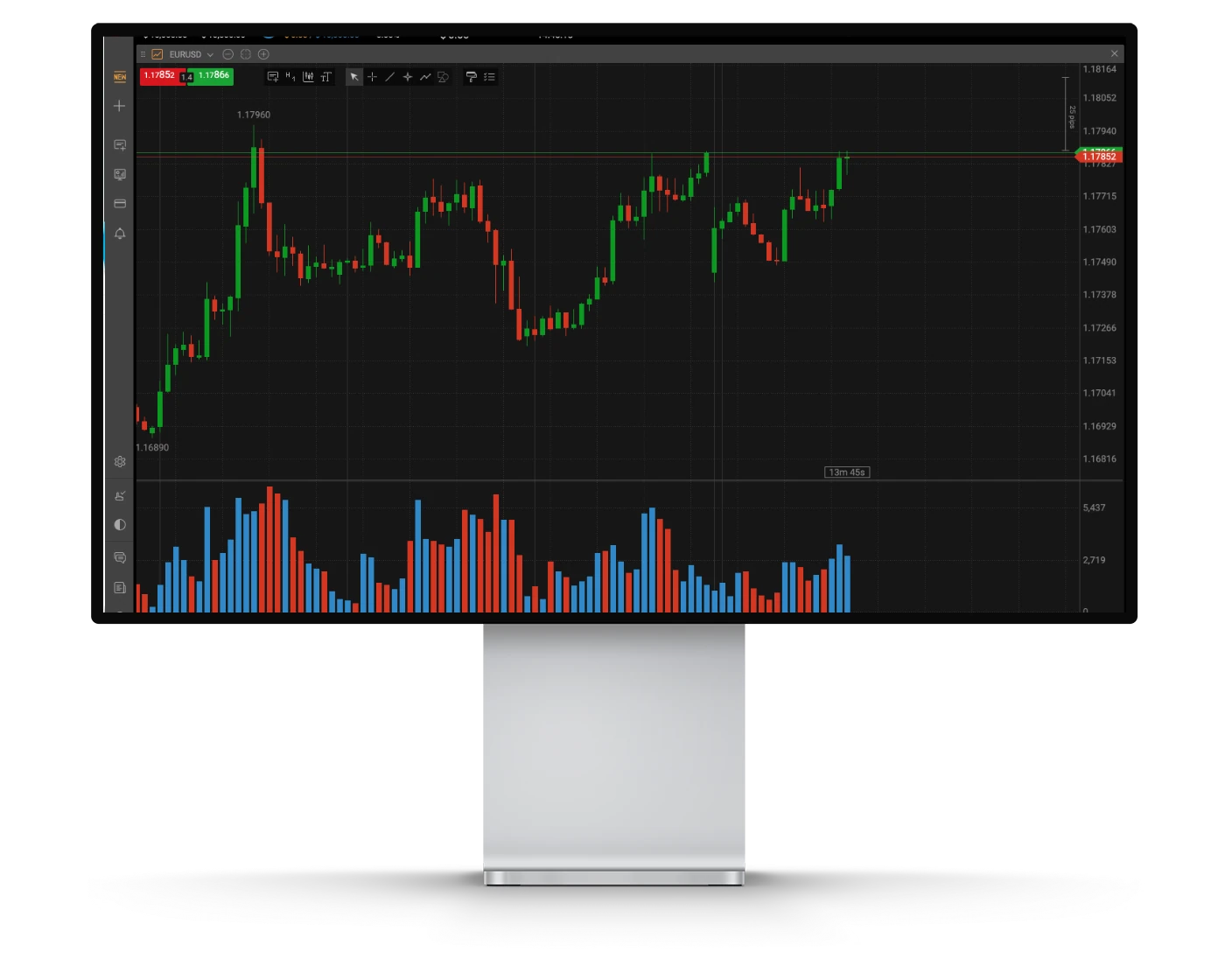
FxPro’s Trading Platform offers a modern and responsive charting environment designed to support traders who rely on technical analysis and fast execution across forex and CFD markets. It provides a stable and intuitive workspace suitable for both discretionary and strategy-based trading.
Advanced Charting Features
The FxPro Trading Platform includes a wide range of built-in technical indicators and drawing tools that help traders analyse price movements and identify potential trading setups. These tools support key functions such as trend analysis, support and resistance mapping, and broader market structure evaluation.
Market Access and Pricing Transparency
Traders using FxPro benefit from clear and competitive pricing across multiple asset classes, including forex, indices, commodities, and shares. The platform is designed to deliver transparent execution with fast order processing, helping traders react efficiently to market conditions.
Flexible Charts and Timeframes
The platform offers multiple chart types and timeframes, allowing traders to adapt their analysis to different strategies, from short-term trading to longer-term position analysis. This flexibility makes it suitable for a variety of trading styles.
User Experience and Interface
FxPro’s Trading Platform features a clean and straightforward interface that is easy to navigate. While it remains accessible for beginners, it also provides enough functionality for more experienced traders to conduct detailed analysis without unnecessary complexity.
Why the FxPro Trading Platform Stands Out
The FxPro Trading Platform combines fast execution, multi-asset access, and practical charting tools in a single trading environment. It is designed for traders who want a balance between simplicity and functionality without the complexity of more specialised platforms.
Whether trading forex, commodities, or CFDs, FxPro’s Trading Platform delivers a reliable and efficient experience for everyday trading and market analysis.
FxPro Trading Platform Orders
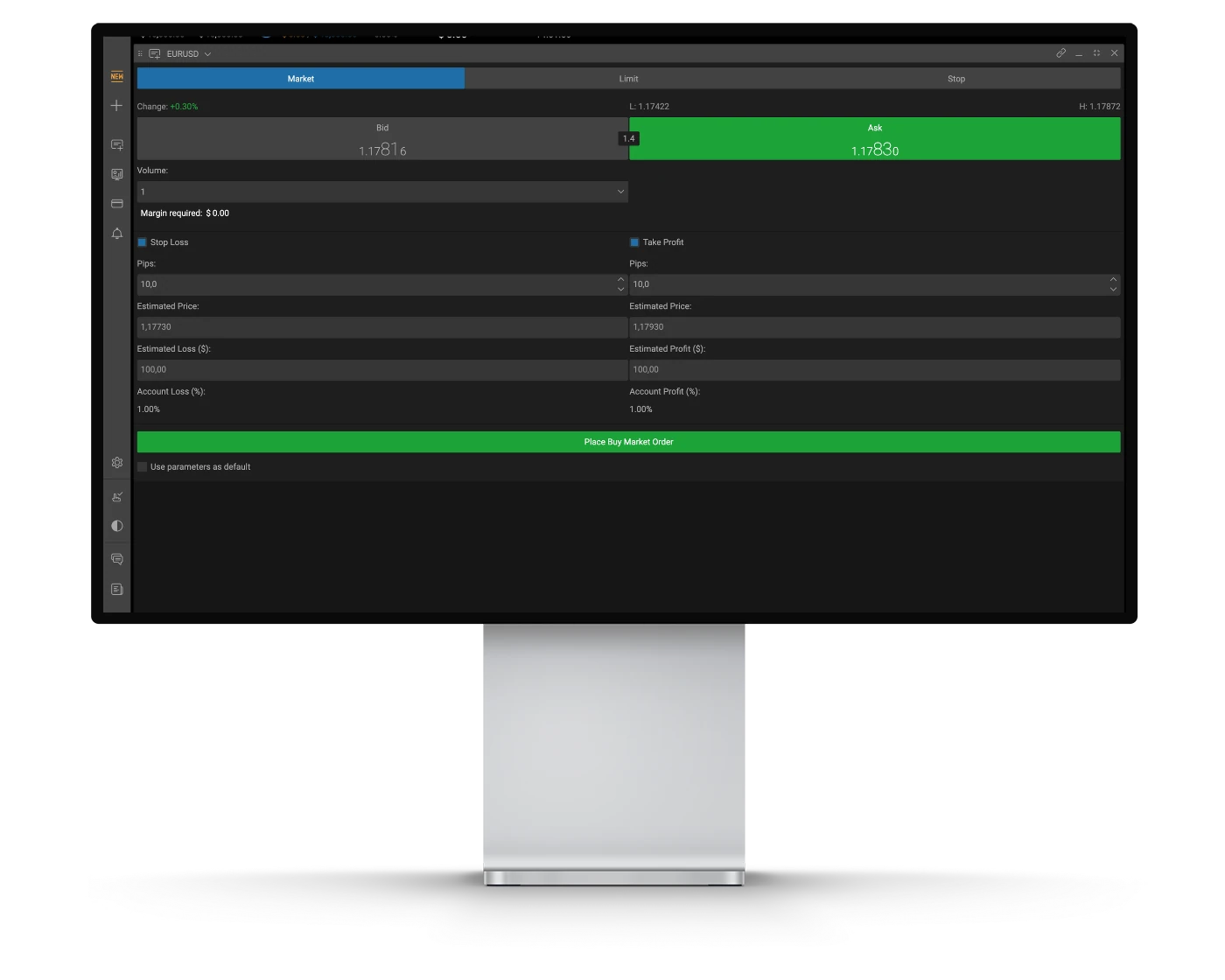
FxPro’s Trading Platform order system is designed to deliver fast execution, clear pricing, and reliable trade management for traders across forex and CFD markets. It provides the flexibility needed for different strategies, including scalping, day trading, and swing trading.
Order Types
The FxPro Trading Platform supports a range of core order types, including Market, Limit, Stop, Stop-Limit, and Trailing Stop orders. This allows traders to structure entries and exits effectively while maintaining control over risk in fast-moving market conditions.
Market Access and Pricing Transparency
FxPro provides transparent pricing across multiple asset classes, including forex, indices, commodities, and shares. The execution model is designed to ensure efficient order handling and clear trade pricing, supporting both short-term and longer-term trading approaches.
Fast Execution and Trade Control
The platform is built to support fast order execution and responsive trade management. Traders benefit from features such as one-click trading and real-time order monitoring, helping them react quickly to market movements and manage positions efficiently.
Trading Experience
FxPro’s Trading Platform offers a clean and straightforward interface that is easy to navigate. While it is suitable for beginners, it also provides enough functionality for experienced traders to manage trades and monitor the markets without unnecessary complexity.
Why FxPro Trading Execution Stands Out
FxPro combines fast execution, multi-asset access, and transparent pricing within a single trading environment. It is designed to support a wide range of trading styles, from smaller intraday trades to more structured position trading strategies.
With tight spreads, direct market access, and reliable order processing, FxPro’s Trading Platform provides a stable execution environment for traders who value consistency and efficiency in their trading activity.
FxPro Mobile App
Pros:
- Fast and reliable trade execution
- Clean, easy-to-use interface
- Real-Time Alerts and Notifications
Cons:
- Advanced analysis tools are more limited
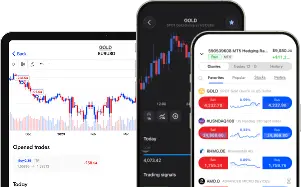
The FxPro Mobile App provides traders with full access to trading functionality, market monitoring, and account management directly from iOS and Android devices. It is designed for convenience, allowing users to track markets, analyse price movements, and manage positions while on the move.
Market Analysis and Charting
The app includes built-in charting tools that allow traders to analyse price action using multiple chart types, indicators, and basic drawing tools. This helps users monitor market trends and make informed trading decisions from their mobile devices, even during active market conditions.
Alerts and Real-Time Notifications
FxPro’s mobile platform supports real-time price alerts and push notifications, keeping traders updated on market movements, order executions, and account activity. These alerts can be customised to help users stay informed and react quickly to trading opportunities.
Seamless Trading and Account Access
Fully integrated with FxPro trading accounts, the mobile app allows users to open, modify, and close trades instantly. Traders can manage positions, monitor performance, and access live market data, ensuring consistent account control across both desktop and mobile environments.
Overall Experience
The FxPro Mobile App offers a practical and user-friendly trading experience, combining essential trading tools with real-time connectivity. While it is ideal for managing trades on the go, more advanced technical analysis is typically better suited to desktop platforms.
Look and Feel
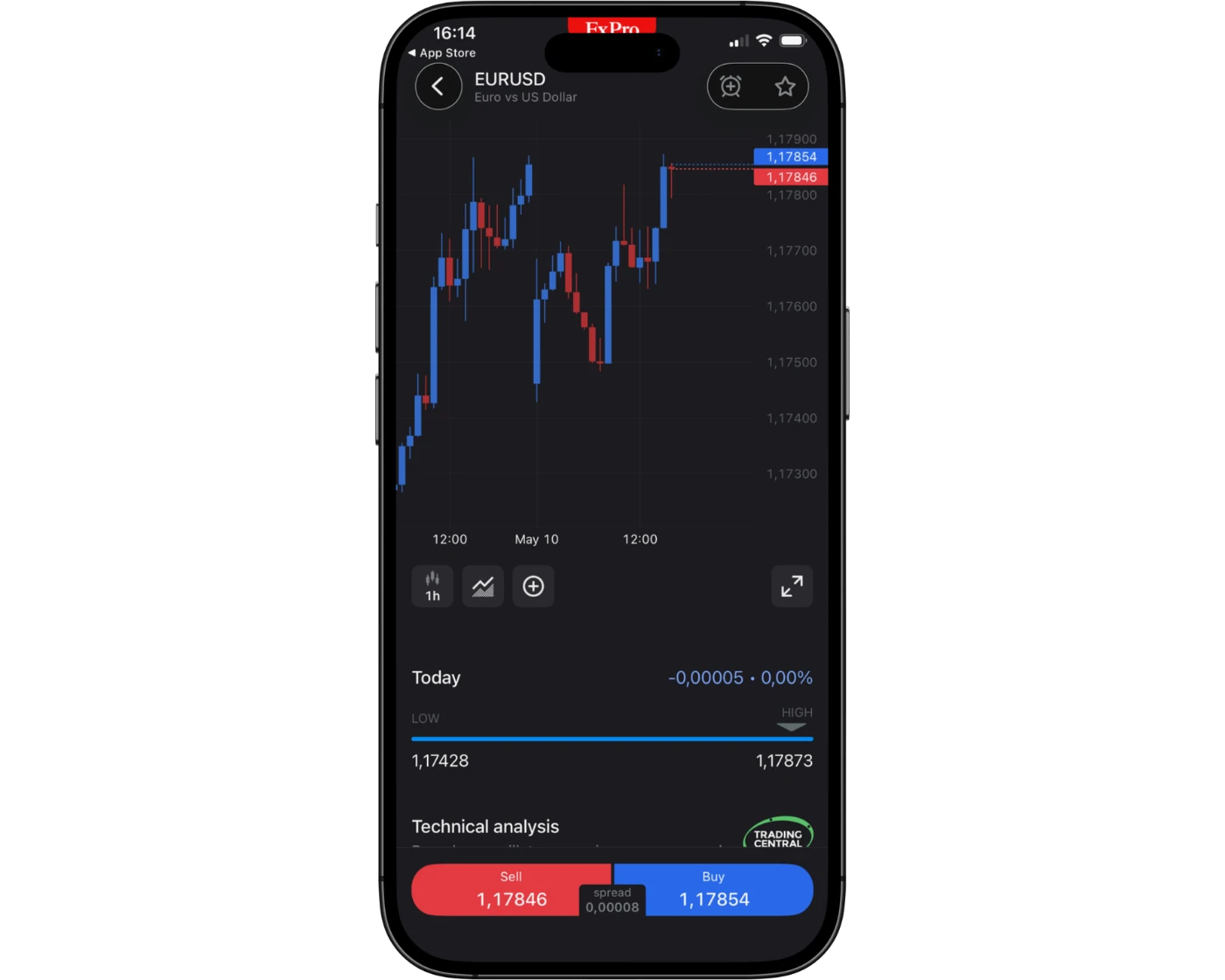
The FxPro Mobile App offers a clean and modern trading interface designed for ease of use and efficient navigation. The layout is structured to help traders quickly access charts, monitor markets, and manage open positions without unnecessary complexity.
The app combines practical functionality with a straightforward design, allowing users to view price movements, apply basic charting tools, and execute trades directly from their mobile device. Its intuitive structure makes it suitable for both beginners and more experienced traders who need reliable access to the markets on the go.
Overall, the FxPro Mobile App provides a smooth and responsive mobile trading experience, keeping traders connected to their accounts and market activity while maintaining simple and effective trade management.
Login and security
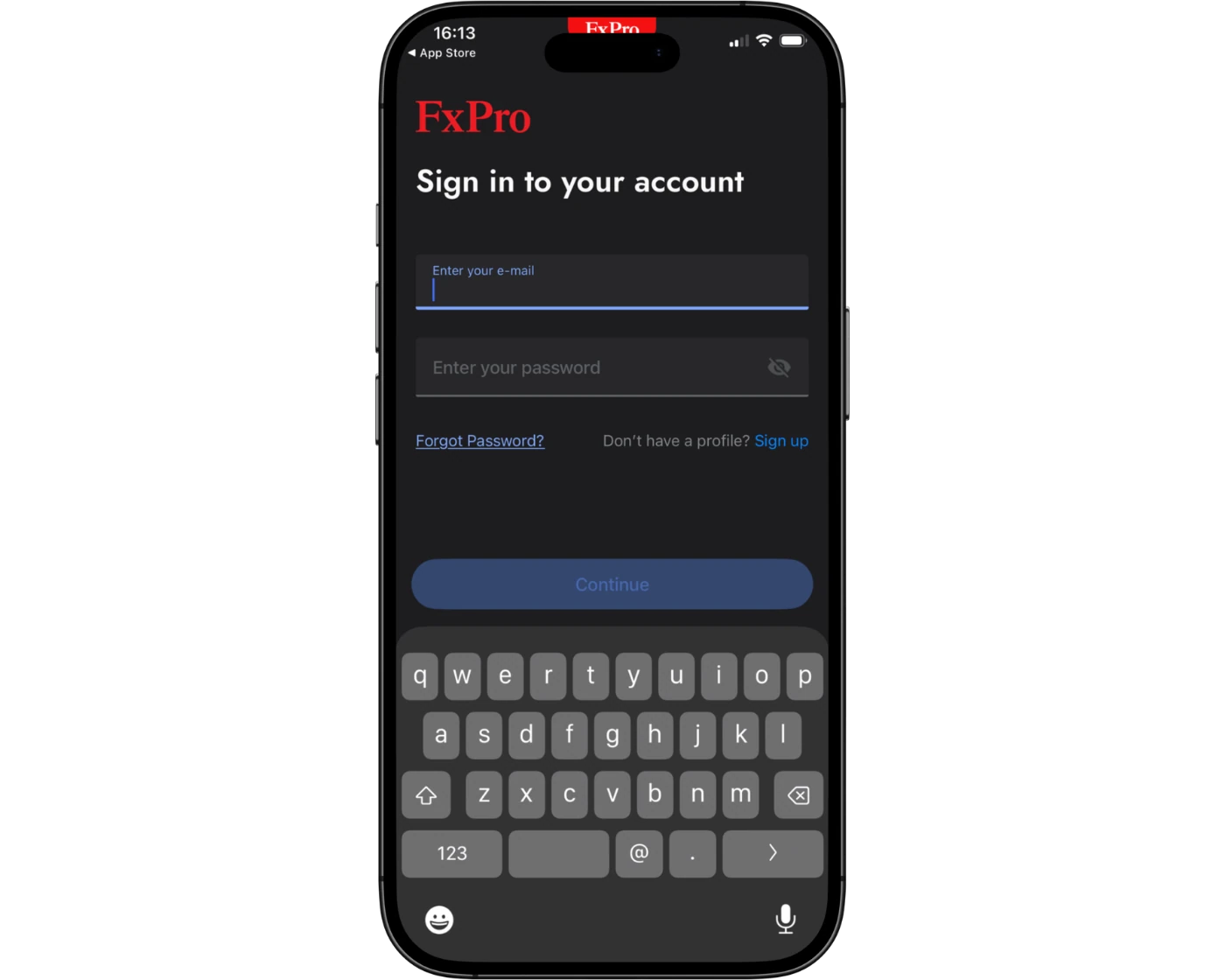
The FxPro Mobile App provides secure access to trading accounts using standard login credentials. This ensures traders can sign in quickly while maintaining a protected trading environment.
For added account security, FxPro supports two-factor authentication (2FA), helping reduce the risk of unauthorised access by requiring an additional verification step during login.
Depending on the device and settings, users may also benefit from biometric login options such as fingerprint or facial recognition on supported iOS and Android devices. These features offer a faster and more convenient way to access the app while maintaining a strong level of account protection.
Overall, FxPro combines secure login processes with optional advanced authentication features to help traders access their accounts safely while maintaining ease of use on mobile devices.
Search functions
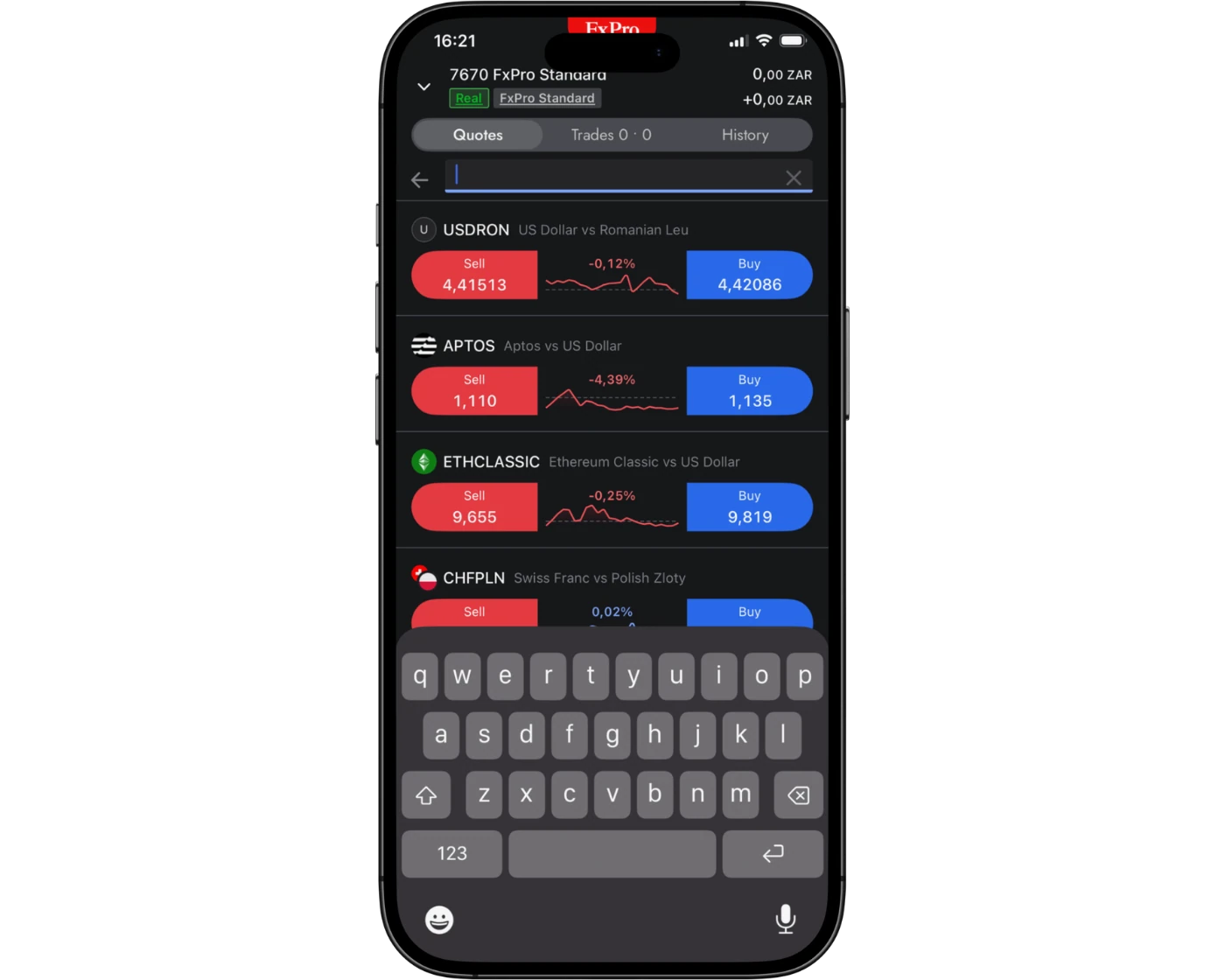
The FxPro Mobile App includes a simple and efficient search feature designed to help traders quickly find trading instruments and markets. Users can search directly by typing the name or symbol of a currency pair, index, commodity, or share into the search bar.
In addition to direct search, instruments are also organised into clearly structured categories, making it easy to browse different markets and discover new trading opportunities.
This combination of fast search and structured navigation allows traders to access instruments efficiently, monitor markets, and execute trades without unnecessary delays while using the FxPro mobile platform.
Placing orders
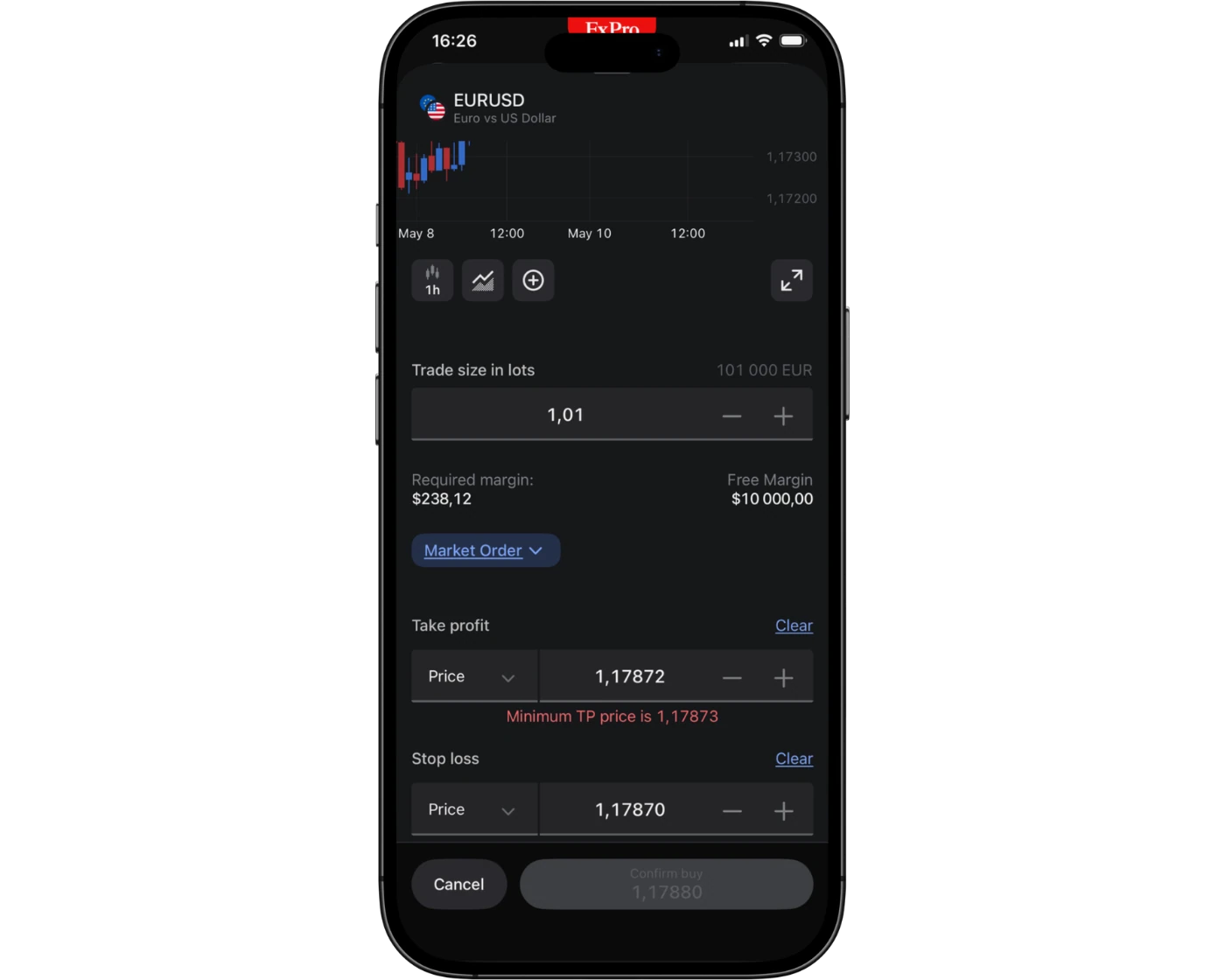
The FxPro Mobile App provides flexible order management tools that allow traders to execute and manage trades directly from their mobile devices. Users can place market orders for immediate execution, as well as limit and stop orders to enter or exit positions at predefined price levels and manage risk effectively.
The platform also supports key order duration settings, including:
Good ‘til Canceled (GTC): Orders remain active until manually closed by the trader.
Good ‘til Time (GTT): Orders automatically expire after a selected time period.
These features give traders clear control over trade execution and position management while trading on the move. Overall, FxPro’s mobile order system is designed to be efficient, responsive, and reliable, helping users react quickly to market movements and manage trades with precision.
Alerts and notifications
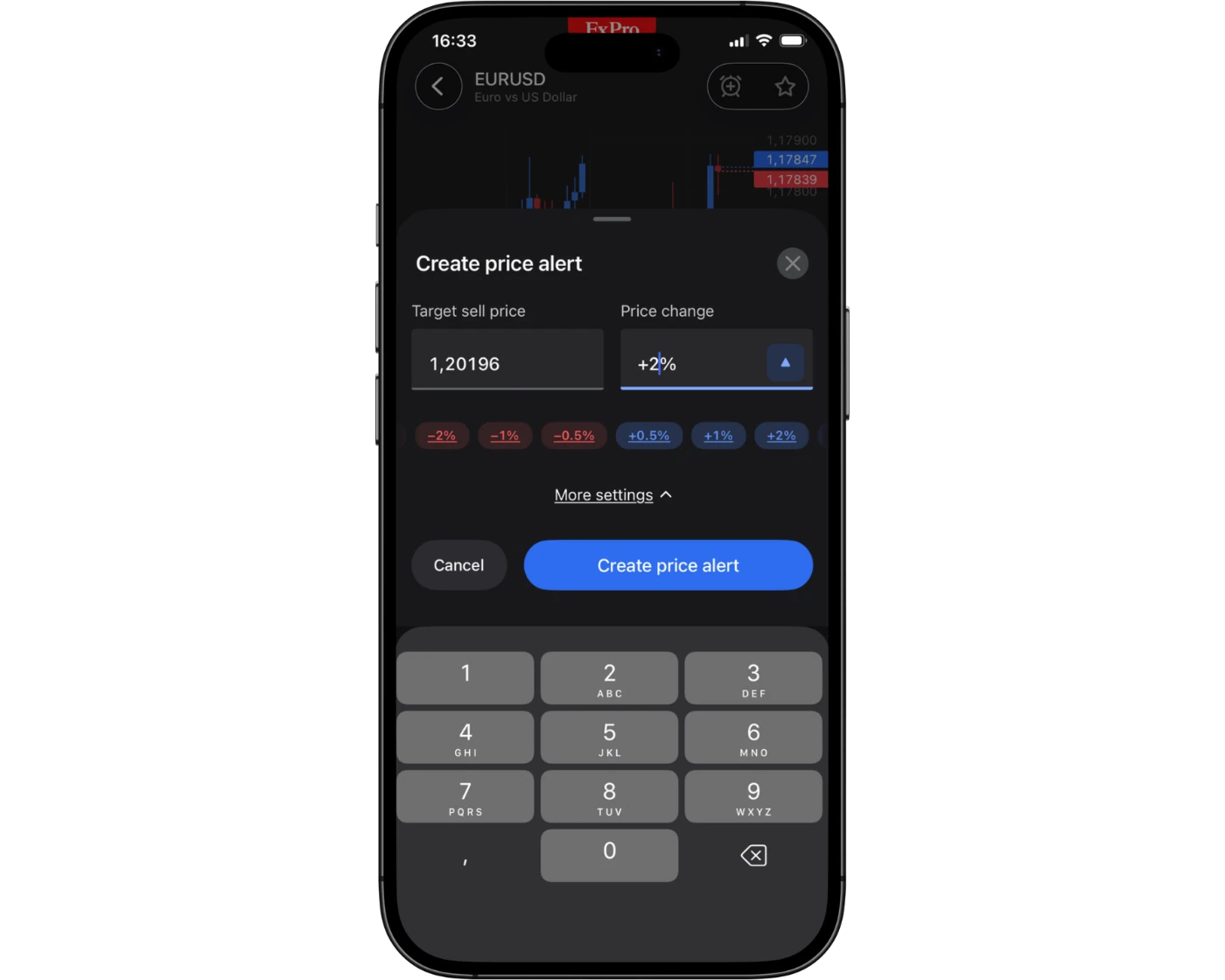
The FxPro Mobile App includes real-time alert and notification features designed to keep traders updated on key market activity. Users can set custom price alerts to track specific instruments and receive updates when markets reach defined levels.
The app also provides push notifications for important events such as order executions, trade updates, and account activity, helping traders stay informed without constantly monitoring the platform.
These alerts allow users to react quickly to market movements, manage positions more effectively, and stay connected to their trading activity while on the go. Overall, FxPro’s notification system supports timely decision-making and helps traders maintain control in fast-moving market conditions.
FxPro Trading Platform and Mobile app: Key Takeaways
FxPro Trading Platform (Desktop)
The FxPro desktop trading platform provides a comprehensive trading environment with access to real-time charts, analytical tools, and a wide range of tradable instruments. It is designed for traders who require detailed market analysis, flexible charting, and full trade management capabilities from a desktop setup. The platform supports in-depth technical analysis and is well-suited for more structured trading strategies.
FxPro Mobile App
The FxPro Mobile App brings core trading functionality to iOS and Android devices, allowing traders to monitor markets, analyse price movements, and manage positions on the go. Users can access live charts, apply basic indicators, set alerts, and execute trades directly from their mobile devices. Real-time notifications help traders stay updated on market changes and account activity.
While the mobile app is highly effective for monitoring markets and managing trades in real time, more advanced technical analysis is generally better performed on the desktop platform due to screen size and tool depth.
Seamless Multi-Device Experience
FxPro provides a connected trading environment across desktop and mobile platforms, allowing traders to stay in control of their accounts at all times. This setup ensures users can switch between devices easily while maintaining access to charts, market data, and trade management tools.
Overall, FxPro’s platform ecosystem supports both active trading and detailed analysis, helping traders make informed decisions whether they are at their desk or trading on the move.
FxPro Tradable Instruments Overview
FxPro provides access to a broad selection of more than 2,100 CFD instruments, offering strong market diversification through a single trading account. Traders can access multiple asset classes, including forex, indices, metals, energies, shares, ETFs, and cryptocurrencies, with both spot and futures-based CFDs available depending on the instrument.
Based on overall coverage, FxPro performs above average across all major asset classes, with particularly strong offerings in commodities and cryptocurrency CFDs.
Instrument Availability by Platform
The exact number of available instruments can vary depending on the trading platform chosen. On MetaTrader platforms, FxPro offers over 2,249 CFDs, covering forex, shares, indices, metals, and cryptocurrencies. The cTrader platform provides an even broader selection compared to MetaTrader.
FxPro also offers additional share trading exposure through its BnkPro app, which includes thousands of shares but requires a separate account.
Cryptocurrencies
Crypto trading is available at FxPro through CFDs only, meaning traders speculate on price movements without owning the underlying asset (such as Bitcoin). It is important to note that crypto CFD availability may depend on the client’s location, and these instruments are not available to retail clients under certain regulatory restrictions, including within the UK.
Product Offering Overview
FxPro is primarily a CFD and forex broker, offering a large range of currency pairs alongside over 1,700 stock CFDs. While the selection is competitive and comparable to similar brokers, real stocks and ETFs are not available for direct ownership, only via CFD trading where supported.
Overall, FxPro delivers a wide and diverse CFD product range, making it suitable for traders seeking exposure to multiple global markets from a single platform.
| Instrument | Type | Number |
|---|---|---|
| Forex Pairs | Major, Minor, Exotic | 75 |
| Indices | Major Global Indices | 30 |
| Commodities | Metals, Energies, Softs | 28 |
| Cryptocurrencies | Major and Minor | 28 |
| Stocks | European and US Exchanges | 1,834 |
What Are CFDs and How to Trade Them
A Contract for Difference (CFD) is a financial agreement where the buyer and seller settle the difference between the price of an asset when the contract is opened and its price when it is closed. This means traders do not own the underlying asset itself.
Similar to futures and other derivative instruments, CFDs allow traders to speculate on rising or falling prices across different markets without actually purchasing shares, commodities, or other underlying assets.
FxPro Instruments: Key Takeaways
FxPro offers a broad selection of trading instruments, providing a wider range than many competing CFD brokers. This makes it suitable for traders looking to diversify their exposure across multiple global markets.
Through FxPro, clients can trade U.S. stocks, equities from seven European countries, as well as both spot and futures markets. In addition, the broker provides access to a strong selection of 39 cryptocurrencies, making it a solid option for traders interested in digital asset exposure alongside traditional markets.
| Instruments Summary | FxPro |
|---|---|
| Tradeable Symbols | 2100+ |
| Forex Pairs | 75 |
| Forex Trading | Yes |
| U.S. Stocks | No |
| Cryptocurrency | No |
| Global Stocks | Yes |
| Copy Trading | Yes |
| Cryptocurrency | Yes |
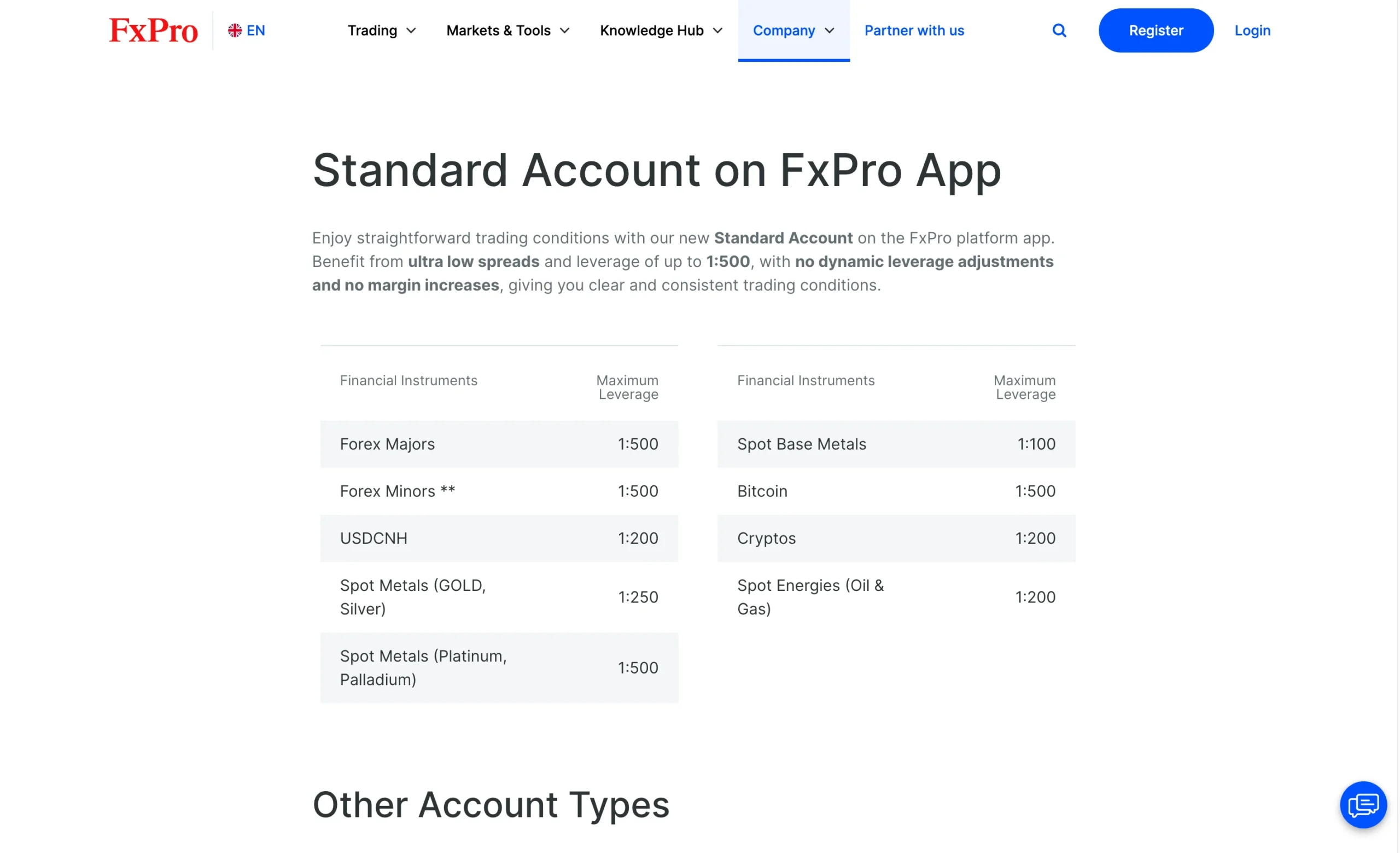
Understanding CFD Leverage on Pepperstone
One of the main reasons traders participate in forex and CFD markets is the availability of leverage. Leverage allows you to use borrowed capital to increase your trade size, meaning you can control a larger market exposure than the funds available in your account.
Often described as a “double-edged sword,” leverage can significantly amplify both profits and losses. Because of this, it must be used carefully, as even small price movements can result in large gains or substantial losses if risk is not properly managed.
Leverage levels vary depending on the asset class. Typically, forex CFDs offer the highest leverage, while cryptocurrency CFDs offer the lowest due to their higher volatility and risk profile.
At the FxPro Global Markets Limited entity, maximum leverage is set at 1:200, meaning a $1,000 account can control up to $200,000 in market exposure. While this increases profit potential, it also greatly increases trading risk, making strong risk management essential when using higher leverage levels.
| Asset Class | Maximum Available Leverage |
|---|---|
| Forex Majors | 1:200 |
| Forex Minors | 1:200 |
| Spot Silver, Platinum & Palladium | 1:200 |
| Spot Gold | 1:200 |
| Gold Futures | 1:200 |
| Spot Index Majors | 1:200 |
| Spot Energies | 1:200 |
| Energy Futures | 1:200 |
| Spot Index Minors | 1:100 |
| Index Futures | 1:50 |
| Commodity Futures | 1:50 |
| Aluminium, Copper, Lead & Zinc | 1:40 |
| All Shares | 1:25 |
| Cryptocurrencies | 1:20 |
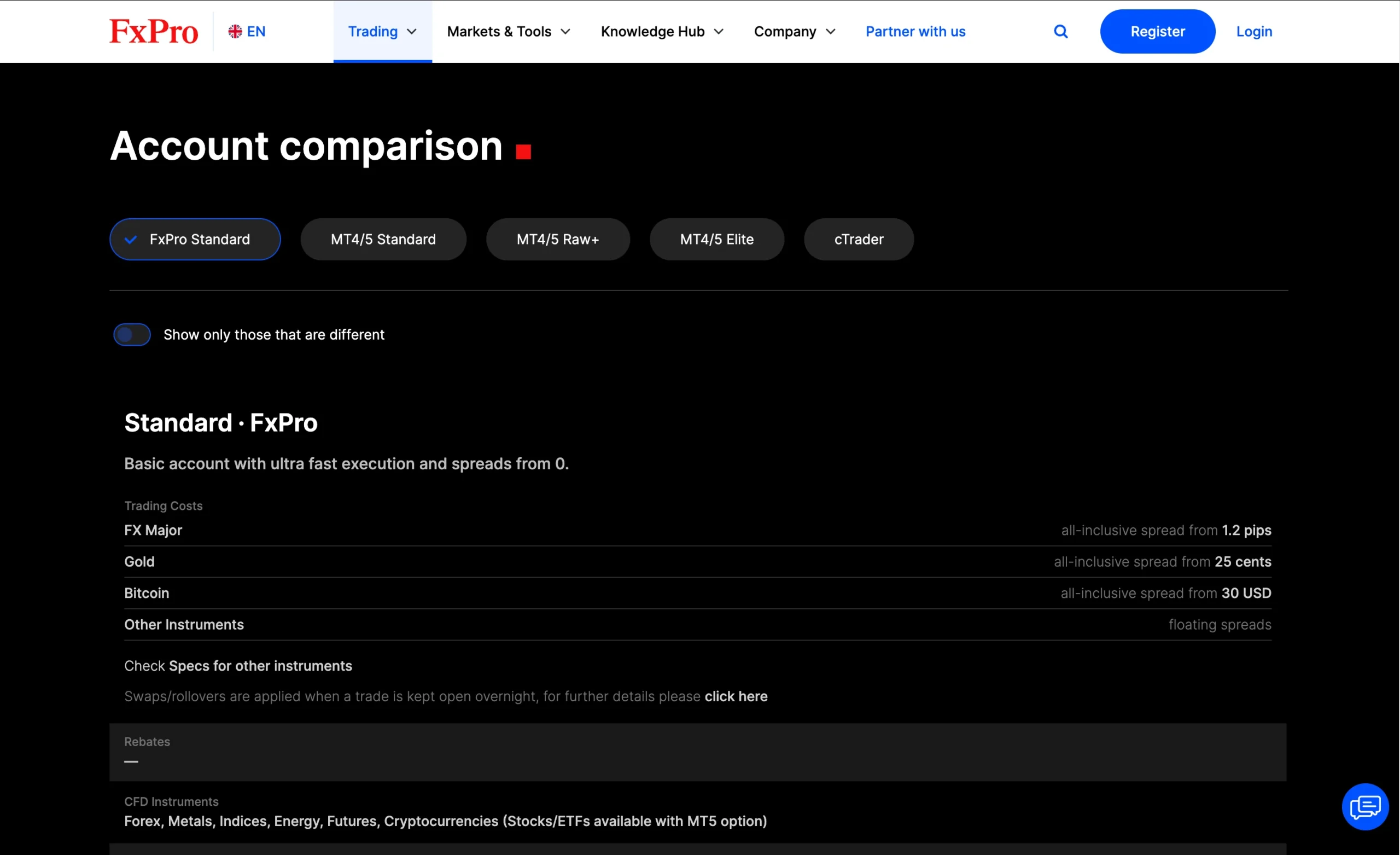
| Account Type | FxPro Standard | Mt4/Mt5 Standard | Mt4/Mt5 Elite | cTrader |
|---|---|---|---|---|
| Minimum Deposit | $100 | $100 | $100 | $100 |
| Spread From | 1.2 pips | 1.2 pips | 0 pips | 0.5 pips |
| Commission | $0 | $0 | $3.5 per side | $35 per $1 million traded |
| Rebates | $0 | $0 | $1.50 per lot | $0 |
| Minimum Trade Volume | 0.01 lot | 0.01 lot | 0.01 lot | 0.01 lot |
| Demo Account | Yes | Yes | Yes | Yes |
| Expert Advisors (EAs) | No | Yes | Yes | Yes |
| Scalping & Hedging | Yes | Yes | Yes | Yes |
Introduction to FxPro Account Options
FxPro offers a range of account types designed to suit different trading styles and platform preferences. The main options include the FxPro Standard account, FxPro MT4/MT5 Standard accounts, MT4/MT5 Elite accounts, and cTrader accounts, giving traders flexibility in how they access the markets and execute trades.
The Standard accounts provide a straightforward pricing structure, making them suitable for traders who prefer a simple cost model when trading forex and CFDs. In contrast, the MT4/MT5 Elite accounts and cTrader accounts are geared toward more active traders who may benefit from tighter pricing conditions combined with commission-based trading, depending on the account setup and platform used.
Each account type is integrated with FxPro’s supported trading platforms, allowing users to choose between MetaTrader 4, MetaTrader 5, or cTrader, depending on their trading preferences and strategy requirements.
Opening an account with FxPro is a fully digital process and can typically be completed quickly online, enabling traders to access the markets once verification is complete.
FxPro Standard Account
| Account Type | FxPro Standard |
|---|---|
| Minimum Deposit | $100 |
| Spread From | 1.2 pips |
| Commission | $0 |
| Rebates | $0 |
| Minimum Trade Volume | 0.01 lot |
| Demo Account | Yes |
| Expert Advisors (EAs) | No |
| Scalping & Hedging | Yes |
The FxPro Standard account is designed for traders who prefer a simple and straightforward trading experience with clear pricing and no complex commission structures. It is particularly suitable for beginners or casual traders who want easy access to the forex and CFD markets while trading on platforms like MetaTrader 4, MetaTrader 5, or cTrader. With its user-friendly setup and transparent cost structure, the Standard account is a practical choice for those who value simplicity when starting out with FxPro.
Mt4/Mt5 Standard Account
| Account Type | Mt4/Mt5 Standard |
|---|---|
| Minimum Deposit | $100 |
| Spread From | 1.2 pips |
| Commission | $0 |
| Rebates | $0 |
| Minimum Trade Volume | 0.01 lot |
| Demo Account | Yes |
| Expert Advisors (EAs) | Yes |
| Scalping & Hedging | Yes |
The FxPro MT4/MT5 Standard account is ideal for traders who prefer using the popular MetaTrader 4 or MetaTrader 5 platforms with a simple, spread-based pricing model. It suits beginners and intermediate traders who want access to forex and CFD markets without paying separate commissions on trades. This account type is a good fit for those who value familiar trading platforms, straightforward execution, and a more traditional trading setup within the FxPro ecosystem.
Mt4/Mt5 Elite Account
| Account Type | Mt4/Mt5 Elite |
|---|---|
| Minimum Deposit | $100 |
| Spread From | 0 pips |
| Commission | $3.5 per side |
| Rebates | $1.50 per lot |
| Minimum Trade Volume | 0.01 lot |
| Demo Account | Yes |
| Expert Advisors (EAs) | Yes |
| Scalping & Hedging | Yes |
The FxPro MT4/MT5 Elite account is designed for more experienced and active traders who use the MetaTrader 4 or MetaTrader 5 platforms and require tighter trading conditions. It is best suited for high-volume traders who want improved pricing, potential cost benefits, and more competitive trading conditions compared to standard accounts. This account type appeals to traders who are focused on efficiency, execution quality, and more advanced trading strategies within FxPro’s MetaTrader environment.
cTrader Account
| Account Type | cTrader |
|---|---|
| Minimum Deposit | $100 |
| Spread From | 0.5 pips |
| Commission | $35 per $1 million traded |
| Rebates | $0 |
| Minimum Trade Volume | 0.01 lot |
| Demo Account | Yes |
| Expert Advisors (EAs) | Yes |
| Scalping & Hedging | Yes |
The FxPro cTrader account is best suited for traders who want a modern, fast, and transparent trading environment with access to advanced order execution and detailed market depth. It is particularly popular among scalpers, day traders, and algorithmic traders who value raw pricing, tight spreads, and precise execution control. With its intuitive interface and professional-grade tools, the cTrader account is ideal for traders who want a more advanced and performance-focused CFD trading experience with FxPro.
FxPro Demo Account: Practice Trading Risk-Free
FxPro offers demo accounts across all major platforms, including the FxPro Trading Platform, MetaTrader 4/5, and cTrader, allowing traders to practise in a risk-free environment before committing real funds.
The demo account is especially useful for beginners, as it provides a safe way to learn how the platform works, test trading strategies, and become familiar with order execution tools without financial risk.
Traders can access live market prices and simulated trading conditions, with the ability to explore a wide range of instruments such as forex, commodities, indices, shares, and cryptocurrencies.
Once confident, users can easily switch from a demo account to a live trading account, making the transition to real-market trading smooth and straightforward within FxPro’s platform ecosystem.
Islamic Account: Swap-Free Trading Options
FxPro provides a swap-free Islamic account designed for traders who follow the principles of Sharia law. This account option removes overnight swap or rollover interest charges, making it suitable for clients who require trading conditions that comply with Islamic finance rules.
It offers access to the same trading instruments and platforms available on standard FxPro accounts, while ensuring a structure that aligns with swap-free trading requirements.
FxPro Restricted Countries
FxPro accepts clients from most regions worldwide, but there are certain restricted jurisdictions where account registration is not available.
The broker does not accept residents from the following countries and territories:
Afghanistan, Canada, French Southern Territories, Kosovo, Pitcairn, Sudan, Yemen, Aland Islands, the Democratic Republic of the Congo, Guam, Lao People’s Democratic Republic, Portugal (since 2022), Syrian Arab Republic, Zimbabwe, Algeria, Côte D’Ivoire, Guyana, Puerto Rico, Trinidad and Tobago, Tunisia, American Samoa, Cuba, Iran, Sint Maarten (Dutch part), Spain, United States, Azerbaijan, Curacao, Liberia, Myanmar, Somalia, United States Minor Outlying Islands, Belgium, Equatorial Guinea, Israel, Libya, Bonaire, Sint Eustatius and Saba, Ethiopia, Norfolk Island, South Sudan, Vanuatu, Bosnia and Herzegovina, France, North Korea, Democratic People’s Republic of Korea (DPRK), Northern Mariana Islands, Virgin Islands, the United States.
Pros:
- Fast
- Low minimum deposit
- Fully digital
Cons:
- None
Step-by-Step FxPro Account Opening Process
FxPro offers a fully digital account opening process that is fast and easy to complete. The online application takes approximately 10 minutes, and in our review, account verification was completed within around two hours.
To register an FxPro account, users must follow these steps:
- Enter your country of residence, full name, email address, and password.
- Provide your nationality, date of birth, phone number, and residential address.
- Submit employment details, including employment status, industry, and education level.
- Complete financial information, such as annual income, net worth, source of wealth, and reason for opening the account.
- Answer questions regarding your trading experience and financial knowledge.
- Choose your preferred trading platform (MT4, MT5, FxPro Edge, or cTrader), along with default leverage, base currency, and email language.
- Verify your identity by uploading a passport, national ID, or driving licence, followed by a selfie for confirmation.
- Provide proof of address using utility bills or bank statements issued within the last 6 months.
What is the minimum deposit at FxPro?
The minimum deposit at FxPro is set at $100, making it accessible for traders who want to start trading with a relatively low initial funding requirement. This entry-level deposit allows clients to access FxPro’s full range of trading platforms and CFD markets while maintaining a manageable starting capital.
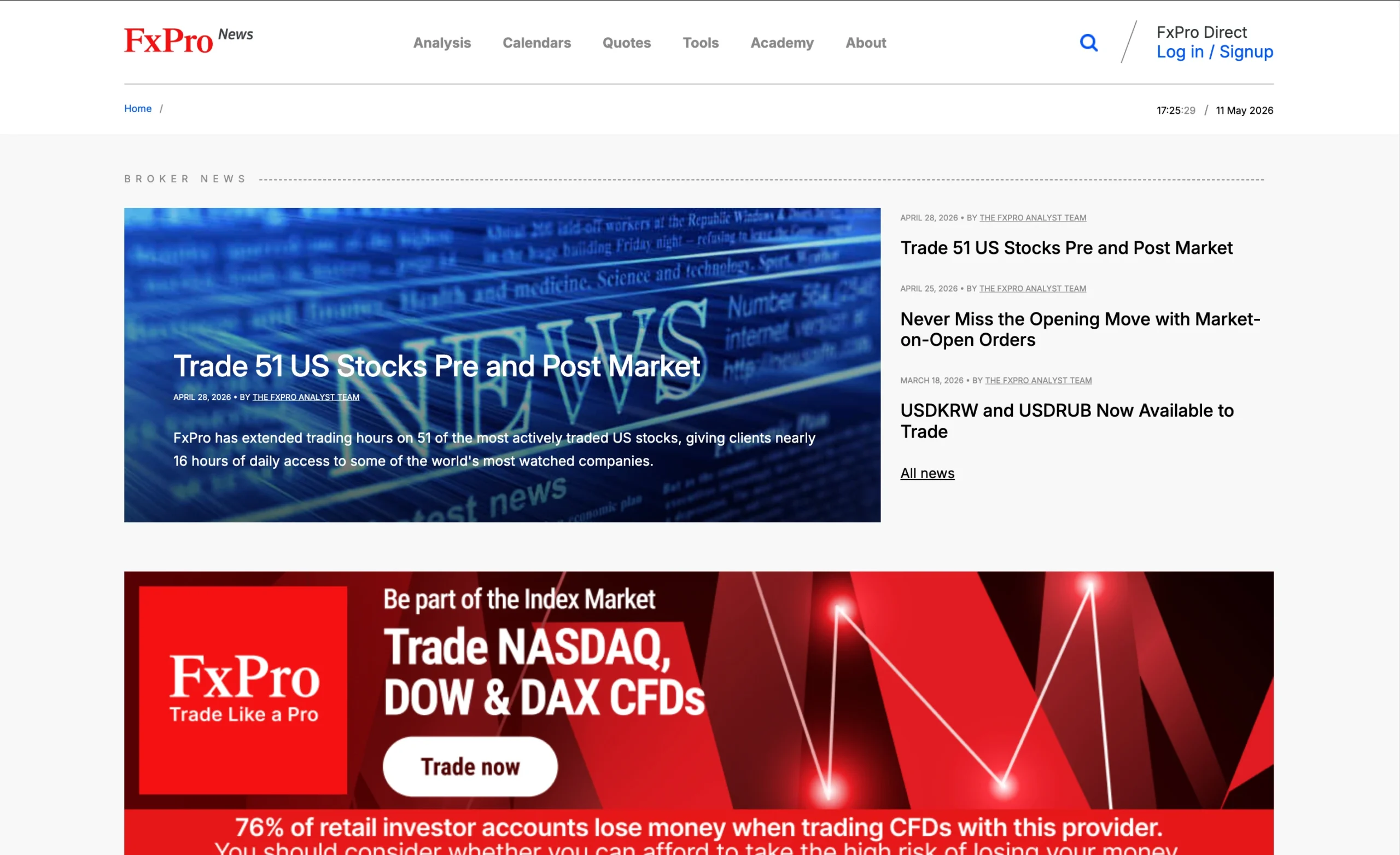
Research Overview and Key Features
FxPro offers a strong research and market analysis ecosystem, combining in-house insights with proprietary tools and third-party data sources. The content is designed for all experience levels, with frequent updates published multiple times per day to help traders stay aligned with fast-moving market conditions.
FxPro operates a dedicated news and analysis site, fxpro.news, where content is structured into three main categories: Market Overview, Crypto, and Technical Analysis.
Market Overview
The Market Overview section provides daily snapshots of major economic data releases and key geopolitical events affecting global financial markets. Updated multiple times per day, it helps traders understand the core drivers behind price movements.
Crypto Updates
The Crypto section focuses mainly on Bitcoin, delivering regular updates on major developments in the cryptocurrency space, typically published once per day.
Technical Analysis
The Technical Analysis section covers forex, commodities, and equities, with a strong emphasis on Elliott Wave analysis. Published several times daily, these reports include actionable insights such as support and resistance levels.
Economic Calendar & Market Data Tools
Within the client portal, FxPro also includes an integrated economic calendar, along with sentiment data for different instruments, trading session information, and a breakdown of daily gainers and losers. Market headlines from Dow Jones International (DJI) are also streamed through the MetaTrader platform, while FxPro Edge includes built-in news and analysis tools.
FxPro Squawk & Live News
Within the client portal, FxPro also includes an integrated economic calendar, along with sentiment data for different instruments, trading session information, and a breakdown of daily gainers and losers. Market headlines from Dow Jones International (DJI) are also streamed through the MetaTrader platform, while FxPro Edge includes built-in news and analysis tools.
Key Takeaways for Traders Using FxPro Research
FxPro combines internal research with external tools such as Trading Central (available on funded accounts only) and LiveSquawk News. The Squawk service is particularly valuable for short-term traders, while Elliott Wave analysis supports both swing and longer-term trading strategies.
| Research Summary | FxPro |
|---|---|
| Daily Market Commentary | Yes |
| Trading Central | Yes |
| Autochartist | No |
| Client sentiment data | Yes |
| Forex News | Yes |
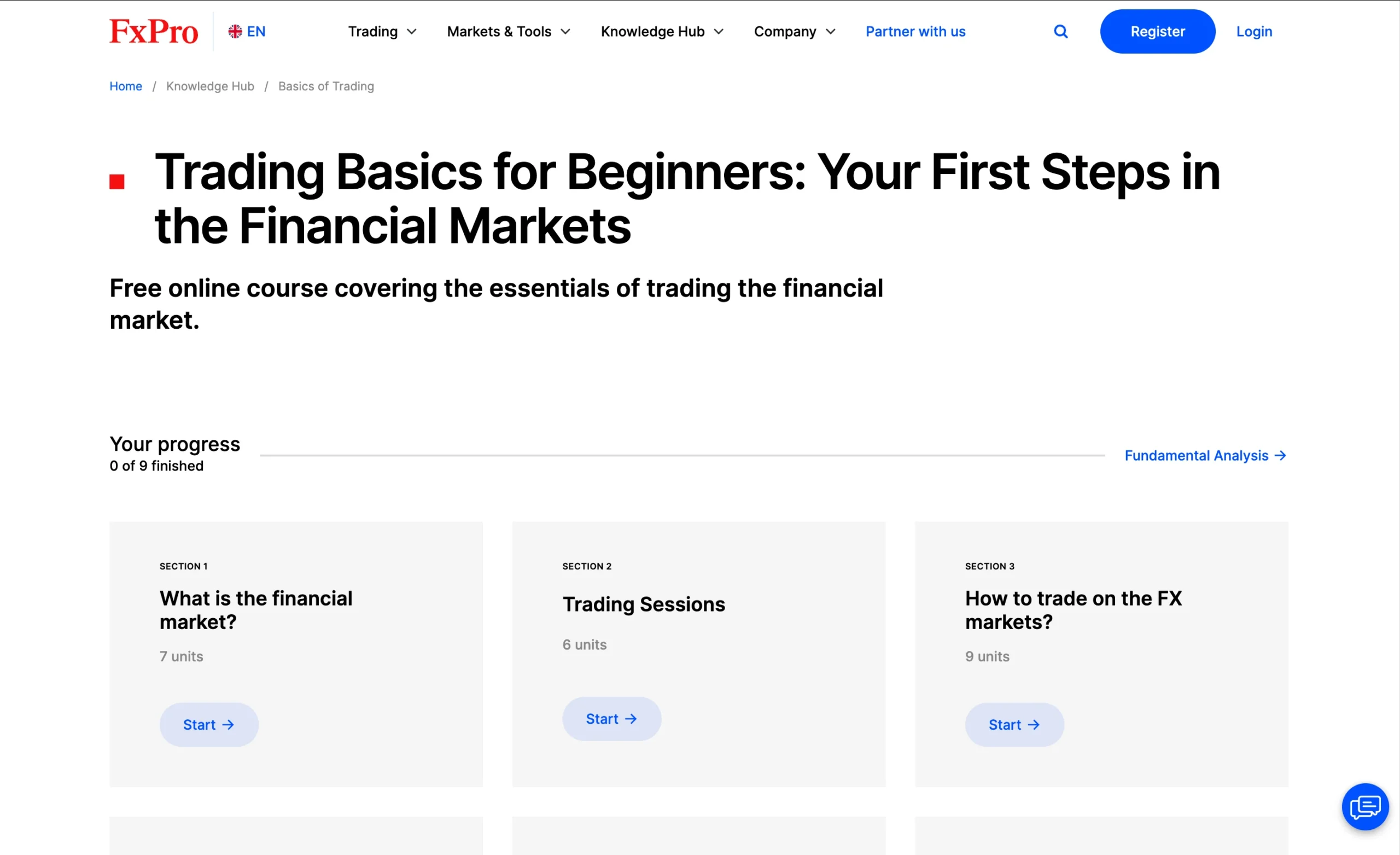
Education Overview: Guides, Webinars, and Courses
FxPro’s education hub offers a wide range of learning materials designed for both beginners and advanced traders. The content includes interactive lessons covering fundamental analysis, technical analysis, and trading psychology, supported by additional educational videos, platform walkthroughs, and recorded webinars available via the FxPro YouTube channel.
Interactive Learning Format and Progress Tracking
The educational content is delivered through a simple, user-friendly card-based system that breaks complex topics into short, digestible sections. Key areas include risk management, trading plan development, and core market concepts. A built-in progress tracking feature allows traders to monitor completed modules and maintain consistent learning momentum.
Technical Analysis and Core Market Skills
The Technical Analysis section is particularly detailed, covering essential topics such as trend lines, support and resistance, channels, and major chart patterns. These modules are structured to help traders better understand price action and improve decision-making in live market conditions.
CME Group Educational Content
FxPro also includes advanced learning materials developed in partnership with CME Group. These courses are available in both video and text formats and feature end-of-module tests to reinforce understanding and support structured learning progression.
Webinars and Video Resources
In addition to written content, FxPro provides access to a library of archived webinars and seminars through its YouTube channel. These resources help traders revisit market discussions and expand their understanding of trading strategies and market behaviour.
FxPro Education: Key Takeaways
Overall, FxPro delivers a solid educational foundation with structured courses, practical technical analysis modules, and supplementary video content. The inclusion of CME Group materials and progress tracking adds value for learners at different stages, although the overall depth and variety of educational formats could be further expanded over time.
| Education Summary | FxPro |
|---|---|
| Videos - Beginner Trading Videos | Yes |
| Videos - Advanced Trading Videos | No |
| Webinars | No |
Customer Support Overview
24/5 Multi-Channel Support Access
FxPro provides customer support 24/5 through several channels, including live chat, email, and phone. Live chat is available both on the website and through messaging platforms, ensuring traders can quickly reach assistance when needed. During testing, response times were generally short, and support staff were found to be knowledgeable and responsive.
Messaging Apps and Instant Communication Options
In addition to standard support channels, FxPro also offers assistance via WhatsApp, Telegram, and Facebook Messenger. These options make it easier for traders to connect with a representative without navigating complex automated systems.
Live Chat and Phone Support Experience
The WhatsApp live chat stood out for its convenience, connecting directly to a support agent with minimal delay. Phone support also delivered fast response times, with agents able to handle queries related to platform features, trading conditions, and fees in a clear and professional manner.
Overall Support Quality
Overall, FxPro delivers a reliable and efficient customer support experience suitable for both beginner and experienced traders. The combination of fast response times, knowledgeable agents, and multiple communication channels places its support offering above average compared to many other brokers.
FxPro Customer Support Languages:
English, Chinese, Spanish, Portuguese, French, Polish, Italian, German, Austrian, Romanian, Russian, Korean, Japanese, Vietnamese, Thai, Turkish, Arabic, Indonesian, Malaysian, Hungarian
FxPro Customer Support: Key Takeaways
- 24/5 customer support available across live chat, email, and phone
- Fast response times, with minimal waiting during live chat and phone tests
- Support available via WhatsApp, Telegram, and Facebook Messenger for added convenience
- Agents are knowledgeable and able to assist with platforms, fees, and trading questions
- Live chat connects users quickly with little to no automated bottlenecks
- Overall support experience rated above average compared to many CFD brokers
Final Thoughts on FxPro
FxPro has established itself as a major global CFD and forex broker, delivering strong overall performance across nearly every category in this review. Backed by 25+ years of industry experience and regulated by multiple top-tier financial authorities, the broker maintains a high level of trust and credibility in the trading space.
Platforms, Tools & Trading Experience
FxPro offers a well-rounded trading ecosystem, including its proprietary FxPro Trading Platform, the FxPro Mobile App, and full support for MetaTrader 4 (MT4), MetaTrader 5 (MT5), and cTrader. Traders also benefit from advanced tools such as Trading Central, FxPro Squawk, market sentiment data, and Depth of Market (DOM), all designed to enhance decision-making and execution quality.
Trading Costs & Account Structure
While the Standard Account spreads are less competitive compared to some industry peers, traders can access more cost-efficient pricing through raw spread account types. Additionally, the Elite Account offers potential rebates, helping active traders reduce overall trading costs.
Markets, Education & Tools
FxPro stands out for its broad range of CFD instruments, giving traders strong diversification opportunities across global markets. Educational support is also solid, with interactive courses and live webinars that are particularly useful for beginners developing trading skills.
Execution, Algo Trading & Performance
The broker supports multiple execution models and advanced trading infrastructure, making it suitable for both manual and institutional-style trading. FxPro is also well-regarded for algorithmic trading capabilities, earning recognition as Best in Class for Algo Trading (2026 Annual Awards). These features make it especially attractive for traders using automated strategies and high-volume systems.
Final Verdict
Overall, FxPro offers a reliable and professional trading environment with strong platform choice, deep liquidity access, and robust trading tools. While pricing is generally higher than the industry average and some platform limitations exist (such as the restricted mobile availability of FxPro Edge), the broker remains a strong option for both new and experienced traders seeking a stable, multi-platform CFD trading solution.
FxPro FAQ
What is the minimum deposit at FxPro?
The minimum deposit at FxPro is $100, which applies to most account types, including MT4, MT5, cTrader, and Islamic accounts. However, the Elite account requires a $30,000 minimum deposit, designed for high-volume and more experienced traders.
How do withdrawals work at FxPro?
Withdrawals at FxPro vary by method and may include different processing times and potential fees. The exact experience depends on the payment option selected and account verification status.
Is FxPro suitable for beginners?
FxPro can be suitable for new traders when it offers low trading fees, a demo account for risk-free practice, and educational materials such as tutorials and videos. A simple onboarding process, responsive customer support, and a low minimum deposit requirement also help beginners get started with greater confidence.
Can you trade silver and other assets at FxPro?
FxPro offers access to a wide range of CFD markets, and availability of specific instruments like silver, forex, and other commodities depends on the platform and account conditions.
Does FxPro support options trading?
FxPro’s product availability varies, and traders should confirm whether options trading is supported, along with any applicable conditions or requirements, before trading.
Is the FxPro trading app good?
The FxPro mobile trading app offers access to charts, order execution, and account management tools. Its usability, features, and overall performance vary depending on trader experience and usage needs, with full details covered in a dedicated app review.
Does FxPro require a minimum account balance?
Account balance requirements depend on the account type selected, with different thresholds applying across standard and premium account structures.
How do you open an FxPro account?
Opening an account involves a fully digital registration process, including identity verification and document submission. The process typically includes personal details, financial information, trading experience questions, and ID verification steps.
What are FxPro commissions and fees?
FxPro fees depend on the chosen account type and trading platform. A full breakdown of commissions, spreads, and additional charges is available in detailed fee analysis guides.
Does FxPro offer low trading costs?
Trading costs at FxPro depend on the account type. While raw spread accounts may offer more competitive pricing, overall costs can vary due to spreads and commissions. It is important to review both visible and indirect costs when evaluating pricing.
Is FxPro a safe and regulated broker?
FxPro is generally considered a legitimate and regulated broker operating under multiple financial authorities. Safety depends on regulatory protection, operational transparency, and overall broker structure, all of which are covered in detail in dedicated safety reviews.
Sources used to create the FxPro Review
- FxPro: Account specifications, trading conditions, commission structure, available instruments, platform offerings, and regulatory information
- FCA: Financial Conduct Authority (United Kingdom)
- FSCA: Financial Sector Conduct Authority (South Africa)
- SCB: Securities Commission of The Bahamas
- MetaTrader 4 (MT4)
- MetaTrader 5 (MT5)
- cTrader



































More Broker Reviews
Meet the experts behind the FxPro Review

Zhahn du Plessis
Lead Analyst
Zhahn Du Plessis is the Lead Analyst at TradeWiki.io, where he is responsible for broker analysis, review creation, and overall platform development. He oversees every aspect of the website, ensuring that all content is accurate, transparent, and designed to help traders make informed decisions.
He holds a Bachelor of Commerce in Business Management from Akademia University and has been actively trading the forex markets since 2018. As a funded trader since 2021, he brings real-world experience in evaluating brokers, trading conditions, and execution quality.
Cobus Viljoen
Head of Marketing
Cobus Viljoen is the Head of Marketing at TradeWiki.io, where he leads content strategy and oversees all digital communication across platforms including Instagram, TikTok, YouTube, Pinterest, X, Threads, and Facebook. He is responsible for producing and distributing educational trading content, broker insights, and market-focused media designed to help traders make informed decisions.
With hands-on forex trading experience since 2019, Cobus has traded funded accounts through multiple proprietary trading firms, giving him practical insight into real market conditions, risk management, and trading psychology. His combined expertise in trading and content strategy helps ensure that all TradeWiki content is accurate, relevant, and aligned with the needs of modern traders.


About Tradewiki.io
Our goal at Tradewiki.io is to deliver clear, unbiased reviews of top international forex brokers and prop firms, guiding you toward the best forex broker or prop firm that fits your needs. Since launch, Tradewiki.io has helped thousands of traders worldwide find, compare, and choose trusted forex brokers and prop firms.
Tradewiki.io Reviews