

FXTM Review 2026: Pros & Cons
FXTM Review 2026: Pros & Cons
Overall Rating
Min. Deposit
Spreads From
Max. Leverage
FXTM Overview
FXTM (ForexTime) has established a strong presence in the online trading industry, largely due to its diverse account structure and emphasis on client safety and regulation. Founded in 2011 and operating internationally, FXTM provides traders with access to more than 1,460 CFD instruments, along with the ability to trade real stocks.
The broker supports both MetaTrader 4 (MT4) and MetaTrader 5 (MT5), two of the most widely used trading platforms globally. These platforms come equipped with advanced charting tools, technical indicators, and flexible order execution features. In addition, FXTM offers its own proprietary mobile trading app, designed for convenient trading on the move.
From a research perspective, FXTM performs strongly. The broker delivers high-quality market insights, including analysis powered by Acuity, as well as enhanced technical tools through the Pro Trading Tools plugin available on MetaTrader platforms. However, one drawback is that spreads are generally higher than the industry average, which may impact cost-sensitive traders.
In terms of education, FXTM provides useful learning material, but it lacks depth when it comes to more advanced trading topics, making it more suitable for beginners and intermediate traders rather than advanced professionals.
Overall, FXTM may appeal most to day traders and scalpers who are focused on short-term market opportunities. Its infrastructure, platform selection, and execution environment make it particularly attractive for traders who value speed and flexibility, especially where no minimum distance restrictions apply to order placement.
FXTM Pros and Cons
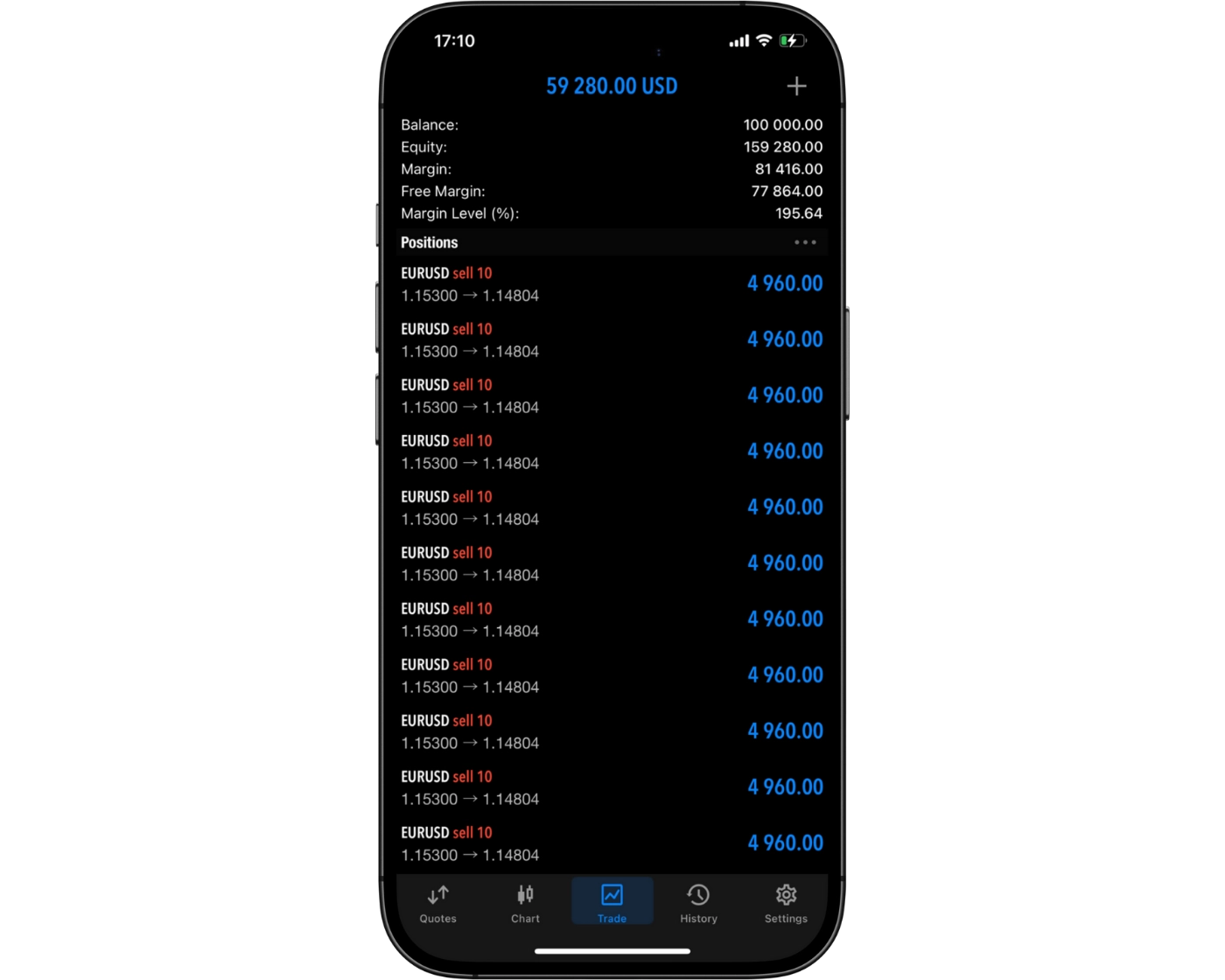
FXTM Pros:
- Multi-regulated broker
- Strong market research and analytics
- AI-powered trading signals via Acuity
- Pro Trading Tools plugin for MetaTrader
- FXTM mobile app with TradingView charts integration
- Fast and fully digital account opening process
- Responsive customer service
- Cost-free deposits and withdrawals (where applicable)
- High leverage options up to 1:3000
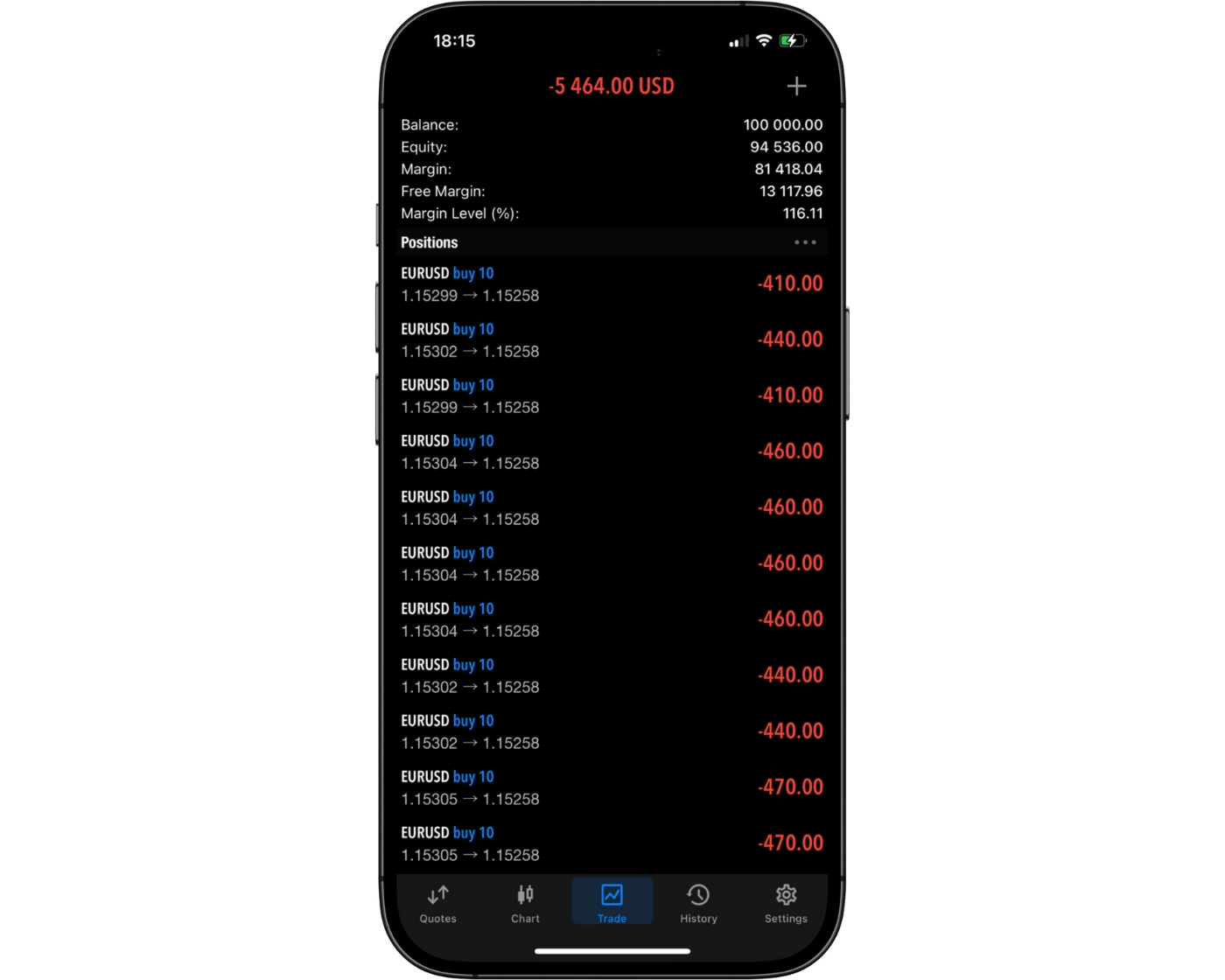
FXTM Cons:
- Spreads can be higher than industry average
- Inactivity fees may apply
- Withdrawal fees may apply depending on method
- Educational content is limited in depth for advanced traders
- Product range is more limited compared to larger multi-asset brokers
Beginner - Suitable Option
Pepperstone is a strong choice for new traders thanks to its unlimited demo accounts on all platforms, micro-lot trading for low-risk practice with real money, and structured educational resources. Live webinars led by professional traders help beginners understand core strategies step by step.
News Trading - Ideal Fit
For traders who thrive on volatility, Pepperstone offers in-depth news resources. Real-time coverage of economic events, expert commentary, market videos, and breaking headlines from outlets like Dow Jones and Reuters help traders act quickly on fast-moving developments.
Scalping - Ideal Fit
Pepperstone is highly attractive for scalpers. Orders execute in under 50 milliseconds with a 99.8% fill rate, and VPS hosting ensures continuous low-latency connectivity. Depth-of-market (DOM) tools on both MetaTrader and cTrader provide visibility into order volumes, helping scalpers identify key price levels. Razor Accounts with raw spreads starting from 0.0 pips keep costs at the lowest possible level.
Investing - Ideal Fit
Pepperstone is not designed for long-term investors. It does not offer access to real shares, ETFs, or mutual funds, and research tools for portfolio-focused strategies are limited.
Automated Trading - Suitable Option
Algorithmic traders can take advantage of automated strategies on MetaTrader and cTrader, complete with backtesting capabilities. VPS hosting ensures fast and reliable execution, while API access allows advanced users to build custom trading systems and connect to multiple liquidity providers for tighter pricing.
Swing Trading - Suitable Option
Pepperstone provides a diverse CFD product range suitable for swing traders, though it falls short in offering real shares and other popular long-term instruments. Overnight swap fees are competitive but not the lowest in the market.
Day Trading - Suitable Option
Day traders benefit from one-click trading, trading directly from charts, and lightning-fast execution available on MetaTrader, cTrader, and TradingView. Competitive spreads across Standard and Razor accounts reduce costs, while custom MetaTrader indicators and add-ons give active traders a technical advantage.
Who is FXTM for?
While creating the FXTM Review 2026, it became clear that the broker offers the features and tools to cater to a wide range of trading strategies. Here’s how it stacks up for different trader styles:
What Sets FXTM Apart?
FXTM offers a diverse range of CFDs, futures, and several hundred real stocks, making it suitable for multi-asset traders. It also combines strong market research with flexible trading conditions.
Low Trading Fees
FXTM’s pricing includes:
- Forex commission: $3.50 per lot + low EUR/USD spread (0.1)
- Index commission: $35/1M
- Stock CFD commission: $0.02/lot (min $0.01)
Fast Digital Onboarding
Account opening is fully digital and takes around 25–30 minutes, with approval within one business day. Minimum deposit is $200.
Regulated and Protected
FXTM is regulated by the FCA and FSC (Mauritius). UK clients get up to £120,000 investor protection plus negative balance protection.
Mobile Platform
The MetaTrader 4 mobile app is user-friendly and supports core trading functions, making it suitable for trading and account management on the go.
What Sets FXTM Apart?
FXTM Main Features

Regulations
CMA (Kenya), FSCM (Mauritius), CMA UAE (United Arab Emirates)

Languages
English, Arabic, Chinese, Vietnamese

Products
Currencies, Stocks, ETFs, Crypto, Indices, Commodities

Min Deposit
$30

Max Leverage
1:2000 (CMA), 1:3000 (FSCM)

Trading Desk Type
No dealing desk

Trading Platforms
MT5, MT4, FXTM Trader App

Deposit Options
Wire Transfer, Skrill, Credit Card, PayRedeem, Debit Card, GlobePay, PerfectMoney, Neteller, Local Transfer, FasaPay, M-Pesa, TC Pay Wallet

Withdrawal Options
Wire Transfer, Neteller, Skrill, Credit Card, PerfectMoney, PayRedeem, GlobePay, Debit Card, Local Transfer, FasaPay, M-Pesa, TC Pay Wallet

Demo Account
Yes

Foundation Year
2011

Headquarters
Mauritius
Regulations
CMA (Kenya), FSCM (Mauritius), CMA UAE (United Arab Emirates)
Languages
English, Arabic, Chinese, Vietnamese
Products
Currencies, Stocks, ETFs, Crypto, Indices, Commodities
Min Deposit
$30
Max Leverage
1:2000 (CMA), 1:3000 (FSCM)
Trading Desk Type
No dealing desk
Trading Platforms
MT5, MT4, FXTM Trader App
Deposit Options
Wire Transfer, Skrill, Credit Card, PayRedeem, Debit Card, GlobePay, PerfectMoney, Neteller, Local Transfer, FasaPay, M-Pesa, TC Pay Wallet
Withdrawal Options
Wire Transfer, Neteller, Skrill, Credit Card, PerfectMoney, PayRedeem, GlobePay, Debit Card, Local Transfer, FasaPay, M-Pesa, TC Pay Wallet
Demo Account
Yes
Foundation Year
2011
Headquarters
Mauritius
Start Trading With FXTM
| Account Type | Micro | Advantage | Advantage Plus | Advantage Stocks |
|---|---|---|---|---|
| Minimum Deposit | $30 | $200 | $200 | Not Specified |
| Maximum Leverage | 1:1000 | 1:3000 | 1:3000 | 1:1 |
| Spread From | 1.5 pips | 0.0 pips | 1.5 pips | From 2 cents |
| Commission | $0 | $7 | $0 | $0 |
| Base Currencies | USD | USD, EUR, GBP, NGN | USD, EUR, GBP, NGN | USD, EUR, GBP, NGN |
| Minimum Traded Volume | 0.01 lot | 0.01 lot | 0.01 lot | 0.01 lot |
| Standard Contract Size | 10,000 units | 100,000 units | 100,000 units | 100,000 units |
| Margin Call | 80% | 80% | 80% | NA |
| Stop Out | 50% | 50% | 50% | NA |
| Swap Free Account | No | Yes | Yes | No |
| Demo Account | No | Yes | Yes | No |
FXTM Review
Introduction to FXTM Safety Measures
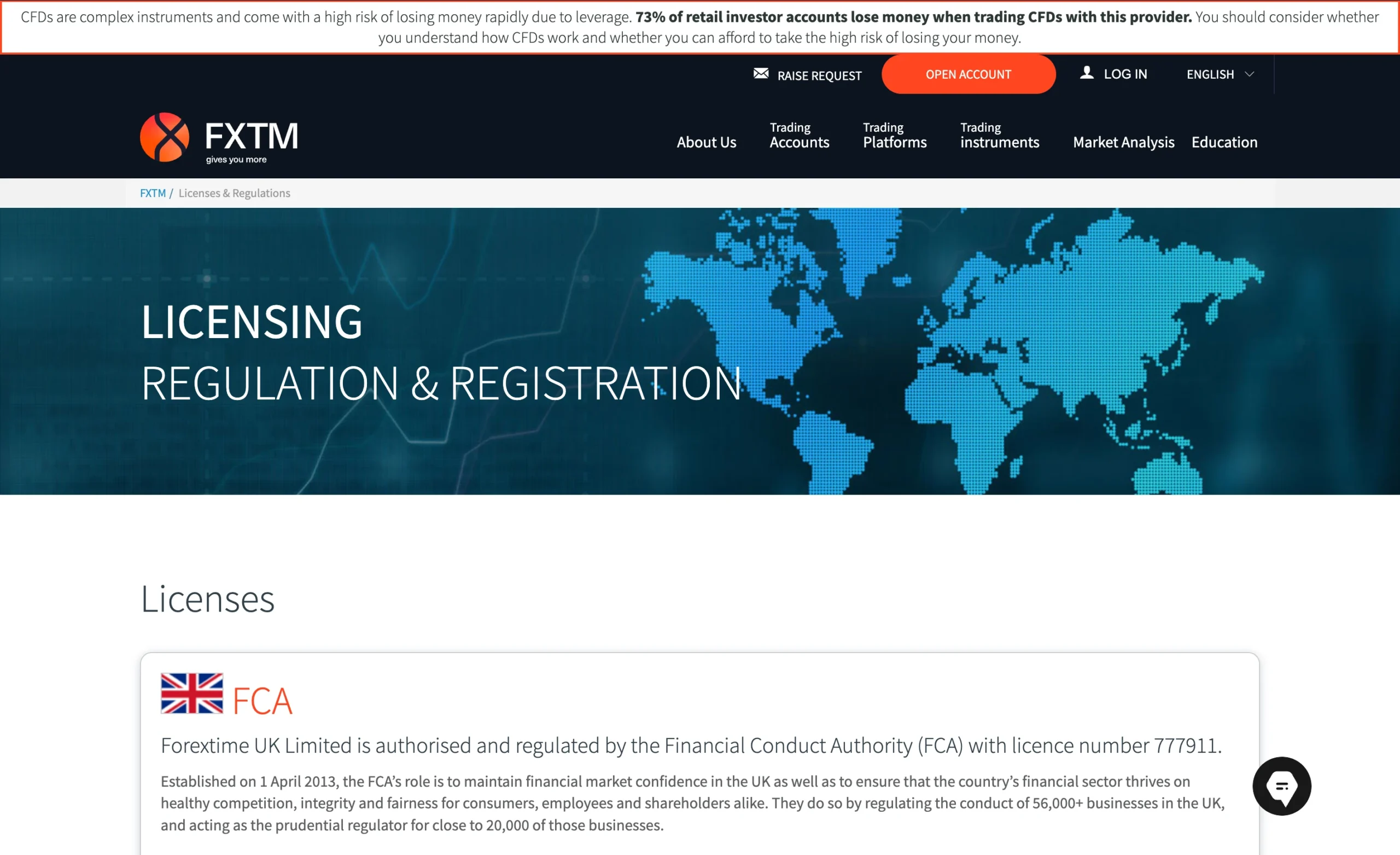
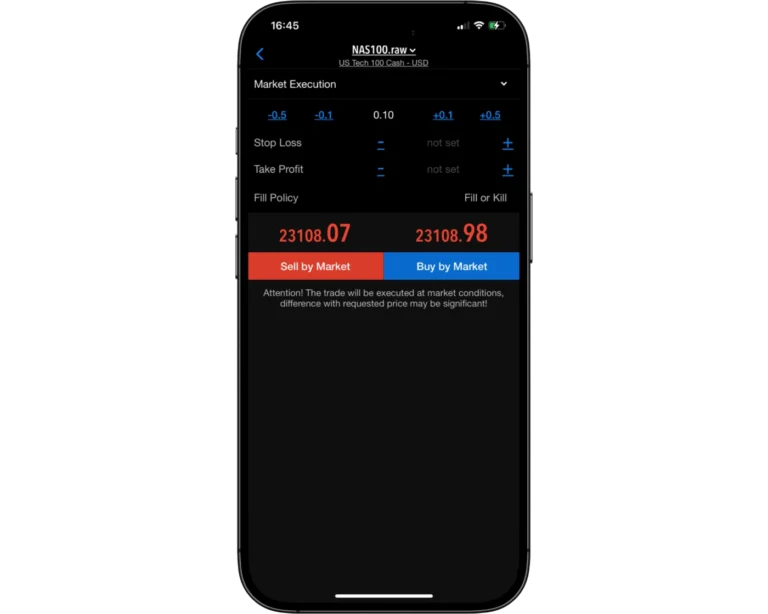
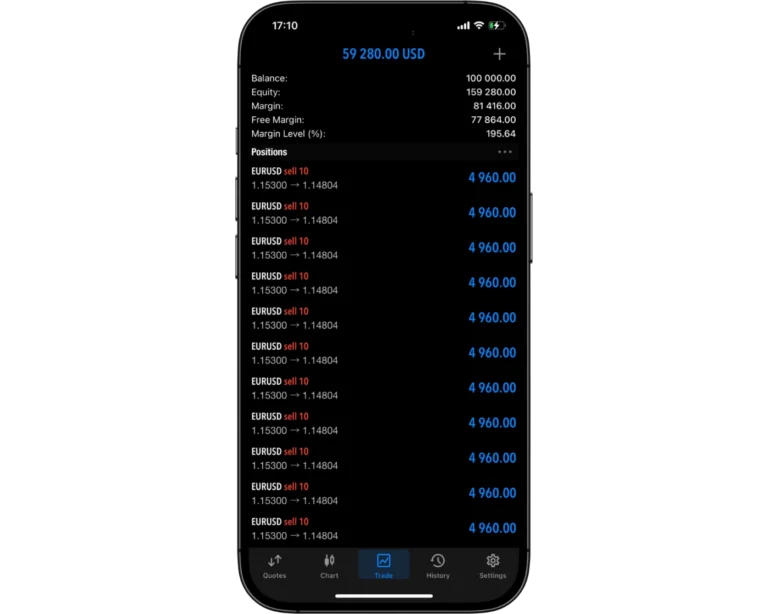
FXTM operates through four regulated entities across multiple jurisdictions, enhancing its overall trust framework. Client funds are held in segregated accounts, and the broker also provides negative balance protection, which helps limit downside risk for traders in volatile markets. Overall, FXTM presents a generally transparent operating model, although a few minor transparency limitations remain.
From a safety perspective, FXTM is considered a legitimate and well-established broker, regulated by multiple financial authorities. However, it is not publicly listed, does not publish detailed financial statements, and is not owned by a banking institution, which means overall corporate transparency is somewhat limited compared to publicly traded brokers.
Pros:
- Negative balance protection
- Segregated accounts
Cons:
- Does not hold a banking license
- Not listed on stock exchange
FXTM Regulation and Licensing
When assessing FXTM’s regulatory framework, we examine each operating entity and the licences it holds to determine the level of client protection. Our regulatory model uses a three-tier classification system, where Tier 1 represents the strongest oversight and highest investor safeguards.
FXTM operates through multiple regulated entities across different jurisdictions:
- Exinity Limited is authorised and regulated by the Financial Services Commission (FSC) of Mauritius under licence number C113012295, which we classify as a Tier-3 regulator. The same entity is also regulated by the Financial Sector Conduct Authority (FSCA) of South Africa under licence number 50320, which is considered a Tier-2 regulator.
- Exinity Global Financial Services L.L.C. is regulated by the Capital Market Authority (CMA) of the United Arab Emirates under licence number 20200000270, which we also classify as Tier-2 oversight.
- Exinity Capital East Africa Ltd is authorised by the Capital Markets Authority (CMA) of Kenya under licence number 135, which is likewise rated as a Tier-2 regulator.
Overall, FXTM’s multi-entity structure and combination of Tier-2 and Tier-3 regulation provide a solid level of operational oversight across its different regions.
| Entity Features | Exinity Capital East Africa Ltd | Exinity Global Financial Services L.L.C | Exinity Limited | Exinity Limited |
|---|---|---|---|---|
| Country/Region | Kenya/Nairobi | UAE/Dubai | South Africa/Johannesburg | Mauritius/Ebene |
| Regulation | CMA | CMA | FSCA | FSC |
| Tier | 2 | 2 | 2 | 3 |
| Maximum Leverage | 1:3000 | 1:3000 | 1:3000 | 1:3000 |
| Negative Balance Protection | Yes | Yes | Yes | Yes |
| Compensation Scheme | No | No | No | No |
| Segregated Funds | Yes | Yes | Yes | Yes |
Understanding Regulatory Protections for FXTM Traders
FXTM operates through several regulated entities worldwide, though the level of protection available to traders may differ depending on the jurisdiction governing the account. Since some regulators apply stricter financial and compliance standards than others, traders should understand the safeguards provided by the specific FXTM entity they register with.
To enhance client protection, FXTM keeps client funds segregated from company capital and provides negative balance protection, helping ensure traders cannot lose more than the funds available in their trading account.
How FXTM Protects Your Funds
Investor protection at FXTM can vary depending on the entity and regulator overseeing your account, making it important for traders to understand which jurisdiction they are registered under and what protections apply.
In addition to regulatory safeguards, Exinity Ltd., one of the entities operating under the FXTM brand, is a member of The Financial Commission – an independent international organization focused on resolving disputes within the financial services industry. Through this membership, eligible clients may receive compensation protection of up to €20,000. However, this protection is not guaranteed, and not all FXTM clients are covered under the scheme.
| Country of clients | Legal entity | Regulator | Protection amount |
|---|---|---|---|
| United Kingdom | Exinity UK Ltd. | FCA | £120,000 |
| International clients | Exinity Ltd. | Financial Services Commission of the Republic of Mauritius | No protection* |
Stability and Transparency of FXTM
When evaluating broker trust and reliability, important factors include company history, operational transparency, and the accessibility of legal information. FXTM performs well in these areas, demonstrating long-term stability and a clear commitment to transparency.
According to FXTM’s LinkedIn profile, the broker was founded in 2011 and has a global workforce of more than 100 employees, highlighting its established presence within the online trading industry.
During a review of FXTM’s legal documentation, no significant inconsistencies were identified. Key information is presented clearly and is easy to access, while the broker’s client agreement is comprehensive and covers the essential details related to account terms, trading conditions, and client protection measures.
Is FXTM Safe to Trade With?
Yes. FXTM is considered a highly secure broker thanks to its strong regulatory framework and multiple client protection measures. The broker is licensed and regulated across several jurisdictions, helping reinforce its credibility and oversight standards.
To improve account safety, FXTM keeps client funds segregated from company operating capital, reducing exposure to the broker’s credit risk. The broker also provides negative balance protection, ensuring retail traders cannot lose more money than the balance available in their trading accounts.
| Safety Summary | Pepperstone |
|---|---|
| Year Founded | 2010 |
| Publicly Traded (Listed) | No |
| Bank | No |
| Tier-1 Licenses | 4 |
| Tier-2 Licenses | 2 |
| Tier-3 Licenses | 1 |
Introduction to FXTM Fees
FXTM offers a mixed pricing structure across its trading products. During testing, spreads and swap fees were found to be higher than the industry average on several instruments, while share CFD trading costs were comparatively lower than the benchmark.
The broker generally maintains low forex trading fees and relatively competitive non-trading costs. However, traders should be aware that FXTM applies an annual inactivity fee to dormant accounts, along with a withdrawal fee and a small transaction processing charge.
Pros:
- Low forex fees
- Low trading fees
- Low non-trading fees
Cons:
- Withdrawal fee
FXTM Spreads
Forex Spreads
| Symbol | Product | Avg. Spread |
|---|---|---|
| AUDUSD | Australian Dollar vs US Dollar | 0.50 |
| EURUSD | Euro vs US Dollar | 0.10 |
| GBPUSD | Great Britain Pound vs US Dollar | 2.00 |
| NZDUSD | New Zealand Dollar vs US Dollar | 4.00 |
| USDCAD | US Dollar vs Canadian Dollar | 0.60 |
| USDCHF | US Dollar vs Swiss Franc | 0.50 |
| USDJPY | US Dollar vs Japanese Yen | 0.60 |
| AUDCAD | Australian Dollar vs Canadian Dollar | 1.10 |
| AUDCHF | Australian Dollar vs Swiss Franc | 3.20 |
| AUDJPY | Australian Dollar vs Japanese Yen | 0.70 |
| AUDNZD | Australian Dollar vs New Zealand Dollar | 4.30 |
| AUDSGD | Australian Dollar vs Singapore Dollar | — |
| CADCHF | Canadian Dollar vs Swiss Franc | 2.70 |
| CADJPY | Canadian Dollar vs Japanese Yen | 0.70 |
| CHFJPY | Swiss Franc vs Japanese Yen | 1.00 |
| CHFSGD | Swiss Franc vs Singapore Dollar | — |
| EURAUD | Euro vs Australian Dollar | 2.50 |
| EURCAD | Euro vs Canadian Dollar | 1.20 |
| EURCHF | Euro vs Swiss Franc | 0.80 |
| EURGBP | Euro vs Great Britain Pound | 0.60 |
| EURJPY | Euro vs Japanese Yen | 0.40 |
| EURNZD | Euro vs New Zealand Dollar | 2.30 |
| EURSGD | Euro vs Singapore Dollar | — |
| GBPAUD | Great Britain Pound vs Australian Dollar | 2.20 |
| GBPCAD | Great Britain Pound vs Canadian Dollar | 1.70 |
| GBPCHF | Great Britain Pound vs Swiss Franc | 15.00 |
| GBPJPY | Great Britain Pound vs Japanese Yen | 0.90 |
| GBPNZD | Great Britain Pound vs New Zealand Dollar | 3.00 |
| NZDCAD | New Zealand Dollar vs Canadian Dollar | 4.50 |
| NZDCHF | New Zealand Dollar vs Swiss Franc | 1.20 |
| NZDJPY | New Zealand Dollar vs Japanese Yen | 0.80 |
| NZDSGD | New Zealand Dollar vs Singapore Dollar | 4.10 |
| SGDJPY | Singapore Dollar vs Japanese Yen | 1.40 |
| USDHKD | US Dollar vs Hong Kong Dollar | 4.50 |
| USDNOK | US Dollar vs Norwegian Krone | 48.30 |
| USDSEK | US Dollar vs Swedish Krone | 40.70 |
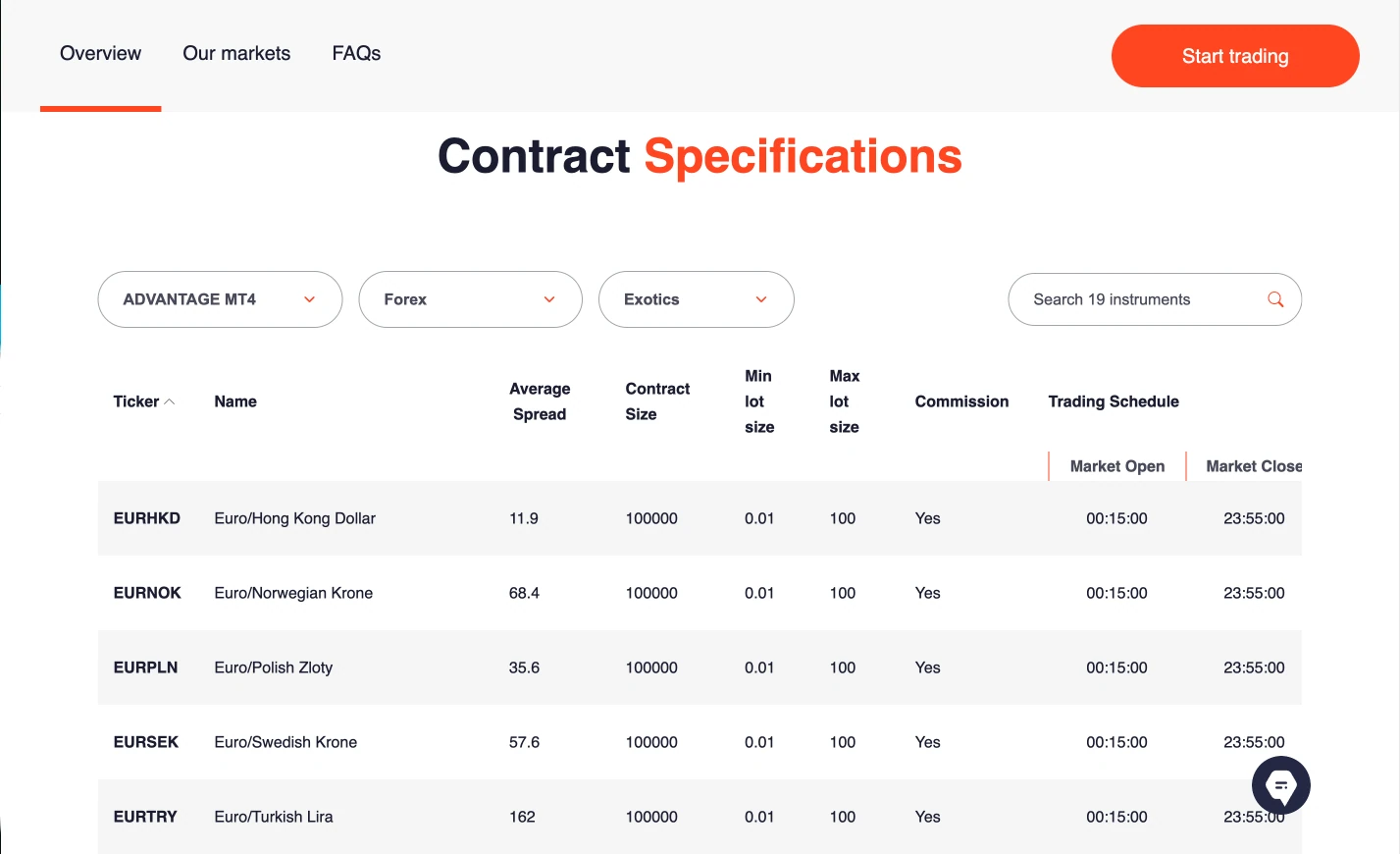
| EURHKD | Euro vs Hong Kong Dollar | 11.90 |
| EURNOK | Euro vs Norwegian Krone | 68.40 |
| EURPLN | Euro vs Polish Zloty | 35.60 |
| EURSEK | Euro vs Swedish Krone | 57.60 |
| EURTRY | Euro vs Turkish Lira | 162.00 |
| GBPHUF | Great Britain Pound vs Forint | — |
| GBPNOK | Great Britain Pound vs Norwegian Krone | 74.70 |
| GBPPLN | Great Britain Pound vs Polish Zloty | 46.20 |
| GBPSEK | Great Britain Pound vs Swedish Krone | 71.30 |
| GBPSGD | Great Britain Pound vs Singapore Dollar | 3.90 |
| USDCNH | US Dollar vs Chinese Renminbi | 16.80 |
| USDCZK | US Dollar vs Czech Koruna | 174.80 |
| USDHUF | US Dollar vs Forint | 26.30 |
| USDMXN | US Dollar vs Mexican Peso | 32.30 |
| USDPLN | US Dollar vs Polish Zloty | 26.90 |
| USDSGD | US Dollar vs Singapore Dollar | 3.10 |
| USDTHB | US Dollar vs Thai Baht | — |
| USDTRY | US Dollar vs Turkish Lira | 195.80 |
| USDZAR | US Dollar vs South African Rand | 73.50 |
Metal Spreads
| Symbol | Product | Avg. Spread |
|---|---|---|
| XAGAUD | Silver vs Australian Dollar | — |
| XAGJPY | Silver vs Japanese Yen | — |
| XAGUSD | Silver vs US Dollar | 22.00 |
| XAUAUD | Gold vs Australian Dollar | — |
| XAUCNH | Gold vs Chinese Yuan | — |
| XAUEUR | Gold vs Euro | 70.00 |
| XAUGBP | Gold vs British Pound | 6.70 |
| XAUJPY | Gold vs Japanese Yen | — |
| XAUUSD | Gold vs US Dollar | 9.00 |
Crypto Spreads
| Symbol | Product | Avg. Spread |
|---|---|---|
| AAVE | AAVE | — |
| APTOS | APTOS | — |
| ARBITRUM | ARBITRUM | — |
| AVALANCH | Avalanche | 7.00 |
| AXS | Axie Infinity | — |
| BITCOIN | Bitcoin | 270.00 |
| BITCOIN CASH | Bitcoin Cash | 54.00 |
| BNB | BNB | — |
| CARDANO | Cardano | 110.00 |
| CHAINLINK | Chainlink | 4.00 |
| COSMOS | Cosmos | — |
| DOGECOIN | Dogecoin | 26.00 |
| ETHEREUM | Ethereum | 7.00 |
| HEDERA | Hedera | — |
| ILLUVIUM | Illuvium | — |
| INJ | Injective | — |
| LITECOIN | Litecoin | 8.00 |
| NEAR | NEAR | — |
| POLKADOT | Polkadot | — |
| POLYGON | Polygon | 37.00 |
| PYTH | Pyth | — |
| RENDER | Render | — |
| RIPPLE | XRP (Ripple) | 75.00 |
| SNEK | SNEK | — |
| SOLANA | Solana | 20.00 |
| STELLAR | Stellar | — |
| SUI | SUI | — |
| TONCOIN | Toncoin | — |
| TRON | TRON | — |
| TRUMP | Official Trump | — |
| UNISWAP | Uniswap | — |
ETFs Spreads
| Symbol | Product | Avg. Spread |
|---|---|---|
| ACWI ETF CFD | iShares MSCI ACWI ETF CFD | — |
| ARKK ETF CFD | ARK Innovation ETF CFD | — |
| DBEF ETF CFD | Deutsche X-trackers MSCI EAFE Hedged Equity ETF CFD | — |
| DIA ETF CFD | SPDR Dow Jones Industrial Average ETF CFD | — |
| EEM ETF CFD | iShares MSCI Emerging Markets ETF CFD | — |
| EFA ETF CFD | iShares MSCI EAFE ETF CFD | — |
| EPP ETF CFD | iShares MSCI Pacific ex Japan ETF CFD | — |
| EWT ETF CFD | iShares MSCI Taiwan ETF CFD | — |
| EWY ETF CFD | iShares MSCI South Korea ETF CFD | — |
| EWZ ETF CFD | iShares MSCI Brazil ETF CFD | — |
| FXI ETF CFD | iShares China Large-Cap ETF CFD | — |
| GLD ETF CFD | SPDR Gold Shares ETF CFD | — |
| GSG ETF CFD | iShares S&P GSCI Commodity ETF CFD | — |
| IAU ETF CFD | iShares Gold Trust CFD | — |
| IBBUS ETF CFD | iShares Biotechnology ETF CFD | — |
| IJH ETF CFD | iShares S&P MidCap 400 ETF CFD | — |
| IJK ETF CFD | iShares S&P MidCap 400 Growth ETF CFD | — |
| IVE ETF CFD | iShares S&P 500 Value ETF CFD | — |
| IVV ETF CFD | iShares Core S&P 500 ETF CFD | — |
| IVW ETF CFD | iShares S&P 500 Growth ETF CFD | — |
| IWM ETF CFD | iShares Russell 2000 ETF CFD | — |
| IXC ETF CFD | iShares Global Energy ETF CFD | — |
| IYR ETF CFD | iShares US Real Estate ETF CFD | — |
| MDY ETF CFD | SPDR S&P MidCap 400 ETF CFD | — |
| MDYG ETF CFD | SPDR S&P 400 MidCap Growth ETF CFD | — |
| METV ETF CFD | Roundhill Ball Metaverse ETF CFD | — |
| QQQ ETF CFD | Invesco QQQ Trust ETF CFD | — |
| SCHP ETF CFD | Schwab US TIPS ETF CFD | — |
| SLV ETF CFD | iShares Silver Trust ETF CFD | — |
| SPLG ETF CFD | SPDR Portfolio S&P 500 ETF CFD | — |
| SPTI ETF CFD | SPDR Intermediate Term Treasury ETF CFD | — |
| SPY ETF CFD | SPDR S&P 500 ETF CFD | — |
| SPYG ETF CFD | SPDR S&P 500 Growth ETF CFD | — |
| SPYV ETF CFD | SPDR S&P 500 Value ETF CFD | — |
| TIP ETF CFD | iShares US Treasury Inflation-Protected ETF CFD | — |
| TLTUS ETF CFD | iShares 20+ Year Treasury Bond ETF CFD | — |
| TQQUS ETF CFD | ProShares UltraPro QQQ ETF CFD | — |
| UPRO ETF CFD | ProShares UltraPro S&P 500 ETF CFD | — |
| VDE ETF CFD | Vanguard Energy ETF CFD | — |
| VOO ETF CFD | Vanguard S&P 500 ETF CFD | — |
| VOOG ETF CFD | Vanguard S&P 500 Growth ETF CFD | — |
| VTI ETF CFD | Vanguard Total Stock Market ETF CFD | — |
| VXX ETF CFD | iPath S&P 500 VIX Short-Term Futures ETF CFD | — |
Indices Spreads
| Symbol | Product | Avg. Spread |
|---|---|---|
| GER40U5 | GER40 | — |
| NAS100U5 | Nasdaq 100 | 3.10 |
| SP500U5 | S&P 500 | — |
| US30U5 | US30 | — |
| AU200 | Australia 200 Index | 2.00 |
| CHINAH | Hong Kong China H-Shares Index | 87.00 |
| CN50 | China A50 Index | 5.80 |
| EU50 | Europe 50 Index | 1.40 |
| FRA40 | France 40 Index | 1.30 |
| GER40 | Germany 40 Index | 0.90 |
| HK50 | Hong Kong 50 Index | 8.20 |
| JP225 | Japan 225 Index | 0.50 |
| NAS100 | Nasdaq 100 Index | 1.00 |
| NETH25 | Netherlands 25 Index | 5.00 |
| RUS2000 | US Small Cap 2000 Index | 5.00 |
| SG20 | Singapore 20 Index | 4.00 |
| SPN35 | Spain 35 Index | 3.30 |
| TWN | Taiwan Capped Index | 15.00 |
| UK100 | UK 100 Index | 1.70 |
| US30 | Wall Street 30 Index | 0.20 |
| US400 | S&P 400 MidCap Index | 18.00 |
| US500 | S&P 500 Index | 0.10 |
| USDInd | US Dollar Index | 16.00 |
Commodities Spreads
| Symbol | Product | Avg. Spread |
|---|---|---|
| Arabica | Coffee Arabica CFD (5,000 pounds), cash (USD Cents) | 0.24 |
| Brent | UK Brent (Spot) | 6.00 |
| Cocoa | Cocoa CFD (1 metric ton), cash (USD) | 20.51 |
| Copper | Copper CFD (1,000 pounds), cash (USD) | 0.00 |
| Corn | Corn CFD (1,000 bushels), cash (USD Cents) | 0.60 |
| Cotton | Cotton No 2 CFD (10,000 pounds), cash (USD Cents) | 0.09 |
| Crude | US Crude (Spot) | 6.00 |
| NatGas | US Natural Gas (Spot) | 10.00 |
| Robusta | Coffee Robusta CFD (1 metric ton), cash (USD) | 5.38 |
| Soybean | Soybean CFD (1,000 bushels), cash (USD Cents) | 0.84 |
| Sugar | Sugar No 11 CFD (10,000 pounds), cash (USD Cents) | 0.03 |
| USAHO | US Heating Oil CFD (5,000 gallons), cash (USD) | 0.00 |
| Wheat | Wheat CFD (1,000 bushels), cash (USD Cents) | 0.65 |
FXTM Swap Fees Explained
A swap fee is the cost associated with keeping a trading position open overnight, driven by differences in interest rates. A swap long applies when holding a buy position overnight, while a swap short applies to the costs or credits applied when holding a sell position overnight.
The figures are calculated based on one full base currency contract of 100,000 units. FXTM’s swap rates are generally positioned above the industry benchmark. However, it is important to note that overnight charges can fluctuate over time depending on market conditions.
| Instrument | Swap Short | Swap Long |
|---|---|---|
| Gold (XAUUSD) | Credit of $24.19 | Charge of $48.89 |
| EURUSD | Credit of $4.76 | Charge of $10.41 |
| GBPJPY | Charge of $31.07 | Credit of $10.73 |
Non-Trading Fees at FXTM
FXTM applies a $120 annual inactivity fee to accounts that remain inactive for 12 calendar months, which is equivalent to a $10 monthly charge. Clients are typically informed a few days before this fee is charged.
In terms of deposits and withdrawals, FXTM generally does not charge a handling fee. However, a $3 low transaction fee applies to payments below $30. In addition, the broker may apply a 3% no trading activity fee when funds are deposited and subsequently withdrawn without any trading activity taking place.
Are FXTM Fees Competitive?
Yes. FXTM’s pricing structure shows mixed competitiveness. Both spreads and swap fees are generally higher than what is seen across the broader industry, which can increase trading costs for active traders.
On a positive note, FXTM does not charge any deposit or withdrawal fees for withdrawals over $30, which helps keep overall costs lower compared to brokers that apply additional charges.
| Fees Summary | FXTM |
|---|---|
| Minimum Deposit | $30 |
| Average Spread EUR/USD | 0.1 pips |
| PayPal (Deposit/Withdraw) | No |
| Skrill (Deposit/Withdraw) | Yes |
| Visa/Mastercard (Credit/Debit) | Yes |
| Bank Wire (Deposit/Withdraw) | Yes |
Deposit and Withdrawal Overview
FXTM provides a wide range of deposit and withdrawal methods, including bank wire transfers, bank cards, local payment options, cryptocurrencies, and multiple e-wallet solutions. This makes funding and withdrawing from an account relatively flexible for most traders.
In general, deposits and withdrawals are fee-free, although a $3 processing fee applies to transactions below $30. Traders should also be aware that third-party banking fees may be charged depending on the payment provider used.
Pros:
- Quick deposit and withdrawal
- Credit/Debit card available
- No deposit fee
Cons:
- Withdrawals under $30 has a $3 fee
FXTM Account Base Currencies
At FXTM, you can choose from the following base currencies:
| EUR | GBP | USD |
FXTM offers a selection of three base currencies for trading accounts: EUR, GBP, and USD. This limited choice places FXTM behind some competing brokers that provide a wider range of account currency options.
This factor is important because choosing the correct base currency can help reduce currency conversion costs. If a trader deposits funds in the same currency as their bank account, or trades instruments priced in their account’s base currency, conversion fees can often be avoided.
One way to minimise these costs is by using a multi-currency bank account, often available through digital banking providers. These accounts typically support multiple currencies, offer competitive exchange rates, and allow for low-cost or free international transfers, with quick setup directly from a mobile device.
Deposit Methods and Fees
FXTM generally does not charge deposit fees, although exceptions may apply, particularly when funding an account in a currency different from the chosen base currency.
Processing times depend on the payment method used. Bank transfers typically require several business days to complete, while credit and debit card deposits are usually processed instantly.
It is also important to note that all deposits must be made from payment methods registered in the trader’s own name, ensuring compliance with security and verification requirements.
FXTM Electrronic Wallets:
| PayRedeem | GlobePay | Skrill | PerfectMoney |
| Ghanian Local Transfer | Upi | Equity | Africa Local Solutions |
| TC Pay | M-Pesa | fasapay | GooglePay |
| Neteller |
All FXTM deposit methods and fees:
| Deposit Method | Fee | Processing Time |
|---|---|---|
| Bank Wire | $0 | 1-2 business days |
| Credit/Debit Card | $0 | Up to 30 minutes |
| Local Bank Transfer | $0 | Up to 30 minutes |
| Skrill | $0 | Up to 30 minutes |
| PIX | $0 | Up to 30 minutes |
| UPI | $0 | Up to 1 business day |
| Neteller | $0 | Up to 30 minutes |
| Alipay | $0 | Up to 1 business day |
| Cryptocurrencies | $0 | Up to 1 hour |
| SPEI | $0 | Up to 30 minutes |
| Mobile Money | $0 | Up to 30 minutes |
Withdrawal Methods and Fees
FXTM applies a $3 withdrawal fee on withdrawal under $30 and $0 withdrawal fee on withdrawals over $30, which traders should factor into their overall cost structure when managing funds.
Available withdrawal options include bank transfers, credit/debit cards, and electronic wallets. Most e-wallets used for deposits can also be used for withdrawals, with the exception of Alfa-Click, Western Union Quick Pay, and Dotpay.
All withdrawals must be processed to payment accounts held in the trader’s own name, ensuring compliance with security and anti-fraud standards.
For credit/debit cards and electronic wallets, withdrawals are limited to the amount originally deposited via the same method. Any remaining profits must be withdrawn via bank transfer, which serves as the primary channel for profit withdrawals.
FXTM withdrawal methods and fees:
| Withdrawal Method | Fee | Processing Time |
|---|---|---|
| Bank Wire | $0 | 3-7 business days |
| Credit/Debit Card | $0 | 1 business day |
| Local Bank Transfer | $0 | 1 business day |
| Skrill | $0 | 1 business day |
| PIX | $0 | 1 business day |
| UPI | $0 | 1 business day |
| Neteller | $0 | 1 business day |
| Alipay | $0 | 1 business day |
| Cryptocurrencies | $0 | 1 business day |
| SPEI | $0 | 1 business day |
| Mobile Money | $0 | 1 business day |
How Long Does FXTM Take to Process Withdrawals?
FXTM withdrawal processing times vary depending on the chosen payment method, but testing shows that credit card withdrawals are typically completed within one business day.
This suggests that card-based withdrawals can be processed relatively quickly once the request is approved, making them a faster option compared to slower banking methods such as wire transfers, which may take longer to reflect depending on the receiving bank.
Step-by-Step Guide to Withdrawing Money From FXTM
To withdraw funds from FXTM, the process follows a clear step-by-step flow designed for security and verification:
- Log in to your MyFXTM account.
- Navigate to “My Money” and click on “Withdraw Funds.”
- Select your preferred withdrawal method.
- Enter the amount you want to withdraw and provide the required reason for withdrawal.
- Submit the withdrawal request.
- Confirm the transaction by entering the 4-digit code sent to your registered mobile phone.
Trading Platforms Overview
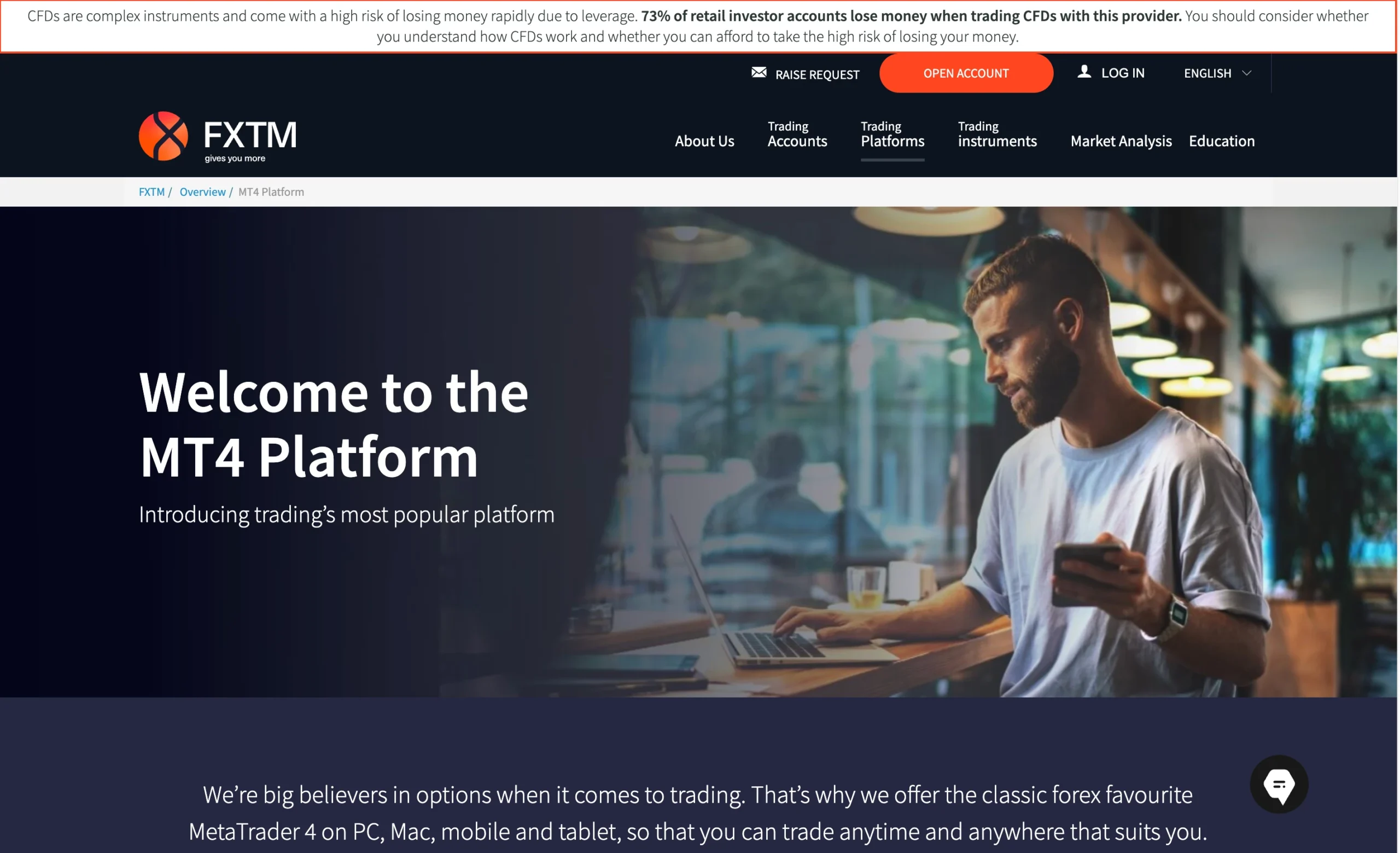
FXTM provides access to both MetaTrader 4 (MT4) and MetaTrader 5 (MT5), two of the most widely used trading platforms in the industry. These platforms are available across desktop, web, and mobile devices, allowing traders to manage positions and analyse markets from virtually anywhere.
In addition to MetaTrader, FXTM has also developed its own proprietary mobile trading app, designed to offer a more streamlined and user-friendly trading experience with integrated tools and functionality.
MetaTrader 4

MetaTrader 4 Desktop Intro
The MetaTrader 4 (MT4) desktop platform at FXTM remains one of the most widely used and trusted trading platforms in global markets. Designed for both beginner and advanced traders, it combines a straightforward interface with powerful trading tools to support efficient market execution and analysis.
Platform Compatibility & Global Accessibility
FXTM’s MT4 platform is fully compatible with both Windows and Mac operating systems, allowing seamless access across desktop environments. It is also available on mobile devices and web-based platforms, ensuring traders can monitor and manage positions from virtually anywhere. The platform supports multiple languages, making it accessible to a global trading audience.
Key Features of FXTM MT4
Custom Alerts: Traders can set price-based notifications to track important market levels and potential trading opportunities.
Watchlist Management: Users can create and manage personalised watchlists to monitor selected instruments efficiently.
One-Click Trading: Orders can be executed instantly at live market prices, making it suitable for fast-paced strategies such as scalping.
Chart-Based Trading: FXTM MT4 allows direct order placement from charts, with full control over trade parameters including entry levels, volume, stop-loss, and take-profit.
Expert Advisor (EA) Support: The platform supports automated trading through Expert Advisors, enabling traders to build, test, and optimise algorithmic strategies using the built-in strategy tester.
Why FXTM MT4 Stands Out
While more modern platforms may offer updated visuals and interfaces, FXTM’s MT4 remains highly valued for its stability, execution speed, and reliability. With strong charting tools, automation capabilities, and flexible trade management features, it continues to be a core platform for traders who prioritise consistency and control in their trading strategies.
Pros:
- Clear fee report
- Good customizability (for charts, workspace)
- Price alerts
Cons:
- Poor design
- Search function could be improved
Mt4 Charts
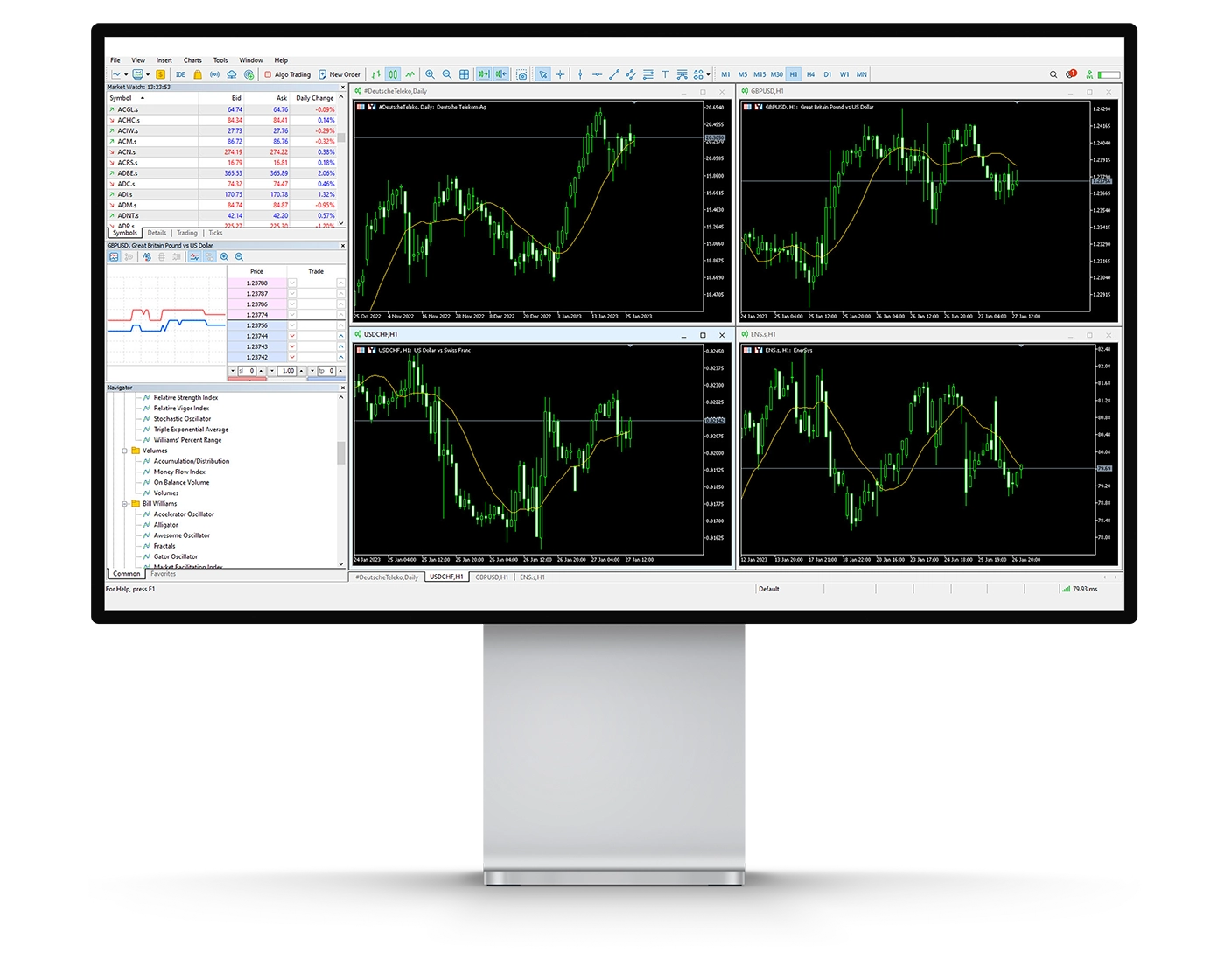
FXTM’s MetaTrader 4 (MT4) charting suite is built to provide traders with a comprehensive set of analytical tools, supporting everything from basic price monitoring to more advanced technical trading strategies. The platform caters to both beginners learning technical analysis and experienced traders developing more complex trading approaches, offering flexibility and depth across different market conditions.
Key Charting Features
- Technical Indicators: FXTM MT4 includes access to a wide range of built-in indicators covering trend analysis, oscillators, and volume-based tools. These indicators assist traders in interpreting price movements, evaluating market sentiment, and identifying potential trade setups.
- Drawing Tools: The platform provides multiple drawing tools that allow traders to map key market levels, including support and resistance zones, breakout areas, and chart patterns for more precise technical analysis.
- Timeframes & Chart Types: FXTM MT4 supports multiple timeframes, enabling detailed multi-timeframe analysis. Traders can view price action using candlestick, bar, or line charts, offering different perspectives for spotting trading opportunities.
Usability Considerations
While the MT4 charting environment offers strong analytical depth, it is important for traders to avoid overloading charts with too many indicators. Excessive use of tools can lead to cluttered analysis and make it harder to identify clear trading signals.
Why FXTM MT4 Charting Stands Out
The MT4 charting suite at FXTM combines stability, speed, and analytical functionality, making it a strong choice for traders who rely heavily on technical analysis. Whether used for scalping, day trading, or swing trading, the platform provides a reliable environment for both manual and automated trading strategies.
Mt4 Orders
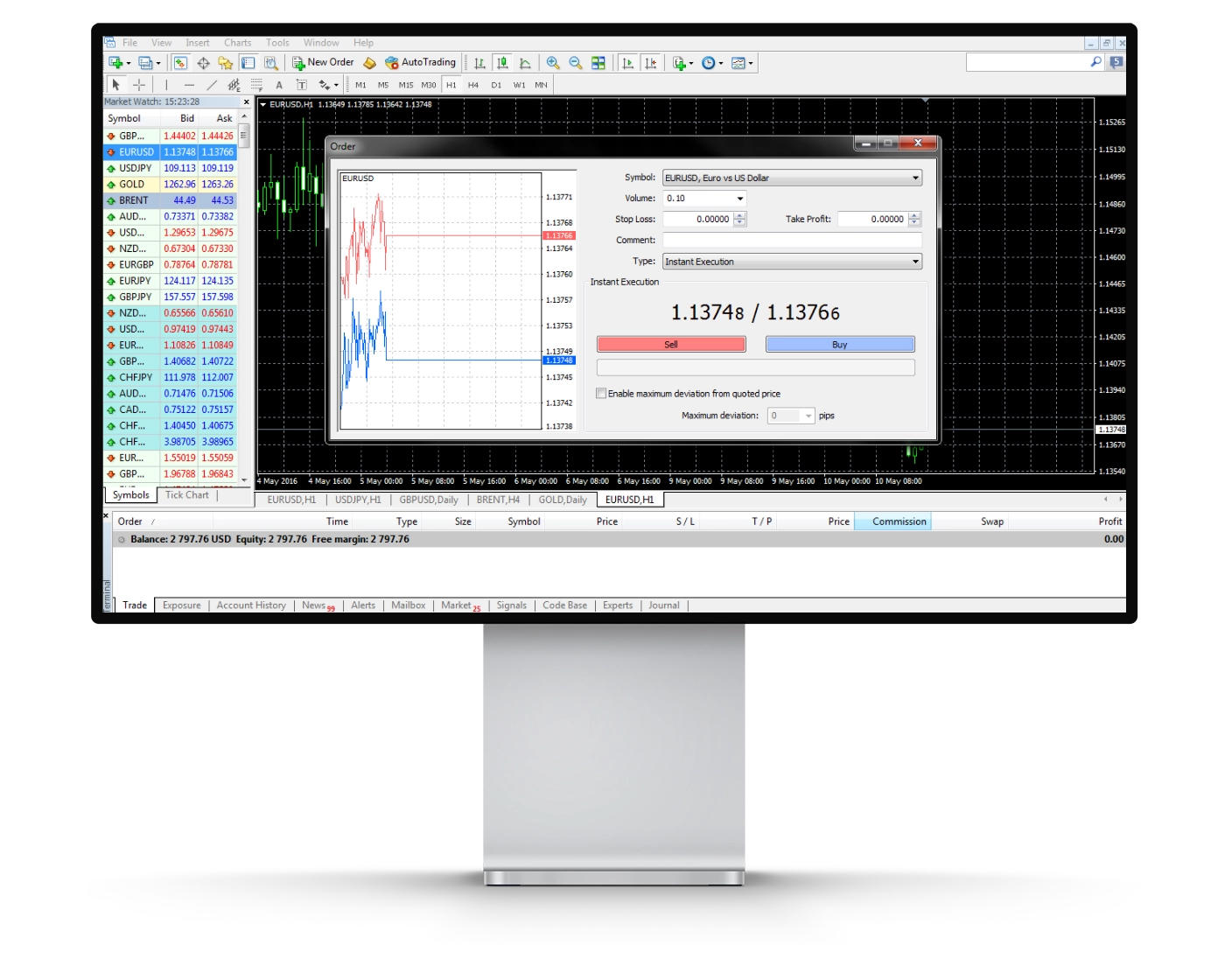
FXTM’s MetaTrader 4 (MT4) platform is designed to provide fast and flexible order execution, making it suitable for both beginner and advanced traders. Whether used for scalping, day trading, or algorithmic strategies, MT4 offers the precision and control required to enter and manage trades efficiently across different market conditions.
Types of Orders Available
- Market Orders: These are executed immediately at the best available market price. While the trade size is fulfilled, the final execution price may differ slightly from the requested level due to live market movement, commonly referred to as slippage.
- Limit Orders: These allow traders to set a predefined entry price. The order is only triggered when the market reaches the specified level, providing more control over entries, although execution is not guaranteed if price does not reach the level.
- Stop Orders: Used primarily for risk management, stop orders convert into market orders once a specified price is reached. They are commonly applied as stop-loss orders to help limit potential losses and maintain disciplined risk control during volatile conditions.
Enhanced Execution Tools
In addition to standard order types, FXTM MT4 supports one-click trading, allowing instant execution directly from charts. This feature is particularly useful for scalpers and short-term traders who rely on speed and timing to capture market opportunities.
Why Traders Choose FXTM MT4 for Execution
By combining multiple order types with fast execution capabilities and strong platform stability, FXTM provides traders with the tools needed to operate effectively in different market environments. Whether using manual strategies or automated Expert Advisors (EAs), MT4 delivers the flexibility and reliability required for consistent trade management.
Mt4 WebTrader
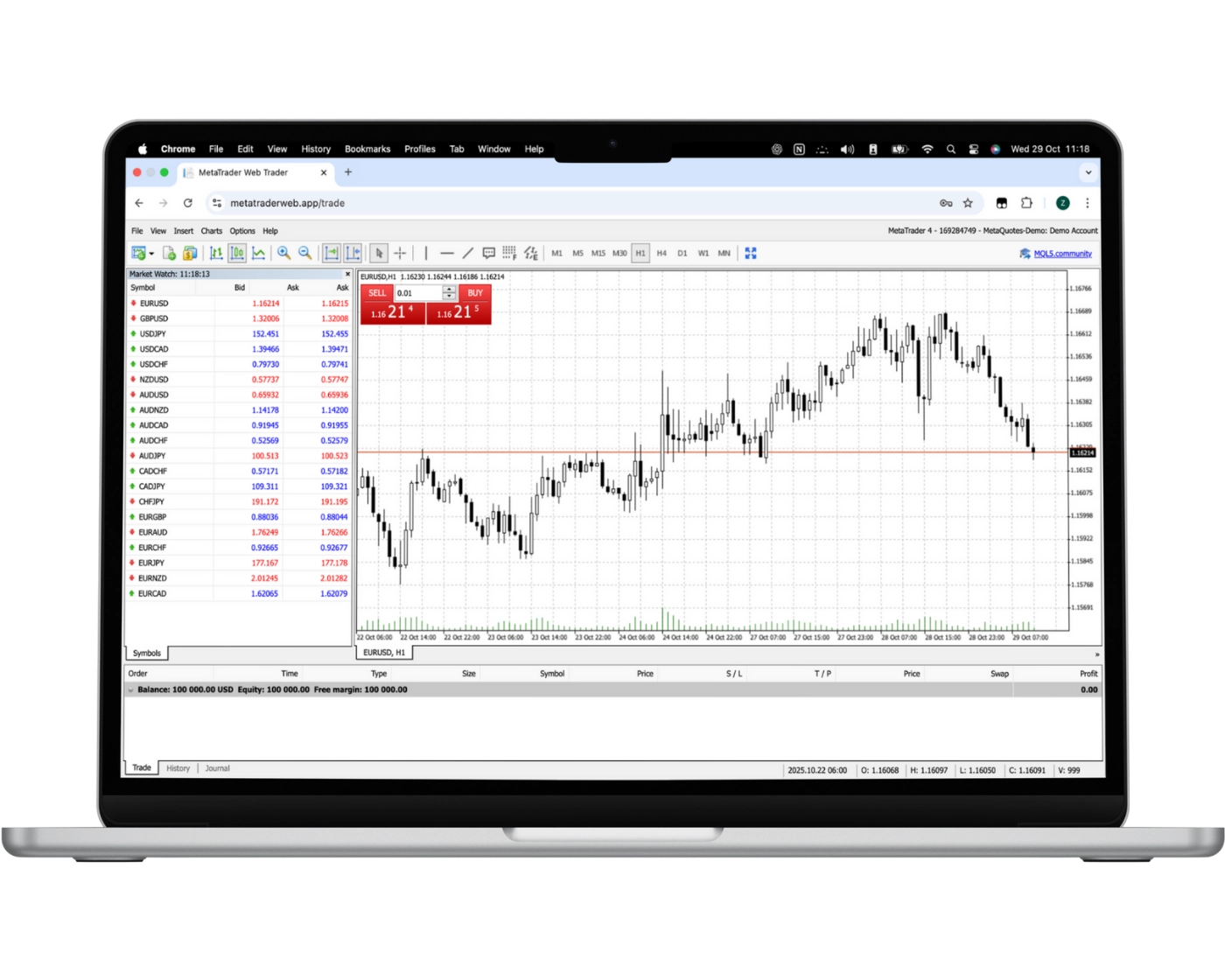
FXTM’s MetaTrader WebTrader brings the functionality of MetaTrader directly into a web-based environment, allowing traders to access the markets without downloading or installing software. It is compatible with all operating systems and provides a convenient way to trade securely from any device with an internet connection.
Key Features of FXTM WebTrader
- One-Click Trading: Trades can be executed instantly with a single click, making it suitable for fast-moving market conditions and short-term trading strategies.
- Trade Directly from Charts: Positions can be opened and managed directly from interactive charts, allowing traders to react quickly to live price movements.
- Custom Watchlists & Real-Time Quotes: Traders can build personalised watchlists and monitor instruments using real-time market data.
- Trade History Access: Past trades can be reviewed to evaluate performance and support strategy refinement over time.
- Advanced Charting Tools: The platform provides access to a range of built-in technical indicators to support chart analysis and trading decisions.
- Copy Trading & Automation: FXTM offers access to copy trading features and automated trading capabilities, allowing traders to follow strategies or run systems even when not actively monitoring the market.
Why Choose FXTM WebTrader?
FXTM WebTrader combines convenience with core MetaTrader functionality, enabling traders to analyse markets, execute trades, and manage positions without installing desktop software. It provides a flexible trading environment suitable for both manual and automated trading approaches, while maintaining ease of access across different devices.
MT4 Mobile App
Pros:
- Price alerts
- User-friendly
- Good search function
Cons:
- No two-step (safer) login
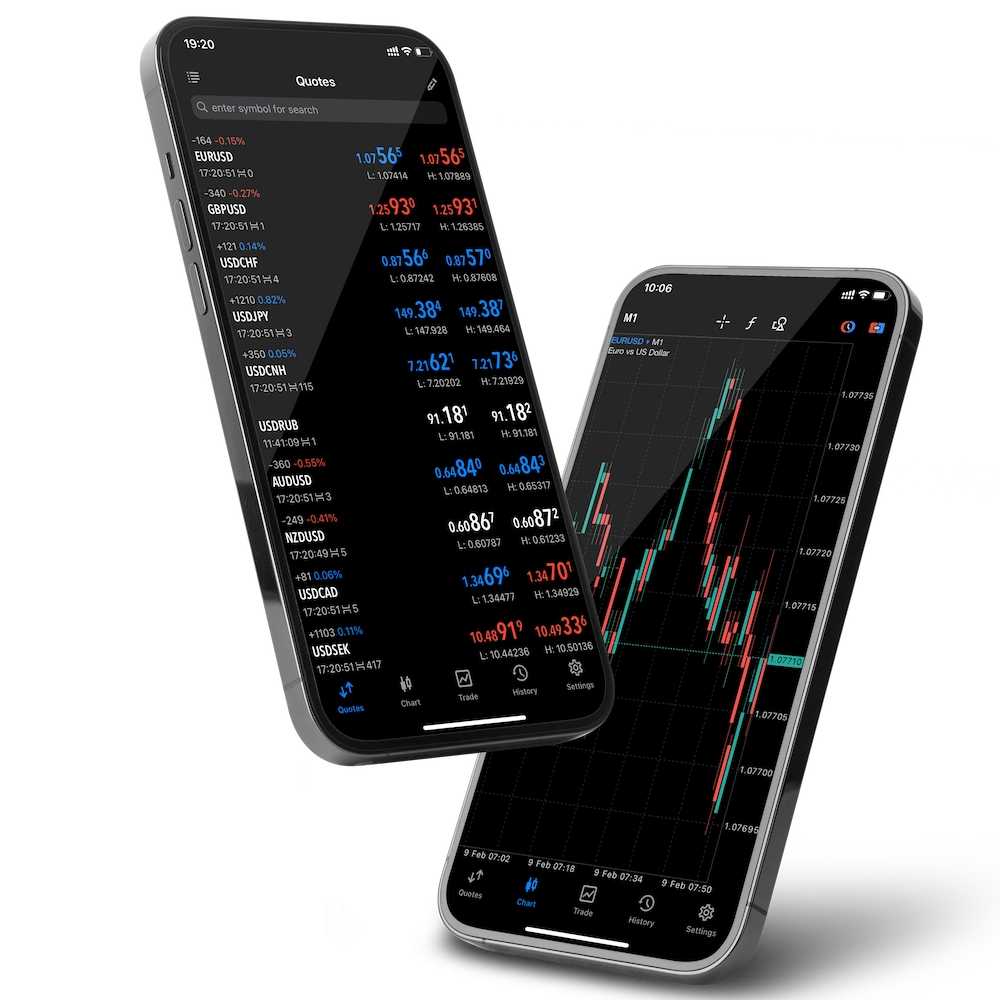
The MetaTrader 4 (MT4) mobile app from FXTM brings full trading functionality directly to mobile devices, allowing access to global markets from both iOS and Android. Designed for speed, usability, and convenience, it enables traders to monitor and manage positions from anywhere, ensuring market access is maintained even while away from the desktop platform.
Key Features of MT4 Mobile
- Full Trade Management: Positions can be opened, closed, and modified directly from the mobile app with a few taps, providing full control over trades on the go.
- Order Flexibility: The app supports market, limit, and stop orders, with the ability to adjust trade size and manage exposure directly from the device.
- User-Friendly Interface: The mobile platform is designed with a clean and intuitive layout, allowing for efficient navigation and quick decision-making.
- Real-Time Data: Traders receive live quotes and price updates, helping them respond quickly to changing market conditions.
- Advanced Charting: FXTM MT4 mobile includes interactive charts and multiple timeframes, supporting technical analysis and strategy refinement while away from desktop setups.
Why Trade with FXTM’s MT4 Mobile App?
FXTM’s mobile trading solution offers flexibility without sacrificing core platform functionality. With reliable execution, real-time market data, and seamless integration with the wider MetaTrader ecosystem, traders can manage positions with confidence in fast-moving markets from virtually any location.
Look and Feel
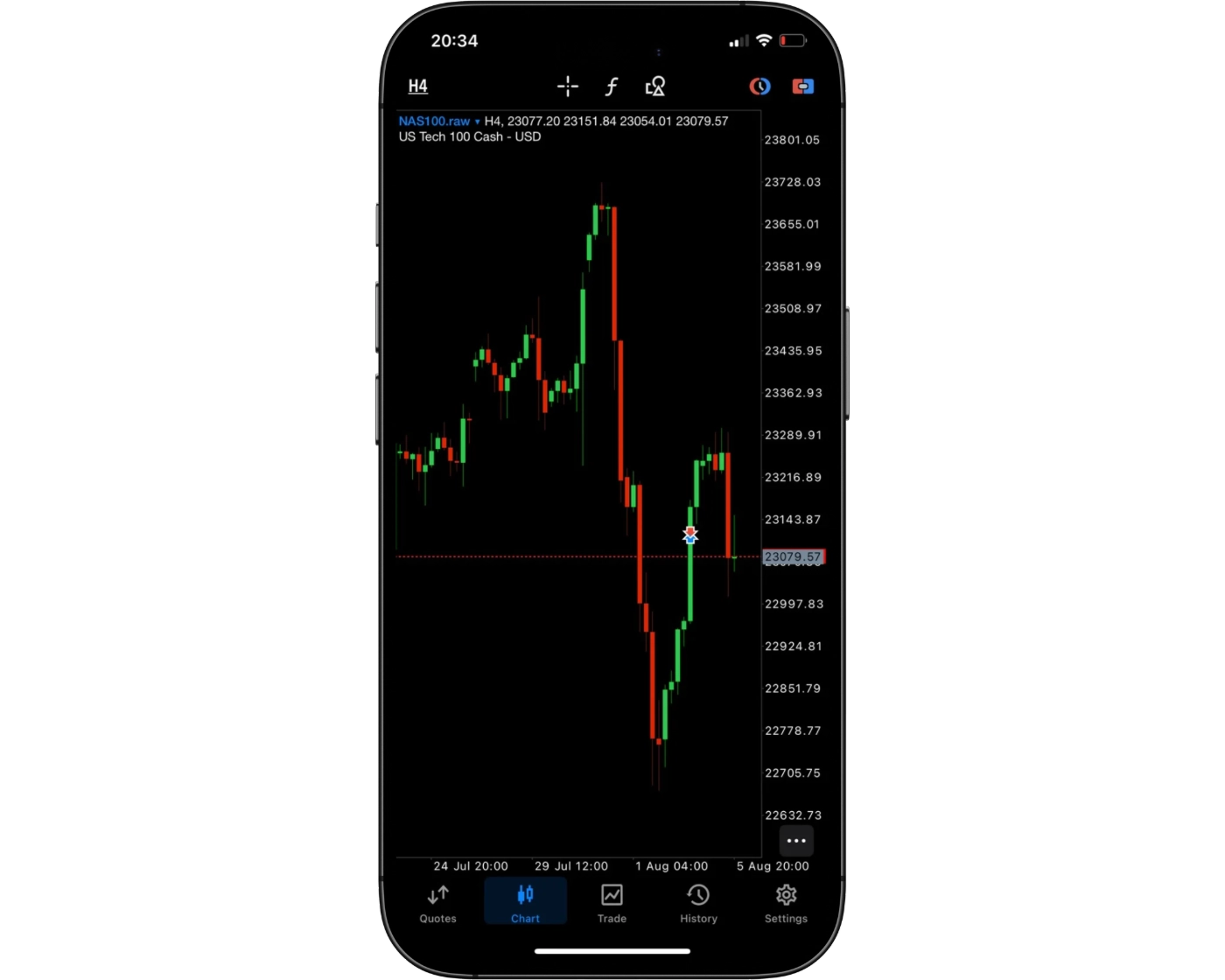
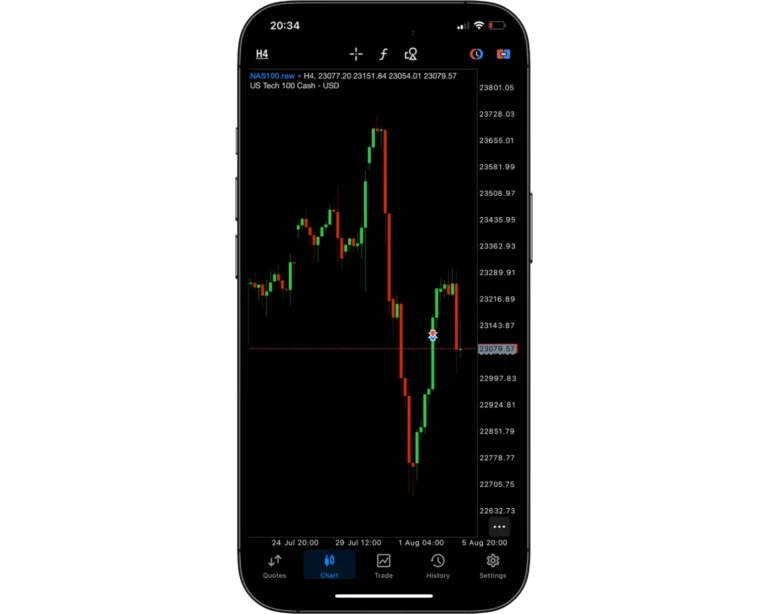
FXTM’s MT4 mobile trading platform delivers a clean and intuitive design focused on both usability and performance. With a well-structured interface and straightforward navigation, traders can easily access charts, execute trades, and monitor open positions without unnecessary complexity. The layout is designed to support quick decision-making, making it suitable for both beginners and more experienced traders.
What makes the FXTM MT4 mobile app stand out is its balance between simplicity and professional functionality. The platform includes essential trading features such as advanced charting tools, customizable indicators, and one-tap order execution, while still remaining accessible for users who are new to trading. This combination allows traders to stay connected to the markets in a responsive and efficient way, whether managing short-term trades or monitoring longer-term positions.
Login and security
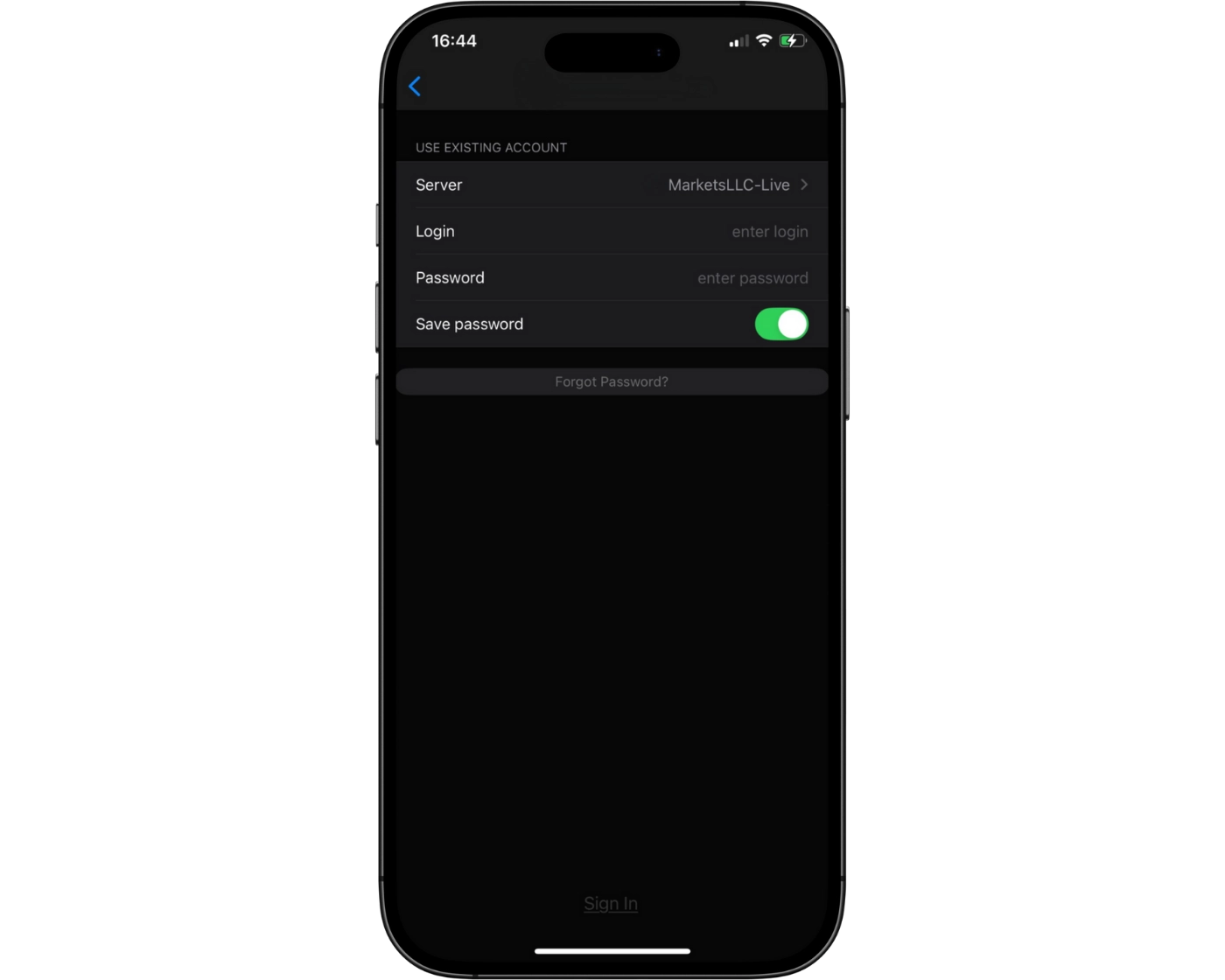
FXTM’s MT4 mobile platform provides a simple and efficient login process, allowing traders to access their accounts quickly and begin trading on the go. This straightforward access improves usability and ensures that traders can respond to market movements without unnecessary delays.
At present, the mobile platform does not include advanced biometric login options such as fingerprint scanning or facial recognition. The addition of these features could enhance both convenience and account security by enabling faster, more seamless access to trading accounts. Strengthening login security alongside usability would further improve the overall mobile trading experience for FXTM users managing positions from anywhere.
Search functions
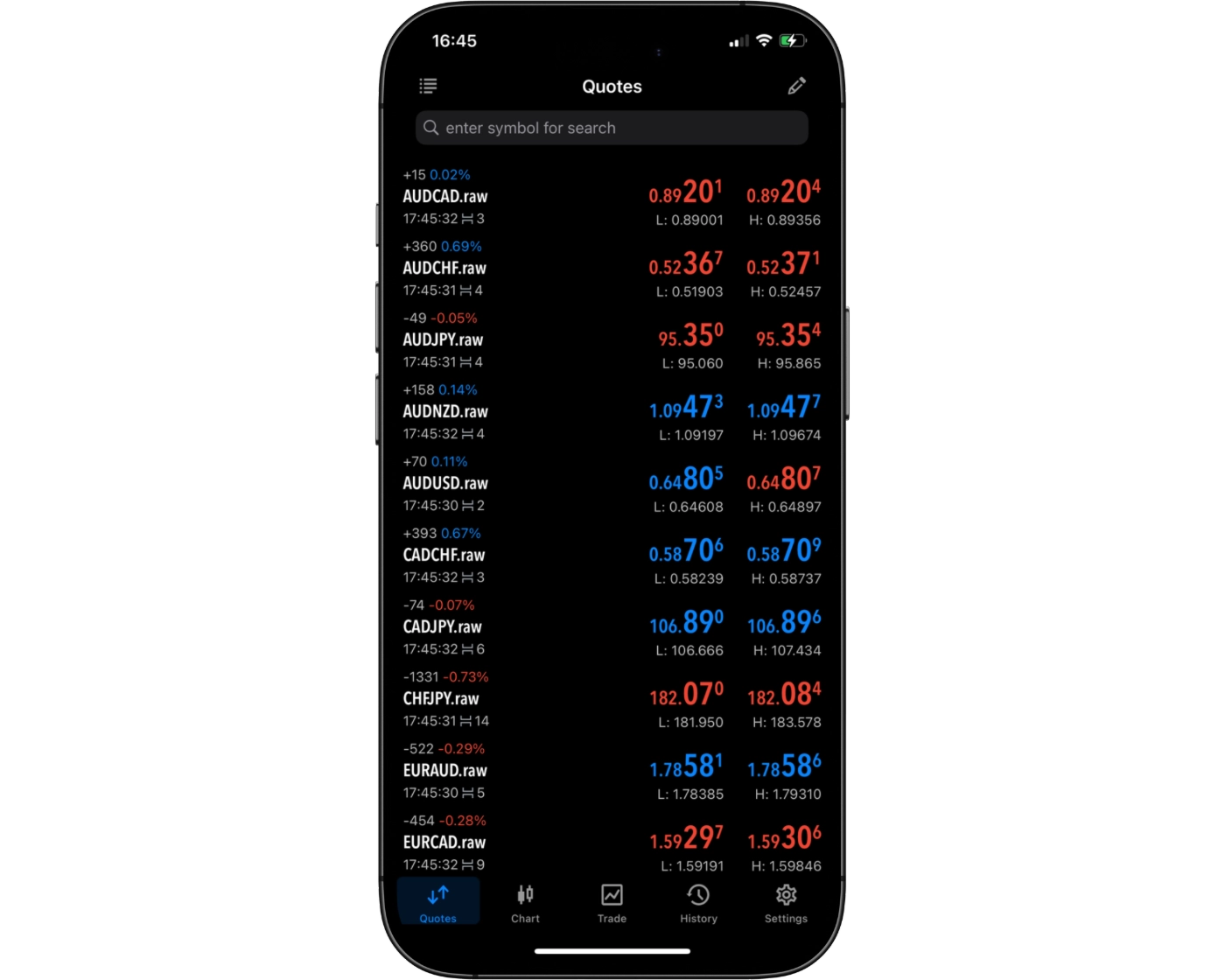
FXTM’s MT4 mobile application includes a fast and efficient search function that helps traders quickly locate trading instruments and platform tools. Users can enter the name of a specific asset into the search bar to instantly find results, or browse through structured category lists to explore available markets. This combination of direct search and organised navigation supports both speed and flexibility when accessing instruments.
With this intuitive search capability, FXTM makes it easier for traders to manage their watchlists, identify trading opportunities quickly, and maintain a smooth and responsive trading experience directly from their mobile devices.
Placing orders
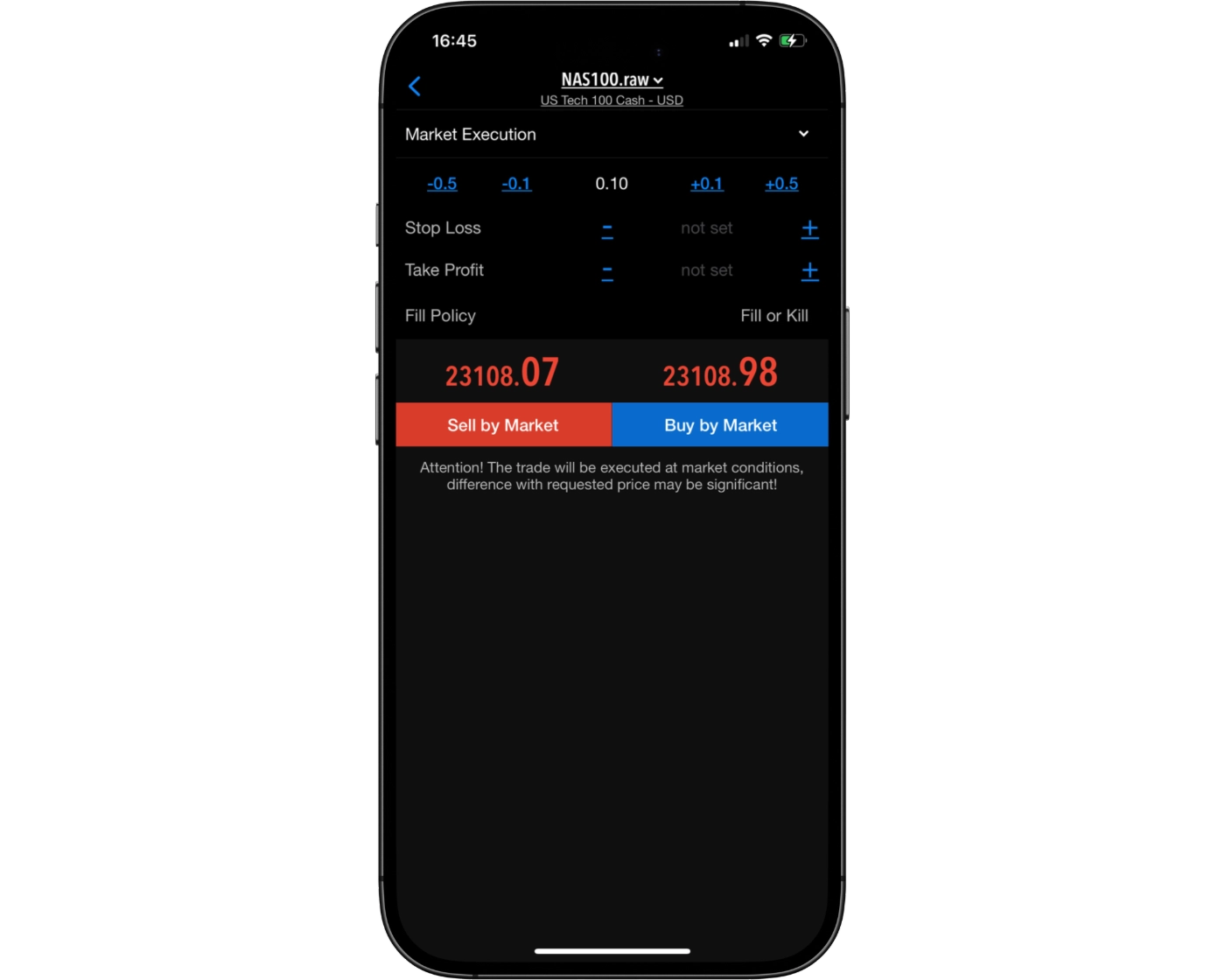
FXTM’s MT4 mobile trading platform provides a flexible order placement system designed to support a wide range of trading strategies. Traders can place market orders for immediate execution, set limit orders to enter the market at predefined price levels, and use stop-loss orders to manage risk and protect open positions.
The platform also includes order duration settings that allow traders to control how long pending orders remain active:
- Good ‘Til Cancelled (GTC): Orders remain active until they are manually closed or cancelled by the trader.
- Good ‘Til Time (GTT): Orders automatically expire once a specified time period has been reached.
By combining multiple order types with flexible time settings, FXTM enables traders to manage positions efficiently and execute trades in line with their chosen strategies, directly from mobile devices.
Alerts and notifications
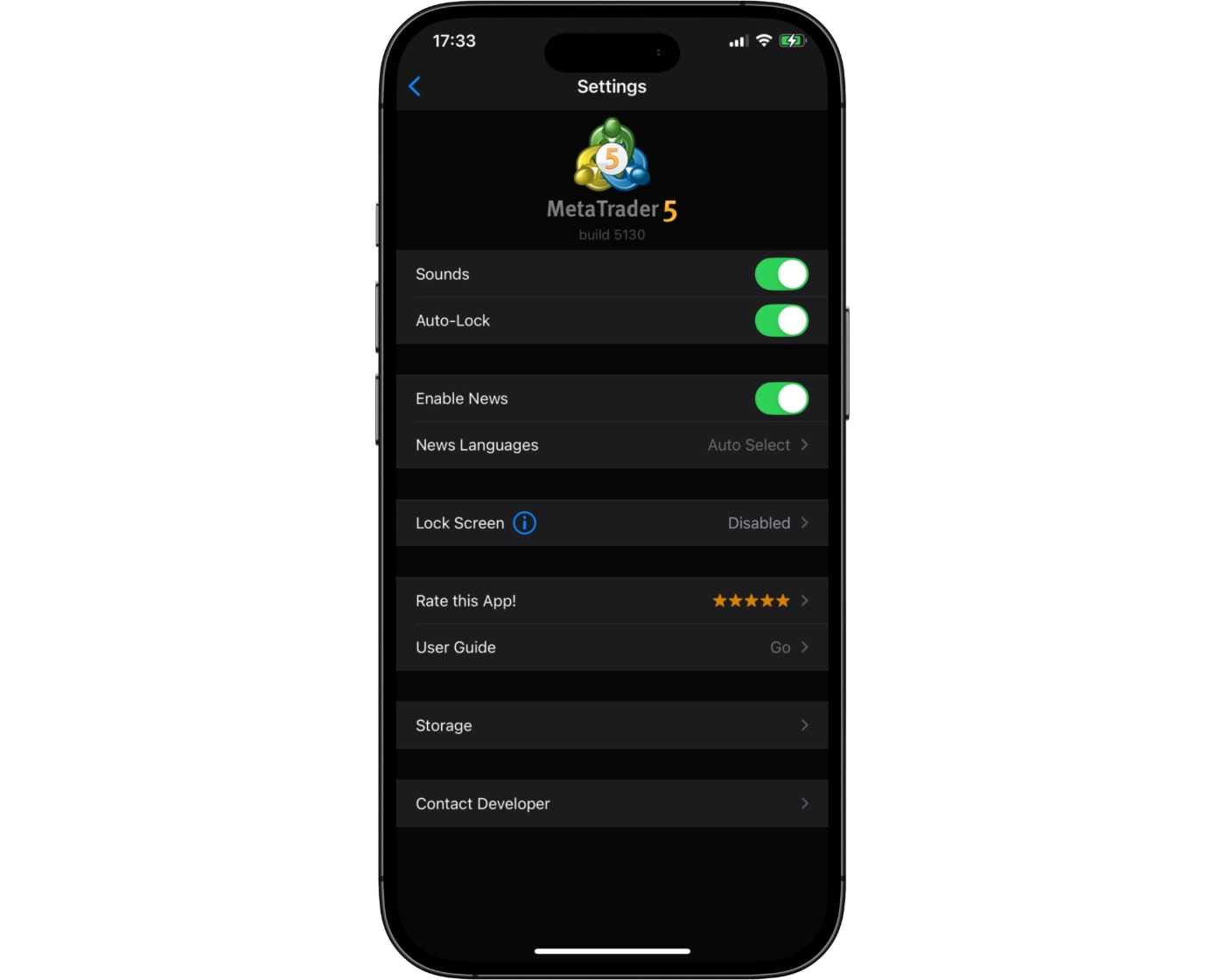
FXTM’s MT4 mobile trading app currently does not include full built-in alerts and push notification functionality, which limits real-time trade notifications directly on mobile devices. Since alerts play an important role in tracking price movements and reacting quickly to market conditions, the absence of this feature can impact how proactively traders monitor opportunities on the go.
Despite this limitation, mobile users can still access live market data and manage open positions effectively through the app. However, traders who rely heavily on instant notifications and price alerts may find the desktop platform more suitable for full alert functionality. Adding integrated alerts and push notifications to the mobile experience would further enhance FXTM’s mobile trading ecosystem and improve responsiveness for active traders.
MetaTrader 4: Key Takeaways
MT4 Desktop Platform
FXTM’s MetaTrader 4 desktop platform delivers fast and reliable order execution, making it well suited for traders who prioritise precision and efficiency. While the interface maintains a more traditional design compared to modern trading platforms, it remains highly functional and widely trusted across the industry. The charting environment provides solid analytical tools, though it can feel somewhat structured and less flexible for highly complex multi-timeframe analysis. Despite this, the desktop platform offers a stable and professional trading environment for executing strategies and monitoring markets effectively.
MT4 Mobile App
FXTM’s MT4 mobile application is designed for trading on the go, allowing users to manage positions directly from smartphones and tablets. Traders can quickly adjust trades, execute market, limit, and stop orders, and manage risk during fast-moving market conditions. While the mobile app performs well in terms of speed and convenience, it is less suited for in-depth technical analysis or advanced charting, which are better handled on the desktop version.
Summary
Overall, FXTM’s MT4 ecosystem provides a balanced trading experience, combining the stability and execution power of the desktop platform with the flexibility of mobile trading. Traders benefit from fast order execution and convenient portfolio management on the move, while more detailed technical analysis is best performed using the desktop platform.
FXTM Mobile App

Pros:
- Fast and reliable trade execution
- Easy access to real-time pricing, charts, and account information on the go
- Supports MT4 and MT5 mobile platforms with a user-friendly, streamlined interface
Cons:
- Limited advanced features vs desktop
FXTM’s proprietary FXTM Trader mobile app delivers a streamlined trading experience for iOS and Android users who want direct access to the markets through a dedicated in-house platform. Designed for simplicity and usability, it focuses on fast execution, account management, and a clean interface that makes trading accessible from anywhere.
Key Features of FXTM Trader Mobile App:
- Full Trade Management: Open, modify, and close positions directly from the app with a simple and responsive trading flow.
- Intuitive Order System: Execute essential order types including market and pending orders, with straightforward risk and position control tools.
- Clean User Interface: The app features a modern, easy-to-navigate design that prioritises usability and quick access to key trading functions.
- Real-Time Market Data: Stay updated with live pricing and market movements to support timely trading decisions on the go.
- Account Overview: View balances, open positions, and trading history in one place for efficient account monitoring.
- Advanced Charting (Mobile): FXTM Trader includes integrated mobile charts with basic technical analysis tools, allowing traders to monitor price action and apply simple indicators while trading on the move.
Why Trade with FXTM Trader Mobile App?
The FXTM Trader app is built for convenience and accessibility, offering a simple way to manage trades and monitor markets without relying on external platforms. While it does not offer the depth of professional desktop charting environments, it provides a smooth, user-friendly mobile trading experience focused on execution and account control.
Look and Feel
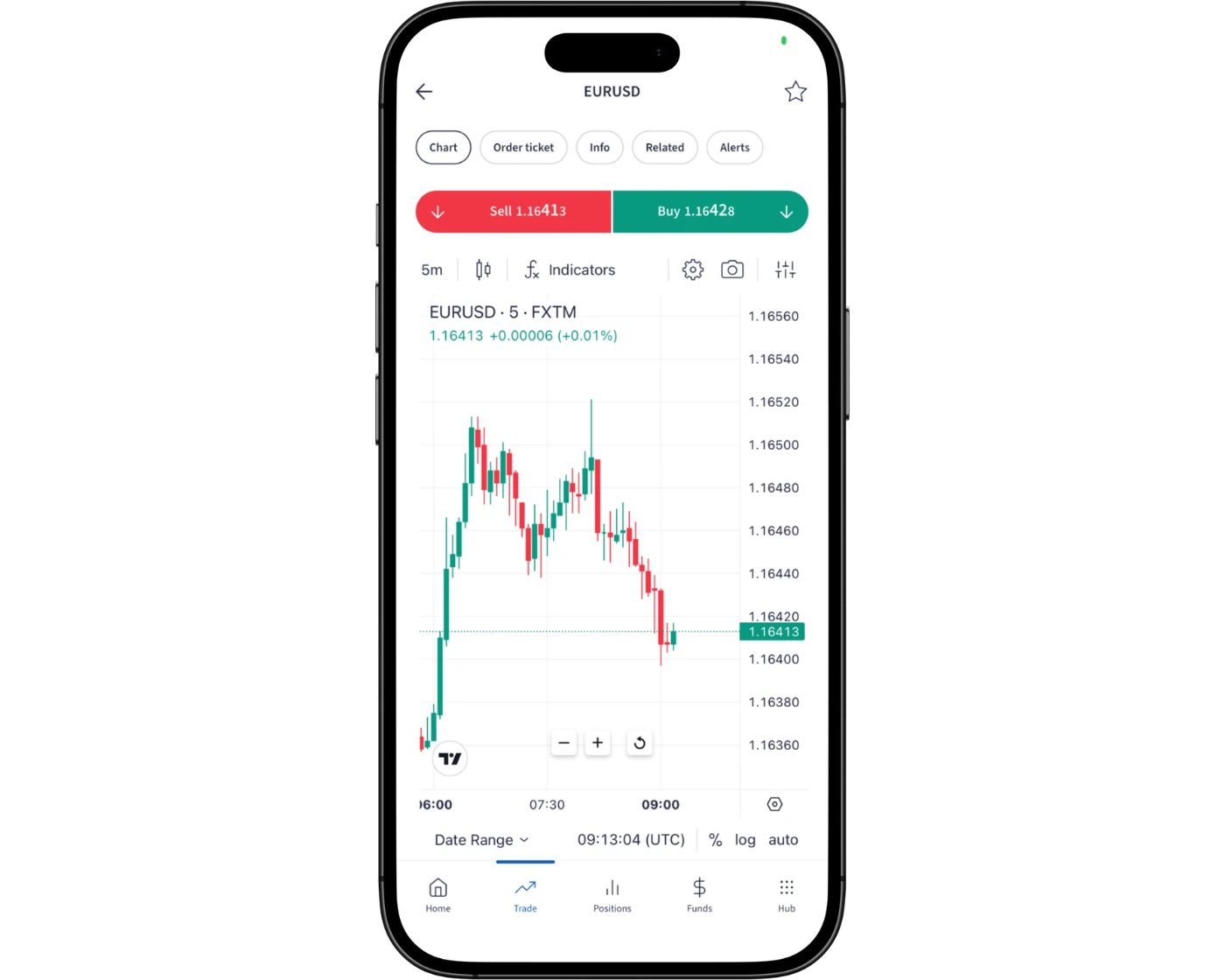
FXTM’s proprietary FXTM Trader mobile app delivers a clean and practical trading experience that combines simplicity with essential trading functionality. Its streamlined interface makes it easy for traders to navigate markets, execute trades, and manage positions without unnecessary complexity, ensuring a smooth mobile trading workflow.
What makes the FXTM Trader mobile platform effective is its focus on usability and efficiency. The app features a modern, easy-to-use design with straightforward navigation, quick access to core trading tools, and responsive performance for monitoring the markets on the go. While it does not aim to replicate advanced desktop-level analysis tools, it provides a clear and accessible environment for everyday trading and account management.
The result is a reliable and user-friendly mobile trading experience that keeps traders connected to the markets and able to manage their positions anytime, anywhere.
Login and security
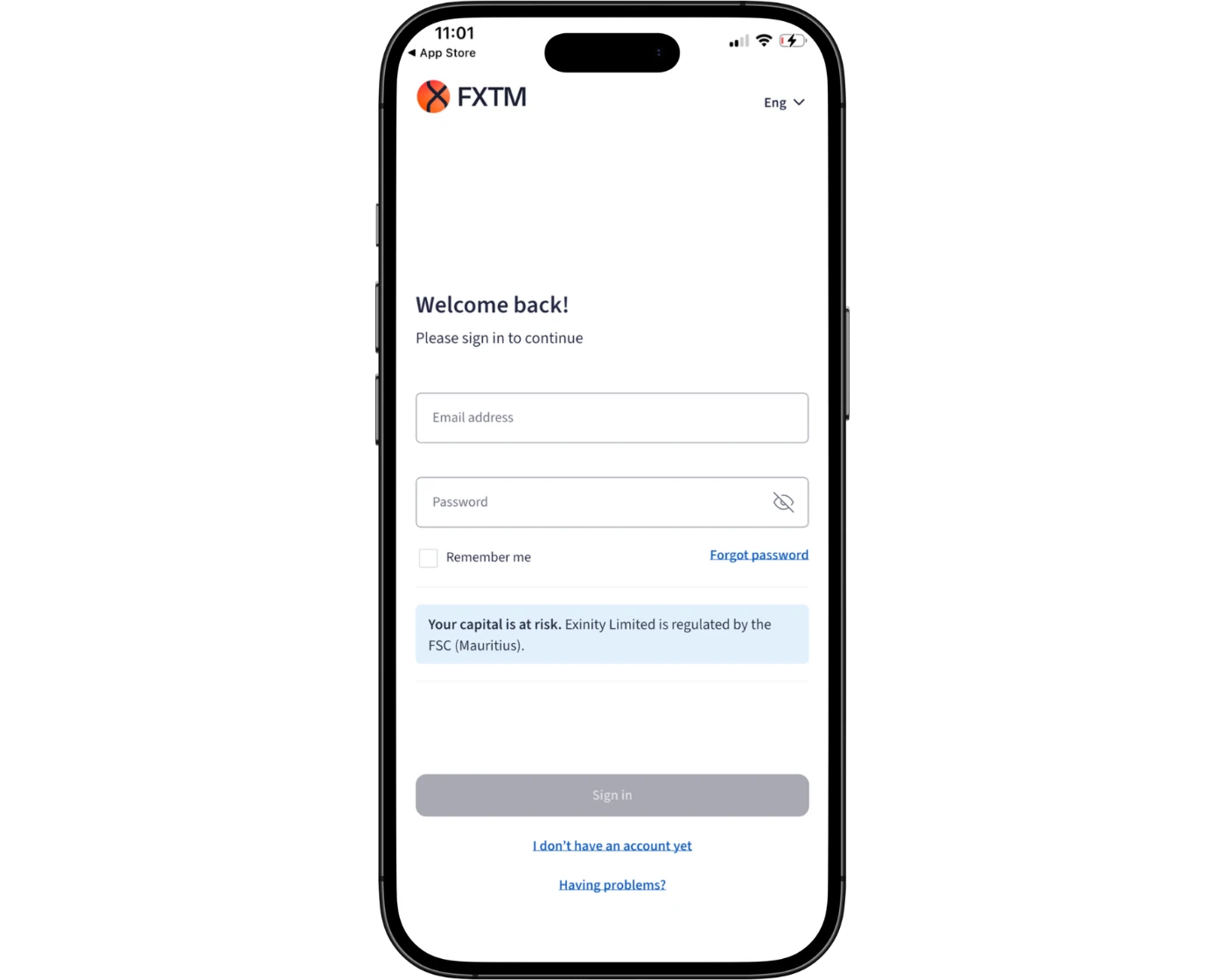
FXTM’s proprietary FXTM Trader mobile app provides a straightforward and fast login experience, allowing traders to access their accounts quickly and begin monitoring the markets or managing positions without delay. The sign-in process is designed for convenience, ensuring users can move efficiently between account overview and trading functions on mobile.
From a security perspective, the FXTM Trader app operates within FXTM’s standard account protection framework, including secure login protocols and encrypted data handling to protect personal and financial information during use. However, the mobile app experience is focused more on simplicity and accessibility rather than advanced security features like built-in biometric login or dedicated two-factor authentication within the app itself.
Overall, FXTM’s mobile trading app prioritises ease of access and functional trading on the go, providing a smooth and reliable experience for account management and execution while maintaining standard broker-level security safeguards.
Search functions
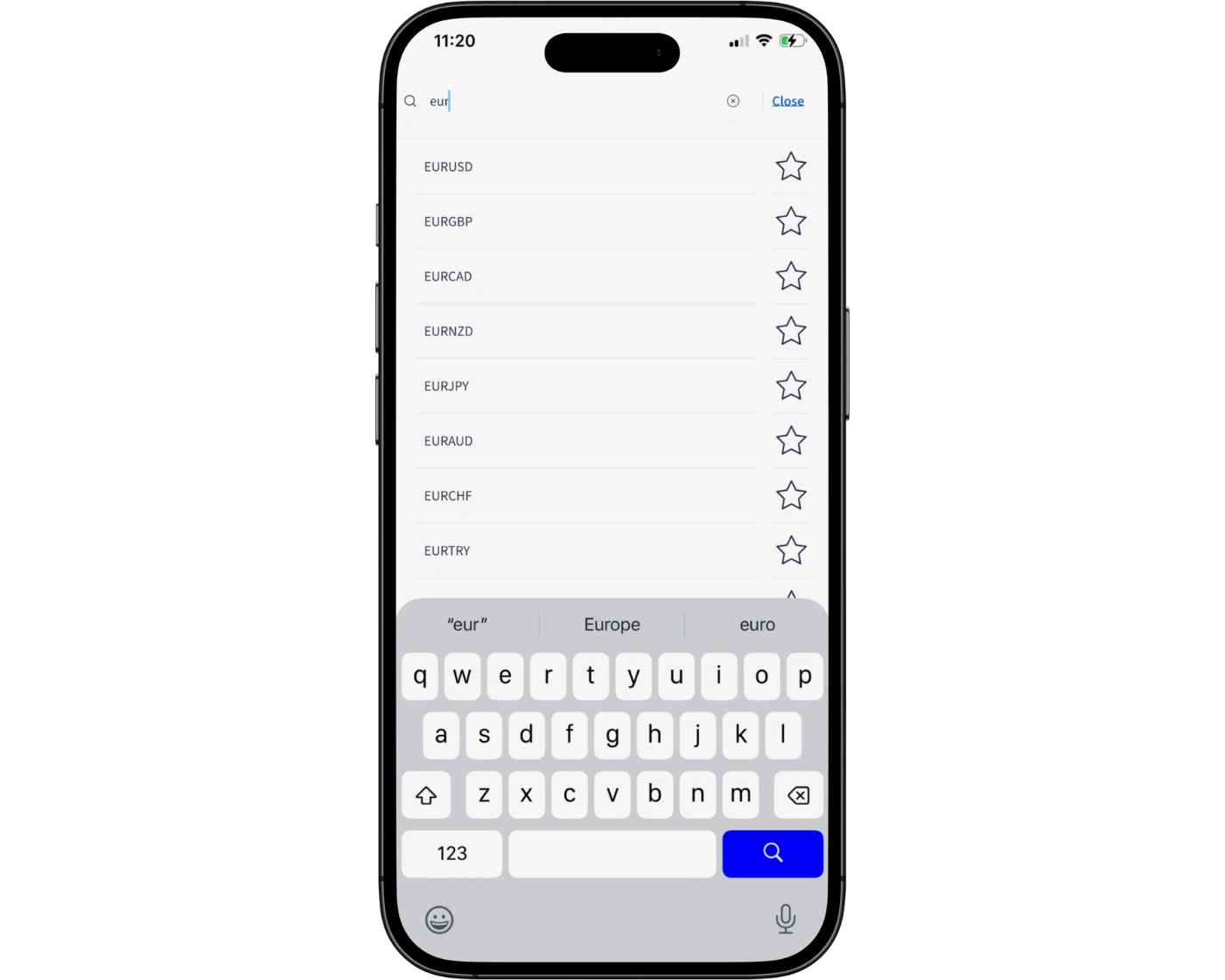
FXTM’s proprietary FXTM Trader mobile app includes a simple and efficient search function that allows traders to quickly locate available trading instruments. Users can type in the name of a currency pair, commodity, index, or other asset to instantly bring up relevant results, reducing the need to manually scroll through market lists.
The platform also groups instruments into clearly structured categories, making it easier to browse different asset classes and explore available markets. This setup helps traders move efficiently between instruments, add assets to watchlists, and access trading opportunities directly from the mobile interface.
Overall, FXTM’s mobile app search functionality is designed for speed and simplicity, ensuring traders can find and manage instruments quickly while staying focused on live market movements.
Placing orders
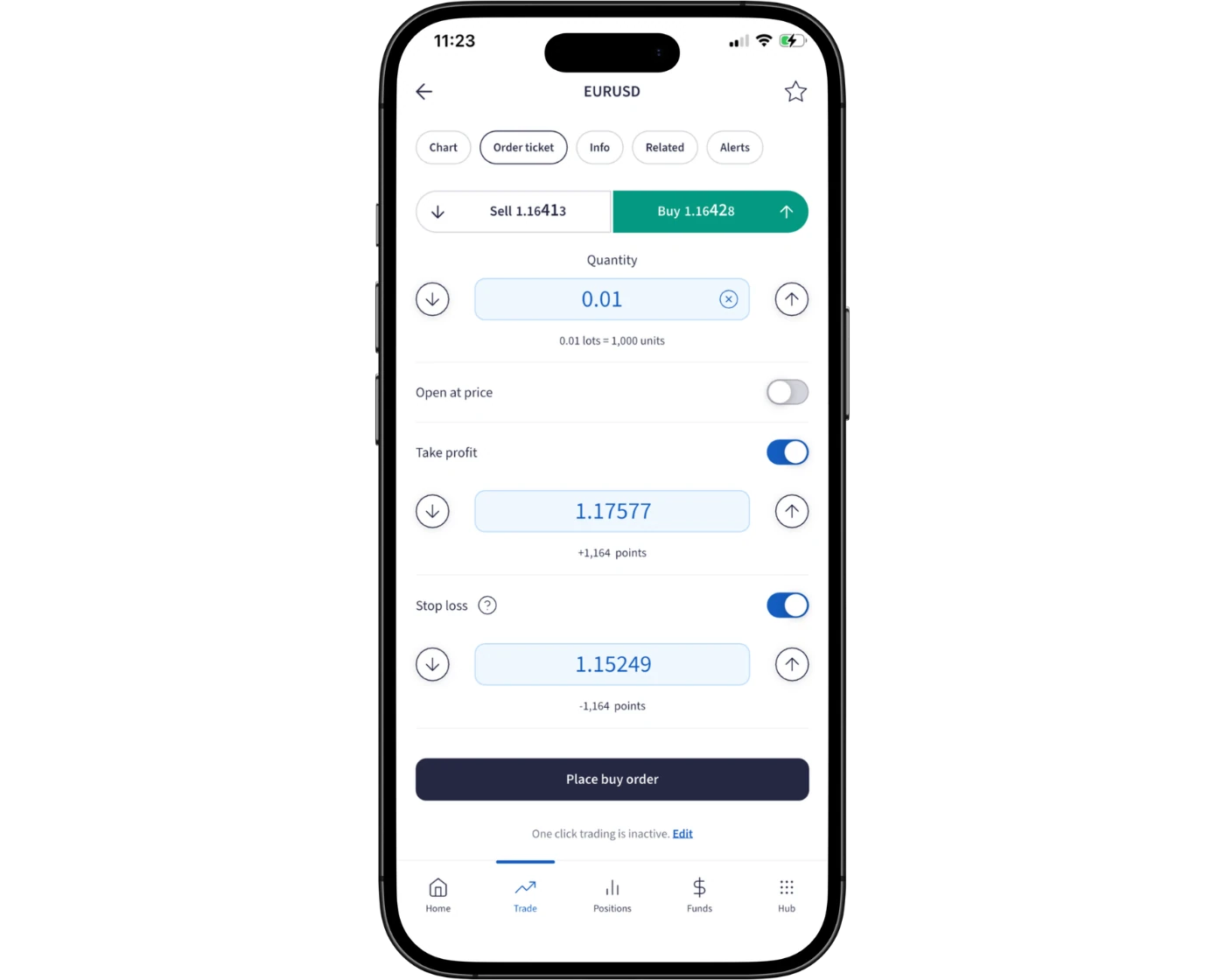
FXTM’s proprietary FXTM Trader mobile app provides a simple and practical order placement system designed for fast execution and straightforward trade management on the go. Traders can open positions using market orders, place pending orders, and manage risk through basic tools such as stop-loss and take-profit levels, all within a streamlined mobile interface.
The platform keeps order handling uncomplicated, focusing on core execution rather than complex execution variations or advanced order routing features. Orders can be placed and managed directly from the app, allowing traders to react quickly to live market movements and adjust positions as needed.
With its clean interface and responsive execution flow, FXTM’s mobile app supports efficient trade entry and management, making it suitable for traders who prioritise speed, simplicity, and accessibility while trading from mobile devices.
Alerts and notifications
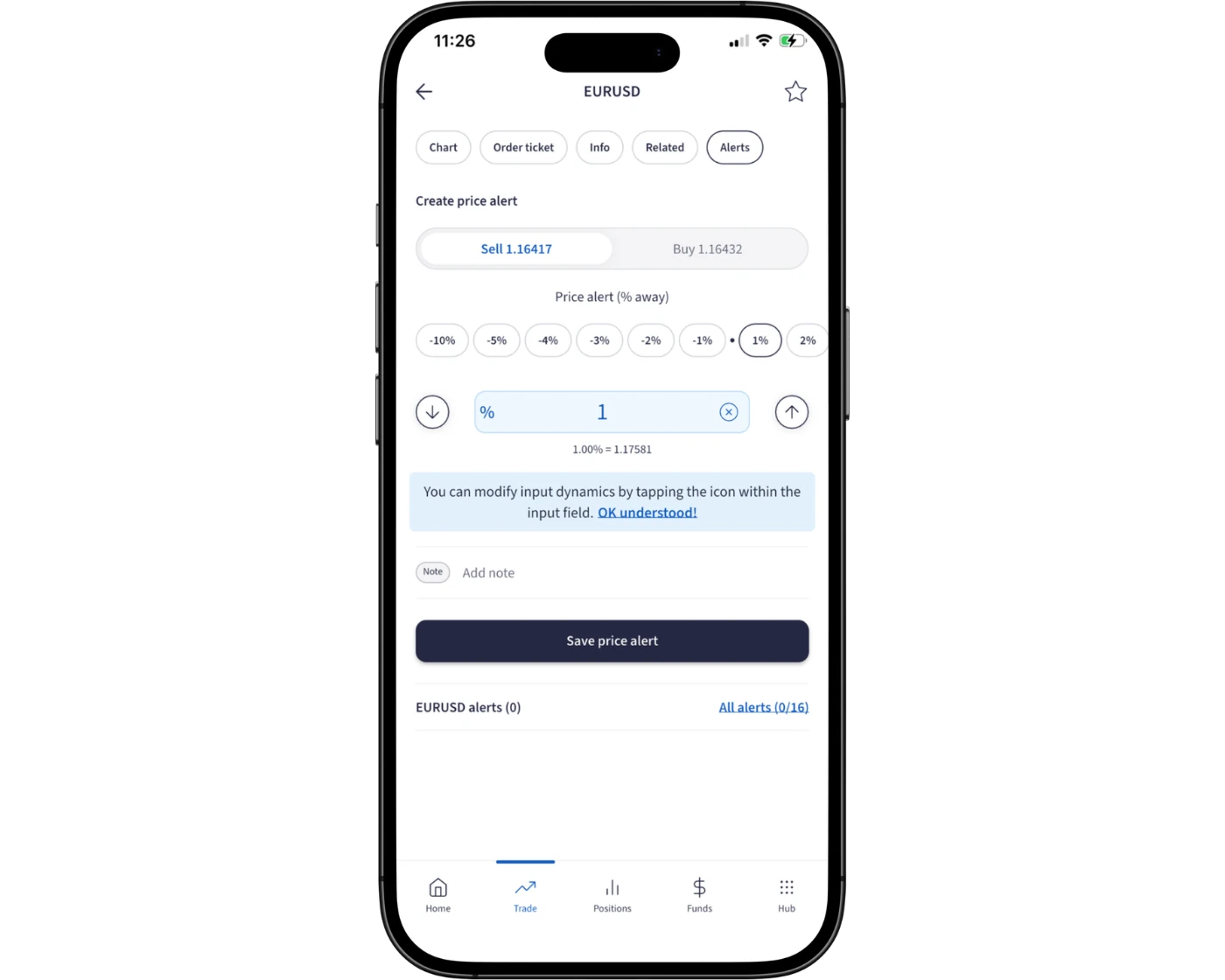
FXTM’s proprietary FXTM Trader mobile app provides basic account and market monitoring functionality, but it does not offer a highly advanced or fully customisable alert and push notification system like some dedicated trading platforms.
Traders can still stay informed through live price updates and manual market checking within the app, allowing them to monitor instruments and manage positions in real time. However, the app does not place strong emphasis on configurable price alerts or detailed push notifications for events such as order execution, margin changes, or automated market triggers.
As a result, traders who rely heavily on real-time notifications may need to actively monitor the app or use additional platforms for more advanced alert functionality. Despite this, the FXTM Trader mobile app remains effective for straightforward trade management and on-the-go market access.
Mobile App: Key Takeaways
FXTM’s proprietary FXTM Trader mobile app offers a simple and accessible trading experience focused on fast execution and basic account management. It provides essential tools for opening, modifying, and closing trades, along with straightforward access to live market prices and account information.
The app is best suited for traders who prioritise convenience and mobility rather than advanced desktop-level analysis or complex trading features. While it delivers a clean interface and reliable performance for everyday trading, it is more limited in advanced functionality compared to full-featured desktop platforms.
Overall, FXTM Trader is a practical mobile solution for monitoring markets and managing positions on the go, offering a balanced mix of usability and core trading functionality.
FXTM Tradable Instruments Overview
FXTM offers a wide and diversified range of tradable instruments, giving traders access to both CFD markets and longer-term investment opportunities. In total, the broker provides access to 1,460+ CFDs, futures contracts, and real stocks, allowing for broad portfolio diversification across multiple asset classes.
Through FXTM, traders can access a variety of CFD markets, including forex currency pairs, commodities, metals, share CFDs, global indices, cryptocurrencies, and ETFs. This extensive product range supports different trading styles, from short-term speculation to more diversified, multi-asset strategies.
Overall, FXTM’s instrument offering is designed to give traders broad market exposure and flexibility, making it suitable for those looking to trade across multiple global financial markets from a single platform.
| Markets | Types | Number |
|---|---|---|
| Forex Pairs | Major, Minor, and Exotic | 55 |
| Indices | US, EU, Asia, Other | 22 |
| Cryptocurrencies | Major and Minor | 31 |
| Commodities | Metals, Energies, and Agriculture | 22 |
| Shares and ETFs | Retail, Tech, Financial, Other | 1,100+ |
| Cross Assets | Various | 7 |
What Are CFDs and How to Trade Them
FXTM offers access to CFDs (Contracts for Difference), which allow traders to speculate on the price movements of financial assets – such as gold – without owning the underlying instrument.
In practice, CFD trading means taking a position on whether a market will rise or fall. For example, opening a long position on gold can generate profit if the price increases, while a price decline would result in a loss. This is all done without physically purchasing the asset itself.
One of the key advantages of CFDs is their flexibility. Traders can enter and exit positions quickly, making it easier to react to short-term price movements and take advantage of small market fluctuations across different instruments.
Social Trading at FXTM
FXTM offers a social trading solution called FXTM Invest, available to all clients except those based in the UK and EU. Traders onboarded under the Exinity Ltd (Mauritius regulation) entity can access this feature.
The platform allows users to choose between two roles: Investor or Strategy Manager. Investors can automatically copy the trades of selected Strategy Managers, making it easier to participate in the markets without actively trading.
Strategy Managers can be filtered using key performance criteria such as risk level, success fee, and all-time profit, helping investors select strategies that match their trading preferences. In return, Strategy Managers earn a commission based on profitable trades generated by followers.
FXTM Instruments: Key Takeaways
FXTM provides a balanced and versatile range of trading instruments, making it suitable for multiple trading approaches. The offering supports everything from lower-risk strategies using ETFs to more aggressive trading styles involving cryptocurrencies and share CFDs.
A standout feature is access to 397 real U.S. stocks, which can be traded on a commission-free basis. This adds a strong investment-focused element alongside FXTM’s broader CFD product range, giving traders both active trading opportunities and long-term investing exposure within a single platform.
| Instruments Summary | FXTM |
|---|---|
| Tradeable Symbols | 1460+ |
| Forex Pairs | 55 |
| Forex Trading | Yes |
| U.S. Stocks | Yes |
| Cryptocurrency | Yes |
| Global Stocks | Yes |
| Copy Trading | Yes |
Understanding CFD Leverage on FXTM
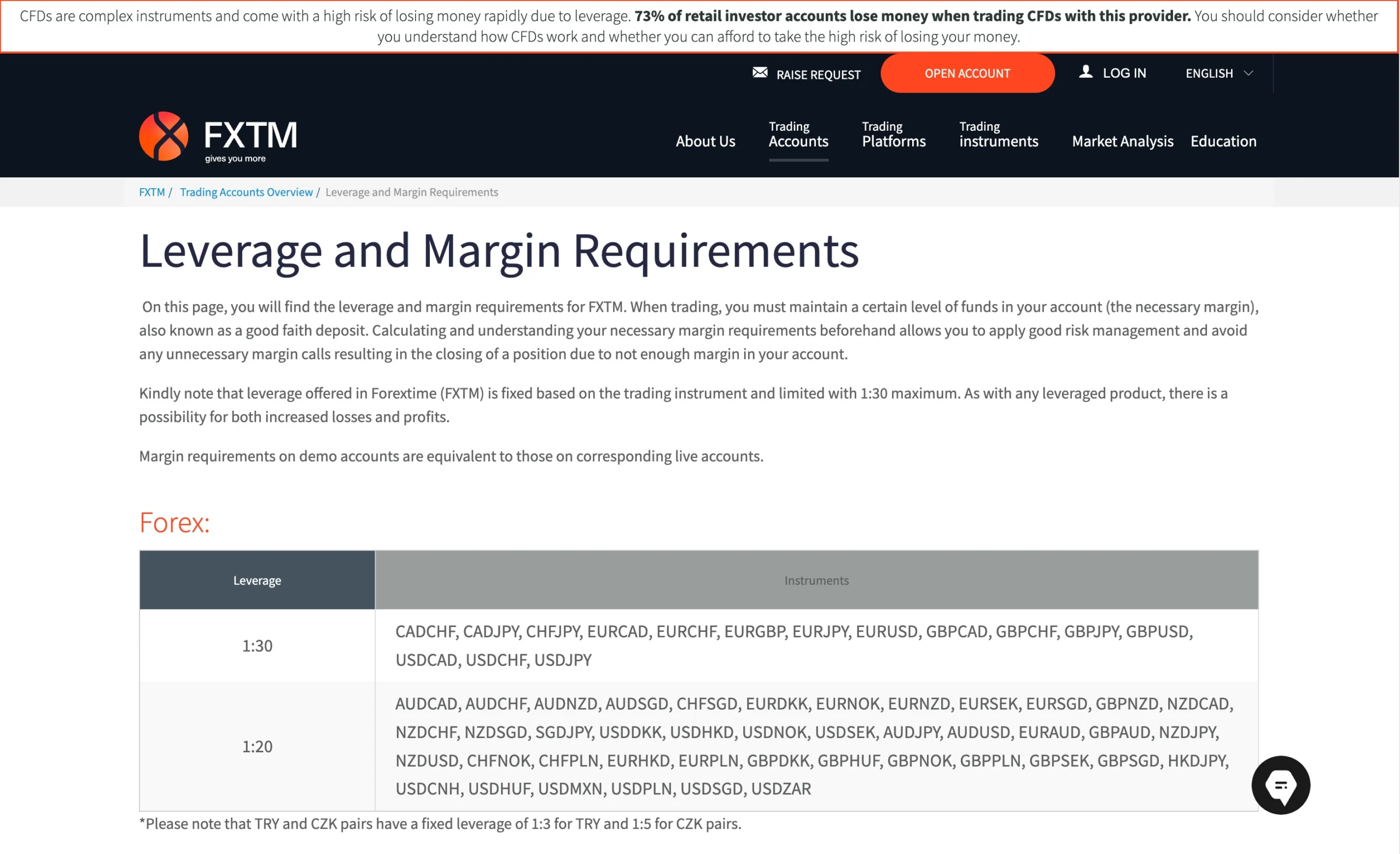
In FXTM trading, leverage refers to the level of market exposure a trader can control when trading CFDs (Contracts for Difference). It allows positions to be opened using only a fraction of the total trade value.
This works because the broker effectively provides borrowed capital, enabling traders to access larger positions than their account balance would normally allow. As a result, leverage can amplify both potential profits and potential losses, meaning gains from successful trades are increased, but losing trades can also have a greater financial impact.
Maximum Leverage by Asset Class
The table below outlines the maximum retail leverage available through FXTM’s Exinity Limited entity, broken down across different asset classes and instruments. This helps traders understand the level of market exposure offered depending on the product being traded.
Leverage limits vary by asset type, meaning each market – such as forex, indices, commodities, and other CFDs may have different maximum exposure levels under the broker’s trading conditions.
| Asset | Maximum Leverage |
|---|---|
| Currency Pairs | 1:3000 |
| Metals | 1:3000 |
| Indices | 1:1000 |
| Cryptocurrencies | 1:1000 |
| Energies | 1:500 |
| Share CFDs | 1:25 |
| Soft | 1:25 |
| ETFs | 1:10 |
| Futures | 1:200 |
| Account Type | Micro | Advantage | Advantage Plus | Advantage Stocks |
|---|---|---|---|---|
| Minimum Deposit | $30 | $200 | $200 | Not Specified |
| Maximum Leverage | 1:1000 | 1:3000 | 1:3000 | 1:1 |
| Spread From | 1.5 pips | 0.0 pips | 1.5 pips | From 2 cents |
| Commission | $0 | $7 | $0 | $0 |
| Base Currencies | USD | USD, EUR, GBP, NGN | USD, EUR, GBP, NGN | USD, EUR, GBP, NGN |
| Minimum Traded Volume | 0.01 lot | 0.01 lot | 0.01 lot | 0.01 lot |
| Standard Contract Size | 10,000 units | 100,000 units | 100,000 units | 100,000 units |
| Margin Call | 80% | 80% | 80% | NA |
| Stop Out | 50% | 50% | 50% | NA |
| Swap Free Account | No | Yes | Yes | No |
| Demo Account | No | Yes | Yes | No |
Introduction to FXTM Account Options
FXTM provides a selection of retail trading account types designed to suit different trading styles and strategies. The Edge and Advantage Plus accounts are structured with zero commission trading, while the Advantage account offers raw spreads for more cost-sensitive execution-focused traders.
For beginners and strategy testing, FXTM also offers a Micro (Cent) account, which is commonly used for algorithm testing and low-risk experimentation.
The broker sets a minimum deposit requirement of $30, making account access relatively affordable. In addition, swap-free (Islamic) conditions can be applied across all account types upon request.
For investors focused on equities, FXTM provides a dedicated Advantage Stocks account, allowing access to real stock investing alongside its broader CFD trading environment.
FXTM Micro Account
| Account | Standard |
|---|---|
| Spread From | 1 pip |
| Minimum Deposit | $0 |
| Commission | $0 |
The Pepperstone Standard Account offers a simple, transparent fee structure designed for traders seeking an easy-to-manage trading experience. Most markets have no commission charges, with all trading costs – aside from any overnight funding – reflected in the raw spread, which includes a minimal 1 pip markup. This approach ensures straightforward trading, making it ideal for beginners or those who prefer clarity in their fees. With Pepperstone, you can focus on trading confidently without worrying about hidden costs or complicated charges.
FXTM Advantage Account
| Account | Razor |
|---|---|
| Spread From | 0.0 pips |
| Minimum Deposit | $0 |
| Commission | $3.50 |
The Pepperstone Razor Account is tailored for active traders, scalpers, and high-frequency FX traders who want tighter control over trading costs. While offering the same robust trading environment as the Standard Account, the Razor Account features raw spreads starting from 0.0 pips on forex pairs, paired with fixed, transparent commissions. This commission-based structure ensures precision and cost-efficiency, empowering traders to execute strategies with maximum accuracy while maintaining full clarity over fees. Ideal for seasoned traders seeking competitive pricing and enhanced trading flexibility.
FXTM Advantage Plus Account
| Account | Razor |
|---|---|
| Spread From | 0.0 pips |
| Minimum Deposit | $0 |
| Commission | $3.50 |
For experienced traders seeking greater flexibility, Pepperstone offers a Professional Account with leverage of up to 1:500 – a significant increase compared to standard retail trading conditions. This higher leverage can amplify both profit potential and risk, making it best suited to seasoned traders who understand the complexities of margin trading.
To qualify for professional status, applicants must meet at least two of the following three criteria:
Placed at least 10 sizable trades per quarter over the past 12 months.
Hold a financial instrument portfolio (including cash deposits) valued at over €500,000.
Have worked in the financial sector in a professional role for at least one year, with relevant expertise in derivatives trading.
This account type is designed for those who already have trading experience and capital strength, offering tighter conditions and advanced features that retail accounts cannot access.
If you meet the eligibility criteria and are looking for higher leverage with professional-grade trading conditions, this account option may be an ideal fit.
FXTM Demo Account: Practice Trading Risk-Free
FXTM offers a Practice account (demo account) that allows traders to explore the broker’s trading platforms and test strategies in a risk-free environment using simulated market conditions.
Since financial markets are constantly evolving, the demo account helps traders maintain and refine their skills without exposing real capital to risk. It can be opened either before starting a live CFD account or alongside it, giving flexibility for both beginners and experienced traders who want to test new strategies or platforms.
Islamic Account: Swap-Free Trading Options
FXTM provides Islamic (swap-free) trading accounts, designed to comply with Shariah law by removing overnight interest charges (swaps) on positions.
In addition, FXTM offers automatic swap-free status for eligible clients in many regions for the first few days after opening a trade. Traders who maintain higher trading volumes may also benefit from extended swap-free conditions through the broker’s Enhanced Swap-Free program, allowing longer periods without swap charges depending on activity levels.
FXTM Rewards
FXTM offers a trading rewards system designed to incentivise active trading. Under this program, traders earn points based on trading activity, meaning the more a client trades, the more rewards are accumulated over time.
These earned points can then be converted into bonus trading capital or redeemed as withdrawable cash, providing additional value alongside regular trading performance. Full program details and eligibility criteria are available on the FXTM website.
FXTM Restricted Countries
FXTM does not provide services to residents of certain jurisdictions where leveraged trading is restricted or prohibited by law. The broker does not accept clients from countries including the United States, Mauritius, Japan, Canada, Haiti, Iran, Suriname, North Korea (Democratic People’s Republic of Korea), Puerto Rico, the Occupied Area of Cyprus, Quebec (Canada), Iraq, Syria, Cuba, Belarus, Myanmar, Russia, and India, as well as any other region where local regulations prevent access to leveraged financial products.
Pros:
- Fast
- User-friendly
- Fully digital
Cons:
- None
Step-by-Step FXTM Account Opening Process
FXTM provides a structured and straightforward account registration process designed to get traders set up quickly while meeting regulatory requirements.
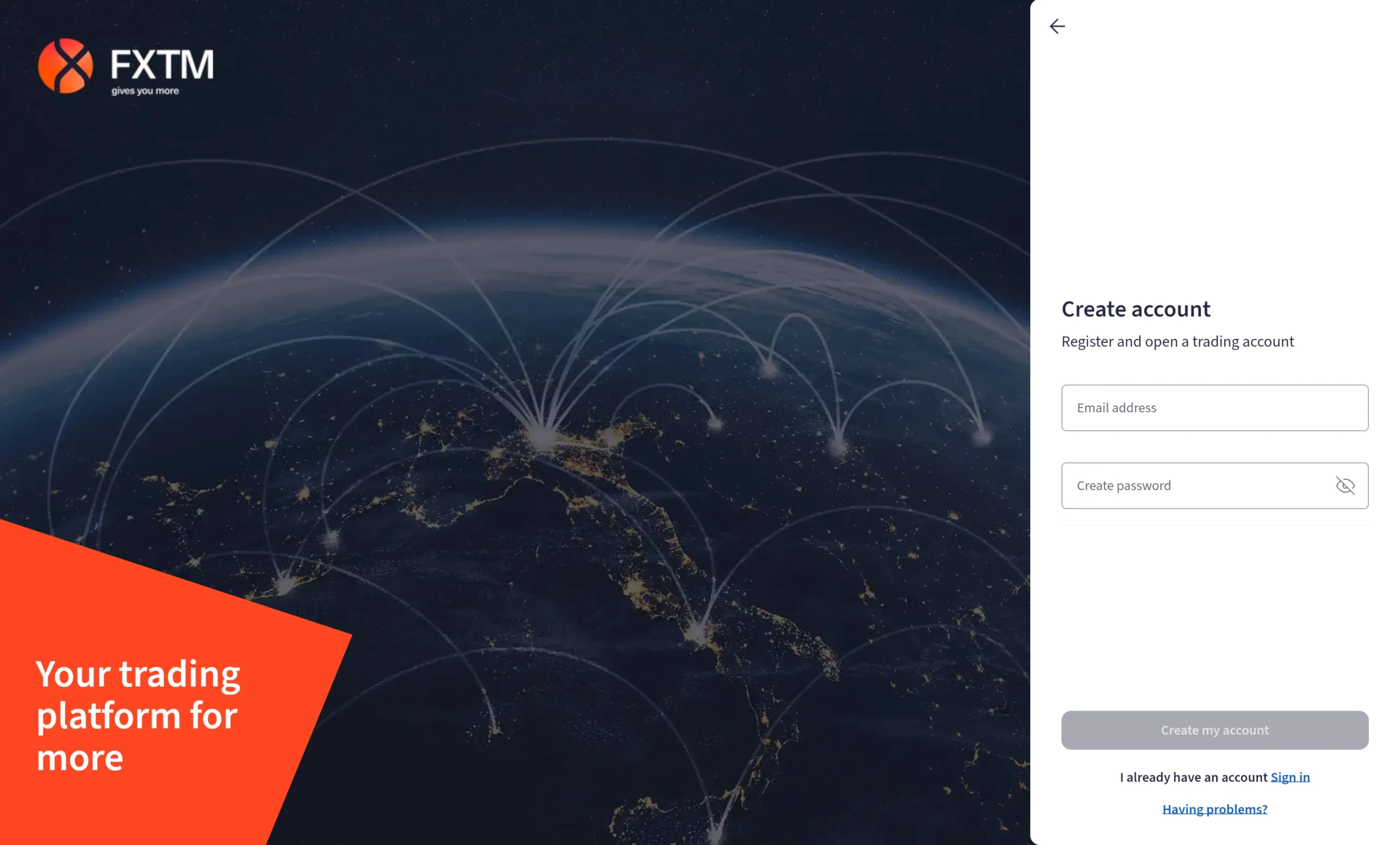
1. Start Registration: Click “Open Account” in the top-right corner of the FXTM website.
2. Select Country: Choose your country of residence from the list provided.
3. Enter Basic Details: Provide a valid email address and create a password for your account.
4. Verify Email / Passcode: Submit the one-time passcode (OTP) sent to your email or device.
5. Create Security Code: Set up a 5-digit security code for additional account protection.
6. Personal Information: Enter your full name, phone number, and date of birth.
7. Address Details: Provide your residential address and related personal information.
8. Trading Profile: Complete questions covering your trading experience and financial background.
9. Configure Account: Select and set up your preferred trading account settings.
10. Verification (KYC): Upload proof of identity (ID) and proof of address to complete account verification and activate full trading access.
What is the minimum deposit at FXTM?
FXTM’s minimum deposit depends on the chosen account type, with entry requirements starting from as low as $30 for the Micro (Cent) account.
For all other standard trading accounts, the minimum deposit requirement is $200, which applies across the remaining account types. This structure allows traders to start small with the Micro account or begin with higher funding levels when using standard FXTM account options.
Research Overview
FXTM delivers a strong in-house research offering, supported by both internal market analysts and external data providers. The research suite includes expert-driven analysis from FXTM specialists, alongside third-party insights from Trading Central and the AI-powered Acuity platform, creating a broad and diverse flow of trading information.
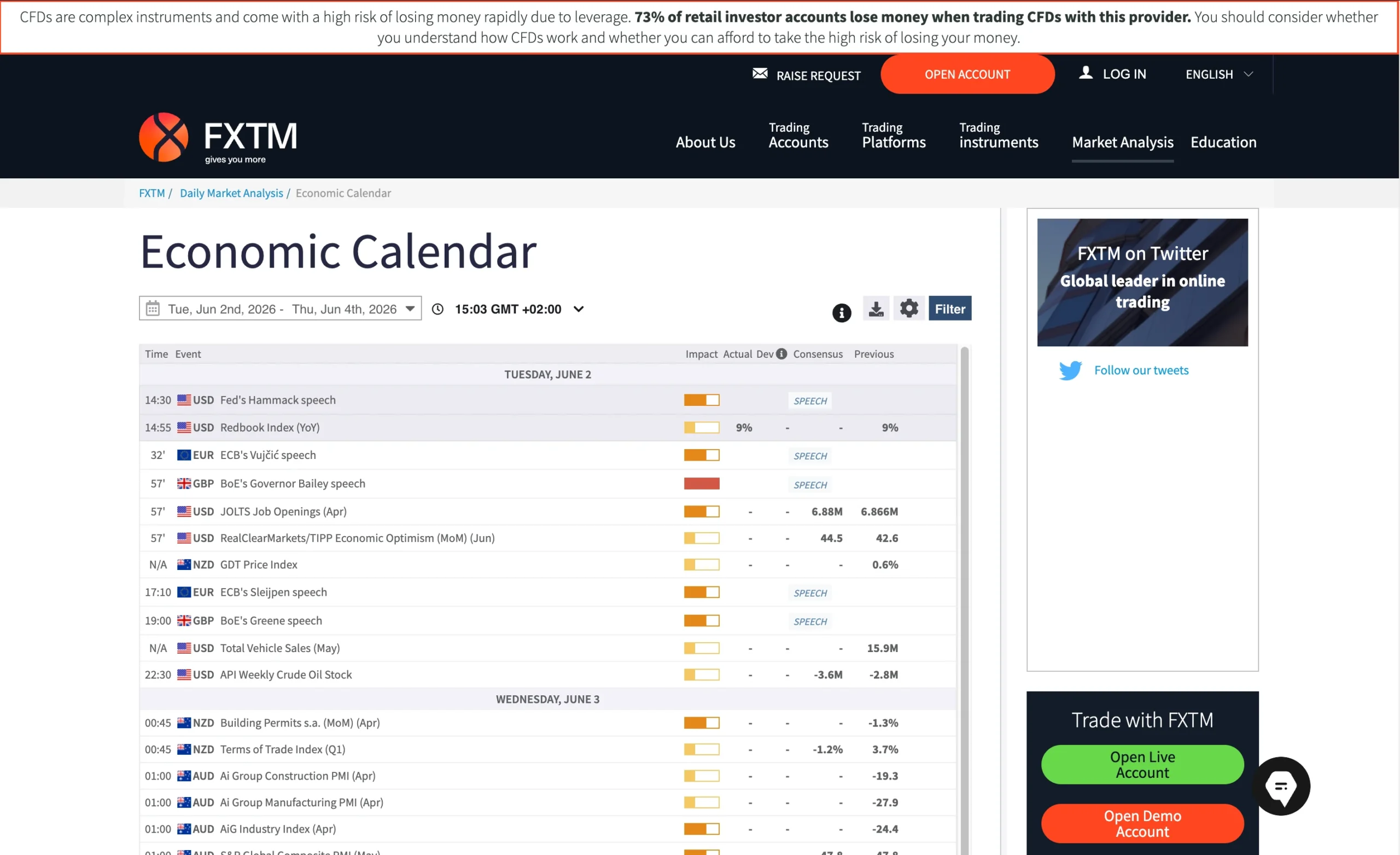
Economic Calendar
The FXTM economic calendar helps traders stay informed about upcoming macroeconomic and financial events that may impact market volatility. These scheduled releases are essential for identifying potential trading opportunities triggered by sudden price movements.
Market Analysis
FXTM publishes daily market analysis covering a wide range of instruments, including forex, stocks, cryptocurrencies, and indices. These insights are available through the Market Analysis section within the Education hub.
The content is primarily technical in nature, but also includes elements of fundamental analysis where relevant. Each report typically focuses on specific assets or key market events, supported by clear charts that help traders quickly interpret potential setups and price structures.
Acuity Signal Centre
The Acuity Signal Centre blends human analysis with AI-driven market intelligence to generate actionable trading signals across multiple asset classes. Each signal typically includes:
- Entry and exit levels
- Key support and resistance zones
- Suggested stop-loss levels
- Overall market sentiment indicators
This combination provides structured, data-driven trade ideas for active traders.
Trading Central Integration
FXTM also integrates Trading Central tools, offering additional research features such as:
- Market Buzz sentiment analysis
- An enhanced economic calendar
- In-depth technical breakdowns of trading setups
Traders gain access to structured insights including support and resistance levels, price targets, and scenario-based analysis for active market conditions.
Key Takeaways for Traders Using FXTM Research
Overall, FXTM provides a high-quality and well-rounded research environment. The broker stands out for its technical depth, clear chart presentation, and actionable insights. Combined with the Acuity Signal Centre and Trading Central integration, the research offering is particularly valuable for both day traders and swing traders who rely on timely, structured market analysis.
| Research Summary | FXTM |
|---|---|
| Daily Market Commentary | Yes |
| Forex News | Yes |
| Trading Central | Yes |
| Autochartist | Yes |
| Client sentiment data | Yes |
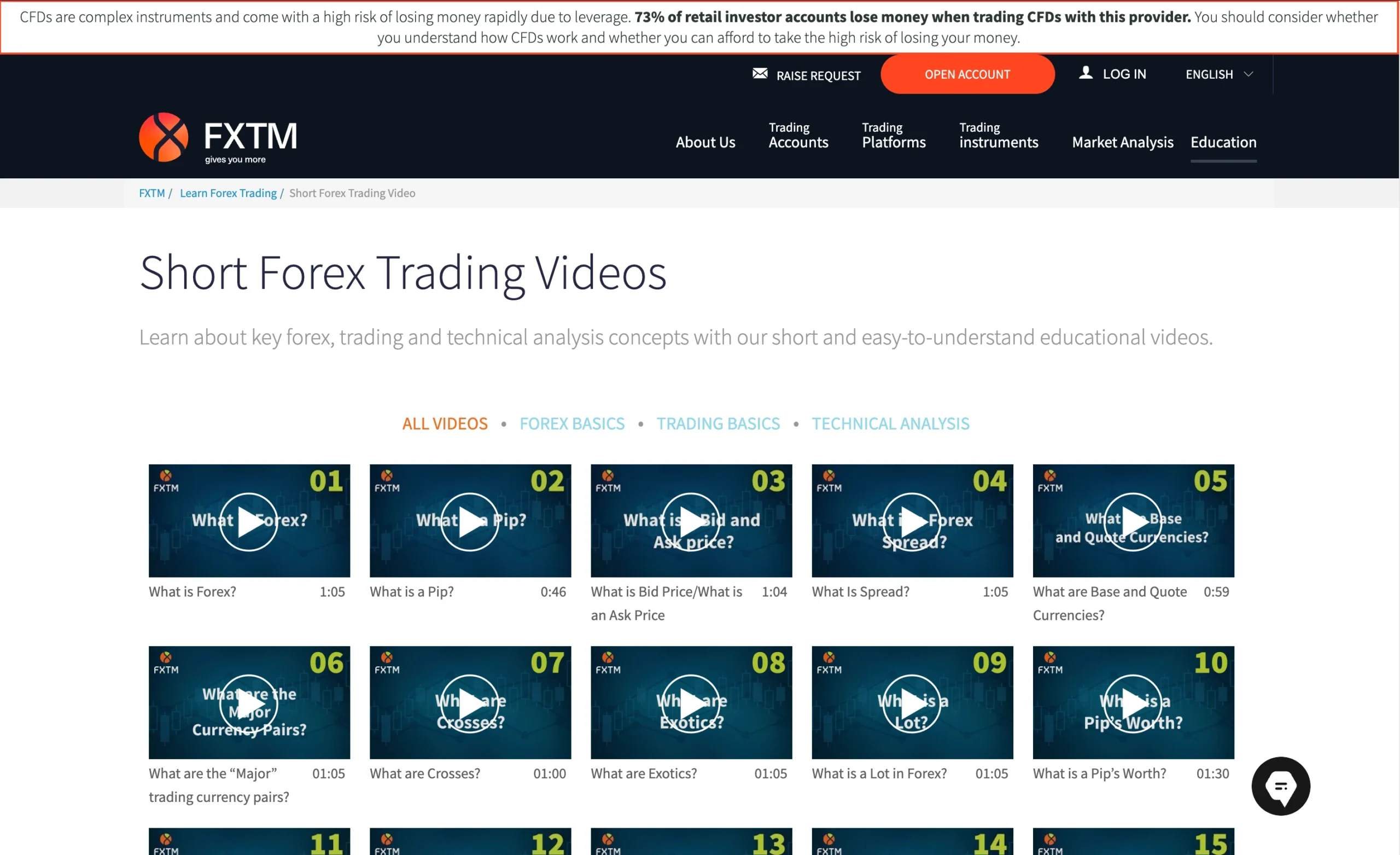
Education Overview: Guides, Webinars, and Courses
FXTM provides a large library of educational content, including trading videos, archived webinars, guides, and articles designed to help traders understand core market concepts. The material is primarily focused on technical analysis, platform usage, and FXTM’s trading tools, with relatively less emphasis on fundamental analysis and trading psychology. Overall, the content is largely geared toward beginner traders.
Video Library & Webinars
FXTM hosts over 250 educational videos and past webinars, mainly available through its YouTube channel. The content ranges from account setup tutorials and MetaTrader platform walkthroughs to foundational lessons on price action trading.
The material is structured to be light, accessible, and beginner-friendly, making it suitable for traders who are just starting out. However, it is important to note that FXTM has stopped publishing new live webinars, although all previous recordings remain available for viewing online.
Guides & Written Resources
In addition to video content, FXTM offers several core educational guides, including:
- What is Forex Trading?
- CFD Trading for Beginners
- Index CFDs Trading
Alongside these guides, FXTM also maintains a library of educational articles that explain key trading terms and foundational market concepts. These resources are well-structured and effective for beginners building initial knowledge.
FXTM Education: Key Takeaways
FXTM’s education section is best described as beginner-focused and easy to understand, making it a solid starting point for new traders. However, the offering is less comprehensive for intermediate or advanced traders, with limited coverage of topics such as deep fundamental analysis and trading psychology.
Overall, the educational ecosystem would benefit from more advanced content, but it remains a useful entry-level learning hub for new market participants.
| Education Summary | FXTM |
|---|---|
| Videos - Beginner Trading Videos | Yes |
| Videos - Advanced Trading Videos | Yes |
| Webinars | Yes |
| Platform Tutorials | Yes |
| YouTube educational content | Yes |

Customer Support Overview
FXTM offers 24/7 customer support through its chatbot, providing traders with around-the-clock assistance for account, platform, and trading-related questions. In addition to chatbot support, users can submit inquiries through an online contact form or browse the broker’s FAQ section for answers to common questions. At the time of testing, phone support was not available.
Customer Support Experience
To assess the quality of FXTM’s support, factors such as response speed, accuracy of information, and overall usefulness of replies were evaluated.
During a support test conducted in 2026, the chatbot required a name and email address before the conversation could begin. Responses to straightforward questions, such as those related to commission charges, were delivered quickly and included a satisfactory level of detail.
However, the experience was not entirely seamless. While the chatbot handled basic queries efficiently, it struggled with certain topics. For example, when asked whether FXTM offered copy trading, the chatbot failed to recognize and respond appropriately to the question.
FXTM Customer Support Languages:
English, Spanish, Arabic, Chinese, Thai
FXTM Customer Support: Key Takeaways
FXTM’s chatbot support is generally fast and informative for basic inquiries, making it useful for resolving common account and trading questions. However, its ability to understand more specific or complex queries can be inconsistent. The availability of a FAQ section and contact form adds additional support channels, though the lack of phone support may be a drawback for some traders seeking direct assistance.
Final Thoughts on FXTM
Founded in 2011, FXTM has established itself as a reputable broker backed by a strong regulatory framework and multiple client protection measures. Security remains a key strength, with the broker offering segregated client funds and negative balance protection to help safeguard traders.
From a market access perspective, FXTM delivers a diverse trading experience with 1,460+ CFDs across multiple asset classes, alongside 397 real U.S. stocks. The inclusion of real shares is a notable advantage, as many competitors focus exclusively on CFD trading.
When it comes to pricing, FXTM’s spreads and swap rates on several popular instruments were generally higher than the industry average. However, share CFDs offered more competitive pricing. On the positive side, non-trading fees are kept low, while deposits and withdrawals are generally available with little to no cost.
FXTM supports both MetaTrader 4 (MT4) and MetaTrader 5 (MT5), enhanced with the broker’s Pro Trader Tools plugin. In addition, its proprietary FXTM mobile app, powered by TradingView, provides a modern and user-friendly trading experience that enhances accessibility for mobile traders.
One of FXTM’s strongest areas is its research offering. Traders gain access to comprehensive in-house market analysis, supplemented by Acuity’s AI-powered trading signals and Trading Central research tools. Together, these resources create a research suite that stands above the industry average.
The broker’s educational content is extensive for newcomers, featuring a large collection of videos, guides, and recorded webinars. However, the educational material is primarily geared toward beginners, with less content available for traders seeking advanced insights into topics such as trading psychology or fundamental analysis.
Overall, FXTM stands out as a secure, feature-rich broker with strong research capabilities, broad market coverage, and access to both CFD products and real stocks. It is particularly well-suited to day traders, scalpers, and investors seeking exposure to real U.S. equities, although traders prioritizing the lowest possible trading costs may find more competitive pricing elsewhere.
FXTM FAQ
Is FXTM safe?
Yes. FXTM is considered a safe broker due to its strong regulatory oversight and client protection measures. The broker keeps client funds in segregated accounts and provides negative balance protection, helping reduce the risk of clients losing more than their account balance.
How do you withdraw money from FXTM?
To withdraw funds from FXTM, log in to your MyFXTM portal, navigate to My Money, select Withdraw Funds, choose your preferred withdrawal method, enter the withdrawal amount, and confirm the request using the verification code sent to your phone.
Does FXTM offer a demo account?
Yes, FXTM provides a demo account that allows traders to practice strategies and explore the broker’s platforms using virtual funds before risking real money.
What fees does FXTM charge?
FXTM’s fees vary by account type and instrument. Trading costs may include spreads, commissions, and overnight swap fees. The broker generally charges minimal non-trading fees, although withdrawal fees may apply depending on the payment method used.
Is the FXTM mobile app good?
Yes, the proprietary FXTM mobile app offers a modern interface, TradingView-powered charting, account management tools, market news, and trading functionality in a single application. It is particularly useful for traders who prefer managing their accounts and positions from mobile devices.
What is the minimum deposit at FXTM?
The minimum deposit at FXTM depends on the account type selected. The Micro Account can be opened with as little as $30, making it accessible to beginner traders. Other account types generally require a minimum deposit of $200.
Can you trade real stocks at FXTM?
Yes. In addition to CFDs, FXTM offers access to 397 real U.S. stocks, allowing investors to buy and hold shares rather than trade them solely as leveraged CFD products.
Is FXTM customer support good?
FXTM offers customer support through live chat, email, and its help centre. During testing, responses were generally quick and informative, although the chatbot may occasionally struggle with more specific or complex questions.
Does FXTM offer copy trading?
Yes. Through FXTM Invest, eligible clients can either become Investors and copy Strategy Managers or act as Strategy Managers themselves and earn commissions from successful performance. Availability depends on the regulatory entity under which the account is opened.
Is FXTM good for beginners?
Yes, FXTM can be a suitable broker for beginners thanks to its user-friendly account opening process, educational resources, demo account availability, and low minimum deposit options. The broker also offers extensive video content, platform tutorials, and a proprietary mobile app that makes it easier for new traders to navigate the markets.
Sources used to create the FXTM Review
- FXTM – Account specifications, trading conditions, platform features, fees, funding methods, educational resources, research tools, and regulatory information
- CMA – Capital Markets Authority (Kenya)
- FSCA – Financial Sector Conduct Authority (South Africa)
- FSC – Financial Services Commission (Mauritius)
- MetaTrader 4 (MT4) – Platform specifications, charting tools, order types, and mobile trading functionality
- MetaTrader 5 (MT5) – Platform specifications, advanced charting, market depth, and trading features
- Trading Central – Market research, technical analysis, and trading insights available through FXTM
- Acuity Trading – AI-powered market analysis, sentiment tools, and trading signals integrated with FXTM
- FXTM Invest – Social trading and strategy manager information
- FXTM Help Center – Account opening, deposits, withdrawals, verification, and support information
- FXTM YouTube Channel – Educational videos, webinars, platform tutorials, and trading guides



































More Broker Reviews
Meet the experts behind the FXTM Review

Zhahn du Plessis
Lead Analyst
Zhahn Du Plessis is the Lead Analyst at TradeWiki.io, where he is responsible for broker analysis, review creation, and overall platform development. He oversees every aspect of the website, ensuring that all content is accurate, transparent, and designed to help traders make informed decisions.
He holds a Bachelor of Commerce in Business Management from Akademia University and has been actively trading the forex markets since 2018. As a funded trader since 2021, he brings real-world experience in evaluating brokers, trading conditions, and execution quality.
Cobus Viljoen
Head of Marketing
Cobus Viljoen is the Head of Marketing at TradeWiki.io, where he leads content strategy and oversees all digital communication across platforms including Instagram, TikTok, YouTube, Pinterest, X, Threads, and Facebook. He is responsible for producing and distributing educational trading content, broker insights, and market-focused media designed to help traders make informed decisions.
With hands-on forex trading experience since 2019, Cobus has traded funded accounts through multiple proprietary trading firms, giving him practical insight into real market conditions, risk management, and trading psychology. His combined expertise in trading and content strategy helps ensure that all TradeWiki content is accurate, relevant, and aligned with the needs of modern traders.


About Tradewiki.io
Our goal at Tradewiki.io is to deliver clear, unbiased reviews of top international forex brokers and prop firms, guiding you toward the best forex broker or prop firm that fits your needs. Since launch, Tradewiki.io has helped thousands of traders worldwide find, compare, and choose trusted forex brokers and prop firms.
Tradewiki.io Reviews